
120mm AC Computer Cooling Fan
4.7Editor score
Direct wall outlet plug
Adjustable speed controller
Whisper quiet operation
AV receivers generate significant heat during operation which can lead to performance issues and shortened lifespans. Choosing the right cooling solution ensures your equipment runs smoothly and quietly without adding unwanted noise to your listening environment.
We evaluated ten top-rated cooling fans based on airflow capacity noise levels and ease of installation. Each product was analyzed for its compatibility with standard AV cabinets and its ability to dissipate heat effectively without requiring complex wiring.
Each pick in this list highlights unique features and benefits to help you make an informed decision. Please note that product availability and pricing may change over time so verify current details before purchasing your preferred model.
4.7Editor score

4.8Editor score

4.4Editor score
As an Amazon Associate we earn from qualifying purchases.
The following comparison table provides a side-by-side overview of all ten selected cooling fans. It highlights key specifications and unique features to help you quickly identify the model that best fits your specific AV cabinet requirements.
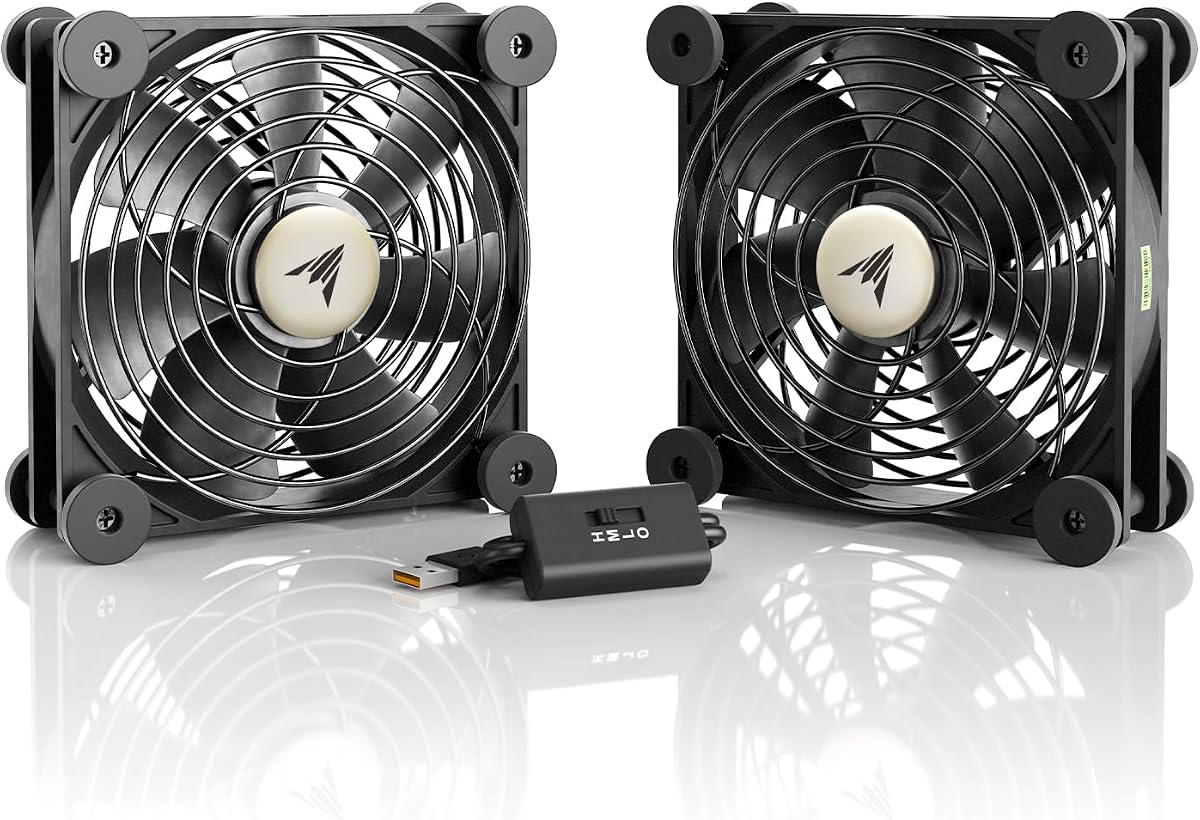
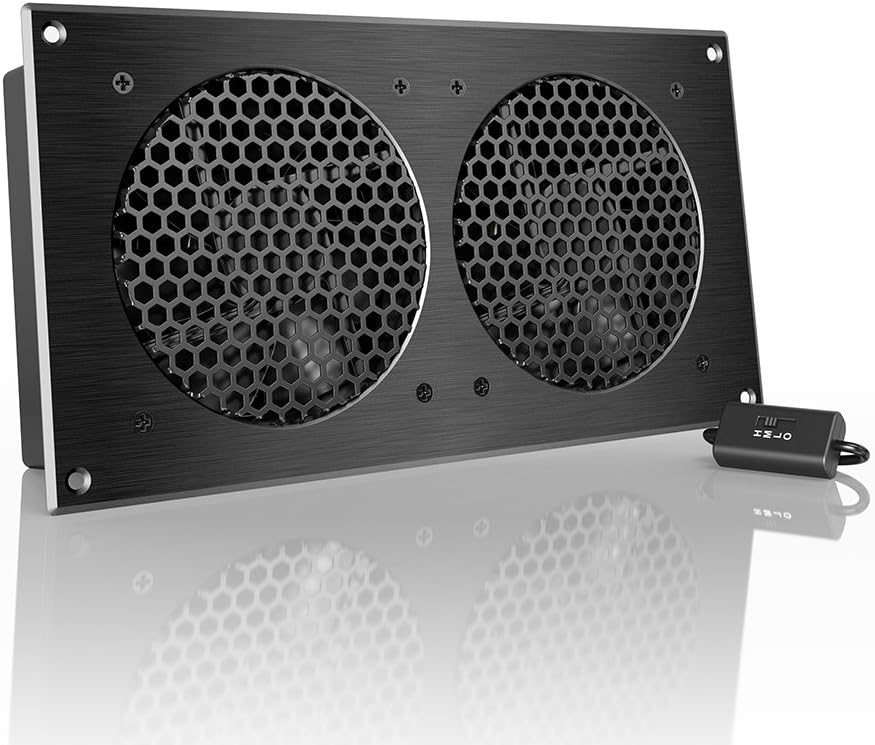


The AC Infinity AIRCOM S7 stands out as the top choice for cooling AV receivers due to its exceptional balance of performance and silence. With a rating of 4.8 stars it consistently meets user expectations for reliability and efficiency in home theater environments.
We may earn a commission when you buy through this link, at no additional cost to you.
Its dual fan system provides up to 140 CFM of airflow which is significantly higher than many competitors in this category. The PWM controlled motors ensure that the fans run smoothly without creating distracting hums during quiet movie scenes.
While the price is higher than basic options the advanced features justify the investment for serious audiophiles. The only trade off is the top exhaust design which requires adequate clearance above your AV rack.
If you prioritize silent performance and high cooling power this model is the definitive choice for protecting your expensive electronics. It delivers professional grade cooling without the noise of industrial fans.
The system includes two thermal trigger modes that automatically adjust fan speed based on internal temperatures for optimal protection.
Dual ball bearing fans with PWM control minimize noise to just 19 dBA ensuring no interference with your audio experience.
We may earn a commission when you buy through this link, at no additional cost to you.
This 120mm AC fan offers incredible value for users needing effective cooling without breaking the bank. Its simple design focuses on functionality providing powerful airflow through a standard wall outlet without adapters.
We may earn a commission when you buy through this link, at no additional cost to you.
The brushless motor ensures quiet performance while the inline speed controller lets you fine-tune the RPM to match your specific cooling needs. It fits easily in tight spaces behind AV receivers or inside cabinets.
While it lacks the premium finish of more expensive units it delivers reliable cooling at a fraction of the cost. The only downside is the utilitarian look which might not suit high-end decor.
For budget conscious buyers who need immediate cooling this fan is a practical solution. It effectively prevents overheating and keeps your equipment running smoothly.
Simply plug the fan into any standard outlet and adjust the speed dial for immediate cooling without complex wiring.
Beyond AV receivers this fan works well for PCs routers and other electronics needing ventilation.
We may earn a commission when you buy through this link, at no additional cost to you.
Noctua is renowned for premium cooling solutions and the NV-FS2 maintains that reputation with top tier performance. The NF-A12x25 PWM fan delivers excellent airflow while remaining remarkably quiet in any environment.
We may earn a commission when you buy through this link, at no additional cost to you.
Silicone gaskets and pads reduce vibrations ensuring that the fan operates without causing rattle or unwanted sound. This makes it ideal for high fidelity audio setups where even minor vibrations can be felt.
The price reflects the high quality components and engineering but may be too high for casual users. The included power supply and controller add to the cost but ensure compatibility with global voltage standards.
For those seeking the absolute best in cooling performance and build quality this fan is unmatched. It is a worthy investment for serious home theater enthusiasts.
Extra soft silicone gaskets minimize vibrations ensuring silent operation that protects sensitive audio equipment.
The multi voltage power supply with plug adaptors ensures the fan works anywhere in the world.
We may earn a commission when you buy through this link, at no additional cost to you.
This dual fan system is perfect for users who want to power their cooling directly from their AV receiver or game console. The USB connectivity simplifies setup by eliminating the need for extra wall outlets.
We may earn a commission when you buy through this link, at no additional cost to you.
With dual ball bearings rated for 67000 hours the fans are built to last without degradation in performance. They can be laid flat or stood upright making them adaptable to different cabinet configurations.
The USB power source is convenient but may not provide maximum airflow for very hot environments. Additionally the cable length might limit placement options for larger racks.
Ideal for moderate cooling needs this fan offers a sleek and simple solution for electronics in enclosed spaces. It effectively reduces heat without complicating your cable management.
Power the fan directly from AV electronics or game consoles to save outlets and reduce cable clutter.
Dual ball bearings ensure a long lifespan of 67000 hours for reliable long-term cooling performance.
We may earn a commission when you buy through this link, at no additional cost to you.
The AIRPLATE S7 is designed specifically for cooling enclosed cabinets with minimal noise. Its brushed black finish complements modern AV gear making it an aesthetic choice for visible installations.
We may earn a commission when you buy through this link, at no additional cost to you.
A turbo adapter is included to increase performance by 25% when you need extra airflow for hot equipment. The fan operates at just 19 dBA ensuring it remains virtually silent during operation.
While the aluminum frame adds durability and style it also increases the overall price. The fixed dimensions mean you must ensure your cabinet has enough space for the unit.
For those who value both performance and aesthetics this fan is an excellent choice. It provides reliable cooling while maintaining the visual integrity of your entertainment center.
The included turbo adapter boosts airflow by 25% to handle higher thermal loads when necessary.
A CNC machined aluminum frame with a brushed black finish matches modern AV equipment perfectly.
We may earn a commission when you buy through this link, at no additional cost to you.
This fan is ideal for renters or those who cannot modify their furniture permanently. The slim door gap design fits existing openings to exhaust hot air without cutting holes.
We may earn a commission when you buy through this link, at no additional cost to you.
Powered by USB it connects easily to any standard 5V source. The included speed controller allows you to adjust airflow based on how warm the cabinet gets.
The airflow is lower than larger fans which may not be sufficient for very high heat output devices. Success depends on the size of the existing gaps in your cabinet doors.
A practical solution for protecting equipment without compromising furniture integrity this fan offers a non-destructive approach to cooling. It is perfect for temporary or flexible setups.
Install cooling without cutting holes or damaging your cabinet using the slim door gap design.
Powered by a standard USB 5V connection allowing easy setup without complicated wiring.
We may earn a commission when you buy through this link, at no additional cost to you.
This slim fan is engineered for tight spaces where traditional fans cannot fit. The ultra-slim profile ensures it can be installed in narrow media consoles without blocking other equipment.
We may earn a commission when you buy through this link, at no additional cost to you.
It mounts securely using existing gaps which helps protect furniture while improving airflow. The low operating noise ensures it does not distract from your audio or video content.
The limited size means it is best for modest cooling needs rather than high heat loads. It relies on specific cabinet geometries to function effectively.
For owners of slim entertainment centers this fan provides essential cooling without bulk. It is a smart choice for maximizing airflow in constrained environments.
The ultra-slim profile fits narrow cabinets and media consoles where standard fans cannot be installed.
It mounts securely using existing cabinet gaps or vents without drilling to help protect furniture.
We may earn a commission when you buy through this link, at no additional cost to you.
Designed for tool-free installation this fan is perfect for renters who need quick and reversible cooling. The non-destructive brackets allow you to set up the system in under sixty seconds.
We may earn a commission when you buy through this link, at no additional cost to you.
The Gap-Flow design excels where standard fans fail by pulling heat away effectively through existing ventilation slots. It remains virtually silent even when operating at full speed.
The reliance on specific door gaps may limit usability in some cabinets. However for those with compatible furniture it offers a highly efficient solution.
This fan offers a hassle-free way to protect your electronics from overheating. It combines ease of use with effective thermal management.
Set up your cooling system in under 60 seconds with no complicated hardware or professional tools required.
It utilizes existing door gaps to provide a high-efficiency cooling path without touching your cabinet.
We may earn a commission when you buy through this link, at no additional cost to you.
This dual fan unit is perfect for cooling multiple devices simultaneously such as a router and AV receiver. The 140mm fans provide solid airflow while remaining quiet at 18 dBA.
We may earn a commission when you buy through this link, at no additional cost to you.
The universal USB compatibility allows you to daisy-chain multiple fans if you need to cool an entire rack. It fits easily in tight spaces with its slim design.
Sleeve bearings are less durable than ball bearings but sufficient for typical use. The plastic construction is lightweight but less premium than aluminum options.
For users needing flexible cooling across several devices this fan is a versatile choice. It keeps your electronics cool without adding clutter.
Dual 140mm fans provide ample airflow to cool multiple devices simultaneously with low noise levels.
Works with any USB port allowing you to daisy-chain multiple fans for larger cooling needs.
We may earn a commission when you buy through this link, at no additional cost to you.
The GDSTIME fan uses a dual 120mm setup to cover a wide area making it ideal for multiple heat-generating components. The 240mm size allows it to cool a whole shelf rather than a single device.
We may earn a commission when you buy through this link, at no additional cost to you.
Hydraulic bearings ensure quiet and long-lasting operation which is crucial for 24/7 use. The inline switch allows you to adjust speeds from silent to max airflow easily.
The large footprint may not fit in shallow cabinets and the plastic housing is less robust than metal options. However the airflow per dollar is excellent for this category.
For wide rack cooling at an affordable price this fan delivers reliable performance. It keeps your electronics cool without complicated setups.
Dual 120mm fans move ample air to cool multiple devices simultaneously in a wide space.
The low setting runs near-silent and the hydraulic bearings ensure long-lasting quiet cooling for 24/7 operation.
We may earn a commission when you buy through this link, at no additional cost to you.
Selecting the right cooling fan requires balancing airflow efficiency with noise levels and installation complexity. This guide outlines the key factors to consider for ensuring your AV receiver stays cool without introducing unwanted sound.
Airflow measured in CFM indicates how much air the fan moves. Higher CFM values are necessary for powerful receivers that generate significant heat during use.
Look for a fan with at least 100 CFM to ensure adequate heat dissipation for most standard AV setups.
Noise levels measured in dBA determine how audible the fan is during operation. For quiet home theater environments aim for fans rated below 20 dBA.
A fan that operates silently ensures that it does not interfere with your movie or music experience.
Consider whether the fan requires drilling or can be mounted using existing gaps. No-drill options are ideal for renters or those who wish to protect their furniture.
Choose a mounting style that matches your cabinet structure and installation skill level.
Fans may be powered by USB or direct AC outlets. USB power is convenient as it uses ports on your AV equipment reducing wall outlet usage.
Select a power source that fits your available ports and reduces cable clutter.
Ensure the fan dimensions fit your cabinet space. Slim profiles are better for narrow shelves while larger units provide more airflow.
Measure your available space before purchasing to avoid sizing issues.
Check the type of bearings used in the fan. Ball bearings generally last longer than sleeve bearings and handle heat better over time.
Opt for fans with long lifespans to ensure reliable cooling for years.
Adjustable speed controllers allow you to fine-tune cooling based on temperature needs. Thermal triggers can automate fan speed for convenience.
Models with control options provide greater flexibility and energy efficiency.
Metal frames like aluminum tend to dissipate heat better than plastic. High-quality materials also reduce vibration and increase durability.
Invest in solid construction for better performance and longer product life.
Place the fan near hot components like the back of your AV receiver to ensure efficient heat exhaust. Make sure there is enough clearance for air to flow freely without obstructions.
Regularly clean the fan blades and dust filters to maintain optimal airflow. Dust buildup can reduce performance and increase noise over time.
Check your fan periodically for unusual noises or vibrations which may indicate bearing wear. Replacing the fan if necessary will prevent overheating issues.
Most standard AV receivers benefit from at least 100 CFM of airflow to stay cool during extended use. High heat output models may require fans capable of 140 CFM or more to prevent overheating.
High-quality cooling fans are designed to operate quietly with noise levels often below 20 dBA. Look for models with PWM motors or sleeve bearings to minimize sound during quiet movie scenes.
Not all fans require drilling. Many models feature no-drill designs that fit into existing cabinet gaps. This is ideal for renters or those who want to avoid permanent modifications.
Yes many cooling fans support USB power allowing you to connect them to your AV receiver. This simplifies cable management and reduces the need for extra power outlets.
120mm fans are the most common size and fit into a variety of cabinet configurations. Slim options are available for narrow shelves where space is limited.
Fans with ball bearings typically last up to 67000 hours or more. Regular cleaning and proper installation can extend the life of your cooling system.
Not all receivers overheat but if your unit is hot to the touch it benefits from additional airflow. Cooling fans help prevent thermal throttling and extend equipment lifespan.
Larger fans such as 240mm units can cool multiple devices on a single shelf. Ensure the fan is positioned to direct airflow effectively over all heat-generating components.
The AC Infinity AIRCOM S7 stands out as the top choice for balancing performance and silence. Its advanced features make it suitable for serious home theater setups.
For budget-conscious buyers the 120mm AC Computer Cooling Fan offers great value. It provides effective cooling at a lower price point.
Remember to verify current pricing and availability before purchasing. Choose the model that best fits your specific needs and cabinet constraints.