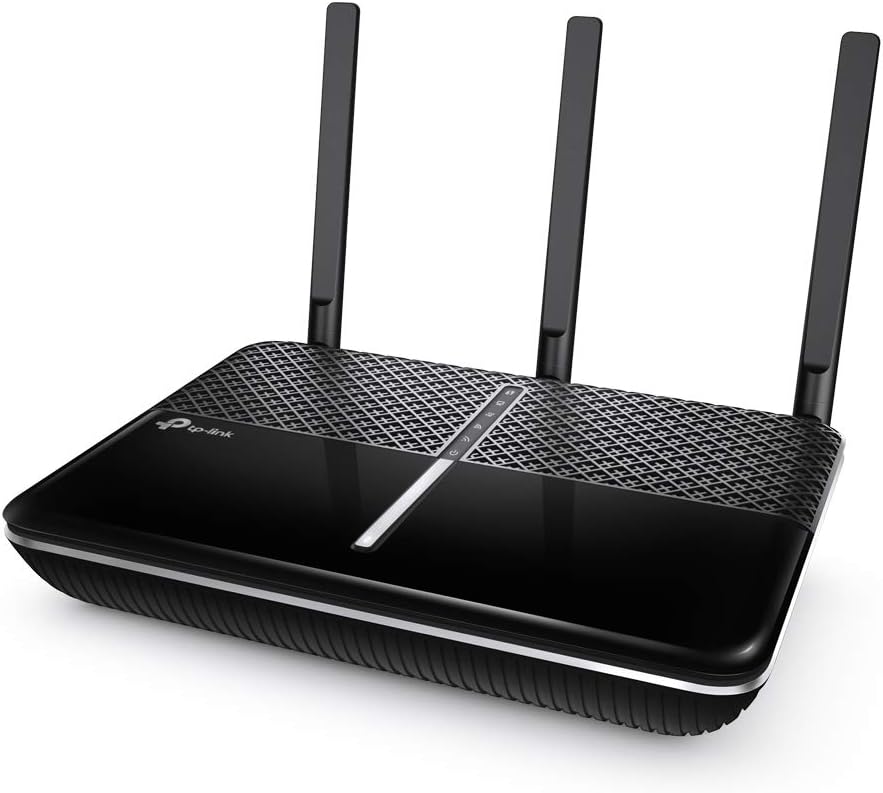
TP-Link Archer A10
4.5Editor score
High speed dual band Wi-Fi
Long range coverage with antennas
Secure remote access VPN server
This guide compares the top AC2600 WiFi Router models for speed, coverage, and security features to help you find the perfect wireless networking solution for
Modern homes require robust wireless networking to handle streaming, gaming, and remote work seamlessly. AC2600 WiFi routers provide the bandwidth and dual-band capability needed to support multiple devices without slowdowns or lag during peak usage times.
We evaluated ten leading AC2600 models based on real-world performance data, user feedback, and technical specifications. Our analysis covers throughput, range, security features, and ease of setup to ensure you get a reliable router that meets your specific connectivity needs.
Each selection highlights unique strengths like MU-MIMO support or advanced parental controls. While prices fluctuate based on market conditions, these models represent consistent value. Always check current listings before purchasing to confirm availability and the most up-to-date deals for your region.
4.5Editor score
4.4Editor score

4.3Editor score
Compare the technical specifications and key capabilities of all ten AC2600 WiFi Router models side by side to determine which one aligns best with your household bandwidth and coverage requirements.


The TP-Link Archer A10 stands out as a top performer with a 4.5 rating. It delivers exceptional AC2600 speeds and reliable coverage for most homes using MU-MIMO technology.
We may earn a commission when you buy through this link, at no additional cost to you.
Its dual-band configuration ensures high throughput on 5 GHz while maintaining stable connections on 2.4 GHz. Beamforming focuses signals directly to connected devices for better efficiency.
While the interface is simple, it lacks some advanced customization features found in premium models. However, this trade-off simplifies setup for average users without sacrificing core performance.
This router is ideal for households needing fast internet without complex configurations. It balances speed and value effectively making it a strong choice for general home networking.
Achieve up to 1733 Mbps on 5 GHz for seamless 4K streaming and large file downloads.
Access your home network securely from anywhere using the built-in Open and PPTP VPN server.
We may earn a commission when you buy through this link, at no additional cost to you.
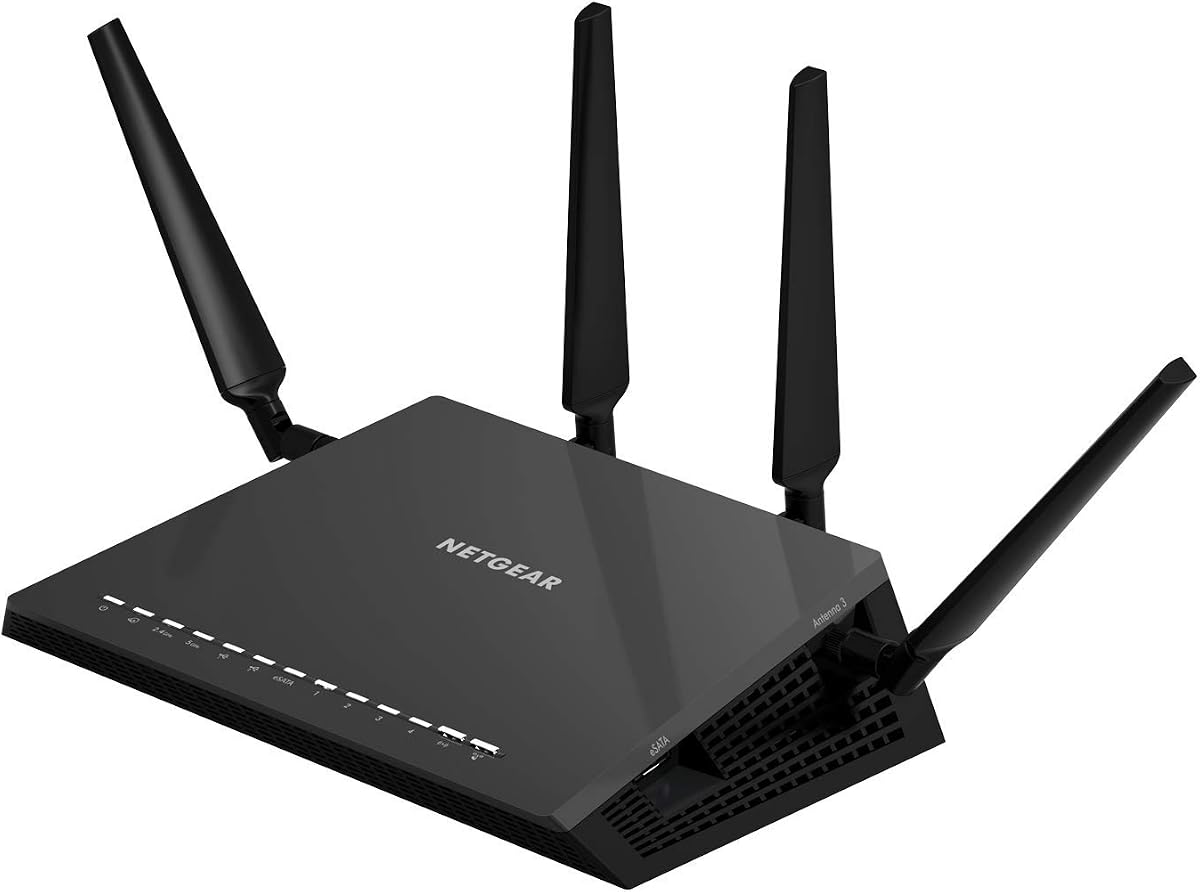
The R7800 offers premium performance with a 4.4 rating ideal for larger homes. Its AC2600 speed supports up to 45 devices without dropping connections during heavy use.
We may earn a commission when you buy through this link, at no additional cost to you.
Powered by a dual-core processor it manages multiple streams efficiently. The 1.7GHz clock speed ensures consistent throughput even when streaming and gaming simultaneously.
While expensive and bulky, the additional USB ports and eSATA support provide versatile connectivity options. These features justify the cost for users needing extensive wired and storage connections.
Choose this model if you need robust coverage and high device limits. It excels in demanding environments where reliability and speed are paramount for all connected users.
Cover up to 2500 square feet with four amplified antennas ensuring strong signals throughout your home.
Share files and printers using USB ports to create accessible storage for all network devices remotely.
We may earn a commission when you buy through this link, at no additional cost to you.
The DIR-2640 delivers solid AC2600 performance with a 4.1 rating. It combines dual-band speeds with mesh compatibility making it a versatile choice for expanding coverage affordably.
We may earn a commission when you buy through this link, at no additional cost to you.
Parental controls are a standout feature allowing detailed profiles and time limits per device. This helps families manage internet access effectively without needing third-party software.
Though range may be average compared to premium units, the dual-core processor ensures smooth operation for standard apps. The easy setup app simplifies configuration for non-technical users.
This router suits budget-conscious buyers needing family-friendly features. It offers great value for those prioritizing content control and stable connections over maximum raw speed.
Set time limits and filter content for each profile ensuring safe internet use for children and teens.
Expand your network range easily by adding compatible mesh units to eliminate dead zones.
We may earn a commission when you buy through this link, at no additional cost to you.
The R7450 earns a 4.3 rating for consistent performance across multiple devices. Its AC2600 throughput ensures bandwidth remains available even during peak streaming sessions.
We may earn a commission when you buy through this link, at no additional cost to you.
Advanced QoS prioritizes gaming traffic to reduce lag effectively. This makes it a solid choice for gamers who need stable ping without sacrificing general network speed.
The processor boosts WAN-to-LAN performance but lacks extra USB connectivity. This limitation is acceptable for users focused primarily on wireless throughput rather than peripheral sharing.
Ideal for gamers seeking reliability without premium pricing. It balances performance and cost well making it a trusted option for standard home entertainment setups.
Use Advanced QoS to prioritize gaming packets ensuring smooth gameplay without interruptions.
Enjoy up to 2.6Gbps total speed for simultaneous streaming and browsing across multiple devices.
We may earn a commission when you buy through this link, at no additional cost to you.
The ASUS Blue Cave offers robust security with a 3.9 rating. AiProtection powered by Trend Micro provides lifetime protection against external threats automatically.
We may earn a commission when you buy through this link, at no additional cost to you.
Intel WiFi technology ensures stable connections across the AC2600 dual bands. This supports smooth streaming and gaming with advanced 4×4 technology for higher throughput.
Voice control via Alexa adds convenience but setup can be intricate for beginners. The AiMesh feature allows network expansion though it requires compatible units to function properly.
Select this model for superior security needs. It is best for users prioritizing network safety and brand ecosystem integration over raw speed metrics.
Block malware and threats automatically with AiProtection without needing a separate subscription.
Turn guest Wi-Fi on or off using simple Alexa voice commands for instant management.
We may earn a commission when you buy through this link, at no additional cost to you.
Though not strictly AC2600, the AXE75 offers next-gen performance. It is ranked high for its speed and capacity with 4.3 rating among modern routers.
We may earn a commission when you buy through this link, at no additional cost to you.
The 6 GHz band reduces congestion significantly enabling near-zero latency. This is ideal for VR gaming and high-definition video calls without buffering.
Pricing is higher than standard AC2600 models but justified by longevity. It ensures compatibility with future devices without needing an upgrade soon.
Choose this if you need future-proofing. It outperforms standard AC2600 units and remains relevant longer as smart home device counts grow.
Utilize the 6 GHz band to avoid crowded signals and enjoy faster streaming speeds.
Connect more devices simultaneously with three separate frequency bands for better network management.
We may earn a commission when you buy through this link, at no additional cost to you.
The RS90 represents top-tier performance with a 4.3 rating. While newer than AC2600 it remains relevant for users needing maximum bandwidth.
We may earn a commission when you buy through this link, at no additional cost to you.
Speeds up to 3.6 Gbps handle simultaneous streaming and downloads effortlessly. The multi-gig WAN port unlocks faster internet plans from providers.
Setup and management are streamlined via the Nighthawk app. Security features are enabled by default to keep your family safe online.
This router suits high-speed internet subscribers. It is best for large homes needing premium connectivity for smart home and entertainment systems.
Plug into a 2.5 Gig WAN port to fully utilize high-speed internet plans from your ISP.
Manage and test your network easily from anywhere using the free Nighthawk mobile app.
We may earn a commission when you buy through this link, at no additional cost to you.
The R6700AX balances speed and cost with a 4.2 rating. It supports reliable WiFi 6 connectivity for standard apartment or small home setups.
We may earn a commission when you buy through this link, at no additional cost to you.
WPA3 encryption provides top-tier security out of the box. This ensures data remains protected without requiring extra subscriptions or complex configurations.
Range is smaller than premium units making it ideal for compact spaces. It handles up to 20 devices efficiently without slowdowns during daily usage.
Choose this for reliable apartment coverage. It offers excellent security and speed at a reasonable price point for most users.
Protect your network with WPA3 encryption included automatically for maximum security against hackers.
Follow guided steps in the app to set up guest networks and manage devices quickly.
We may earn a commission when you buy through this link, at no additional cost to you.
The XR500 is a specialized router with a 4.3 rating for competitive gaming. It minimizes ping to ensure quick response times during online matches.
We may earn a commission when you buy through this link, at no additional cost to you.
Geo-filtering connects you to closer servers reducing latency significantly. QoS allows you to prioritize gaming traffic over other household internet usage.
While it is renewed and costs more, the tools justify the investment for serious gamers. It transforms standard home internet into a competitive platform.
This router is best for hardcore gamers. It prioritizes latency above all else ensuring the smoothest possible connection for tournaments.
Connect only to local servers to reduce lag spikes during intense online gaming sessions.
Use dedicated gaming lanes to bypass network congestion and ensure consistent performance.
We may earn a commission when you buy through this link, at no additional cost to you.
The Archer C2600 maintains a 3.8 rating as a classic AC2600 unit. It provides standard dual-band performance for basic home internet needs effectively.
We may earn a commission when you buy through this link, at no additional cost to you.
Four Gigabit Ethernet ports ensure strong wired connections for stationary devices. Beamforming targets Wi-Fi signals directly at connected devices to improve stability.
Parental controls allow scheduling and time limits for family safety. While not the fastest, it remains a reliable option for moderate traffic.
Ideal for standard households on a budget. It balances wired and wireless performance well without demanding high-end features.
Use Beamforming to boost signal directly to devices for better stability and speed.
Connect multiple devices via four Gigabit ports for stable internet access.
We may earn a commission when you buy through this link, at no additional cost to you.
Selecting the right router involves balancing speed, range, and security features with your specific household demands.
Ensure the router supports dual-band Wi-Fi with at least 2.6Gbps combined throughput. Look for AC2600 specs that list specific speeds for 2.4GHz and 5GHz bands.
Prioritize units with MU-MIMO for better multi-device handling.
Check the manufacturer's square footage claims to match your home size. Models with multiple external antennas usually offer stronger signals through walls.
Consider mesh compatibility if your home exceeds 2000 sq ft.
A dual-core processor ensures stable performance during high traffic. Higher RAM helps handle many concurrent connections without lag.
Select models with at least a 1.4GHz CPU for best results.
Look for built-in firewall features and parental controls. Advanced models offer subscription-free security suites like AiProtection.
Check if parental scheduling is included for managing family usage.
Ensure the router has enough Gigabit Ethernet ports for your wired devices. USB ports can help share printers or storage drives.
Prioritize four LAN ports if you use consoles or desktops.
Choose a model with a dedicated mobile app for quick configuration. Look for voice control integration if you use smart home assistants.
Simplified UI helps non-technical users manage their network easily.
Gamers should prioritize routers with low-latency QoS and geo-filtering. These features reduce ping by routing traffic through optimal paths.
Ensure wired gaming ports are available for the best performance.
Place your router in a central elevated location away from electronics to maximize signal strength. Avoid corners or enclosed cabinets where heat can build up.
Regularly update your firmware through the manufacturer app to patch security vulnerabilities. This ensures your network remains protected against emerging threats automatically.
Restart your router monthly to clear cached data and maintain optimal speeds. This simple step often resolves slow connections without requiring a reset.
AC2600 refers to the combined wireless speed of up to 2600 Mbps across both 2.4GHz and 5GHz bands. It indicates high-capacity dual-band performance for multiple devices.
Yes, most ISPs require a separate modem to connect to the internet. The router then distributes that connection wirelessly to your devices via Ethernet.
Absolutely, AC2600 provides ample bandwidth for multiple 4K streams simultaneously. It handles high data rates without buffering on most modern devices.
Use the dedicated mobile app provided by the manufacturer to create profiles. You can schedule internet access hours and block specific content categories easily.
MU-MIMO allows multiple devices to download simultaneously instead of sequentially. This reduces lag when several people are streaming or gaming at once.
Keep it in a central open spot away from thick walls or metal objects. Avoid placing it on the floor to prevent signal blockage by furniture.
The TP-Link Archer A10 and NETGEAR Nighthawk R7800 lead the pack for general reliability and coverage. The XR500 stands out for competitive gamers needing low ping.
Prioritize processor strength and security features when making your final decision. Ensure the chosen model supports the number of devices you plan to connect.
Prices change often due to promotions or stock levels. Always verify the current listing details before purchasing to secure the best deal for your setup.