
ANQ-L336 Mini
3.8Editor score
Lightweight portable aluminum design
Supports ATX and SFX PSUs
Compatible with ROG Ally X
Explore our expert guide comparing the top ten Egpu Enclosures for 2026, analyzing performance, compatibility, and features to help you choose the right
External graphics enclosures transform thin laptops into powerful desktop workstations. They allow users to connect full-sized GPUs via high-speed interfaces. This capability unlocks massive gains in gaming frame rates and creative application rendering speeds significantly.
We evaluated ten leading Egpu Enclosures based on bandwidth, power delivery, and build quality. Our analysis covers Thunderbolt and USB4 models designed for Windows, Linux, and some macOS devices. Each option offers distinct advantages for different workflow requirements.
Every pick highlights specific strengths like cooling efficiency, port selection, or AI model support. Note that availability and shipping terms can vary by region. Always verify compatibility with your specific laptop model before finalizing your purchase decision today.
3.8Editor score

4.0Editor score

4.5Editor score
The following table provides a side-by-side comparison of all ten reviewed enclosures. It highlights key specifications such as interface type, power supply capacity, and physical dimensions to help you identify the best fit for your hardware setup.


The Razer Core X V2 stands out as the leading choice for users seeking maximum performance in an external GPU setup. With a perfect blend of power delivery and interface speed it accommodates nearly any desktop graphics card currently available on the market today.
We may earn a commission when you buy through this link, at no additional cost to you.
Its Thunderbolt 5 connection delivers up to 80Gbps of bandwidth ensuring minimal latency during intensive gaming or creative workloads. The 140W PD output allows you to power your laptop through the same cable while using the external GPU for heavy rendering tasks or AAA gaming sessions.
While the build quality is exceptional with a vented steel chassis the price reflects the premium components inside. Mac users with M1 or later chips should note this device does not support their systems which limits its versatility for Apple ecosystem users seeking expansion.
For Windows and Linux users with high-end laptops this enclosure offers a seamless upgrade path. It is ideal for professionals who need desktop-class power for video editing or 3D rendering without sacrificing the portability of their primary machine during daily commutes.
Thunderbolt 5 ensures your GPU runs at near-native speeds without bottlenecks limiting frame rates in modern games.
Thumbscrews allow you to swap GPUs and power supplies easily without needing specialized tools or technical expertise.
We may earn a commission when you buy through this link, at no additional cost to you.
The Sonnet Breakaway Box 850 T5 is engineered for users who demand absolute maximum power and connectivity options. It features an integrated 850W power supply ensuring that even the most power-hungry GPUs will run without stability issues or unexpected shutdowns under load.
We may earn a commission when you buy through this link, at no additional cost to you.
With Thunderbolt 5 capabilities this enclosure provides 80Gbps bi-directional bandwidth which is essential for future-proofing your setup against upcoming hardware releases. The included dock ports offer additional USB and Ethernet connectivity reducing the need for separate hubs on your desk.
Although it is one of the more expensive options available the investment is justified by the robust build quality and comprehensive feature set. It excels in professional environments where consistent performance during long rendering sessions or AI training tasks is non-negotiable for productivity.
Users looking for a reliable high-performance solution for creative workflows should consider this model highly. It transforms standard laptops into full workstations capable of handling complex visual effects and high-resolution video editing projects with ease and precision daily.
The 850W PSU supports even the largest graphics cards ensuring stable operation during peak gaming or rendering sessions.
Integrated Thunderbolt and USB ports allow you to connect peripherals directly to the enclosure for a cleaner workspace.
We may earn a commission when you buy through this link, at no additional cost to you.
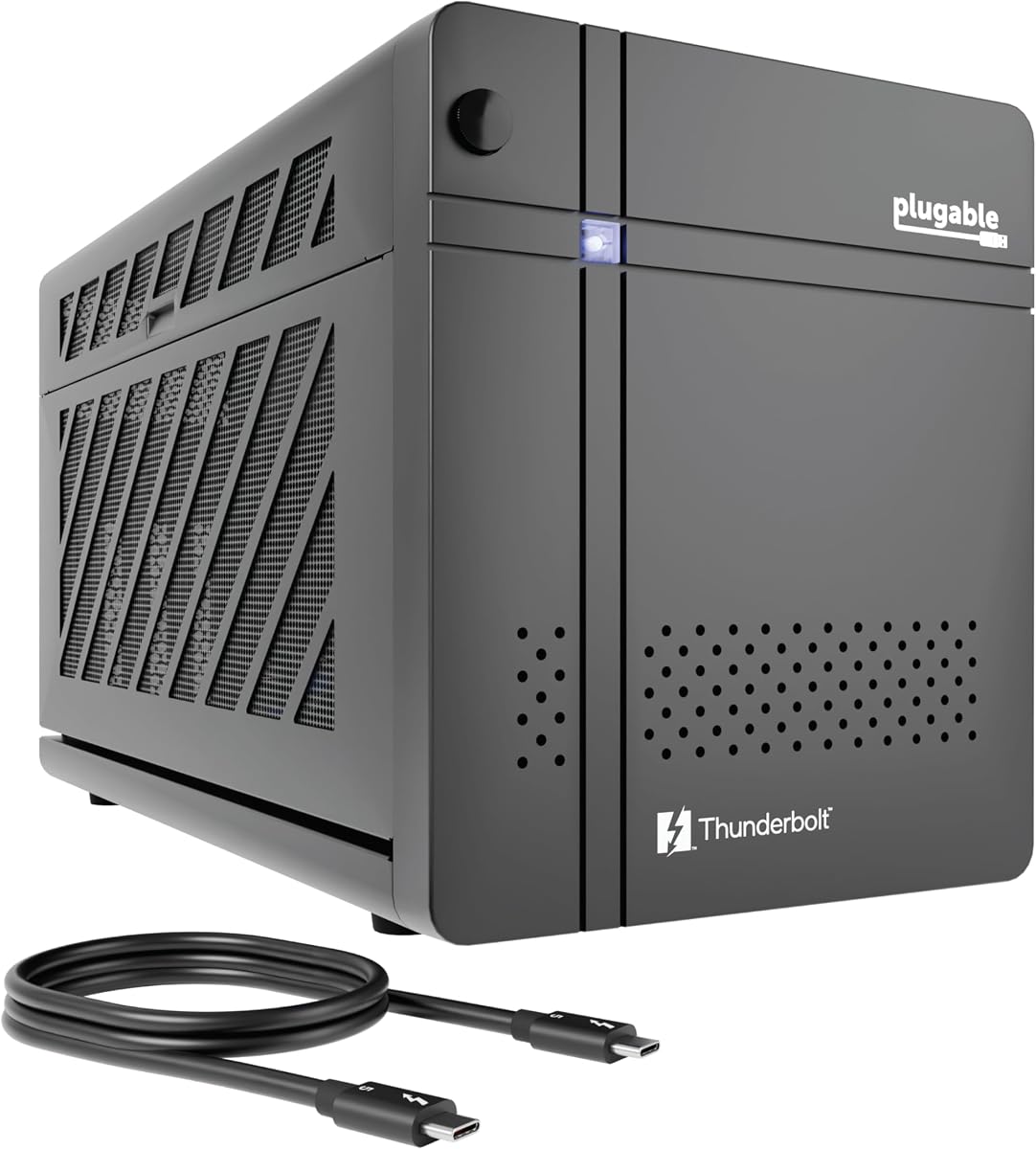
The Plugable TBT5-AI is a specialized enclosure designed specifically for users running large language models and AI applications locally. It prioritizes privacy by allowing you to run models like Llama 3 with an air gap ensuring your sensitive data never leaves your local environment.
We may earn a commission when you buy through this link, at no additional cost to you.
It comes with a robust 850W ATX 3.1 power supply that provides dedicated power to your GPU while offering high-speed Thunderbolt 5 connectivity for data transfer. The enclosure includes extensive ports for networking and storage making it a complete hub for AI development workflows.
While it is not compatible with macOS or Linux users it is a top-tier choice for Windows power users focused on machine learning. The lifetime support from the North American team adds significant value for organizations or individuals needing reliable technical assistance.
If you need to run AI models securely without cloud risks this enclosure is the perfect solution. It scales with your workflow as you can upgrade the GPU later while keeping the same secure and high-performance chassis for your data processing tasks.
Run sensitive AI models locally without exposing data to cloud providers for enhanced privacy and compliance.
Lifetime support from connectivity experts ensures you can resolve technical issues quickly without service interruptions.
We may earn a commission when you buy through this link, at no additional cost to you.
This enclosure offers a balanced mix of portability and performance for users who need to move their gaming or editing station frequently. The included 240W power supply simplifies the setup process as you do not need to purchase additional components separately to start using it.
We may earn a commission when you buy through this link, at no additional cost to you.
Constructed from anodized aluminum it provides excellent protection against bumps and scratches during travel. The lightweight design combined with the custom carrying case makes it easy to transport in a backpack without adding excessive bulk to your daily carry bag.
While it supports PCIe 3.0 x16 mode which is slower than newer standards it still offers significant performance gains over integrated graphics. It is ideal for mid-range GPUs that fit within the size constraints and do not require excessive power beyond 240W.
Users who prioritize travel and versatility over raw maximum performance will appreciate this kit. It allows you to connect to a laptop on the go and instantly boost graphics capabilities for editing or light gaming without needing a separate bulky power brick.
Includes cables and PSU so you can start using the enclosure immediately after connecting your GPU and laptop.
Robust aluminum shell and custom case ensure your hardware remains safe during daily commutes or business trips.
We may earn a commission when you buy through this link, at no additional cost to you.
The ANQ-L336 Mini is an excellent entry point for those looking to add external graphics without breaking the bank. It supports a wide range of power supplies including ATX SFX and Flex allowing you to reuse existing components or choose a low-profile option.
We may earn a commission when you buy through this link, at no additional cost to you.
Its compact size makes it ideal for NUCs and mini PCs where desk space is limited. The 85W PD charging ensures your laptop stays powered while connected making it a practical solution for remote work or travel scenarios where power outlets are scarce.
Although the bandwidth is limited to 40Gbps it still delivers substantial improvements for gaming and creative tasks. Users with handheld consoles like ROG Ally X will find this enclosure useful for expanding their graphical capabilities when docked to a monitor.
If you have a limited budget and want flexibility in choosing your power supply this is a strong candidate. It is perfect for users who do not need the absolute fastest interface speeds but still require a reliable connection for daily productivity tasks.
Supports multiple PSU form factors so you can use what you already have or choose one that fits your space.
Designed to work seamlessly with USB4-equipped handheld consoles for portable desktop-like gaming experiences.
We may earn a commission when you buy through this link, at no additional cost to you.
This enclosure is built with an ENIG PCB to ensure superior conductivity and long-term durability. It features a dual Thunderbolt port design allowing you to connect multiple devices or daisy-chain peripherals while utilizing the external GPU for high-performance tasks.
We may earn a commission when you buy through this link, at no additional cost to you.
The support for ATX power supplies means it can handle a wide range of graphics cards depending on your configuration. It also includes an 85W PD pass-through charging feature which keeps your laptop battery topped up during extended use without extra cables.
Users looking for a future-proof setup can appreciate the compatibility with upcoming RTX 50 series GPUs. The specialized support team offers assistance with connectivity issues which is helpful for beginners setting up complex external GPU systems for the first time.
While it requires you to supply the ATX power supply the flexibility allows for significant customization. It is a strong choice for enthusiasts who want to tailor their power solution to specific GPU wattage requirements without being locked into a proprietary unit.
ENIG coating on the PCB ensures reliable electrical connections that resist oxidation over long periods of use.
Use the second Thunderbolt port to connect other peripherals directly to the enclosure for a cleaner cable setup.
We may earn a commission when you buy through this link, at no additional cost to you.
The Sonnet Breakaway Box 750ex is a reliable option for users with older laptops that feature Thunderbolt 3 ports. It comes with a 750W power supply ensuring compatibility with a wide range of graphics cards including those requiring higher power for peak performance.
We may earn a commission when you buy through this link, at no additional cost to you.
Its additional connectivity includes four USB Type A ports and an Ethernet port which adds convenience for connecting peripherals directly. This reduces cable clutter on your desk and allows you to use the enclosure as a hub for your keyboard mouse and network.
While Thunderbolt 3 offers less bandwidth than newer standards it remains sufficient for many high-end gaming and creative applications. It is a solid choice for Mac users with Intel-based systems who need reliable GPU acceleration for video editing or 3D rendering tasks.
This model is ideal if you are looking for a proven and stable solution from a trusted brand. The inclusion of a high wattage PSU and extra ports makes it a versatile workstation add-on that can serve multiple devices and users effectively.
Built-in Ethernet and USB ports allow you to connect peripherals directly without needing extra docking stations.
Supports both Mac and Windows systems making it a flexible option for shared workspaces or dual OS users.
We may earn a commission when you buy through this link, at no additional cost to you.
This mini enclosure is designed for users who are comfortable with DIY hardware setup and want a compact solution. It supports both SFX and ATX power supplies giving you flexibility to choose a unit that fits your specific space constraints on your desk.
We may earn a commission when you buy through this link, at no additional cost to you.
With dual Thunderbolt ports it can function as a hub allowing you to connect other devices downstream while using the GPU for computing tasks. The compact size makes it easy to store in a bag when not in use for mobile productivity or gaming.
It requires some technical know-how to ensure compatibility with your laptop and GPU. Checking device manager for controller information is recommended before purchase to avoid compatibility issues with your specific hardware configuration.
If you value portability and customization over a plug-and-play experience this model is a great fit. It offers a low cost entry into external GPU technology for those willing to spend time configuring drivers and hardware connections for optimal performance.
Use the additional ports to connect USB devices directly to the enclosure reducing the load on your laptop.
Small footprint makes it easy to store away when not in use keeping your workspace clean and organized.
We may earn a commission when you buy through this link, at no additional cost to you.
The MINISFORUM DEG2 introduces a unique storage solution with an integrated M.2 NVMe slot for keeping your models and files on the dock. This allows for seamless switching between devices without needing to move large project files or AI models to a different drive.
We may earn a commission when you buy through this link, at no additional cost to you.
It supports both USB4 V2 and OCuLink interfaces allowing you to choose between broad compatibility or ultra-low latency performance for specific use cases. The hardware switch lets you instantly toggle between docking mode and pure GPU performance mode based on your current needs.
Users working on large data sets will appreciate the ability to store data directly on the enclosure. This feature saves time during workflows where you need to access the same datasets across different host devices frequently during your daily work routine.
This enclosure is perfect for advanced users who want to optimize their workflow with local storage integration. It combines high speed connectivity with practical storage solutions to deliver a professional grade external graphics solution for complex tasks.
Keep your large AI models and project files on the dock for faster access and easier file management.
Switch between docking and performance modes with a hardware switch for flexibility in your workflow.
We may earn a commission when you buy through this link, at no additional cost to you.
This complete kit simplifies the setup process by including everything you need in one box. It features a 240W power supply and a custom carrying case making it ready to use immediately after connecting your compatible graphics card and laptop.
We may earn a commission when you buy through this link, at no additional cost to you.
Designed with a lightweight yet robust aluminum shell it offers premium protection for your components. The compact size allows you to easily carry it in a backpack and use it in different locations without worrying about bulky external power bricks or cables.
It supports Thunderbolt 4 and USB4 protocols ensuring broad compatibility with most modern laptops and handheld gaming consoles. The port selection includes charging and data ports so you can power your device while using the external graphics capabilities effectively.
Ideal for users who want a hassle-free start to external GPU usage this enclosure is a great choice. It provides a reliable platform for light to moderate gaming and creative work while maintaining portability and ease of use for daily tasks.
Includes all necessary cables and PSU for a straightforward setup process without additional purchases.
Aluminum shell and included case ensure your hardware is safe during travel and daily transport.
We may earn a commission when you buy through this link, at no additional cost to you.
Selecting the right enclosure requires evaluating interface compatibility, power supply needs, and physical dimensions. These factors determine whether your chosen GPU will fit and perform optimally in your specific laptop setup.
Thunderbolt 5 and USB4 V2 offer up to 80Gbps bandwidth which is crucial for high-end GPUs. Older interfaces like Thunderbolt 3 provide lower speeds but may suffice for mid-range cards or less demanding tasks.
Always verify your laptop supports the interface standard you are buying to ensure you get the advertised performance levels.
High wattage cards require enclosures with robust PSUs. Look for units that specify wattage clearly and include enough headroom for peak GPU loads without thermal throttling.
If the enclosure does not include a PSU ensure your existing unit matches the card requirements for safety.
Measure your GPU card size before purchasing. Many compact enclosures only support single-slot or low-profile cards which limits your upgrade options significantly.
Check the internal length and height limits to avoid buying a card that does not fit physically.
Mac users should be aware that only specific enclosures work with their hardware. Apple Silicon chips often have limited support compared to Intel based Macs or Windows PCs.
Always check the manufacturer compatibility list to avoid issues after purchase with your OS version.
Active cooling fans are essential for maintaining performance during long gaming or rendering sessions. Look for models with adjustable fan curves or high airflow ratings for better thermal management.
Passive cooling may not be sufficient for high-performance setups leading to throttling and slower speeds.
Consider how many extra ports you need. Enclosures with USB A or Ethernet ports can double as docking stations reducing desk clutter and cable management needs.
More ports allow you to connect peripherals directly to the enclosure rather than your laptop.
Durable materials like aluminum or steel protect your investment during travel. Lightweight enclosures are better for mobility while heavier ones offer more stability on a desk.
Look for robust casings that provide structural integrity for the heavy internal components.
Invest in models that support newer GPU generations and higher bandwidth standards. This ensures your enclosure remains useful as hardware evolves over time.
Choose enclosures with flexible power and connectivity options to accommodate upgrades later.
Before connecting your GPU ensure the power supply is unplugged and the case is open. Secure the card firmly into the PCIe slot and connect the power cables properly to avoid loose contacts.
Once connected to your laptop verify that the drivers are installed correctly. Check the device manager to confirm the external GPU is recognized by your operating system.
Regularly clean the vents with compressed air to prevent dust buildup. Keeping the enclosure free of debris ensures better airflow and cooling performance over time.
No only laptops with Thunderbolt or USB4 ports support external GPU enclosures. You must check your specific device specifications to confirm compatibility before purchasing any enclosure.
It depends on the enclosure design. Some require specific PSU sizes like ATX while others have internal fixed units. Always check the manual for supported power supply types.
You may experience some bandwidth limitations compared to a desktop setup. However the performance gain over integrated graphics is still significant for most gaming and creative tasks.
Yes you can use Wi-Fi for internet while the GPU connects via the cable. The USB or Thunderbolt connection is separate from your network connectivity options.
Yes you should install the latest drivers for your graphics card. Ensure your operating system recognizes the external connection for best performance and stability.
Yes these enclosures are versatile enough for both gaming and creative work. They provide the necessary power for rendering and high frame rates in games effectively.
We have reviewed ten distinct options covering various needs from portable setups to high-performance workstations. Each product offers unique advantages depending on your laptop model and workflow requirements.
Prioritize interface speed and power supply capacity to match your graphics card needs. Choosing the right model ensures stability and long-term satisfaction with your external graphics setup.
Check current availability and warranty terms before making your final decision. Prices and stock levels can change so act quickly if you find a model that fits your specific needs today.