
Kado 2-Pack Dual 22" Flat Screen 1920×1080 75Hz FHD Computer Monitor
4.6Editor score
1920×1080 FHD Resolution
75Hz Refresh Rate
Built-in Speakers
Dual Monitor Setup Ready
Setting up a productive office requires the right visual tools. Dual monitors for office work expand your screen real estate, allowing you to multitask efficiently without constant window switching. This guide highlights reliable options that balance performance and comfort for daily tasks.
We evaluated each model based on resolution, panel type, connectivity, and ergonomic features. Our analysis focuses on how well these screens support professional workflows like data entry, document review, and video conferencing. Every product listed offers distinct advantages for different office environments.
Each pick includes key specifications, user ratings, and practical insights to streamline your decision process. Prices and availability change frequently, so verify current details before purchasing. Choose the setup that aligns with your specific work needs and desk space constraints.
4.6Editor score

4.6Editor score

5.0Editor score
As an Amazon Associate we earn from qualifying purchases.
This side-by-side comparison breaks down the ten leading dual monitor setups available for office professionals. We examine resolution, refresh rates, connectivity options, and ergonomic features to help you identify which model best fits your specific workflow requirements.





The Kado 2-Pack Dual 22" Flat Screen offers an entry-level solution for professionals needing expanded screen space. With a solid 4.6 rating, these monitors deliver crisp 1920×1080 resolution and 75Hz refresh rates suitable for standard office applications.
We may earn a commission when you buy through this link, at no additional cost to you.
Key strengths include fast response times that minimize ghosting during rapid cursor movements and a 99% sRGB color gamut for accurate visual work. The built-in speakers eliminate cable clutter, making this setup ideal for budget-conscious users with limited desk real estate.
Trade-offs involve the 22-inch size, which may feel cramped for complex spreadsheet work, and a fixed stand without tilt or height controls. However, these limitations are acceptable given the low cost and the convenience of receiving two fully configured units.
This package is perfect for assistants, students, or remote workers seeking an affordable dual display upgrade. If you need immediate productivity gains without a large investment, the Kado 2-Pack provides a reliable starting point for your office workflow.
The 22-inch dimensions allow these monitors to fit comfortably on smaller desks while still providing dual-screen efficiency for multitasking.
Built-in speakers provide clear sound for calls and media playback without requiring external speakers or additional desk space.
We may earn a commission when you buy through this link, at no additional cost to you.
The Kado Dual Monitor 2-Pack 27" delivers premium visual quality with a higher rating of 4.7. These monitors feature a larger 27-inch canvas and perfect 100% sRGB color coverage, ensuring text and graphics appear sharp and accurate for professional tasks.
We may earn a commission when you buy through this link, at no additional cost to you.
Strengths include true-to-life color performance essential for design reviews and data visualization. The enhanced 75Hz refresh rate ensures smooth scrolling through documents, while built-in speakers maintain desk cleanliness by removing the need for external audio devices.
Limitations involve the standard flat stand without pivot capabilities and the absence of included VESA mounting hardware. These are minor compromises given the superior color accuracy and larger screen area that significantly boost productivity for power users.
This option suits designers, analysts, and managers who need expansive screens and accurate color. The combination of size, color fidelity, and smooth motion makes it a top-tier choice for serious office environments demanding high visual standards.
The 100% sRGB gamut ensures that colors remain consistent across different applications and media types.
27-inch panels provide ample space for side-by-side document viewing without constant scrolling or switching.
We may earn a commission when you buy through this link, at no additional cost to you.
The 2X Pack – 24 Inch Monitor FHD stands out with a 100Hz refresh rate and 100% sRGB color performance. It holds a 4.3 rating, reflecting its balance of professional features and competitive pricing for dual-screen office setups.
We may earn a commission when you buy through this link, at no additional cost to you.
Key strengths include the lightning-fast 1ms blur reduction technology that keeps text crisp during rapid scrolling and the inclusion of wall mount hardware for flexible positioning. This versatility helps create ergonomic workstations tailored to individual height and posture needs.
Trade-offs include a slightly lower user rating compared to competitors and fewer input options beyond the standard HDMI connections. However, the high refresh rate and color accuracy make it a strong contender for those prioritizing motion clarity and visual fidelity.
Ideal for writers, developers, and administrative staff needing smooth motion and accurate colors. This pack offers a compelling mix of performance and flexibility that supports long hours of focused work without eye strain or visual fatigue.
The 100Hz refresh rate paired with 1ms blur reduction ensures text and cursor movements appear smooth and distinct.
Wall mount compatibility allows users to save desk space and position screens at optimal ergonomic angles.
We may earn a commission when you buy through this link, at no additional cost to you.
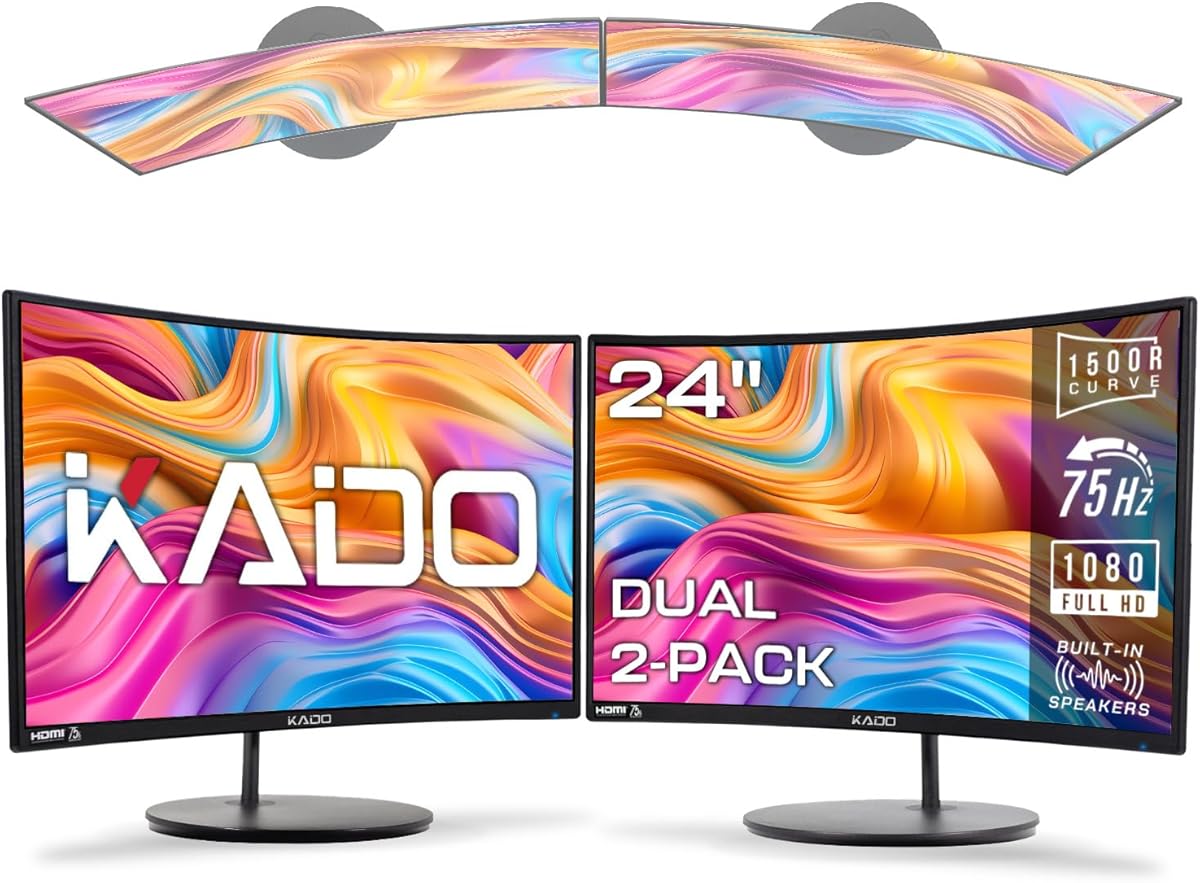
The Kado 2-Pack Dual 24" Curved introduces a curved viewing experience with a 1500R radius designed to reduce eye strain. It holds a solid 4.6 rating, appealing to users who prefer immersive displays for extended periods of document work and data analysis.
We may earn a commission when you buy through this link, at no additional cost to you.
Strengths lie in the ergonomic design that minimizes neck fatigue by aligning screens with natural eye focus. The 98% sRGB color performance ensures vibrant visuals, while fast response times keep transitions sharp during multitasking or spreadsheet navigation.
Trade-offs include potential distortion of vertical lines due to the curve and a basic stand lacking height adjustment. These issues are minor for users focused on comfort and visual engagement rather than precise geometric alignment in engineering diagrams.
This setup suits writers, researchers, and general office workers prioritizing comfort. The curved design helps maintain a consistent viewing distance across the screen, which can reduce fatigue during long work sessions compared to traditional flat panels.
The 1500R curve matches the human eye's natural focal point, reducing the need for constant eye adjustment.
Curved monitors create a more engaging visual field, helping users stay focused on tasks without distraction.
We may earn a commission when you buy through this link, at no additional cost to you.
The HP Series 3 Pro 24" 100Hz FHD IPS earns strong recognition for its advanced panel technology and robust connectivity. With a 4.6 rating, it delivers 178-degree viewing angles and a smooth 100Hz refresh rate ideal for complex office workflows.
We may earn a commission when you buy through this link, at no additional cost to you.
Key strengths include IPS technology ensuring consistent image quality from any angle, plus HDMI, DisplayPort, and VGA ports for broad compatibility. The adjustable tilt stand allows for better posture, reducing strain during long hours of typing or data entry.
Trade-offs involve a higher price point compared to generic dual packs and the lack of pivot functionality. However, the superior color consistency and extensive connectivity make it a reliable choice for teams needing shared monitor reliability and performance.
This model is perfect for collaborative offices and professionals using multiple devices. The combination of visual fidelity, smooth motion, and flexible connections ensures seamless integration into diverse technical setups without compromising on quality.
IPS technology ensures that colors and contrast remain stable regardless of viewing angle or seating position.
Multiple ports like HDMI, DisplayPort, and VGA allow easy switching between desktops, laptops, and older hardware.
We may earn a commission when you buy through this link, at no additional cost to you.
The Kado 2-Pack Dual 27" Flat Screen offers expansive screens with a 4.6 rating and a slim bezel design. It provides a clean aesthetic and ample workspace for multitasking, making it suitable for general office and administrative roles.
We may earn a commission when you buy through this link, at no additional cost to you.
Strengths include the 99% sRGB color gamut ensuring accurate visuals and fast response times minimizing ghosting during fast navigation. The 27-inch size allows multiple windows to sit side-by-side comfortably, significantly improving productivity for email and document management.
Trade-offs involve a basic stand without tilt or height adjustments and limited input ports. These limitations are offset by the value of receiving two large screens, though ergonomic adjustments might require additional third-party mounts.
Ideal for users needing maximum screen real estate on a budget. This dual pack provides a straightforward upgrade to enhance workflow efficiency without requiring complex setup or excessive desk space beyond a standard workstation layout.
Slim bezels reduce visual clutter, creating a cleaner and more professional-looking multi-monitor workspace.
The larger 27-inch size accommodates multiple application windows simultaneously, reducing the need for alt-tabbing.
We may earn a commission when you buy through this link, at no additional cost to you.
The Kado Dual Monitor 2-Pack 24" delivers a balanced size with 100% sRGB color performance and a 4.5 rating. It serves well for standard office tasks, offering reliable performance for daily operations, data entry, and customer support functions.
We may earn a commission when you buy through this link, at no additional cost to you.
Strengths include true-to-life color rendering and fast response times that keep visual transitions smooth. The built-in speakers save desk space, and the 24-inch size ensures both screens fit well on standard desks without overwhelming the workspace.
Trade-offs involve a fixed stand without tilt options and limited connectivity choices. However, the strong color accuracy and compact design make it a solid choice for users prioritizing visual quality and desk efficiency over advanced ergonomic adjustments.
This pack suits general staff and remote workers needing reliable dual displays. The combination of size, color accuracy, and value ensures that productivity tasks can be managed efficiently without requiring expensive specialized hardware.
The 24-inch size offers a balance between screen real estate and compactness suitable for standard office desks.
100% sRGB coverage ensures that charts and text appear with consistent accuracy across different work applications.
We may earn a commission when you buy through this link, at no additional cost to you.
The Packard Bell airFrame Dual Monitor Workstation offers a comprehensive setup with included VESA mounts and tilt adjustment. While it holds a 3.7 rating, the focus on productivity and ergonomic flexibility makes it suitable for users prioritizing mounting options.
We may earn a commission when you buy through this link, at no additional cost to you.
Key strengths include the included VESA mount allowing flexible positioning and tilt adjustment for comfort. Slim bezels reduce visual gaps between screens, and HDMI plus VGA inputs ensure compatibility with older office computers or specific hardware requirements.
Trade-offs involve the smaller 21.5-inch size and a lower user satisfaction score compared to competitors. These factors suggest that while functional, this option may feel restrictive for users needing larger displays for intensive data analysis.
This workstation suits those needing easy mounting solutions and compact screens. The focus on streamline installation and basic ergonomics offers a practical solution for home offices or small businesses needing to set up dual monitors quickly.
Included VESA mounts simplify installation, allowing users to mount screens on arms or walls immediately without extra purchases.
Adjustable tilt helps align screens with eye level, reducing neck strain during extended work sessions.
We may earn a commission when you buy through this link, at no additional cost to you.
The Kado 2-Pack Dual 27" 4K 70Hz UHD delivers ultra-high definition visuals with a 3.9 rating. It provides exceptional clarity for detailed documents, spreadsheets, and presentations, making it suitable for high-precision office tasks.
We may earn a commission when you buy through this link, at no additional cost to you.
Strengths include the 3840×2160 resolution offering crisp text and images, plus DisplayPort and HDMI connectivity for flexible setups. The large 27-inch size combined with 4K ensures maximum workspace density, allowing many more elements to be visible at once.
Trade-offs involve higher power needs and the requirement for a computer capable of driving 4K output smoothly. These technical demands mean this option is best for users with capable hardware who prioritize sharpness over standard FHD performance.
This dual monitor set suits professionals in finance, design, or data analysis needing extreme clarity. The resolution ensures that fine details are visible without zooming, significantly enhancing accuracy in detailed review and editing tasks.
The 4K resolution renders text with exceptional sharpness, making reading long documents less straining on the eyes.
More screen real estate allows for multiple toolbars and panes to be open simultaneously for efficient workflows.
We may earn a commission when you buy through this link, at no additional cost to you.
The HP 24" Series 3 Pro Bundle achieves a perfect 5.0 rating by combining monitors with an ergonomic dual monitor mount and dock. This package delivers a complete office setup ready for immediate deployment and professional performance.
We may earn a commission when you buy through this link, at no additional cost to you.
Strengths include the included mount allowing height and tilt adjustments for posture health, plus anti-glare and low blue light filters reducing eye strain. The 100Hz refresh rate ensures smooth motion, while the 3000:1 contrast ratio provides deep blacks and sharp text.
Trade-offs involve a higher price and limited ports compared to standalone models. However, the all-in-one nature and superior ergonomics justify the cost for organizations prioritizing employee health and setup convenience.
This bundle suits corporate offices and remote workers wanting a ready-to-go solution. With the mount included and excellent visual features, it offers the highest value for those needing a comprehensive, high-quality dual monitor station.
The included mount supports height and tilt adjustments, promoting better posture and reducing neck strain during work.
Anti-glare and low blue light features protect eyes during long sessions, maintaining comfort throughout the day.
We may earn a commission when you buy through this link, at no additional cost to you.
Selecting the right dual monitor setup requires understanding key technical specifications and ergonomic needs. This guide breaks down essential factors to help you make an informed decision for your office environment.
Screen size dictates how much workspace you have available. For office tasks, 24 to 27 inches offers a good balance between desk space and readability. Resolution determines sharpness; Full HD (1920×1080) is sufficient for most office work, while 4K provides better clarity for detailed data and spreadsheets.
Choose a size that fits your desk comfortably while providing enough pixel density for clear text over long periods.
IPS panels provide accurate colors and wide viewing angles, essential for collaborative work or design reviews. VA panels offer better contrast ratios for darker environments, while TN panels are faster but have poor viewing angles. For office use, IPS is generally preferred for consistency.
Look for high sRGB coverage to ensure charts and documents appear true to life across different monitors.
Refresh rates above 60Hz make scrolling and window switching smoother, reducing eye strain. A response time of under 5ms minimizes motion blur during cursor movement. While gaming needs higher specs, office workers benefit from 75Hz to 100Hz refresh rates for fluidity.
Prioritize smoother refresh rates to maintain comfort during long hours of navigating applications.
Ensure your monitors match your computer's ports. HDMI is standard, but DisplayPort allows higher refresh rates. VGA is useful for older PCs. Check if the setup supports daisy-chaining to simplify cable management between screens and your PC.
Select monitors with versatile inputs to avoid adapter hassles and ensure stable connections.
Adjustable stands with tilt, swivel, and height controls help maintain proper posture. VESA compatibility allows wall or arm mounting, freeing up desk space. For dual setups, ensure the stand footprint is compact to avoid desk crowding.
Invest in ergonomic features to protect your health during extended work sessions.
Flicker-free technology and low blue light filters reduce eye fatigue. Anti-glare coatings prevent reflections from overhead lights or windows. These features are critical for professionals working 8+ hours daily.
Look for monitors explicitly rated for eye comfort to maintain visual health over time.
Built-in speakers simplify setups by removing the need for external audio devices. Check if the bundle includes cables, mounts, or hubs to save money. Integrated audio is a significant convenience factor for video conferencing.
Consider included accessories to reduce additional costs and simplify installation.
Dual monitor bundles often offer better value than buying separate units. Compare total costs and warranty terms. A reliable warranty ensures long-term support, which is crucial for critical office hardware.
Balance initial cost with longevity and support to get the best long-term value for your office.
Arrange your dual monitors at eye level to prevent neck strain. Position them symmetrically around your keyboard so your gaze moves horizontally rather than vertically. Use the stand adjustments to align the bezels for a seamless viewing experience.
Clean screens regularly with a microfiber cloth to remove dust and fingerprints. Avoid spraying liquid directly on the display; instead, mist the cloth lightly. Proper cleaning preserves the anti-glare coating and maintains visual clarity.
Update monitor drivers regularly to ensure compatibility with your operating system. Adjust brightness and color settings based on ambient lighting conditions to reduce eye fatigue. Proper maintenance extends the lifespan of your displays and keeps performance consistent.
For most office tasks, 24 to 27 inches is ideal. This size provides enough workspace for multitasking without overwhelming standard desks. Ensure the resolution matches your content needs for clear text visibility.
Yes, dual monitors significantly boost productivity by allowing simultaneous access to multiple applications. Studies show users can complete tasks faster with reduced window switching time. They are essential for multitasking roles like coding or data analysis.
IPS panels are generally best due to accurate colors and wide viewing angles. VA panels offer better contrast for darker rooms. Avoid TN panels for office work unless speed is the only priority, as viewing angles are limited.
Yes, most modern laptops support dual monitors via HDMI, USB-C, or DisplayPort. Check your laptop's graphics capabilities. Docking stations can help if ports are limited. Ensure your system can drive the combined resolution smoothly.
Use cable ties, sleeves, or a VESA mount with built-in cable management. Arrange cables along the desk edge or under the table. Bundling wires keeps your workspace tidy and reduces clutter that can impede workflow.
4K offers sharper text and more workspace space, ideal for detailed spreadsheets or design. However, it requires stronger hardware and more screen real estate. If clarity is your priority and your system supports it, 4K is a worthwhile investment.
Most models support wall mounting if they have VESA compliance. Check the product specs for specific dimensions like 100x100mm. Using a VESA mount allows for flexible positioning to maximize desk space and improve ergonomics.
We covered ten top dual monitor options ranging from budget-friendly packs to premium bundles. Each offers unique benefits in size, refresh rate, and connectivity. Whether you need basic efficiency or high-definition clarity, there is a fit for your setup.
Prioritize ergonomics and eye care features to protect your health during long work hours. Choose a resolution and size that match your typical tasks. Investing in reliable hardware ensures consistent performance for daily professional demands.
Prices and availability change frequently, so review current listings before purchasing. Compare features and warranties to get the best value. Select the setup that best supports your workflow and office environment.