
Gewudraw Printer Stand
4.7Editor score
Compact size for tight spaces
Supports up to 120 lbs
Adjustable non-scratch feet
Finding a cheap printer table that balances cost with functionality can be challenging for many home office setups. You need something sturdy enough to hold your equipment while keeping your workspace organized and clutter-free.
We evaluated ten highly rated models based on build quality, storage capacity, and ease of assembly. Each option offers unique features like wheels, drawers, or charging ports to suit different needs.
Every pick includes detailed specs and pros to help you decide quickly. Note that prices and availability change frequently, so check current listings before purchasing your new stand.
4.7Editor score
4.5Editor score

4.7Editor score
As an Amazon Associate we earn from qualifying purchases.
This side-by-side comparison highlights the key specifications of all ten selected models to help you find the right fit for your office or home environment.




The YAOHUOO 22×15 Large Printer Stand stands out as the top choice for affordability and functionality. With a 4.5-star rating, it delivers a sturdy build that handles heavy devices while keeping your workspace tidy.
We may earn a commission when you buy through this link, at no additional cost to you.
Its industrial-grade metal frame supports up to 88 pounds per shelf, making it suitable for laser printers and stacks of paper. The hidden drawer organizes ink and pens, while the open shelf stores folders efficiently.
Although the drawer is compact, it solves immediate clutter issues. You might need to wipe the waterproof MDF board regularly to keep it pristine, but this is a minor trade-off for such versatility.
This model is ideal for home offices and dorms where space is tight. We recommend it for anyone seeking a mobile, reliable printer table that requires minimal setup time.
The low profile lets you slide it under desks to reclaim floor space in crowded rooms.
Lockable casters allow you to move it freely or secure it firmly when printing.
We may earn a commission when you buy through this link, at no additional cost to you.
The HUANUO Printer Stand is designed for tight spaces where height matters. Its 14.1-inch maximum height ensures it fits comfortably under standard desks without obstructing legroom.
We may earn a commission when you buy through this link, at no additional cost to you.
The storage drawer features dividers to keep office supplies organized, while the bottom shelf handles books and files. You can configure the height during assembly by using fewer extensions.
While the plastic components are lightweight, they hold up well for standard home printers. Users note that moving the stand with heavy items on it is not recommended.
This is a great pick for small apartments or cubicles. Prioritize it if you need a low-profile solution that maximizes vertical storage without taking up much floor space.
Use fewer extensions during assembly to create a shorter stand for tighter spaces.
Built-in slots help route cables cleanly to reduce desk clutter and tripping hazards.
We may earn a commission when you buy through this link, at no additional cost to you.
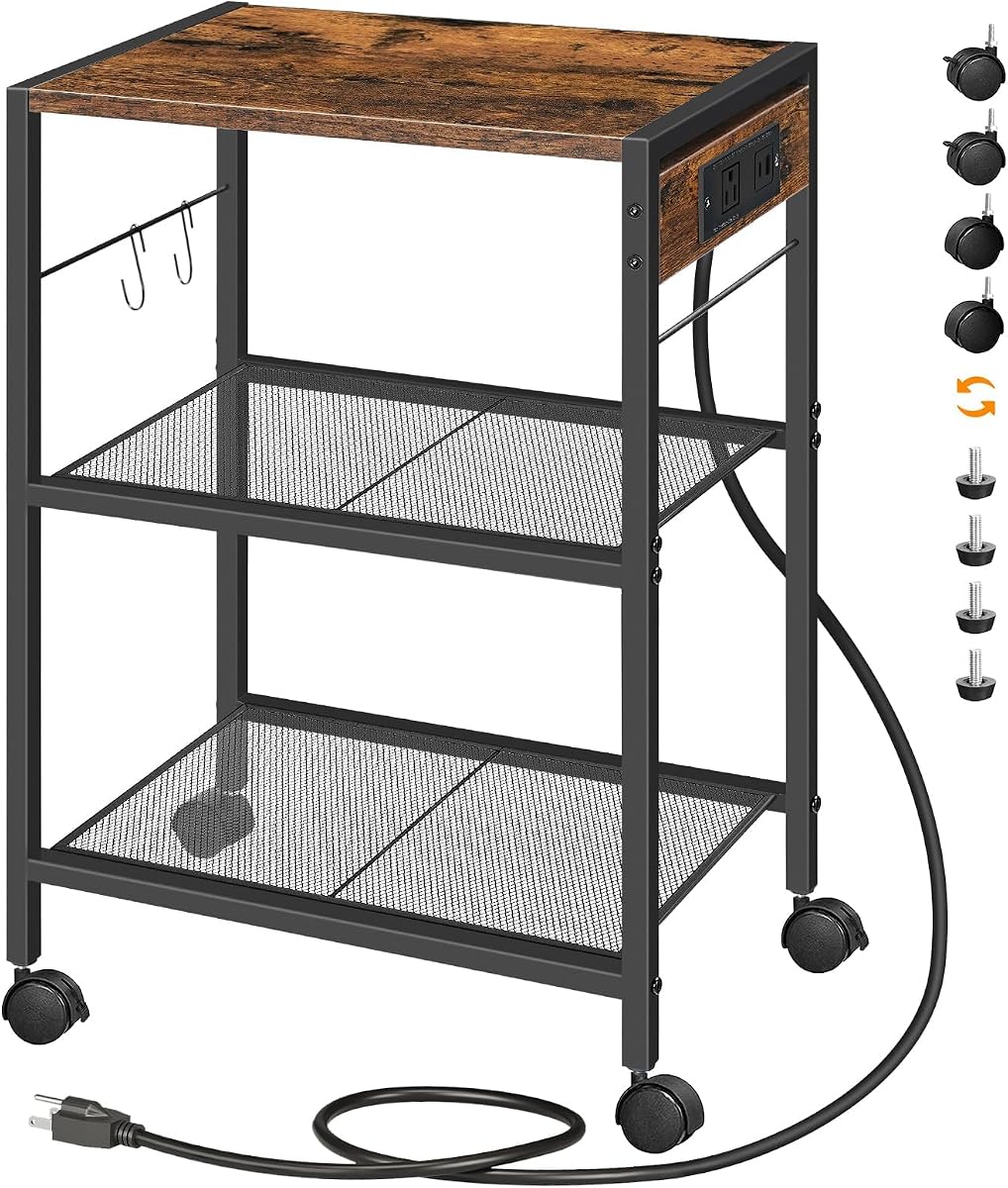
The HOOBRO Industrial Printer Stand integrates power management directly into the unit. With four USB ports and a standard outlet, it simplifies cable management for your printer and phone.
We may earn a commission when you buy through this link, at no additional cost to you.
Its composite metal and particleboard structure ensures stability. The top plate supports heavy items, while mesh racks offer ventilation for electronics that generate heat during operation.
You can choose between casters for mobility or adjustable feet for stability on uneven floors. The included tools and instructions make setup straightforward for most users.
Ideal for living rooms or open offices, this stand doubles as a utility cart. Look for this model if you need power access and a stylish, industrial look.
Eliminate the need to hunt for outlets by charging devices directly from the stand.
Mesh shelves prevent heat buildup, extending the life of your electronic devices.
We may earn a commission when you buy through this link, at no additional cost to you.
The Asgolion Printer Table is a versatile option that works well beyond just office tasks. Its compact dimensions allow it to fit under desks or serve as a bedside nightstand.
We may earn a commission when you buy through this link, at no additional cost to you.
Constructed from solid MDF board and a metal frame, it offers a balance of stability and lightness. The casters swivel 360 degrees, ensuring smooth movement across different floor types.
While it has a slightly lower rating, users appreciate its simplicity and ease of cleaning. It is best for lighter home use rather than heavy-duty industrial printing.
We suggest this for craft rooms or kitchens. If you need a cheap, movable stand that adapts to various rooms, this model offers great flexibility.
Use it as a sofa side table or kitchen rack due to its simple, neutral look.
The lightweight frame makes it easy to reposition without lifting heavy items.
We may earn a commission when you buy through this link, at no additional cost to you.
The VENNQD Large Printer Stand offers exceptional size for those needing ample surface space. It measures 23.6 inches in length, fitting even larger multifunction printers easily.
We may earn a commission when you buy through this link, at no additional cost to you.
Its steel-wood construction supports up to 70 pounds per tier, making it robust for heavy printing tasks. The fabric drawers are perfect for storing soft accessories or paperwork.
However, fabric drawers require care to avoid stains. Additionally, the height may exceed some under-desk limits, so verify dimensions before ordering.
Choose this for large home offices or dorms. If you need maximum surface area and a sturdy build for heavy use, this model delivers value.
Steel reinforcement ensures the unit remains stable even with heavy loads on top.
Water-resistant finishes let you wipe spills instantly to keep the wood pristine.
We may earn a commission when you buy through this link, at no additional cost to you.
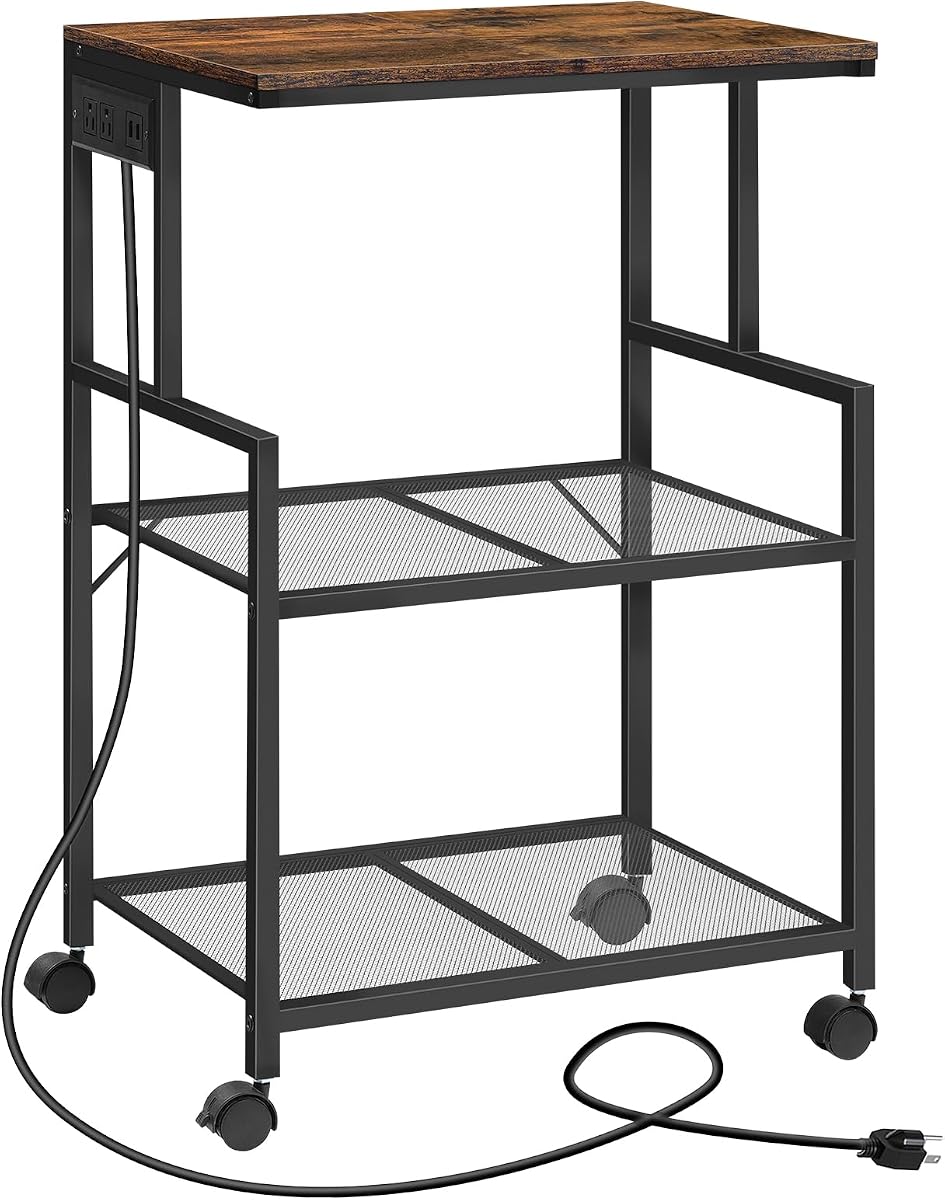
The MAHANCRIS Mobile Printer Stand is designed for high utility in various rooms. Its three-tier structure separates equipment, improving efficiency in busy workspaces.
We may earn a commission when you buy through this link, at no additional cost to you.
A practical power strip beneath the top panel offers two outlets and two USB ports. The anti-tip device adds security, especially when loaded with heavy kitchen appliances.
While the industrial style fits offices well, it also works in kitchens as a bakers rack. Mesh shelves ensure airflow, which is beneficial for electronics that heat up.
We recommend this for multi-use spaces. If you want a cart that functions as both an office stand and a kitchen organizer, this is a strong contender.
The anti-tip device prevents tipping when storing heavy items on higher shelves.
Built-in power strips reduce cable clutter near your workspace or cooking area.
We may earn a commission when you buy through this link, at no additional cost to you.
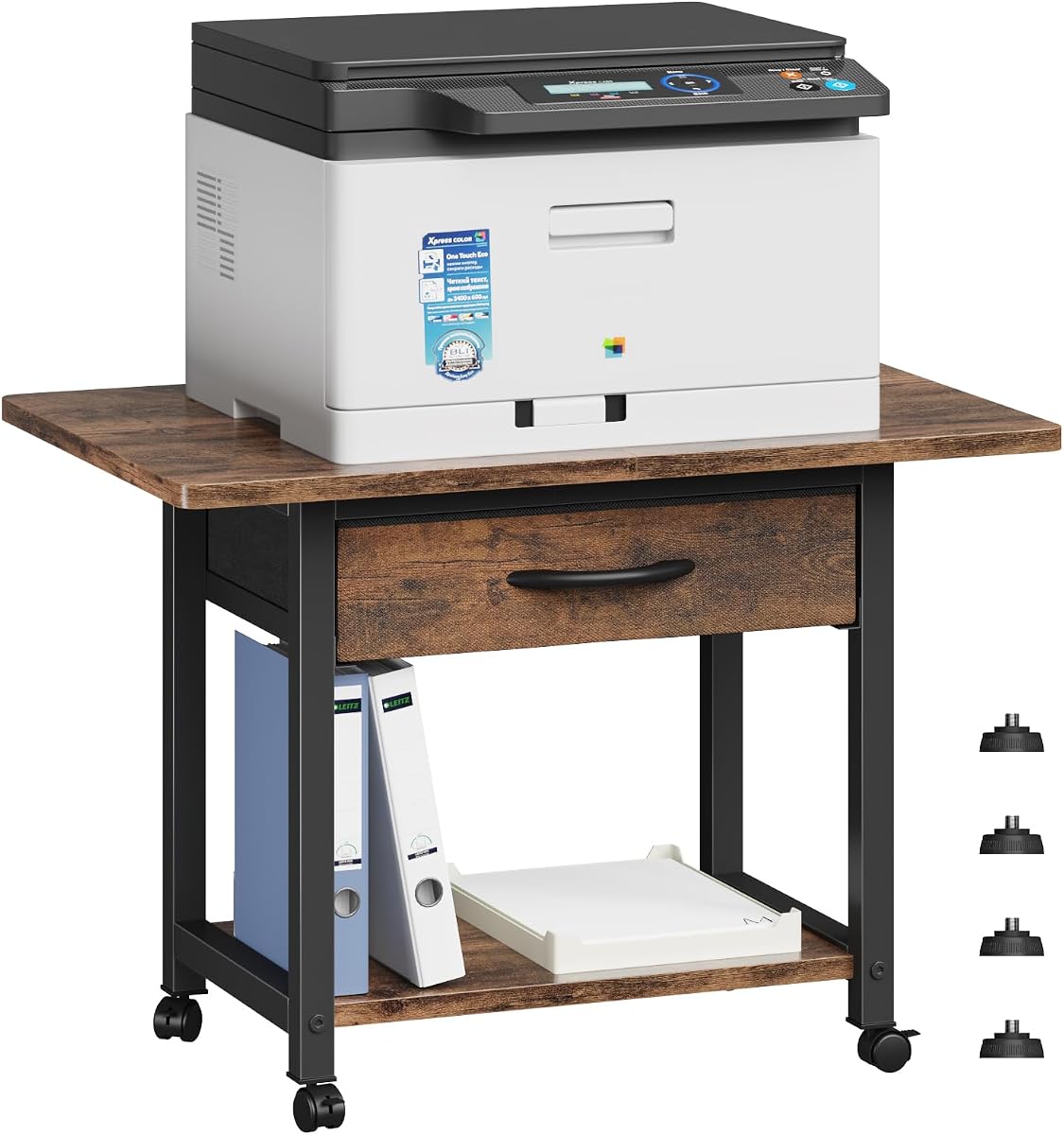
The Gewudraw Printer Stand offers outstanding value with a high weight capacity relative to its price. A 4.7-star rating highlights its reliability and durability for everyday use.
We may earn a commission when you buy through this link, at no additional cost to you.
Constructed from sturdy steel and scratch-resistant MDF, it supports up to 120 lbs. This makes it one of the strongest budget options for heavy printers.
While storage is minimal, the adjustable feet ensure stability on uneven surfaces. The rustic wood-grain finish adds a touch of style without looking cheap.
Pick this if you need strength and affordability. It is perfect for home offices that need a reliable, sturdy base without spending extra on features.
The strong frame supports heavy loads that might tip cheaper plastic stands.
Non-scratch feet prevent marks on hardwood or tile floors when moving the stand.
We may earn a commission when you buy through this link, at no additional cost to you.
The CHOEZON 23.6 Printer Stand delivers a premium feel with its robust construction and wide top. The design maximizes space for diverse office needs.
We may earn a commission when you buy through this link, at no additional cost to you.
Its X-cross side support provides excellent stability. The top shelf can bear 88 pounds, ensuring that your printer remains secure during operation.
While it is tall, it works well in larger rooms. The locking wheels offer flexibility for mobility or stationary use depending on your preference.
Ideal for offices seeking reliability. If you want a sturdy, spacious table that lasts long, this model is worth the investment.
The X-cross design reduces wobble, making it safe for heavy electronic devices.
A wide top allows multiple devices to sit together, saving desk space.
We may earn a commission when you buy through this link, at no additional cost to you.
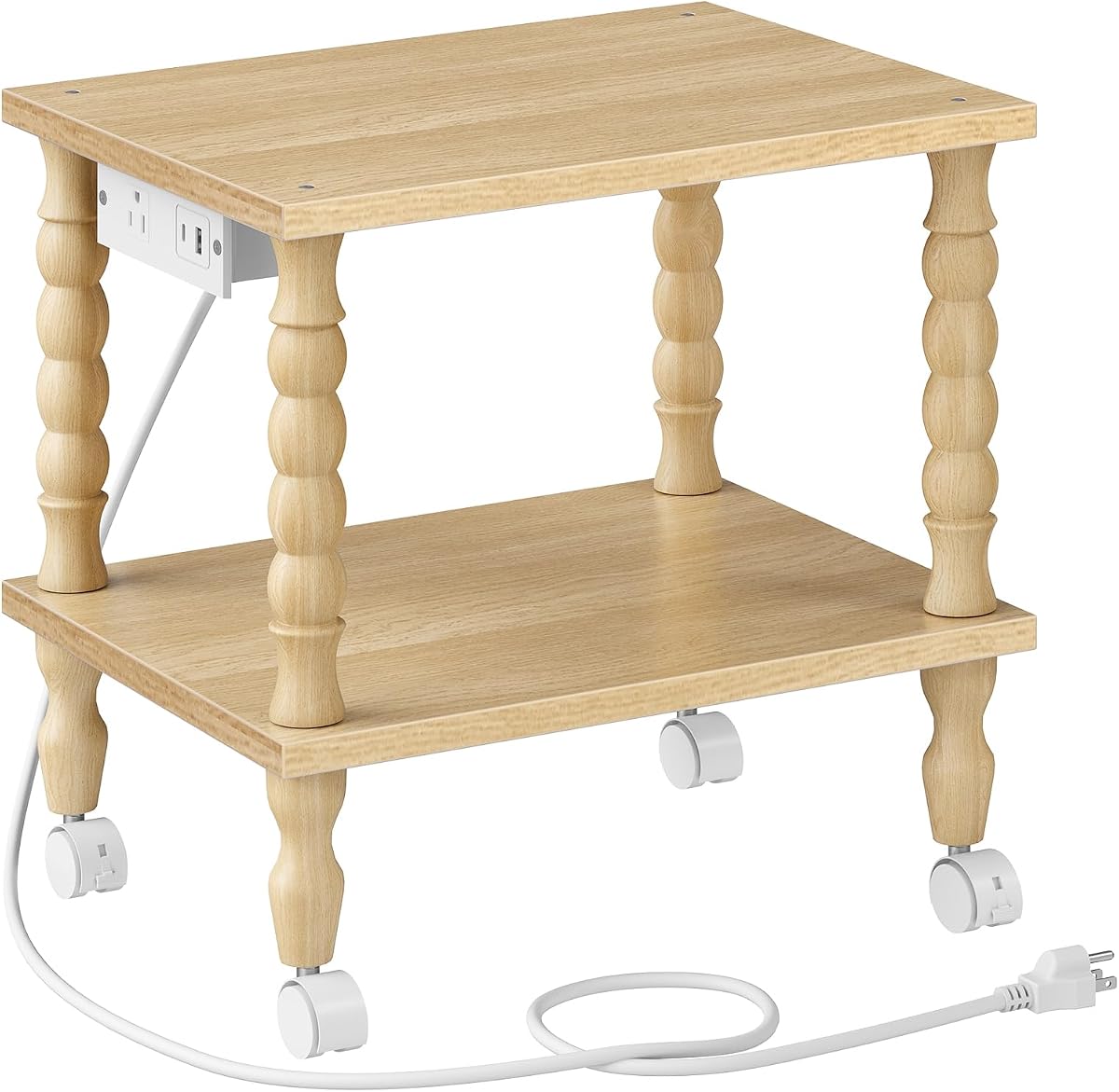
The HOOBRO 2-Tier Printer Stand blends functionality with elegant design. Its solid rubberwood legs mimic a classic style that fits modern and vintage decor.
We may earn a commission when you buy through this link, at no additional cost to you.
A built-in charging station allows you to plug devices directly into the stand. This reduces clutter and keeps your workspace powered without extra cords.
The compact size fits under most desks or beside sofas. Assembly is straightforward with labeled parts and included tools.
This is perfect for living rooms or stylish offices. If you want a stand that looks like furniture rather than office equipment, choose this model.
Solid wood legs ensure the stand complements existing furniture styles in any room.
Integrated ports keep your phone and tablet charged while you work nearby.
We may earn a commission when you buy through this link, at no additional cost to you.
The VASAGLE 2-Tier Printer Stand is a classic industrial choice known for its longevity. It allows you to slide your printer under a desk effectively.
We may earn a commission when you buy through this link, at no additional cost to you.
With a large tabletop supporting up to 99 pounds, it handles heavy equipment with ease. The lower shelf adds necessary storage for paper reams and folders.
Assembly is simple with clear instructions and an Allen key. However, the lack of drawers means you may need extra organizers for small items.
This model suits committed career partners seeking stability. If you need a timeless, sturdy stand for daily heavy use, this is a solid selection.
Quality particleboard and steel frame ensure the stand withstands daily office routines.
Designed to slide under desks, maximizing floor space in compact work areas.
We may earn a commission when you buy through this link, at no additional cost to you.
Selecting the right printer table involves evaluating dimensions, capacity, and mobility features to ensure it meets your specific workspace needs.
Measure your space carefully before buying to ensure the table fits under desks or in corners. Consider height restrictions if sliding under furniture.
Check height and width to guarantee the stand fits your room layout.
Verify the load limit to ensure it supports your printer's weight plus extra accessories. Heavy laser printers need sturdy metal frames.
Choose a model rated higher than your total equipment weight for safety.
Look for shelves or drawers if you need to store paper and ink nearby. Open shelves offer easy access while drawers hide clutter.
Decide between open or enclosed storage based on your organization style.
Lockable wheels provide flexibility to move the unit or keep it fixed. Consider swapping wheels for feet if you prefer a stationary desk.
Select wheels with locks to prevent sliding during operation.
Steel frames and waterproof boards resist wear and spills better than plastic. Wood finishes add style but may require more maintenance over time.
Prioritize metal or treated wood for long-lasting performance.
Models with built-in outlets simplify charging devices and running cables efficiently. Built-in strips reduce the need for external power adapters.
Look for USB ports if you need to charge mobile devices nearby.
Clear instructions and included tools save time and frustration. Pre-drilled holes make setup faster for non-experts.
Opt for easy-assembly models to save setup time.
Balance cost with features to find the best value. Lower prices may mean less durability or fewer storage options.
Set a limit but prioritize stability and fit over extra features.
Place the table on a flat surface and ensure all feet or wheels are secured before loading it. Use locking casters if you want it stationary.
Wipe spills with a damp cloth to protect wood or MDF finishes from damage. Avoid harsh chemicals that might stain surfaces.
Check wheel rotation regularly to keep mobility smooth and adjust feet if the unit tilts. Tighten screws annually to maintain stability.
Most cheap printer tables support between 40 and 100 pounds. Always check specific product specs to match your device's weight safely.
Many models are designed for under-desk use with low profiles. Check height measurements to ensure clearance under your specific desk.
Wheels add convenience for moving the unit but are optional. You can often replace them with feet for a stationary setup.
Most stands assemble in 15 minutes with basic tools. Instructions usually include numbered parts for clarity.
Yes, they work for scanners, laptops, or craft supplies. Their sturdy builds support various household items beyond printers.
Some models have built-in ports or cable management slots. Others may need separate organizers for a cleaner look.
Metal frames with waterproof boards offer the best resistance to wear. Plastic is cheaper but may degrade faster under heavy use.
Most stands assemble in under 20 minutes with pre-drilled holes. Look for models with labeled parts for the smoothest setup.
These ten models offer solid options for home and office use without breaking the bank. The YAOHUOO, Gewudraw, and CHOEZON stands lead with their versatility and durability.
Prioritize capacity and fit when selecting a table. A unit that matches your equipment weight and room dimensions will serve you best.
Prices change frequently so check current listings before buying to ensure you get the best deal available today.