
ASUS ROG Strix G16 (2025)
4.4Editor score
Intel Core i7 14650HX Processor
RTX 5060 GPU with DLSS 4
165Hz FHD+ Display
This guide compares the top ASUS ROG Strix Laptop models for performance, display, cooling, and gaming value to help you choose the right one for your needs.
The ASUS ROG Strix Laptop lineup offers powerful machines for gaming and creative work. These laptops combine high-end processors with advanced cooling systems to handle demanding tasks without throttling.
We evaluated each model based on performance specs, display quality, build design, and value. Our analysis covers the latest 2025 and 2026 releases to ensure you see the current best options available.
Each pick highlights key strengths and trade-offs so you can find the perfect fit. Remember that stock and pricing change frequently, so check availability before making your final decision.
4.4Editor score

4.3Editor score

4.3Editor score
This comparison table lists all ten models side by side to help you quickly identify the specifications that matter most for your workflow and budget.



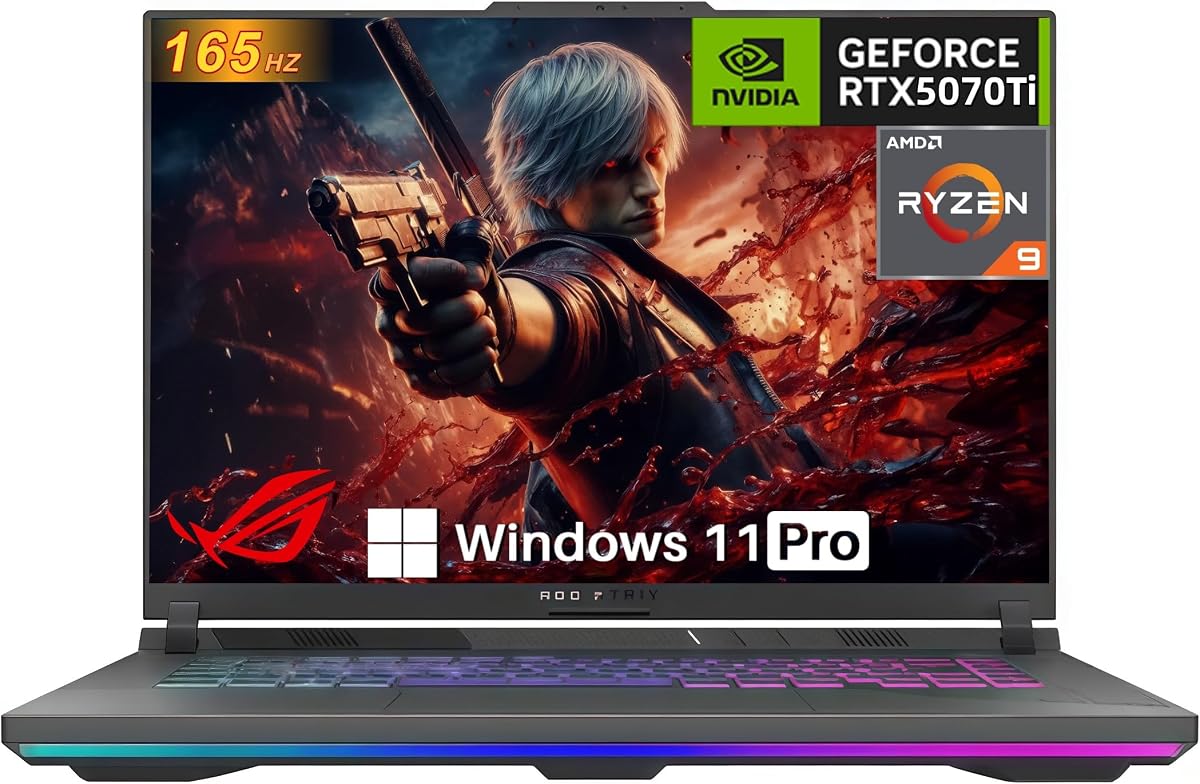

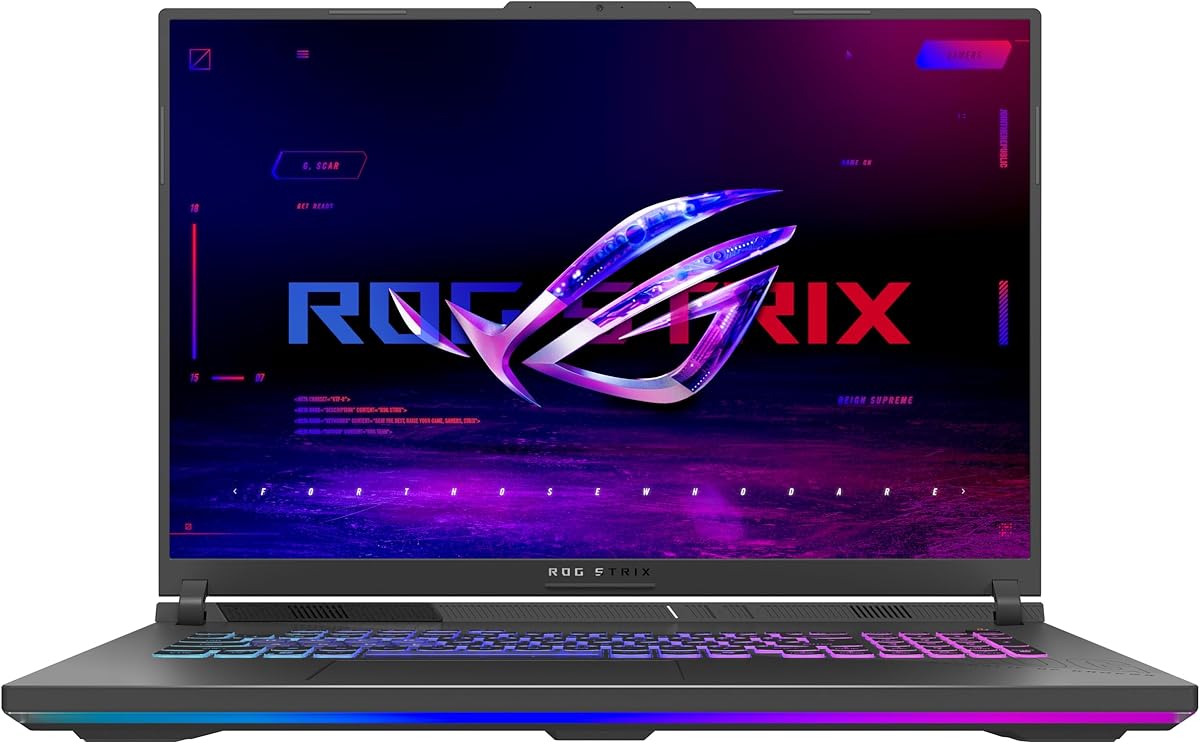
The first model on our list is the ASUS ROG Strix G16 (2025) featuring an Intel Core i7 processor and NVIDIA RTX 5060. It scores a strong 4.4 rating from users who appreciate its balance of power and affordability for modern gaming titles.
We may earn a commission when you buy through this link, at no additional cost to you.
This laptop delivers high-level performance with the 14650HX processor and RTX 5060 GPU powered by Blackwell architecture. It supports DLSS 4 and Max-Q technologies for optimized frame rates. The 165Hz FHD+ display ensures smooth visuals while the vapor chamber cooling keeps temperatures in check.
Trade-offs include the fixed 16GB RAM configuration which may limit heavy multitasking future. The display is good but lacks the brightness and contrast of higher-end mini-LED panels found in premium models.
This is ideal for students or casual gamers who want reliable performance without overspending. The strong cooling and modern connectivity make it a solid choice for long-term use.
The RTX 5060 supports DLSS 4 for better frame rates in supported titles.
Tri-fan technology and liquid metal ensure quiet operation under load.
We may earn a commission when you buy through this link, at no additional cost to you.
Ranking second is the ASUS ROG Strix G16 (2025) equipped with the Core Ultra 9 and RTX 5070 Ti. With a 4.3 rating, this model stands out for its premium components and high-speed Nebula display for competitive play.
We may earn a commission when you buy through this link, at no additional cost to you.
Cutting-edge performance comes from the Ultra 9 275HX CPU and RTX 5070 Ti GPU. The 240Hz ROG Nebula display with ACR film offers stunning visuals and low latency. Cooling is handled by a vapor chamber and tri-fan setup to maintain boost clocks.
The main downside is the cost which places it above the entry level tier. Battery life may not last a full workday due to the high power of the GPU and screen.
We recommend this for serious gamers and creators needing desktop replacement performance. The upgradeable RAM and storage options add longevity to the investment.
The 240Hz refresh rate gives a clear edge in competitive shooters.
Liquid metal on the chipset improves heat transfer efficiency significantly.
We may earn a commission when you buy through this link, at no additional cost to you.
The third pick is the ASUS ROG Strix Scar 18 (2025) with its 18 inch Mini LED screen and premium build. It holds a 4.3 rating from users who value screen quality and maximum performance for AAA gaming.
We may earn a commission when you buy through this link, at no additional cost to you.
Best-in-class performance is delivered by the Ultra 9 CPU and RTX 5070 Ti GPU. The Nebula HDR display offers Mini LED tech with 2000+ dimming zones for perfect blacks and vibrant colors. MUX Switch boosts FPS while Advanced Optimus helps battery life.
Trade-offs are the weight and size which make it less suitable for travel. The price reflects its high-end features which may not fit every budget.
This model is best for users who prioritize visual fidelity and power over portability. The AniMe Vision lid allows you to customize your setup with text and animations.
Mini LED provides deep blacks and high brightness for HDR content.
Access RAM and SSD easily without needing a screwdriver or tools.
We may earn a commission when you buy through this link, at no additional cost to you.
Number four is the ASUS ROG Strix G16 (2025) pairing an Ultra 9 CPU with an RTX 5060. It rates 4.0 with users who want a premium screen without paying for the highest tier GPU.
We may earn a commission when you buy through this link, at no additional cost to you.
This model combines cutting-edge performance from the Ultra 9 processor with a 240Hz Nebula Display. Dolby Vision HDR makes visuals vivid and brighter. The cooling system uses liquid metal to keep the CPU and GPU cool during long sessions.
The GPU is a step down from the 5070 Ti which might limit max settings in some titles. Upgrading RAM could be a necessary future step for power users.
It is a smart choice for content creators who need color accuracy and CPU power more than raw GPU performance. The screen quality is a clear highlight here.
HDR support makes media consumption and creative work look more vibrant.
The Ultra 9 ensures fast rendering and compilation times for creators.
We may earn a commission when you buy through this link, at no additional cost to you.
Fifth on our list is the AMD variant of the ASUS ROG Strix G16 (2025) featuring a Ryzen 9 and RTX 5070. It offers strong performance for those preferring AMD platforms and a powerful graphics card.
We may earn a commission when you buy through this link, at no additional cost to you.
Cutting-edge performance is delivered by the Ryzen 9 9955HX and RTX 5070. The system supports DLSS 4 and Max-Q for optimized gaming. Advanced Optimus helps manage battery life by switching between integrated and discrete graphics.
As a newer release, it currently lacks an official user rating so feedback is limited. The FHD+ display is decent but does not reach the 240Hz or HDR levels of other options.
It suits users who want AMD performance with a strong GPU at a competitive price. The cooling design ensures stable performance during gaming sessions.
AMD Ryzen processors often provide excellent performance per watt ratios.
Routing frames directly from dGPU improves performance by up to ten percent.
We may earn a commission when you buy through this link, at no additional cost to you.
Sixth is the ASUS ROG Strix G16 which delivers strong GPU performance with an AMD Ryzen 9 and RTX 5070 Ti. It has a perfect 5.0 rating from users who are impressed by its balance of speed and quality.
We may earn a commission when you buy through this link, at no additional cost to you.
The laptop crushes gaming and productivity with 32GB DDR5 RAM and a 140W TGP GPU. Tri-Fan technology and liquid metal keep the system cool. Advanced Optimus and MUX Switch help manage performance and battery life efficiently.
The WUXGA screen is clear but lacks the higher refresh rate of other models. Wi-Fi 6E is standard but some competitors offer newer Wi-Fi 7 standards.
This unit is a solid all-rounder for gamers and creators. The generous memory and powerful GPU make it future-proof for several years.
The RTX 5070 Ti handles ray tracing and frame generation well.
32GB memory allows smooth multitasking with many apps open.
We may earn a commission when you buy through this link, at no additional cost to you.
Number seven is the ASUS ROG Strix G16 featuring a Ryzen 9 and RTX 5070 Ti. It earns a 4.9 rating for its high performance and ease of maintenance and upgrade.
We may earn a commission when you buy through this link, at no additional cost to you.
Performance is maximized with a Ryzen 9 and RTX 5070 Ti. The PCIe Gen 4 SSD offers fast load times up to 7000MB/s. Tool-free upgrades let you swap RAM and SSDs easily using the Q-latch system.
RAM is limited to 16GB which might be tight for heavy video editing. The design allows deep access for advanced users who want to modify hardware.
We recommend this for creators who want speed and upgradability. The cooling system ensures sustained performance for long rendering jobs.
Gen 4 SSD speeds up file transfers and project loading.
Tool-free slots let you upgrade components without technical skills.
We may earn a commission when you buy through this link, at no additional cost to you.
Eight is the 2026 model ROG Strix G16 featuring the RTX 5080 and a Nebula HDR display. It holds a 5.0 rating for delivering peak performance and advanced visual capabilities.
We may earn a commission when you buy through this link, at no additional cost to you.
Cutting-edge performance comes from the RTX 5080 GPU and a 300Hz display. Dolby Vision HDR brings vivid colors and high contrast. The cooling system with liquid metal ensures boost clocks remain high under load.
The price is high reflecting its top components and future-ready features. It may be too powerful for casual users who do not need extreme frame rates.
This is best for enthusiasts and professionals requiring maximum power. The 32GB DDR5 ensures smooth operation for demanding workloads.
The 5080 GPU handles 4K gaming and 3D rendering effortlessly.
Nebula HDR provides unmatched detail and brightness for visuals.
We may earn a commission when you buy through this link, at no additional cost to you.
Nine is the ASUS ROG Strix G16 with a 2TB SSD and 32GB RAM. It rates 4.2 for users who need large storage for games and media without worrying about adding more drives.
We may earn a commission when you buy through this link, at no additional cost to you.
Performance is high with Ultra 9 CPU and RTX 5070 GPU. The 2TB Gen 4 SSD allows storing many large games directly. Dolby Vision HDR on the Nebula display makes content vibrant and clear.
The price is higher than 1TB models but saves upgrade costs later. The cooling system supports sustained performance even during heavy usage.
Ideal for libraries with large game collections or media files. The 32GB RAM ensures smooth multitasking while running several apps.
2TB SSD means you can install dozens of modern titles.
32GB memory ensures no slowdowns when many programs run.
We may earn a commission when you buy through this link, at no additional cost to you.
Ten is the ASUS ROG Strix G18 with a large 18 inch screen and RTX 5050. It holds a 4.4 rating for offering a big display and solid CPU at an accessible price point.
We may earn a commission when you buy through this link, at no additional cost to you.
Performance is redefined with Ryzen 9 8940HX and RTX 5050. The 144Hz FHD+ display gives a larger workspace for multitasking and gaming. Tri-fan technology keeps the larger chassis cool during play.
The GPU is not as powerful as others so high settings may not be possible. The screen is large but refresh rate is lower than premium options.
Best for users who want a big screen for productivity and casual gaming. The build quality is sturdy and the RGB bar adds style.
The 18 inch screen provides more room for windows and tools.
Ryzen 9 ensures smooth performance for everyday tasks.
We may earn a commission when you buy through this link, at no additional cost to you.
Choosing the right laptop depends on your specific needs and priorities. Below are key factors to consider before you buy.
The CPU determines how fast your system handles tasks like gaming and rendering. Models range from Intel Core i7 to Ultra 9 and AMD Ryzen 9. Higher tier CPUs ensure smoother multitasking and longer usability.
Choose a Core Ultra 9 or Ryzen 9 for best performance in demanding tasks.
The GPU is critical for gaming and 3D work. Options include RTX 5050 to RTX 5080. Higher end GPUs support ray tracing and DLSS 4 for better visuals and frame rates.
Select a GPU that matches your target game settings and resolution needs.
RAM and SSD speed impact loading times and multitasking. Look for at least 16GB DDR5. 32GB is better for heavy workloads. Ensure the SSD is PCIe Gen 4 for fast throughput.
Aim for 32GB RAM and a large SSD if you keep many games installed.
Screen refresh rate and resolution affect gameplay smoothness. Look for 240Hz and 2.5K for best clarity. Mini LED panels offer better contrast for HDR content.
Prioritize high refresh rates if you play competitive games or use color accurate work.
Thermal design keeps your system fast during long sessions. Models with vapor chambers and liquid metal manage heat better. Tri-fan systems reduce noise and prevent throttling.
Check that the laptop uses advanced cooling to maintain performance under load.
Ports and wireless options matter for peripherals. Wi-Fi 7 offers faster speeds than Wi-Fi 6E. USB-C and HDMI ports allow easy connection to monitors.
Ensure your choice has modern ports to match your devices and networking gear.
Place your laptop on a hard flat surface to allow proper airflow for cooling. Keep vents clear of dust and debris to maintain optimal temperature during use.
Use the Armoury Crate software to adjust performance modes and lighting settings. This helps you balance power use with battery life depending on your current tasks.
Clean the screen with a soft microfiber cloth to avoid scratches. Regularly update drivers from the ASUS support site for best compatibility and performance.
Yes many models support Windows 11 Pro and have high RAM. They are ideal for content creation and engineering tasks that need reliable performance.
Most models allow RAM upgrades via tool-free access. You can add more DDR5 memory using the accessible slots on the bottom of the device.
A MUX Switch routes frames directly from the GPU to the display. This improves gaming performance and reduces latency by bypassing the integrated graphics.
Yes they feature HDMI and USB-C ports to connect to external screens. You can run multi-monitor setups for expanded workspace and productivity.
The cooling system is designed to stay quiet during normal use. During heavy gaming fans will speed up but the noise remains manageable with ear protection.
Many models support fast charging for quick power up times. Using the original adapter ensures safe and efficient charging for the battery.
Wi-Fi 7 provides faster speeds and lower latency for streaming. It is future-ready but you need a compatible router to take full advantage.
Windows 11 comes with the laptop. ARMoury Crate and other utilities are included to manage system settings and RGB lighting.
We recommend the ROG Strix G16 as the top overall pick for its balance of CPU GPU and display. It meets most gaming and creative needs without excessive cost.
For users needing more power consider the Scar 18 or the 2026 G16 with RTX 5080. These models offer top-tier cooling and screen technology for demanding workloads.
Prices and availability change often so verify current deals before buying. Check stock online or at retailers to find the best value at the time of purchase.