
GLOTRENDS M.2 NVMe to PCIe 4.0 X4 Adapter with Heatsink for NVMe SSD
4.6Editor score
Supports PCIe 4.0 and 3.0 SSDs
Includes heatsinks for better cooling
Comes with low profile brackets
This guide compares the top ten M2 Pcie Adapter options for 2026 helping you choose the best NVMe expansion card for your specific motherboard and performance
Finding the right M2 Pcie Adapter can significantly upgrade your storage capabilities without replacing your entire system. These cards allow you to install high speed NVMe drives into standard PCIe slots for better flexibility and performance.
We evaluated ten leading models based on compatibility cooling solutions and ease of installation. Our team analyzed technical specifications user feedback and real world performance data to ensure you get reliable hardware for your build.
Each pick highlights specific strengths whether you need budget friendly options or high end multi drive solutions. Keep in mind that availability and pricing may fluctuate so check current listings before making your final purchase decision.
4.6Editor score
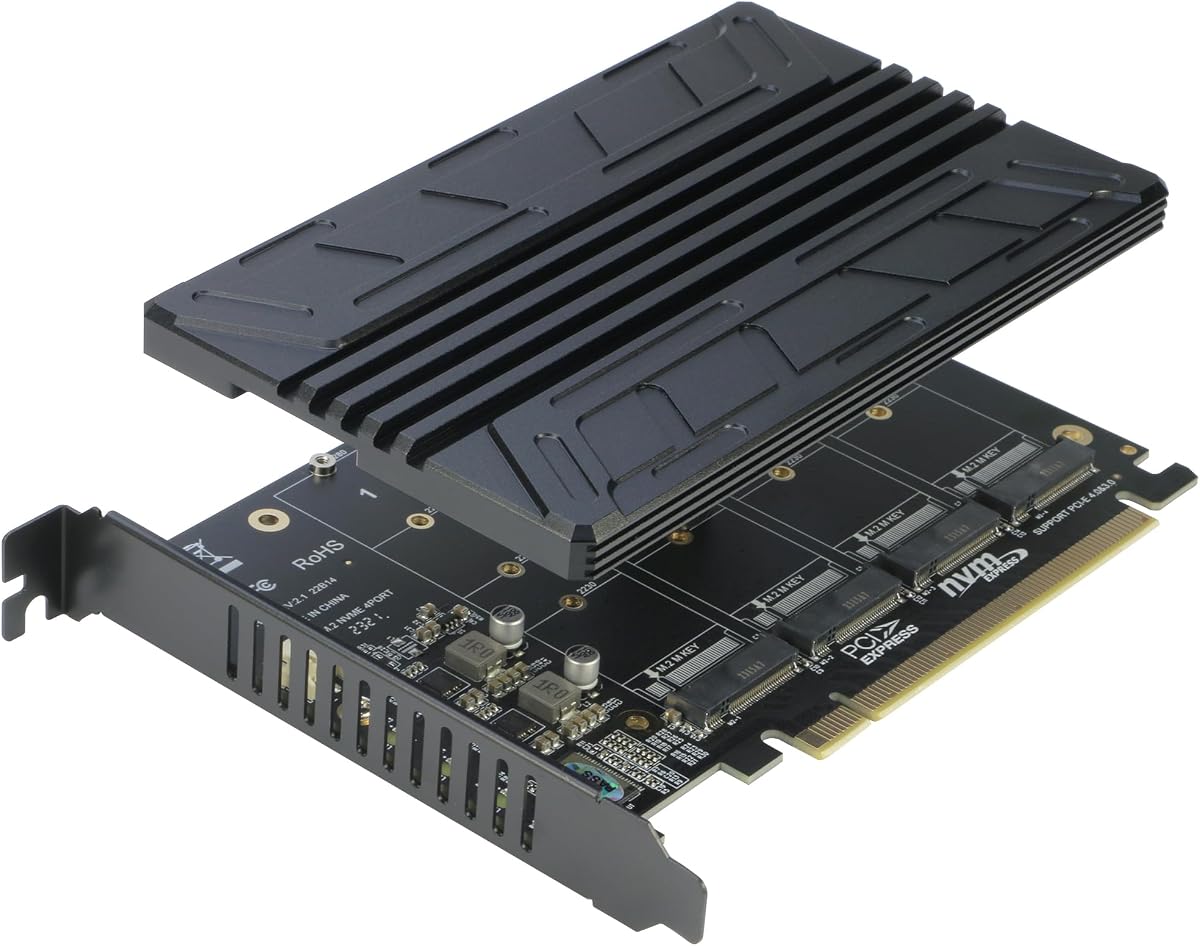
4.6Editor score

4.4Editor score
The following table provides a side by side overview of all ten selected M2 Pcie Adapter models. Compare their key specifications and features to determine which adapter best fits your storage expansion requirements.




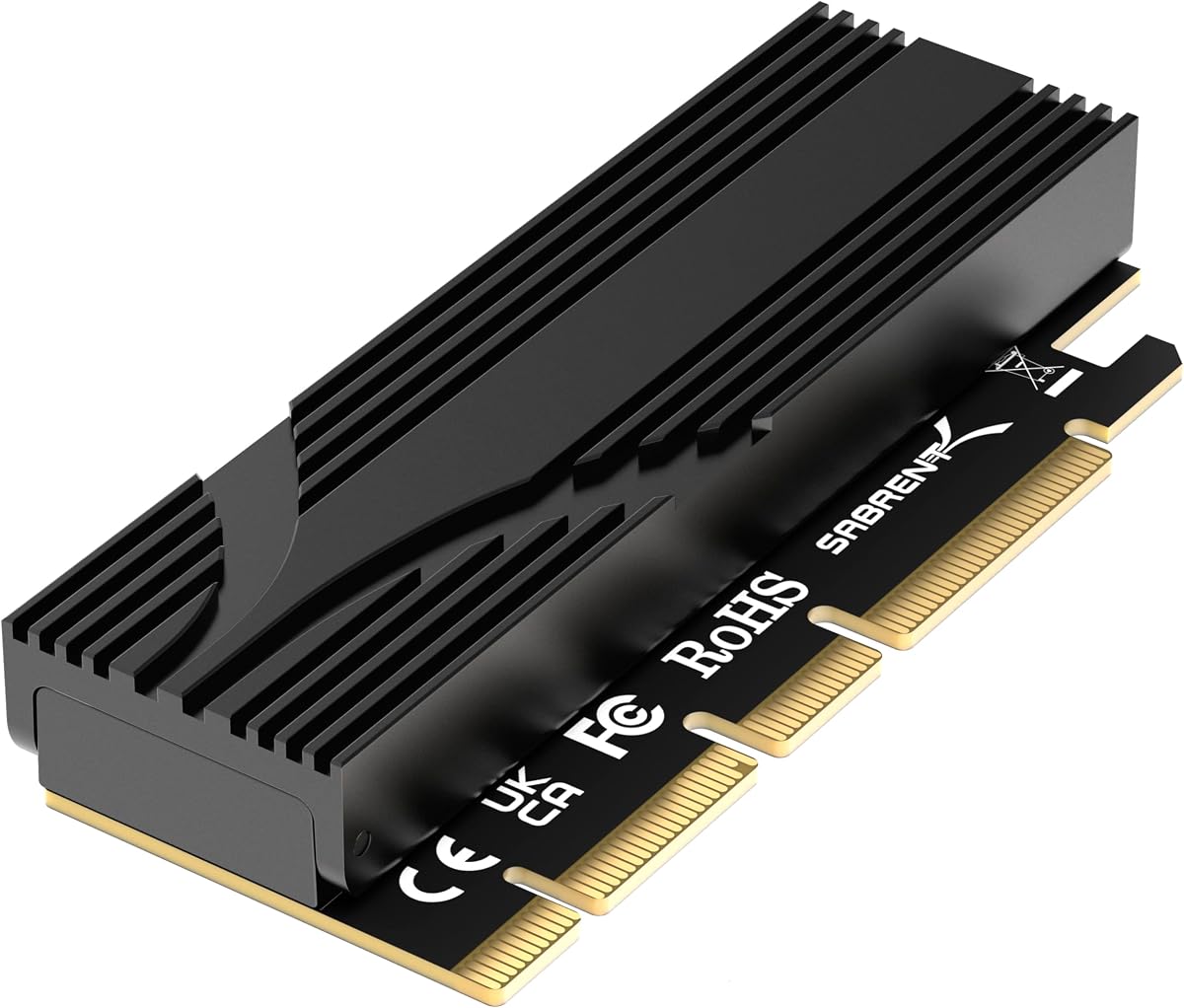
The SABRENT adapter stands out as the top choice for users seeking maximum performance. With a rating of 4.6 stars it delivers Gen5 speeds up to 16GBps when paired with a compatible motherboard slot.
We may earn a commission when you buy through this link, at no additional cost to you.
Its tool free design makes installation incredibly easy without needing tiny screws or drivers. The built in aluminum heatsink ensures the drive stays cool under sustained loads without adding fan noise.
While it requires a Gen5 slot for full performance it runs perfectly in Gen4 or Gen3 slots too. Users should note this card supports only one drive at a time.
Buyers wanting the fastest NVMe expansion should choose this SABRENT model. It offers reliable performance and premium features that justify its position as the expert recommendation for 2026.
This card unlocks the full potential of Gen5 NVMe drives when used with a compatible x16 slot.
The passive aluminum heatsink maintains optimal temperatures without requiring active cooling solutions.
We may earn a commission when you buy through this link, at no additional cost to you.
This GLOTRENDS adapter offers excellent value for builders needing reliable NVMe expansion. It achieves a strong 4.6 star rating by balancing cost and essential features effectively.
We may earn a commission when you buy through this link, at no additional cost to you.
It supports PCIe 4.0 speeds and includes a heatsink to keep SSD temperatures down during heavy use. The package comes with brackets for both standard and low profile cases.
The main trade off is the lack of Gen5 support and simpler build materials. These limitations are acceptable for budget builds prioritizing function over premium aesthetics.
Anyone looking for an affordable way to add NVMe storage will love this adapter. It provides solid performance and cooling without breaking the bank.
Get reliable PCIe 4.0 connectivity and cooling features at an entry level price point.
Works across Windows Linux and Mac OS with broad motherboard slot support.
We may earn a commission when you buy through this link, at no additional cost to you.
The ASUS Hyper M.2 card is the ultimate choice for power users needing massive storage capacity. Its 4.4 star rating reflects robust build quality and professional grade features.
We may earn a commission when you buy through this link, at no additional cost to you.
It can hold up to four NVMe drives simultaneously enabling transfer speeds up to 128 Gbps. The integrated blower fan prevents throttling even under heavy multi drive loads.
Setting this up requires a motherboard that supports PCIe bifurcation which may limit compatibility. The physical size is also larger than single drive adapters.
Workstation users and server builders should consider this ASUS card for its scalability. It transforms a single slot into a powerful multi drive storage array.
Expand your storage exponentially by fitting four NVMe drives into one PCIe slot.
An integrated blower fan ensures all four drives stay cool during intensive operations.
We may earn a commission when you buy through this link, at no additional cost to you.
StarTech delivers a dependable adapter for legacy or mid range systems. With a 4.6 star rating it appeals to users needing broad compatibility and reliability.
We may earn a commission when you buy through this link, at no additional cost to you.
It supports both NVMe and AHCI drives ensuring you can use older SSDs without issues. The included low profile bracket makes it suitable for smaller desktop cases.
The card only supports PCIe 3.0 which is slower than modern 4.0 options. It also lacks a heatsink relying on passive airflow for cooling.
Business environments and older builds benefit from this StarTech adapter. It offers consistent performance and strong brand backing for critical storage needs.
Support both modern NVMe and older AHCI SSDs seamlessly without driver issues.
Install in standard or small form factor cases with included bracket options.
We may earn a commission when you buy through this link, at no additional cost to you.
This dual adapter offers unique flexibility by supporting both NVMe and SATA drives. It earned a 4.3 star rating for its versatile approach to storage expansion.
We may earn a commission when you buy through this link, at no additional cost to you.
One slot takes an NVMe drive while the other accepts a SATA M.2 drive via a cable connection. LED lights show status and heat sinks help manage temperatures.
The SATA connection requires an extra cable which can add complexity to cable management. It is less ideal for pure NVMe performance focused builds.
Users with mixed drive types or legacy SATA SSDs will find this adapter useful. It maximizes slot usage by accommodating different drive technologies.
Combine NVMe and SATA M.2 drives in a single adapter for flexible storage.
LED indicators provide clear feedback on power and data activity for each drive.
We may earn a commission when you buy through this link, at no additional cost to you.
This adapter provides strong performance for Gen4 systems with solid cooling features. It holds a 4.6 star rating by offering comprehensive accessory packages for easy setup.
We may earn a commission when you buy through this link, at no additional cost to you.
The aluminum heatsink comes with thermal pads ensuring good contact for heat dissipation. It includes brackets screws and a screwdriver for a complete installation experience.
While it does not support Gen5 speeds it handles Gen4 and Gen3 slots well. The generic name makes it less premium than branded alternatives.
Builders with Gen4 motherboards can trust this adapter for reliable NVMe expansion. It offers a complete package of cooling and mounting hardware out of the box.
Everything needed for installation is included from thermal pads to mounting brackets.
The aluminum heatsink paired with thermal pads effectively reduces drive temperatures.
We may earn a commission when you buy through this link, at no additional cost to you.
The RIITOP quad adapter is a strong contender for multi drive storage arrays. Its 4.4 star rating highlights solid performance for users needing high capacity.
We may earn a commission when you buy through this link, at no additional cost to you.
It supports four NVMe drives simultaneously but requires a motherboard that supports bifurcation. Each drive has an LED indicator to show status clearly.
This model does not support hardware RAID which means soft RAID is needed for redundancy. The requirement for bifurcation limits motherboard compatibility options.
Users needing four NVMe slots at a reasonable price should consider this adapter. It enables massive storage expansion within a single PCIe slot.
Add up to four NVMe drives to your system for unparalleled storage capacity.
Individual LED indicators let you quickly check the status of each drive.
We may earn a commission when you buy through this link, at no additional cost to you.
ELUTENG offers a straightforward adapter that works across many slot types. It holds a 4.4 star rating thanks to stable power components and wide compatibility.
We may earn a commission when you buy through this link, at no additional cost to you.
The aluminum heatsink helps manage heat and the solid state capacitors ensure stable power delivery. It supports slots from x1 to x16 giving installation flexibility.
The design is basic and it does not support Gen5 speeds. Older systems with Windows 7 might need drivers for proper recognition.
Users needing a reliable adapter for various systems will find this option solid. It balances cost and performance well for everyday storage needs.
Solid state capacitors ensure clean power delivery to protect your NVMe drive.
Compatible with slots ranging from x1 to x16 for broad motherboard support.
We may earn a commission when you buy through this link, at no additional cost to you.
This adapter delivers strong PCIe 4.0 performance with effective cooling features. It achieves a 4.6 star rating by providing reliable connectivity and thermal management.
We may earn a commission when you buy through this link, at no additional cost to you.
The aluminum heatsink solution can reduce temperatures by up to twenty degrees Celsius. It supports many M.2 sizes and works with x4 x8 and x16 slots.
The lack of Gen5 support and extra accessories limits high end use cases. It remains a solid choice for standard PCIe 4.0 upgrades.
Buyers wanting reliable 4.0 speeds at a good value should choose this model. It provides essential cooling and support for most modern NVMe drives.
The heatsink reduces SSD temperatures significantly during heavy workloads and gaming.
Accommodates various drive lengths from 2230 to 2280 without issues.
We may earn a commission when you buy through this link, at no additional cost to you.
This X1 adapter solves a common problem by preserving the main GPU slot. It holds a 4.5 star rating for its practical approach to limited slot availability.
We may earn a commission when you buy through this link, at no additional cost to you.
It uses the free X1 slot leaving x16 open for graphics cards. The adapter supports large capacities up to 4TB and includes standard and low profile brackets.
Bandwidth is limited compared to X4 adapters which may reduce peak speeds. However it is perfect for secondary storage rather than primary OS drives.
Users with crowded motherboards will appreciate this space saving solution. It adds NVMe capability without sacrificing valuable GPU slot resources.
Keep your primary PCIe x16 slot free for your graphics card or other devices.
No capacity limits for NVMe drives so you can use 2TB or 4TB SSDs.
We may earn a commission when you buy through this link, at no additional cost to you.
Selecting the right M2 Pcie Adapter requires understanding your motherboard capabilities and storage needs. This guide covers the key factors to consider before purchasing.
Your motherboard's PCIe slot generation determines the maximum speed your adapter can deliver. Ensure your slot supports at least PCIe 3.0 for basic NVMe speeds but PCIe 4.0 or 5.0 is ideal for high performance drives.
Check your motherboard manual to confirm the slot generation and lane configuration before buying.
Verify whether the adapter supports NVMe only or both NVMe and SATA drives. Most modern adapters support only NVMe M-key drives which are faster than SATA M.2 options.
Select a model matching your drive type to avoid compatibility issues after purchase.
Decide if you need a single drive adapter or a multi drive solution. Single drive cards are simpler and require no special settings while multi drive adapters need bifurcation support.
Choose multi drive only if you need massive storage and your motherboard supports PCIe bifurcation.
NVMe drives generate significant heat under load so cooling is essential for sustained performance. Look for adapters with built-in aluminum heatsinks or integrated fans to prevent thermal throttling.
Passive heatsinks are generally sufficient for most users and avoid adding extra noise.
Measure the available space in your case to ensure the adapter fits comfortably. Some multi-drive cards are tall and may conflict with CPU coolers or graphics cards.
Low-profile brackets are available for small form factor builds to save valuable internal space.
Confirm that your operating system supports booting from NVMe via PCIe if you plan to install Windows or Linux on the added drive. Most modern OS versions work seamlessly with these adapters.
Older systems may require driver updates or manual configuration for NVMe boot support.
Consider how easy the adapter is to install without special tools or screws. Tool-free designs save time and prevent damage to sensitive components during mounting.
Ensure the package includes necessary screws and brackets to avoid additional purchases.
Look for adapters backed by reliable manufacturers offering technical support and warranty coverage. A good warranty protects your investment in case of hardware defects or failures.
Brand reputation and customer support availability should factor into your final decision.
Start by installing the adapter into an available PCIe x4 x8 or x16 slot on your motherboard. Secure it with the provided screws and ensure it is firmly seated in the slot.
Insert your M.2 NVMe SSD into the adapter and tighten the mounting screw or tool-free latch. This step ensures the drive is properly connected and will not shift during transport.
Turn on your computer and enter the BIOS to verify the drive is detected. Install necessary drivers if required and format the drive before use to begin storing files.
Most M.2 NVMe adapters do not support SATA M.2 drives because they use different protocols and pin configurations. Check the adapter specs to confirm SATA compatibility before purchasing if you have a SATA drive.
Most modern operating systems like Windows 10 and 11 recognize NVMe adapters automatically without drivers. Older systems may require specific NVMe drivers downloaded from the motherboard or SSD manufacturer.
PCIe bifurcation allows a single PCIe slot to split into multiple lanes for multiple drives. You only need it if you use a multi-drive adapter holding more than one NVMe SSD at a time.
Slower speeds may occur if the adapter or motherboard slot is limited to an older PCIe generation like 3.0. Ensure all components support the same generation to achieve maximum performance.
Yes cooling is important because NVMe drives can throttle when overheated. Using an adapter with a heatsink or fan helps maintain stable speeds and extends drive lifespan.
Yes you can boot from an NVMe adapter if your motherboard BIOS supports PCIe boot devices. Enable NVMe boot options in the BIOS settings if the drive is not recognized automatically.
Some high-end adapters support hardware RAID or RAID through Intel vROC. Most consumer adapters do not support RAID and rely on software RAID for multi-drive configurations.
Check your motherboard model specifications on the manufacturer's website to confirm PCIe 5.0 slot support. Even with a Gen5 adapter your speeds will be limited by the motherboard slot generation.
The SABRENT adapter leads as the top overall choice for users seeking peak Gen5 performance and premium features. For budget buyers the GLOTRENDS model offers excellent value and solid cooling capabilities.
Prioritize cooling solutions and motherboard compatibility when selecting an adapter to ensure stable long-term operation. Multi drive users should verify bifurcation support before purchasing quad drive adapters.
Prices and availability change regularly so compare current listings before finalizing your purchase. Choose the adapter that best matches your system and storage goals for a smooth upgrade.