
Redragon M808 Storm
4.5Editor score
Affordable lightweight shell
12400 DPI sensor
7 programmable buttons
Discover the lightest mice for gaming in this expert guide comparing top wireless and wired models for speed, precision, and comfort during intense sessions.
Finding the right gaming mouse is crucial for competitive play. Lightweight designs reduce fatigue and improve aim. This guide explores the top options available today for serious gamers seeking performance.
We evaluated each mouse based on weight, sensor accuracy, battery life, and build quality. Our analysis focuses on models that balance ultra-light construction with reliable performance. These products represent the best choices for various play styles.
Each pick highlights specific strengths and ideal use cases. Prices fluctuate frequently so always verify current offers before buying. Use this resource to find the perfect tool that matches your gaming needs.
4.5Editor score

4.5Editor score

4.4Editor score
The following table compares the key specifications of all ten top-rated lightweight gaming mice. It helps you quickly identify the model that best fits your hand size and performance requirements.



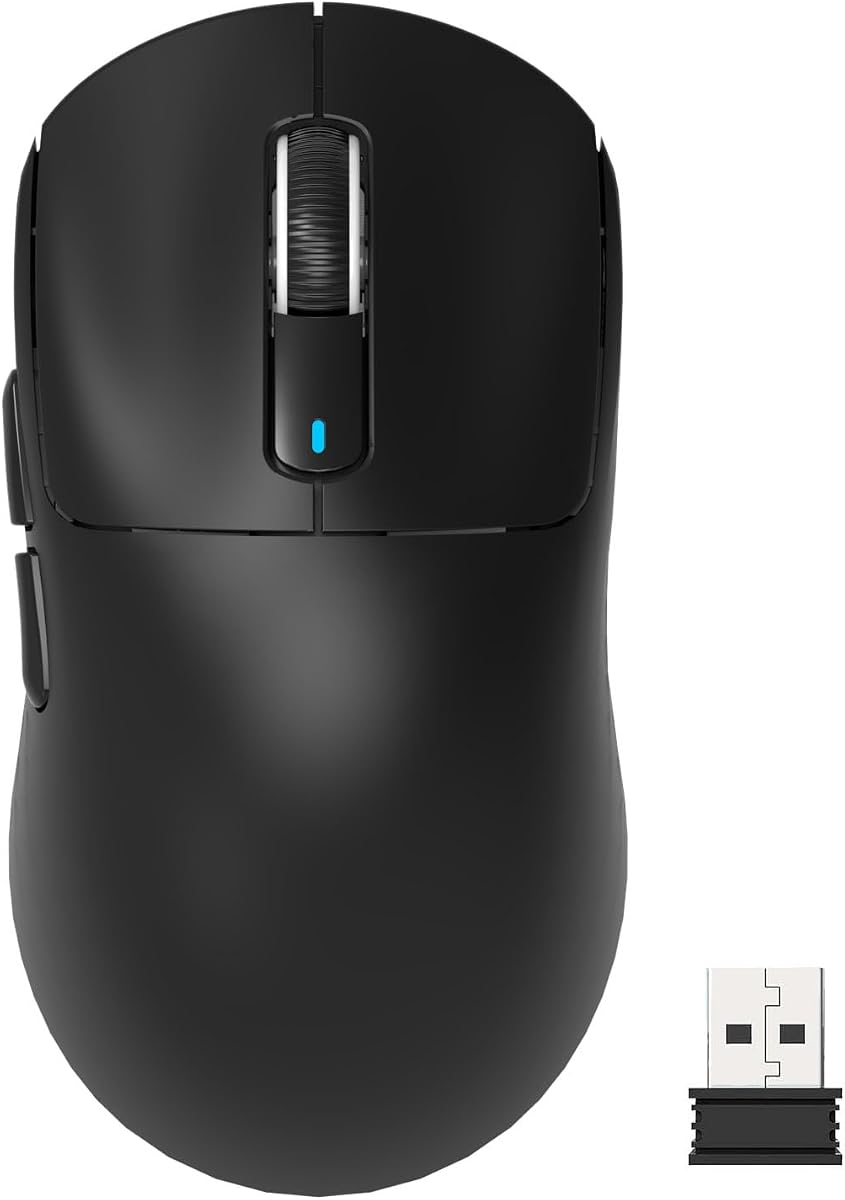


The Logitech G PRO X Superlight 2 stands out as a top performer for serious gamers. It earns a high rating for its seamless performance and precision. The mouse is engineered to win with pro collaboration.
We may earn a commission when you buy through this link, at no additional cost to you.
Its HERO 2 sensor delivers flawless tracking even on difficult surfaces. The hybrid switches provide tactile feedback without delays. This ensures every movement translates accurately into your game.
Some users may find the cost steep compared to budget options. However the durability and battery life justify the investment for competitive play. The weight distribution remains balanced during intense sessions.
This mouse is ideal for esports athletes needing reliable gear. It suits users who prioritize performance over extra features. If you want consistent results choose this model for your setup.
The advanced sensor ensures you never lose tracking during fast movements. This level of accuracy is crucial for hitting shots in shooters.
With up to 95 hours of battery life you can game longer without interruption. Charging is simple via USB-C for quick top-ups.
We may earn a commission when you buy through this link, at no additional cost to you.
This Pulsar mouse redefines lightweight with a scale tipping at 37g. It is lighter than an egg yet delivers heavyweight results. The minimalist design ensures ultra-light handling.
We may earn a commission when you buy through this link, at no additional cost to you.
The XS-1 sensor provides 32000 DPI for sharp tracking. Optical switches minimize double-click issues while offering swift responses. The included skates enhance speed on any surface.
Its small size might not suit those with larger palms. Lack of software limits button customization for complex macros. But the raw performance suits pure aiming fans.
Choose this if you value speed and feel above all else. It suits claw grip users seeking a responsive tool. Perfect for fast-paced games requiring quick reflexes.
The ultra-light build reduces arm fatigue significantly over long sessions. This allows for sustained focus without physical strain.
Optical switches ensure every click registers instantly. This responsiveness is key for executing moves in split seconds.
We may earn a commission when you buy through this link, at no additional cost to you.
The Razer Viper V3 HyperSpeed offers up to 280 hours on one AA battery. It balances speed with endurance for marathon gaming. The sensor ensures flawless tracking on glass.
We may earn a commission when you buy through this link, at no additional cost to you.
Multi-device support streamlines your esports setup easily. Mechanical switches rated for 60 million clicks ensure reliability. The center mass design provides consistent swipes.
While heavier than others it remains balanced for comfort. Relying on AA batteries may be inconvenient for some users. Yet the run time is unmatched in its class.
Best for gamers who hate frequent recharging needs. It fits well for those needing a workhorse mouse. Great for tournaments where battery anxiety matters less.
Power through intense schedules without needing a charger. This reliability keeps you focused on the game ahead.
Track accurately on glass and other challenging surfaces. This flexibility ensures consistent performance anywhere you play.
We may earn a commission when you buy through this link, at no additional cost to you.
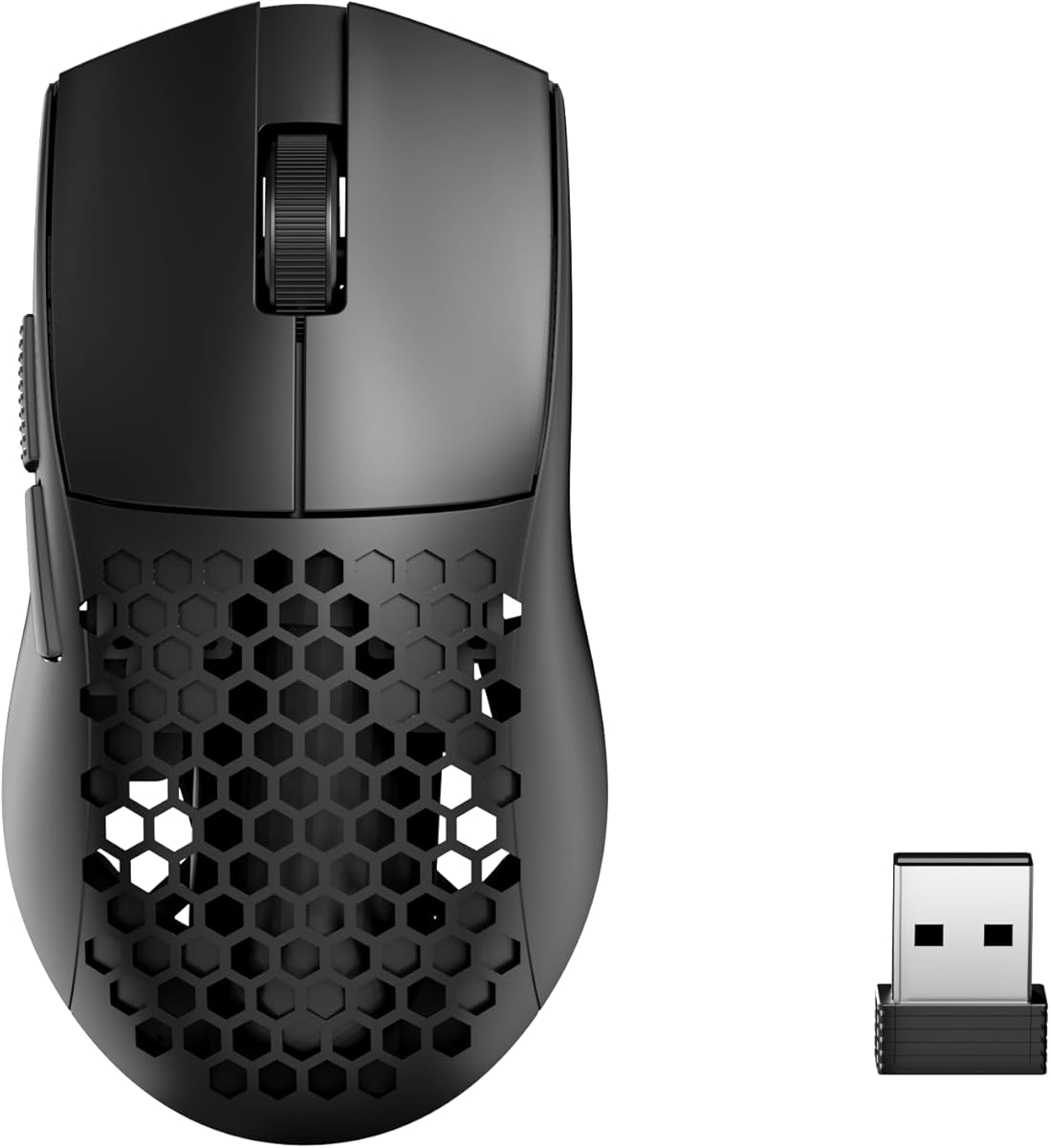
This Redragon model brings wireless freedom at a low cost. It weighs only 49g thanks to the honeycomb design. You can connect via BT or 2.4GHz easily.
We may earn a commission when you buy through this link, at no additional cost to you.
The software allows full customization of macros and DPI. It suits users wanting programmable buttons for productivity too. The airflow keeps hands dry during long use.
Sensor DPI caps lower than pro mice but works well. The software interface sometimes lacks polish compared to big brands. Still it offers great features for the price.
Ideal for budget-conscious gamers wanting versatility. It fits well for hybrid work and play setups. A smart pick for entry-level wireless needs.
Switch between devices seamlessly with three modes. This adaptability helps you manage multiple screens efficiently.
The honeycomb shell improves palm air circulation. This feature prevents sweat buildup during intense gaming.
We may earn a commission when you buy through this link, at no additional cost to you.
The G305 is a legendary lightweight wireless mouse. It offers incredible responsiveness with a 1ms report rate. The compact design makes it a great laptop companion.
We may earn a commission when you buy through this link, at no additional cost to you.
Battery life extends up to 9 months with endurance mode. Its efficiency ensures you rarely need new batteries. The HERO sensor delivers precision for competition levels.
It is heavier than modern ultra-light options. Side buttons are basic compared to full gaming mice. However reliability and portability remain strong suits.
Best for travelers needing a robust gaming mouse. It suits casual competitive play where weight matters less. Choose this for consistent performance anywhere you go.
The built-in storage for the receiver prevents loss. This convenience ensures you are always ready to play.
Endurance mode extends battery life significantly. This feature keeps you gaming for months on one AA cell.
We may earn a commission when you buy through this link, at no additional cost to you.
Weighing just 39g this mouse feels almost weightless. It balances ergonomic shape with raw performance. The new sensor offers submicron scale detection for accuracy.
We may earn a commission when you buy through this link, at no additional cost to you.
Optical switches provide 150 million click durability. TOPSPEED wireless ensures low latency for competitive edge. The 8K receiver enhances performance visually.
Brand recognition is lower than major players. Drivers may need tweaking to suit preferences fully. Yet the specs compete with top-tier options easily.
Ideal for enthusiasts wanting the lightest build. It suits FPS players needing quick movement. This choice delivers precision and speed together.
High polling rates ensure instant feedback for actions. This responsiveness gives you an edge in fights.
The hump design fits various hand shapes well. This allows comfort even during extended fast movement.
We may earn a commission when you buy through this link, at no additional cost to you.
This mouse uses the flagship PAW3395 sensor. It weighs only 49g which is lighter than an egg. The ergonomic design minimizes hand burden effectively.
We may earn a commission when you buy through this link, at no additional cost to you.
Kailh GM8.0 switches offer fast triggers. A scroll wheel encoder provides precise positioning. It supports up to four devices simultaneously.
Software can require frequent updates to work well. The shell feels light but may not suit heavy hands. Still the performance is strong for the price.
Best for gamers wanting flagship specs affordably. It suits multi-device users needing flexibility. Choose this for a balance of speed and utility.
The 3395 sensor captures subtlest movements accurately. This precision is vital for tactical shooters.
Crisp sound and fast rebound improve click feel. This tactile response helps with rhythm in games.
We may earn a commission when you buy through this link, at no additional cost to you.
The X2 offers a medium version of the ultra-light design. It tips scales at 39g for a smooth feel. The symmetrical shape supports fingertip grips well.
We may earn a commission when you buy through this link, at no additional cost to you.
XS-1 sensor delivers precision and speed. Optical switches prevent unintended double clicks effectively. The included skates enhance movement on hard pads.
Lack of software restricts customization for complex macros. Color choices remain limited compared to other brands. But the raw performance is top-notch for gaming.
Ideal for users seeking a versatile medium shape. It fits claw and fingertip grip types equally. Choose this for pure performance and speed.
This shape adapts to multiple grip styles. It ensures optimal control regardless of your preference.
The included skates reduce friction on all pads. This feature boosts speed for every flick shot.
We may earn a commission when you buy through this link, at no additional cost to you.
This mini mouse was co-developed with pros. It weighs 49g and fits smaller hands perfectly. The semi-symmetrical form optimizes claw grips well.
We may earn a commission when you buy through this link, at no additional cost to you.
ROG AimPoint Pro sensor tracks on glass easily. Omni Receiver links multiple devices via one dongle. The shape minimizes fatigue significantly.
Larger hands may find it too small. The price sits high compared to competitors. But the ergonomic refinement justifies it for pros.
Best for users with smaller palms seeking precision. It suits competitive gamers needing pro-level gear. Choose this for a refined small mouse.
The shape matches the grip styles of pros. This ensures you get competitive-level control easily.
Track-on-glass tech allows use on smooth surfaces. This versatility helps in diverse gaming setups.
We may earn a commission when you buy through this link, at no additional cost to you.
This wired model offers lightweight feel for low cost. It uses a honeycomb shell for essential buffs. The cable is designed to kill friction well.
We may earn a commission when you buy through this link, at no additional cost to you.
RGB customization adds style to the setup. DPI software allows engine your liked way to win. The 7 programmable buttons cover complex needs.
It is heavier than wireless ultra-light mice. Wired use limits freedom compared to wireless options. But the price makes it accessible to many.
Best for budget users needing reliable gear. It suits home setups where cables are fine. Choose this for value and essential performance.
The low price point makes light gaming accessible. This allows more players to benefit from speed.
The cutout shell reduces weight without losing structure. This design improves airflow for dry hands.
We may earn a commission when you buy through this link, at no additional cost to you.
Choosing the right lightweight mouse depends on several factors. We cover the key elements to help you decide.
Weight affects how much your arm tires during long sessions. Generally lighter is better but balance matters too. A 40g to 60g mouse suits most esports needs.
Look for a weight that allows quick flicks without strain.
The sensor tracks movement and translates it to the screen. High DPI and IPS ratings ensure precision. Avoid sensors with smoothing or acceleration.
A top sensor guarantees your aim matches your hand.
Switches register your clicks. Optical switches avoid double-click issues. Mechanical switches offer tactile feedback. Ensure high click ratings for long life.
Durable switches prevent failures during critical game moments.
Wireless mice offer freedom from cables. Look for low latency connections like LIGHTSPEED or ROG SpeedNova. Wired mice eliminate battery concerns entirely.
Choose based on your need for mobility.
Ergonomics ensure comfort for your specific grip style. Symmetrical suits claw or fingertip. Ergonomic suits palm grips. Test shapes if possible.
A good shape reduces fatigue significantly.
Wireless models vary widely in battery runtime. Aim for at least 50 hours for daily use. Consider fast charging if needed.
Long battery life prevents interruptions in play.
Software lets you set DPI and map buttons. Robust tools add versatility for macros. Some mice lack software entirely.
Check software features before buying for flexibility.
Premium mice cost more but offer better durability. Budget options provide core features well. Decide how much you value longevity over cost.
Balance your budget with your performance needs.
Clean the sensor lens with a soft cloth. Dust can block tracking. Avoid harsh chemicals that damage the shell.
Update firmware regularly to fix bugs. Manufacturers often release patches. Use official apps to keep the mouse current.
Store the mouse in a case when traveling. This protects the lightweight shell. Avoid extreme heat that affects the battery.
Lighter mice reduce friction so you can make fast movements. This helps with flick shots. However control matters more than pure weight.
Modern wireless tech like LIGHTSPEED has near zero latency. It matches wired performance. Just ensure you use the dedicated receiver.
Most pros use 400 to 1600 DPI. Higher DPI is for screen size. Low DPI helps control while high DPI helps speed.
Use a small brush to dust the holes. Compressed air works well. Wipe the outside with a damp cloth to remove oils.
Optical switches use light to register clicks. This prevents mechanical wear. They are often faster and more durable.
Some models have track-on-glass sensors. Others struggle on reflective surfaces. Check specs for surface compatibility.
Wireless uses a receiver for low latency. Bluetooth connects to devices easily. Wireless is better for gaming speed.
The top picks like Logitech and Pulsar offer elite performance. They suit various grip styles. Choose based on your needs.
Prioritize weight and sensor quality. These factors define your experience. Comfort matters for long term play.
Prices change often so check current listings. Find the deal that fits your budget. The best mouse is one you love using.