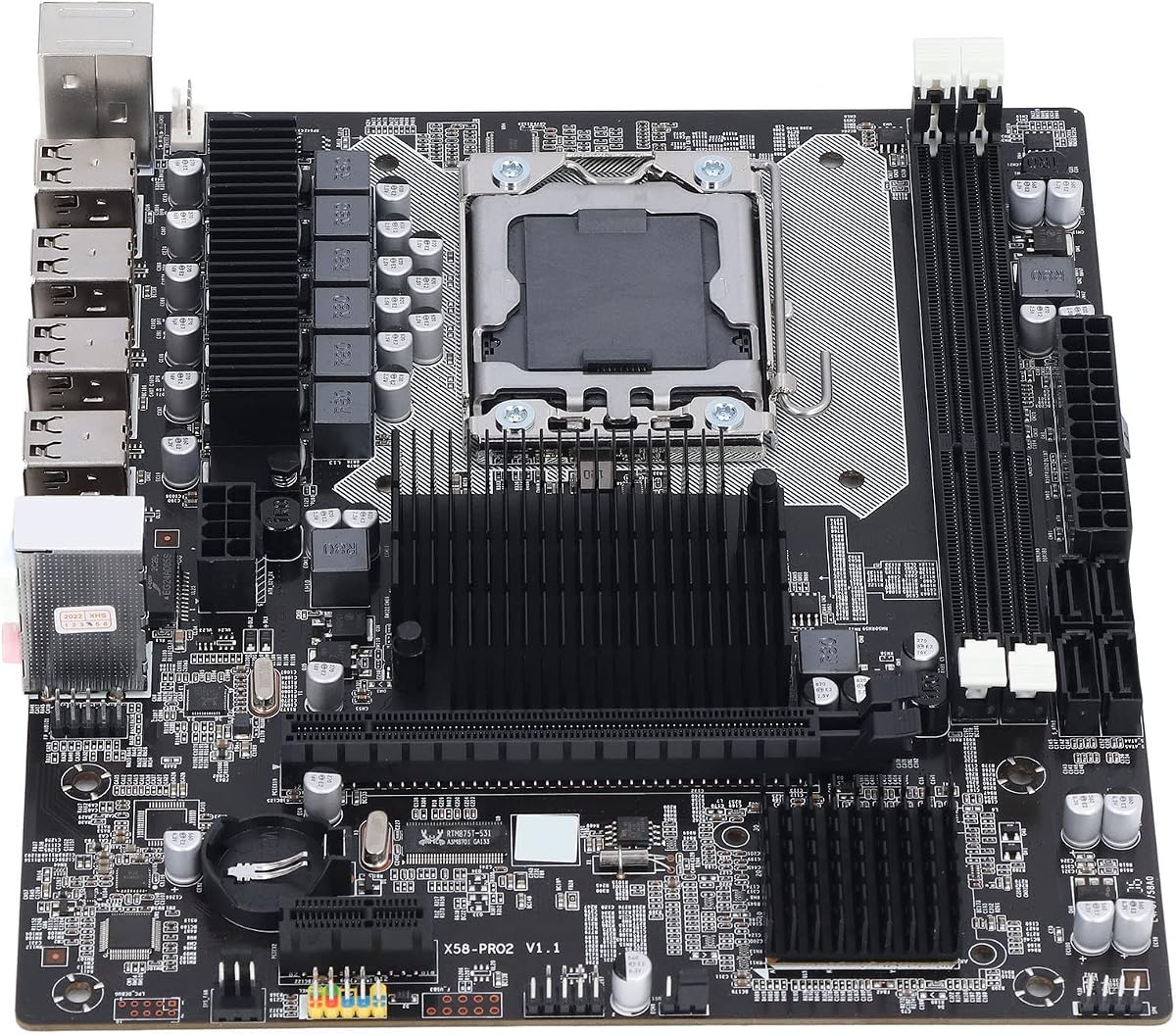
X58 Gaming Motherboard
Solid capacitor design
ECC memory support
Standard ATX power
This guide compares the top ten Lga 1366 Motherboard options for performance, stability, and features to help you choose the right legacy platform for your
Finding a reliable Lga 1366 Motherboard is essential for enthusiasts building classic high performance desktop systems. These boards support powerful processors and offer robust features for demanding workloads today.
We analyzed ten top models based on specifications, user feedback, and compatibility with legacy hardware. Our comparison highlights key differences to help you make an informed decision.
Each selection includes detailed insights into performance and connectivity. Please note that availability and pricing change frequently, so check current listings before purchasing.

5.0Editor score

The following table provides a side-by-side comparison of key specifications across all ten selected motherboards to help you evaluate compatibility and features.

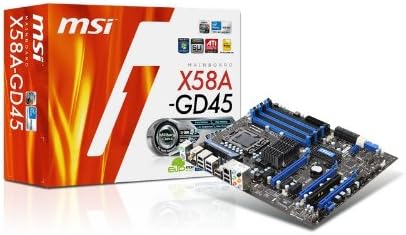


The ASUS P6T7 WS SuperComputer stands out as the top choice for serious enthusiasts seeking maximum performance. It holds a perfect rating and offers robust features for high-end workstation or gaming builds.
We may earn a commission when you buy through this link, at no additional cost to you.
Its support for 3-Way SLI and CrossFireX allows for powerful graphics configurations. The dual Realtek Gigabit LAN controllers provide reliable networking, while the 12 USB ports ensure ample peripheral connectivity.
While the board is expensive, the investment pays off in stability and expansion capability. The large CEB form factor may require a spacious case, which is a trade-off for its superior feature set.
Buy this if you need a reliable platform for demanding tasks or multi-GPU setups. It delivers exceptional value for users prioritizing performance over cost.
The board supports 3-Way SLI and CrossFireX, making it ideal for high-performance visual tasks.
Dual Gigabit LAN controllers offer redundancy and teaming capabilities for robust network performance.
We may earn a commission when you buy through this link, at no additional cost to you.
This premium model delivers high performance with its USB 3.0 and SATA 6Gb/s support. The ASUS 16+2 Phase Power Design ensures stable power delivery for demanding applications.
We may earn a commission when you buy through this link, at no additional cost to you.
The Stack Cool 3+ fanless heat dissipation keeps the system cool and quiet. TurboV software allows for precise real-time tuning to maximize processor performance effectively.
Users may find the number of USB ports limited compared to modern standards. The legacy nature of the chipset means driver support may be older for some operating systems.
Choose this board for its balance of speed and thermal efficiency. It is a solid choice for enthusiasts upgrading older systems.
USB 3.0 and SATA 6Gb/s support provide faster data transfer rates for modern storage and peripherals.
The fanless heat pipe design maintains low noise levels while dissipating heat efficiently.
We may earn a commission when you buy through this link, at no additional cost to you.
This board offers a budget-friendly entry point for LGA 1366 builds. It supports both ECC and non-ECC memory, providing flexibility for gaming or workstation use.
We may earn a commission when you buy through this link, at no additional cost to you.
Built with all solid capacitors, it ensures stable power delivery under load. The standard power connectors make setup straightforward with most ATX power supplies.
The limitation to USB 2.0 and only two RAM slots restricts expansion. Users should verify compatibility with specific CPUs before purchase.
Ideal for cost-conscious builders needing basic legacy support. It balances affordability with essential features for older systems.
Support for ECC and non-ECC DDR3 modules allows versatile system configurations.
All solid capacitors enhance durability and stability during high-load operations.
We may earn a commission when you buy through this link, at no additional cost to you.
MSI delivers solid performance with USB 3.0 and SATA III support for faster data rates. The Active Phase Switching optimizes power usage based on demand for efficiency.
We may earn a commission when you buy through this link, at no additional cost to you.
Its design focuses on stability and noiseless operation. Three PCI Express x16 slots allow for versatile graphics card configurations.
The BIOS lacks some modern features found on newer boards. Users should check specific compatibility with their preferred operating system.
A good choice for users needing fast storage interfaces. It offers a stable platform for legacy workstation tasks.
USB 3.0 delivers transfer rates up to 5Gbps, significantly faster than USB 2.0.
Active Phase Switching dynamically controls power demand to reduce consumption.
We may earn a commission when you buy through this link, at no additional cost to you.
The Dx58So Extreme Series is designed for users seeking classic overclocking capabilities. It supports Intel Core i7 processors and provides stable power delivery.
We may earn a commission when you buy through this link, at no additional cost to you.
The X58 chipset ensures compatibility with triple-channel memory configurations. Its robust construction supports demanding workloads effectively.
Documentation for this specific model may be scarce. Users might need community resources for detailed setup guidance.
Ideal for hobbyists looking for a proven platform. It remains a solid option for retro computing enthusiasts.
Designed for Core i7 Extreme Edition processors to maximize performance potential.
Supports triple channel memory architecture for increased bandwidth.
We may earn a commission when you buy through this link, at no additional cost to you.
This board offers six DDR3 slots for up to 24GB of memory. It includes two SATA3 ports for faster storage connectivity alongside standard SATA2.
We may earn a commission when you buy through this link, at no additional cost to you.
The Marvell Gigabit LAN controller ensures reliable network speeds. Audio is handled by Realtek AL8889 for decent sound quality.
The board requires significant case space. Audio performance is good but not exceptional compared to dedicated sound cards.
Great for systems requiring substantial memory capacity. It provides a balanced feature set for legacy builds.
Six DIMM slots allow for up to 24GB of RAM in a triple-channel config.
Two SATA3 ports offer high-speed data transfer for storage devices.
We may earn a commission when you buy through this link, at no additional cost to you.
Supermicro builds this board for reliability and server-like performance. It supports both ECC and non-ECC memory for versatile application needs.
We may earn a commission when you buy through this link, at no additional cost to you.
Dual Intel Gigabit Ethernet controllers provide redundant networking. The board supports RAID configurations for improved data protection.
Video output is basic, relying on Matrox graphics for display. It is not optimized for intensive gaming workloads.
Perfect for workstation or server tasks. Users needing stability will appreciate the enterprise features.
Two Intel Gigabit LAN ports enable reliable and redundant network connections.
Supports RAID 0, 1, 5, and 10 for data redundancy and speed.
We may earn a commission when you buy through this link, at no additional cost to you.
This premium board supports massive memory capacity up to 288GB for heavy workloads. It is designed for dual-processor configurations with Intel Xeon processors.
We may earn a commission when you buy through this link, at no additional cost to you.
Dual-port Ethernet ensures robust networking for enterprise environments. The Intel 5520 chipset offers advanced management features.
Its high price requires significant budget. The large form factor demands a substantial chassis.
Ideal for high-end workstation needs. It delivers exceptional scalability for professionals.
Supports up to 288GB of ECC Registered DIMM for extreme workloads.
Supports dual Intel Xeon processors for maximum computational power.
We may earn a commission when you buy through this link, at no additional cost to you.
The P6T Deluxe V2 supports a wide range of Core i7 processors. It features six DIMM slots for up to 24GB of memory.
We may earn a commission when you buy through this link, at no additional cost to you.
Its triple-channel memory architecture provides good bandwidth. The board includes standard expansion slots for legacy hardware.
User feedback suggests potential stability issues compared to other models. It lacks some modern conveniences found on newer boards.
Choose for standard legacy system builds. It offers decent performance for basic tasks.
Supports Core i7 Extreme and standard Core i7 processors effectively.
Six slots allow for ample capacity in a triple-channel setup.
We may earn a commission when you buy through this link, at no additional cost to you.
Intel provides a reliable foundation with this board. It supports up to 16GB of DDR3 memory with triple-channel architecture.
We may earn a commission when you buy through this link, at no additional cost to you.
Twelve USB ports offer excellent peripheral connectivity. SLI and CrossFire support enable basic multi-GPU setups.
Memory capacity is limited compared to 24GB boards. Overclocking tools are functional but not advanced.
Suitable for standard gaming or office builds. It offers a solid base for users preferring Intel branding.
Twelve USB ports provide ample connections for peripherals.
Supports SLI and CrossFire for multi-GPU configurations.
We may earn a commission when you buy through this link, at no additional cost to you.
Selecting the right motherboard for an LGA 1366 build requires careful consideration of several factors.
Ensure the board specifically supports the LGA 1366 socket for Intel Core i7 or Xeon processors. Compatibility with specific CPU generations can vary significantly.
Always verify CPU compatibility lists before purchasing to avoid hardware issues.
Look for boards with at least six DDR3 slots to support up to 24GB of RAM. This ensures your system can handle modern multitasking requirements.
More slots provide better future-proofing and performance for workstation tasks.
The Intel X58 chipset is standard for this socket. It supports triple-channel memory and offers reliable PCIe lanes for graphics cards.
Stick to X58 for confirmed compatibility with legacy hardware standards.
Prioritize boards with USB 3.0 support for faster peripheral data transfers. Some models may still be limited to USB 2.0 which can be slower.
USB 3.0 improves workflow efficiency with external storage and devices.
Most options are ATX but larger workstation boards may use E-ATX. Ensure your PC case can accommodate the motherboard size.
Check dimensions carefully to avoid fitting issues during installation.
Look for robust power phases like 16+2 phase designs for stable overclocking. Good VRM quality ensures consistent performance under load.
Strong power delivery helps maintain system stability during intensive tasks.
Dual Gigabit Ethernet provides better networking redundancy. Integrated high-definition audio codecs like Realtek offer decent sound quality.
These features are important for networking and media consumption builds.
Check the number of PCIe x16 slots for multi-GPU setups. Some boards offer better support for SLI or CrossFire configurations.
Ensure slots support the generation of graphics cards you plan to use.
Start by carefully installing the CPU and applying thermal paste correctly. Secure the motherboard firmly in the standoffs to prevent electrical shorts.
Connect all power cables firmly, especially the 8-pin and 24-pin connectors. Ensure RAM sticks are clicked securely into the correct channels.
Keep the system clean and free of dust to prevent overheating. Regular maintenance extends the lifespan of this legacy platform.
These boards support Intel Core i7 Extreme Edition, Core i7 processors, and Xeon 3500 series. Always check the manufacturer's CPU compatibility list for specific models.
Most work with Windows 10 but you may need to download legacy drivers. Ensure chipset drivers are available for your specific operating system version.
Yes, most X58 boards support DDR3 1333 and 1600 MHz modules. Higher speeds may work with overclocking depending on the model.
It is often cheaper for retro builds or specific workstation needs. It supports legacy CPUs that might still suit older application requirements.
Measure the board dimensions and compare them to your case specs. Most are ATX but workstation boards can be larger E-ATX sizes.
Most support ECC but you should verify with the product specs. Some gaming focused boards might not enable ECC features officially.
Yes, they support modern PCIe cards with some BIOS updates. Most models have multiple slots for multi-GPU setups.
Not all models include native USB 3.0. Check the specifications for USB 3.0 headers or ports before buying.
The top picks cover a wide range of needs from budget builds to enterprise workstations. Selecting the right one depends on your specific hardware requirements.
Prioritize stability and connectivity features that match your usage. Consider memory capacity and power delivery for long-term performance.
Remember to verify availability and current compatibility before finalizing your purchase. Legacy parts availability changes frequently over time.