
Brother HL-6210DW
4.1Editor score
50 ppm output speed
Affordable operating costs
Dual band wireless networking
This guide compares the top laser printer for large workgroups based on speed, security, capacity, and cost efficiency to help you choose the right office
Finding the right laser printer for large workgroups requires balancing speed, capacity, and security. Modern office environments need reliable devices that can handle high-volume printing without frequent jams or slowdowns.
We compared ten top models focusing on print speeds, paper capacity, network features, and security protocols. Our analysis highlights devices suitable for busy teams needing consistent performance and minimal downtime.
Each pick shows key specs and real-world strengths to help you decide quickly. Note that prices and availability change frequently, so verify current details before purchasing your next business printer.
4.1Editor score

4.4Editor score

The following table provides a quick side-by-side comparison of all ten models selected for this guide. Review the key specifications to identify which printer best fits your specific workgroup requirements and budget constraints.


The Brother MFC-L8930CDW stands out as a top choice for large workgroups needing reliable color output. Its 4.4 rating reflects consistent performance in busy office settings. It delivers sharp prints and robust scanning capabilities essential for modern document workflows.
We may earn a commission when you buy through this link, at no additional cost to you.
This model excels with 33 ppm speeds and a 104 ipm scanner that handles high volumes quickly. The 7 inch touchscreen offers intuitive control with customizable shortcuts for frequent tasks. Advanced security features protect your network and documents from transit risks effectively.
While the unit is 25% smaller than previous models, the compact size might limit expansion options immediately. However, the built-in value with standard toner helps offset initial costs over time. Trade-offs are minimal given the overall feature set and build quality.
Teams needing color versatility and strong security should prioritize this machine. It balances speed, efficiency, and manageability for diverse office needs. Verify current availability to ensure you secure the best value for your specific group size.
The inclusion of NFC card readers and triple layer security adds significant value. These features are critical for offices handling sensitive data regularly. The EPEAT Gold rating also appeals to sustainability-focused organizations.
Fast print speeds ensure your team avoids delays during peak hours. The duplex scanning capability saves time on multi-page document processing tasks.
Integrated security measures guard against unauthorized access and data breaches. Eco-friendly packaging and recycled materials reduce environmental impact significantly.
We may earn a commission when you buy through this link, at no additional cost to you.
The Brother HL-L5210DWT delivers exceptional speed with 48 ppm output for busy offices. Its 4.3 rating confirms reliable performance over time. This monochrome printer is ideal for teams focused on high-volume text documents and contracts.
We may earn a commission when you buy through this link, at no additional cost to you.
Dual paper trays reduce refill frequency significantly during intense printing sessions. The large capacity ensures continuous operation without constant monitoring. Cost-efficiency is enhanced by the option to use super high-yield replacement toner cartridges effectively.
The main limitation is the lack of scanning or copying features since it prints only. If your workflow requires document scanning, you may need a separate device. However, for pure printing tasks, it offers exceptional value and speed.
Choose this model if speed and low operational costs are your primary concerns. The Gigabit Ethernet and wireless options ensure seamless integration into existing networks. Check current specs to confirm compatibility with your specific office setup.
The security features protect data in transit effectively which is vital for business. Its robust design supports reliable performance even under heavy loads. Mobile printing adds flexibility for remote or hybrid work environments.
Dual trays minimize interruptions caused by paper refills during busy periods. Expandable capacity options support even larger volume demands as needed.
Built-in Gigabit Ethernet ensures fast and stable network connectivity. Advanced security layers safeguard your network and devices from threats.
We may earn a commission when you buy through this link, at no additional cost to you.
The HP LaserJet Enterprise M406dn offers enterprise-grade reliability at an entry-level price. It achieves a 4.4 rating due to consistent output and ease of management. This model suits growing teams needing robust security and efficiency.
We may earn a commission when you buy through this link, at no additional cost to you.
Print speeds of up to 42 ppm ensure tasks are completed quickly. The FutureSmart firmware allows updates that keep the device optimized for years. HP Wolf Enterprise Security provides defensive layers against malware and data theft.
The 2.7 inch display is functional but smaller compared to some competitors. This may limit customization options for frequently used settings. Still, the security and speed benefits make it a strong candidate for secure offices.
Teams prioritizing security and cost-efficiency should consider this printer. The automatic 2-sided printing helps save paper and reduce costs effectively. Verify current stock to ensure it meets your specific deployment timeline.
The inclusion of card reader support enhances authentication options further. It integrates well with existing HP management solutions for larger fleets. This model balances performance with the security needs of modern enterprises.
HP Wolf Enterprise Security keeps devices secure against evolving threats continuously. Web JetAdmin tools simplify centralized control across multiple printers.
Automatic 2-sided printing reduces paper waste and costs automatically. High output speeds support teams with frequent document needs.
We may earn a commission when you buy through this link, at no additional cost to you.
The Brother MFC-L6810DW is engineered for large workgroups with high volume needs. Its 4.1 rating reflects solid performance in demanding environments. The standout feature is its exceptionally fast scanning capability for document processing.
We may earn a commission when you buy through this link, at no additional cost to you.
With speeds up to 52 ppm and 200 ipm scanning, this device handles heavy loads efficiently. The 80-page auto document feeder supports single-pass two-sided scanning. NFC card reader integration allows for easy badge authentication for users.
The price point is higher than standard office printers but justified by the speed. Setup might require more technical knowledge compared to simpler models. However, the productivity gains offset these initial hurdles significantly.
Choose this if scanning throughput is a critical requirement for your team. The large paper capacity minimizes interruptions during peak printing periods. Check current pricing to ensure it fits within your operational budget.
The Alexa compatibility allows voice commands which add convenience. Enterprise security features protect sensitive documents effectively during transit. This model supports diverse workflows needing speed and security.
Single-pass duplex scanning doubles productivity compared to standard scanners. It processes legal-size documents efficiently with minimal user intervention.
520-sheet tray plus multipurpose tray supports various media types. Expandable options reach up to 1660 sheets for minimal refills.
We may earn a commission when you buy through this link, at no additional cost to you.
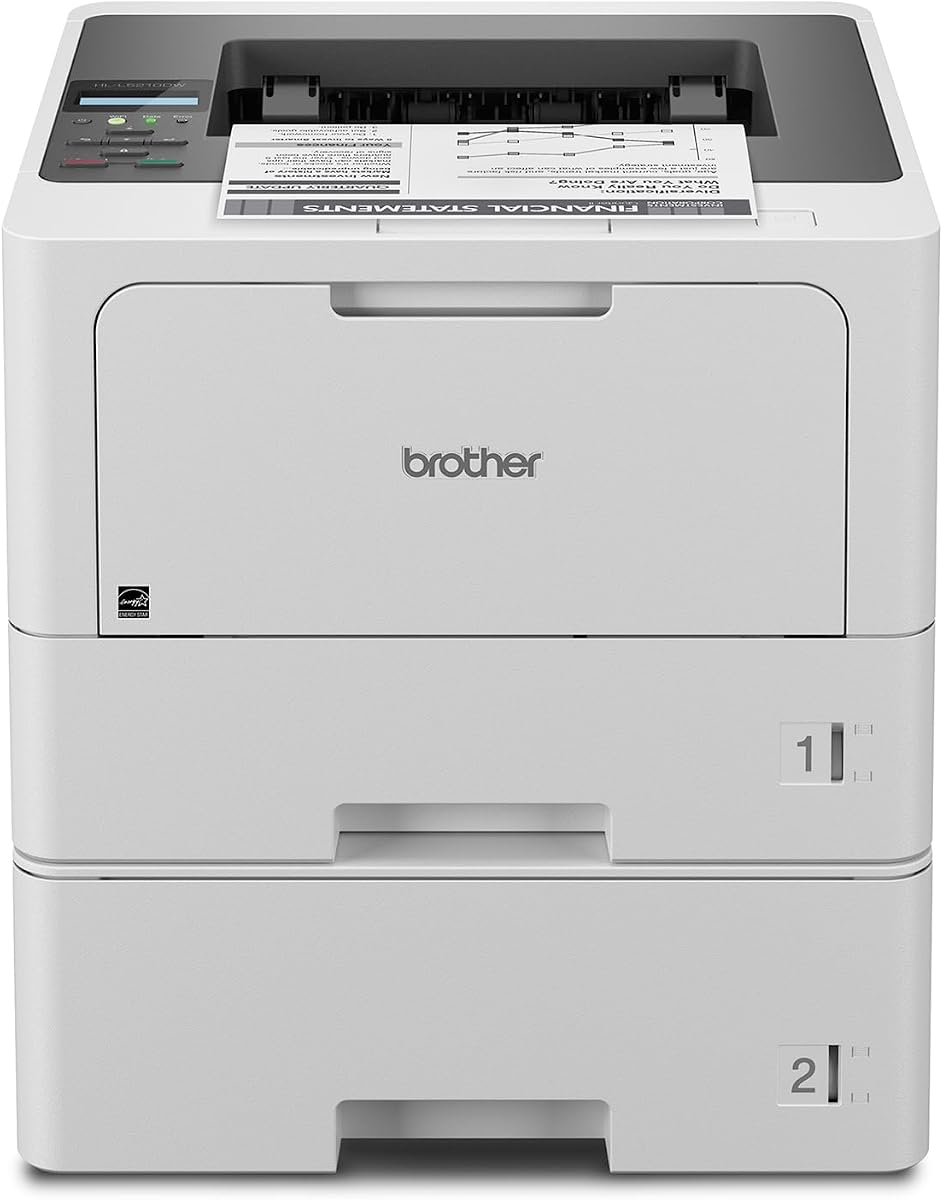
The Brother HL-6210DW combines high speed with affordable pricing for cost-conscious teams. With a 4.1 rating, it delivers consistent results for text documents. It is perfect for departments needing fast printing without multifunction costs.
We may earn a commission when you buy through this link, at no additional cost to you.
Its 50 ppm output ensures high-volume jobs finish quickly. The 520-sheet main tray reduces refill frequency during busy times. Cost-efficient printing is achieved through ultra high-yield replacement toner cartridges.
Lack of scanning limits its use if document digitization is needed. The basic interface might lack customization compared to premium models. However, for pure printing efficiency, it remains a strong contender.
Small to mid-sized workgroups will appreciate the balance of speed and cost. The security features protect network access effectively. Verify current deals to maximize savings on this reliable model.
The dual band wireless ensures stable connectivity without wired needs. It integrates seamlessly with various mobile devices for printing. The robust design ensures reliability under regular office loads.
50 ppm output keeps up with demanding team schedules daily. Duplex printing reduces paper usage and saves time on printing.
Gigabit Ethernet and dual band wireless ensure stable connections. Mobile printing allows flexibility for remote work arrangements.
We may earn a commission when you buy through this link, at no additional cost to you.
The Brother MFC-L5915DW offers a balanced feature set for mid to large teams. It earns a 4.3 rating for consistent speed and reliability. This model is designed to handle high-volume printing efficiently for busy offices.
We may earn a commission when you buy through this link, at no additional cost to you.
Print speeds up to 50 ppm boost productivity significantly. The 70-page ADF supports high-volume document processing. Cloud scanning options allow easy integration with popular business services.
The lack of fax functionality might be a drawback for legacy workflows. The smaller ADF capacity means frequent refills for large batches. Still, the overall speed and cost-efficiency remain high.
This printer is ideal for offices needing fast, reliable mono output. The security features safeguard your network against threats. Check current pricing to confirm it meets your budget expectations.
Low-cost output is ensured by ultra high-yield toner options. Dual band wireless ensures stable connectivity for mobile devices. The design supports seamless integration into existing office networks.
Cloud services allow direct scanning to email or SharePoint. This reduces manual steps in document processing tasks significantly.
Low-cost output features help reduce long-term operational costs. Ultra high-yield toner ensures fewer replacements are needed.
We may earn a commission when you buy through this link, at no additional cost to you.
The HP LaserJet Enterprise M507n is built for reliability and security focus. Its 4.0 rating reflects stable performance in large offices. It is an excellent choice for enterprises prioritizing data protection.
We may earn a commission when you buy through this link, at no additional cost to you.
It includes over 200 embedded security features to thwart attacks. Centralized management via Web JetAdmin simplifies fleet administration. High-quality output is consistent across all document types.
The lack of standard wireless requires wired network connection. The control panel is basic with fewer customization options. However, the security and management benefits are valuable for large fleets.
Choose this model for secure, controlled environments needing strict policies. The high-yield toner cartridges help manage supply costs better. Verify current specs to ensure it aligns with your network setup.
Optional mobile printing adds flexibility for remote workers. The design supports long-term business expectations effectively. It integrates well with HP security management tools seamlessly.
Embedded security features continually detect and stop malware. This ensures your printer remains a secure part of the network.
Web JetAdmin allows centralized policy configuration and updates. This reduces IT workload when managing multiple devices.
We may earn a commission when you buy through this link, at no additional cost to you.
The HP LaserJet MFP M634z is the ultimate solution for large enterprises. It offers unmatched speed and capacity for high-volume demands. While expensive, it delivers value through efficiency and security features.
We may earn a commission when you buy through this link, at no additional cost to you.
Print speeds up to 55 ppm handle massive document volumes easily. The 2300-sheet input capacity reduces refills to rare events. A 9-inch touchscreen provides intuitive control and navigation.
The high cost and large footprint require significant budget space. Not every workgroup needs this level of capacity. However, for heavy-duty enterprise use, it is hard to beat.
Consider this for central offices needing massive throughput and security. The stapler/stacker simplifies finishing tasks automatically. Check current pricing and availability before making this large investment.
JetIntelligence technology ensures energy efficiency and performance. Security features protect your data against sophisticated threats effectively. This model sets a high standard for enterprise printing solutions.
The 150-page ADF with single-pass scanning speeds up workflows. The stapler/stacker ensures finished documents are ready for distribution.
Deep security layers detect and stop malware in real time. This protects your sensitive data across the network.
We may earn a commission when you buy through this link, at no additional cost to you.
The Brother HL-L8430CDWT offers vibrant color output at competitive speeds. With a 4.6 rating, it stands out for reliability and quality. It is ideal for teams needing color marketing materials and reports.
We may earn a commission when you buy through this link, at no additional cost to you.
Print speeds of 33 ppm handle color documents efficiently. The dual trays allow flexibility with mixed media types. Low-cost printing is supported by super high-yield replacement toners.
Color printing costs per page may be higher than mono models. This might impact budgets relying heavily on color. However, for professional branding, the quality is worth the investment.
Choose this for teams requiring consistent, high-quality color. The security features protect your network effectively. Verify current stock to ensure timely delivery for your office.
The NFC card reader supports easy badge authentication. EPEAT Gold certification aligns with sustainability goals. This model balances performance with environmental responsibility.
Vibrant color ensures documents and marketing materials look professional. Sharp black output adds clarity to text documents.
Default two-sided printing reduces paper use and costs. The touchscreen enables easy navigation through menus.
We may earn a commission when you buy through this link, at no additional cost to you.
The Brother HL-L6310DW offers advanced features with smart voice integration. Its 4.2 rating reflects reliable performance for enterprise teams. This model suits modern offices embracing IoT and voice control.
We may earn a commission when you buy through this link, at no additional cost to you.
Print speeds of 52 ppm ensure high productivity for large groups. The expandable paper capacity supports uninterrupted workflow. NFC badge authentication adds an extra layer of security.
Voice commands add convenience but may have limited scope. IT knowledge is needed for optimal deployment and configuration. Still, the overall speed and manageability are impressive.
Choose this if voice workflows align with your IT strategy. The low-cost toner options help manage budgets effectively. Verify current pricing to ensure it fits within your procurement plan.
Device management solutions enable mass distribution of settings. The user-friendly design simplifies maintenance and paper handling. It supports flexible deployment options for diverse environments.
Works with Alexa allows hands-free status checks and commands. This integrates well with modern smart office ecosystems.
Device management solutions simplify mass deployment of settings. User-friendly design ensures easy paper and toner replacement.
We may earn a commission when you buy through this link, at no additional cost to you.
Choosing the right printer requires evaluating speed, capacity, security, and cost. This guide outlines the critical factors to consider for your specific workgroup needs.
Print speed directly impacts how quickly your team can complete tasks. For large workgroups, look for devices with 40 ppm or higher to prevent bottlenecks.
Higher speeds ensure documents are ready when needed and improve overall workflow efficiency.
Large workgroups need printers with significant paper trays to minimize refills. Models with 1000+ sheet capacity or expandable trays are ideal for busy environments.
Ample paper capacity reduces interruptions and allows staff to focus on core tasks.
Security is paramount for businesses handling sensitive data. Look for features like NFC badge authentication, encrypted networks, and built-in threat detection.
Robust security protects your network and documents from unauthorized access and cyber threats.
Evaluate the cost of toner cartridges and their yield. High-yield options often lower the long-term cost per page significantly compared to standard toners.
Low operational costs help maximize your printing budget over the device lifespan.
Ensure the printer supports your network setup, including Gigabit Ethernet or dual-band Wi-Fi. Mobile printing capabilities also increase flexibility for remote or hybrid teams.
Flexible connectivity ensures all users can print efficiently regardless of their device.
All-in-One models combine printing, scanning, and copying to save space and cost. Consider your workflow needs to determine if scanning is necessary alongside printing.
Multifunction devices streamline workflows by consolidating multiple tasks into one unit.
Enterprise-grade printers often include tools for centralized management and updates. These features help IT teams maintain security and performance across multiple devices.
Effective management tools reduce IT workload and ensure consistent device behavior.
Energy Star and EPEAT ratings indicate eco-friendly design. These models reduce energy consumption and often use recycled materials in packaging.
Sustainable printers support green initiatives and reduce utility costs over time.
Regularly update the printer firmware to ensure security patches are applied. Check manufacturer portals for updates and schedule automatic installs when possible.
Keep paper trays clean to avoid jams caused by dust or debris. Rotate paper stacks before loading to maintain moisture levels and prevent curling.
Use genuine toner cartridges to maintain print quality and prevent damage. Monitor supply levels via the interface to avoid interruptions during peak times.
For large workgroups, a minimum of 40 ppm is recommended to ensure efficient workflow. Higher speeds prevent bottlenecks and keep tasks moving quickly. Always choose a model that exceeds your estimated peak volume by 20%.
NFC authentication allows users to print securely using badge credentials. This prevents unauthorized access and ensures confidential documents are released only by the owner. It adds a vital layer of physical security to network printing.
Choose monochrome if your output is mostly text documents. It is cheaper to operate. Opt for color if you need marketing materials or visuals. Consider color models that allow switching to mono for cost control.
Look for models with at least 1000 sheets of paper capacity. This reduces refill frequency and keeps operations running smoothly during busy hours. Expandable trays provide flexibility as your needs grow over time.
Yes, built-in scanning streamlines workflows by reducing device clutter. It eliminates the need for separate scanners and saves time on document digitization. All-in-One models often provide better value for general office tasks.
Use high-yield or super high-yield toner cartridges when available. They provide more pages per cartridge and lower the cost per page. Buying in bulk during promotions can also help minimize operational expenses.
We reviewed ten top models ranging from cost-effective monochrome to advanced enterprise solutions. The Brother MFC-L8930CDW stands out for its balance of speed and features. The HP LaserJet MFP M634z leads for heavy-duty enterprise requirements.
Prioritize security, speed, and capacity based on your specific team size. Ensure the chosen model integrates with your existing network and management tools. High yield toner options will help manage long-term operational costs effectively.
Prices and availability change frequently so verify current details before buying. Check for promotions or bundles that may offer better value today. Select a printer that supports your growth and workflow needs for years.