
Kingston NV3 1TB
4.7Editor score
Gen 4×4 NVMe PCIe performance
Up to 6000MB/s read speeds
Includes Acronis cloning software
This guide compares the top Kingston Internal NVME SSDs for speed, capacity, and value to help you choose the right storage upgrade for your system.
Choosing the right internal storage is critical for modern computing performance. Kingston Internal NVME SSDs offer a balance of speed, reliability, and affordability for various users. From budget-friendly options to high-performance gaming drives, there is a model for every need.
We evaluated ten top models based on real-world speed benchmarks, durability ratings, and user feedback. Our analysis focuses on PCIe generations, write endurance, and compatibility with different device types. This ensures you get accurate data when selecting your next storage upgrade.
Each pick highlights specific strengths like gaming readiness, compact form factors, or enterprise-grade security. Prices fluctuate frequently, so check current listings before buying. This guide helps you navigate the options to find the best fit for your budget and performance goals.
4.7Editor score

4.8Editor score
4.7Editor score
The table below provides a side-by-side comparison of all ten models including their key specifications and unique features to help you make an informed decision quickly.




The Kingston Fury Renegade 1TB stands out as a top performer for demanding users. With a 4.8 rating, it delivers exceptional speeds up to 7300MB/s making it ideal for gaming and creative workloads.
We may earn a commission when you buy through this link, at no additional cost to you.
Its Gen 4×4 NVMe performance ensures minimal load times and smooth multitasking. The availability of a heatsink helps maintain thermal stability during long sessions which is crucial for high-performance builds.
While it is pricier than budget models, the investment pays off in speed and longevity. The slim form factor ensures it fits in most modern systems without issues.
This drive is perfect for gamers and professionals who need top-tier responsiveness. If you want the best balance of speed and reliability, this is the pick to choose.
The included heatsink or low-profile heat spreader ensures the drive stays cool under load preventing throttling during extended use.
With PS5 Ready certification, this drive integrates seamlessly into console storage expansion slots for seamless gameplay experiences.
We may earn a commission when you buy through this link, at no additional cost to you.
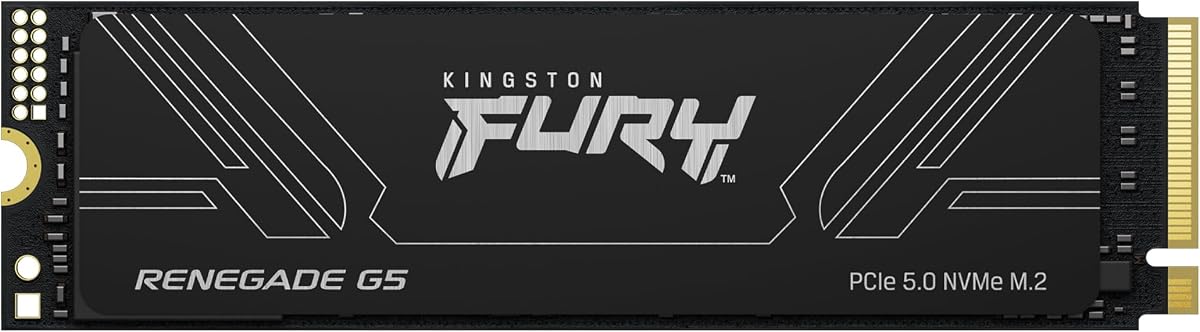
The Kingston FURY Renegade G5 4TB is the ultimate choice for power users needing maximum speed. It offers PCIe 5.0 speeds up to 14800MB/s ensuring ultra-fast load times and performance gains.
We may earn a commission when you buy through this link, at no additional cost to you.
Designed for hardcore gamers and content creators, it handles demanding apps with ease. The advanced thermal design including a 6nm controller ensures stable performance even under heavy workloads.
While it requires a compatible Gen 5 motherboard, its future-proofing value is significant. The 4TB capacity allows for storing vast libraries of games and files without external drives.
If you need the absolute fastest storage available and have the budget, this is the drive to buy. It represents the cutting edge of consumer storage technology.
With read speeds reaching 14800MB/s, this drive significantly reduces rendering times and data transfer bottlenecks for professionals.
The SM2508 controller and low-power DDR4 cache ensure the drive performs efficiently while maintaining stable power usage.
We may earn a commission when you buy through this link, at no additional cost to you.
The Kingston NV3 1TB offers incredible value with Gen 4×4 NVMe PCIe performance. It achieves speeds up to 6000MB/s which is more than enough for most daily tasks and gaming.
We may earn a commission when you buy through this link, at no additional cost to you.
Included Acronis cloning software makes migrating your old drive effortless ensuring a smooth transition to new hardware. The 5-year limited warranty provides peace of mind for your investment.
It lacks a dedicated heatsink but performs well in systems with adequate airflow. This model is perfect for budget-conscious buyers who do not want to sacrifice speed.
For those seeking the best bang for the buck, this drive is the top recommendation. It balances cost and performance better than most competitors in its class.
Acronis cloning software simplifies the upgrade process allowing you to move your system to the new SSD quickly without data loss.
Designed for low power consumption, this drive helps extend battery life in laptops while delivering high speed storage.
We may earn a commission when you buy through this link, at no additional cost to you.
The Kingston NV3 1TB 2230 is designed for compact systems and handheld gaming devices. It offers Gen 4×4 performance in a smaller form factor ideal for modern portable setups.
We may earn a commission when you buy through this link, at no additional cost to you.
With speeds up to 6000MB/s, it delivers quick load times and responsive gameplay. Its low power profile helps maintain battery life during mobile gaming sessions.
While it targets specific form factors it remains versatile for small form factor PCs. This drive is a practical choice for those upgrading limited space devices.
If you need reliable storage for a Steam Deck or similar handheld this is the right pick. It combines speed with the physical constraints of portable hardware.
This drive is specifically tailored for compatible handheld gaming devices ensuring seamless performance in compact enclosures.
The 2230 form factor saves space in SFF PCs allowing for tighter builds without sacrificing performance capabilities.
We may earn a commission when you buy through this link, at no additional cost to you.
The Kingston KC2500 250GB delivers superior NVMe speeds with a focus on security. It supports self-encryption allowing end-to-end data protection using hardware-based encryption methods.
We may earn a commission when you buy through this link, at no additional cost to you.
With speeds up to 3500MB/s it improves workflow in desktop and workstation environments. It is ideal for users who prioritize data privacy alongside performance.
While it uses Gen 3 technology it remains highly reliable for business and personal use. The built-in Microsoft eDrive support adds an extra layer of security.
For those needing secure storage without compromising on speed this drive is excellent. It is a solid choice for professionals handling sensitive data daily.
The drive supports XTS-AES 256 bit hardware encryption ensuring your data remains safe even if the drive is removed.
Compatibility with security management solutions like Symantec and McAfee makes it versatile for corporate environments.
We may earn a commission when you buy through this link, at no additional cost to you.
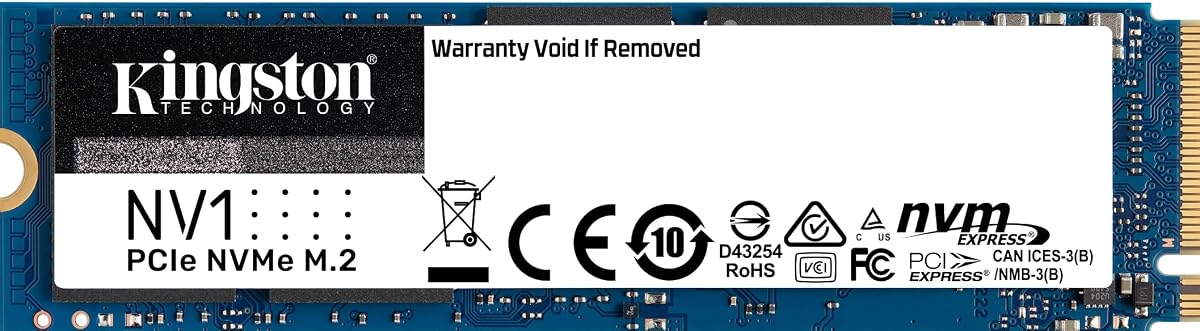
The Kingston NV1 2TB provides generous storage capacity at an affordable price point. It is ideal for laptops and small form factor PCs where space and power are constraints.
We may earn a commission when you buy through this link, at no additional cost to you.
With read speeds up to 2100MB/s it offers a noticeable upgrade from older hard drives or SATA SSDs. This ensures faster boot times and smoother multitasking on the go.
It is available in capacities up to 2TB meeting various data storage requirements. This makes it a practical choice for users who need bulk storage.
If you need a budget-friendly upgrade for a laptop or small PC this drive is the best option. It balances capacity and speed effectively for everyday use.
Its slim size and M.2 design allow it to fit into compact laptops without adding bulk or heat.
Up to 2TB of capacity means you can store large media libraries and files without needing external backups.
We may earn a commission when you buy through this link, at no additional cost to you.
The Kingston NV1 500G is a reliable entry-level drive for basic storage needs. With speeds up to 2100MB/s it provides smooth performance for everyday computing tasks.
We may earn a commission when you buy through this link, at no additional cost to you.
It is ideal for laptops and small form factor PCs where compact storage is required. This model delivers consistent speeds and high reliability at a low cost.
Available in various capacities up to 2TB it allows flexibility based on needs. The 500G option is perfect for users needing just enough space for OS and apps.
For users on a tight budget who still want SSD performance this drive is the answer. It ensures your system boots quickly and runs efficiently.
The read speeds of 2100MB/s ensure applications launch quickly and system navigation feels responsive.
Designed for laptops and small PCs it uses little power helping to preserve battery life during use.
We may earn a commission when you buy through this link, at no additional cost to you.
The Kingston KC3000 1TB is a high-performance drive with a perfect rating of 5.0. It offers read speeds up to 7000MB/s and write speeds up to 6000MB/s for excellent data transfer.
We may earn a commission when you buy through this link, at no additional cost to you.
Its compatibility with notebooks and desktops makes it versatile for various setups. The quality assured product status ensures it meets strict performance standards for reliability.
This drive is suitable for demanding users who need consistent high-speed performance. It balances read and write speeds better than many competitors in its class.
If you want a premium experience without the price of Gen 5 drives this is the ideal pick. It delivers top-tier speed for all your computing needs.
With write speeds up to 6000MB/s this drive handles large file transfers and saves efficiently.
The drive ensures seamless integration with notebooks and desktops providing consistent performance across different systems.
We may earn a commission when you buy through this link, at no additional cost to you.
The Samsung SSD 990 PRO 1TB is a powerful alternative offering huge speed boosts over previous generations. With speeds up to 7450MB/s it delivers near max performance of PCIe 4.0.
We may earn a commission when you buy through this link, at no additional cost to you.
It features smart thermal control and optimized power efficiency ensuring consistent speeds without overheating. Samsung Magician software allows for advanced monitoring and optimization of the drive.
While it is not a Kingston drive it is a top competitor in the market. Its random performance improvement is significant for gaming and complex multitasking.
For those willing to consider other brands this drive is an excellent option. It provides robust performance and features for high-end computing.
The nickel-coated controller delivers effective thermal control keeping the drive cool during intensive operations.
Samsung Magician software provides intuitive tools to monitor drive health and receive important updates regularly.
We may earn a commission when you buy through this link, at no additional cost to you.
The Kingston 128GB 2230 is a compact PCIe NVMe drive for small internal systems. It fits laptops and desktops requiring minimal footprint for storage upgrades.
We may earn a commission when you buy through this link, at no additional cost to you.
With 128GB capacity it is ideal for boot drives or specific gaming devices. It offers PCIe NVMe speeds that ensure your system boots faster than HDDs.
While storage is limited it is a practical solution for secondary drives or specialized devices. Its compatibility with Stream Deck adds versatility for streamers.
If you need a small affordable drive to expand internal storage this is a good pick. It keeps your system running efficiently without breaking the budget.
This drive is designed to fit gaming handhelds and small consoles providing fast local storage for games.
Support for Stream Deck allows for expanded storage to manage complex production setups on the go.
We may earn a commission when you buy through this link, at no additional cost to you.
Choosing the right storage requires understanding key specs and compatibility. This guide covers the most important factors to consider before purchasing.
PCIe generation dictates the maximum speed a drive can achieve. Gen 3 offers up to 3500MB/s while Gen 4 reaches 7000MB/s and Gen 5 goes beyond 10000MB/s. Choose a generation that matches your motherboard's slots to avoid bottlenecks. Higher speeds benefit gaming and video editing more than basic office tasks.
Ensure your system supports the chosen PCIe generation for optimal performance.
Most internal drives come in M.2 2280 size which fits standard desktops and laptops. Handheld devices and some ultrabooks require the smaller 2230 size. Verify your device's manual to confirm which slot size is available. Using the wrong size can lead to installation issues.
Always check device compatibility for the exact form factor before buying.
Capacity determines how many files and games you can store locally. 500GB is minimal for modern systems while 1TB is a sweet spot for most users. Power users may need 2TB or 4TB to avoid external drives. Consider your current storage usage and future needs.
Select a capacity that prevents constant data management and backups.
High-performance drives generate heat which can slow performance if not managed. Look for models with built-in heat sinks or thick thermal pads. Systems with good airflow can handle bare drives better. Overheating leads to throttling and reduced lifespan.
Choose a drive with adequate cooling for your system's airflow.
Endurance ratings (TBW) indicate how much data can be written over the drive's life. A 5-year warranty provides confidence in the product's durability. Kingston offers reliable warranties on most models. Check the specific TBW for high-write workloads.
Prioritize models with strong warranties and endurance ratings.
If you handle sensitive data, look for hardware encryption support. Some drives support TCG Opal 2.0 and BitLocker for secure data handling. This adds a layer of protection against theft or loss. Basic models may lack these advanced features.
Ensure the drive supports necessary encryption standards for your data.
Kingston provides Acronis cloning software on many models for easy upgrades. Cloning helps transfer your OS without reinstalling everything. It also provides firmware update tools for maintaining performance. These utilities simplify maintenance and setup.
Check included software to ensure it meets your migration needs.
Prices vary based on generation capacity and features. Budget models offer great value for general use while premium models deliver top speeds. Calculate the cost per gigabyte to find the best deal. Always compare current market prices.
Balance your budget with the performance required for your tasks.
Install the drive in the correct M.2 slot and secure it with the standoff screw. Ensure the slot is compatible with the form factor and PCIe generation. Proper installation ensures stable performance and prevents connection issues.
Update firmware regularly using Kingston's official tools to maintain stability. Firmware updates fix bugs and improve speed. Use the provided software to check health and temperature. Keeping the drive updated prolongs its life.
Avoid filling the drive beyond 80% capacity to maintain speed. NVMe SSDs perform best with free space for wear leveling. Do not defragment the drive as it is unnecessary for SSDs. Regular monitoring prevents unexpected failures.
Most Kingston models use M.2 2280 slots common in modern laptops. However, some ultrabooks require 2230 sizes. Always check your laptop's manual for the supported slot size. Compatibility ensures the drive fits physically and works electrically.
It depends on your system airflow and usage. High-performance drives like the Fury Renegade benefit from heatsinks to avoid throttling. Laptops with poor airflow may need thermal pads. Check your device manual for recommendations before installing.
Most Kingston NVME SSDs come with a 5-year warranty. Lifespan depends on Total Bytes Written (TBW) ratings. With normal use, they can last 5 to 10 years. Regular monitoring of drive health helps predict when a replacement might be needed.
Yes, models like the Kingston Fury Renegade are PS5 Ready. They meet the speed and form factor requirements for PS5 expansion. Always verify the specific model compatibility before buying for consoles. Proper installation ensures smooth gameplay.
NVMe SSDs are significantly faster than SATA SSDs. They use PCIe lanes instead of SATA cables allowing quicker data transfer. This reduces load times and improves system responsiveness. NVMe is now the standard for modern computing.
Many Kingston models include Acronis cloning software for easy migration. This allows you to copy your old drive to the new SSD seamlessly. Check the product details to confirm if it is included. It simplifies the upgrade process significantly.
No, defragmenting is unnecessary and can reduce SSD lifespan. NVMe drives handle data differently than hard drives. Windows automatically optimizes them using TRIM. Manually defragmenting adds extra write cycles without benefit.
We have reviewed ten top models ranging from budget to premium options. The Kingston NV3 and Fury Renegade series offer the best balance of price and performance. For high-end needs the Renegade G5 provides future-proof speeds.
Prioritize compatibility with your motherboard and case size before buying. Ensure your system supports the PCIe generation and form factor you choose. This prevents installation issues and guarantees optimal performance.
Always check current prices as they fluctuate frequently online. Compare deals across sellers to get the best value for your specific budget. With the right choice your system will enjoy faster speeds and reliability for years.