
Rongta Thermal Portable
4.0Editor score
Low cost entry point
Bluetooth and USB support
Compact travel design
Traveling professionals and students often need reliable printing solutions without the bulk of traditional inkjet printers. Inkless portable printers offer a lightweight alternative using thermal technology to produce clear documents on the go. These devices eliminate the need for messy cartridges while maintaining high-quality output for contracts and notes.
We evaluated ten leading models based on portability, connectivity options, battery life, and print resolution. Our analysis focuses on how well each device handles US Letter and A4 paper sizes while maintaining a compact form factor suitable for backpacks and briefcases. Real-world usage scenarios informed our rankings.
Each product in this list showcases unique strengths ranging from touchscreen interfaces to extended battery life. While prices fluctuate based on market demand and seasonal promotions, our selection highlights value and performance. Always verify current pricing and availability before making your final purchase decision.
4.0Editor score

4.6Editor score
4.1Editor score
As an Amazon Associate we earn from qualifying purchases.
This side-by-side comparison highlights the key specifications and capabilities of the top ten inkless portable printers available for travelers in 2026.






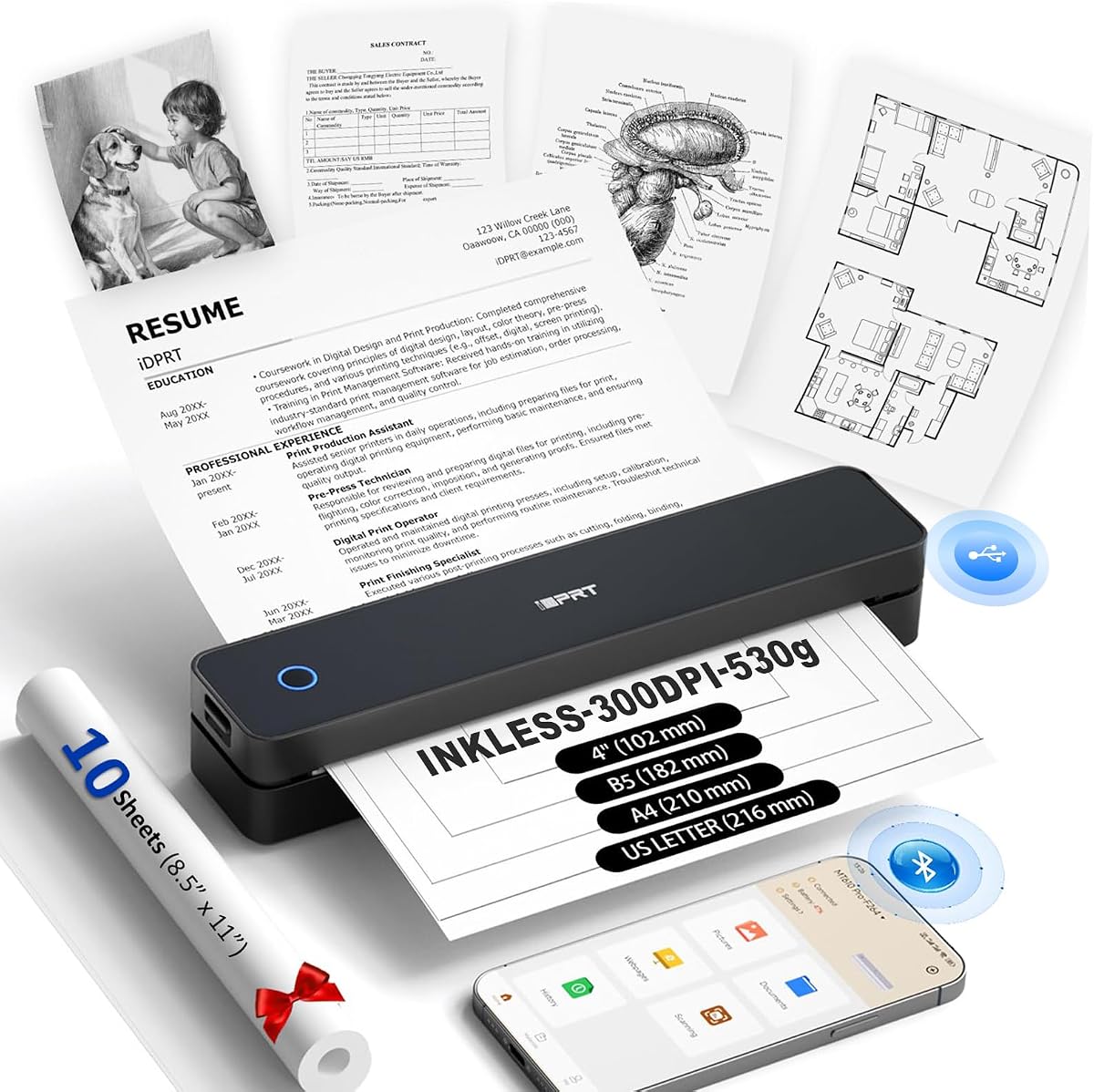
The MT610Pro stands out as the top choice for travelers needing reliable document output without heavy equipment. With a 4.1 rating, it balances portability and performance effectively for students and professionals on the move.
We may earn a commission when you buy through this link, at no additional cost to you.
Its advanced thermal technology eliminates cartridges entirely while maintaining 300DPI resolution for sharp text and diagrams. The printer connects seamlessly via Bluetooth 5.0 or USB-C to iOS Android Windows and Mac devices.
While it only supports black and white printing and requires thermal paper it saves time and money on ink replacements. The built-in 2000mAh battery supports up to 200 pages per charge for uninterrupted work.
Ideal for digital nomads and students who need to print contracts or lecture notes anywhere. This device offers exceptional value and convenience for anyone seeking a truly portable inkless printing solution.
Weighing just 1.2 pounds it fits easily into backpacks or work bags without adding bulk to your daily carry.
The 300DPI resolution ensures that charts text and QR codes appear crisp and professional on thermal paper.
We may earn a commission when you buy through this link, at no additional cost to you.
The D90E offers exceptional value for budget conscious users needing a reliable travel printer. With a strong 4.3 rating it provides essential features like a carrying case and clear 8.5×11 thermal paper support.
We may earn a commission when you buy through this link, at no additional cost to you.
It uses advanced thermal technology for cost effective prints without ink toner or ribbons. Connectivity is flexible with Bluetooth for phones and USB for laptops though Windows drivers must be installed separately from Labelnize.com.
While it requires regular paper replacement and manual driver setup the printer handles emergency scenarios and contracts efficiently. The automatic paper ejection function simplifies troubleshooting when jams occur during busy travel days.
This printer is perfect for teachers students and notaries who need portable solutions without high costs. Its practical design and included case make it a smart investment for frequent travelers.
The package includes a dedicated travel case protecting the printer during transit and storage in backpacks or briefcases.
It works with both mobile devices and computers via Bluetooth or USB ensuring versatility across different work environments.
We may earn a commission when you buy through this link, at no additional cost to you.
Gloryang delivers a solid thermal printer option with generous accessories including three rolls of thermal paper and a carrying case. The 4.2 rating reflects its reliability for printing documents photos and design drawings on the go.
We may earn a commission when you buy through this link, at no additional cost to you.
Its seamless Bluetooth connectivity works with iOS and Android via the Jadens Printer app while PC users need to install drivers. The built-in paper bin keeps the workspace tidy and prevents loose paper from scattering.
While limited to Gloryang branded thermal paper the unit produces clear images and text for various needs. The 1.75 pound weight balances sturdiness with portability for everyday travel or office use.
This model suits professionals and students who want ready-to-use materials and organized printing. It is a great gift choice for holiday seasons or academic years requiring portable document management.
With three rolls of thermal paper included you can start printing immediately without needing additional purchases right away.
The printer accommodates various sizes from small notes to full US Letter documents providing flexibility for different tasks.
We may earn a commission when you buy through this link, at no additional cost to you.
The N80 is a versatile printer capable of handling tattoo transfer paper making it unique among travel options. Its 4.1 rating highlights consistent performance for documents PDFs pictures and web pages using thermal technology.
We may earn a commission when you buy through this link, at no additional cost to you.
It connects via Bluetooth to smartphones and USB to laptops but Bluetooth is not supported for laptops. The 203DPI resolution ensures readable text while the 1500mAh battery provides roughly 160 sheets per charge.
While the battery capacity is moderate the printer includes a USB-C adapter and roll of paper to get started. Its compact size fits in backpacks and is suitable for construction sites schools or small offices.
This unit is ideal for creative professionals and travelers who need specialized paper support. The cost effective thermal design ensures you save money on supplies while maintaining good print quality.
Artists and designers can print transfer paper for tattoos and other art projects directly from mobile devices.
The dual connectivity options allow users to switch between mobile and laptop printing as needed.
We may earn a commission when you buy through this link, at no additional cost to you.
The A285M offers impressive flexibility with support for five different thermal paper sizes ranging from 53mm to 110mm. With a 4.0 rating it delivers consistent performance for invoices receipts recipes and contracts without ink.
We may earn a commission when you buy through this link, at no additional cost to you.
It connects via Bluetooth to mobile devices and USB to laptops requiring a driver from the Labelife app for computers. The built-in paper bin helps organize workspace and prevents loose sheets from cluttering your travel desk.
While it supports only black and white printing and needs thermal paper the setup is straightforward and efficient. The 1.5 pound weight ensures it fits easily into backpacks for mobile professionals.
This printer suits truck drivers notaries and students needing varied paper widths for different tasks. Its cost effective operation makes it an appealing choice for long term use on a budget.
Supporting multiple widths allows you to print anything from narrow receipts to wide legal documents easily.
The built-in paper bin catches output sheets keeping your mobile desk tidy and professional.
We may earn a commission when you buy through this link, at no additional cost to you.
Rongta brings a sleek design and legal paper support to the travel printer category. With a 4.0 rating it offers a stylish and functional solution for schools offices and home use without ink mess.
We may earn a commission when you buy through this link, at no additional cost to you.
Bluetooth pairing via the RONGTA app is required for phones and tablets while laptops connect via USB. The 203DPI resolution ensures readable text for forms assignments and travel documents across various sizes.
While it does not support Chromebooks and needs app pairing for phones the device is easy to maintain and use. The compact form factor fits in totes and backpacks for on-the-go productivity.
This printer works well for students and office workers needing reliable portable output. Its low operating costs and stylish look make it a practical choice for frequent travelers and remote workers.
Unlike many compact printers this model handles legal paper sizes expanding its utility for official documents.
The minimalist black design complements modern workspaces and travel setups without standing out.
We may earn a commission when you buy through this link, at no additional cost to you.
The M832D introduces a user-friendly touchscreen that simplifies battery monitoring and paper settings for first-time users. Its 4.2 rating underscores reliable performance with high-quality 300DPI prints and quiet operation.
We may earn a commission when you buy through this link, at no additional cost to you.
Optimized Bluetooth connectivity boosts speed by 50% for mobile devices while laptops connect via USB-C cable. The built-in 2600mAh battery supports up to 200 pages per charge ensuring long work sessions.
While the price is higher than basic models the touchscreen interface provides convenience not found in button-only printers. The compact design fits in backpacks making it ideal for students and small business owners.
This printer is perfect for those prioritizing ease of use and clear output quality. It handles invoices study materials and reports efficiently without the need for ink or toner cartridges.
The touchscreen makes adjusting paper settings and checking battery status effortless without manual references.
Refined motor algorithms reduce noise by 30% allowing for discreet printing in quiet environments.
We may earn a commission when you buy through this link, at no additional cost to you.
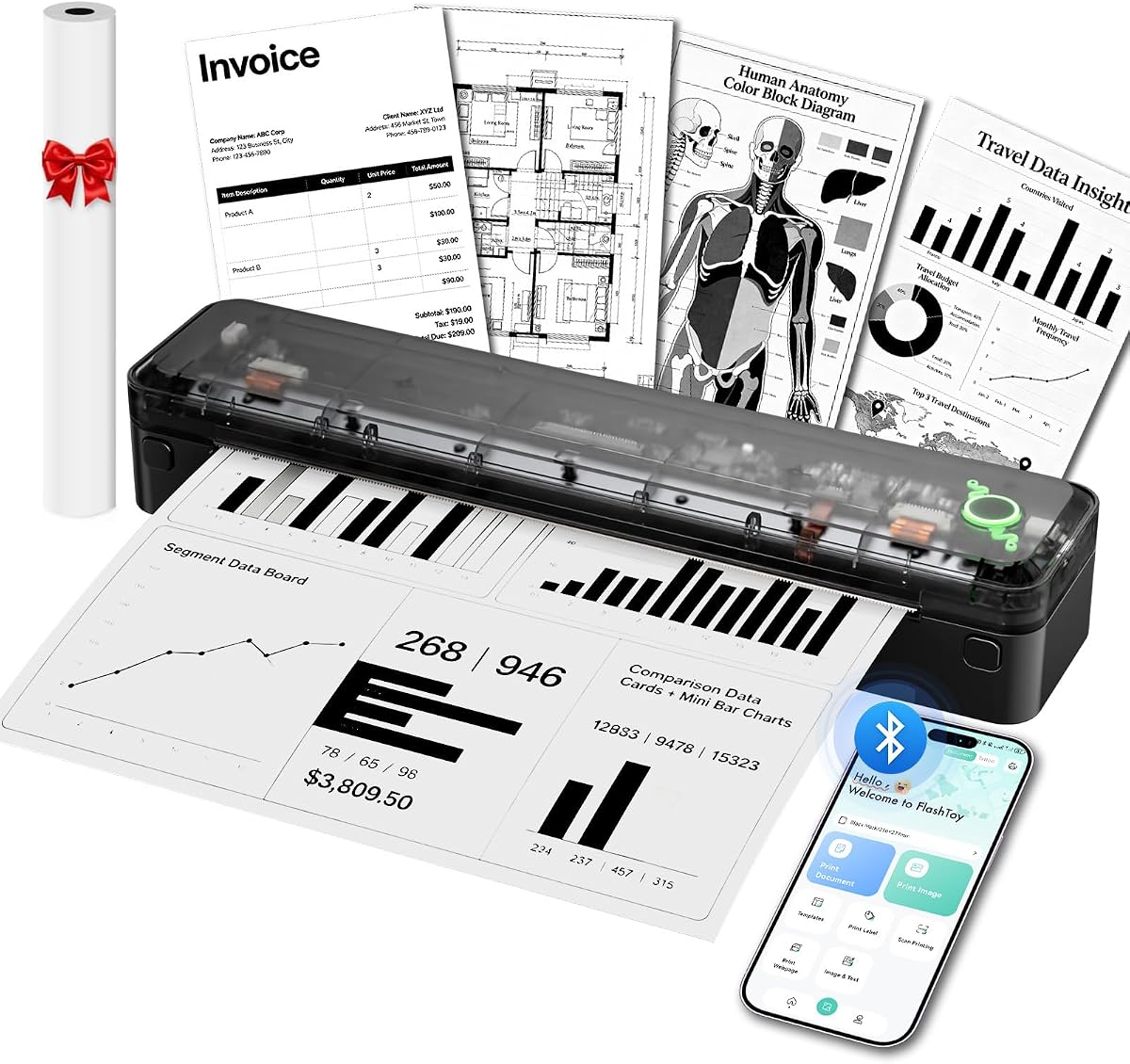
The Arrvel A8 stands out with a translucent graphite design revealing internal components for a futuristic aesthetic. With a 4.2 rating it balances style and utility providing 3000mAh battery life for up to 200 pages.
We may earn a commission when you buy through this link, at no additional cost to you.
It supports both Bluetooth printing for phones and USB connection for computers offering flexibility for various setups. The built-in paper compartment keeps workspace tidy while the 203DPI resolution ensures readable text and tables.
While it does not include a charging adapter the printer offers lifetime technical support for any setup issues. Its lightweight 1.37 pound body makes it easy to carry in briefcases or truck cabs.
This printer is ideal for modern professionals who value design and reliability on the road. The clear print quality and versatile connectivity ensure smooth workflow for business documents and study materials.
The 3000mAh battery ensures extended usage between charges allowing for long work sessions.
Arrvel provides lifetime technical assistance via chat phone and email to help with any issues.
We may earn a commission when you buy through this link, at no additional cost to you.
The M85 offers premium features like a large touchscreen and smart operation for template previews and printing. With a 4.6 rating it delivers professional quality 300DPI prints and exceptional battery life for travelers.
We may earn a commission when you buy through this link, at no additional cost to you.
It supports five different thermal paper sizes and includes a carry bag and four rolls of paper in the box. The optimized Bluetooth connection ensures fast wireless printing from Android or iOS devices while laptops connect via USB-C.
While the premium price is higher than budget options the included accessories and smart features justify the cost. The auto-updates and built-in guides make it easy for anyone to start printing instantly.
This printer is perfect for executives and travelers needing high-end portable solutions. The combination of design and functionality makes it a standout choice for professional document management on the go.
Upload templates via the app and print directly from the screen for quick and efficient document generation.
The package includes a carry bag and multiple rolls of paper making it ready to use immediately.
We may earn a commission when you buy through this link, at no additional cost to you.
MUNBYN delivers an ultra-compact printer roughly the size of a water bottle ideal for tight travel spaces. With a strong 4.4 rating it provides seamless Bluetooth connectivity and professional print quality for various document types.
We may earn a commission when you buy through this link, at no additional cost to you.
Its adjustable paper slot supports US Letter A4 B5 and A5 thermal paper for diverse printing needs. The app library offers templates for PDFs and Word docs while macOS requires USB connection for printing.
While the printer supports only black and white printing the responsive customer service and intuitive app enhance the user experience. The 1.57 pound weight fits easily in laptop bags or glove boxes for instant setup.
This printer is perfect for drivers students and professionals needing mobile printing in vehicles or small offices. Its reliable performance and support make it a trusted choice for frequent travelers.
Measuring roughly like a water bottle it slides into glove boxes or backpacks without taking up much space.
The app provides a library of templates for invoices contracts and assignments to streamline printing.
We may earn a commission when you buy through this link, at no additional cost to you.
Choosing the right inkless portable printer requires evaluating connectivity, battery life, paper support, and overall portability to ensure it meets your travel needs.
Most models support Bluetooth for mobile devices and USB for laptops. Ensure the printer matches your devices; some only allow Bluetooth for phones while others support both via USB or Bluetooth depending on the OS.
Check for specific app requirements or driver installations before buying to avoid setup issues during travel.
Battery capacity ranges from 1500mAh to 3500mAh. Look for models that offer at least 200 pages per charge to avoid interruptions during long travel days or meetings.
Consider USB-C charging compatibility for universal power sources while on the move.
Standard inkless printers often handle US Letter and A4 thermal paper. Ensure the model supports your preferred format if you need to print contracts or full documents regularly.
Some models also accommodate smaller rolls for receipts or labels so check compatibility before purchasing.
Resolution typically ranges from 203DPI to 300DPI. Higher DPI ensures sharper text and clearer diagrams which is crucial for professional documents or study materials.
Balance resolution with speed since higher resolution may slightly increase print time.
Weight and dimensions vary; look for printers under 1.5 pounds to keep your backpack light. Compact designs fit easily into briefcases or glove boxes for quick access.
Check if a travel case is included to protect the device from bumps and scratches during transit.
Inkless thermal printers eliminate ink costs but require thermal paper replacements. Factor in the price of compatible paper rolls when comparing models for long-term use.
Some brands offer bundles with paper included reducing initial expenses.
Mobile apps often provide templates editing tools and connection settings. Look for apps that support PDFs Word docs and images for versatile printing from mobile devices.
Check for user reviews on app stability to ensure smooth operation on iOS and Android.
Responsive customer service is vital for troubleshooting issues during travel. Check warranty terms and support channels like live chat or email for assistance.
Some brands offer lifetime technical support which adds value for professional use.
Before use charge the printer fully and download the required mobile app or drivers for your computer. Ensure Bluetooth is enabled and pair the device using the app interface for seamless connection.
Insert thermal paper carefully ensuring the correct side faces the print head and the paper width matches your settings. Adjust paper slots if needed to fit US Letter or A4 sheets securely.
Clean the print head periodically with a dry cloth to prevent dust accumulation and store the printer in a cool dry place away from direct sunlight. Replace thermal paper rolls when depleted to avoid jams and ensure consistent print quality.
Yes they use thermal technology that reacts with heat-sensitive paper to produce text and images without cartridges. This reduces mess and eliminates the need for buying ink refills regularly.
Most models only support black and white printing. Thermal technology currently focuses on grayscale output which is sufficient for contracts notes and basic graphics but not full color images.
Battery life varies by model but many offer up to 200 pages per charge. Heavy use may require recharging every few days so carry a portable power bank for long trips.
Thermal paper is widely available at office supply stores or online. However it is recommended to carry extra rolls to ensure you can print critical documents without delay.
Compatibility varies and many models do not support Chromebooks directly. Check product specifications carefully as some require Windows or MacOS drivers for laptop connections.
Yes photos can be printed in grayscale though color photos are not supported. Images appear in high resolution suitable for reference or sharing but not for vibrant color reproduction.
Our top picks highlight the Phomemo M85 for premium features the D90E for value and the MT610Pro for balanced performance. Each offers unique strengths to match different travel and professional needs.
Prioritize battery life connectivity and paper support when selecting your device to ensure uninterrupted workflow. Matching these factors to your routine will maximize the printer's utility during your travels.
Prices and availability change frequently so check current offers before purchasing. Always review product specs to confirm compatibility with your devices and preferred paper sizes.