
Acer 21.5in FHD 1920×1080 100Hz Office Monitor KB220Q H2bi
4.6Editor score
100Hz refresh rate for smooth motion
1ms response time reduces ghosting
ZeroFrame design for multi-monitor setups
Finding the right HDMI LED monitor can transform your workspace or gaming setup. These displays offer vibrant colors, fast refresh rates, and reliable connectivity. Whether you are an office worker or a gamer, the best model enhances productivity and visual comfort significantly.
We evaluated ten top-rated HDMI LED monitors based on screen quality, refresh rates, and connectivity options. Our analysis focuses on real-world performance, eye care features, and build quality. Each product was selected for its ability to deliver value and performance across various daily tasks and entertainment scenarios.
Each pick in this list highlights unique strengths like color accuracy or high refresh rates. We include detailed specs and pros to help you decide quickly. Keep in mind that availability and offers may change frequently, so verify current details before finalizing your purchase today.
4.6Editor score

4.7Editor score

4.6Editor score
As an Amazon Associate we earn from qualifying purchases.
This side-by-side comparison highlights the key specifications and strengths of each selected HDMI LED monitor. We focus on resolution, refresh rates, and unique features like built-in speakers or eye care technology to help you find the perfect match for your needs.





The Acer KB220Q H2bi is a top choice for budget-conscious buyers seeking a reliable HDMI LED monitor. It holds a strong 4.6 rating from users who appreciate its sharp Full HD visuals and smooth performance. This model stands out for its 100Hz refresh rate, which is rare at this price point.
We may earn a commission when you buy through this link, at no additional cost to you.
Key strengths include the ZeroFrame design that maximizes screen real estate, ideal for multi-monitor office workflows. The 1ms response time ensures that fast-moving content remains clear without distracting ghosting. Adaptive Sync support matches your graphics card for tear-free gaming and video playback.
Honest trade-offs involve the compact 21.5 inch size which may feel small for some, and a basic stand lacking height adjustment. These are acceptable given the low cost and focus on performance over premium ergonomics. It remains a solid pick for secondary displays or budget builds.
Anyone needing an affordable, high-refresh monitor for basic gaming or office work should buy this. It delivers impressive fluidity and clarity without breaking the bank. We recommend it for users prioritizing performance per dollar over advanced ergonomic features.
The 100Hz refresh rate provides noticeably smoother scrolling and motion than standard 60Hz screens.
Thin bezels allow you to place multiple monitors side by side for a unified viewing experience.
We may earn a commission when you buy through this link, at no additional cost to you.
The Sceptre E248W is known for its vibrant colors and solid build quality. With a 4.6 rating, it appeals to users wanting deep colors for media and design work. The standout feature is the 99% sRGB coverage, ensuring images look rich and true-to-life on the 24 inch screen.
We may earn a commission when you buy through this link, at no additional cost to you.
It features built-in speakers that deliver smooth audio, freeing up space on your desk. Connectivity is versatile with two HDMI ports and a VGA option, accommodating older computers or consoles easily. The Blue Light Shift technology reduces eye strain during long hours of use.
The stand is functional but basic, offering only tilt adjustments without height or pivot options. There is also no mention of adaptive sync which limits its use for fast-paced competitive gaming. These limits are acceptable given the focus on color and value.
Creative hobbyists and office workers needing good color and connectivity should choose this monitor. It balances performance and price well for everyday tasks. We suggest it for those who value visual fidelity and flexible inputs over high refresh gaming.
The 99% sRGB coverage ensures that your videos and photos appear vivid and accurate.
Integrated speakers provide adequate sound for calls and media without extra peripherals.
We may earn a commission when you buy through this link, at no additional cost to you.
The Sceptre E275W offers a larger 27 inch viewing area for those needing more screen space. It holds a 4.5 rating and features similar color accuracy to its 24 inch sibling with 99% sRGB. Adaptive Sync is included to reduce screen tearing during dynamic content or gaming.
We may earn a commission when you buy through this link, at no additional cost to you.
Built-in speakers make it a tidy option for desks without extra speakers. The tiltable stand allows you to find a comfortable angle for different tasks. Ports include two HDMI and one VGA for versatile connectivity with various devices.
The refresh rate is lower at 75Hz compared to others in this list which limits fast gaming performance. The stand is also basic with tilt only. These trade-offs are acceptable for users prioritizing screen size and value over high refresh rates.
Users who need a larger workspace for office work or casual entertainment should buy this monitor. It delivers a comfortable viewing experience at a reasonable cost. We recommend it for those wanting extra screen real estate without overspending.
The 27 inch screen provides ample room for multitasking and content creation.
Adaptive Sync technology helps minimize screen tearing for a clearer image.
We may earn a commission when you buy through this link, at no additional cost to you.
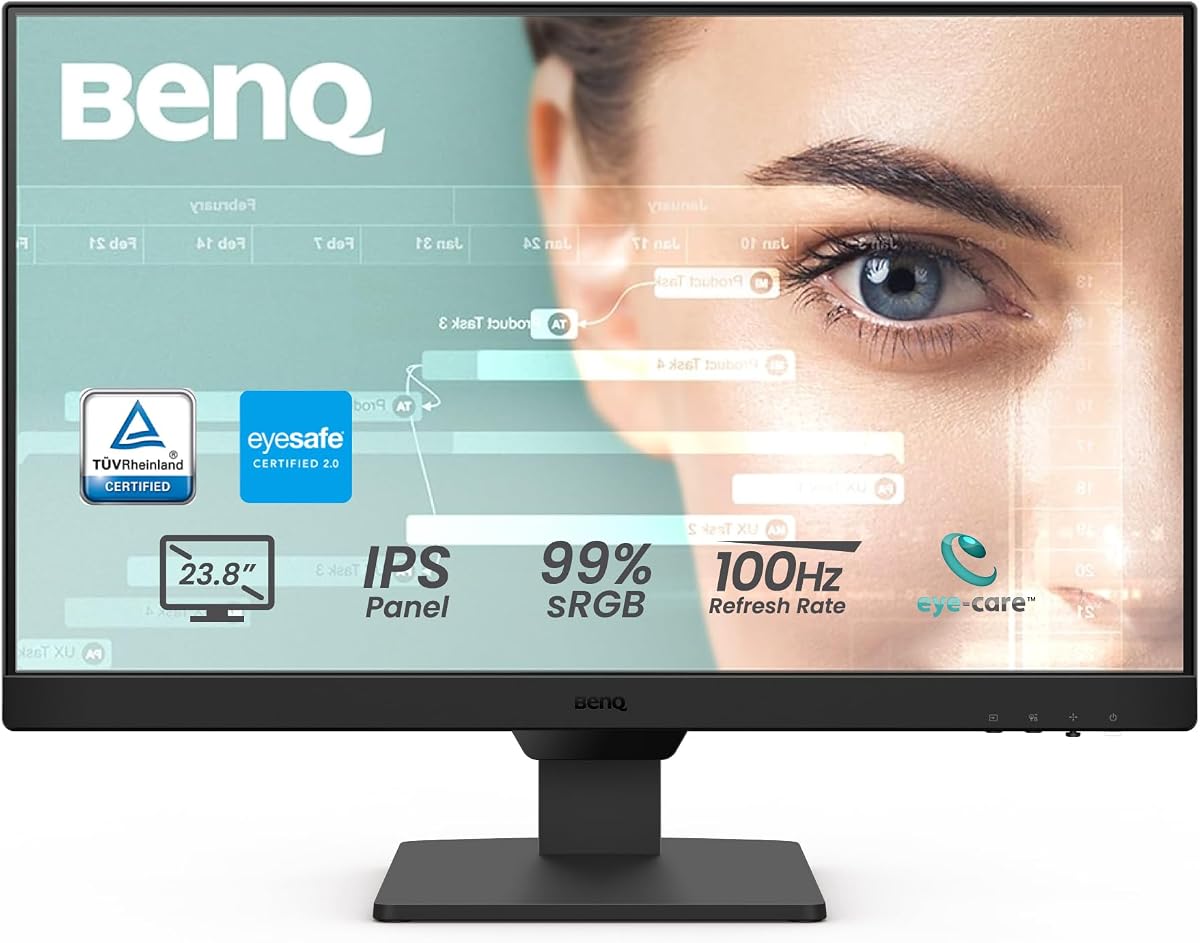
The BenQ GW2490 is praised for its eye care technology and smooth visuals. With a 4.6 rating, it stands out for using Low Blue Light Plus to filter harmful rays while keeping colors vivid. The IPS panel ensures consistent viewing angles and accurate colors for work.
We may earn a commission when you buy through this link, at no additional cost to you.
It offers a 100Hz refresh rate which is great for smooth scrolling and casual gaming. The Input Hotkey lets you switch between devices with one click, enhancing workflow efficiency. It includes HDMI and DisplayPort for flexible connectivity options.
The price is higher than basic budget models but justified by the eye care features. Speakers are present but basic, so external audio may be preferred. These are minor trade-offs for a monitor designed for long-term comfort and reliability.
Professionals and users prone to eye strain should buy this monitor for its health-focused features. It combines comfort with solid performance for daily tasks. We recommend it for those valuing eye health alongside visual quality.
Low Blue Light Plus filters harmful violet light while preserving image quality.
The Input Hotkey lets you toggle between PC and console with a single press.
We may earn a commission when you buy through this link, at no additional cost to you.
The Dell SE2426H earns our Editor's Choice for its top-tier performance features. With a 4.7 rating, it combines a 144Hz refresh rate and 1ms response time for fluid visuals and sharp gameplay. The IPS panel ensures consistent colors from any angle which is vital for professional work.
We may earn a commission when you buy through this link, at no additional cost to you.
Its eye comfort features include TÜV certification to reduce harmful blue light. The ultra-thin bezels create an immersive screen experience ideal for single or dual setups. AMD FreeSync support ensures a tear-free experience when connected to compatible graphics cards.
Trade-offs include a basic stand with only tilt adjustment and no built-in speakers. These limits are acceptable given the high refresh performance and display quality. It remains an excellent choice for users seeking gaming and work versatility.
Gamers and multitaskers should buy this monitor for its speed and clarity. It balances performance and eye comfort better than most options. We recommend it as the top overall pick for diverse daily tasks.
The 144Hz refresh rate delivers exceptionally smooth motion for gaming and browsing.
Certified eye comfort features help reduce strain during long work sessions.
We may earn a commission when you buy through this link, at no additional cost to you.
The Philips 241V8LB stands out for its VA panel technology and strong contrast. It holds a 4.6 rating and offers deep blacks and vibrant whites. This makes movies and documents look rich and detailed on the 23.8 inch screen.
We may earn a commission when you buy through this link, at no additional cost to you.
It includes Flicker-free technology to reduce strain during long viewing sessions. The 100Hz refresh rate ensures smooth motion for general use and light gaming. EasyRead mode adjusts the display to mimic paper for comfortable document reading.
While VA panels have slightly narrower viewing angles than IPS, they offer superior contrast. There is no adaptive sync listed but it is fine for general use. These are minor trade-offs for the value and contrast delivered.
Users who prioritize contrast and reading comfort should buy this monitor. It excels in media consumption and document work. We recommend it for those wanting rich visuals and eye care features at a low price.
The VA panel produces deeper blacks and brighter whites for better depth.
EasyRead mode adjusts brightness and contrast for a paper-like reading experience.
We may earn a commission when you buy through this link, at no additional cost to you.
The Dell P2425H is a professional-grade monitor focusing on ergonomic comfort. With a 4.6 rating, it features a versatile stand allowing height, tilt, and swivel adjustments. This is crucial for setting up a healthy workspace for all-day comfort and productivity.
We may earn a commission when you buy through this link, at no additional cost to you.
Its high contrast ratio ensures clear and vibrant images for documents and media. The build quality is robust to suit demanding office environments. It delivers reliable performance for standard computing tasks and web browsing effectively.
Refresh rate specs are not emphasized compared to gaming models in this list. The higher price reflects the build quality and ergonomic features. These trade-offs are acceptable for users prioritizing posture and long-term comfort over speed.
Office professionals needing ergonomic support should buy this monitor. It supports health and comfort for desk-based work. We recommend it for users who value adjustable stands and professional durability.
The stand allows full adjustments to suit your seating and viewing needs.
Robust construction ensures durability for consistent daily use over time.
We may earn a commission when you buy through this link, at no additional cost to you.
The BenQ BL2490 is notable for its anti-glare coating and bright display. It holds a perfect 5.0 rating and offers a 100Hz refresh rate for smooth visuals. This makes it suitable for well-lit environments where reflections can interfere with viewing.
We may earn a commission when you buy through this link, at no additional cost to you.
The anti-glare coating significantly reduces glare from overhead lights or windows. It also provides a 100Hz refresh rate which is smoother than standard monitors. The tilt-adjustable stand allows for some viewing angle flexibility to suit your desk.
While the stand lacks full adjustability, it is sturdy and functional. The absence of adaptive sync means it is not ideal for competitive gaming. These trade-offs are acceptable for users needing clarity in bright office environments.
Users working in bright rooms should buy this monitor to reduce glare. It ensures clear and consistent visibility throughout the day. We recommend it for those prioritizing screen clarity over advanced gaming features.
The anti-glare coating cuts down on distracting light reflections on screen.
The 250 cd/m² brightness ensures the screen remains visible in bright spaces.
We may earn a commission when you buy through this link, at no additional cost to you.
The LG 24U411A-B delivers solid performance with HDR10 and a 120Hz refresh rate. It holds a 4.6 rating and features an IPS panel for consistent colors and wide angles. HDR10 support adds depth and realism to supported content and games.
We may earn a commission when you buy through this link, at no additional cost to you.
Dynamic Action Sync helps reduce input lag for more responsive controls. The slim stand base saves space on your desk and looks modern. Flicker Safe technology protects your eyes during long sessions of use and entertainment.
The stand lacks height and pivot adjustments which limits ergonomic customization. This is acceptable given the strong motion and color performance. These trade-offs fit well for users focused on viewing quality over adjustability.
Media viewers and gamers wanting HDR and high refresh should buy this monitor. It balances performance and design well. We recommend it for those valuing smooth motion and vivid color output.
HDR10 support brings richer contrast and more realistic colors to your content.
Dynamic Action Sync reduces lag for sharper and faster control response.
We may earn a commission when you buy through this link, at no additional cost to you.
The Dell S2425HSM is our best premium pick for its comprehensive features. With a 4.6 rating, it offers full adjustability including height pivot and swivel. This ensures you can position the screen perfectly for comfort and health over long hours.
We may earn a commission when you buy through this link, at no additional cost to you.
Its 144Hz refresh rate delivers smooth and tear-free motion for gaming. Integrated speakers provide audio without extra cables on your desk. TÜV 4-star eye comfort certification helps reduce strain during intensive work sessions.
The price is higher than basic models but includes features missing elsewhere. Speakers are adequate for calls but not for immersive media. These trade-offs fit users needing top ergonomics and convenience in one unit.
Users seeking full adjustability and premium ergonomics should buy this monitor. It is ideal for professionals and gamers needing health-focused design. We recommend it as the top choice for feature completeness.
Full height tilt pivot and swivel adjustments support your perfect posture.
Dual 3W speakers deliver audio directly from the monitor base.
We may earn a commission when you buy through this link, at no additional cost to you.
Choosing the right HDMI LED monitor involves balancing performance features with your specific needs. We break down the key factors that impact daily use and long-term satisfaction.
Refresh rate determines how many times per second the screen updates. Higher rates like 144Hz or 120Hz make motion smoother and reduce blur during gaming.
Look for 100Hz or higher if you want fluid scrolling and video playback. Standard 60Hz is fine for basic office work but limits gaming performance.
Panel type affects color accuracy and viewing angles. IPS panels offer wide viewing angles and consistent colors. VA panels deliver higher contrast with deeper blacks.
Choose IPS if you share your screen or need color consistency. Choose VA for better contrast in media consumption and darker environments.
Eye care features like Low Blue Light and Flicker-free reduce strain during long sessions. These protect your vision and improve comfort over time.
Prioritize monitors with TÜV certification if you work or game for extended hours. These features make a real difference in daily health.
Connectivity options determine how easily you can connect your devices. HDMI is standard but having multiple ports helps with multiple inputs.
Ensure the monitor has at least one HDMI port plus additional options like VGA or DisplayPort. This ensures flexibility for laptops and consoles.
Adjustability allows you to position the screen for comfort. A stand with height tilt and pivot supports better posture and reduces neck strain.
Look for ergonomic stands if you use the monitor for long periods. Fixed tilt stands are cheaper but may cause discomfort over time.
Size and resolution impact how much detail you see on screen. 24 inch Full HD is standard and balances detail and desk space.
Choose 27 inch if you need more screen real estate for multitasking. Ensure your GPU supports the resolution you choose for smooth performance.
Built-in speakers can save desk space and simplify setup. They provide basic audio for calls and media without extra devices.
If you need high-quality audio consider a monitor without speakers and use external ones. For basic needs, integrated speakers are a convenient addition.
Color accuracy ensures your images and videos look true to life. High sRGB coverage indicates better color reproduction for creative work.
Look for 99% sRGB coverage if you design or edit images. For general use, standard coverage is adequate for browsing and streaming.
Start by connecting the monitor to your device using a high-quality HDMI cable. Ensure the cable is securely seated to prevent signal drops or flickering during use.
Adjust the brightness and contrast settings to match your room lighting. Use eye care modes like Blue Light Shift during evening hours to reduce strain.
Clean the screen with a soft microfiber cloth to avoid scratches. Avoid using harsh chemicals and keep liquids away from the ports to protect internal components.
For gaming, a refresh rate of at least 100Hz is recommended to ensure smooth motion. Higher rates like 144Hz provide even better performance for fast-paced games.
IPS panels offer better viewing angles and color accuracy. VA panels provide higher contrast with deeper blacks. Your choice depends on whether you prioritize color or contrast.
Use monitors with Low Blue Light and Flicker-free features. Adjust brightness to match your room lighting and take regular breaks during long sessions.
Yes, most models in this list support multi-monitor setups. Look for thin bezels to minimize gaps between screens for a seamless experience.
Some models like the LG 24U411A-B support HDR10. Check the product specs to confirm if HDR is included for supported content and gaming.
Many models offer tilt adjustments. Premium options like the Dell S2425HSM support height pivot and swivel. Refer to the manual for step-by-step adjustment instructions.
Use a certified High-Speed HDMI cable for 144Hz refresh rates. Lower quality cables may limit performance and cause connection issues.
Built-in speakers are convenient for basic audio like calls or media. For immersive sound, consider using external speakers or headphones instead.
We have reviewed ten top HDMI LED monitors for November 2026 covering various budgets and needs. The Dell SE2426H leads as our overall pick for its speed and display quality.
Prioritize features like refresh rate and eye care based on how you use your screen. Gaming needs speed while office work benefits from ergonomics and comfort.
Always verify current prices and availability before purchasing. Deals change frequently and you want to ensure you get the best value for your choice.