
Marspark 2 Pcs Heated Mouse Pad USB Hand Warmer Plush Wrist Rest
3.6Editor score
USB powered heating
Large internal space
Includes two pieces
This guide compares the top hand warmer mouse pads for winter desk comfort, featuring heated pads, ceramic warmers, and ergonomic designs to keep hands warm
Cold hands can ruin productivity and comfort during long work sessions. A hand warmer mouse pad solves this by providing consistent heat right where you need it most. These devices combine functionality with warmth to enhance your desktop experience significantly.
We analyzed ten leading products based on heating technology, safety features, and user comfort. Our comparison covers USB options, ceramic heaters, and full desk mats to find the best solutions for various needs and budgets available today.
Each pick highlights specific strengths like temperature control, portability, and build quality. Prices may fluctuate due to market conditions so check current listings before buying. Our goal is to help you choose the right warmth solution efficiently.
3.6Editor score

4.2Editor score
4.5Editor score
The following table provides a side-by-side comparison of all ten products evaluated in this guide. Each entry highlights key specifications to help you quickly identify the right fit for your desk setup.


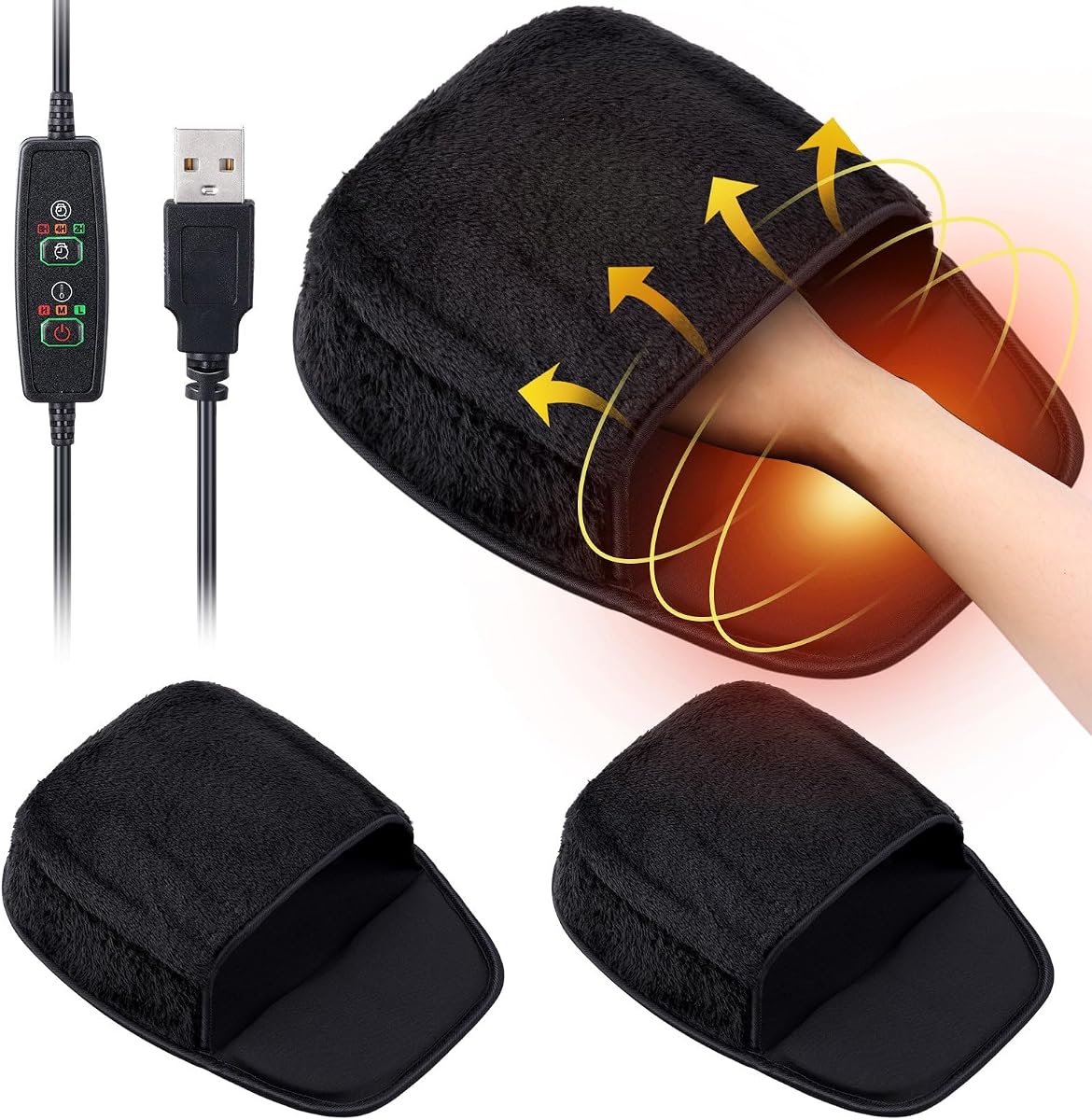

This hand warmer mouse pad stands out with its enclosed cocoon design that wraps your entire hand in warmth. It has a solid 4.2 rating from users who appreciate the full coverage compared to flat mats.
We may earn a commission when you buy through this link, at no additional cost to you.
The three temperature levels let you customize heat from 110°F to 145°F while built-in timers ensure safety. The ergonomic wrist rest adds comfort during long work sessions reducing strain on your joints.
While the enclosed design is great for warmth it might feel bulky for some users. However the detachable heating element makes cleaning simple and the non-slip base keeps it secure on your desk.
This product is ideal for anyone working in cold offices or with circulation issues. It offers a reliable blend of safety comfort and warmth for extended computer use.
The insulated neoprene shell ensures fingers knuckles and palm stay warm simultaneously unlike standard wrist warmers.
Automatic shut-off timers at 2 4 and 8 hours prevent overheating and provide peace of mind during use.
We may earn a commission when you buy through this link, at no additional cost to you.
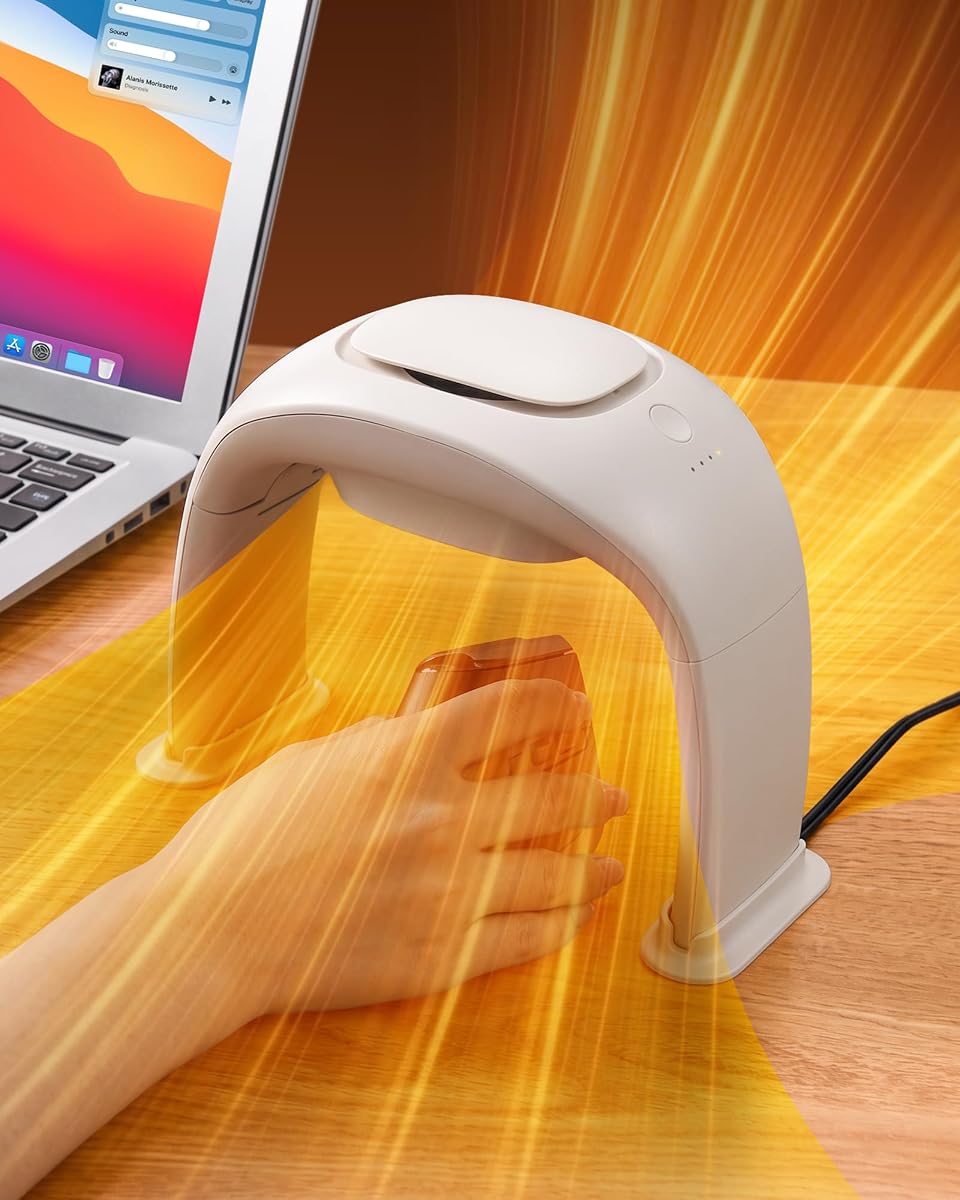
This premium warmer uses advanced ceramic heating to deliver fast consistent warmth without noise. With a 4.5 rating it is a top choice for those who want powerful heating in a quiet environment.
We may earn a commission when you buy through this link, at no additional cost to you.
The 100W power output ensures quick warm-ups while the wide air guide transfers heat efficiently. You can move your mouse freely within the open space without restriction making it practical for work and gaming.
It plugs into a standard outlet rather than USB which limits portability but ensures constant power. The foldable design helps save space when not in use making it suitable for shared desks.
If you need strong silent heat for a home office this model delivers. It balances performance and comfort well for users who prioritize temperature control.
Operating below 20 decibels it ensures no distraction during focused work or gaming sessions.
The open space allows full 360-degree hand movement unlike enclosed slipper-style warmers.
We may earn a commission when you buy through this link, at no additional cost to you.
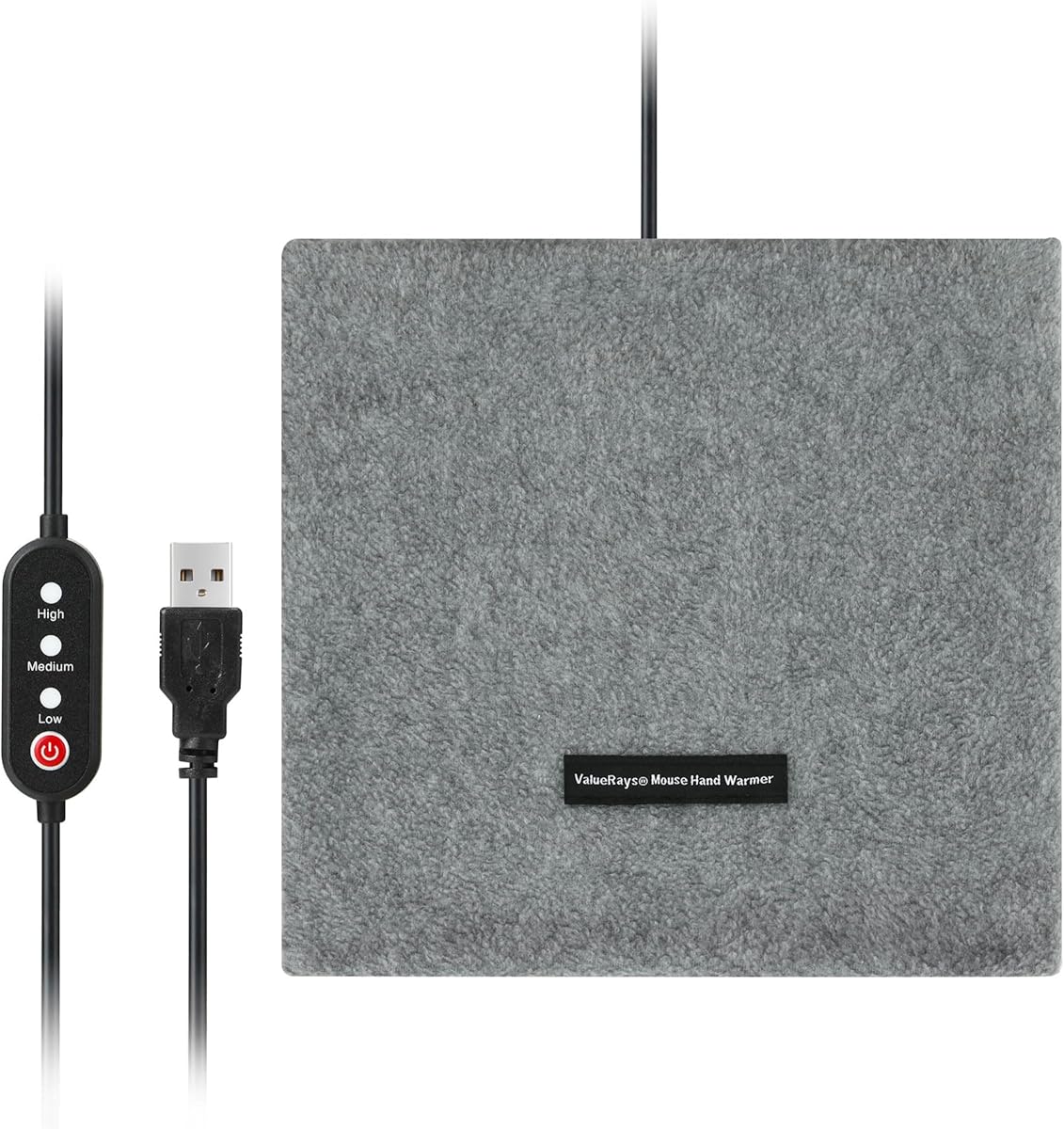
This budget-friendly option includes two heated mouse pads making it great for home and office sharing. It has a 3.6 rating reflecting decent value for the price despite some mixed feedback on durability.
We may earn a commission when you buy through this link, at no additional cost to you.
The large internal space allows flexible mouse movement without cluttering your desk. Simply connect the USB port to start warming your hands quickly during cold work sessions.
Note that the heater and mouse pad are separate components which adds a step to setup. Also disconnect power after extended use to maintain safety and extend the heating element life.
For households needing multiple warmers at low cost this is a practical choice. It provides basic warmth without extra features for those on a tight budget.
Getting two pads lets you share warmth across different workspaces easily.
Powered via USB it can connect to laptops or power banks for portable warmth.
We may earn a commission when you buy through this link, at no additional cost to you.
This hand warmer uses MCH technology for efficient heating with three adjustable temperature settings. It has a 4.3 rating thanks to reliable performance and compact design suitable for smaller desks.
We may earn a commission when you buy through this link, at no additional cost to you.
Safety features include tip-over and overheat protection ensuring peace of mind during use. The foldable structure allows easy storage when not needed keeping your workspace tidy.
While effective it has a smaller heating area compared to full desk pads. This might limit warmth spread but keeps it focused on hand comfort directly.
Ideal for individuals wanting a compact solution this model balances safety and warmth well. It is a solid choice for moderate heating needs.
Folds flat for easy drawer storage when winter ends.
Built-in protections prevent accidents if the unit tips or overheats.
We may earn a commission when you buy through this link, at no additional cost to you.
These heated pads feature a thick plush surface that feels skin-friendly and comfortable. With a 3.8 rating users appreciate the soft touch though some note limited durability of heating elements.
We may earn a commission when you buy through this link, at no additional cost to you.
The detachable heating pad allows easy cleaning of the plush top which maintains hygiene over time. Each pad measures 11 by 9 inches providing ample space for hand movement.
Unplugging after use is recommended to extend service life. While they offer good initial comfort they may not last as long as higher-end models.
For those seeking softness and low cost this set is appealing. It works well for occasional use rather than daily heavy reliance.
The thick soft material provides a gentle touch during extended use.
Remove the heating pad to wash the plush cover for freshness.
We may earn a commission when you buy through this link, at no additional cost to you.
This large pad covers both keyboard and mouse areas providing widespread warmth. A 4.5 rating highlights user satisfaction with its size and quick heating performance.
We may earn a commission when you buy through this link, at no additional cost to you.
Made from PU leather it resists spills and is easy to wipe clean. Three heat settings allow customization from gentle warmth to quick heating for cold starts.
It operates on 110V so it needs a standard wall outlet limiting placement flexibility. The auto shut-off after four hours ensures safety during overnight forgetfulness.
Perfect for large desks needing full surface heat this mat offers great utility. It is a practical choice for keeping entire workspace warm.
Spans 31.5 inches to warm both hands and forearms effectively.
Waterproof PU material protects desk from moisture damage.
We may earn a commission when you buy through this link, at no additional cost to you.
Similar to premium options this model delivers fast heating with minimal noise. A 4.3 rating reflects user approval of its reliable performance and quiet operation.
We may earn a commission when you buy through this link, at no additional cost to you.
The energy-saving chip maintains constant temperature efficiently. Foldable legs allow compact storage and the included stabilizers keep it secure during use.
Like other wall-powered models it cannot travel via USB. This limits portability but ensures consistent high power heating.
For stationary office use this is a robust choice. It delivers strong warmth without disruption making it ideal for focused work.
Smart chip reduces power once target temperature is reached.
Includes 12-month warranty for added purchase confidence.
We may earn a commission when you buy through this link, at no additional cost to you.
This infrared warmer offers basic heating with manual switch control. Its simplicity appeals to users seeking an uncomplicated solution for cold hands.
We may earn a commission when you buy through this link, at no additional cost to you.
Powered by USB it connects easily to computers. Infrared technology provides gentle heat for hand comfort during extended use.
Lacking adjustable temperature settings it offers only on-off functionality. This limits customization but keeps the design straightforward.
Best for those who want minimal settings this model provides basic warmth. It serves as an affordable entry-level option.
Simple switch ensures easy operation without complex controls.
Infrared warmth provides gentle consistent heating.
We may earn a commission when you buy through this link, at no additional cost to you.
This dual-pack provides flexible warming with three heat levels and safety timers. With a 3.4 rating it offers decent features but some users report durability issues.
We may earn a commission when you buy through this link, at no additional cost to you.
The wrist cushion supports natural hand positioning reducing strain. Non-slip rubber keeps pads stable during active mouse use.
Auto off timers at 2 4 and 8 hours prevent overheating. While features are robust longevity may be inconsistent for daily use.
For those needing adjustable settings on a budget this works well. It balances comfort features with affordability.
Built-in cushion reduces pressure on wrist during typing.
Auto off timers help conserve energy and ensure safety.
We may earn a commission when you buy through this link, at no additional cost to you.
This large pad offers a multi-functional design with heated and standard uses. While it has no rating yet its specs suggest solid construction and coverage.
We may earn a commission when you buy through this link, at no additional cost to you.
The PU leather looks elegant and resists stains. Three temperature settings allow customization for different comfort levels.
Non-slip base ensures stability during use. Its versatility allows use as desk pad keyboard warmer or foot warmer.
If you want a versatile large surface this is promising. It provides practical warmth and desk protection.
Premium PU leather offers durability and style.
Can serve as keyboard or foot warmer beyond hand use.
We may earn a commission when you buy through this link, at no additional cost to you.
Choosing the right hand warmer mouse pad depends on several factors that impact comfort and safety. This section breaks down key considerations to help you make an informed decision.
Different products use PTC ceramic MCH or infrared heating. Ceramic provides fast consistent heat while infrared offers gentle warmth. Check which technology suits your comfort needs.
Prioritize proven technologies like PTC for reliability and consistent performance.
Look for adjustable settings to customize warmth. Models with multiple levels let you adapt to changing temperatures. Fixed or one-setting warmers offer less flexibility.
Multiple temperature settings provide better comfort across different environments.
USB powered options offer portability for laptops and desks. Wall-plug models provide higher wattage and constant power. Consider where you need to use the warmer.
Choose USB for portability or wall-plug for stronger heating.
Safety certifications like UL FCC or CE ensure reliability. Auto shut-off timers and tip-over protection prevent overheating accidents. These are critical for long-term use.
Always select products with built-in safety protections.
Enclosed designs cover full hands while open ones allow free mouse movement. Ergonomic rests reduce strain. Choose based on your workflow and hand size.
Balance coverage with freedom of movement for best ergonomics.
Large mats cover both keyboard and mouse but need desk space. Smaller pads focus on hands only. Ensure it fits your workspace without clutter.
Measure your desk before selecting to ensure proper fit.
PU leather and plush materials offer durability and comfort. Washable covers help maintain hygiene. Check material descriptions for ease of cleaning.
Durable materials ensure longevity and easier maintenance.
Foldable designs save space when not in use. Lightweight models are easier to carry between locations. Consider how often you will move it.
Foldable lightweight options are best for frequent movers.
Place the warmer on a flat stable surface and connect it to the appropriate power source. For USB models plug into your computer or power bank. For wall models use a standard outlet.
Set the temperature to your preferred level before placing hands on it. Allow a minute for heat to build before use. Always avoid touching exposed heating elements directly.
Clean the surface according to manufacturer instructions. Remove heating elements if possible before wiping. Unplug before storing to preserve lifespan and ensure safety.
Most models have auto shut-off timers that turn off heating after 2-8 hours. Always verify timer settings and safety certifications before leaving any device on unattended.
Check if the heating element is removable. Unplug completely then wipe the surface with a damp cloth. Avoid soaking the unit to prevent electrical damage.
Yes wireless mice work fine as long as the pad surface is smooth and non-conductive. Avoid metal surfaces that might interfere with signal connectivity.
Some large desk mats cover both hands and keyboard but most hand warmers focus on hands only. Check product dimensions if keyboard warmth is needed.
USB versions work with laptops or power banks. Wall plug models need 110V outlets. Always match the power adapter to the device requirements.
Quality models with ceramic heating operate quietly under 20 decibels. Check product descriptions for noise specs if you work in quiet spaces.
Our top picks include the USB Heated Mouse Pad Hand Warmer for full coverage the Desk Hand Warmer Over Mouse for premium power and Marspark for budget value.
Prioritize safety features and temperature control when choosing. Comfort and portability should also match your specific workspace needs and habits.
Remember prices may vary so check current listings for the best deals. Investing in the right warmer improves your daily comfort and productivity.