
msi Gaming GT 1030
4.5Editor score
Affordable price point
4GB DDR4 memory
Single fan cooling system
This guide compares the top GPUs for Optiplex systems offering detailed specs pros and cons to help you choose the right graphics card for your small form
Finding the right GPU for Optiplex systems requires careful consideration of size power and compatibility. These compact business workstations often have limited space and power budgets making standard graphics cards unsuitable for upgrades without careful selection of low profile options.
We evaluated ten top GPUs based on performance size power efficiency and compatibility with Dell Optiplex cases. Each product was analyzed for its ability to handle professional workflows gaming tasks and multimedia needs while fitting within the strict physical constraints of small form factor chassis.
Each pick highlights key specifications real world performance and ideal use cases for different users. Please note that product availability and pricing can change over time so always verify current details before purchasing to ensure the best value for your specific upgrade requirements.
4.5Editor score

4.7Editor score
4.6Editor score
The following table provides a side by side comparison of all ten graphics cards evaluated in this guide. It highlights key specifications such as memory capacity power consumption and form factor to help you quickly identify which model best fits your Optiplex system constraints and performance requirements.


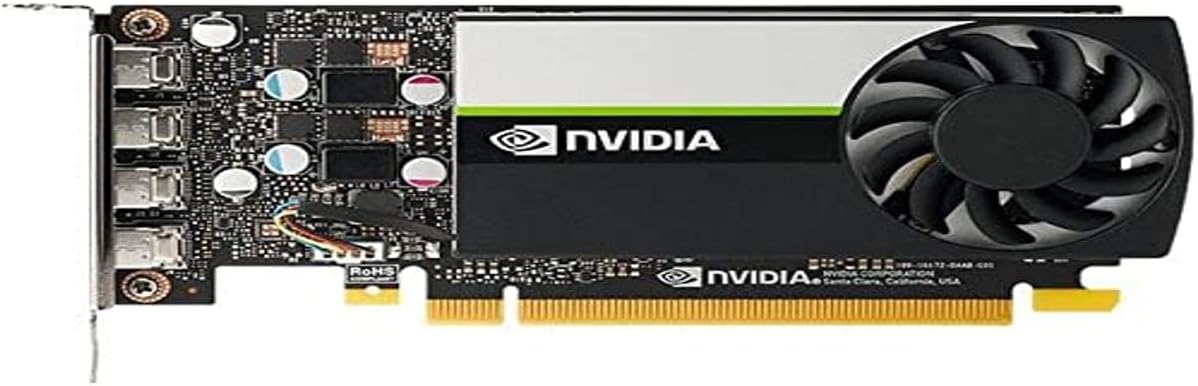
The PNY Nvidia RTX A400 stands out as the top choice for Optiplex users seeking professional performance without compromising on space. With a 4.7 rating from verified buyers this card delivers exceptional compute power for AI ray tracing and modeling tasks in a compact single slot design.
We may earn a commission when you buy through this link, at no additional cost to you.
Powered by Nvidia Ampere architecture the A400 features 768 CUDA cores and 4GB GDDR6 memory enabling seamless multitasking across demanding applications like video production and 3D rendering. Its support for PCI Express 4.0 provides enhanced bandwidth ensuring future proof connectivity for modern workstations.
While the 4GB VRAM limits extreme gaming scenarios it is more than sufficient for professional visualization and design work. The low 50W power consumption ensures reliability and performance for extended use without stressing the limited power supplies found in Optiplex SFF cases.
This card is ideal for professionals using small business workstations who need reliable multi display support. The four Mini DisplayPort 1.4a outputs allow connecting multiple high resolution displays for video editing workflows making it the best overall upgrade for productivity focused users.
Designed for professional environments the A400 ensures stability through ISV certification for over 100 applications.
The single slot low profile design fits perfectly into Mini Small Form Factor cases without requiring additional power cables.
We may earn a commission when you buy through this link, at no additional cost to you.
The maxsun GeForce RTX 3050 is built with the powerful graphics performance of the NV Ampere architecture making it a top contender for gaming in small spaces. With 6GB GDDR6 memory and support for NV DLSS it delivers a performance boost with uncompromised image quality for demanding titles.
We may earn a commission when you buy through this link, at no additional cost to you.
Its slim low profile design measures only 6.65 by 2.71 inches making it perfect for Mini Small Form Factor computer cases. The 1042MHz core clock and 1470MHz boost clock speeds help meet the needs of demanding games while maintaining efficient power usage for compact systems.
Users should note that while it supports 8K resolution and multi monitors the power requirements may exceed older Optiplex power supplies. Ensuring your system has adequate wattage is critical for stable operation especially when running high performance gaming sessions for extended periods.
This card is best for users wanting to turn their business Optiplex into a capable gaming machine. The combination of low profile form factor and modern Ampere features makes it a strong choice for casual gamers needing space efficient graphics upgrades.
AI specialized Tensor Cores give games a speed boost with uncompromised image quality through deep learning super sampling.
Full digital I/O interfaces including HDMI 2.1 and DP1.4a support wide video entertainment on multiple displays.
We may earn a commission when you buy through this link, at no additional cost to you.
The msi Gaming GeForce GT 1030 offers an affordable entry point for Optiplex upgrades with solid basic performance. Featuring 4GB DDR4 memory and a 1430MHz boost clock it supports DirectX 12 and provides reliable multimedia playback for everyday computing tasks.
We may earn a commission when you buy through this link, at no additional cost to you.
Its single fan design ensures quiet operation while the low profile form factor fits easily into most small form factor cases without modification. The card consumes minimal power making it safe for older Optiplex power supplies that lack dedicated GPU connectors.
While it lacks the advanced features of newer Ampere cards it remains a practical choice for office work and light media consumption. The 64-bit memory interface limits heavy gaming performance but is sufficient for general productivity and video streaming needs.
This budget friendly option is perfect for users needing a simple upgrade for secondary monitors or light gaming. The low cost and easy installation make it a recommended starting point for those new to PC hardware upgrades.
Minimal power consumption ensures compatibility with older Optiplex power supplies without needing external power cables.
Supports both DisplayPort and HDMI outputs for flexible monitor connections in professional and home setups.
We may earn a commission when you buy through this link, at no additional cost to you.
The PNY NVIDIA T600 delivers more than double the performance of the previous generation for 3D graphics workloads making it ideal for designers. Its Turing GPU architecture allows working with larger models and scenes with higher levels of interactivity during design visualization.
We may earn a commission when you buy through this link, at no additional cost to you.
Ensuring hardware compatibility and stability through NVIDIA support of latest standards the card is certified with over 100 professional software applications. This certification is crucial for businesses relying on stability and consistent performance for critical design and engineering tasks daily.
The ability to drive up to four 5K displays or two 8K displays per card opens new possibilities for immersive environments and data visualization. Users should plan their system power carefully as multiple high resolution outputs increase overall system requirements significantly.
This card is best for professional environments requiring certified reliable performance for complex tasks. The investment in the T600 pays off through reduced downtime and better performance in specialized applications like CAD and 3D modeling.
Deep ISV developer engagements ensure compatibility with industry standard tools for architecture engineering and media.
Four 5K displays support enables expansive visual workspaces for detailed project reviews and multitasking.
We may earn a commission when you buy through this link, at no additional cost to you.
The ASUS Dual GeForce RTX 3050 features advanced NVIDIA Ampere Streaming Multiprocessors delivering 2X the FP32 throughput and improved power efficiency. Its 2nd Generation RT Cores offer a whole new level of ray-tracing performance for realistic lighting in compatible games.
We may earn a commission when you buy through this link, at no additional cost to you.
Axial-tech fan design with smaller hub and barrier ring increases downward air pressure for superior cooling. A stainless steel bracket provides durability against corrosion while IP5X dust resistance offers protection from particle ingress for better long-term reliability.
The 2-slot design maximizes compatibility and cooling efficiency though it requires checking case dimensions carefully. With OC Mode boost clock at 1500 MHz it offers extra performance headroom for demanding gaming sessions when system airflow allows.
This model is ideal for gamers prioritizing thermal performance and durability in compact builds. The balance of cooling design and modern architecture makes it a strong contender for those willing to check physical clearance before installation.
Axial-tech fans with barrier ring increase air pressure for better cooling in small chassis environments.
IP5X dust resistance and steel bracket ensure reliable operation in varied office and home environments.
We may earn a commission when you buy through this link, at no additional cost to you.
The msi Gaming RTX 3050 LP offers a balance of performance and compact design suitable for Small Form Factor Optiplex cases. With 6GB GDDR6 memory at 14 Gbps and a 1492 MHz boost clock it delivers smooth performance for mid-range gaming and productivity.
We may earn a commission when you buy through this link, at no additional cost to you.
Its low profile design ensures it fits into narrow chassis without requiring extra room or modifications. The card includes HDMI 2.1a and DisplayPort outputs providing flexibility for modern high refresh rate monitors and standard setups alike.
Users should verify their system has the necessary PCIe slots and power connectors. While it is efficient the single fan design may be louder than passive cooled models under heavy load conditions during gaming or rendering.
This card is best for users needing modern graphics power in a strictly space constrained system. The combination of 6GB VRAM and Ampere features makes it a practical choice for upgrading older business PCs into capable gaming machines.
14 Gbps memory speed ensures fast data transfer reducing bottlenecks in texture heavy applications.
Multiple output options support diverse monitor setups including high refresh rate displays for gaming.
We may earn a commission when you buy through this link, at no additional cost to you.
The GIGABYTE GeForce RTX 3050 WINDFORCE OC V2 uses dual fans to maintain lower temperatures during extended use. Featuring 2nd Generation RT Cores and 3rd Generation Tensor Cores it provides enhanced ray-tracing performance and AI capabilities for modern gaming.
We may earn a commission when you buy through this link, at no additional cost to you.
Its 6GB GDDR6 memory at 96-bit interface ensures smooth data transfer for gaming and rendering tasks. Powered by Ampere architecture the card delivers efficient performance while supporting next-gen connectivity through PCI Express 4.0 for faster communication with the motherboard.
Pros note that the dual fan design requires adequate case airflow and physical space. This card is not suitable for ultra-compact SFF cases but works well in Optiplex models that accept standard low profile cards with two slots.
Ideal for users needing extra cooling headroom in slightly larger chassis this model offers consistent performance. The combination of modern features and reliable cooling makes it a solid pick for versatile small business PC upgrades.
2X WINDFORCE fans provide increased airflow for consistent thermal performance during gaming.
Supports RT Cores and Tensor Cores for next-gen gaming and AI accelerated tasks.
We may earn a commission when you buy through this link, at no additional cost to you.
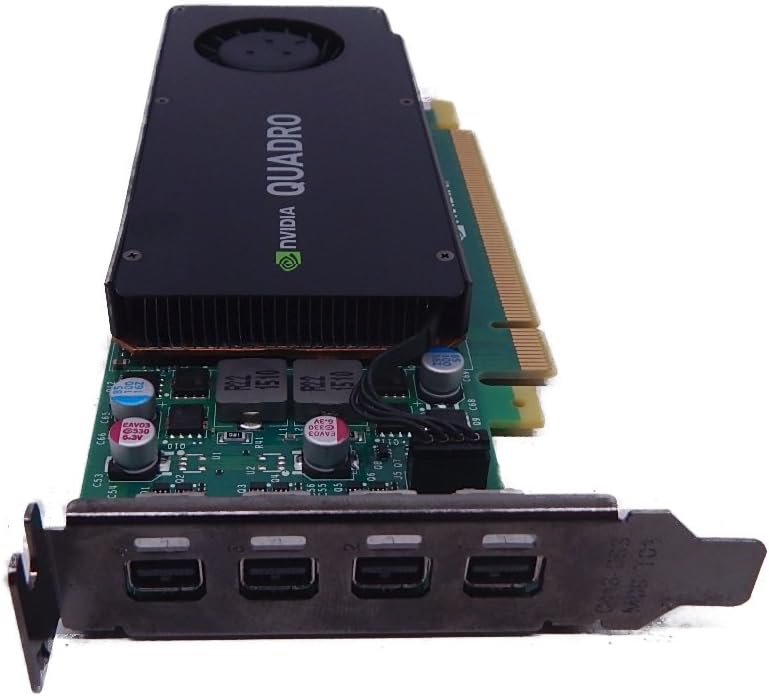
The PNY NVidia Quadro K1200 offers incredible 3D application performance in a compact footprint ideal for older Optiplex systems. With four Mini DisplayPort 1.2 connectors it enables multi-display setups for professional workspaces requiring detailed visualization.
We may earn a commission when you buy through this link, at no additional cost to you.
Its low profile design fits into small cases easily while providing reliable performance for CAD and graphic design tasks. Although it uses PCI Express 2.0 it maintains stable operation with legacy professional applications that benefit from Quadro driver support.
Users should consider that newer applications may require more VRAM than the 4GB available. However for legacy workflows requiring specific certifications this card remains a cost effective and reliable upgrade option for older office systems.
This card is best for businesses maintaining older workstations that need reliable multi-display support. The 3-Year warranty adds peace of mind for enterprise users who prioritize stability and consistent performance for critical business applications.
Quadro drivers ensure stability with older professional applications that may not run on newer cards.
Four Mini DisplayPort outputs allow extensive workspace expansion for productivity and monitoring.
We may earn a commission when you buy through this link, at no additional cost to you.
The NVIDIA Quadro P1000 delivers up to 60% better performance than the previous generation making it a strong option for small workstations. Powered by Quadro Pascal GPU technology it provides professional users with the best performance available in a small form factor.
We may earn a commission when you buy through this link, at no additional cost to you.
Support for 4K and 5K displays along with extensive ISV certification ensures compatibility with demanding professional applications. This makes it a reliable choice for engineers and designers needing precise visualization without compromising on chassis space.
While the 4GB memory is limited for heavy rendering it excels in standard design and modeling workflows. The card consumes low power ensuring it runs cool and quiet within the confined spaces of Optiplex small form factor cases.
Ideal for professionals needing certified performance in a compact package this model offers consistent reliability. The balance of power efficiency and professional features makes it a practical upgrade for business environments requiring precision and stability.
Advanced architecture supports 4K and 5K displays for detailed design and project review.
Extensive certification ensures stability with industry-standard CAD and engineering software suites.
We may earn a commission when you buy through this link, at no additional cost to you.
The NVIDIA Graphics Card VCQK1200DVI-PB offers a reliable legacy solution for older Optiplex systems needing DVI connectivity. Powered by NVIDIA Quadro K1200 it provides stable performance for basic professional visualization and multi-monitor setups in compact spaces.
We may earn a commission when you buy through this link, at no additional cost to you.
With 4GB GDDR5 memory and PCI Express 2.0 compatibility it ensures smooth operation with legacy software. The low profile design fits easily into small cases allowing users to upgrade without modifying the system chassis or power supply.
While it lacks modern features this card is perfect for maintaining older workstations or adding a second DVI display. Its simplicity ensures broad compatibility with older systems that do not support newer display standards or GPU architectures.
Best for legacy upgrades this model provides essential functionality at a reasonable price point. Users needing DVI outputs for older monitors will find this card offers a reliable straightforward solution for expanding display options.
Supports legacy DVI displays allowing users to reuse existing monitors without additional adapters.
Quadro drivers ensure consistent performance for long-term stable operation in business environments.
We may earn a commission when you buy through this link, at no additional cost to you.
Selecting the right graphics card for an Optiplex system requires attention to physical size power requirements and performance needs. This guide outlines the critical factors to consider to ensure your upgrade fits smoothly and delivers the expected results.
Small Form Factor SFF and Mini PCs have limited space often requiring Low Profile cards measuring under 3 inches in height. Always check your specific Optiplex model dimensions before purchasing to ensure the new card fits inside the chassis without obstructing other components.
Look for single slot designs when possible to maximize clearance and avoid blocking PCIe slots for other devices.
Optiplex power supplies are often limited to 100W or less without dedicated 6-pin PCIe power connectors. Ensure the GPU you choose draws all necessary power directly from the PCIe slot without requiring external cabling that your system cannot support.
Low power cards under 75W are safest for older Optiplex units lacking additional wattage capacity.
Modern Optiplex upgrades often need multiple monitor support for productivity. Verify that the GPU has the correct ports like HDMI DisplayPort or Mini DP to match your existing monitors and docking stations without needing extra adapters.
Professional cards often include more ports which is critical for multi-monitor workflows.
Video memory is essential for handling complex tasks like gaming or video editing. For general office work 4GB is usually sufficient but gaming and design tasks benefit from 6GB or more to ensure smooth texture loading and rendering speeds.
Choose at least 6GB if you plan to use high-resolution displays or intensive applications.
Business users should consider Quadro or RTX A series cards for ISV certification and stability in professional apps. Gamers should prioritize GeForce models for features like DLSS and ray-tracing that enhance visual quality and performance in titles.
Match the GPU architecture to your primary use case to maximize value and reliability.
Some Optiplex models use proprietary brackets or PCIe slots that differ from standard desktops. Check if the card includes a Low Profile bracket or if you need to transfer the existing one to ensure a secure fit inside the chassis.
Ensure the card supports standard PCIe 3.0 or 4.0 lanes for optimal data transfer speeds.
Reputable manufacturers offer warranties ranging from two to three years covering defects and performance issues. Prioritize brands with strong support networks to ensure any hardware failures are resolved quickly without disrupting workflow.
Always verify warranty terms before buying to confirm coverage for your specific use scenario.
Compact cases restrict airflow so passive or low noise fan designs are preferred to prevent overheating. Look for cards with efficient thermal designs that maintain low temperatures even during extended use without excessive noise.
Single fan or passive cooling ensures quiet operation in office environments.
Before installation power off your system and unplug it from the wall to prevent electrical damage. Open the Optiplex case and remove the existing graphics card by unscrewing the bracket and gently pressing the PCIe slot latch before pulling the card out.
Insert the new GPU into the PCIe slot firmly until it clicks and secure the bracket with screws. Ensure any required power connectors are attached if your system supports them then close the case and power on the system to install drivers.
Regularly clean dust from the case vents and GPU fans to maintain optimal airflow and cooling. Avoid running intensive tasks continuously for hours without breaks to prevent thermal stress and extend the lifespan of the graphics card components.
No you must choose a Low Profile card that fits the narrow width of SFF cases. Standard full-height cards will not fit and may block airflow or other components causing system damage or failure to boot.
Most Optiplex GPUs draw power directly from the motherboard PCIe slot. Avoid cards requiring 6-pin external connectors unless your specific Optiplex model supports them with adequate wattage.
NVIDIA provides drivers for modern and legacy systems but check specific OS requirements. Older Optiplex units may need legacy drivers to ensure compatibility with older Windows versions.
The PNY Nvidia RTX A400 and maxsun RTX 3050 are top choices for low profile performance. They balance compact size with modern features ideal for business and gaming in tight spaces.
Installing a compatible GPU does not typically void the system warranty. However unauthorized modifications may be considered by support so check specific terms before opening the chassis.
Yes with Low Profile cards like the RTX 3050 or GT 1030. Ensure your power supply meets requirements and the case allows adequate airflow for stable gaming performance.
The PNY Nvidia RTX A400 maxsun RTX 3050 and msi GT 1030 lead the list offering reliable low profile performance for various needs. Each card brings unique strengths ensuring you can find a perfect fit for gaming professional work or budget upgrades.
Prioritize physical dimensions and power compatibility to ensure a smooth installation process without unexpected issues. Choosing a card that matches your system constraints will save time and prevent hardware conflicts after installation.
Always verify current pricing and availability since hardware markets fluctuate frequently. Check manufacturer support pages for the latest driver updates to maintain optimal performance and stability for your Optiplex system.