
SteelSeries Nimbus+ Bluetooth Mobile Gaming Controller with iPhone Mount
4.0Editor score
Apple Licensed Connectivity
50 Plus Hour Battery
Tactile D-Pad Buttons
This guide compares the top gaming controllers for Apple TV, covering compatibility, battery life, build quality, and features to help you choose the best
Finding the right gaming controller for Apple TV can transform your living room into a premium gaming hub. With dozens of options available, selecting one that offers seamless connectivity and responsive controls is essential for an immersive experience.
We have evaluated ten top-rated controllers based on compatibility with tvOS, battery performance, and ergonomic design. Each product was analyzed for its ability to handle diverse game genres and maintain stable wireless connections during extended play sessions.
Each pick below highlights specific strengths and ideal use cases to match your gaming needs. Please note that prices and availability may change over time, so verify current listings before making your final purchase decision.
4.0Editor score

4.7Editor score

4.4Editor score
This side-by-side comparison helps you quickly assess key specifications across all ten selected controllers. Use this table to compare features like battery life, connectivity options, and special functions at a glance.



The 8Bitdo SN30 Pro stands out as a top choice for Apple TV gamers who appreciate classic aesthetics without sacrificing modern performance. With a 4.7 rating from users, this controller delivers exceptional reliability and comfort across multiple platforms.
We may earn a commission when you buy through this link, at no additional cost to you.
Its Hall Effect joysticks provide superior precision and durability compared to traditional potentiometers, ensuring long-term accuracy without drift. The full button set including clickable joysticks, motion controls, and vibration makes it versatile for various game genres.
While the price is slightly higher than budget options, the robust build quality and official support for Apple TV justify the investment. Some users may find the retro layout takes time to adjust to if coming from modern controllers.
If you value precision and durability in a compact package, this controller is an outstanding recommendation. It bridges the gap between nostalgic design and contemporary gaming needs effectively.
The upgraded Hall Effect sensors ensure higher precision and sensitivity for smoother movement control without drift issues over time.
Certified to work seamlessly with Apple TV and iOS devices offering a stable wireless Bluetooth experience without additional adapters.
We may earn a commission when you buy through this link, at no additional cost to you.
The SteelSeries Nimbus+ is engineered specifically for Apple ecosystems including Apple TV offering an unmatched battery life and seamless compatibility. Its official Apple licensing ensures that it works flawlessly with tvOS games and applications out of the box.
We may earn a commission when you buy through this link, at no additional cost to you.
With over fifty hours of playtime on a single charge, this controller minimizes interruptions during long gaming sessions. The tactile D-pad buttons provide fast responsive feedback essential for precise inputs in action games.
The main trade-off is the higher price compared to third-party alternatives and a heavier build due to the large battery. However, for dedicated Apple TV gamers who prioritize reliability and battery endurance this weight is often acceptable.
For those who want a premium experience tailored to Apple devices this controller delivers unmatched performance and peace of mind. Its official licensing and long battery life make it a top-tier choice.
A built-in rechargeable battery allows for over fifty hours of continuous gameplay which is exceptional for mobile and TV controllers.
Officially licensed by Apple ensures full compatibility with iOS iPadOS and tvOS providing a stable wireless connection experience.
We may earn a commission when you buy through this link, at no additional cost to you.
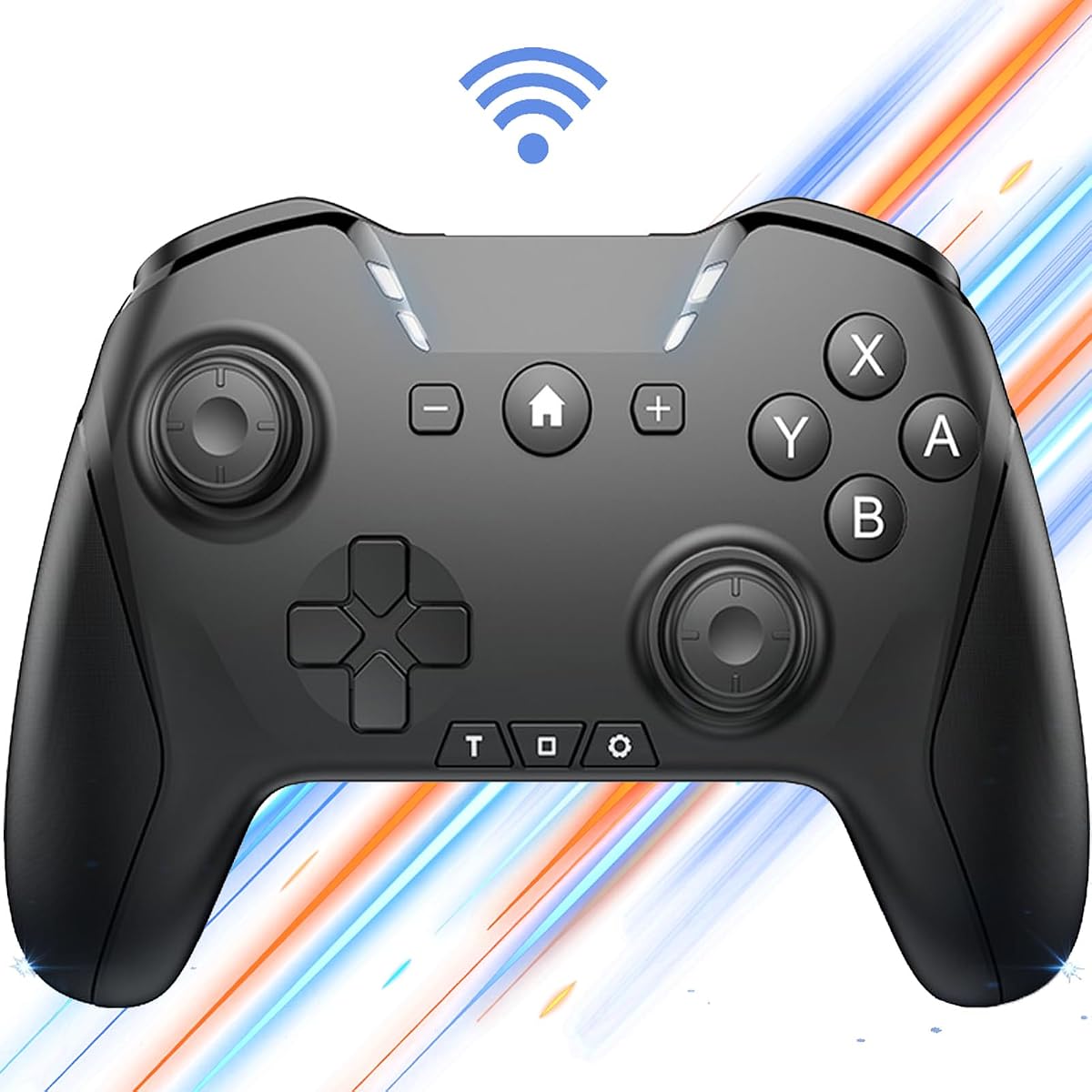
The VOYEE Switch Controller offers an excellent entry point for gamers seeking a versatile controller without breaking the bank. With a 4.4 rating users appreciate its balance of features and affordability for casual and semi-serious gaming sessions.
We may earn a commission when you buy through this link, at no additional cost to you.
It includes features like RGB lighting multiple turbo speeds and programmable buttons that enhance gameplay flexibility. The 6-axis gyro sensor allows for motion controls in supported games adding depth to the experience.
While the build quality does not match premium models and software features are limited compared to branded options it remains a solid choice for budget-conscious buyers. The RGB effects add a fun visual touch to your setup.
If you need a reliable controller for multiple platforms including Apple TV and want to save money this model is highly recommended. It delivers core functionality and style at an unbeatable price.
Features four light modes including solid breathing and RGB strobe options that allow you to customize the look of your controller.
Compatible with Switch PC and Apple devices making it a universal option for gamers who play across different ecosystems.
We may earn a commission when you buy through this link, at no additional cost to you.
This Bluetooth controller is designed for gamers who want advanced features like programmable macros and interchangeable controls. Its 4.0 rating reflects its utility for users who need customization beyond standard button layouts.
We may earn a commission when you buy through this link, at no additional cost to you.
The ability to program loop operations and interchange buttons provides a significant advantage in games requiring repetitive actions or specific inputs. It also supports waking up connected consoles which adds convenience.
Setting up macros may be complex for some users and the build quality is average compared to top-tier brands. However for those who prioritize functionality and customization over premium feel this controller offers great value.
If you play games that benefit from automation or require custom button mappings this controller is a strong option. It provides advanced tools at a reasonable price point.
Allows users to program up to thirty seconds of loop operations including intervals and long-press actions for enhanced gameplay.
You can easily swap left joysticks with D-Pad or A&B and X&Y buttons based on your personal preference and needs.
We may earn a commission when you buy through this link, at no additional cost to you.
The renewed version of the SteelSeries Nimbus+ offers a cost-effective way to access a high-quality Apple licensed controller. It comes with Amazon Renewed quality assurance ensuring it has been professionally inspected and tested.
We may earn a commission when you buy through this link, at no additional cost to you.
With stable wireless connection and responsive buttons it maintains the core benefits of the original model. The battery life supports extended gaming sessions which is ideal for Apple TV use.
The lower rating compared to new units may reflect cosmetic wear or battery variations though functionality is typically intact. Buyers should check item condition details carefully before purchasing to ensure satisfaction.
If you are looking to save money while still getting a premium Apple compatible controller this renewed option is worth considering. It balances cost and quality well for budget-conscious gamers.
Products are professionally inspected tested and cleaned to meet Amazon Renewed standards for quality and performance reliability.
Features responsive buttons analog sticks and triggers that provide precise control without cables during wireless gaming sessions.
We may earn a commission when you buy through this link, at no additional cost to you.
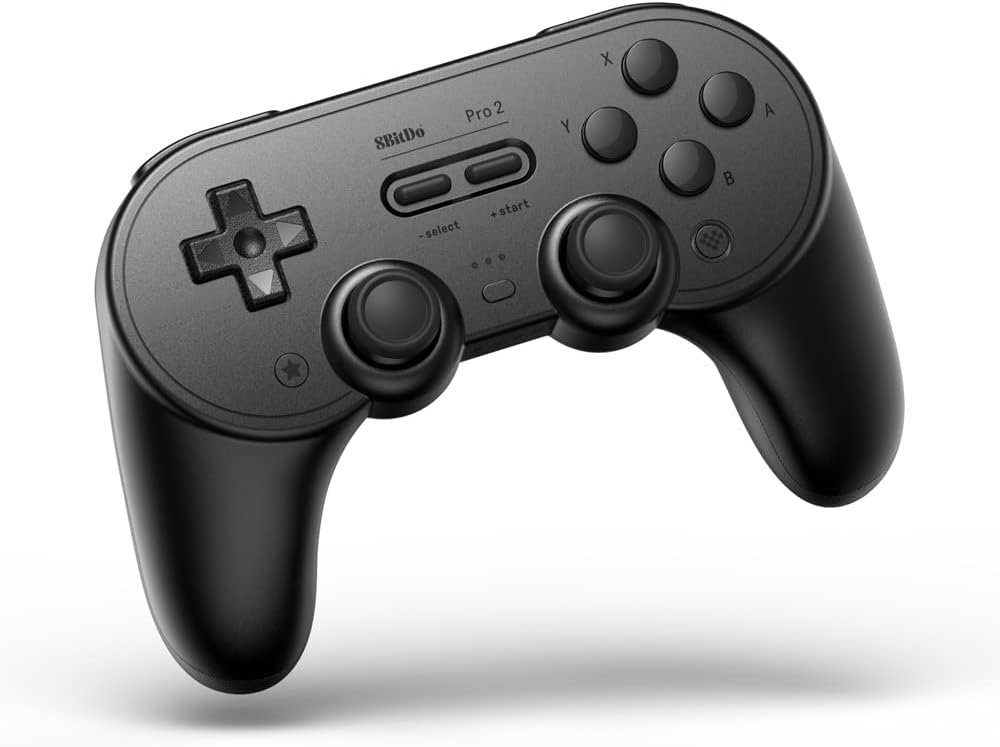
The 8BitDo Pro 2 is a powerhouse controller known for its extensive customization options and robust build. With a 4.5 rating it is a favorite among users who want full control over their input mapping and profiles.
We may earn a commission when you buy through this link, at no additional cost to you.
It features two back buttons and customizable profile switching which allows for different setups depending on the game. The ultimate software available on PC and iOS enhances its flexibility for advanced users.
While the software setup might seem complex at first it offers unmatched flexibility for competitive gaming and specific titles. The 20 hour battery life ensures you won't run out of power quickly.
For gamers who want to tailor their controller to their specific playstyle this is an excellent choice. The combination of back buttons and long battery life makes it a standout option.
Includes two pro-level back buttons that can be mapped to any other button to improve ergonomics and speed.
Use the ultimate software on PC and iOS to customize profiles switch modes and update firmware easily.
We may earn a commission when you buy through this link, at no additional cost to you.
This standard model of the SteelSeries Nimbus+ remains a reliable choice for those prioritizing proven Apple ecosystem compatibility. It maintains a solid 4.1 rating due to its consistency and quality over time.
We may earn a commission when you buy through this link, at no additional cost to you.
The design focuses on core gaming needs with responsive buttons and a comfortable grip. While it may lack some advanced features found in newer models it delivers a smooth experience for Apple TV games.
The main downside is the higher price compared to budget alternatives and fewer modern customization features. However for users who value stability and simplicity it is a trustworthy option.
If you want a dependable controller that works well without fuss this model is a great pick. It ensures you can play your favorite games without connectivity issues.
Provides a stable wireless connection for responsive gameplay without cables ensuring you can focus on gaming.
Built-in rechargeable battery delivers extended gaming sessions on a single charge so you can play longer.
We may earn a commission when you buy through this link, at no additional cost to you.
The AceGamer Aurora II brings advanced features like Hall Effect joysticks and programmable back keys at a mid-range price. With a 4.2 rating it appeals to users seeking high precision and customization.
We may earn a commission when you buy through this link, at no additional cost to you.
It supports both 2.4G wireless and Bluetooth connections offering flexibility for different devices. The large battery ensures long playtimes and the RGB effects add aesthetic appeal to the setup.
While it lacks official Apple certification pairing via Bluetooth usually works well with Apple TV. The setup for 2.4G requires following specific steps which might be confusing for some users.
If you value precision and customizability this controller offers high-end features without the premium price tag. It is a strong contender for gamers who want more than a basic controller.
Two Hall Effect sensors provide precise and reliable input detection ensuring smooth and accurate in-game movement.
Adopts 2.4G wireless transmission and Bluetooth for stable signal and strong anti-interference across platforms.
We may earn a commission when you buy through this link, at no additional cost to you.
The Official Luna Wireless Controller is optimized for Amazon Luna cloud gaming but works well with Apple TV via Bluetooth. It offers a unique 4.4 rating for its ability to switch between screens seamlessly during sessions.
We may earn a commission when you buy through this link, at no additional cost to you.
Cloud Direct technology ensures low latency gameplay when connected to Luna servers which enhances responsiveness. It also supports wired and wireless connections providing flexibility for different setups.
If you use Luna primarily this is an excellent choice though it may be overkill for local games. The screen switching feature is a unique utility for multi-device users.
For cloud gamers or those who want a versatile controller with modern connectivity this is a solid pick. It ensures a smooth experience across various devices and platforms.
Connects directly to Amazon custom game servers using Cloud Direct technology for low-latency gameplay experience.
When playing on Luna pause your game on one screen then pick up right where you left off on another.
We may earn a commission when you buy through this link, at no additional cost to you.
The GMBACK Wireless Switch 2 Pro Controller introduces loop macro functions ideal for repetitive gaming tasks. With a 4.1 rating users appreciate its balance of features and price for casual and serious gamers.
We may earn a commission when you buy through this link, at no additional cost to you.
It supports home wake up and extensive battery life ensuring it is ready to use whenever you are. The gyro motion controls and adjustable vibration enhance immersion and gameplay depth.
Programming macros may require some learning but the benefits in saving time during repetitive actions are significant. This controller is particularly useful for games with grinding or farming mechanics.
If you want a controller that supports automation and long play sessions this model is a smart choice. It brings unique features to the Apple TV gaming ecosystem at a reasonable price.
Record custom button sequences up to thirty seconds to replay automatically for grinding or farming tasks easily.
Wake up your console or device with a single button press for quick access without hunting for remotes.
We may earn a commission when you buy through this link, at no additional cost to you.
Selecting the right controller depends on your gaming habits and device ecosystem. This guide outlines key factors to consider before making a purchase.
Ensure the controller supports Bluetooth or 2.4G wireless to connect to your Apple TV. Bluetooth is standard but 2.4G offers lower latency for competitive games.
Check compatibility with tvOS and other platforms you might use to avoid connectivity issues.
Look for controllers with at least 10-15 hours of battery life to avoid frequent recharging. Rechargeable batteries via Type-C are more convenient than disposable ones.
Models with 20+ hours are ideal for marathon sessions or shared family use.
Ergonomic design and textured grips ensure comfort during extended play. Durability of joysticks and buttons matters for long-term use.
Premium controllers often use better materials but budget options can still be durable.
Features like motion controls, vibration, and turbo buttons enhance gameplay for specific genres. Programmable buttons allow for customization depending on your needs.
Consider if you need advanced features like macros or screen switching before buying.
Verify that the controller explicitly supports Apple TV and iOS devices. Some controllers are designed for multiple platforms including PC and consoles.
Apple licensed controllers guarantee the best experience and avoid extra configuration steps.
Budget options offer basic functionality while premium models provide advanced features and durability. Determine how much you are willing to spend based on your gaming frequency.
Look for sales or renewed models to get better value without compromising performance.
Some controllers come with carrying cases or charging docks which add convenience. Ensure all necessary cables or dongles are included in the box.
Check if extra accessories are available separately for your specific setup needs.
Controllers with dedicated apps allow for firmware updates and button mapping customization. Check if the software is available on your preferred platform.
Regular updates keep the controller compatible with new games and system changes.
Pair the controller by enabling Bluetooth on your Apple TV and pressing the pairing button on the controller. Once connected it should appear in the list of available devices.
Charge the controller using the provided cable whenever the battery indicator shows low. Avoid overcharging by unplugging after a full charge to preserve battery health.
Clean the buttons and joysticks regularly with a soft dry cloth to prevent dust buildup. Store the controller in a cool dry place to maintain its longevity.
Not all Bluetooth controllers work seamlessly with Apple TV. It is best to choose controllers specifically advertised for iOS or tvOS support to ensure compatibility. Licensed controllers from brands like SteelSeries and 8Bitdo are reliable options.
Many Switch controllers can connect to Apple TV via Bluetooth but may lack full support for tvOS features. Check the product description for Apple compatibility to avoid limitations during gameplay.
Navigate to Settings on your Apple TV then select Controllers and Sensors. Put your controller in pairing mode and select it from the list of available devices to complete the connection.
A minimum of 10-15 hours is ideal to avoid interruptions during sessions. Controllers with 20+ hours are preferred for long-term use or shared family gaming setups.
Most controllers do not have built-in screen recording features but some include screenshot buttons. Apple TV has its own native recording options that work with compatible controllers.
No most controllers can be paired directly with Apple TV without an iPhone. However an iPhone may help with firmware updates for certain models.
Choosing the right gaming controller for Apple TV can significantly enhance your entertainment experience by offering tactile controls and comfort. Our top picks include the 8Bitdo SN30 Pro for precision and the SteelSeries Nimbus+ for premium compatibility with Apple devices.
Consider your budget and gaming frequency when selecting a model. Budget options like the VOYEE offer great value while premium choices provide advanced features and durability for serious gamers.
Always check current prices and compatibility before purchasing to ensure you get the best deal. With the right controller your Apple TV becomes a versatile platform for gaming and entertainment.