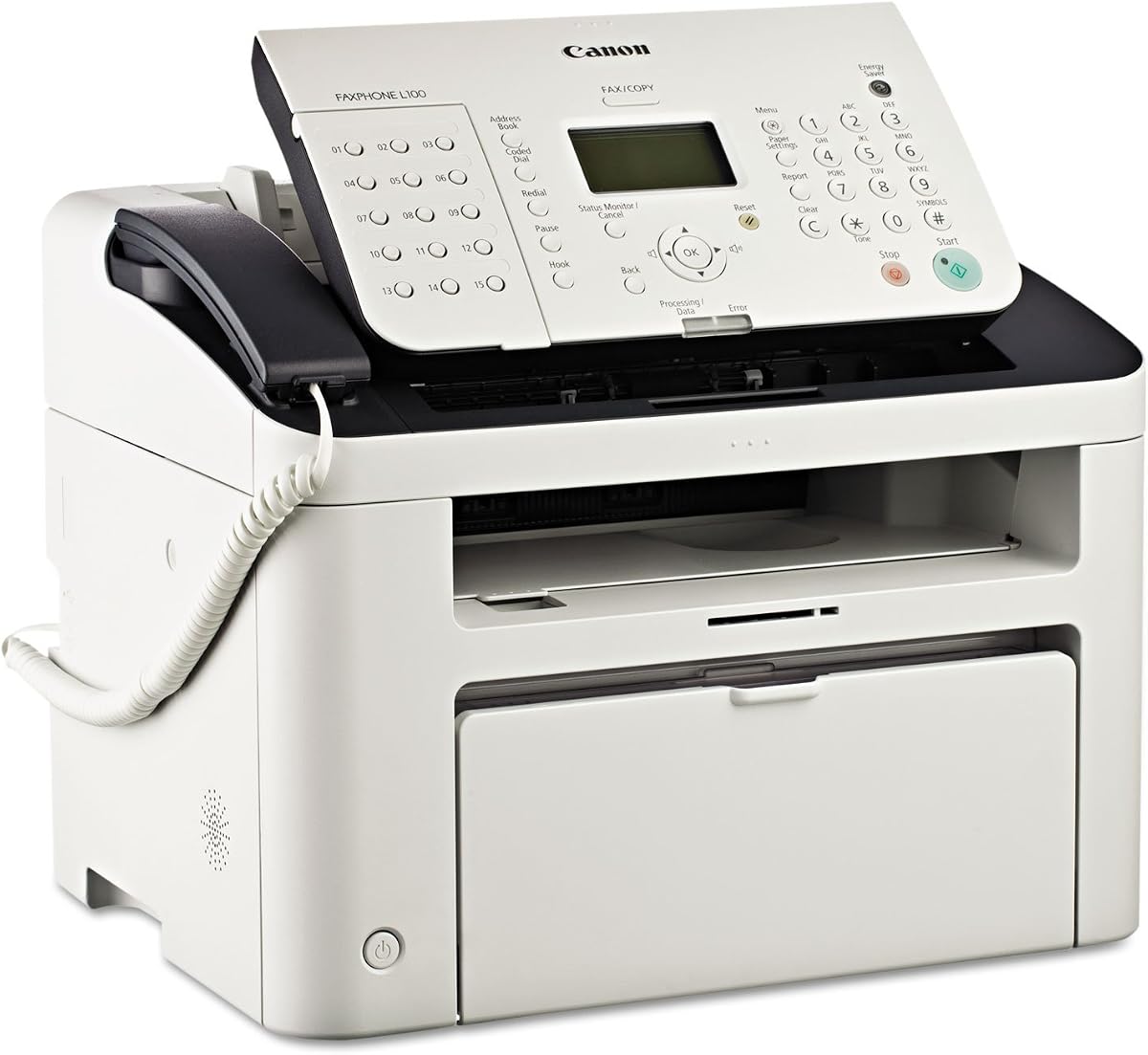
Canon FAXPHONE L100
4.1Editor score
19 pages per minute output speed
30-sheet auto document feeder
Includes telephone handset for calls
Finding a reliable fax machine with phone capabilities is essential for businesses that still require secure document transmission. Modern units often combine printing, scanning, and telephone functions into one efficient device to save space and reduce costs.
We evaluated ten highly rated models based on their fax speed, memory capacity, paper handling, and ease of use. Our analysis focuses on features that matter most for daily office operations and professional communication needs.
Each product entry highlights key specifications and real-world performance metrics to help you make an informed decision. Please note that prices and availability may change over time, so verify current listings before purchasing.
4.1Editor score

4.2Editor score

4.4Editor score
As an Amazon Associate we earn from qualifying purchases.
This comparison table presents side-by-side specifications for all ten selected fax machines with phone features, allowing you to quickly assess memory, speed, and capacity differences across models.


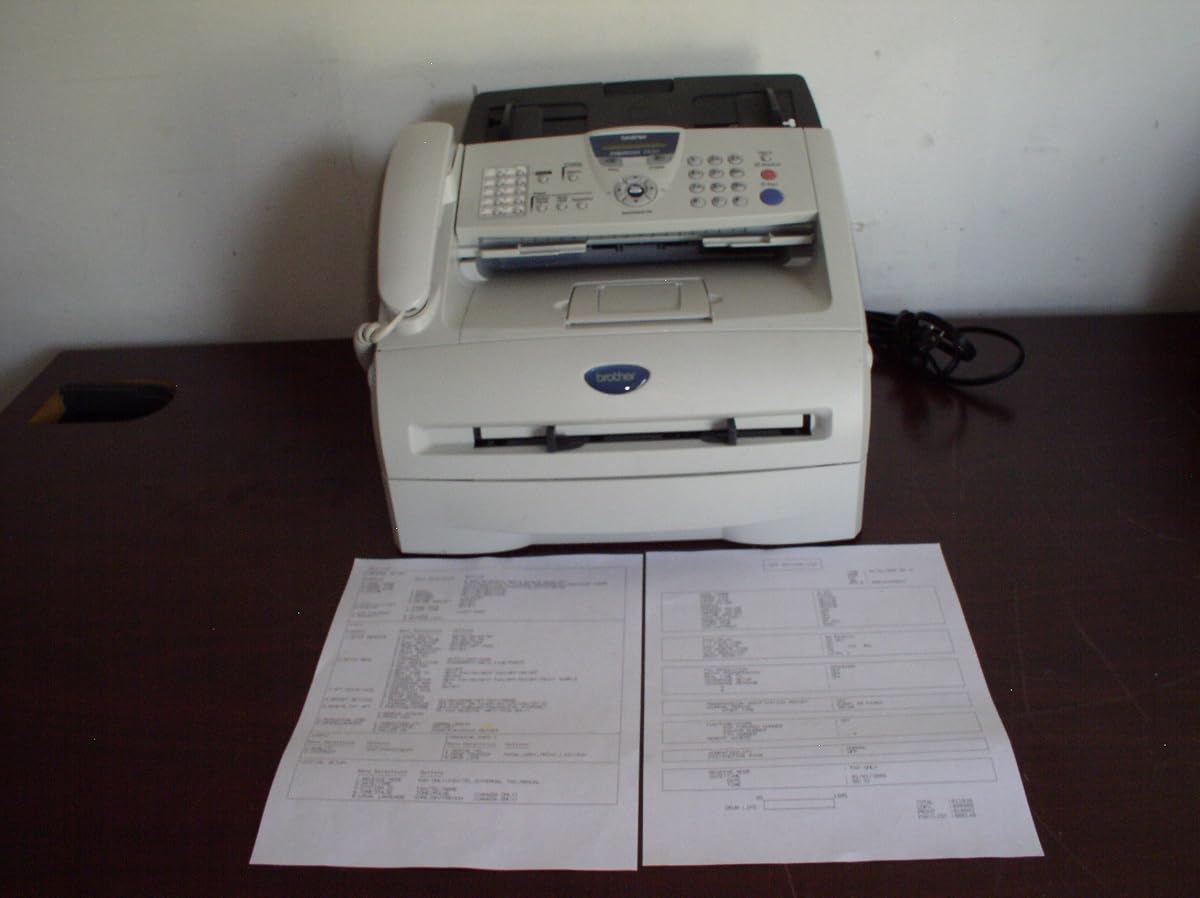

The Brother MFC7240 stands out as a robust all-in-one machine delivering reliable fax, print, scan, and copy functions. It holds a 4.2 rating from users who value its straightforward operation and consistent output quality.
We may earn a commission when you buy through this link, at no additional cost to you.
Its 21 pages per minute speed ensures quick document processing while the 250-sheet tray minimizes refills. The auto document feeder supports multi-page faxing without manual intervention making it ideal for daily office use.
While it lacks wireless features, the wired USB connection ensures stable performance. The monochrome output is sufficient for business correspondence and the fax modem handles transmission efficiently without errors.
Businesses needing a dependable fax with phone functions will find this model meets their needs. Its balance of speed capacity and reliability makes it a top recommendation for small to medium offices.
The 20-page auto document feeder streamlines multi-page faxing and copying tasks saving time for busy professionals.
Its compact dimensions fit easily on desks or shelves while providing full multifunction capabilities.
We may earn a commission when you buy through this link, at no additional cost to you.
The Canon FAXPHONE L100 offers excellent value for small businesses needing fax and phone capabilities without a high cost. It combines laser faxing with copying and includes a handset for calls ensuring all communication needs are met.
We may earn a commission when you buy through this link, at no additional cost to you.
Its 19 pages per minute speed keeps documents moving quickly and the 30-sheet auto document feeder simplifies batch processing. With 512 sheets of memory it can store multiple faxes for later printing during busy times.
While it lacks advanced connectivity options the wired setup is stable and simple to configure. The included telephone handset is a key benefit for offices wanting to consolidate devices without extra expense.
Budget-conscious buyers will appreciate this model's performance and straightforward design. It delivers reliable faxing and phone functions making it a practical choice for home offices or small workspaces.
The included handset allows direct calls without needing a separate phone line or device.
512 sheets of memory enables storage of multiple faxes to print later when needed.
We may earn a commission when you buy through this link, at no additional cost to you.
The Brother PPF4750E is a high-performance laser fax designed for demanding business environments. With a 4.4 rating it delivers consistent Super G3 transmission quality and reliable operation for frequent fax and phone use.
We may earn a commission when you buy through this link, at no additional cost to you.
It features 15 ppm copying speed ensuring fast document processing and laser output for crisp text. The business-class build quality ensures durability over long periods of use without compromising fax performance.
Though it comes at a higher price point the investment pays off in reliability and speed. Users appreciate the consistent output and minimal maintenance requirements typical of Brother's premium laser fax range.
Professional offices requiring secure and efficient document transmission will benefit most from this model. Its robust design and fax capabilities make it a top choice for businesses prioritizing performance.
Built for heavy daily use the unit ensures minimal downtime and consistent fax quality.
15 ppm copying speed helps keep document flow moving quickly during peak office hours.
We may earn a commission when you buy through this link, at no additional cost to you.
The Brother FAX-575 offers a straightforward solution for personal fax and phone needs. It combines convenient operation with basic faxing and copying functions at a price point suitable for home offices or small setups.
We may earn a commission when you buy through this link, at no additional cost to you.
With a 9,600 BPS modem it transmits faxes in about 15 seconds per page and the 512 KB memory stores up to 25 pages. This is enough for casual use though heavy users may need more storage.
The 50-sheet paper capacity is modest but sufficient for low-volume needs. Users find the unit simple to operate and the integrated phone capabilities eliminate the need for separate devices.
Individuals or home businesses requiring occasional faxing will find this model meets their needs. It balances basic performance with ease of use making it a reliable personal fax phone combo.
Easy-to-operate interface ensures users can send and receive faxes without technical knowledge.
Phone capabilities allow direct communication without needing an additional telephone unit.
We may earn a commission when you buy through this link, at no additional cost to you.
The Brother FAX-575 Renewed provides access to proven fax and phone features at a reduced cost. It retains the same core specifications as the new model making it a viable option for budget-conscious buyers.
We may earn a commission when you buy through this link, at no additional cost to you.
Its 9,600 BPS modem ensures fast transmission and the 50-sheet paper capacity handles basic needs. Users can expect similar performance though renewed units may vary slightly in cosmetic condition.
The 512 KB memory stores up to 25 pages for quick access and the integrated phone functions add versatility. While warranty options may differ from new units the value proposition remains strong for low-volume faxing.
Buyers seeking affordability without sacrificing core fax capabilities will find this model appealing. It offers a practical solution for individuals who need reliable fax and phone functions at a lower price.
Renewed status provides access to proven features at a reduced cost for budget buyers.
Same core specifications as new units ensure reliable fax and phone functionality.
We may earn a commission when you buy through this link, at no additional cost to you.
The CimFAX A5 redefines faxing by allowing documents to be sent from computers or mobile devices via phone line 24/7. It eliminates paper usage while maintaining traditional fax compatibility for secure transmission.
We may earn a commission when you buy through this link, at no additional cost to you.
Users can right-click to send faxes in three steps and the system auto-saves copies as PDFs locally or on shared folders. Incoming faxes are automatically forwarded to email reducing physical paper clutter entirely.
This digital approach suits tech-savvy users who want the reliability of fax without the hardware. While it lacks a physical handset the convenience of sending and storing faxes digitally is a major advantage.
Offices transitioning to paperless workflows will benefit most from this innovative model. It offers a modern fax solution that integrates seamlessly with digital document management systems.
Send faxes directly from mobile or PC eliminating the need for physical scanning or paper.
Auto-forward incoming faxes to email and save locally for streamlined digital record keeping.
We may earn a commission when you buy through this link, at no additional cost to you.
The Brother MFC7240 delivers consistent performance for users needing fax phone and copy capabilities. It is known for its fast 21 pages per minute speed and 250-sheet paper tray reducing frequent refills.
We may earn a commission when you buy through this link, at no additional cost to you.
The USB connection ensures stable operation and the monochrome laser output provides sharp text for faxes. Its compact design fits well on desks while the auto document feeder handles multi-page fax tasks efficiently.
While it lacks modern wireless features the wired setup is dependable for office environments. Users appreciate the reliability and low maintenance requirements over extended periods of regular fax usage.
Offices seeking a no-nonsense fax and phone combo will find this model effective. It combines speed and capacity in a compact unit suitable for daily document processing needs.
Consistent operation over time ensures uninterrupted fax and phone capabilities for daily tasks.
Space-saving design allows installation on standard desks without consuming excessive room.
We may earn a commission when you buy through this link, at no additional cost to you.
The Panasonic KX-FHD331 offers essential fax capabilities with caller ID and answering machine interface. It is designed for straightforward use and handles basic fax and phone needs without extra complexity.
We may earn a commission when you buy through this link, at no additional cost to you.
Its 9.6 Kbps modem speed is standard for older units and plain paper usage avoids thermal paper costs. The answering machine interface allows seamless voice and fax handling making it practical for mixed usage.
While user ratings are lower compared to newer models it still fulfills basic fax functions. Buyers prioritizing simplicity over advanced features may find this unit suitable for home or light office use.
Users needing a simple fax with phone capabilities without high-speed transmission can consider this model. It balances basic functionality with essential features like caller ID and answering machine support.
Caller ID compatibility helps identify incoming callers before answering for better call management.
Seamless integration with answering machines allows combined voice and fax handling easily.
We may earn a commission when you buy through this link, at no additional cost to you.
The Brother PPF-2800 provides basic faxing with auto dialing and document storage features. It allows users to store up to 90 pages in memory and supports 108-station auto dialing for convenience.
We may earn a commission when you buy through this link, at no additional cost to you.
With a 10 pages per minute print speed it suits low-volume usage and the 20-page auto document feeder handles batch faxing. Plain paper usage ensures clear output without special consumables.
Though slower than modern models it remains functional for businesses needing reliable fax and phone operations. The memory and dialing features help streamline workflows without requiring constant manual input.
Users with moderate fax needs looking for straightforward dialing and storage will find this model useful. It offers basic functionality with enough capacity for light to moderate daily fax tasks.
108-station auto dialing simplifies sending faxes to frequent contacts with minimal effort.
Stores up to 90 pages enabling users to print or send faxes at convenient times.
We may earn a commission when you buy through this link, at no additional cost to you.
The Brother IntelliFax 2820 combines laser fax quality with substantial memory and auto dialing. It stores up to 500 pages in memory and supports broadcast faxing to 270 locations for efficient group messaging.
We may earn a commission when you buy through this link, at no additional cost to you.
Its 14.4 Kbps modem provides standard transmission speed and the 20-page auto document feeder simplifies multi-page faxing. USB connectivity ensures reliable connection to computers for future printing capabilities.
Users needing high-volume faxing and broadcast capabilities appreciate the memory and storage design. The laser output ensures clear faxes and copier functions add versatility without requiring additional devices.
Businesses with frequent fax requirements will benefit from the storage and dialing features. This model offers a reliable fax phone combo for teams needing consistent and scalable document transmission.
8 MB memory stores up to 500 pages allowing users to manage high-volume fax tasks easily.
Supports broadcast to 270 locations streamlining group document distribution without individual sending.
We may earn a commission when you buy through this link, at no additional cost to you.
Selecting the right fax machine with phone capabilities requires evaluating several key factors to ensure the unit meets your communication and document needs efficiently.
Modem speed determines how quickly faxes are transmitted and received. Faster speeds like 14.4 Kbps or higher reduce wait times during busy periods and improve overall productivity.
Choose a modem speed that matches your fax volume. High usage warrants faster modems while occasional users can save money with standard speeds.
Memory stores incoming faxes when paper runs out or the machine is busy. Units with higher memory can store more pages and prevent lost transmissions during high-traffic times.
Look for at least 8 MB memory if you send multiple faxes daily to avoid storage limitations and ensure smooth operations.
Paper tray capacity affects how often you need to reload paper. Models with 250 sheets or more reduce interruptions for high-volume users and save time on refilling.
Select a tray size matching your average daily fax output to maintain workflow efficiency without frequent manual intervention.
An auto document feeder allows sending multiple pages without manual feeding. This feature is essential for businesses regularly faxing multi-page documents to save time and effort.
Choose a feeder capacity that accommodates your typical fax sizes. A 20-page feeder covers most small office needs effectively.
Integrated phone capabilities allow the fax machine to also act as a telephone. This dual function consolidates devices and saves space while enabling direct voice communication through the same line.
Ensure the unit includes a handset or interface for your phone system if voice calls are part of your daily routine.
Laser fax machines provide sharper text and more consistent output than thermal models. High resolution ensures faxes are legible and professional for client communications and contracts.
Prioritize models with laser technology if document clarity is critical for your business needs and standards.
Wired USB and modem connections offer stability while wireless options provide flexibility for mobile devices. Consider your office setup when selecting connectivity types for best performance.
If you need networked faxing ensure the unit supports USB or LAN interfaces compatible with your infrastructure.
Build quality impacts how long the unit will last under regular use. Machines from established brands typically offer better durability and support options for long-term reliability.
Check warranty terms and availability of support to ensure you can maintain the machine if issues arise during use.
Begin by connecting the unit to a working phone line and power source. Ensure all cables are secure and follow the manufacturer's setup instructions for initial configuration of date and fax numbers.
Load paper into the tray according to the manual's guidelines and adjust guides to fit the sheet size. This prevents jams and ensures smooth feeding during fax or copy tasks.
Clean the scanner glass and rollers regularly to maintain fax quality. Use a soft cloth for the glass and lightly wipe rollers to remove dust or debris that may cause smudges.
Most fax machines are designed for analog lines and may not work reliably with VoIP without a dedicated ATA adapter. Check your VoIP provider for fax support before purchasing to ensure compatibility.
Models with USB connectivity allow sending faxes from computers via drivers or software. Paperless units support direct PC sending. Always verify software support for your operating system before buying.
With regular maintenance and moderate use a fax machine can last 5 to 10 years. Heavy use may reduce lifespan slightly. Replacing consumables like toner and paper helps maintain performance.
Most units operate on a single line shared between voice and fax. Some models offer dedicated line features but a separate number is optional unless you need simultaneous voice and fax.
Turn off the unit and open the access panel to remove jammed paper gently. Avoid tearing paper or pulling forcefully to prevent damage to rollers or gears before powering back on.
Most modern fax machines use plain paper for better quality. Thermal paper is compatible with older models but is less common now. Check manual specs for paper type before purchasing.
Program numbers into the device's memory by entering the contact name and number. Use the auto dial button to send faxes quickly. Follow manual steps for specific models to set stations.
Maintenance costs are low with regular toner and paper purchases. Occasional cleaning prevents jams and ensures quality. Service costs are minimal if built-in support and warranties are available.
The top picks like the Brother MFC7240 Canon FAXPHONE L100 and Brother PPF4750E deliver excellent balance of fax and phone features. These models stand out for speed memory and reliability across different needs.
Prioritize memory capacity paper capacity and modem speed when choosing a unit for your office. Consider connectivity options and phone integration to match your communication workflow and space constraints.
Verify current prices and stock levels before purchasing as they may vary over time. Selecting the right fax machine with phone capabilities ensures efficient and secure document communication for your needs.