
SSK Portable SSD 1TB
4.5Editor score
1050MB/s read speed
Lightweight aluminum case
USB-C and USB-A support
Compare the top external SSD for MacBook Air models for speed and durability in this expert guide to help you choose the right storage solution today.
Finding the right external SSD for MacBook Air ensures your data stays safe and accessible. Modern drives offer fast speeds and rugged designs to match your active lifestyle needs.
We compared ten leading models based on speed, durability, and compatibility. Each pick balances performance with portability to suit different workflows and budget constraints effectively.
Every selection highlights key features and real-world performance insights. Note that pricing and availability change frequently so verify current details before making your final purchase decision.
4.5Editor score

4.7Editor score

4.6Editor score
This side-by-side comparison highlights key specs across all ten models to help you identify the best fit for your storage needs and budget requirements quickly.


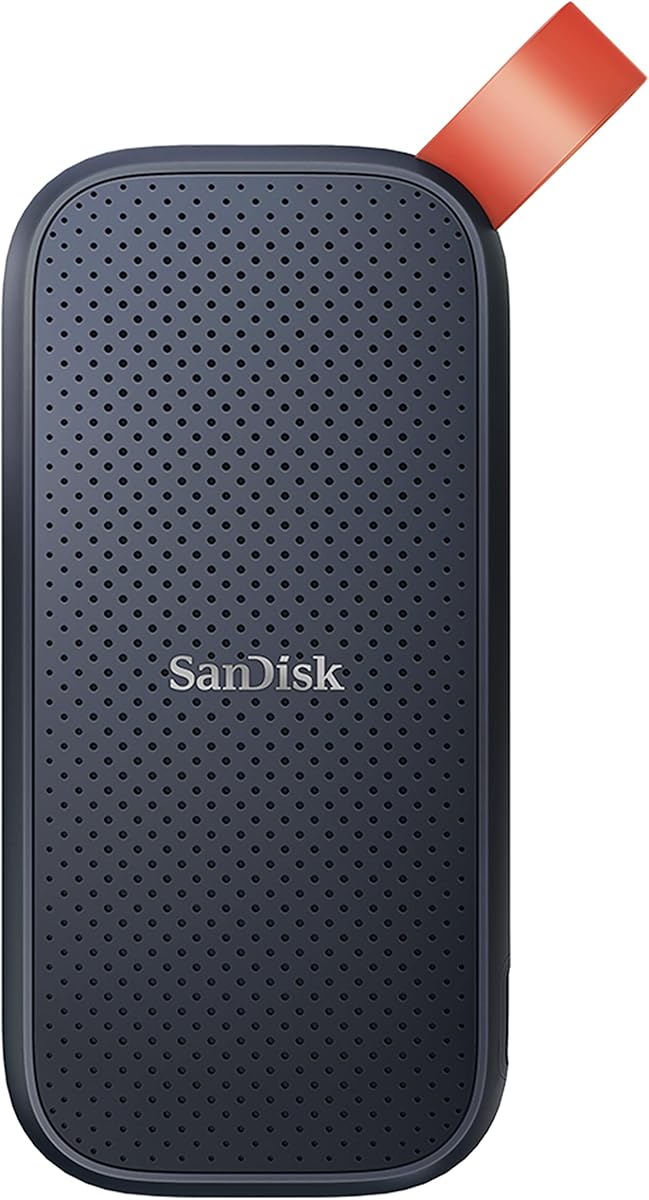




This Sandisk drive tops our list for its blend of speed and ruggedness. With a 4.6 rating users praise its reliability for daily workflows on Mac devices.
We may earn a commission when you buy through this link, at no additional cost to you.
It delivers up to 1050MB/s read speeds and features IP65 resistance against water and dust. The 256-bit AES encryption ensures your data remains secure wherever you go.
While it costs more than smaller options the durability justifies the investment. Some users note firmware updates are required for peak performance consistency.
Ideal for photographers and video editors needing secure fast storage on the go. We recommend it as the top choice for professionals relying on external drives daily.
The drive withstands drops up to 3 meters and resists water making it perfect for outdoor shoots or commuting.
Built-in password protection with AES hardware encryption keeps sensitive files safe from unauthorized access attempts.
We may earn a commission when you buy through this link, at no additional cost to you.
The SSK drive offers excellent value with impressive speed metrics. It earns a 4.5 rating from users seeking affordable storage for their Mac setups.
We may earn a commission when you buy through this link, at no additional cost to you.
With read speeds reaching 1050MB/s it handles large files efficiently. The aluminum case helps dissipate heat during extended transfers without throttling performance.
Note that Windows may display slightly less capacity due to binary calculations though macOS shows the full terabyte. This does not affect actual physical storage.
Perfect for students or casual users needing fast reliable storage without breaking the bank. We suggest this model for anyone prioritizing cost over premium features.
The thin aluminum alloy case ensures the drive stays cool during heavy use preventing overheating during long transfers.
This drive supports 4K60Hz ProRes capture on iPhone making it versatile for mobile content creators on a budget.
We may earn a commission when you buy through this link, at no additional cost to you.
Samsung remains a leader in flash memory with this T7 model scoring 4.7. Users love its consistent performance and durability across various systems including Mac.
We may earn a commission when you buy through this link, at no additional cost to you.
It offers read/write speeds up to 1050/1000 MB/s and features shock resistance up to 6 feet. The aluminum unibody is robust enough to survive drops easily.
Though it may run warm under load the thermal management is generally adequate for most tasks. The included USB-C cable is functional but could be longer for convenience.
This drive suits creators and professionals who need fast reliable storage. We recommend the T7 for its balance of speed durability and brand trust.
Solid aluminum construction provides protection against drops up to 6 feet ensuring longevity during travel or daily handling.
Supports 4K60fps video recording directly from devices allowing seamless capture and storage for content creators.
We may earn a commission when you buy through this link, at no additional cost to you.
Lexar provides a solid option with this ES3 model rated 4.4. It is designed for those wanting speed in a sleek compact package for Mac users.
We may earn a commission when you buy through this link, at no additional cost to you.
It supports USB 3.2 Gen 2 for read speeds up to 1050MB/s and includes encryption software. The drive is incredibly thin fitting easily into any pocket.
However it does not support MagSafe and older iPhone models may lack full compatibility. Ensure your devices match its requirements before purchasing to avoid issues.
This SSD works well for general use and light creative tasks. Consider it if you value portability and fast speeds over advanced premium features.
Weighing only 42 grams and measuring 10.5mm thick it slips into pockets effortlessly for easy transport anywhere.
Includes Lexar DataShield software to protect files with 256-bit AES encryption for added security against breaches.
We may earn a commission when you buy through this link, at no additional cost to you.
The T9 stands out with top-tier speed up to 2000MB/s earning a 4.6 rating. It is built for heavy workloads that demand sustained high throughput on Mac systems.
We may earn a commission when you buy through this link, at no additional cost to you.
Its Dynamic Thermal Guard keeps the drive cool under pressure ensuring reliability during long editing sessions. Magician software allows firmware updates and drive health monitoring easily.
To reach peak speeds you need a host supporting USB 3.2 Gen 2×2 which may limit older devices. Also the included cable is recommended for optimal performance.
Best for professionals needing maximum performance and longevity. We highly recommend this model for power users who prioritize speed above all else.
The thermal guard maintains ideal temperatures during heavy use preventing overheating and ensuring sustained high-speed transfers.
Designed to handle large projects without slowdowns it supports 4K video capture for mobile devices efficiently.
We may earn a commission when you buy through this link, at no additional cost to you.
This older Sandisk model provides reliable storage with a 4.5 rating. While not the fastest it remains a dependable choice for everyday backups and transfers.
We may earn a commission when you buy through this link, at no additional cost to you.
It offers up to 800MB/s read speeds and includes a rubber hook for securing the drive to your bag. Two-meter drop protection adds extra peace of mind.
Compared to newer drives its speeds are lower but acceptable for non-critical tasks. It is ideal for users who prioritize cost and simplicity over maximum performance.
Consider this if you need a no-fuss drive for occasional use. We suggest it for budget-conscious buyers who trust the SanDisk brand quality.
The tough rubber hook lets you clip the drive to a belt loop or backpack to prevent accidental drops.
Designed to fit into mobile workflows seamlessly it backs up your content without taking up much space.
We may earn a commission when you buy through this link, at no additional cost to you.
This Lexar model delivers 2TB of storage with a 4.5 rating. It suits users needing large capacity without compromising on speed or durability for their Mac.
We may earn a commission when you buy through this link, at no additional cost to you.
Double layer graphite sheets help dissipate heat efficiently during transfers. It also includes a 2-in-1 cable for versatile connectivity across devices.
Lack of built-in encryption may be a downside for sensitive data. However the generous space and fast read speeds make it ideal for media libraries.
Great for photographers or editors storing massive archives. We recommend it if capacity is your primary concern alongside reliable performance.
Built-in double layer graphite sheets conduct heat quickly keeping the drive cool during high-speed transfers.
The included USB-C USB-A cable ensures compatibility with PC Mac tablets and smartphones effortlessly.
We may earn a commission when you buy through this link, at no additional cost to you.
The Lexar Go series offers 1TB storage with a unique hub option rated 4.5. It is perfect for those needing extra ports alongside storage for Mac setups.
We may earn a commission when you buy through this link, at no additional cost to you.
It captures ProRes footage easily and fits into tiny spaces. The hub provides four USB-C ports offering flexibility to customize your workflow on the go.
Wireless Type-C connector frees you from cables but requires firm insertion. This ensures the drive is connected properly without physical cable clutter.
Ideal for content creators needing portability and multi-device connectivity. We suggest it for users who value flexibility and compact design.
The included hub adds four USB-C ports so you can connect multiple devices without extra adapters.
Wireless Type-C connector keeps cables organized though it requires firm insertion for reliable connection.
We may earn a commission when you buy through this link, at no additional cost to you.
This older PRO model offers top-tier speed up to 2000MB/s with a 4.5 rating. It remains a strong choice for users needing fast reliable storage on Mac.
We may earn a commission when you buy through this link, at no additional cost to you.
Forged aluminum chassis acts as a heatsink maintaining performance during sustained transfers. IP65 water dust resistance ensures it handles rough environments well.
Despite being an older model it still delivers impressive performance. Some users may need firmware updates to optimize speeds on modern systems effectively.
Suitable for professional workflows requiring high speed. We recommend it for those looking for value with high performance.
The forged aluminum chassis dissipates heat allowing higher sustained speeds without throttling during intensive tasks.
IP65 rating and 3-meter drop protection ensure the drive withstands water dust and accidental drops.
We may earn a commission when you buy through this link, at no additional cost to you.
This legacy model boasts a 4.8 rating with 2TB storage. It is a solid option for those needing ample space without paying for top speeds.
We may earn a commission when you buy through this link, at no additional cost to you.
With speeds up to 550MB/s it transfers photos and videos reasonably fast. Shock-resistant core and IP55 resistance provide durability against physical damage.
USB 3.1 limits speed compared to Gen 2 drives. However its pocket-sized design and reliability make it suitable for general backups and storage.
Best for users prioritizing capacity over speed. We recommend it for casual users needing trusted storage for files.
Shock-resistant up to 1500G ensures the drive survives physical jolts and vibrations during transport or use.
Pocket-sized design lets you carry the drive easily without adding weight or bulk to your daily carry.
We may earn a commission when you buy through this link, at no additional cost to you.
Selecting the right external SSD involves balancing speed capacity and durability. This guide outlines key factors to help you choose the best drive for your needs.
Look for drives with USB 3.2 Gen 2 interfaces offering speeds up to 1050MB/s or higher. Faster read write speeds mean quicker file transfers and smoother editing workflows on your MacBook.
Prioritize high speeds if you work with large video files or datasets daily.
Capacity ranges from 1TB to 4TB depending on your needs. Larger capacities are better for archiving media files or storing multiple projects without constantly deleting data.
Choose at least 1TB if you handle photos or videos regularly.
Durable drives feature shock resistance water dust proofing and rugged casings. These protections ensure your drive survives drops during travel or harsh outdoor environments.
Prioritize IP ratings and drop resistance if you travel often or work outdoors.
Hardware encryption protects your files from unauthorized access. Drives with 256-bit AES encryption allow you to set passwords keeping sensitive data safe.
Select drives with built-in encryption if you store confidential work files.
Lightweight and compact drives fit easily into pockets or bags. Consider dimensions and weight if you want to carry your SSD without adding bulk.
Smaller drives are ideal for frequent travelers or commuters.
Ensure the drive works with macOS and other devices like iPhones or Android phones. USB-C connectivity is standard for modern Macs but adapters might be needed for older ports.
Check for cross-platform support if you share files between multiple devices.
Some drives include software for backups monitoring health or managing files. Tools like SanDisk Memory Zone or Samsung Magician enhance usability and drive health maintenance.
Look for helpful software if you want easy data management.
Budget varies widely from affordable models to premium options. Higher prices often come with better speeds durability or capacity. Decide what features justify the cost for your specific use.
Balance your budget against the features that matter most to your workflow.
Connect your SSD via USB-C to your MacBook Air. macOS should recognize the drive automatically allowing you to access files through Finder without additional software.
Store data securely by ejecting the drive properly before unplugging. Always use the Eject option in Finder to prevent data corruption during active file transfers.
Keep your SSD in a cool dry place away from direct sunlight. Avoid exposing it to water dust or extreme temperatures to extend its lifespan and performance.
Samsung T7 and T9 models are highly recommended for MacBook Air due to their USB-C compatibility and fast speeds. Sandisk Extreme drives also work well offering rugged durability and encryption features.
Yes modern MacBook Air models only have USB-C ports so using a USB-C SSD is essential for plug-and-play functionality without adapters. This ensures seamless data transfers and full performance.
Hardware encryption adds a critical layer of security for sensitive files. If you work with confidential data choose a drive with AES hardware encryption to protect against unauthorized access.
At least 1TB is ideal for storing photos videos and documents locally. Users with extensive media libraries may benefit from 2TB to avoid running out of space quickly.
Yes many USB-C SSDs are compatible with iPhone 15 models allowing you to capture high-resolution video directly to the drive. Verify compatibility with Apple ProRes if you shoot on iPhone.
Most portable SSDs draw power directly from the USB-C port so no external power supply is needed. Ensure your MacBook port supports sufficient power output for optimal performance.
Use Disk Utility in Applications to verify the drive's status and health. It displays capacity and read write speeds helping you confirm the SSD is functioning correctly.
Our top picks highlight the Samsung T7 and T9 for performance and the SSK for budget-friendly value. Each model offers reliable speed and durability tailored to different needs.
Prioritize speed and capacity if you handle large video files frequently. For casual backups a mid-range drive provides sufficient performance without unnecessary cost.
Always verify current pricing and availability before purchasing. Deals and stock levels change regularly so check official sources for the latest offers.