
DKE Desktop Computer Power Switch
4.7Editor score
Two meter extended cable
Compact portable design
Includes splitter and adhesive
This guide compares the top external PC power button options for easy access replacement and advanced features like USB hubs and wireless control.
Finding the right external PC power button can transform how you interact with your desktop setup. Whether you need easier access for under desk mounts or a reliable replacement for a broken chassis switch, the right module offers convenience and functionality.
We evaluated ten top rated models based on build quality, cable length, installation ease, and additional features like USB connectivity or wireless control. Each product was analyzed for compatibility with standard ATX motherboards and real world usability scenarios.
Every selection below highlights specific strengths for different user needs from budget friendly repairs to premium hub integrated solutions. Keep in mind that availability and pricing may shift over time so verify current details before purchasing your preferred model.
4.7Editor score

4.8Editor score

4.5Editor score
The following table provides a side by side overview of all ten products including their core specifications and key features to help you compare options quickly and make an informed decision for your specific setup needs.

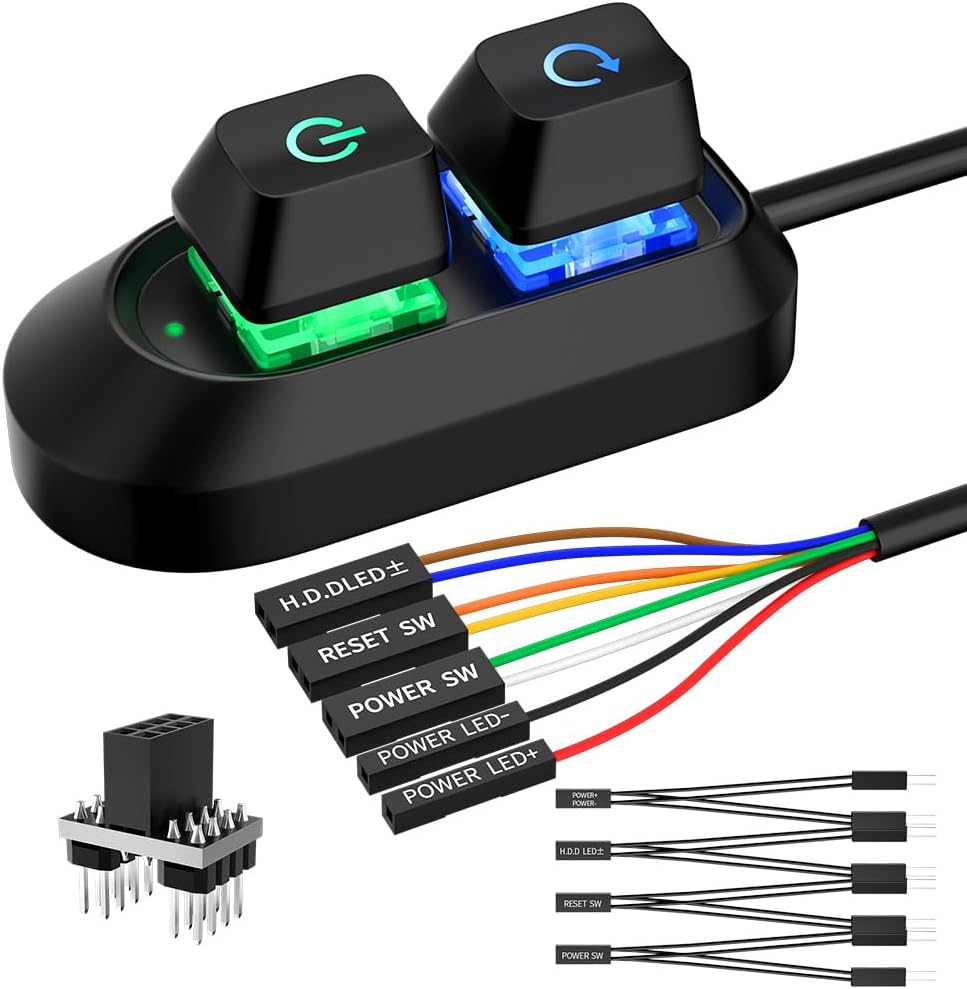


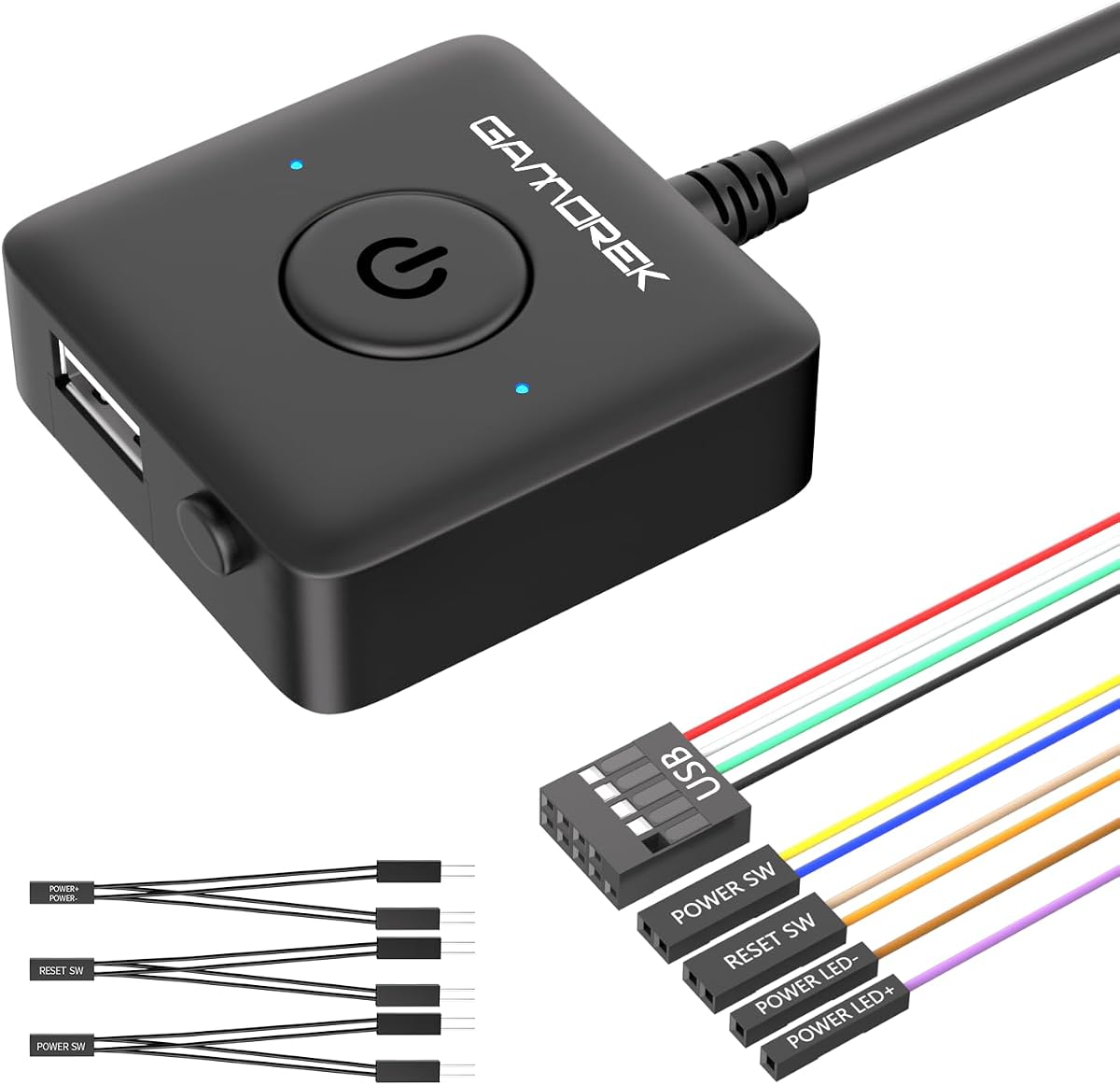


The OwlTree Desktop Computer Power Button stands out as a top tier solution for users seeking a reliable external switch with premium build quality. Boasting a impressive 4.8 star rating from users this model combines practical functionality with an attractive acrylic finish that complements modern desktop setups.
We may earn a commission when you buy through this link, at no additional cost to you.
Its construction features durable acrylic material that resists wear and tear while maintaining a sleek appearance. The package includes both a power button and a restart button along with dedicated indicators for power and hard disk activity. The 1.6 meter cable provides sufficient reach for most standard configurations without requiring additional extension adapters.
While the cable length is adequate for many setups some users with larger desks or deep under desk mounts might prefer a longer option. Additionally the lack of integrated USB ports means you will need separate solutions for additional connectivity which is a common trade off for focused power control modules.
This product is ideal for enthusiasts and home users who prioritize build quality and a polished look for their external controls. If you need a straightforward replacement for a faulty chassis button or want to relocate your power switch to a more accessible position this OwlTree switch delivers consistent performance and style.
The acrylic material ensures a durable and aesthetically pleasing switch that withstands daily use while matching high end PC cases.
Having both power and restart buttons plus LED indicators provides full access to essential functions without needing to reach the case.
We may earn a commission when you buy through this link, at no additional cost to you.
For users seeking a no frills reliable solution the DKE Desktop Computer Power Switch offers exceptional value without compromising on core functionality. With a strong 4.7 star rating this model proves that effective power control does not require expensive features or complex setups.
We may earn a commission when you buy through this link, at no additional cost to you.
The standout feature is its 2 meter cable which provides ample reach for virtually any desk configuration including deep under desk mounts. Its compact 2.1 by 2.1 centimeter footprint and minimal 1 ounce weight make it nearly unnoticeable when mounted on a desk or panel.
The primary limitation is its basic construction which focuses purely on power switching without extra ports or premium materials. This simplicity keeps costs low but means you will not get USB expansion or dual button controls in this specific package.
This switch is perfect for budget conscious builders or anyone needing a quick fix for a damaged case button. If your priority is simply moving the power switch to a convenient location without spending much money the DKE model delivers reliable performance and straightforward installation.
The 2 meter cable ensures you can place the button anywhere on your desk regardless of where your PC tower is located.
Weighing only 1 ounce this switch places minimal stress on surfaces making it safe for temporary or adhesive mounting.
We may earn a commission when you buy through this link, at no additional cost to you.
The External PC Power Button Wireless Remote redefines convenience by eliminating physical cables entirely and allowing control from up to 50 feet away. With a solid 4.5 star rating this premium solution is ideal for users who want maximum flexibility and a clean desk environment.
We may earn a commission when you buy through this link, at no additional cost to you.
It includes a PCIe receiver board that connects to your motherboard enabling reliable wireless signal reception. The remote supports both short press for power on and long press for safe shutdown which adds significant safety and utility over standard buttons.
The main consideration is the requirement for an available PCIe slot which might limit compatibility with some compact or specialized builds. Additionally the price reflects the advanced technology so it may be less suitable for basic budget repairs.
This product is best for professionals or enthusiasts who value cable free operation and remote control capabilities. If you frequently work away from your desk or need to manage your PC from a distance this wireless remote offers a unique and highly functional premium experience.
Operate your PC from anywhere in the room without being tethered to physical cables or proximity to the tower.
Long press functionality safely initiates shutdown protocols preventing data loss or abrupt power cuts to your system.
We may earn a commission when you buy through this link, at no additional cost to you.
This PC Power Button model provides a solid and reliable solution for relocating your power switch with added flexibility through its included splitter board. It holds a strong 4.6 star rating reflecting user satisfaction with its durability and ease of integration into existing systems.
We may earn a commission when you buy through this link, at no additional cost to you.
The included 1 to 2 splitter board allows you to keep your original case button functional while adding the external switch. This dual control feature is particularly useful for test benches or shared workstations where multiple access points are beneficial.
Some users may find the splitter wiring slightly complex compared to direct plug in models requiring careful attention to pin alignment. However once installed the system operates smoothly and the 1.7 meter cable provides good reach for most desk configurations.
Ideal for users who want to retain their original hardware while gaining external convenience this model strikes a good balance. It is a dependable choice for standard ATX systems that need a secondary power access point without losing the primary case functionality.
The splitter enables both the new external button and original case button to work together seamlessly.
Includes all necessary components including cable splitter and adhesive stickers for a straightforward installation.
We may earn a commission when you buy through this link, at no additional cost to you.
The PC Power Button Desktop Switch Splitter model is designed for users who need full access to power reset and drive activity indicators in one external package. It carries a 4.5 star rating based on its comprehensive feature set and reliable performance in various environments.
We may earn a commission when you buy through this link, at no additional cost to you.
It includes dedicated connections for POWER SW RESET SW POWER LED and HDD LED ensuring you retain all standard front panel functions on your new external switch. The 2 meter cable and included splitter board simplify installation by providing flexible routing options.
The downside is that managing multiple wires can be slightly more complex than single function buttons especially for beginners unfamiliar with motherboard headers. However the included instructions and standard connectors make the process manageable with patience.
This product is excellent for users who want a complete replacement for a damaged front panel or need all controls at a desk. If you require reset access or drive activity lights alongside your power switch this model offers the most comprehensive feature set in its class.
Retain access to power reset and drive indicators ensuring no functionality is lost when moving controls externally.
The included splitter board simplifies keeping original case buttons functional while adding the external switch.
We may earn a commission when you buy through this link, at no additional cost to you.
This PC Power Button model stands out for its impressive 118 inch extension cable which is perfect for large desks or distant PC placements. It maintains a solid 4.6 star rating thanks to its reliable connectivity and ability to bridge significant distances without signal loss.
We may earn a commission when you buy through this link, at no additional cost to you.
The standard 4 pin connector ensures compatibility with 90 percent of ATX motherboards making it a versatile choice for most builds. The included splitter allows dual switch functionality so you can keep the original case button active alongside the new external one.
The long cable requires thoughtful routing to avoid tangling or trip hazards which may need additional cable ties or channels. Despite this the flexibility it offers for under desk or hidden tower setups makes it a practical solution for complex installations.
This switch is best for users with large workspaces or those who mount PCs in hard to reach locations. If you need to extend your control point far from the tower while maintaining standard connectivity this model provides the necessary reach and reliability.
The 118 inch cable ensures you can place the button exactly where needed regardless of tower distance.
Uses a universal 4 pin connector that fits most motherboards making installation straightforward and predictable.
We may earn a commission when you buy through this link, at no additional cost to you.
The External PC Power Button 2M Desktop model adds a visual flair to your setup with its 7 color breathing LED effect. It holds a 4.5 star rating reflecting appreciation for its aesthetic contribution alongside reliable power control functionality.
We may earn a commission when you buy through this link, at no additional cost to you.
This switch connects directly to standard motherboard power pins ensuring a safe and stable low voltage connection. The 2 meter cable provides generous reach and the LED operates without any software configuration making it a true plug and play option.
The LED effect is fixed to a breathing pattern which may not suit users seeking customizable RGB lighting. However for those who want a subtle glow to indicate power status without complex lighting control this is a pleasant addition.
This product suits users who want a touch of style in their external controls without sacrificing reliability. It is a good choice for desk setups where a glowing indicator helps you quickly identify the power state of your system.
The breathing LED provides a clear and elegant visual cue for your system power status.
No drivers or software are needed as the LED is powered directly by the motherboard header.
We may earn a commission when you buy through this link, at no additional cost to you.
This PC Power Button model distinguishes itself by including a USB connection support that extends front panel USB functionality to your desk. With a 4.7 star rating it is highly regarded for solving the common problem of inaccessible front ports.
We may earn a commission when you buy through this link, at no additional cost to you.
It includes a PCI bracket that allows for a clean installation in ATX and MATX cases maintaining a tidy build aesthetic. The package provides standard motherboard power reset splitters and 9 pin USB connectors for a complete setup experience.
Installation requires connecting to a motherboard USB header which is straightforward for most users but adds a wiring step. Additionally the PCI bracket requires an available expansion slot which may be limited on some compact motherboards.
This switch is ideal for users who want to centralize connectivity points at their desk for peripherals or storage. If you frequently connect USB devices and want easier access without unplugging from the back of the tower this model offers valuable extra utility.
Extend easy access USB functionality to your desk for flash drives and peripherals without bending over.
The PCI bracket enables a cleaner installation keeping cables organized and maintaining a professional look.
We may earn a commission when you buy through this link, at no additional cost to you.
This Computer PC Power Button model combines a power switch with a 4 port USB 3.0 hub to deliver dual functionality in one compact unit. It holds a 4.3 star rating reflecting user appreciation for the convenience of integrated high speed connectivity.
We may earn a commission when you buy through this link, at no additional cost to you.
The USB ports support 5.0Gbps data transfer speeds ensuring fast connections for flash drives and peripherals. Installation involves connecting power and USB headers to the motherboard which provides a seamless experience once properly set up.
The 1.2 meter cable is shorter than some competitors which might limit placement options for larger desk setups. Users should measure their available space before purchase to ensure the reach is sufficient for their specific environment.
This product is perfect for users who want to reduce dongle clutter and need multiple high speed USB ports at their desk. If you value fast data transfer and convenient access to multiple devices alongside your power control this integrated hub switch is a practical solution.
USB 3.0 ports provide fast 5.0Gbps speeds for efficient data transfers with external drives.
Combines power control and USB expansion into one unit saving desk space and simplifying cable management.
We may earn a commission when you buy through this link, at no additional cost to you.
The PC Power Button External Desktop Computer model features a robust aluminum construction that ensures long lasting durability and a premium feel. With a 4.6 star rating it is recognized for its solid build quality and reliable performance in demanding setups.
We may earn a commission when you buy through this link, at no additional cost to you.
The package includes a 2 meter cable and a 1 to 2 splitter board allowing you to keep the original case button functional. It supports power reset and HDD LED functions ensuring full control over your system status and operations from a single point.
The aluminum housing adds weight and durability which might be a slight drawback for portable setups but ensures stability when desk mounted. It is more expensive than basic plastic models but the build quality justifies the investment for many users.
This product is ideal for users who want a premium and durable external switch that can withstand frequent use. If you need a reliable solution that combines full functionality with a robust design this aluminum model provides the reliability and quality you seek.
The aluminum construction ensures a sturdy and long lasting switch that resists wear over time.
Full support for power reset and drive indicators ensures no functionality is lost when moving controls.
We may earn a commission when you buy through this link, at no additional cost to you.
Choosing the right external PC power button requires careful evaluation of several key factors to ensure compatibility functionality and longevity. This guide outlines the essential considerations to help you make an informed decision for your specific setup.
The cable length determines how far you can place the external button from your PC tower. Measure your desk depth and consider any obstacles like under desk mounts or cable channels that might require extra length. A standard 1.7 to 2 meter cable suits most setups but larger workstations may benefit from extended options.
Always verify the actual cable length before purchase to ensure it reaches your intended mounting spot without tension. Plan your routing path in advance to avoid sharp bends that could damage internal wiring over time.
Most external power buttons use a standard 4 pin connector for power switch and LED connections which is compatible with the majority of ATX motherboards. Check your motherboard manual to confirm you have the correct JFP1 or F_PANEL header available for connection.
Ensure the switch voltage matches your motherboard specifications to prevent damage. While most modern boards use 5V low voltage pins always double check before connecting to avoid electrical issues.
External buttons typically come with adhesive stickers for desk or panel mounting which provides a clean and temporary solution. Some models include brackets for slot mounting which offers a more permanent and sturdy installation but requires an available expansion slot.
Consider where you plan to mount the switch and whether you prefer a permanent bracket solution or a flexible adhesive option. Ensure the mounting surface is clean and flat for the best adhesion results.
Some models offer extra features like USB hub integration wireless remote control or RGB lighting that can enhance your desk functionality. Evaluate whether these features justify the added cost based on your specific workflow needs and desk space constraints.
USB hubs provide convenient peripheral access while wireless remotes eliminate cables entirely. Decide which feature adds the most value to your daily computer usage habits.
The materials used in the switch construction affect durability and aesthetics. Plastic models are lightweight and affordable while acrylic or aluminum options offer a premium look and better resistance to wear and physical impacts.
Choose a build material that matches the aesthetic of your current setup and the expected usage frequency. Heavier materials may feel more substantial but could stress adhesive mounts if not properly supported.
Many packages include a splitter that allows the external button to work alongside your original case button without replacing it. This is useful for test benches or shared workstations where multiple access points are needed for convenience.
If you plan to keep your original button for emergencies or shared access ensure the included splitter is compatible with your header layout. Verify the pinout diagram before connecting to avoid wiring errors.
Some switches provide dedicated connections for reset buttons and hard drive LED indicators which are essential for full system monitoring. Ensure the model you choose supports these functions if you rely on them for troubleshooting or activity tracking.
Full function support allows you to retain all front panel capabilities externally. Check the wiring connectors to confirm they match your motherboard requirements for reset and activity indicators.
Look for products that include clear instructions and pre wired connectors to simplify the setup process. Simple installation saves time and reduces the risk of errors that could damage motherboard headers or the switch itself.
Most units require only connecting four to six pins and securing the switch with adhesive. Having the manual handy during installation helps ensure correct pin alignment and a clean final result.
Begin by identifying the correct motherboard headers in your manual typically labeled as JFP1 or F_PANEL. Match the switch connectors to the corresponding pins using the labeling provided on the product to ensure correct wiring for power and indicators.
Use the included adhesive stickers to secure the button on a clean and flat surface on your desk. Allow the adhesive to set for at least an hour before applying pressure or using the switch to ensure a firm bond.
Periodically check the adhesive and cable connections to ensure they remain secure especially if you frequently move the button or clean your desk. If the adhesive weakens over time you may reapply fresh double sided tape to maintain stability.
Most external power buttons are compatible with any standard ATX desktop case that has accessible motherboard headers. They do not rely on the case built in button but rather connect directly to the motherboard pins. If your case has damaged headers or is a proprietary laptop design you may need specific adapters or a different solution.
Yes many models include a splitter that allows both the original case button and the external button to function simultaneously. This is useful for maintaining backup access or allowing multiple users to control the PC from different locations.
No external power buttons typically connect directly to motherboard headers and require no drivers or software installation. They operate purely on hardware signals meaning plug and play functionality is standard across compatible ATX systems.
The external button does not interact with the CPU or RAM so it has no impact on system performance. It simply sends a hardware signal to trigger the power state change similar to pressing the original case button directly.
Check that you connected the LED wires to the correct positive and negative pins on the motherboard. Verify that your motherboard supports power LED output through the specific header and ensure the adhesive placement is stable.
Yes under desk mounted setups benefit greatly from external power buttons with long cables. Choose a model with at least a 2 meter cable to ensure you can reach the switch comfortably from your seated position.
Yes it is safe provided you follow the manual and use low voltage pins as intended. Avoid connecting to high voltage components and ensure your PC is powered off before installing any wiring to prevent electrical mishaps.
You can purchase generic double sided adhesive tape from hardware stores. Clean the mounting surface thoroughly with isopropyl alcohol before applying new tape to ensure a strong and clean bond for the switch.
The top picks for November 2026 include the OwlTree Desktop Computer Power Button for its premium build quality the DKE Desktop Computer Power Switch for its budget friendly value and the Wireless Remote model for unmatched convenience.
Prioritize cable length and motherboard compatibility when selecting a model to ensure it fits your specific desk layout and system requirements. Consider additional features like USB ports or dual switch support if they align with your daily workflow needs.
Remember that pricing and availability can change so always verify the latest product details before making your purchase. Use this guide to confidently choose a solution that enhances your desktop experience and provides reliable control.