
Acer 13-in-1 Laptop Docking Station
4.5Editor score
Triple display support
110W power adapter included
Aluminum body with security slot
Discover the top 10 docking stations with 2 HDMI ports for dual monitor setups. Compare features, performance, and compatibility to find your perfect workstatio
Finding the right docking station with 2 HDMI ports transforms your laptop into a powerful desktop workstation. These hubs enable dual monitor setups, essential for productivity and multitasking in modern workflows.
We compared ten top-rated models based on video output quality, charging power, data transfer speeds, and overall build reliability. Our selection covers various price points and connectivity needs for different users.
Each pick highlights key strengths and potential limitations to help you make an informed decision. Please note that product availability and pricing may change, so verify details before purchasing.
4.5Editor score

4.5Editor score

4.4Editor score
This table provides a side-by-side comparison of all ten products, highlighting key specifications like HDMI resolution, power delivery, and additional ports to help you choose quickly.


The Anker Laptop Docking Station Dual Monitor stands out as a top choice for users needing reliable dual display connectivity. With a 4.5-star rating, it offers solid performance through two HDMI ports and essential expansion options.
We may earn a commission when you buy through this link, at no additional cost to you.
Its dual HDMI configuration supports 4K@30Hz for two screens or 4K@60Hz for one, ensuring smooth visuals. The 85W Power Delivery pass-through keeps your laptop charged during heavy use, while Ethernet and card readers add versatility.
While macOS users are limited to mirroring, Windows laptops benefit from extended displays. The lack of 60Hz dual 4K is a trade-off for its affordable price, but overall reliability makes it a standout option.
Buyers seeking a balanced hub for office work and media consumption will find this dock excellent. It delivers consistent performance without breaking the bank, making it our top pick for most users.
Supports mirroring to one screen at 4K@60Hz or extending to two at 4K@30Hz.
Delivers 85W charging to your laptop while providing Ethernet and SD card access.
We may earn a commission when you buy through this link, at no additional cost to you.
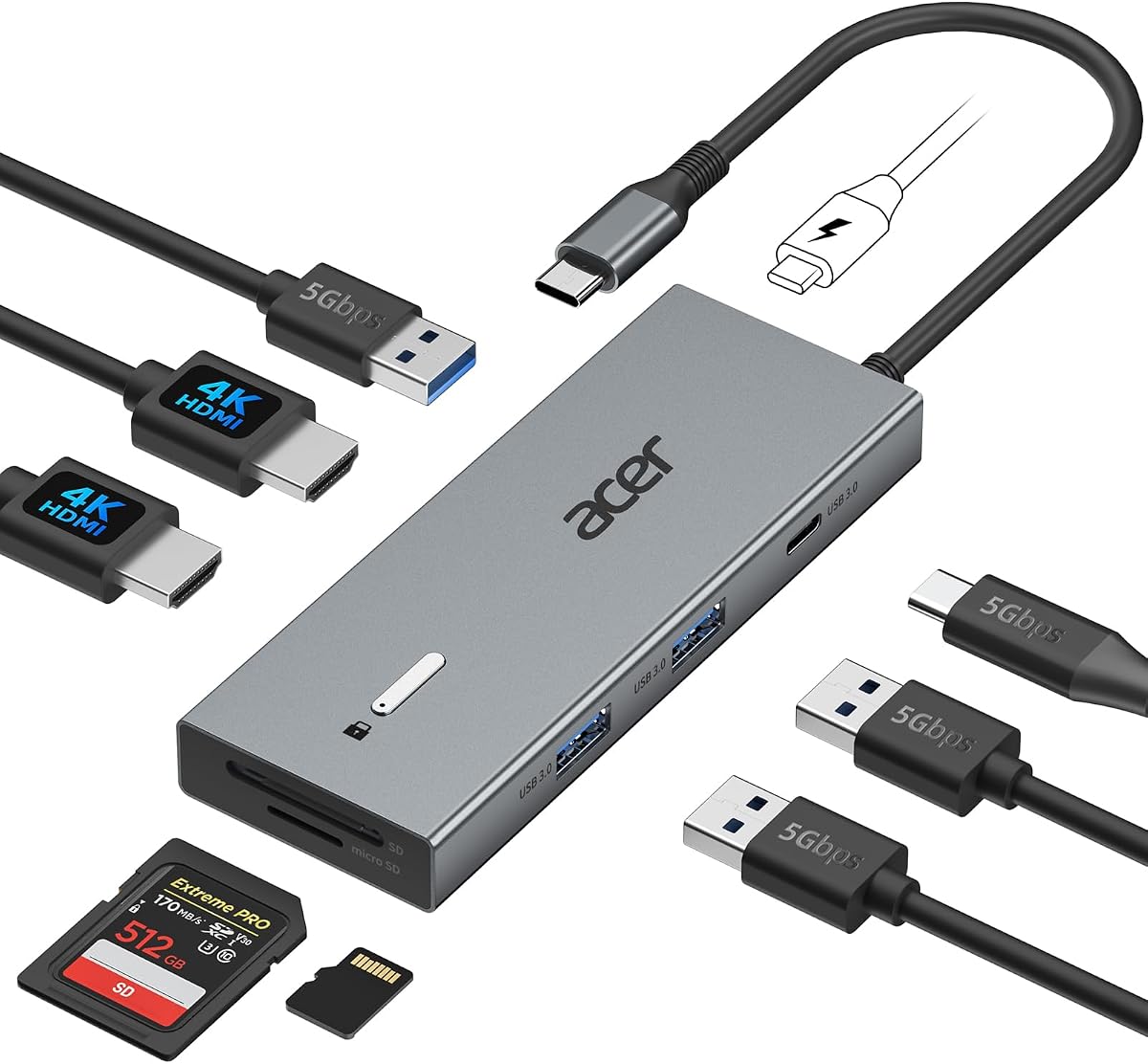
The Acer 13-in-1 Laptop Docking Station is designed for professionals requiring extensive connectivity. Its unique ability to support three displays sets it apart, providing a command center experience for multitasking.
We may earn a commission when you buy through this link, at no additional cost to you.
With two HDMI ports and one DisplayPort, you can run triple 4K@30Hz outputs on compatible Windows laptops. The included 110W adapter ensures stable power delivery for demanding workloads without needing extra purchases.
Its aluminum body dissipates heat effectively during prolonged use, while the integrated security slot adds physical protection. However, macOS users face mirroring limitations, and triple 4K requires Display Stream Compression support.
This dock is ideal for traders, developers, or designers needing multiple screens. The premium build and comprehensive ports justify its cost, making it the best high-end option on our list.
Supports three independent screens via 2 HDMI and 1 DP with MST technology.
Aluminum casing ensures cooling, while the lock slot protects your workspace.
We may earn a commission when you buy through this link, at no additional cost to you.
The Selore USB C Docking Station offers impressive dual 4K performance at a budget-friendly price. It supports extended displays on Windows laptops, making it accessible for students and home users.
We may earn a commission when you buy through this link, at no additional cost to you.
Its dual HDMI ports deliver 4K@60Hz for smooth visuals, and the 100W PD input ensures your laptop charges even during intense tasks. Temperature control features help maintain stability during long sessions.
While it lacks Ethernet and supports only mirroring on macOS, its cost efficiency is hard to beat. It proves that high-quality video output doesn't require a premium investment for everyday users.
If you need dual monitors without overspending, this hub is an excellent choice. It balances performance and affordability well, earning its spot as our top budget recommendation for most buyers.
Delivers dual 4K@60Hz HDMI at a very competitive price point.
Supports up to 100W PD input to keep devices powered under load.
We may earn a commission when you buy through this link, at no additional cost to you.
The Acer USB-C Docking Station Dual Monitor provides a compact solution for dual 4K viewing. With a 4.2 rating, it delivers consistent performance and a lightweight design ideal for daily work.
We may earn a commission when you buy through this link, at no additional cost to you.
It supports dual 4K@60Hz via HDMI 2.0, ensuring smooth motion on two screens. The built-in 0.65ft cable reduces clutter, and the dedicated lock button offers quick security without extra tools.
However, you must provide your own 100W+ adapter, which adds to the total cost. While macOS users see mirroring only, Windows laptops enjoy extended modes reliably.
This dock suits professionals who prioritize portability and video quality. Its straightforward features make it a strong contender for home offices needing efficient dual-monitor setups.
Supports dual 4K@60Hz output for crisp, fluid visuals across two screens.
Includes a built-in cable and a physical lock button for added safety.
We may earn a commission when you buy through this link, at no additional cost to you.
The Dell D3100 is a trusted solution for those needing consistent performance on Windows laptops. With a 4.2 rating, it supports triple displays and connects to multiple peripherals via USB 3.0.
We may earn a commission when you buy through this link, at no additional cost to you.
Its 2 HDMI and 1 DisplayPort setup allows for flexible screen arrangements. The 65W power delivery is adequate for many laptops, and the included HDMI to DVI adapter offers extra display flexibility.
However, its USB 3.0 design and lower wattage limit make it less future-proof than newer models. Still, for specific Dell laptop owners, it delivers dependable connectivity without driver headaches.
Choose this if you prioritize stability and brand compatibility over cutting-edge specs. It remains a solid choice for business environments where reliability matters more than raw speed.
Designed for seamless integration with Dell Latitude, XPS, and Inspiron series.
Supports three screens via 2 HDMI and 1 DP for expanded workspace.
We may earn a commission when you buy through this link, at no additional cost to you.
The Anker 7-in-1 USB-C Hub is perfect for users prioritizing data speed and portability. With a 4.2 rating, it focuses on high-speed transfers and reliable charging while supporting dual screens.
We may earn a commission when you buy through this link, at no additional cost to you.
It delivers 10Gbps data speeds for quick file moves, paired with 85W PD charging. The dual HDMI ports support 1080p@60Hz, which suits general work tasks without needing ultra-high resolution.
While the absence of Ethernet might limit network options, its compact form fits easily in travel bags. macOS and Windows support is broad, ensuring versatile use across devices.
This hub is ideal for mobile professionals needing fast data and simple dual-screen setups. It balances performance with size, making it a practical choice for on-the-go productivity.
Includes a 10Gbps port for rapid file transfers to external drives.
Provides 85W Power Delivery to keep laptops charged during travel.
We may earn a commission when you buy through this link, at no additional cost to you.
The MOKiN USB C Docking Station packs extensive ports into a dual-monitor solution. With a 4.3 rating, it supports 4K@60Hz and features a privacy lock for quick security in shared spaces.
We may earn a commission when you buy through this link, at no additional cost to you.
Its Gigabit Ethernet port ensures stable internet for video calls, while multiple USB ports handle peripherals. The lock button lets you instantly dim screens to protect sensitive data during breaks.
However, full functionality requires Thunderbolt 3/4 laptops, which might limit older devices. Without an included adapter, you must supply a separate 100W charger for optimal charging.
This dock suits tech-savvy users needing security and high resolution. It delivers strong performance for work environments where privacy and wired connectivity are critical.
A dedicated button instantly disables screens to protect information when away.
Supports dual 4K@60Hz and includes reliable Gigabit Ethernet for networks.
We may earn a commission when you buy through this link, at no additional cost to you.
The Selore USB C Docking Station offers versatile display options including triple setups. With a 4.5 rating, it delivers high-res outputs via HDMI, DP, and VGA for extensive connectivity.
We may earn a commission when you buy through this link, at no additional cost to you.
Windows laptops can drive three independent 4K screens or one 8K display. The dedicated monitor control button simplifies switching modes or turning off screens to save energy quickly.
While macOS users see only mirroring, its port variety covers legacy VGA and modern HDMI. You must ensure DP1.4 support for triple 4K, requiring compatible host hardware.
Buyers needing multiple screens and diverse connectors will find this hub valuable. Its comprehensive features make it a robust tool for specialized workstation requirements.
Supports triple independent 4K displays or single 8K via DP port.
Use the smart button to manage monitor modes or power states instantly.
We may earn a commission when you buy through this link, at no additional cost to you.
The Anker 13-in-1 Docking Station transforms a laptop into a full desktop setup. With a 4.0 rating, it offers extensive ports and a 135W adapter for powerful performance.
We may earn a commission when you buy through this link, at no additional cost to you.
It supports triple 1080p displays or one 4K screen, plus simultaneous charging for laptop and phone. The vertical design saves space while handling multiple connections without clutter.
macOS users are restricted to mirroring, limiting its utility on MacBooks. However, its included high-wattage adapter ensures stability for demanding Windows or Chrome OS workflows.
Choose this if you need a complete workstation hub with power. It provides all-in-one functionality ideal for home offices where space and efficiency are top priorities.
Includes a 135W adapter to power high-end laptops under heavy loads.
Charges your laptop at 85W and phone at 18W simultaneously via USB-C.
We may earn a commission when you buy through this link, at no additional cost to you.
This Acer dock is highlighted again for its ability to connect three monitors. It provides a robust expansion solution for users who need more than dual screens daily.
We may earn a commission when you buy through this link, at no additional cost to you.
Its 13-in-1 design includes essential ports like Ethernet and SD readers alongside video outputs. The included 110W adapter ensures stable power without needing extra accessories.
While triple 4K requires Display Stream Compression support, standard dual 4K works reliably. The security slot helps protect equipment in shared workspaces or office environments.
Buyers needing extensive connectivity and reliability should consider this model. It balances performance with safety features, making it suitable for professional business applications.
Offers 13 ports including video, data, and networking options all-in-one.
Includes a security slot to lock devices to desks for added protection.
We may earn a commission when you buy through this link, at no additional cost to you.
Selecting the right docking station involves evaluating resolution support, power delivery, port variety, and OS compatibility to match your specific laptop and usage needs.
Check if the HDMI ports support 4K@60Hz or are limited to 4K@30Hz, especially for dual monitors. Higher refresh rates ensure smoother visuals for design or gaming tasks.
Look for HDMI 2.0 or newer specs to confirm high-resolution capabilities without performance drops.
Ensure the dock supports sufficient Power Delivery wattage to charge your laptop while running peripherals. 100W PD is ideal for most high-performance laptops during heavy use.
Verify whether a power adapter is included or if you need to source one separately for full functionality.
Be aware that macOS typically supports only screen mirroring via MST hubs, while Windows allows extended displays. Confirm system requirements before purchasing to avoid unexpected limitations.
Choose docks specifically labeled with Linux or Chrome OS support if you rely on those platforms.
Beyond HDMI, consider needing Ethernet for stable internet, USB-C for data, or SD card slots for media work. A balanced selection reduces the need for multiple adapters.
Ports like USB 3.0 with 5Gbps or higher speeds are essential for fast file transfers and external drive access.
Aluminum housings provide better heat dissipation and durability compared to plastic. A compact vertical design saves desk space while maintaining airflow for consistent performance.
Security features like lock slots are valuable in public spaces to prevent theft or unauthorized access.
If you need more than two screens, look for docks with extra DisplayPort or VGA options. Triple display setups require specific GPU and driver support for proper operation.
Check MST technology support to ensure multiple independent displays work correctly on your specific laptop model.
Opt for USB ports with at least 5Gbps speeds to avoid bottlenecks during large file backups or cloud sync. Thunderbolt or USB4 compatibility can offer even faster transfer rates.
Consider if you need 10Gbps or 40Gbps transfers for professional workloads like video editing or data analysis.
Select models offering an 18-month warranty or longer for peace of mind against defects. Customer service responsiveness matters for troubleshooting connectivity issues promptly.
Review return policies to ensure you can swap the dock if it fails to meet your specific setup requirements.
Connect the dock's USB-C cable to your laptop's video-supported port first, then attach monitors via HDMI cables. Ensure your host laptop supports DP Alt Mode for display output.
Install any necessary drivers on Windows if the system does not recognize screens immediately. macOS usually works plug-and-play but may require allowing accessories in Privacy settings.
Regularly clean dust from vents and cables to maintain proper airflow. Avoid bending the USB-C cable sharply to prevent connection issues over time.
Yes, but macOS typically supports only screen mirroring rather than extended displays due to OS limitations. You will see the same content on all connected monitors unless using macOS-specific DisplayLink solutions.
4K@30Hz offers lower refresh rates which may feel less smooth for scrolling or video, while 60Hz provides fluid motion. Ensure your dock and laptop support 60Hz via HDMI 2.0 for dual screens.
Most docks support pass-through Power Delivery charging, so you can charge your laptop and run video output at the same time. Confirm the wattage matches your laptop's requirements.
Most modern USB-C hubs work plug-and-play without drivers on Windows and macOS. However, older models or triple display setups might require specific DisplayLink or MST drivers for extended modes.
Check that your laptop's USB-C port supports video output and that all HDMI cables are securely connected. Verify Windows display settings to extend rather than duplicate the screen.
Thunderbolt docks usually offer higher bandwidth than standard USB-C, which helps with triple 4K setups. Most 2 HDMI docks work with full-featured USB-C ports without needing Thunderbolt.
The top picks like the Anker Dual Monitor and Acer 13-in-1 offer distinct advantages depending on whether you prioritize value or premium features. Evaluate your needs before selecting one of these powerful hubs.
Prioritize resolution support and power delivery to ensure smooth performance across your monitors. Always confirm your laptop's compatibility to avoid any unexpected limitations during setup.
Prices and availability change frequently, so check current listings on Amazon before finalizing your purchase. A reliable dock will transform your workspace and boost productivity significantly.