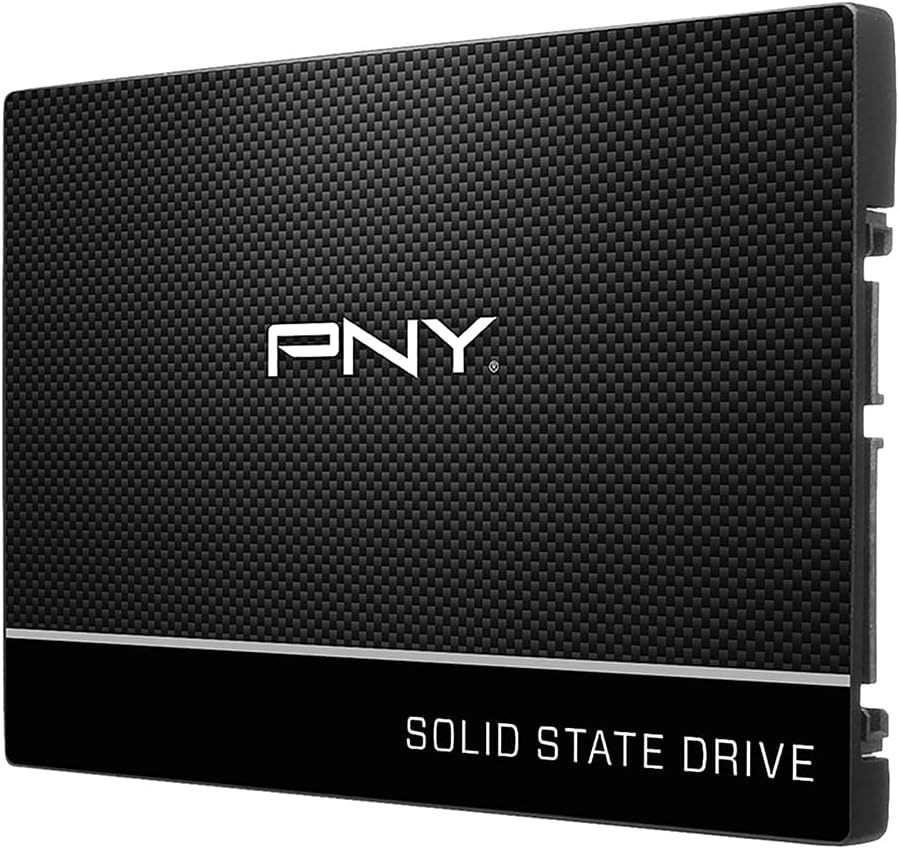
PNY CS900 500GB 2.5" SATA III Internal SSD
4.7Editor score
Up to 550MB/s read speeds
Ultra-low power consumption
Backwards compatible with SATA II
Direct attached storage devices for PC provide essential expansion options for users needing more space or faster access to their files. Whether you are a gamer, content creator, or professional, choosing the right storage solution can significantly impact your workflow and system performance.
We evaluated ten leading products based on capacity, speed, reliability, and ease of use. Our analysis covers internal hard drives, SSDs, and external enclosures that connect directly to your computer without network complexity or setup hurdles.
Each pick highlights key strengths and ideal use cases to help you find the perfect match for your needs. Please note that availability and specifications can change over time so always verify details before making your final purchase decision online.
4.7Editor score

4.7Editor score

4.2Editor score
As an Amazon Associate we earn from qualifying purchases.
The following table provides a side-by-side comparison of all ten products to help you quickly identify the best fit for your specific storage needs and budget constraints.


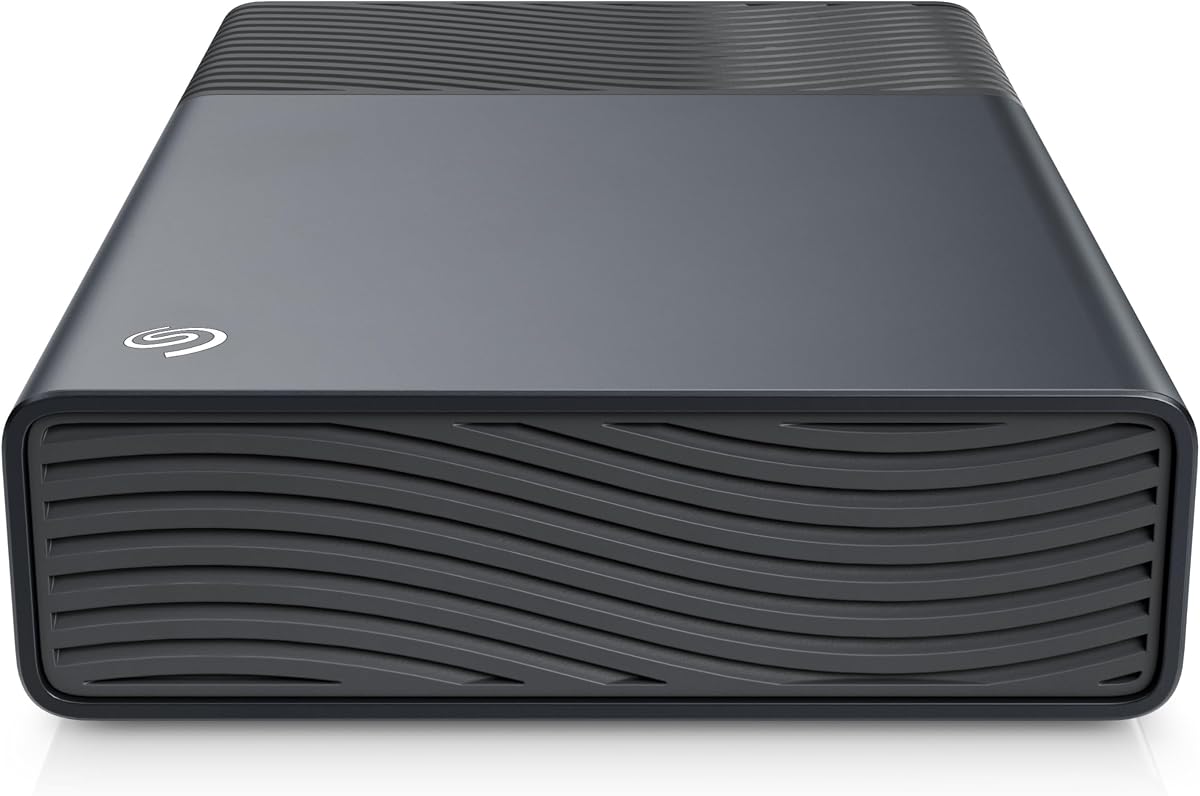



The Seagate 8TB BarraCuda stands out as the top choice for users needing massive internal capacity. It holds a 4.7 rating from thousands of users who trust its long-term reliability for critical data storage tasks.
We may earn a commission when you buy through this link, at no additional cost to you.
Its sustained transfer rate of 190MB/s ensures smooth performance for video editing and large file transfers. The drive is built on 20 years of innovation making it a solid foundation for any desktop gaming or workstation setup.
While it lacks an external enclosure this internal drive demands careful installation inside your case. The Frustration Free Packaging means you get the drive in an anti-static bag without extra boxes but you will need to provide your own cables.
This drive is perfect for gamers and professionals who want to expand their primary system storage. We recommend it for anyone prioritizing capacity and proven track record over portability or external connectivity features.
Backed by 20 years of innovation the BarraCuda series is trusted for consistent performance in demanding environments.
With 8TB of space you can store thousands of games videos and photos without worrying about running out of room.
We may earn a commission when you buy through this link, at no additional cost to you.
The TERRAMASTER D4-320 is a premium external enclosure designed for power users who need flexibility. It earns a 4.2 rating for its robust build quality and advanced features like hot swapping and intelligent heat control.
We may earn a commission when you buy through this link, at no additional cost to you.
It supports up to 120TB total capacity when using four high-capacity drives. The USB 3.2 Gen2 interface delivers speeds up to 10Gbps making it suitable for heavy data workflows and professional editing tasks.
Although it does not include RAID functionality this plug-and-play design simplifies setup for most users. The tool-free tray design allows you to swap drives quickly without needing screwdrivers or other tools.
We recommend this enclosure for creators who need expandable storage without network complexity. Its quiet operation and efficient cooling make it a reliable addition to any professional desktop environment.
Achieves read/write speeds up to 1,016 MB/s with four SATA III HDDs for efficient large file handling.
Noise levels drop below 21 dB in standby mode creating a remarkably quiet user environment.
We may earn a commission when you buy through this link, at no additional cost to you.
The PNY CS900 is the ideal budget-friendly option for upgrading older laptops or desktops. With a 4.7 rating it offers exceptional performance for its price point making SSDs accessible to more users.
We may earn a commission when you buy through this link, at no additional cost to you.
It provides super-fast OS boot times and application loads with speeds up to 550MB/s. The ultra-low power consumption is perfect for extending battery life in laptops while still delivering a responsive computing experience.
While 500GB may seem small compared to HDDs it is sufficient for operating systems and essential applications. The SATA III interface ensures compatibility with most existing systems without requiring complex installations or adapters.
This drive is perfect for users looking to breathe new life into an older machine. We recommend it as a cost-effective upgrade path for anyone needing speed without spending a fortune on storage.
Delivers up to 550MB/s sequential read and 500MB/s sequential write speeds for smooth operation.
Simple 2.5 inch SATA form factor fits most desktop PCs and laptops for quick upgrades.
We may earn a commission when you buy through this link, at no additional cost to you.
The QNAP TR-004 brings hardware RAID capabilities to direct attached storage at a reasonable price. It holds a 4.2 rating and is specifically designed to work with QNAP NAS systems for enhanced data protection.
We may earn a commission when you buy through this link, at no additional cost to you.
It supports RAID 0 1 and 5 providing flexibility for speed or redundancy depending on your needs. The USB-C interface ensures fast connectivity with modern computers while maintaining compatibility with Linux and macOS.
Users should note that this device does not support all QNAP NAS models and cannot run NAS apps itself. However for those looking to expand storage for existing systems it offers a reliable and fast solution.
This is a strong choice for QNAP users needing extra space without full network storage costs. We recommend it for backup expansion or local storage projects where hardware redundancy is essential.
Includes hardware RAID 0 1 and 5 support to protect your data against drive failures.
Lockable drive bays ensure your hard drives remain secure during transport or in shared environments.
We may earn a commission when you buy through this link, at no additional cost to you.
The Samsung SSD 870 EVO is renowned for its consistency and high performance in professional workflows. With a 4.8 rating it is considered an all-star for reliable storage that maximizes the SATA interface limits.
We may earn a commission when you buy through this link, at no additional cost to you.
It offers up to 600 TBW endurance and a 5-year limited warranty for peace of mind. The Samsung Magician software allows you to monitor drive health and manage performance without technical complexity.
While it is more expensive than budget options its reliability and speed justify the cost for professionals. It is designed for heavy workloads including 8K video processing and high-end PC gaming.
We recommend this SSD for users who demand the highest level of reliability. It is perfect for workstations where data integrity and sustained performance are critical to daily operations.
Maximizes SATA interface limit to 560MB/s speeds for accelerated write and read tasks.
Compatibility tested for major host systems chipsets and NAS ensuring broad hardware support.
We may earn a commission when you buy through this link, at no additional cost to you.
The Seagate IronWolf 12TB is built specifically for multi-user NAS environments but works well as internal DAS. It holds a 4.5 rating for its ability to handle heavy workloads without lags or downtime.
We may earn a commission when you buy through this link, at no additional cost to you.
With 256MB of cache it provides ultra-high capacity and performance for file sharing. The integrated IronWolf Health Management system helps you monitor drive health to prevent unexpected failures.
Included Rescue Data Recovery Services add significant value for those protecting important business data. However it is designed for enclosures and may use more power than standard desktop drives.
This drive is best for professionals needing massive reliable storage in a home lab or office. We recommend it if you prioritize data integrity and have a high-demand workload scenario.
Delivers less wear and tear with little to no noise or vibration for quiet operation.
Integrated IronWolf Health Management system allows easy monitoring of drive health.
We may earn a commission when you buy through this link, at no additional cost to you.
The Seagate 16TB One Touch Desktop Drive offers massive capacity in a simple external format. It holds a 4.6 rating for its ease of use and reliable backup capabilities for everyday users.
We may earn a commission when you buy through this link, at no additional cost to you.
Its bus-powered USB-C design means you do not need a wall outlet to power it. This creates a clutter-free setup with just one port and one cord for quick connectivity to your laptop.
While it is a desktop drive it works well for stationary backups and large project storage. The two-year limited warranty includes Rescue Data Recovery Services for added peace of mind.
We recommend this drive for users who need large space without network complexity. It is ideal for creators who want a simple solution to store all files in one safe place.
Work freely with its bus-powered USB-C connection so no wall outlet is required.
One port one cord quick connect design eliminates cables and keeps your desk tidy.
We may earn a commission when you buy through this link, at no additional cost to you.
The Western Digital 12TB WD Blue is a staple for everyday computing and reliable storage expansion. With a 4.6 rating it is trusted for quality and performance in standard desktop environments.
We may earn a commission when you buy through this link, at no additional cost to you.
It includes free Acronis True Image WD Edition cloning software to make drive upgrades seamless. The 512 MB cache and 7200 RPM speed ensure responsive performance for large files and applications.
While it is a standard internal drive it is not optimized for NAS use like other models. This makes it better suited for desktop gaming or workstation storage needs where cost efficiency matters.
We recommend this drive for users looking to expand their PC storage simply. It is perfect for gamers and professionals who need high capacity without specialized features.
Provides Western Digital quality and reliability for daily computing tasks and gaming.
Includes Acronis True Image WD Edition software for easy migration and backup.
We may earn a commission when you buy through this link, at no additional cost to you.
The Western Digital 16TB WD Red Pro is engineered for high-intensity NAS environments and professional storage needs. It holds a 3.9 rating reflecting its specialized nature for heavy-duty usage.
We may earn a commission when you buy through this link, at no additional cost to you.
Rated for 550TB per year workload rate it can handle demanding multi-user scenarios without lags. The CMR technology ensures consistent write performance which is critical for RAID arrays.
While expensive this drive is necessary for professional setups where reliability under load is paramount. It is designed to handle 24×7 demands ensuring your data remains accessible at all times.
We recommend this drive for advanced users needing maximum capacity and performance. It is perfect for home labs or small offices requiring robust storage solutions.
Built for RAID-optimized NAS systems with unlimited number of bays.
Rated for 550TB/yr workload rate ensuring performance under continuous use.
We may earn a commission when you buy through this link, at no additional cost to you.
The TERRAMASTER D8 Hybrid offers a unique flexible solution for separating hot and cold data efficiently. It holds a 3.5 rating as users appreciate the innovation but note the complexity in setup.
We may earn a commission when you buy through this link, at no additional cost to you.
It supports four HDDs for massive capacity and four NVMe SSDs for high-speed tasks. The 10Gbps transfer bandwidth ensures that your fast SSDs remain fast even when connected externally.
Users can manually select where to store data based on usage patterns optimizing efficiency. The power on recovery feature automatically reboots after power loss making it reliable for unattended operation.
We recommend this enclosure for advanced users who need both speed and capacity. It is perfect for workflows where separating active data from archives is beneficial for performance.
Combines advantages of HDDs massive capacity and SSDs high-speed performance simultaneously.
Features intelligent temperature-controlled fan ensuring best operating temperature.
We may earn a commission when you buy through this link, at no additional cost to you.
Selecting the right direct attached storage depends on your capacity needs speed requirements and budget. Understanding key factors helps you avoid overpaying or under-preparing for future needs.
Storage capacity determines how much data you can keep locally. Consider current needs and future growth. If you handle large video files or game libraries aim for at least 4TB to avoid constant management.
Choose a drive that matches your typical file sizes. Oversizing leads to higher costs while undersizing requires frequent upgrades.
Interface speed impacts how fast your system accesses data. Modern USB 3.2 Gen2 or SATA III connections provide fast transfers. Ensure your computer supports the interface to maximize performance.
Higher speed interfaces improve workflow efficiency especially for large files. Match the interface to your computer capabilities to avoid bottlenecks.
HDDs offer high capacity at low prices while SSDs deliver faster speeds. Internal drives are best for primary systems while external ones suit portable needs. Choose based on your priority of speed or volume.
SSDs are better for operating systems and applications. HDDs are ideal for media storage. A mix of both optimizes performance and value.
Reliability ensures your data stays safe over time. Look for drives with strong warranty plans and recovery services. Brands often include data recovery which adds value during unexpected failures.
Prioritize drives with proven track records. A good warranty protects your investment and provides peace of mind for long-term use.
Form factor determines how the drive fits your setup. Internal drives require installation while external ones are plug-and-play. Consider space inside your case or desk availability before buying.
Choose internal drives for performance and external for flexibility. Ensure your case or desk supports the selected form factor.
RAID support provides redundancy or speed depending on configuration. External enclosures may offer hardware RAID for extra safety. Check if your drives and enclosure support your desired RAID level.
RAID 1 mirrors data while RAID 5 balances speed and safety. Ensure your setup supports the RAID level you choose.
Power requirements vary by drive size and type. Bus-powered drives need no wall outlet while desktop drives need external power. Consider your port availability and power constraints.
Choose bus-powered options for convenience. Desktop drives may need more power but handle larger capacities well.
Compatibility ensures the drive works with your current setup. Most modern drives support Windows macOS and Linux. Verify specific OS requirements before purchasing to avoid driver issues.
Look for drives marked as OS compatible. Most USB devices are plug-and-play across all systems.
Install drives carefully by following manufacturer guides. Use anti-static measures to protect sensitive components. Proper installation extends the drive lifespan.
Keep drives cool and clean. Dust and heat reduce performance. Ensure fans are free of debris and airflow is not blocked.
Backup critical data regularly. Rely on multiple storage layers for safety. A backup strategy protects against hardware failure.
DAS connects directly to a PC while NAS connects via a network. DAS is simpler and faster for single users. NAS allows multiple users access over the internet.
Yes most enclosures support both SSDs and HDDs. Ensure the enclosure supports SATA for SSDs. Some enclosures may limit speed if not optimized.
You usually need a USB-C to USB-A cable for older systems. Modern computers often include USB-C ports. Verify cable types match your ports.
Most drives last 5 to 10 years with normal use. SSDs have limited write cycles but high endurance. Maintenance and backups help extend life.
External drives are portable but need care during transport. Secure them in padded cases. Avoid extreme temperatures during travel.
Use manufacturer tools like Samsung Magician or SMART data. Monitor temperature and error rates. Regular checks prevent unexpected data loss.
RAID is helpful for critical data. Home users may not need it if backups exist. Consider cost vs benefit before implementing.
For modern gaming aim for at least 2TB. Games are large and update frequently. A 4TB drive offers plenty of space.
We highlighted the top picks including budget and premium options for every need. The Seagate BarraCuda leads in internal capacity while the TERRAMASTER enclosures offer flexibility.
Prioritize capacity and speed based on your workflow. Internal drives are better for performance while external suits portability. Choose what aligns with daily tasks.
Remember that pricing and availability fluctuate over time. Always check current specs and offers before finalizing your purchase decision online.