
EZ AD Digital Signage Display Player
4.1Editor score
Free plan available
4K content support
Cloud content management
Finding the right digital menu display transforms how customers interact with your business. Modern screens offer dynamic content that updates instantly without printing costs. Businesses need reliable hardware that stays bright and clear throughout long operating hours to maintain a professional appearance.
We evaluated ten top-rated solutions based on screen quality software flexibility and build durability. Each product offers unique strengths for different business sizes from small cafes to large retail environments. Our analysis focuses on features that drive engagement and simplify daily content management tasks.
Each pick highlights key capabilities like remote updates touch functionality or wide viewing angles. You will see how these devices handle continuous operation and connectivity needs. Remember that model availability and specs may vary so check current listings before purchasing.
4.1Editor score

3.8Editor score

3.4Editor score
As an Amazon Associate we earn from qualifying purchases.
The following table provides a side-by-side view of all ten models covering screen size resolution and key management features to help you decide quickly.


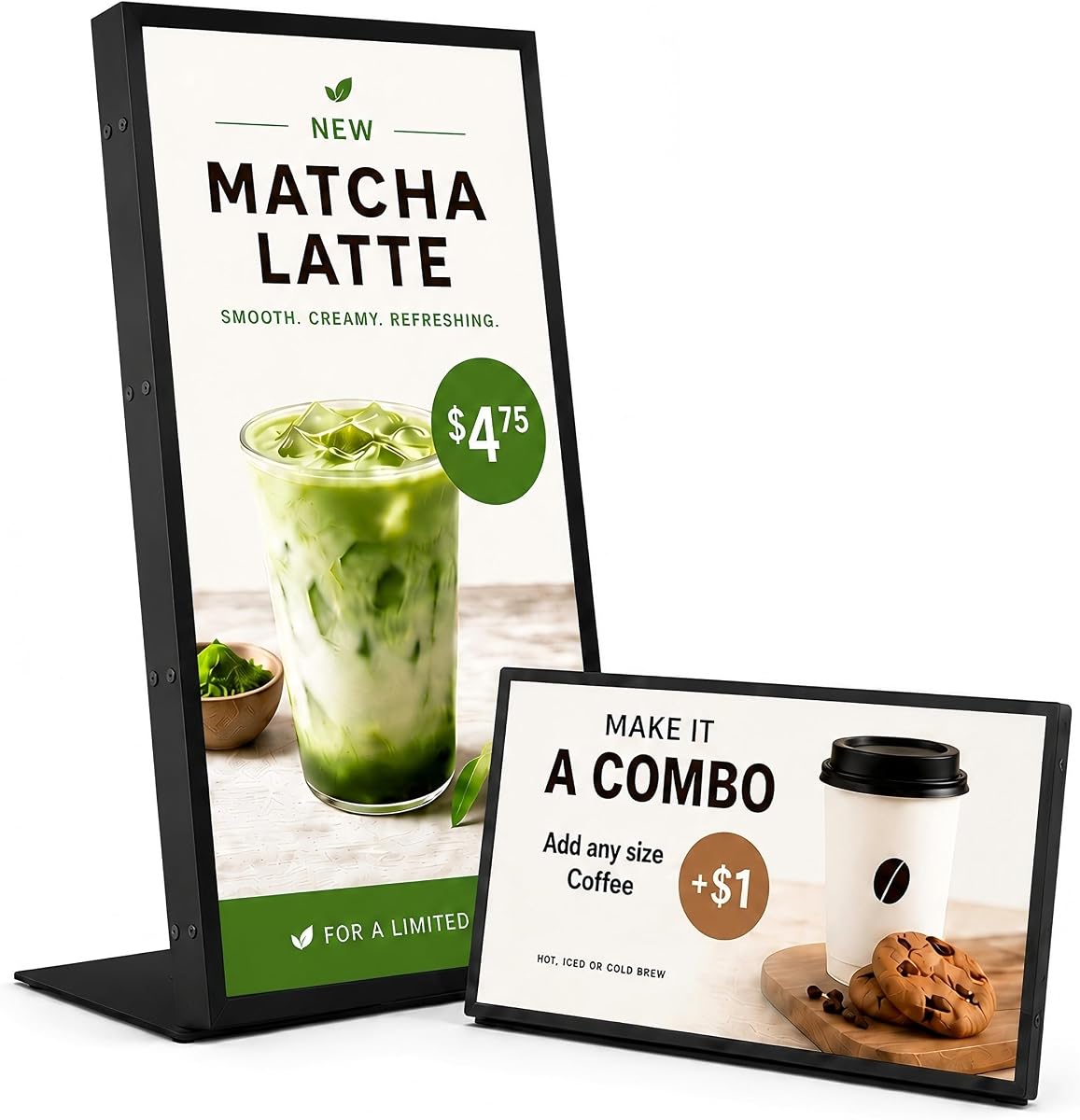


This 18.5 inch display stands out for its built-in lifetime free CMS and high brightness levels. It receives strong marks for reliability in busy commercial settings where clear visibility is essential. The Android system ensures smooth playback and easy content changes.
We may earn a commission when you buy through this link, at no additional cost to you.
The 700 nits brightness makes menus readable even in well-lit cafés and retail counters. Remote management lets you update promotions instantly from a phone or PC without physical access. USB plug-and-play adds convenience for quick local changes when needed.
While the stand is functional it offers limited tilt compared to wall mount options. The 720P resolution is adequate for text but not sharp enough for high detail photos. These trade-offs are acceptable given the competitive pricing and feature set.
Ideal for small to medium businesses needing a reliable countertop menu solution. It balances cost performance and ease of use effectively for daily operations. Choose this if you need immediate content control without complex hardware setup.
Upload content and schedule playlists via the cloud CMS from any device. This saves time and ensures your menu reflects current inventory or promotions accurately.
Designed for 24/7 operation with stable playback and heat management. The durable construction supports long-term use in high-traffic environments.
We may earn a commission when you buy through this link, at no additional cost to you.
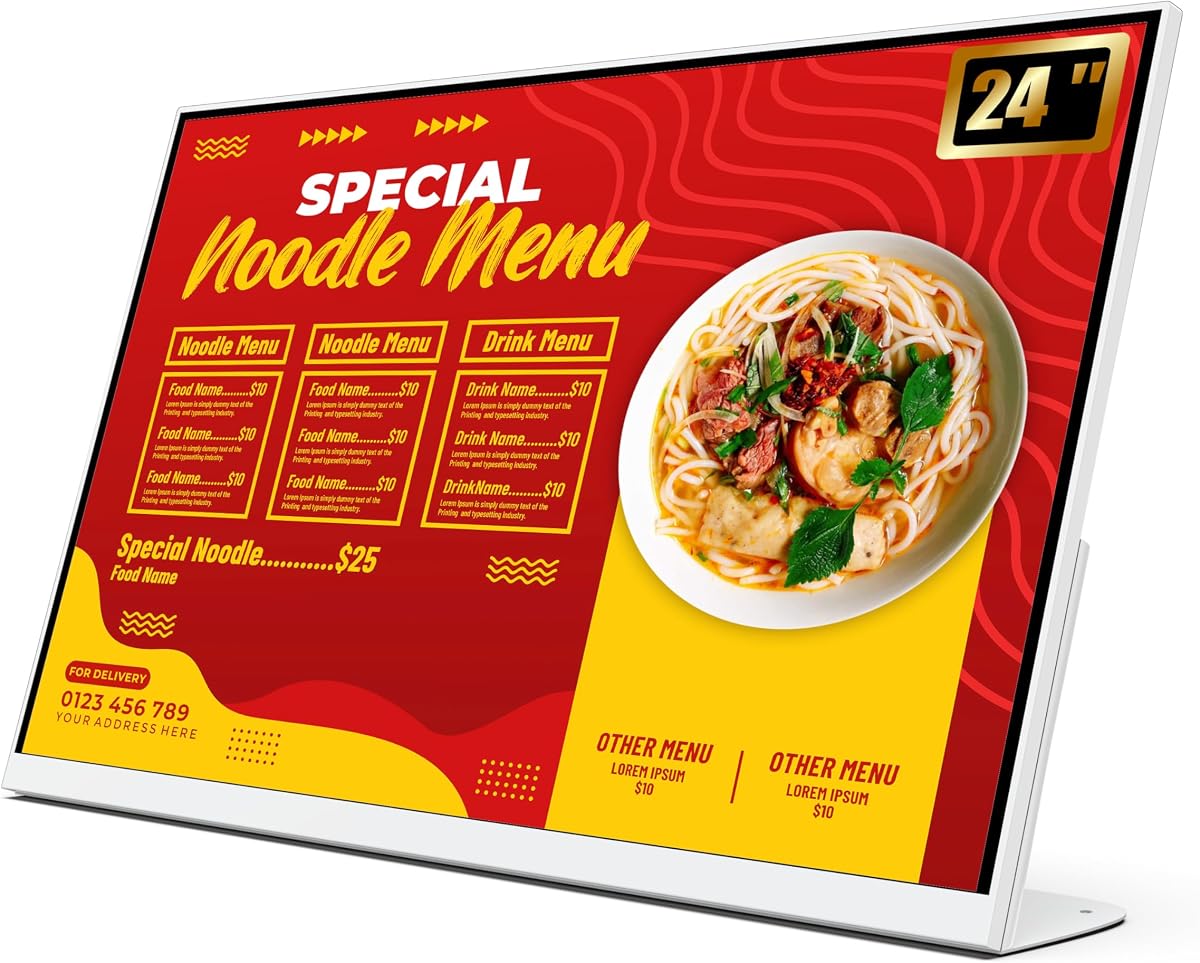
This 24 inch board offers exceptional value with Full HD resolution and integrated Android CMS. It excels in milk tea shops and restaurants needing clear product visuals on counters. Users appreciate the balance of size and display quality for daily menus.
We may earn a commission when you buy through this link, at no additional cost to you.
The FHD 1920×1080 screen restores true colors making drinks and food look appealing. Content updates happen quickly via USB app or remote PC reducing downtime. Heat dissipation supports continuous operation without overheating during peak hours.
The lack of touch limits interactive ordering but suits simple menu display needs. The stand is sturdy but does not offer wide tilt adjustments for all viewing angles. These constraints are minor for focused signage applications.
Best for businesses wanting a plug-and-play digital menu that looks professional. Its efficiency and clarity make it a top pick for retail and food counters. Choose this if FHD visuals and easy updates are priorities.
The 1920×1080 resolution ensures vibrant colors for products. This enhances visual appeal and helps customers make quick ordering decisions.
Update via USB app or remote PC to keep menus current. This flexibility supports daily changes without technical expertise.
We may earn a commission when you buy through this link, at no additional cost to you.
This 32 inch kiosk combines large screen visibility with portability for flexible placements. Its IPS panel ensures clear views from multiple angles in busy halls. The foldable design and wheels make it ideal for temporary events or rotating displays.
We may earn a commission when you buy through this link, at no additional cost to you.
Real-time CMS updates let you manage content across locations from one place. The loop playback and timed power settings help automate daily schedules without manual help. A three-year warranty adds confidence in long-term reliability.
Moving the unit requires effort due to its size and weight despite wheels. Initial setup involves connecting inputs and configuring the CMS which takes time. These factors are manageable for occasional relocation needs.
Perfect for hotels malls or event spaces needing adaptable advertising displays. Its size and mobility support dynamic promotions beyond fixed counters. Consider this if you need to move content points frequently.
Wheels and foldable design allow quick moves between rooms. This suits exhibitions trade shows or seasonal promotions easily.
Timed power settings and loop features run content on schedule. This reduces manual oversight and ensures consistent messaging.
We may earn a commission when you buy through this link, at no additional cost to you.
This media player turns any HDMI TV into a digital menu board with cloud control. The free plan supports basic needs while premium features enhance creativity. It stands out for its user-friendly mobile app and template library.
We may earn a commission when you buy through this link, at no additional cost to you.
You can create slides videos and manage them on the go via the mobile app. Over 250000 video options and a YouTube loader simplify content creation. Updates happen wirelessly so changes reflect instantly across all connected screens.
The free plan limits slides to 50 per box which may constrain larger displays. Using it requires an existing HD TV so it is not a standalone screen. These limits are acceptable for budget-conscious setups.
Best for small businesses using existing TVs to cut hardware costs. Its app-based workflow makes content management simple for non-technical staff. Choose this if you want flexible templates and low upfront expense.
Use the template builder and YouTube loader to build menus fast. No design skills are needed to create professional layouts.
The mobile app lets you update content remotely. This helps adjust menus during busy hours without visiting the device.
We may earn a commission when you buy through this link, at no additional cost to you.
This compact 10.1 inch touchscreen offers interactive info at close range. It fits neatly on tables or counters where space is tight. The touch interface allows customers to browse menus or notices with simple taps and swipes.
We may earn a commission when you buy through this link, at no additional cost to you.
Updates remain simple via WiFi and USB for routine menu changes. Its compact structure keeps sightlines clear while delivering necessary details. It works well for clinics salons or retail service points.
The small screen limits detailed text so it suits short menus or alerts. Brightness may struggle in direct sunlight making it ideal for indoors. These constraints fit well for specific tabletop applications.
Best for businesses needing a discreet interactive display near service points. Its touch features add engagement without occupying much counter space. Choose this if you need simple customer browsing in tight areas.
The touch panel enables taps and swipes for browsing info. This adds engagement and helps customers find details quickly.
The compact design saves counter space while displaying key info. This is useful where physical room is limited but visibility matters.
We may earn a commission when you buy through this link, at no additional cost to you.
This countertop display combines HD clarity with durable tempered glass for counter use. The 700-nit screen keeps content visible near checkout areas. It supports both landscape and portrait setups to fit different menu layouts.
We may earn a commission when you buy through this link, at no additional cost to you.
Remote CMS publishing and USB playback give flexible content options. Scheduling features allow targeted messaging during peak business hours. A 3-year warranty with first-year replace support ensures reliability.
The absence of touch limits interactive ordering but suits pure display. The fixed stand does not tilt which may require careful placement. These limits are minor for focused signage tasks.
Best for retail and service counters needing robust visible displays. Its durability and screen quality make it a smart choice for daily use. Choose this if you value build quality and clarity.
Tempered glass and metal housing resist daily wear and impacts. This ensures the display looks good over years of use.
Set times to show specific content during busy hours. This helps target customers with relevant information automatically.
We may earn a commission when you buy through this link, at no additional cost to you.
This 50 inch 4K display delivers bold visuals with 1000 nits brightness for large spaces. Its ultra-narrow bezels create seamless tiled visuals on walls. The built-in CMS supports automatic switching between meal periods and bulk edits.
We may earn a commission when you buy through this link, at no additional cost to you.
Multiple interactive zones allow videos social feeds and QR codes on one screen. This flexibility drives engagement in malls airports or large retail halls. The Google Play Store enables quick app access without extra hardware.
Its size demands significant wall space and mounting support. Higher power consumption reflects the brightness and resolution capabilities. These factors are expected for premium large-format displays.
Best for large venues needing impactful digital content. The brightness and resolution make it a top choice for visibility and style. Choose this if you need maximum impact and flexibility.
Ultra-narrow bezels create clean visuals when screens are tiled. This helps large spaces maintain a consistent look.
Divide the screen into zones for varied content. This allows simultaneous promotion of products and feeds.
We may earn a commission when you buy through this link, at no additional cost to you.
The 29 inch screen offers a balanced size for malls clinics and offices. It delivers 700 nits brightness for clear indoor visibility. The Android system includes 2GB RAM to switch apps smoothly and manage 32GB storage.
We may earn a commission when you buy through this link, at no additional cost to you.
Flexible multi-zone layouts support videos countdowns and QR codes at once. The ultra-narrow bezels allow seamless tiling for larger displays. Pre-installed Play Store apps simplify immediate operation without extra drivers.
User feedback varies and setup can differ by hardware batch. The slim profile may limit mounting options compared to bulkier units. These factors require careful review before installation.
Best for mid-sized commercial areas needing reliable signage. Its flexibility supports diverse content needs and quick updates. Choose this if you need a balance between size and features.
2GB RAM helps apps run smoothly without lag. This keeps content responsive during busy operational hours.
The 29 inch size fits many wall spaces well. It provides clear viewing without dominating the room.
We may earn a commission when you buy through this link, at no additional cost to you.
This player offers robust design tools for custom menus with AI enhancement. The Canvas Designer helps users build boards without design skills. It supports auto-post features that streamline content updates automatically.
We may earn a commission when you buy through this link, at no additional cost to you.
Free features include LightningAds and basic scheduling while upgrades unlock templates. Setup takes minutes with HDMI and WiFi connections for quick launch. Remote management lets you control content from any device easily.
The AI enhancer improves image quality which may save design costs. Performance depends on the external display used so quality varies. These limits suit businesses prioritizing creative control over hardware.
Best for businesses wanting creative freedom in menu design. The tools simplify customization and keep content fresh efficiently. Choose this if you need design features and remote control.
Canvas Designer and AI tools create polished menus quickly. This reduces reliance on external design services.
Auto-post features update content based on rules you set. This ensures menus stay current without manual daily effort.
We may earn a commission when you buy through this link, at no additional cost to you.
This player leverages a free cloud service with strong 4GB RAM performance. It runs custom Android OS with watchdog protection for stable playback. Local 16GB cache prevents interruptions during network issues.
We may earn a commission when you buy through this link, at no additional cost to you.
Support for vertical and horizontal modes makes it versatile for tall or wide screens. The dedicated CPU ensures smooth media playback for HD content. Remote cloud tools simplify centralized updates across multiple displays.
Local storage limits mean larger files need frequent sync from cloud. Dependent on cloud services can be a risk if outages occur. These factors work best for consistent network environments.
Best for businesses wanting a powerful cloud player at low cost. Its RAM and watchdog features support reliability in complex setups. Choose this if you prioritize cloud integration and speed.
The free cloud service handles content management across screens. This reduces costs and simplifies updates for multiple units.
Watchdog and local cache prevent interruptions during sync issues. This keeps content showing without manual restarts.
We may earn a commission when you buy through this link, at no additional cost to you.
Selecting the right digital menu display depends on brightness size connectivity and content tools.
Brightness measured in nits ensures visibility under indoor lighting. Look for at least 700 nits for clear content. Choose a size that matches viewing distance and wall space.
Higher brightness and correct size prevent glare and text cutoff in busy areas.
A CMS lets you schedule updates without physical access. Cloud-based CMS tools save time across multiple locations. Free or built-in CMS reduces ongoing subscription fees.
A reliable CMS streamlines daily menu changes and maintenance tasks.
Multiple ports like HDMI LAN and USB support flexible setups. WiFi and Ethernet ensure stable updates without physical cables. Check if your existing network matches the device needs.
Robust connectivity prevents interruptions and allows remote management.
Commercial-grade builds support 24/7 operation without overheating. Tempered glass and metal housings resist daily wear. A multi-year warranty covers defects and offers peace of mind.
Durability features reduce long-term costs and unexpected downtime.
Decide between wall mounts and tabletop stands early. Adjustable stands allow landscape or portrait orientation. Ensure the mount supports the weight and size safely.
Proper mounting ensures visibility and protects the device from damage.
Templates and design tools simplify creating professional layouts. Mobile apps enable on-the-go updates during busy hours. AI features can enhance images for better clarity.
Strong content tools save time and improve menu appeal.
Begin by placing the unit in a stable position away from direct sunlight or heat sources. Connect power and network cables then follow setup instructions to install content via USB or CMS. This ensures smooth startup and prevents hardware strain.
Use the CMS to upload menus and schedule daily updates. Organize playlists by time of day to match peak hours. This keeps content relevant and engages customers effectively.
Clean the screen with a soft lint-free cloth and approved cleaner. Avoid harsh chemicals that could damage coatings. Regularly check connections to prevent signal drops during operation.
For most indoor settings aim for at least 700 nits. This ensures clear visibility under typical store lighting. Higher brightness helps in well-lit environments.
Most models include cloud CMS tools for remote updates. You can schedule changes from a phone or PC. This saves time and ensures menus stay current.
Yes all supported models play video loops and clips. They support formats like MP4 and AVI. Video adds dynamic content that attracts attention.
Countertop counters work well with 10 to 24 inch screens. They fit on limited surfaces and remain visible at close range. Choose based on viewing distance and space.
Many units include built-in CMS so no extra software is needed. Some support plug-and-play via USB. Check specs for included tools before purchasing.
Commercial displays are rated for 50,000 hours of operation. This equates to years of continuous use. Proper care extends their lifespan further.
The top picks cover a range of needs from compact tabletop screens to large 4K walls. Each model brings distinct strengths in brightness management or portability. Consider your primary use case when narrowing choices.
Prioritize reliable CMS tools and sufficient brightness for your lighting. A well-maintained display improves customer experience and operations. Focus on durability and warranty support for long-term value.
Check current listings for available specs and features since details change. Verify that the selected model fits your space and budget. Staying informed ensures you pick the right tool for your business.