
Crucial P310 1TB SSD
4.7Editor score
7100MB/s read speeds
Compatible with laptops desktops
Includes Acronis software
This guide compares ten top Crucial Internal NVME SSD options for gaming and productivity based on speed compatibility and value for users in 2026.
Choosing the right internal storage is critical for modern computing performance. The Crucial Internal NVME SSD series offers high-speed access to data which enhances both gaming and daily workflows significantly.
We evaluated ten models based on speed capacity compatibility and reliability. Each product was analyzed against current market standards to ensure you find the best fit for your specific system needs and requirements.
Every pick highlights key strengths and potential trade-offs for clarity. Please note that prices fluctuate frequently so always check the current listing before making your final purchase decision today.
4.7Editor score
4.8Editor score

4.6Editor score
This comparison table presents a side-by-side overview of all ten reviewed drives highlighting their core specifications and compatibility to help you quickly identify the right model for your setup.


The Crucial P310 1TB SSD stands out as an excellent entry point into high-speed storage. It carries a strong 4.7 rating from users who appreciate its consistent performance in daily tasks and gaming scenarios.
We may earn a commission when you buy through this link, at no additional cost to you.
Its PCIe 4.0 interface delivers read speeds up to 7100MB/s which significantly reduces load times for modern AAA titles. This drive works seamlessly across laptops desktops and handheld consoles like the ROG Ally X.
While it uses QLC NAND which can be slower under heavy sustained writes it remains more than fast enough for most consumer workloads. The trade-off is acceptable given the competitive pricing and overall reliability.
If you need a reliable upgrade for your laptop or desktop without breaking the bank this is the ideal choice. It offers a perfect balance of speed and storage for casual gamers and home users.
This drive provides Gen4 performance at a price that rivals older Gen3 models making it accessible for budget-conscious builders.
Backward compatibility with Gen3 systems ensures it works in older PCs without needing a motherboard upgrade first.
We may earn a commission when you buy through this link, at no additional cost to you.
This version of the P310 includes a heatsink which is essential for console use to prevent thermal throttling during long sessions. It maintains the same 4.7 user satisfaction rating as the standard model.
We may earn a commission when you buy through this link, at no additional cost to you.
The integrated heatsink ensures stable performance when installed in a PS5 or gaming laptop where airflow is limited. This prevents the drive from slowing down due to heat buildup under heavy loads.
Although the underlying NAND is still QLC the thermal solution mitigates some performance risks. The added cost over the bare drive is justified for those who need guaranteed console compatibility.
PlayStation 5 owners looking to expand storage should consider this kit first. It removes the guesswork of selecting separate cooling solutions and ensures your console runs smoothly.
The included heatsink maintains optimal operating temperatures to prevent throttling during extended gaming sessions on consoles.
Specifically validated to meet PlayStation 5 specifications ensuring seamless integration without system warnings or errors.
We may earn a commission when you buy through this link, at no additional cost to you.
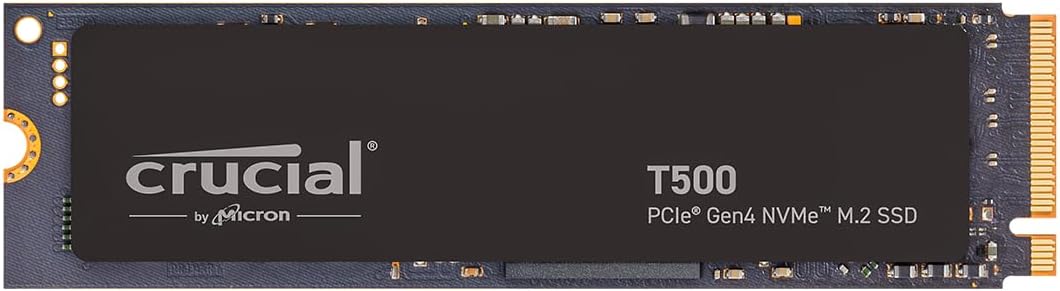
The T500 earns the Editor's Choice award for its superior speed and TLC NAND which offers better endurance than QLC. It holds a high 4.8 rating from users who demand top-tier performance for work and play.
We may earn a commission when you buy through this link, at no additional cost to you.
With read speeds up to 7300MB/s this drive minimizes bottlenecks for creative workflows like 4K video editing or large dataset processing. The included Adobe Creative Cloud bundle adds extra value for content creators.
DirectStorage support allows games to load assets faster reducing system latency significantly. While the price is higher it delivers professional-grade reliability that is worth the investment for power users.
Content creators and hardcore gamers who need consistent high-speed access will find this drive indispensable. It strikes the perfect balance between premium performance and practical utility.
TLC memory ensures faster sustained write speeds and better longevity compared to QLC alternatives in this price range.
The included Adobe CC subscription offers immediate access to industry-standard tools for photo and video projects.
We may earn a commission when you buy through this link, at no additional cost to you.
The 2TB variant of the P310 offers a practical upgrade for users who need ample room for libraries of games and media files. It maintains the same strong 4.7 user rating as the smaller models.
We may earn a commission when you buy through this link, at no additional cost to you.
With 2TB of storage you can install multiple large AAA titles without worrying about running out of space. The Gen4 NVMe interface ensures quick access and smooth loading for these extensive libraries.
While QLC NAND may show slower performance under extreme loads it is sufficient for general storage needs. The reliability and speed make it a solid choice for home users who prioritize capacity.
If you struggle with disk space on your current drive this model offers the best solution. It balances generous storage with fast access speeds for a seamless user experience.
Double the capacity of standard drives to store more games and files without frequent deletion or management.
Fast transfer speeds ensure that moving large video files or installing games happens quickly without lag.
We may earn a commission when you buy through this link, at no additional cost to you.
The P510 bridges the gap between Gen4 and Gen5 by offering blazing fast speeds at a competitive price point. It carries a 4.7 rating from users who want next-gen performance without premium costs.
We may earn a commission when you buy through this link, at no additional cost to you.
With read speeds reaching 11000MB/s this drive pushes the limits of current hardware capabilities. It is ideal for early adopters who have motherboards that support PCIe 5.0 slots.
The inclusion of the Adobe Creative Cloud bundle adds significant value for creators needing high-speed storage for large media projects. TLC NAND ensures the drive remains reliable under continuous workloads.
If your system supports Gen5 this drive offers the best balance of speed and cost available. It is an excellent upgrade for those seeking to future-proof their PC build.
Double the speed of previous generation drives with PCIe 5.0 support for ultra-fast data transfer rates.
Access high-end Gen5 speeds at a price that fits well within a budget for savvy buyers and gamers.
We may earn a commission when you buy through this link, at no additional cost to you.
The T710 leads the pack with record-breaking read speeds that make it a favorite for enterprise users and enthusiasts. It holds a 4.6 rating from those who need uncompromising performance for heavy tasks.
We may earn a commission when you buy through this link, at no additional cost to you.
With speeds up to 14900MB/s this drive handles massive datasets and renders in seconds. The hardware encryption features secure sensitive data making it suitable for professional environments too.
While it requires a compatible heatsink for optimal performance this ensures it runs cool under extreme loads. The price is high but the raw speed justifies it for power users.
Hardcore gamers and professionals looking for the absolute fastest internal storage should choose this model. It combines extreme speed with robust security features for a comprehensive solution.
Experience the fastest read speeds available in consumer storage to cut wait times to near zero.
AES-256 encryption protects your data from unauthorized access ensuring privacy for sensitive files.
We may earn a commission when you buy through this link, at no additional cost to you.
The E100 provides an affordable entry into Gen4 NVMe performance for budget systems. It holds a solid 4.5 rating from users seeking a quick upgrade without spending much money.
We may earn a commission when you buy through this link, at no additional cost to you.
With speeds up to 4700MB/s it is significantly faster than traditional SATA drives. The 480GB capacity is ideal for installing an operating system and key applications on secondary machines.
Although smaller in capacity it is perfect for secondary storage or budget builds where cost is the priority. The reliability and warranty provide peace of mind for everyday users.
Users needing a simple and reliable SSD for basic computing tasks will find this value very practical. It offers essential performance for a fraction of the cost of larger drives.
Get Gen4 speeds at a very low price point making modern storage accessible for everyone.
Perfect size for a boot drive to host your system files and essential programs efficiently.
We may earn a commission when you buy through this link, at no additional cost to you.
This specific SKU of the P310 highlights the raw NAND technology used inside. It shares the same 4.6 user rating for reliability found in the broader P310 family.
We may earn a commission when you buy through this link, at no additional cost to you.
The 232L Micron QLC NAND ensures efficient storage management while keeping costs low for budget builders. Performance remains consistent for daily tasks and standard gaming needs.
Without bundled software or extra features this is a pure hardware-focused drive for those who want straightforward value. The build quality is trustworthy for home users requiring dependable storage.
If you prioritize raw performance and simplicity over extra features this drive delivers. It is a solid choice for internal upgrades where basic reliability is the main goal.
The use of 232L QLC NAND optimizes storage density while maintaining solid performance for general use.
Focuses on pure hardware quality without bundled software to keep the price competitive and low.
We may earn a commission when you buy through this link, at no additional cost to you.
The T500 PS5 version combines TLC performance with thermal management for console users. It boasts a high 4.8 rating from players who want fast load times and stable operation.
We may earn a commission when you buy through this link, at no additional cost to you.
With read speeds up to 7300MB/s it offers top-tier performance in the PS5 ecosystem. The included heatsink ensures the drive stays cool and meets console requirements perfectly.
While it comes at a premium price the included Adobe CC and TLC NAND justify the cost. It delivers a seamless gaming experience without compromising on storage quality.
PS5 owners who want the fastest possible gaming storage should choose this model. It combines high-end features with verified console compatibility for peace of mind.
TLC NAND ensures faster sustained loads than QLC drives for competitive gaming advantages.
Officially tested for PS5 to guarantee full compatibility without system errors or warnings.
We may earn a commission when you buy through this link, at no additional cost to you.
The T700 is a powerful choice for enthusiasts seeking high-speed storage for demanding workloads. It holds a 4.6 rating from users who appreciate its consistent and robust performance.
We may earn a commission when you buy through this link, at no additional cost to you.
With speeds up to 11700MB/s it handles heavy data transfers with ease. Platform optimization ensures it works seamlessly with Intel 13th and 14th Gen processors.
The TLC NAND provides superior endurance for continuous write tasks. While pricey it offers a reliable solution for those who want high performance without the extreme price of the T710.
Hardcore gamers and professionals needing stable and fast storage will appreciate this drive. It is a reliable choice for high-end systems that require top-tier performance.
Designed for specific Intel and AMD processors to ensure maximum efficiency and stability.
TLC NAND provides consistent speeds under load ensuring smooth operation during critical tasks.
We may earn a commission when you buy through this link, at no additional cost to you.
Selecting the right drive requires evaluating capacity speed and interface compatibility. This guide breaks down the essential factors to consider before you make your purchase.
Ensure your motherboard or console supports the required PCIe generation. Most Crucial drives use Gen4 but some high-end models like the T710 require Gen5 slots for full speed.
Always verify your system specifications before buying to avoid compatibility issues that prevent full performance.
Determine how much space you need based on your library size and media habits. 1TB is standard for most gamers while 2TB is better for heavy media users.
Choose a capacity that accommodates your current files plus future downloads to avoid constant storage management.
TLC NAND offers better endurance and sustained performance than QLC. It is preferred for professionals and heavy users who write data frequently.
QLC is cheaper and suitable for light users who mostly read data rather than write it constantly.
Gaming consoles and laptops need heatsinks to prevent thermal throttling. Look for models that include a heatsink or ensure your system provides adequate cooling.
Proper cooling ensures stable performance during long gaming or rendering sessions without slowdowns.
Identify your performance needs such as boot speed or load times. Gen5 drives offer maximum speed but Gen4 is sufficient for most daily workflows.
Select a speed tier that matches your system capabilities to avoid wasting money on unused performance.
Many Crucial drives include useful software like Acronis or Adobe CC. These bundles add significant value by helping with cloning or creative work immediately.
Check what software is included to see if it aligns with your needs and adds extra value to the purchase.
Crucial provides limited warranties that vary by model. Higher-end drives often come with longer warranty periods and better support channels.
Always check the warranty terms to ensure your investment is protected against early failure or defects.
Most Crucial Internal NVME SSDs use the M.2 2280 form factor which fits most modern laptops and desktops. Ensure your slot size matches the drive length.
Correct form factor selection is crucial to ensure the drive fits physically in your device without modification.
Install the drive carefully by inserting it into the M.2 slot at an angle and securing it with the provided screw. Ensure no pins are bent during installation to avoid hardware damage.
Initialize and format the drive using your operating system tools. Use the included cloning software if available to migrate data from your old drive seamlessly.
Update your BIOS to the latest version to ensure optimal driver support. Regular firmware updates help maintain performance stability and fix potential bugs.
Yes specific models like the P310 with Heatsink and T500 with Heatsink are fully compatible with PS5. Ensure the drive meets the required speed and cooling specifications for console use.
TLC NAND stores three bits per cell offering better speed and endurance than QLC which stores four bits. TLC is better for heavy writing while QLC is cheaper and sufficient for general storage.
Desktops usually need an external heatsink for sustained loads while laptops rely on internal airflow. Consoles like PS5 require specific models with built-in heatsinks to prevent throttling.
Most Crucial SSDs last several years with typical home use. Endurance varies by model but TLC drives generally offer higher total bytes written than QLC alternatives.
Yes Gen5 drives are backward compatible with Gen4 slots. However you will only get Gen4 speeds unless your motherboard supports Gen5 speeds fully.
Yes the T500 includes a one-month subscription to Adobe Creative Cloud All-Apps. This allows you to test premium creative tools immediately after setup.
The Crucial P310 and T500 series stand out as top choices for most users seeking a balance of speed and value. These drives offer reliable performance across a wide range of use cases.
Prioritize capacity and cooling based on your specific needs. Gamers on a budget should look at the P310 while creatives might prefer the T500 for its TLC NAND benefits.
Remember to check the current prices and compatibility before buying. Regular price drops occur so staying patient can save you money on these high-performance drives.