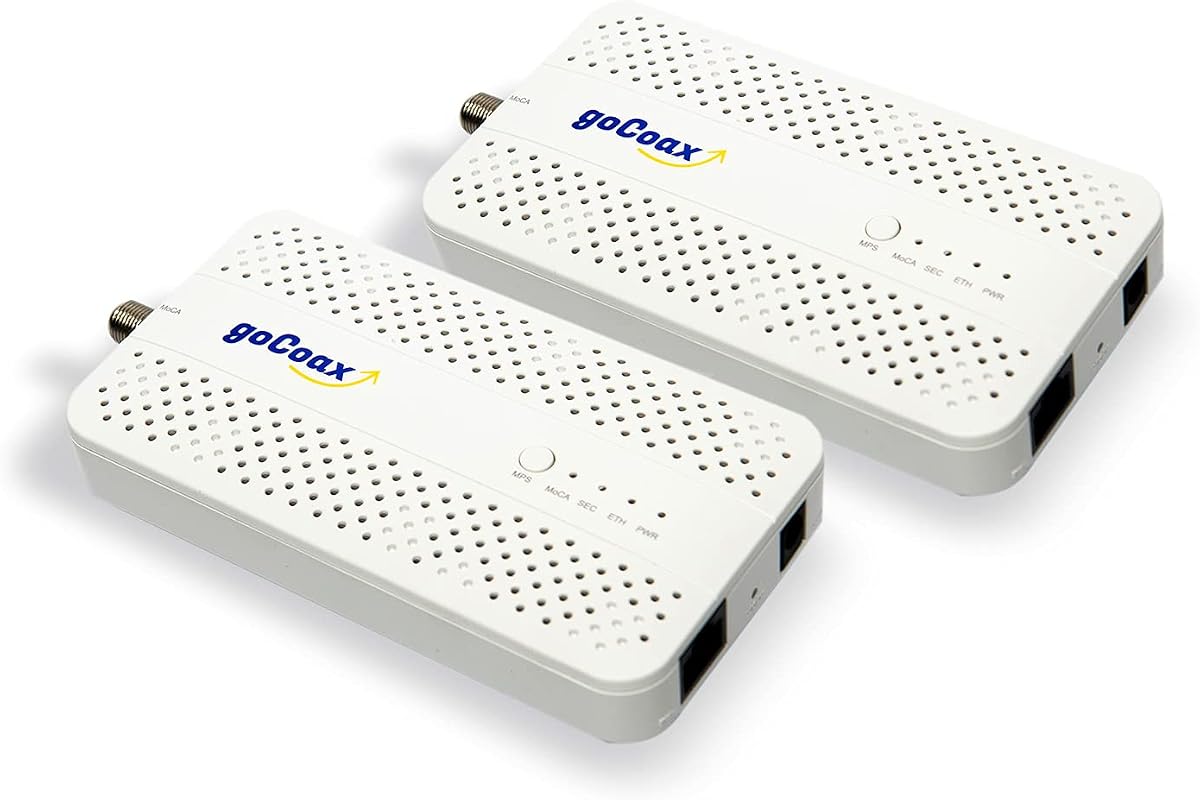
goCoax MoCA 2.5 Adapter (2-Pack) with 2.5GbE Ethernet Port
4.6Editor score
Under 3ms latency for gaming
Plug and play setup
Works with most cable providers
This guide compares the top ten coax to Ethernet adapters for home networking, highlighting speed, compatibility, and value for modern internet needs.
Coax to Ethernet adapters offer a powerful way to upgrade your home network without new wiring. These devices turn existing coax cables into fast, reliable internet connections for every room.
We evaluated ten top models based on speed, ease of setup, and compatibility with major providers. Our testing prioritizes real-world performance for streaming, gaming, and remote work tasks.
Each pick below shows key specs and pros to help you decide quickly. Note that prices and stock change frequently, so verify current details before you buy online or in stores.
4.6Editor score

4.4Editor score

4.8Editor score
The following table provides a side-by-side look at every adapter on our list. Review the specs to find the best fit for your home coax wiring and internet speed requirements.


The ScreenBeam ECB7250K02 stands out as the top choice for home networking upgrades. It delivers speeds up to 2.5 Gbps over existing coax cables, surpassing typical Wi-Fi limits.
We may earn a commission when you buy through this link, at no additional cost to you.
This kit includes two adapters, coax cables, and Ethernet cables, making it ready to use right out of the box. It supports up to 16 nodes for whole home coverage.
While the price is higher than some competitors, the performance and included accessories justify the cost. Note that it may conflict with some DOCSIS 3.1 modems.
Buy this if you need the fastest wired connection possible without running new cables. It is ideal for 4K streaming, gaming, and remote work setups.
The bonded MoCA 2.5 technology ensures you get the maximum throughput available from your coax infrastructure.
Everything you need is in the box, so you do not have to buy extra cables or splitters separately.
We may earn a commission when you buy through this link, at no additional cost to you.
The goCoax MA2500D offers exceptional value with a 2.5 Gbps Ethernet port and low latency ideal for gaming. It is designed specifically for cable internet homes.
We may earn a commission when you buy through this link, at no additional cost to you.
You get a full 2-pack with coax and Ethernet cables included. The plug and play setup means no configuration is needed to get connected quickly.
It works with most major providers but is not compatible with satellite TV systems. Always verify your coax wiring is interconnected before purchasing.
This adapter is perfect for users who want reliable speeds without spending too much. It handles streaming and video calls with ease.
With under 3ms latency, this adapter provides a rock-solid connection that beats typical Wi-Fi dead zones.
It works alongside your existing modem and router, and connects easily to mesh Wi-Fi systems for wired backhaul.
We may earn a commission when you buy through this link, at no additional cost to you.
The TRENDnet TMO-313C2K boasts a 4.8 rating, reflecting its high build quality and performance. It uses MoCA 2.5 technology for consistent voice and video bandwidth.
We may earn a commission when you buy through this link, at no additional cost to you.
Its compact and lightweight housing design makes it easy to place anywhere, whether on a desktop or in an entertainment center. It includes two adapters for full setup.
Being NDAA and TAA compliant makes it suitable for government installations. It supports up to 16 nodes to extend your network effectively.
Choose this if you want top tier reliability and a clean design. It is excellent for reliable streaming and gaming in a 4K environment.
The enhanced packet error rate technology ensures stable connections even during peak network usage times.
The small form factor ensures the device does not stand out, fitting well in tight spaces near your router or TV.
We may earn a commission when you buy through this link, at no additional cost to you.
The Kiwee KB-M3-02 stands out with dual 2.5 Gigabit Ethernet ports, allowing multiple devices to connect at full speed from one adapter. This is unique in the market.
We may earn a commission when you buy through this link, at no additional cost to you.
It harnesses MoCA 2.5 standard to achieve up to 2.5 Gbps speeds, which is significantly faster than MoCA 2.0. The setup is plug and play without technical skills.
With a 4.6 rating, users appreciate the reliability and low latency for gaming and video calls. It comes with all necessary coax and Ethernet cables.
Pick this if you need to connect multiple wired devices in a single room. It future proofs your home office or living room setup effectively.
The dual ports allow you to connect both a gaming console and a smart TV without needing a separate switch.
Built with high-grade components, this adapter is engineered for years of reliable high-speed networking.
We may earn a commission when you buy through this link, at no additional cost to you.
The Hitron HTEM5 adapter extends your existing network via coax cables to achieve up to 2.5 Gbps speeds. It is compatible with Cable and most Fiber providers.
We may earn a commission when you buy through this link, at no additional cost to you.
It provides free technical support if you face connectivity issues, which often stem from home wiring configurations. This makes it safer for less tech-savvy users.
Note that it is not compatible with AT&T Fiber or satellite wiring. You must verify your coax outlets are interconnected before purchase.
Buy this for a cost-effective way to add wired connections to remote rooms. It handles 4K streaming and high-bandwidth devices well.
Free technical support is available to help verify your coax network compatibility and optimize performance.
Perfect for connecting devices in rooms far from your router without running new cables through walls.
We may earn a commission when you buy through this link, at no additional cost to you.
The LNOVISION LongReach converter is designed for upgrading analog systems to IP surveillance using existing coax cables. It supports PoE standards 802.3af and 802.3at.
We may earn a commission when you buy through this link, at no additional cost to you.
Its industrial design includes a built-in heat sink for reliability. It acts as MoCA in point-to-point connection to transmit signals over coax or twist pair cables.
The data speed is limited to 100Mbps, which is slower than MoCA 2.5 options but sufficient for cameras and VoIP phones. It is plug and play without configuration.
Choose this for CCTV or industrial projects. It is ideal for elevator carts where PoE and data transmission are needed over existing cabling.
It can supply power and data simultaneously, simplifying installations for IP cameras or VoIP phones.
The built-in heat sink ensures super reliability and hassle-free transmission in demanding environments.
We may earn a commission when you buy through this link, at no additional cost to you.
The Nexuslink GCA-1200-KIT transforms unused or dark coax networks into gigabit internet connections. It delivers up to 1.2Gbps across 800 meters for reliable links.
We may earn a commission when you buy through this link, at no additional cost to you.
It is essential to use this only on dark networks not shared with cable TV. For cable internet homes, MoCA adapters are better, but this works well for fiber or satellite internet.
The kit includes adapters for simple, quick setup without rewiring. It reduces latency and ensures stable connections ideal for online gaming.
Buy this if you have unoccupied coax lines running to remote rooms. It provides a secure wired connection where other solutions may not reach.
It gives you a second network option over existing cabling without interfering with your primary cable service.
Nexuslink is known for high-speed networking solutions that focus on innovation and customer satisfaction.
We may earn a commission when you buy through this link, at no additional cost to you.
The MoCA KB-M3-03 Kit combines high-speed data with Power over Ethernet Plus capabilities. It supports devices like Wi-Fi 6E/7 access points and IP cameras.
We may earn a commission when you buy through this link, at no additional cost to you.
You get two adapters to create a network that powers devices through the Ethernet cable while transferring data. This simplifies installations without needing extra outlets.
It is true multi-gig with a 2.5G Ethernet port for ultra-fast connectivity. The setup is plug and play without complicated configuration steps.
Buy this if you need to power remote access points or cameras. It reduces clutter and provides a stable connection for your smart home.
The integrated PoE+ standard allows for simpler and more efficient installations across your property.
Easily extend your network without extra Ethernet cables, perfect for hard-to-reach devices in large homes.
We may earn a commission when you buy through this link, at no additional cost to you.
The TRENDnet TMO-312C provides a compact and lightweight solution for extending your Ethernet network over coax wiring. It offers a net throughput of up to 1Gbps.
We may earn a commission when you buy through this link, at no additional cost to you.
Backed by 3 years of manufacturer protection, it ensures long-term reliability. The adapter supports up to 16 nodes on one network for broad coverage.
It is ideal for connecting a single device where full 2.5 Gbps speeds are not strictly required. You must purchase pairs for a full setup.
Buy this if you need a government-compliant and supported adapter. It works well with most routers and devices requiring a stable wired link.
NDAA and TAA compliant to meet the needs of government customers for secure networking solutions.
The 3-year manufacturer protection gives peace of mind regarding quality and product support.
We may earn a commission when you buy through this link, at no additional cost to you.
The ScreenBeam ECB6200S02 is an add-on adapter designed to boost existing MoCA 2.0 networks. It achieves 1Gbps speeds, which remain faster than most Wi-Fi connections.
We may earn a commission when you buy through this link, at no additional cost to you.
It is a cost-effective option for users who already have a starter kit and need to connect additional devices. It supports up to 16 nodes on one network.
Note that it is not compatible with satellite or AT&T U-verse. It may also face frequency overlap with some DOCSIS 3.1 modems.
Buy this if you need an extra connection on a budget. It enhances gaming and streaming for top 4K/HD performance.
It provides a way to add more devices without purchasing a complete new kit if you already have adapters.
Carrier-grade quality ensures you get a reliable network with outperforming wireless options.
We may earn a commission when you buy through this link, at no additional cost to you.
Selecting the right coax to Ethernet adapter depends on your internet speed, coax wiring, and specific use case. Understanding these factors ensures you get the performance you expect.
Most modern adapters use MoCA 2.5, which supports up to 2.5 Gbps. Older MoCA 2.0 models cap at 1 Gbps. Choose MoCA 2.5 for future-proofing and faster gaming or streaming.
Ensure your network supports the selected MoCA version to avoid bottlenecks.
Check that your coax wiring is interconnected and not isolated. Satellite or AT&T U-verse setups often break coax continuity. Verify outlets before buying.
This step prevents returns due to physical network limits.
Select adapters with ports matching your internet plan. MoCA 2.5 adapters include 2.5 Gbps ports. Older units may only have 1 Gbps Gigabit ports.
Match the port speed to your router and internet plan for full utilization.
Full kits include both adapters plus coax and Ethernet cables. Some adapters sell individually and require you to buy cables separately. Check what is included.
A complete kit saves time and extra costs at the store.
Ensure the adapter works with your router and provider. Some DOCSIS 3.1 modems conflict with MoCA frequencies. Consult your ISP if uncertain.
Compatibility ensures stable connections without disconnects.
Low latency is crucial for gaming and video calls. Look for reviews mentioning low jitter and stable throughput. Shielded coax cables improve this.
Prioritize low latency for real-time applications.
Most MoCA adapters are plug and play. If you need technical support, check for included guides. Some industrial adapters require special PoE setups.
Pick a solution that matches your technical comfort level.
Prices vary based on speed and features. Check warranty length to protect your investment. Government-compliant options may cost more but offer reliability.
Balance cost with the needed features for your setup.
Connect the adapter to your coax outlet using the included cable, then plug the Ethernet cable into your device. Power on the adapter and wait for the lights to stabilize.
Ensure adapters are connected to an active coax network. If they fail, check your home coax wiring for disconnections or satellite interference.
Keep adapters in a cool, dry place to maintain performance. Update firmware if your router supports it for optimal network stability and security.
No, they are not compatible with Direct TV, Dish, or other satellite TV systems. These services often cut the coax network inside your home. You need an active interconnected coax network for these adapters to work.
Yes, they work with most fiber providers like Verizon Fios and Google Fiber. However, AT&T Fiber causes interference and is not supported. Always verify with your ISP before purchasing.
You should use MoCA-compatible splitters to ensure signal quality. Standard splitters may block MoCA frequencies. Check if your existing splitters are rated for the adapter's MoCA version.
MoCA 2.5 supports up to 2.5 Gbps speeds, while 2.0 caps at 1 Gbps. 2.5 is ideal for future-proofing and faster streaming. It is also backwards compatible with older 2.0 devices.
Some setups need a MoCA-enabled router. For non-MoCA routers, you need two adapters to form a network. Always check your router's capabilities or use a pair of adapters.
Most adapters support up to 16 nodes on one network. This allows multiple rooms to have connections. Keep in mind that actual performance depends on your wiring quality.
No, these adapters are not compatible with AT&T U-verse coax networks. They also do not work with AT&T Fiber due to signal interference. Use alternative solutions for these providers.
Most adapters are plug and play with no configuration needed. They auto-configure when connected. If issues arise, check your wiring or consult the included setup guide.
Our top picks offer a range of options from budget-friendly to high-performance. The ScreenBeam ECB7250K02 leads for overall speed while the goCoax adapter offers great value.
Prioritize MoCA 2.5 support and compatible wiring to get the most from your network. Consider whether you need PoE support or dual ports for your specific devices.
Prices and availability change often. Verify current listings and your home setup before buying to ensure you get the right adapter for your needs.