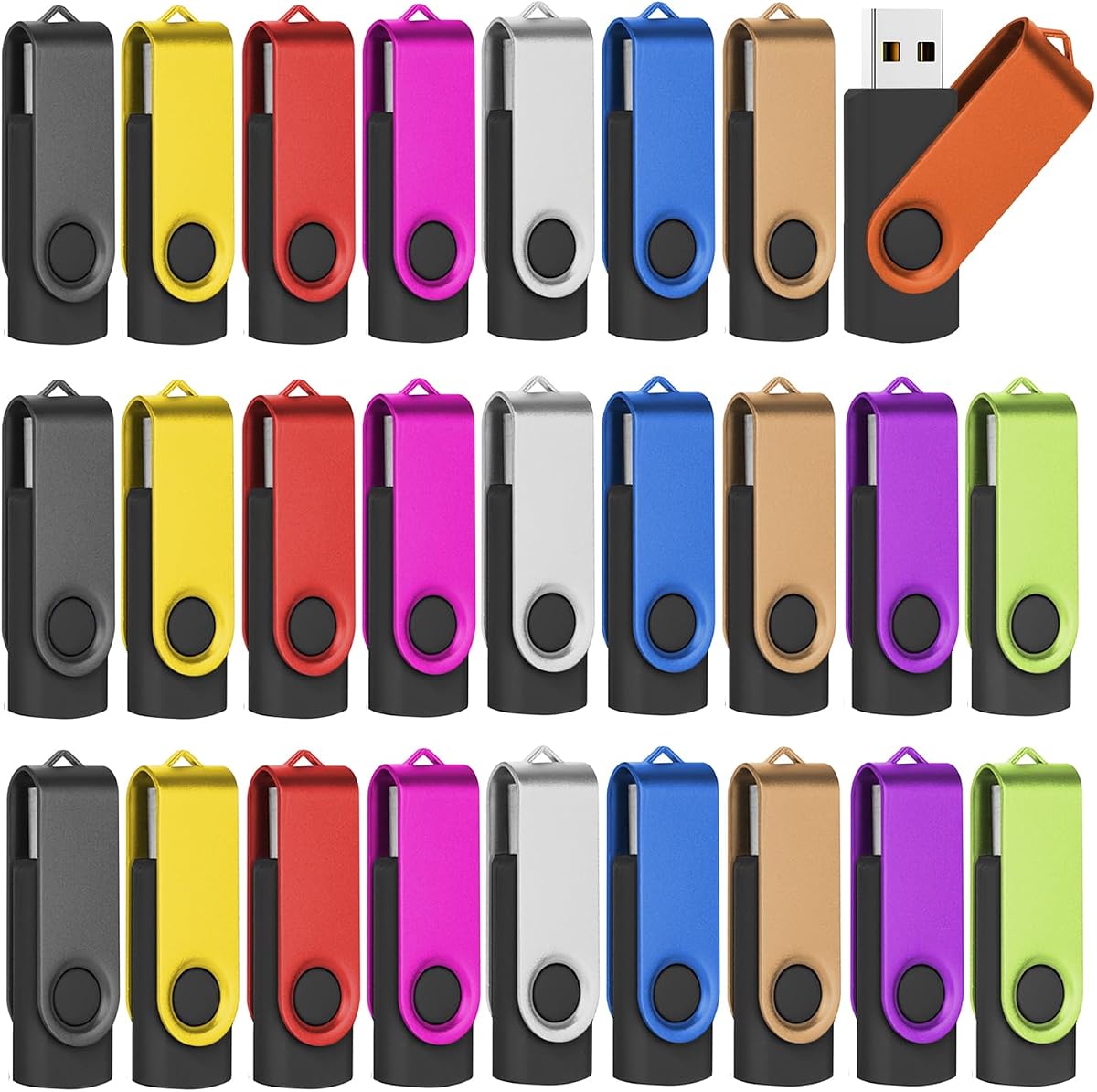
128MB 2.0 USB Flash Drive 50-Pack Thumb Drives Bulk with Lanyards
4.5Editor score
50 drives with lanyards included
10 different color choices available
Compact and easy to carry
This guide compares the top 10 bulk USB flash drives for businesses and events, evaluating capacity, speed, durability, and value for large quantity purchases
Bulk USB flash drives are essential for businesses, schools, and event organizers who need reliable storage for many users. Finding the right pack requires balancing capacity, speed, and durability to ensure every drive performs well without breaking the budget.
We compared ten popular bulk packs based on real-world performance data, build quality, and compatibility. Our analysis focuses on transfer speeds, warranty support, and design features like swivel caps or lanyards that enhance usability for large groups.
Each pick below highlights specific strengths such as high speed, low cost, or robust construction. Keep in mind that prices fluctuate frequently, so verify current offers before purchasing to get the best value for your specific storage needs.
4.5Editor score

4.6Editor score

4.6Editor score
The following table provides a side-by-side comparison of all ten bulk USB flash drive packs. It highlights key specifications like capacity, interface type, and unique features to help you quickly identify the best option for your requirements.


The Micro Center SuperSpeed pack stands out as the top choice for users needing speed and reliability in bulk. With a 4.6 rating from verified buyers, it delivers consistent performance across work, school, and travel scenarios.
We may earn a commission when you buy through this link, at no additional cost to you.
Its USB 3.0 interface ensures transfer speeds up to 70MB/s, significantly faster than older 2.0 models. The hard plastic cover protects the connector, and the rear loop prevents misplacement, making it ideal for distribution to students or clients.
While the cost is higher than basic 2.0 drives, the time saved on transfers justifies the investment for frequent use. The 2-year warranty adds peace of mind, ensuring long-term value for businesses or organizations managing large data sets.
We recommend this pack for anyone prioritizing speed and durability. It is particularly suitable for IT departments or event planners who need to distribute files quickly to many users without compromising on quality or reliability.
USB 3.0 technology enables faster file transfers, reducing wait times during backups or data sharing sessions across multiple devices.
The hard plastic cover and integrated loop protect the drive from physical damage and loss, ensuring data remains safe during transport.
We may earn a commission when you buy through this link, at no additional cost to you.
This 100-pack offers an affordable solution for organizations needing numerous drives for basic tasks. With a 4.5 rating, users appreciate its simplicity and reliability for storing small files like documents or contact lists.
We may earn a commission when you buy through this link, at no additional cost to you.
Each drive features a metal clip and compact design, making them easy to attach to keychains or bags. The USB 2.0 interface ensures broad compatibility with older systems, though speeds are limited compared to newer standards.
The low cost per unit makes it ideal for giveaways or promotional events where high capacity is not critical. However, the 512MB limit may not suffice for modern media files, so users should plan storage needs accordingly.
We suggest this pack for budget-conscious buyers needing basic storage for many users. It works well for schools or offices distributing simple data sets where speed and size are secondary to quantity and affordability.
The 100-pack pricing provides excellent value for organizations requiring multiple drives without significant budget impact.
While limited to 512MB, these drives handle small documents and text files efficiently for everyday use cases.
We may earn a commission when you buy through this link, at no additional cost to you.
This pack combines low cost with added convenience through included lanyards, making it perfect for conferences or school events. The 4.5 rating reflects satisfaction with its straightforward functionality and ease of use.
We may earn a commission when you buy through this link, at no additional cost to you.
The frosted metal cover resists fingerprints, while the hole design allows attachment to lanyards or keychains. Ten color choices enable easy categorization of files, adding a practical touch for group distribution.
Despite the minimal 128MB capacity, these drives serve well for contact details or small text files. The USB 2.0 interface ensures compatibility with most devices, though transfer speeds are modest for larger data sets.
We recommend this option for event organizers needing branded or organized giveaways. It is a practical choice when the focus is on distribution volume and portability rather than high-capacity storage needs.
Free lanyards simplify distribution and reduce additional accessory costs for event planners or school administrators.
Multiple color options help users distinguish between different file types or recipients during bulk distribution.
We may earn a commission when you buy through this link, at no additional cost to you.
The XUANREG 50-pack offers a reliable option for basic storage needs with a 4.6 rating from satisfied users. Its lightweight design ensures it fits easily in pockets or bags for on-the-go use.
We may earn a commission when you buy through this link, at no additional cost to you.
Compatible with numerous operating systems from Windows 7 to Linux, these drives work seamlessly across diverse environments. The plug-and-play feature eliminates software installation, simplifying use for all skill levels.
While the 128MB capacity restricts usage to small files, the 20 included lanyards add value for key distribution. However, users needing lanyards for all 50 drives may need to purchase extras separately.
We suggest this pack for individuals or small businesses needing affordable bulk storage. It is ideal for storing and sharing small documents or media where high capacity is not a primary concern.
Support for multiple operating systems ensures these drives work across most devices without additional drivers or setup.
The compact size and lightweight build make these drives easy to carry daily without adding bulk to bags.
We may earn a commission when you buy through this link, at no additional cost to you.
The KOOTION 20-pack features a swivel design that protects the USB port, earning a 4.5 rating for durability. Users appreciate the integrated loop for attaching to keychains, reducing loss risk during daily use.
We may earn a commission when you buy through this link, at no additional cost to you.
With 16GB capacity per drive, it handles moderate files like photos or music better than lower-capacity models. The clean packaging makes it suitable for client gifts, ensuring a professional presentation upon delivery.
The capless design prevents lost caps, though some capacity is reserved for functionality. USB 2.0 speeds are sufficient for most tasks but may lag with large video files compared to USB 3.0 alternatives.
We recommend this pack for users prioritizing port protection and security. It is a solid choice for businesses or individuals needing reliable mid-capacity storage in a durable, ready-to-use format.
The rotating metal design covers the USB connector, shielding it from damage without requiring a separate cap.
Each drive is securely separated in a cardboard box, ideal for corporate gifts or organized distribution.
We may earn a commission when you buy through this link, at no additional cost to you.
EASTBULL's 50-pack emphasizes quality with double testing, reflecting a 4.5 rating from users. The included 50 lanyards ensure every drive is ready for immediate distribution to employees or clients.
We may earn a commission when you buy through this link, at no additional cost to you.
Built with high-quality A+ chips, these drives offer stable performance for regular data transfers. The FAT32 format ensures compatibility across Windows, Mac, and other systems, simplifying cross-platform use.
While USB 2.0 limits transfer speeds, the 16GB capacity handles most business documents and media effectively. The tiny lightweight body makes them easy to carry, though the basic black design may lack visual appeal.
We suggest this pack for companies needing reliable bulk drives with minimal setup. It is a practical solution for distributing presentations or training materials where consistency and ease of use are key.
Double testing before shipping reduces defects, ensuring users receive reliable drives for critical business tasks.
FAT32 formatting allows seamless file access across different operating systems without requiring reformatting.
We may earn a commission when you buy through this link, at no additional cost to you.
This MECHEER 20-pack features an LED indicator for read/write activity, earning a 4.5 rating for user feedback. The swivel aluminum casing provides durability, making it suitable for frequent handling at events.
We may earn a commission when you buy through this link, at no additional cost to you.
With 20 included lanyards and FAT32 formatting, these drives work across Windows and Mac systems easily. The 4GB capacity is ideal for photos or small videos, though larger files may require splitting or reformatting.
Users appreciate the zero-setup convenience, allowing instant use without software. However, the 4GB limit may not suffice for modern high-resolution media, so it is best suited for small-scale data sharing.
We recommend this pack for event planners or schools needing reliable, ready-to-use drives. It offers a balance of durability and convenience, perfect for distributing digital content to attendees or students.
The built-in LED lights during data transfer, providing visual confirmation to prevent accidental removal.
The rugged aluminum casing withstands daily wear and tear, extending the lifespan of the drives.
We may earn a commission when you buy through this link, at no additional cost to you.
The EASTBULL Blue pack offers a distinctive option for bulk distribution, with a 4.5 rating for consistent performance. The blue color helps differentiate these drives from others, aiding in quick identification during events.
We may earn a commission when you buy through this link, at no additional cost to you.
Like the black version, it includes 50 lanyards and double testing for reliability. The 16GB capacity and USB 2.0 interface support standard tasks, though speeds are not optimal for large file transfers.
The FAT32 format ensures broad compatibility, allowing use across various devices without issues. While the blue design may appeal to those seeking a visual break from standard black drives, it may show scratches more easily.
We suggest this pack for organizations wanting color variety in their bulk orders. It is a reliable choice for distributing data where visual distinction aids in organization or branding efforts.
The blue color makes it easy to distinguish these drives from others during bulk handling or storage.
Double testing and A+ chips ensure stable operation, reducing the risk of data corruption during use.
We may earn a commission when you buy through this link, at no additional cost to you.
The FEBNISCTE 10-pack combines high capacity with vibrant colors, earning a 4.5 rating for versatility. Each drive has a unique color, helping users organize content by recipient or file type easily.
We may earn a commission when you buy through this link, at no additional cost to you.
With 64GB capacity, these drives store more media than standard models, though speeds are limited by USB 2.0. The swivel design and included lanyards ensure security and portability for users on the go.
While the 10-pack is smaller than other bulk options, the color variety adds value for events or educational settings. Users should note that USB 2.0 may result in longer transfer times for large datasets.
We recommend this pack for users needing a mix of storage and organization. It is ideal for schools or creative professionals who benefit from color coding to manage digital files efficiently.
64GB per drive supports larger files like videos, offering more value than lower-capacity bulk packs.
Distinct colors for each drive simplify sorting and retrieval of files across multiple users.
We may earn a commission when you buy through this link, at no additional cost to you.
PNY's Turbo Attaché 3 pack delivers high performance with USB 3.0 speeds, reflected in a 4.6 rating. The cap-less sliding collar design ensures convenience and protection, making it user-friendly for all ages.
We may earn a commission when you buy through this link, at no additional cost to you.
At 32GB capacity, it balances storage space and cost better than larger packs. The lightweight build fits easily in pockets, while backwards compatibility ensures it works with older USB 2.0 ports seamlessly.
While the 10-pack is smaller, the speed advantage makes it efficient for frequent large file transfers. The slightly higher per-unit cost is offset by the durability and performance offered over time.
We suggest this pack for professionals needing quick data access in small batches. It is an excellent choice for those prioritizing speed and design in their portable storage solutions.
USB 3.0 speeds reduce wait times, improving workflow efficiency for frequent file exchanges.
The sliding collar eliminates lost caps, ensuring the drive remains protected during daily use.
We may earn a commission when you buy through this link, at no additional cost to you.
Selecting the right bulk USB flash drives involves evaluating several key factors to ensure they meet your storage and budget needs.
Capacity determines how much data each drive can hold. For basic documents, 128MB or 512MB may suffice, while photos or videos require 16GB or more. Consider the typical file sizes you plan to store to avoid running out of space.
Choose capacity based on your specific use case to ensure efficient storage without overpaying for unused space.
USB 3.0 drives offer faster transfer speeds compared to USB 2.0. For large files or frequent backups, investing in USB 3.0 can save significant time. Check the maximum read/write speeds listed in product specs.
Prioritize USB 3.0 if you regularly transfer large data sets to maximize productivity.
Bulk drives are often handled by many users, so robust construction is crucial. Look for features like swivel caps, metal bodies, or hard plastic covers that protect the USB connector. A durable build reduces the risk of breakage.
Select drives with protective features to ensure longevity in high-traffic environments.
Ensure the drives work with all your devices. USB 2.0 offers broad compatibility, while USB 3.0 requires compatible ports. Also check support for operating systems like Windows, Mac, or Linux to avoid driver issues.
Verify system compatibility before purchasing to guarantee seamless integration with your current infrastructure.
Buying in bulk often lowers the per-unit cost. Determine how many drives you need and compare prices across packs. Consider if extras like lanyards or packaging are included to reduce additional expenses.
Calculate total cost including accessories to find the most cost-effective bulk option.
A warranty protects your investment against defects. Brands offering 2-year warranties provide better peace of mind. Check if support is available for troubleshooting issues that may arise during use.
Opt for brands with solid warranty terms to safeguard against potential hardware failures.
Features like color coding, LED indicators, or keychain loops add practical value. Colors help organize files, while LED lights signal activity. These details improve usability for group distribution or personal management.
Look for design elements that simplify your workflow and enhance user experience.
Most drives come preformatted in FAT32, which supports most systems but has a 4GB file limit. If you need larger files, check if reformatting is possible. This affects compatibility with specific applications or devices.
Confirm file system requirements to ensure drives meet your file size needs.
To use bulk USB flash drives, simply plug them into a USB port on your computer. Most are plug-and-play, requiring no software installation. Wait for the system to recognize the drive before transferring files.
Always eject the drive safely before unplugging to prevent data corruption. Use the operating system's eject function to ensure all processes are complete before physical removal.
Store drives in a cool, dry place away from magnets or water. Avoid exposing them to extreme temperatures. Regularly backup critical data from the drives to prevent loss if a drive fails over time.
The best capacity depends on your needs. For small documents, 128MB to 512MB may suffice. For photos or videos, 16GB or higher is recommended. Consider your typical file sizes to choose the right option.
Yes, USB 3.0 drives are faster than USB 2.0, saving time during large file transfers. If you handle frequent backups or big data, the speed difference justifies the price. For occasional small file use, 2.0 may suffice.
Use lanyards or keychains attached to the drive for security. Some packs include these accessories. Storing drives in a designated box when not in use also helps prevent loss in shared environments.
Yes, most bulk USB drives are compatible with Mac computers via USB 2.0 or 3.0 ports. Ensure the drive is formatted in a compatible file system like FAT32 for seamless access across platforms.
Try plugging the drive into a different USB port or computer. Check if the port is working. If still unrecognized, reformatting the drive may help. Contact support for warranty claims if issues persist.
Yes, bulk packs are ideal for giveaways due to their cost-effectiveness and versatility. Choose models with lanyards or color options to enhance the promotional value. Ensure they contain useful content for attendees.
Our top picks offer a range of options from the speed-focused Micro Center SuperSpeed to the budget-friendly 128MB packs. Each serves different needs, balancing capacity, speed, and durability for various use cases.
Prioritize USB 3.0 for performance or 2.0 for cost savings. Consider features like lanyards or color coding for better organization. Always check warranty terms to ensure long-term reliability.
Prices for bulk USB flash drives change frequently. Verify current offers and product details before purchasing to secure the best value. This guide remains a reliable resource for informed decisions in 2026.