
8-in-1 External Blu-ray Drive
4.2Editor score
Functions as a multi-port USB hub
Includes SD and TF card slots
Ultra-slim portable design for travel
This guide compares the top ten external Blu-ray drives for ripping discs to digital files, evaluating compatibility, speed, and build quality for PC and Mac
Finding the right optical drive is essential for anyone looking to digitize their physical media collection. A quality external Blu-ray drive ensures you can read and burn discs reliably while maintaining high data integrity for your archived movies and music.
We evaluated ten top-rated models based on their reading speeds, build quality, and compatibility with modern operating systems. Each drive was assessed for its ability to handle various disc formats including BD, DVD, and CD to ensure versatile performance.
Each pick highlights specific strengths like portability, writing speeds, and support for archival media. Please note that availability and pricing can fluctuate over time so checking the current listing details is always recommended before making a purchase decision.
4.2Editor score

4.7Editor score

4.2Editor score
The following table provides a side-by-side comparison of all ten selected drives highlighting their key specifications and primary capabilities to help you identify the model that best fits your specific ripping and burning needs.


This premium drive stands out by offering UHD 4K Blu-ray playback capabilities which are rare in external units. It features a sturdy CNC aluminum body that protects the internal components during transport.
We may earn a commission when you buy through this link, at no additional cost to you.
The drive supports M-DISC BD-R media allowing you to archive important data for decades. It reads and writes regular Blu-ray DVDs and CDs effectively when paired with the right software.
While it offers high performance note that Mac users face limitations regarding UHD playback due to software availability. You may need to use third party tools like CyberLink PowerDVD for full functionality.
This drive is ideal for enthusiasts who need to access UHD content and want a durable build quality. It is a strong choice for those who prioritize material quality and advanced disc support.
The ability to read UHD discs sets this unit apart from standard drives ensuring you can access high resolution content.
The aluminum body provides excellent heat dissipation and physical protection making it reliable for frequent travel.
We may earn a commission when you buy through this link, at no additional cost to you.
This all-in-one solution offers exceptional value by combining a Blu-ray burner with a USB hub and card reader. It is designed for portability and fits easily into a laptop bag for travel use.
We may earn a commission when you buy through this link, at no additional cost to you.
It supports burning up to 50GB on BD-DL media and can read larger BDXL discs. The added USB ports allow you to connect peripherals without needing extra dongles on your laptop.
While it does not support 4K playback its features cover most standard media needs effectively. The included carrying case helps keep the drive safe and organized during transit.
This is an excellent pick for users who need multiple connectivity options alongside disc burning. It balances cost and functionality well for general home and office use.
The integrated USB hub lets you connect mice and drives easily freeing up limited ports on modern laptops.
Built-in SD and TF slots allow quick photo and video transfers from cameras without extra adapters.
We may earn a commission when you buy through this link, at no additional cost to you.
BUFFALO is known for reliability and this drive delivers consistent performance for ripping and burning tasks. It supports M-DISC technology which is ideal for long-term data preservation.
We may earn a commission when you buy through this link, at no additional cost to you.
The drive includes a Type-C adapter ensuring compatibility with both legacy and modern laptops. It maintains a slim profile that is easy to store in a desk drawer or bag.
With a high rating users appreciate the stable connection and low noise operation during use. The two-year warranty provides peace of mind for long-term usage.
This drive is a top choice for those who prioritize build quality and reliability over raw speed. It is suitable for professional and personal archival needs.
Support for M-DISC ensures that your burned data remains readable for years thanks to durable stone-like layers.
Being Made in Japan and TAA compliant ensures high manufacturing standards and security for government users.
We may earn a commission when you buy through this link, at no additional cost to you.
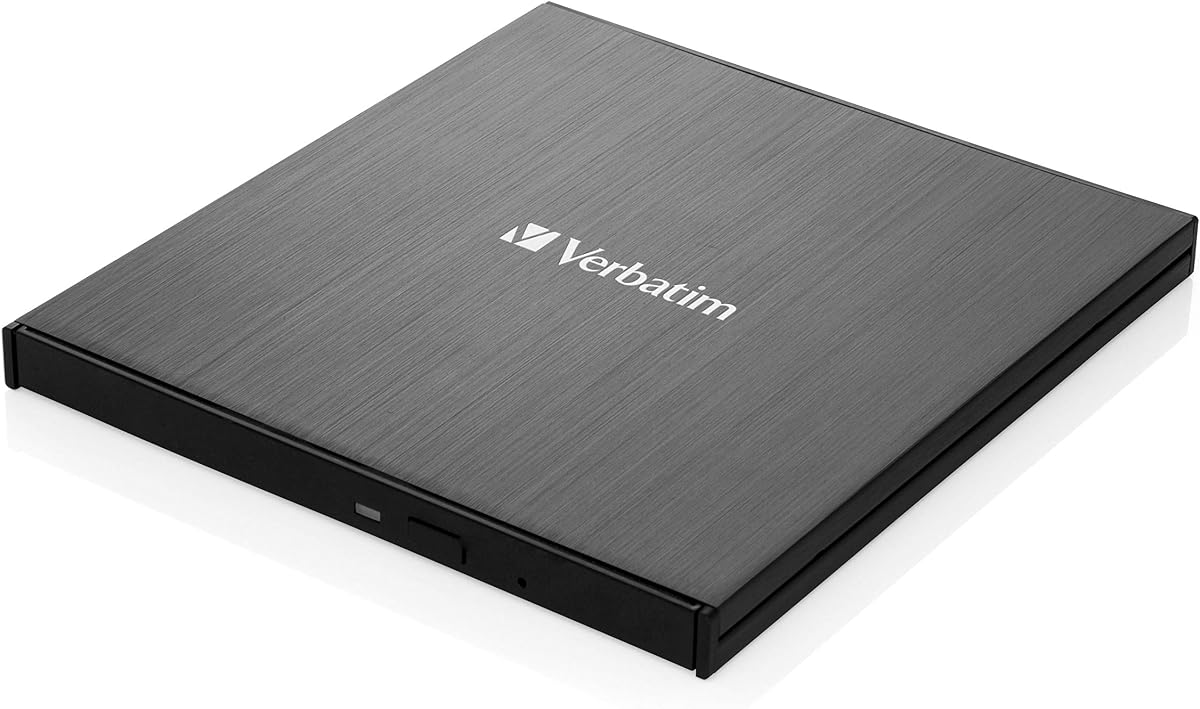
This Verbatim drive offers standard read and write capabilities for optical discs. It is designed for users who need a straightforward tool without extra bells and whistles.
We may earn a commission when you buy through this link, at no additional cost to you.
The black finish blends well with most desk setups. It connects via USB and works with major operating systems for basic disc manipulation tasks.
While it lacks advanced hub features it performs its core functions reliably. It is a good option for general storage needs on a desktop or laptop.
This model is best for users who want a no-fuss solution from a trusted manufacturer. It provides essential burning and ripping functionality.
The drive focuses on reading and burning discs efficiently without requiring complex setup.
Verbatim is a well known brand in storage media ensuring consistent quality for your drives.
We may earn a commission when you buy through this link, at no additional cost to you.
This drive is marketed for its ability to play 3D Blu-ray discs which adds value for home theater setups. It features a scratch resistant matte finish that keeps it looking new longer.
We may earn a commission when you buy through this link, at no additional cost to you.
It connects via USB and draws power directly from the computer for simple operation. You can burn various formats including BD-R and DVD-R with the right software.
While 3D playback is a unique feature note that you will need third party software to access it. The drive itself does not include a player application.
This drive is a solid choice for users who want to watch 3D movies on their PC. It offers good build quality for its price range.
The ability to read 3D discs allows for immersive viewing experiences on compatible software.
The scratch resistant coating ensures the drive maintains its appearance even with frequent handling.
We may earn a commission when you buy through this link, at no additional cost to you.
This drive includes an additional power cable to ensure stable operation during high-speed burning. The extra power connection helps prevent interruptions on less powerful USB ports.
We may earn a commission when you buy through this link, at no additional cost to you.
It offers fast data transfer rates via USB 3.0 which speeds up the ripping process significantly. The drive also features strong error correction to ensure data integrity.
Users have noted that it is lightweight and easy to carry in a bag. The design combines USB and Type-C interfaces into a single convenient package.
This drive is good for users who need a reliable connection and faster transfer speeds. The included power cable adds a layer of stability for burning tasks.
The dual power design ensures that the drive receives enough energy to run without skipping.
Strong error correction helps maintain accurate copies of data even on older or scratched discs.
We may earn a commission when you buy through this link, at no additional cost to you.
This model focuses on reading discs with high speed rather than writing to them. It features a sleek brushed texture shell that looks premium in a professional setting.
We may earn a commission when you buy through this link, at no additional cost to you.
It connects via USB 3.0 or Type-C and is very lightweight making it easy to carry. The embedded data cable ensures you do not lose the connection wire.
Note that this drive cannot burn Blu-ray discs so it is best for playback and ripping only. It is a useful tool for those who need to access data without writing.
This drive is ideal for users who primarily need to read content and keep a light profile. It saves cost by omitting writing capabilities.
Reading up to 6X allows you to rip discs quickly which is efficient for large media collections.
The embedded cable design ensures you always have the right connector without searching for one.
We may earn a commission when you buy through this link, at no additional cost to you.
This drive offers a versatile 5-in-1 solution including SD and TF card slots. It allows you to manage files between storage devices without needing extra hardware.
We may earn a commission when you buy through this link, at no additional cost to you.
It connects easily to Windows Mac and Linux systems without driver installations. The slim profile makes it easy to slide into a laptop bag for travel.
The anti-scratch coating helps protect the drive from wear and tear over time. It is a practical choice for those who need to manage multiple types of media.
This model is great for users who need to transfer files from cards and discs simultaneously. It simplifies your media workflow effectively.
The SD and TF slots allow you to move photos from cameras to your computer seamlessly.
Compatibility with Linux provides an edge over other drives that only support Windows or Mac.
We may earn a commission when you buy through this link, at no additional cost to you.
ASUS offers this slim drive with support for large BDXL discs which is rare in portable units. It is designed for high capacity data storage and archival tasks.
We may earn a commission when you buy through this link, at no additional cost to you.
The drive supports M-Disc burning ensuring your data is preserved for a very long time. It includes two cables for flexibility in connecting to different USB types.
Its slim design allows it to fit in tight spaces on your desk. It works well with modern laptops that use USB-C ports via the included adapter.
This drive is ideal for professionals who need to store large amounts of data on discs. It provides a reliable solution for archiving files.
Support for BDXL discs lets you write significantly more data than standard Blu-ray media.
The ultra slim profile ensures the drive does not take up much space in your workspace.
We may earn a commission when you buy through this link, at no additional cost to you.
This LG bundle includes the drive and a 100GB BDXL disc ready for use. It also comes with Cyberlink software so you can start burning immediately.
We may earn a commission when you buy through this link, at no additional cost to you.
The drive supports buffer under-run prevention to protect your data during the writing process. It is ultra slim and portable making it easy to take on the go.
Note that it uses USB 2.0 which is slower than USB 3.0 on newer laptops. However for burning tasks the speed difference may be manageable for some users.
This drive is a good choice for those who want a complete kit out of the box. The included disc and software save extra costs and setup time.
The included software and disc mean you can start burning and ripping right after setup.
Buffer under-run prevention ensures that a brief pause does not ruin your burn process.
We may earn a commission when you buy through this link, at no additional cost to you.
Selecting the right external Blu-ray drive requires evaluating several technical factors to ensure compatibility and performance for your specific ripping needs.
Ensure the drive matches your available ports. Look for USB 3.0 or Type-C for faster data transfer speeds which are crucial for ripping large Blu-ray files. Older USB 2.0 drives may limit your transfer rate significantly.
Choose a drive with a modern interface like USB 3.0 or Type-C to avoid bottlenecks when moving large video files to your computer.
Check if the drive supports your operating system. Some drives work better with Windows while others may have limitations on macOS especially for UHD playback. Verify software requirements before buying.
Always confirm that the drive is fully compatible with your specific version of Windows or Mac to avoid installation issues.
Verify the types of discs the drive can read and write. If you need to rip 4K content you must ensure the drive supports UHD. For data archiving check for M-DISC support.
Make sure the drive supports all the formats you plan to use including BDXL or M-DISC for your specific storage needs.
Read speeds determine how fast you can rip content from a disc. Look for drives with higher read speeds like 6x or 8x to minimize waiting time. Burn speeds are relevant if you plan to copy physical backups.
Prioritize models with higher read speeds to ensure a smoother and faster ripping experience for your media library.
If you travel with the drive consider its build quality and size. Metal bodies often dissipate heat better than plastic. A slim profile makes it easier to slip into a laptop bag.
Select a durable and compact design if you plan to move the drive between different locations frequently.
Some external drives require extra power to function correctly especially on laptops. Drives with dual USB cables or auxiliary power inputs ensure stable burning and reading.
Check if the drive needs an extra power cable to avoid connection dropouts during use.
Most drives do not include ripping software. You may need to purchase third party tools like CyberLink PowerDVD. Some bundles include basic burning software which can save money.
Factor in the cost of additional software if the drive does not include a player or burner application.
A good warranty protects your investment. Look for models offering at least one to two years of coverage. Check the brand reputation for customer support responsiveness.
Choose a drive with a solid warranty and positive user reviews regarding long-term reliability.
Connect the drive to your computer using the included USB cable. If your laptop has limited power you may need to use an auxiliary power cable to ensure the drive runs smoothly.
Install the necessary software on your system to read Blu-ray discs. Since most drives do not come with media players you may need to download a third-party application to access the content.
Keep the drive in a cool dry place when not in use. Dust and moisture can damage the internal laser so storing it in a protective case helps maintain its performance.
Yes you can rip Blu-ray discs to digital files using an external drive and compatible software. The drive reads the data and the software encodes it into a file format like MP4.
Most drives require third-party software to play Blu-ray content. You may need to install a player or burner application to access the files on the discs.
USB 3.0 is significantly faster than USB 2.0. If you plan to rip large files choose a drive with USB 3.0 or Type-C to save time.
Many drives are compatible with Mac but support for UHD playback may be limited. Check the product details to confirm full functionality with macOS.
Most external optical drives are not compatible with Chromebooks due to OS restrictions. They generally require Windows or Mac systems to function correctly.
This can happen if the port lacks power or drivers are missing. Try a different USB port or use a Y-cable to ensure stable power supply.
We reviewed ten top models each offering unique strengths for ripping and burning. The Buffalo 6X stands out for reliability while the 8-in-1 offers great value for connectivity.
Prioritize speed and compatibility based on your specific needs. If you need to archive data look for M-DISC support and ensure the drive matches your OS requirements.
Remember to check current pricing and availability before purchasing. Our guide provides a solid starting point to help you find the right tool for your media management.