
ASUS Pro WS W890E-SAGE SE
5.0Editor score
Intel Xeon 600 support
NitroPath DRAM technology
Active cooling for VRM
This guide compares the top ASUS server motherboard models for workstations and data centers, evaluating connectivity, power, and remote management features.
ASUS server motherboards deliver robust reliability for enterprise and workstation environments. They support high core counts, ECC memory, and advanced PCIe lanes for demanding computing tasks.
We analyzed ten models based on socket support, expansion capabilities, and remote management tools. Each option balances performance with stability for twenty four seven operation.
Every pick highlights key strengths and trade-offs for your specific workload. Note that pricing fluctuates so verify current availability before purchasing.
5.0Editor score

3.7Editor score
4.3Editor score
This table compares all ten models side by side focusing on socket type, memory support, and network options.


This motherboard supports AMD Ryzen Threadripper PRO 7000 WX-Series processors with robust power delivery and memory scalability.
We may earn a commission when you buy through this link, at no additional cost to you.
It features seven PCIe 5.0 x16 slots and dual 10Gb LAN ports for high-speed connectivity and massive bandwidth.
The active cooling and IPMI BMC ensure reliable 24/7 operation while remote management tools simplify administration tasks.
Buy this for heavy multi-GPU workloads requiring extensive I/O and enterprise-grade management features.
Seven full-width PCIe 5.0 slots allow multiple GPUs and accelerators without sacrificing lane speed.
Dedicated IPMI LAN and BMC controller enable secure off-band monitoring and control.
We may earn a commission when you buy through this link, at no additional cost to you.
This board targets Intel Xeon 600 series with NitroPath DRAM enhancing ECC DDR5 stability and performance.
We may earn a commission when you buy through this link, at no additional cost to you.
Seven PCIe 5.0 x16 slots and dual 10Gb LAN deliver massive bandwidth for AI and render workloads.
Active cooling for VRM and M.2 plus BMC remote management ensure long-term reliability in data centers.
Select this for advanced AI computing requiring top-tier thermal and power delivery design.
Enhanced memory traces boost DDR5 speeds and signal integrity for demanding tasks.
Fans on VRM and M.2 heatsinks maintain optimal temps during sustained loads.
We may earn a commission when you buy through this link, at no additional cost to you.
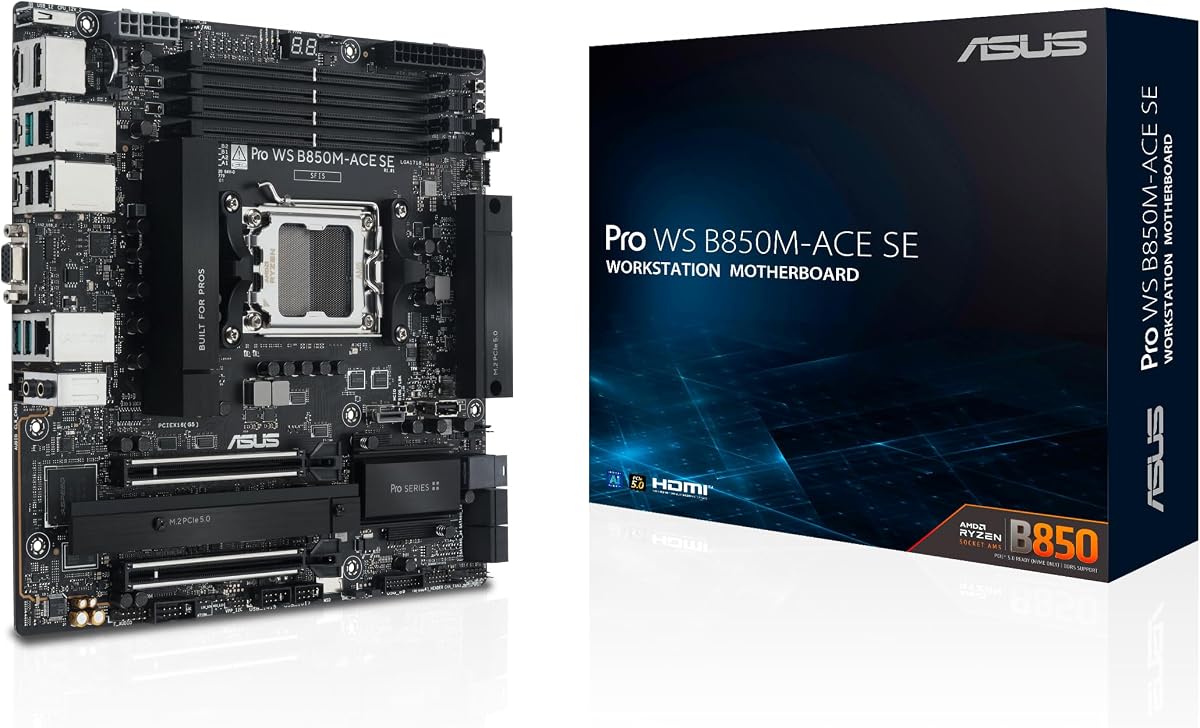
This microATX board supports AMD Ryzen 9000 and EPYC 4005 with solid PCIe 5.0 I/O.
We may earn a commission when you buy through this link, at no additional cost to you.
It includes IPMI BMC and remote management features ideal for compact workstation or office server builds.
Two M.2 slots and 10G LAN offer modern speed despite the smaller form factor.
Choose this for small businesses needing server features without full EEB dimensions.
MicroATX size fits standard cases while still offering PCIe 5.0 and IPMI.
USB4 and MCIO NVMe ensure compatibility with next-gen storage and peripherals.
We may earn a commission when you buy through this link, at no additional cost to you.
This CEB board offers similar connectivity to the EEB version but with an expansion card for IPMI.
We may earn a commission when you buy through this link, at no additional cost to you.
It supports Intel Xeon 600 and uses NitroPath DRAM for improved DDR5 reliability.
Seven PCIe 5.0 x16 slots provide plenty of room for GPUs or network adapters.
Ideal for users wanting full bandwidth without the higher cost of the SE version.
IPMI card slot lets you choose management features based on your needs.
Seven full x16 slots allow multiple high-performance devices simultaneously.
We may earn a commission when you buy through this link, at no additional cost to you.
This model targets Threadripper PRO 7000 with WiFi 7 for wireless flexibility in workstation environments.
We may earn a commission when you buy through this link, at no additional cost to you.
It offers three PCIe 5.0 x16 slots and dual LAN ports plus 36 power stages for CPU.
IPMI remote management ensures remote server-like control even in a workstation setting.
Buy this when you need wireless connectivity and ECC memory in a Threadripper build.
Latest wireless standard supports high bandwidth without Ethernet cables.
36 power stages provide stable power for multi-core CPU performance.
We may earn a commission when you buy through this link, at no additional cost to you.
This board supports Threadripper PRO 9000 and 7000 with robust power delivery and cooling.
We may earn a commission when you buy through this link, at no additional cost to you.
It includes IPMI and Control Center Express for management plus two USB4 ports.
Four M.2 slots and multiple PCIe 5.0 options provide ample storage and GPU expansion.
Choose this for balanced performance and management features at a moderate price.
Dual USB4 ports allow high-speed external storage or display connections.
IPMI and Control Center Express enable easy server-like administration.
We may earn a commission when you buy through this link, at no additional cost to you.
This ATX board supports 13th Gen Intel Core with ECC memory for workstation reliability.
We may earn a commission when you buy through this link, at no additional cost to you.
It includes an IPMI expansion card and BMC header for remote management capabilities.
Dual PCIe 5.0 x16 slots plus Thunderbolt 4 header provide fast I/O options.
Select this for Intel users needing ECC memory and remote management in ATX.
ECC memory reduces data errors for critical workstation tasks.
IPMI card included simplifies setup for remote server monitoring.
We may earn a commission when you buy through this link, at no additional cost to you.
This server board supports Xeon E-2300 series in Micro ATX format for smaller racks.
We may earn a commission when you buy through this link, at no additional cost to you.
It provides dual 10G network ports and server class stability for office use.
While older sockets it offers essential server connectivity and management in compact size.
Use this for lightweight file or domain servers requiring reliable networking.
Micro ATX fits tight rack spaces while keeping server features.
Dual 10G LAN ensures fast internal transfer rates for storage.
We may earn a commission when you buy through this link, at no additional cost to you.
This dual CPU board supports Intel Xeon 5th Gen with up to 4TB RDIMM capacity.
We may earn a commission when you buy through this link, at no additional cost to you.
It offers dual 10Gbps LAN and PCIe 5.0 M.2 for fast storage and network.
Management tools include ASMB11-iKVM for full remote server control features.
Buy this for enterprise servers requiring maximum RAM and dual processor support.
Supports two Xeon processors for extreme compute parallelism.
16 DIMM slots enable up to 4TB of ECC memory.
We may earn a commission when you buy through this link, at no additional cost to you.
This board supports 13th Gen Intel Core with IPMI expansion for server management.
We may earn a commission when you buy through this link, at no additional cost to you.
It provides dual 2.5Gb Ethernet and three PCIe 4.0 M.2 slots for storage.
SlimSAS and video ports make it suitable for office servers needing multiple displays.
Choose this for general purpose servers needing standard ATX size and IPMI.
HDMI DisplayPort and VGA allow multi-monitor workstation setups.
SlimSAS connection supports NVMe storage solutions directly.
We may earn a commission when you buy through this link, at no additional cost to you.
Choosing the right board depends on your workload processor socket and remote needs.
Check whether you need AMD AM5 TR5 or Intel LGA sockets for your CPU.
Match socket to CPU generation for compatibility and performance.
ECC memory support is critical for server stability and data integrity.
Verify DIMM slots and max capacity for your workload needs.
Count PCIe slots and generations needed for GPUs and NICs.
Ensure lane distribution meets multi-GPU or network requirements.
Consider 10G LAN for fast data transfers and virtualization.
Dual ports allow bonding or dedicated management traffic.
IPMI BMC provides off-band control for headless server operation.
Look for included cards or BMC headers for enterprise features.
M.2 Gen5 and SlimSAS headers support modern high speed storage.
Check slot count and lanes for boot and data drives.
ATX fits standard cases while EEB suits large server chassis.
Choose size based on your case dimensions and cooling needs.
High core CPUs require robust VRM stages and cooling.
Verify phase count and thermal design for overclocking loads.
Install compatible CPUs and ECC memory before applying power to ensure stability.
Use the provided remote management software for monitoring temperatures and fan speeds.
Update BIOS regularly to maintain security and hardware compatibility improvements.
Most ASUS server motherboards support ECC DDR5 memory for error correction. Check the QVL list for specific module compatibility before purchasing.
IPMI allows you to control the server remotely including power cycles and updates. It runs independently of the OS which is vital for headless servers.
While they support gaming CPUs they prioritize reliability over features. Gamers usually prefer standard boards with lower cost and higher clocks.
Many offer multiple PCIe 5.0 x16 slots. Check the manual for lane sharing rules when using multiple GPUs or add-in cards.
Only specific models include onboard WiFi 7. Most require an expansion card. Verify this feature before buying if wireless is needed.
Typically three to four M.2 slots are available. Some models also support SlimSAS for additional NVMe storage in enterprise setups.
High-end server boards support dual CPUs for massive processing power. Standard workstations usually require single CPU motherboards only.
Most use dual 8-pin CPU power for stability. High-end models may require additional PCIe power for robust VRM operation.
The WRX90E-SAGE SE leads for AMD users needing PCIe bandwidth while the W890E-SAGE SE suits Intel AI workloads.
Prioritize memory capacity and IPMI features if you need server reliability over consumer aesthetics.
Check current pricing and stock before buying since server component costs fluctuate regularly.