
AOC 24 Gaming Monitor FHD 200Hz
4.6Editor score
200Hz refresh rate
IPS panel technology
Frameless design
This guide compares the top AOC monitors for gaming and work, evaluating display quality, refresh rates, and features to help you choose the perfect screen.
AOC monitors have become a staple in the computing world, offering a wide range of display solutions for gamers, professionals, and casual users alike. Whether you need high refresh rates for competitive play or crisp resolution for design work, this brand delivers reliable performance across various price points and configurations.
To compile this list, we analyzed technical specifications, user feedback, and real-world performance metrics to identify the most compelling options currently available. Our comparison covers everything from budget-friendly Full HD screens to premium OLED displays, ensuring you find a model that matches your specific needs and budget constraints effectively.
Each pick in this guide highlights key strengths and potential trade-offs so you can make an informed decision without getting lost in technical jargon. Please note that prices and availability fluctuate frequently, so checking the current listing details before purchasing is always recommended to ensure you get the best deal possible.
4.6Editor score

4.6Editor score
4.4Editor score
The following table provides a side-by-side comparison of all ten selected AOC monitors, highlighting their most critical specifications and features to help you quickly identify the model that best fits your requirements.


This model stands out as a top contender for gamers seeking a balance between resolution and speed. With a 240Hz refresh rate and 0.3ms response time, it delivers fluid motion clarity essential for competitive titles. The IPS panel ensures vibrant colors and wide viewing angles, making it versatile for both gaming and content consumption.
We may earn a commission when you buy through this link, at no additional cost to you.
The inclusion of NVIDIA G-SYNC compatibility and AMD Adaptive-Sync means you can enjoy tear-free gameplay across different hardware setups. The frameless design minimizes distractions, allowing for a more immersive experience whether you are playing single screen or in a multi-monitor array. Build quality is solid with a sleek finish that fits modern desks.
While the tilt adjustment is limited, the performance metrics outweigh this minor ergonomic shortcoming for most users. The brightness levels are adequate for indoor use but might struggle in very bright rooms. Overall, it offers a strong package for those prioritizing speed and image quality without breaking the bank.
If you are looking for a reliable all-rounder that performs well in fast-paced games and looks great on the desk, this is an excellent choice. It hits the sweet spot for most PC gamers who want high refresh rates without compromising on resolution or color fidelity significantly.
The combination of 240Hz refresh rate and ultra-low response time ensures that fast-moving objects remain sharp and clear, giving you a visual edge in competitive shooters.
IPS technology delivers consistent colors across the screen with accurate reproduction, making it suitable for casual design work or media consumption alongside gaming.
We may earn a commission when you buy through this link, at no additional cost to you.
For budget-conscious gamers, this monitor offers incredible value by delivering a 200Hz refresh rate at a Full HD resolution. It proves that you do not need to spend a fortune to get smooth motion performance. The IPS panel adds a layer of color quality that is often missing in cheaper TN panels.
We may earn a commission when you buy through this link, at no additional cost to you.
The 116% sRGB coverage ensures that images look vibrant and true to life, which is impressive for this price point. The frameless design helps when setting up dual screens, reducing bezel interference between displays. Connectivity is standard with HDMI and DisplayPort options for most modern GPUs and consoles.
The main trade-off is the Full HD resolution which might look less sharp on a 24 inch screen compared to QHD alternatives, but it is less taxing on your graphics card. Lack of height adjustment means you may need a stand or mount for optimal viewing angles. Still, performance per dollar is excellent.
This is the ideal pick for students or those building their first gaming rig who need speed without overspending. It handles fast-paced games well and looks stylish enough for any setup, making it a strong recommendation for entry-level to mid-range builds.
Delivering a 200Hz refresh rate at this price point makes it one of the most cost-effective options for competitive gaming on a tight budget.
Supports up to 120Hz on compatible consoles ensuring a smoother experience for PlayStation 5 and Xbox Series X users without needing expensive PC hardware.
We may earn a commission when you buy through this link, at no additional cost to you.
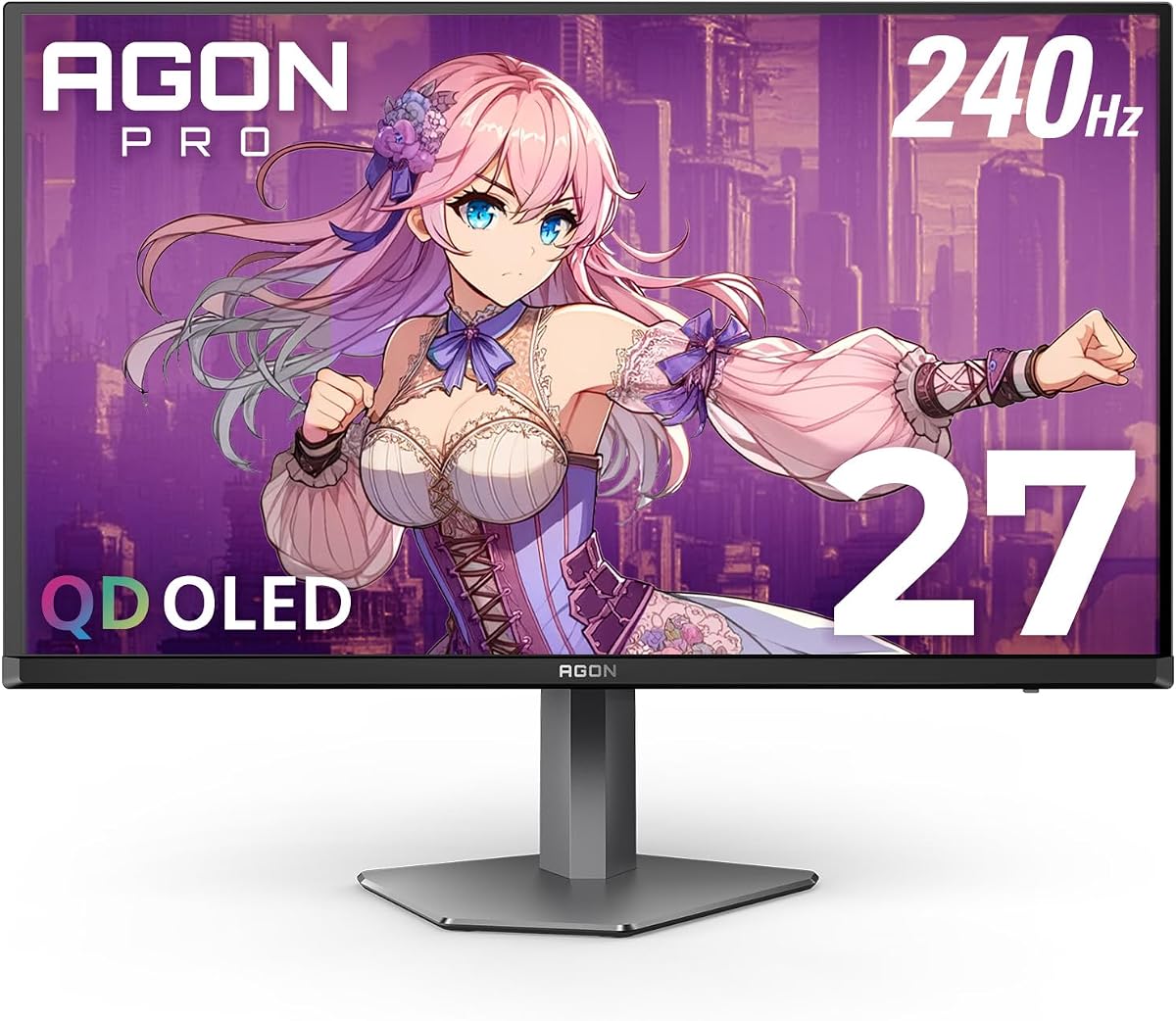
This monitor represents the pinnacle of AOC gaming technology with a QD OLED panel that offers infinite contrast and perfect blacks. The 0.03ms response time is practically instantaneous eliminating motion blur almost entirely. It is a visual feast for those who want the best image quality money can buy today.
We may earn a commission when you buy through this link, at no additional cost to you.
The HDR10 support brings out rich details in dark scenes while the wide color gamut ensures stunning vibrancy. Special lighting at the back adds to the atmosphere of your setup syncing with your gameplay for immersion. It also supports console gaming up to 120Hz for next-gen experiences.
The higher price tag is a significant consideration and the nature of OLED panels means you must be mindful of static elements to avoid burn-in over time. However for pure visual fidelity and speed it is hard to beat. It is tailored for enthusiasts who demand top-tier performance.
If you have a high-end graphics card and want to see games exactly as developers intended with incredible contrast and speed this is the monitor to get. It transforms the gaming experience into something cinematic and responsive, justifying the investment for serious players.
The self-luminous OLED pixels allow for true blacks by turning off completely, creating an image quality that traditional LCD panels simply cannot match.
Built-in RGB lighting on the rear of the unit enhances immersion by casting ambient light onto your desk matching the colors on screen.
We may earn a commission when you buy through this link, at no additional cost to you.
Focusing on productivity, this monitor brings 4K resolution to a 27-inch panel which allows you to fit more windows and content on screen comfortably. The IPS panel ensures that text remains sharp and colors remain accurate for tasks that require visual precision. It is a solid choice for office work or creative design.
We may earn a commission when you buy through this link, at no additional cost to you.
The inclusion of built-in speakers removes the need for external audio solutions when listening to videos or conference calls. The frameless bezels provide a clean look that minimizes distractions during long work sessions. It prioritizes clarity and efficiency over gaming metrics.
It is not designed for high-speed gaming as the refresh rate is standard 60Hz which limits fluidity in dynamic scenes. The stand offers limited adjustability which might require a monitor arm for better ergonomics. However for static content it delivers excellent visual fidelity.
Professionals and general users who need detailed text rendering and reliable color performance will appreciate this model. It serves as a reliable dual for daily tasks and media consumption without the premium cost of specialized gaming monitors.
The 4K UHD resolution provides significantly more screen real estate for multitasking reducing the need to switch between tabs or windows constantly.
Built-in speakers offer a streamlined setup solution for casual audio playback saving desk space and reducing cable clutter significantly.
We may earn a commission when you buy through this link, at no additional cost to you.
This model combines a large 27-inch screen with Full HD resolution and an overclocked 260Hz refresh rate. It offers a generous viewing area that feels immersive even without QHD sharpness. The focus is on motion clarity making it perfect for fast-paced shooters where reaction time matters.
We may earn a commission when you buy through this link, at no additional cost to you.
You can customize settings easily using the G-Menu software which provides a user-friendly interface for adjusting game modes and performance options. The flicker-free technology helps reduce eye strain during long sessions keeping you comfortable for longer. It is a practical choice for casual and competitive players.
The pixel density on a 27-inch Full HD screen is lower than smaller sizes meaning text might look slightly larger or less crisp. The stand is functional but basic with tilt only. However the gaming performance and size make up for these minor compromises.
Ideal for users who want a large screen without the cost of 4K or QHD panels, this monitor prioritizes speed and immersion. It fits well in gaming setups where a wider field of view is preferred over ultra-sharp pixel detail.
A 27-inch screen provides a larger canvas for gaming allowing you to take in more of the action without straining your eyes.
The G-Menu software allows you to save and apply custom profiles quickly making it easy to optimize settings for different game genres.
We may earn a commission when you buy through this link, at no additional cost to you.
The 1500R curvature wraps around your vision to create a highly immersive experience that flat screens cannot match. Combined with QHD resolution and a 180Hz refresh rate, it delivers smooth and detailed visuals. The VA panel provides deep blacks and high contrast which looks great in darker scenes.
We may earn a commission when you buy through this link, at no additional cost to you.
The SmartContrast ratio helps enhance visibility in varying lighting conditions ensuring that details remain clear. It covers a wide color gamut which makes games look vibrant and engaging. The large 32-inch size is a treat for racing or simulation games where a wide view is helpful.
VA panels can sometimes suffer from slower pixel transitions compared to IPS or OLED resulting in minor ghosting in very fast motion. The stand is sturdy but lacks tilt height adjust. Still, the immersive feel of the curve makes it a standout for certain genres.
This monitor is perfect for those who love racing simulators or want a cinematic feel for single-player games. The combination of size, curve, and resolution offers a unique experience that justifies the choice over flat alternatives.
The 1500R curvature mimics the natural field of vision helping to reduce eye strain and increase focus during long gaming sessions.
VA technology delivers deeper blacks than IPS making dark scenes in games look more detailed and atmospheric without washing out.
We may earn a commission when you buy through this link, at no additional cost to you.
This monitor brings a 240Hz refresh rate to a large 32-inch curved screen, a rare combination that prioritizes motion clarity over pixel density. It is an excellent option for players who want the speed of competitive monitors with the immersion of a big display. The FreeSync Premium ensures smooth gameplay with variable refresh rates.
We may earn a commission when you buy through this link, at no additional cost to you.
The frameless design minimizes bezel distraction so the image feels more contained and immersive. Low latency mode helps reduce input lag ensuring your actions register quickly in-game. It is designed to work well with consoles and PCs alike for a versatile gaming experience.
The Full HD resolution on a 32-inch screen means individual pixels are more visible than on smaller high-res panels which might not appeal to those seeking crisp text. The stand is basic and mostly relies on tilt. However for gaming speed and size it is a strong contender.
Gamers who prefer speed and immersion over sharp resolution will find this model very satisfying. It is particularly good for fast-paced games where seeing movement clearly is more important than fine details.
The high refresh rate combined with adaptive sync technology eliminates tearing and stuttering providing a smooth and fluid visual experience.
Optimized for consoles up to 120Hz this monitor supports next-gen hardware so you can get the most out of your gaming system.
We may earn a commission when you buy through this link, at no additional cost to you.
Similar to the Pro line this model offers a QD OLED panel with a 240Hz refresh rate. It combines the visual excellence of OLED with the speed required for competitive gaming. The G-SYNC compatibility ensures perfect synchronization with NVIDIA GPUs for tear-free gaming.
We may earn a commission when you buy through this link, at no additional cost to you.
HDR10 support adds depth to the image making highlights and shadows stand out more naturally. The wide color gamut covers more than standard sRGB which makes games look incredibly rich and lifelike. It is a step up in technology from traditional LCD gaming monitors.
The premium price reflects the advanced panel and performance features but it is an investment for the long term. You should manage static elements to protect the screen health over years of use. For image quality it is top tier.
If you want the best visual fidelity and speed in one package this monitor delivers. It is best suited for high-end PCs where your hardware can fully drive the performance and resolution capabilities.
The QD OLED technology offers a massive color volume and perfect contrast making every scene look vibrant and true to the developers vision.
G-SYNC Compatible support ensures that your refresh rate matches your frame rate eliminating stutter and tearing for smoother gameplay.
We may earn a commission when you buy through this link, at no additional cost to you.
This version of the OLED monitor adds significant ergonomic features like height adjustment which helps in setting a comfortable viewing position. It includes a USB hub and HDMI 2.1 ports making it versatile for connecting consoles and PCs. The panel quality remains top tier with fast response and vivid colors.
We may earn a commission when you buy through this link, at no additional cost to you.
The ability to adjust height reduces strain on your neck and back which is a benefit for long sessions. The extra ports help reduce the need for external dongles keeping your desk organized. It combines premium image quality with practical usability features.
The cost is on the higher side and you need a powerful GPU to max out the features. Setting up multiple connections might take time but the flexibility is worth it. It is one of the most complete OLED packages available.
For those who value ergonomics alongside image quality, this monitor offers a complete package. It is a solid choice for professionals who game or enthusiasts who want both adjustability and top specs.
Height adjustment and flexible stand options allow you to customize the monitor to fit your posture reducing physical strain over time.
The USB hub and HDMI 2.1 support provide easy connection to consoles and peripherals without needing extra cables or hubs.
We may earn a commission when you buy through this link, at no additional cost to you.
This compact monitor is great for small desks or secondary setups where space is limited. With a Full HD resolution and 100Hz refresh rate, it offers decent performance for casual gaming and daily tasks. The renewed status means it is a budget-friendly option with tested functionality.
We may earn a commission when you buy through this link, at no additional cost to you.
Eye care features like flicker-free and blue light filter help reduce strain during extended use. It supports VESA mounting so you can attach it to an arm for better desk clearance. The low power usage keeps your energy bills in check.
Being a renewed product there is a slight chance of minor cosmetic wear though functionality is guaranteed. The small screen size means limited window space compared to larger models. It is perfect for secondary displays or tight workspaces.
For those needing a reliable and compact screen without spending much, this is a great choice. It balances affordability with essential gaming features ensuring you get smooth motion without paying a premium.
The 21.5-inch footprint ensures it fits on even the smallest desks without crowding your workspace while still delivering good image quality.
Flicker-free technology and blue light filters help reduce eye strain making it easier to work or play for longer periods comfortably.
We may earn a commission when you buy through this link, at no additional cost to you.
Selecting the right monitor involves balancing several factors to match your specific needs. We have outlined key considerations to simplify your decision-making process.
The size of your monitor should align with your desk space and viewing distance. A 24-inch screen is great for FHD while 27-inch works well for QHD. Going larger often requires higher resolution to maintain sharp text and image details.
Choose a resolution that your graphics card can handle effectively. Higher resolutions look better but demand more power to achieve high frame rates in games.
Refresh rate determines how many frames per second the screen can display. Higher rates like 144Hz or 240Hz make motion smoother which is crucial for competitive gaming. Response time indicates how fast a pixel changes color with lower values reducing blur.
For general use 60Hz is sufficient but gamers should look for at least 144Hz. Aim for response times of 1ms or less to ensure fast reactions and clear motion.
IPS panels offer the best color accuracy and viewing angles but may have slightly slower response times than TN. VA panels provide higher contrast and deeper blacks but can suffer from ghosting. OLED panels deliver perfect blacks and instant response at a higher price.
Select IPS for color-critical tasks or gaming where angles matter. Choose VA for immersion and contrast. OLED is ideal if you want the best image quality and have the budget.
Adaptive Sync technologies like FreeSync and G-SYNC match the monitor refresh rate to the GPU frame rate. This prevents screen tearing and stuttering which can disrupt gameplay. It is a vital feature for smooth performance across different hardware configurations.
Ensure your GPU supports the sync tech on your monitor. Both AMD and NVIDIA cards generally support FreeSync making it a versatile choice for most users.
A good stand should offer height tilt and swivel adjustments to help you find a comfortable viewing position. Frameless designs are visually pleasing and allow for easier multi-monitor setups. VESA mount compatibility gives you the option to use wall or desk arms.
Prioritize adjustable stands if you sit for long periods to reduce neck strain. Check the physical dimensions to ensure the monitor fits your desk depth and width.
Modern monitors typically include HDMI and DisplayPort. For 4K or high refresh rates, ensure you have the latest versions like HDMI 2.1 or DisplayPort 1.4. USB hubs and audio jacks add convenience for peripherals and headphones.
Count the ports you need for your devices. If you use multiple inputs like a PC and a console, check that the monitor has enough slots to avoid constant switching.
Proper setup is essential for getting the best performance from your monitor. Start by adjusting the brightness and contrast settings to match your room lighting. You can also use built-in presets like Game Mode to optimize visuals for different types of content.
To extend the life of your display, keep the screen clean with a soft microfiber cloth. Avoid harsh chemicals that might damage the coating. If possible, enable features like screen dimming or auto-sleep when not in use to reduce strain on the panel.
For gaming setups, ensure your graphics card drivers are updated to support the latest features like adaptive sync. Calibrate the monitor using tools or software to get accurate colors. Regular checks for firmware updates can also improve performance and fix bugs.
Yes, AOC monitors are highly regarded for gaming due to their competitive refresh rates and affordable prices. They offer a wide range of options from entry-level to high-end OLED models that cater to different needs. Most models support adaptive sync technologies which help ensure smooth gameplay without tearing.
IPS panels provide better color accuracy and wider viewing angles which makes them great for general use and gaming. VA panels have higher contrast ratios leading to deeper blacks which is better for watching movies. However VA panels can sometimes be slower in response times than IPS.
Many modern AOC gaming monitors are G-SYNC Compatible meaning they work with NVIDIA cards to reduce screen tearing. You should check the specific product details to confirm compatibility before buying. Most models support both AMD FreeSync and NVIDIA G-SYNC Compatible features.
Use a dry microfiber cloth to wipe away dust gently. If needed, lightly dampen the cloth with water but avoid spraying liquid directly on the screen. Do not use ammonia or alcohol-based cleaners as they can damage the anti-glare coating on the panel.
Absolutely, AOC offers a range of monitors suitable for productivity and design work. Their 4K models provide sharp text and accurate colors which are useful for creative tasks. The ergonomic features on many models help reduce strain during long work sessions.
Most AOC monitors come with a three-year limited warranty that covers defects in materials and workmanship. Some models may also include zero-bright-dot guarantees or accidental damage protection depending on the region. Always check the specific warranty terms provided at the time of purchase.
In this guide, we explored a diverse selection of AOC monitors ranging from budget-friendly options to premium OLED displays. Whether you need speed for competitive gaming or sharpness for productivity, there is a model here to suit your needs.
When making your choice, consider your primary use case and how much you are willing to invest. Prioritize features like refresh rate and panel type based on whether you game, work, or both. A well-chosen monitor can significantly improve your overall computing experience.
Prices and availability can change quickly so take a moment to verify current details before finalizing your purchase. Investing in the right screen is a great way to upgrade your setup and enjoy your content to the fullest.