10 Best AI Scan Pens with Chatgpt (November 2026) Expert Guide
Written by Alex · Updated November 2026
AI Scan Pens with Chatgpt are transforming how students and professionals interact with text. These devices combine optical character recognition with advanced artificial intelligence to provide instant translations, summaries, and explanations. By scanning printed material, users can access a wealth of digital knowledge without typing. This technology bridges the gap between physical books and digital workflows, making learning and productivity more efficient than ever before.
To compile this list, we evaluated ten leading models based on their scanning accuracy, integration with AI language models, and overall user experience. We looked at how well each pen handles different fonts, languages, and document types. We also considered battery life, connectivity options, and the quality of the accompanying software applications. Our goal was to find devices that truly enhance reading and research tasks through intelligent automation.
Each pick in this guide highlights specific strengths, whether it is budget-friendly performance, premium AI features, or specialized tools for dyslexia support. We detail the unique capabilities of every model so you can match a device to your specific needs. Please note that product availability and features can change over time, so always check the latest specifications before making a purchase decision.
Top 3 Picks for Best AI Scan Pens with Chatgpt
Best Budget
Ai Pen, Chat Gpt Pen, Instant Ai Answers for Math, History & More, 3.69-Inch Hd Touchsn Offline Translation (150+ Languages), Study Tool for Studying, File Storage, Travel & Meetings (Rock Ash)
XNote Smart Pen & Notebook Starter Set – AI-Powered Digital Note Taking, Real Paper Writing Syncs to App, Bluetooth Smart Notebook, 17-Hr Battery, Official Bundle with 5 Ink Refills
NEWYES AI Pen, Reading Pen for Dyslexia Scan Reader Pen 4 Text to Speech Device Translator Pen, Photo Translation OCR 16GB Bluetooth Pen Scanner for Students Adults (Blue) (3.99")
As an Amazon Associate we earn from qualifying purchases.
Top 10 Best AI Scan Pens with Chatgpt in 2026 Compared
This side-by-side comparison covers all ten models selected for their unique approaches to AI-enhanced reading and scanning. Each entry highlights the core specifications that differentiate them in terms of language support, storage, and specific AI capabilities.
The XNote Smart Pen & Notebook Starter Set stands out as a top choice for those who prefer writing on physical paper. It has a 4.0 rating and offers a unique blend of traditional writing with modern AI digital sync. This device captures every stroke you write on special paper and transfers it instantly to your digital app via Bluetooth.
Pros
Seamless real paper sync
Long battery life
Advanced AI organization
Complete starter bundle
Cons
Requires companion app
No audio recording built-in
We may earn a commission when you buy through this link, at no additional cost to you.
Its key strength lies in the AI-powered organization features that go beyond simple digitization. The system can summarize lectures, auto-tag your notes, and enable keyword searches across your entire library. It also integrates with calendar apps and meeting tools like Zoom to combine audio transcriptions with your handwritten notes, creating a comprehensive study or work record.
One trade-off is that the pen itself does not contain a microphone for audio recording, relying instead on a companion app for that function. However, this design keeps the pen lightweight and focused on its primary writing task. The 17-hour battery life ensures you can work all day without interruption, making it reliable for long study sessions.
Students and creatives who value the tactile feel of paper but need digital backups will find this set invaluable. It is highly recommended for anyone looking to streamline their note-taking workflow while maintaining the cognitive benefits of handwriting. The included bundle makes it easy to start immediately with all necessary accessories provided.
Seamless Paper to Digital Transition
Write naturally on the XNote Smart Notebook while the system captures and syncs every stroke to your phone or computer instantly.
AI-Enhanced Note Organization
Use powerful AI tools to summarize lectures, auto-tag notes, and search by keyword to find information faster in your digital library.
The NEWYES AI Pen is a robust device designed for deep learning and translation needs. With a 3.9 rating, it offers advanced features like an AI Homework Checker and real-time AI Chat that act as a 24/7 study buddy. The pen integrates multi-language dictionaries and image recognition to help users explore the world around them efficiently.
Pros
Comprehensive AI tools
Dyslexia-friendly design
High storage capacity
Voice input support
Cons
Complex setup for some
Price point higher
We may earn a commission when you buy through this link, at no additional cost to you.
Its design is particularly notable for supporting readers with dyslexia, offering adjustable reading speeds and special font options to reduce stress. The device also features a 5MP built-in camera for photo translation, making it versatile for scanning complex text or signage. With 16GB of storage, users can save extensive notes and files without worrying about running out of space.
While the feature set is extensive, the initial setup and learning curve might be steeper compared to simpler pens. Additionally, the price reflects its premium capabilities, which may not suit every budget. However, for serious students or professionals needing extensive language support, the value provided is substantial.
This pen is ideal for learners who need a comprehensive tool that combines translation, note-taking, and homework assistance. It supports six reading levels, growing with the user from beginner to advanced. The versatility makes it a strong candidate for those prioritizing deep learning capabilities.
Dyslexia-Friendly Reading Aid
Tailored features allow adjustment of reading speed and font design to reduce stress and help overcome reading challenges effortlessly.
Versatile Translation Capabilities
Translate between 112 languages instantly via print, photo, or voice, making it perfect for travel and multi-language learning.
This Ai Pen earns a perfect 5.0 rating for delivering high-value AI features at an accessible price point. It offers seamless communication with real-time translation and voice recording, ensuring you never miss a moment during travel or meetings. The built-in GPT integration provides intelligent suggestions to make studying more effective and engaging.
Pros
High user rating
Offline translation support
Built-in GPT integration
Compact design
Cons
Smaller screen size
Basic storage options
We may earn a commission when you buy through this link, at no additional cost to you.
The device features a 3.69-inch HD touchscreen that allows for easy navigation and interaction with scanned content. Users can scan text across 60+ languages quickly, storing and organizing notes efficiently for easy access later. Its compact and portable design makes it perfect for on-the-go professionals and students who need a versatile tool.
While the screen is smaller than some premium models, it is sufficient for viewing translations and basic notes. The focus on AI answers and offline capabilities ensures functionality even without constant internet access. This balance of features and price makes it a top contender for budget-conscious buyers.
Ideal for students and travelers, this pen combines translation, scanning, and file storage into a single convenient device. It is recommended for anyone seeking immediate AI assistance without a high financial commitment. The ease of use and strong user satisfaction support its reputation as a great budget choice.
Smarter Studying with Built-In GPT
Enhance your learning experience with AI integration, offering intelligent suggestions and insights to make studying more effective.
Fast Scanning with Smart Organization
Quick text scanning across 60+ languages helps you efficiently store and organize your notes for easy access later.
The Scanmarker AI Pen with Built-in Screen offers a direct approach to digitizing text with immediate visual feedback. With a 3.3 rating, it focuses on the core functionality of scanning and displaying words instantly on-screen. This makes it useful for students and adults who need quick access to digital text from physical sources.
Pros
Built-in screen display
Quick text extraction
ChatGPT integration
Portable design
Cons
Lower user rating
Basic interface
We may earn a commission when you buy through this link, at no additional cost to you.
Key features include OCR scan reader capabilities and text-to-speech functionality, which help improve understanding and reduce reading fatigue. The device also markets itself as a ChatGPT pen, aiming to provide answers for faster learning from textbooks and study material. Users can save, export, and organize their notes to stay on top of work.
While it offers essential tools, the lower rating suggests potential limitations in accuracy or ease of use compared to higher-rated competitors. However, for those needing a simple, portable translator and reader, it remains a viable option. The built-in screen eliminates the need for a phone during basic scanning tasks.
This pen is suitable for travelers and workers who need to capture text quickly without relying on a smartphone. It is recommended for users who prioritize portability and basic OCR functionality. The integration of AI features attempts to add value to the scanning experience.
Instant Scan-to-Text Magic
Slide, scan, and watch printed words appear on-screen in seconds with this AI pen with ChatGPT integration.
Text-to-Speech Confidence Boost
Hear text read aloud clearly to stay focused, improve understanding, and reduce reading fatigue with this device.
This Translator Pen & Reading Pen is designed as an assistive tool for dyslexia and adult learners, earning a 5.0 rating for its effectiveness. It uses precise OCR scanning to decode printed documents and read text aloud instantly, helping users improve reading comprehension and efficiency. The device covers 142 online languages for translation and 10 offline languages for use without internet.
Pros
High accuracy OCR
Broad language support
HD photo recognition
Mobile sync
Cons
Dependent on network
Learning curve
We may earn a commission when you buy through this link, at no additional cost to you.
A standout feature is the HD camera intelligent photo recognition, which allows for translation of text in images or non-standard typesetting. This flexibility is crucial for real-world scenarios like menus or complex documents. The pen also supports mobile sync for editable file extraction, replacing manual typing and saving time.
The reliance on internet connectivity for the full language set might limit usability in remote areas, though offline support exists for ten languages. However, for office workers and adult learners, the ability to save and export files efficiently is a major benefit. The all-in-one smart recording functions also assist in efficient language learning.
Ideal for professionals and travelers, this pen integrates text reading, translation, and voice recording into one workflow. It is recommended for anyone needing barrier-free multi-form translation in diverse environments. The assistive design makes it particularly helpful for those with reading difficulties.
Dyslexia Reading Aid & Text-to-Speech
Built-in precise OCR scanning and original text reading technology effectively assist users with reading difficulties.
HD Camera Intelligent Photo Recognition
Equipped with 5MP HD cameras to support high-definition photo text recognition and translation accurately.
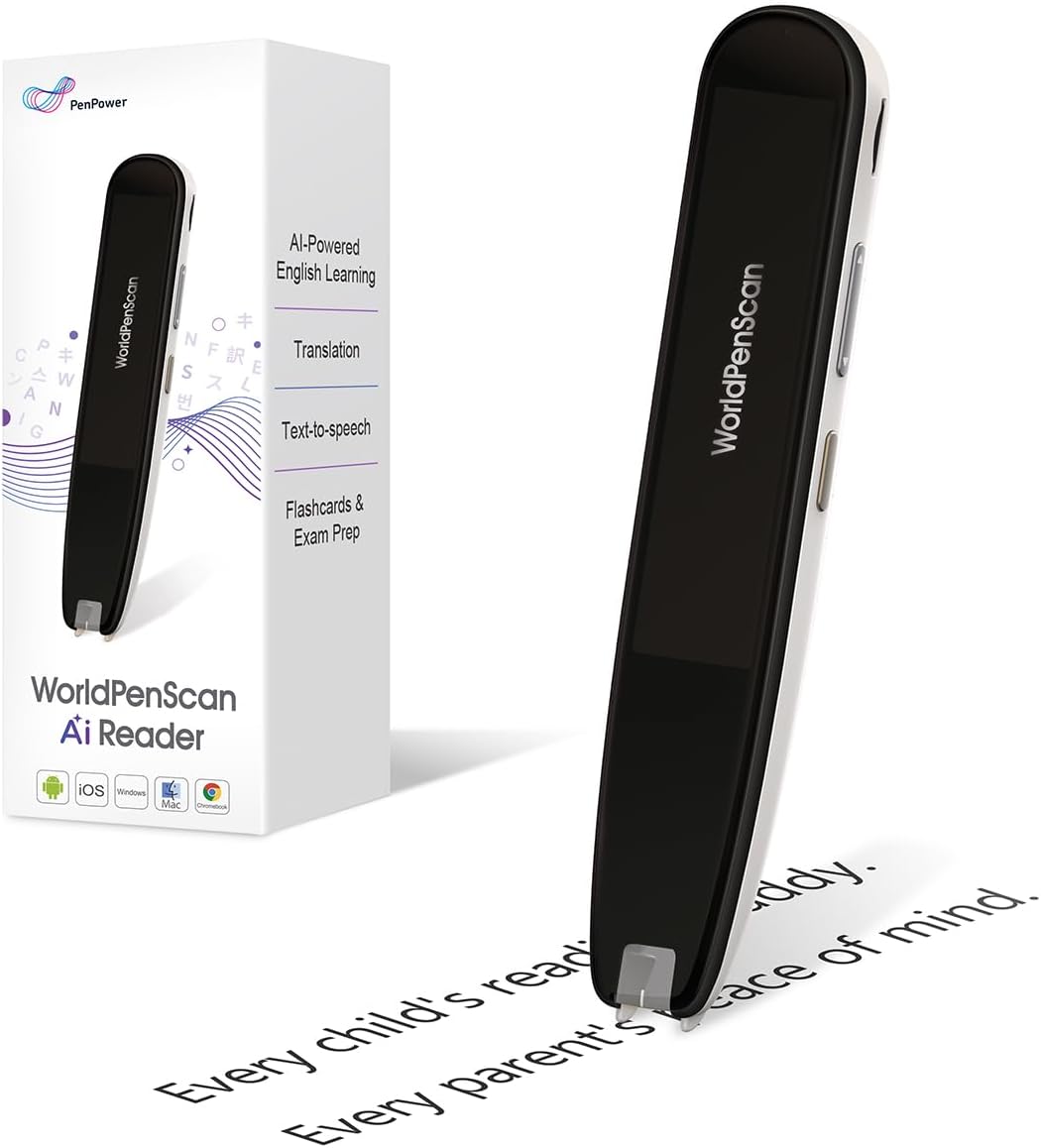
WorldPenScan AI Reader is tailored for growing readers and ESL learners who need extra support. With a 4.2 rating, it helps children stay engaged by scanning difficult words for reading-level explanations. The device includes offline tools like Text-to-Speech and a built-in dictionary, ensuring uninterrupted reading anywhere.
Pros
Age-appropriate explanations
Offline capabilities
Reading quizzes
Built-in dictionary
Cons
Limited to specific languages
Focus on kids
We may earn a commission when you buy through this link, at no additional cost to you.
When connected, it unlocks Quick AI and AI Reading Buddy for deeper learning insights. Scanned content syncs to the AI Reading Buddy app to reveal big ideas and fun facts beyond the text. It also reinforces comprehension with AI-generated reading quizzes, turning passive reading into an active learning process.
While the primary focus is on children, the utility of age-appropriate explanations can benefit anyone facing complex text. The offline functionality ensures it works without internet, which is crucial for focused reading sessions. The limitation to English, Spanish, and Chinese may be a consideration for broader language needs.
This pen is highly recommended for parents and educators looking to build independent readers. It strengthens comprehension and confidence through interactive learning tools. The design encourages curiosity and helps children solve reading challenges on their own.
AI Reading Companion for Growing Readers
Scan difficult words or ideas to get reading-level explanations that reduce frustration and build confidence to read independently.
Explore Beyond the Page
Discover big ideas and insights beyond scanned text with Tell Me More and reinforce comprehension with AI-generated reading quizzes.
The Pen Gpt, Ai Pen Instant Ai Answers positions itself as a tool for productivity with built-in ChatGPT. While it currently has no rating, its features suggest a strong focus on answering questions and brainstorming ideas through an intuitive AI interface. Users can digitize books and documents instantly to organize searchable content.
Pros
Deep AI interaction
WiFi sync
Voice recording
Offline translation
Cons
No rating data
New product
We may earn a commission when you buy through this link, at no additional cost to you.
It supports offline translation for over 50 languages and features a vibrant 3.5-inch HD touch screen for clear viewing. Voice recording capabilities allow users to capture lectures or meetings, syncing files wirelessly to devices for complete review. This makes it a multi-purpose tool for various learning scenarios.
As a relatively new product, user feedback may be limited, making it a choice for those willing to try new tech. The combination of voice and text input provides flexibility for note-taking and idea generation. The offline translation adds value for travelers who need quick language assistance.
This pen is suitable for professionals and students seeking integrated ChatGPT access for daily tasks. It is recommended for those prioritizing AI interaction and digital organization. The lack of ratings suggests checking recent user reviews before purchase.
ChatGPT Integration
Boost your productivity with built-in ChatGPT to ask questions, brainstorm ideas, and refine essays.
Voice Recording & WiFi Sync
Record lectures and sync files wirelessly to your devices to pair them with scanned notes for complete review.
Smart Pen Notebook Set with AI Voice Transcription
AI voice transcription
Handwriting recognition
Wireless charging
Reusable refill
This Smart Pen Notebook Set focuses on transforming ideas into reality with voice transcription. It converts voice into text in real time and supports multiple language translations for easy recording of meeting content. The app also features handwriting recognition, enabling editable Word documents from meeting notes.
Pros
Sound to text
Reusable design
Handwriting recognition
Wireless charging
Cons
No rating data
App dependency
We may earn a commission when you buy through this link, at no additional cost to you.
Each pen comes equipped with pencil refills that can be erased for repeated usage, making it an eco-friendly option. Wireless charging simplifies the start-up process. The combination of voice creation and handwriting recognition creates a versatile workflow for capturing both spoken and written thoughts.
While lacking user ratings, the feature set suggests a modern approach to note-taking. The wireless charging is a convenience factor that reduces reliance on cables. However, the reliance on app features means functionality depends on software updates.
Ideal for users who prioritize voice-to-text and handwriting digitalization, this set offers a unique workflow. It is recommended for professionals and creatives who need to capture ideas quickly. The reusable design adds long-term value to the device.
Sound to Text
Equipped with AI voice transcription technology, the built-in microphone catches sound and converts it into text in real time.
Reusable AI Recognition
Users simply draw a sketch and the phone generates compliant artwork in seconds, writing erasing and rewriting without worry.
The Scanmarker Pal is a versatile translator pen for kids and adults, holding a 4.0 rating. It scans and translates text in over 100 languages, including offline support for major languages like English and Spanish. This makes it ideal for learners and travelers needing quick, accurate translations without internet.
Pros
Offline language support
Instant translation
Text to speech
Bluetooth headphones
Cons
Basic interface
Limited AI
We may earn a commission when you buy through this link, at no additional cost to you.
The reading pen for dyslexia reads text aloud instantly with highlighted words on the screen for improved comprehension. Users can export scanned text as digital files for note-taking and future use. Its compact and portable design fits easily in bags for on-the-go use.
While it lacks the advanced AI features of newer models, its straightforward functionality ensures reliability. The ability to connect Bluetooth headphones offers an immersive audio experience for listening to text. The focus on accessibility makes it a strong choice for those with learning difficulties.
Recommended for travelers and students, this device simplifies language barriers efficiently. It is suitable for those prioritizing portability and offline capabilities. The clear text-to-speech feature ensures understanding of complex vocabulary.
Instant Multilingual Mastery
Scan and translate text in over 100 languages, including offline support for English, Spanish, French, German, and Italian.
Listen & Learn
Read text aloud instantly with highlighted words on the screen for improved comprehension.
This Translation Pen supports online and scanning translation for 142 languages, with offline support for ten. It uses OCR technology to convert scanned text into audio for real-time voice translation. With a 3.6 rating, it offers a wide range of functions including photo translation and text extraction.
Pros
High language count
Photo translation
Text extraction
Recorder function
Cons
Lower rating
Complex UI
We may earn a commission when you buy through this link, at no additional cost to you.
The device allows synchronized scanning and translation to a phone for easy document editing. It also serves as a recorder for interviews and meetings, and supports features like a thesaurus and music player. This multi-functionality makes it a compact tool for travel and business meetings.
While the broad language support is impressive, the lower rating may indicate usability challenges or interface issues. However, for users needing a comprehensive language solution on a budget, it offers significant value. The ability to translate foreign menus and labels is particularly useful.
Ideal for travelers needing extensive language coverage, this pen provides a multilingual communication solution. It is recommended for those who value quantity of supported languages. The recording and extraction tools add practical utility for professionals.
Text to Speech Conversion
Convert the scanned text into audio and provide real-time voice translation for reading with OCR technology.
Photo Translation
Aim the camera at any text and it will automatically translate, serving as a recorder for important meetings.
We may earn a commission when you buy through this link, at no additional cost to you.
Buying Guide – How to Choose the Best AI Scan Pens with Chatgpt
Choosing the right AI Scan Pen involves considering several factors that impact performance and usability. We break down the key elements to look for to ensure you invest in a device that meets your specific needs.
OCR Accuracy and Speed
The core function of any scan pen is Optical Character Recognition. You should look for models that offer high precision in reading different fonts and document types. Fast scanning ensures that text appears instantly on the screen or is transferred to your device without lag. Poor accuracy can lead to errors in translation or note-taking, so check user reviews for performance feedback.
Prioritize devices with proven OCR capabilities that handle complex layouts well.
Language Support
AI Scan Pens often serve as translation tools for travelers or students. Ensure the device supports the specific languages you need for online and offline translation. Some models offer up to 142 languages online, while others may focus on major European languages for offline use. Check if the pen supports your primary target languages to avoid limitations during use.
Select a pen that covers both online and offline language requirements effectively.
AI Integration
Modern pens may feature integrated AI like ChatGPT for answering questions or summarizing text. Evaluate how deeply the AI is embedded into the workflow and whether it provides context-aware answers. Some devices offer AI homework checkers or study buddies, while others focus on basic text extraction. Decide if advanced AI features are necessary for your tasks.
Look for AI features that match your learning or productivity goals.
Storage and Connectivity
Consider how you plan to store and access your scanned notes. Devices with onboard storage like 16GB allow you to save files locally without relying on the cloud. Bluetooth or WiFi connectivity ensures seamless syncing to your phone or computer for editing. Check if the pen supports exporting to formats like PDF or DOC for easy integration with other apps.
Choose a model that offers sufficient storage and seamless data transfer options.
Battery Life and Charging
Since these devices are portable, battery life is crucial for all-day use. Some models offer up to 17 hours of continuous operation, while others may need frequent charging. Also consider the charging method; wireless charging or standard USB-C ports can impact convenience. Ensure the device can last through your longest work or study sessions.
Opt for a device with a battery that supports your daily usage patterns.
Physical Design
The physical size and weight of the pen affect its usability. A compact design is easier to carry in a pocket or bag, but might limit screen size. Ensure the build quality feels durable for daily handling. Some pens also feature specialized buttons or touchscreens that should align with your ergonomic preferences.
Select a physical design that balances portability with functional screen size.
Software Ecosystem
Many pens rely on companion apps for full functionality like note organization or transcription. Check if the app is available for your operating system and if it is regularly updated. Features like real-time digitization, summaries, and search are often app-dependent. A robust ecosystem enhances the value of the hardware.
Ensure the software ecosystem is compatible with your devices and supports your workflow.
Accessibility Features
For users with dyslexia or reading difficulties, features like text-to-speech and adjustable font speeds are vital. Look for pens that offer specialized modes to reduce reading stress. Accessibility options can significantly improve the experience for those with visual or cognitive challenges.
Prioritize models that offer specific accessibility tools if needed.
How to Use and Care for Your AI Scan Pens with Chatgpt
To get the most out of your AI Scan Pen, start by calibrating the scanning settings to match your typical documents. Most devices allow you to adjust sensitivity for different paper types or font sizes to ensure accurate capture. Practice sliding the pen steadily over the text to avoid skewing or missing characters, which can affect OCR accuracy.
Regularly update the firmware and companion app to access the latest AI features and language packs. This ensures the device continues to perform at its best and supports new languages or tools as they are released. Also, check your storage space periodically to ensure you can save new notes without running out of room.
Care for the pen by keeping it in a protective case when not in use to prevent scratches or damage to the scanning head. Avoid exposing it to extreme temperatures or moisture. Use the provided charging accessories to maintain battery health. Proper maintenance will extend the lifespan of the device significantly.
Frequently Asked Questions
Do these pens work offline?
Many AI Scan Pens offer offline capabilities for basic translation and reading functions, though advanced AI features often require an internet connection. Models like the Scanmarker Pal and others support offline translation for a limited number of languages. If you travel to areas with poor connectivity, check the specific offline limits of the device.
Can I use them for handwritten text?
Most models are optimized for printed text and may struggle with handwritten notes unless they are very clear. The XNote Smart Pen is designed to work with specific notebooks to digitize handwriting, while general scan pens focus on printed material. For handwriting, ensure the pen supports handwriting recognition explicitly.
Is the ChatGPT integration free?
Integration with ChatGPT or similar AI models often comes with usage limits or subscription requirements depending on the manufacturer. Some devices offer basic AI features for free but may charge for advanced queries or cloud sync. Always review the product specifications and app terms to understand any ongoing costs.
How do I transfer notes to my computer?
Most pens allow you to transfer notes via Bluetooth, USB cable, or cloud sync through a companion app. You can export files in common formats like DOC or PDF for easy access on your computer. Check the app instructions for the specific steps to sync your data securely.
Are these pens suitable for kids?
Yes, several models are designed with kids in mind, offering age-appropriate reading levels and simplified interfaces. The WorldPenScan AI Reader specifically targets growing readers with tools to build confidence. Look for features like adjustable reading speeds or educational quizzes to match a child's learning level.
Can I record meetings with these pens?
Some models include voice recording features to capture lectures or meetings alongside text scanning. Others rely on companion apps for transcription and recording. Ensure the specific device you choose supports voice input if this is a priority for your workflow.
Final Thoughts on Choosing the Best AI Scan Pens with Chatgpt
We have explored ten top-rated AI Scan Pens with Chatgpt, highlighting their unique strengths for different users. Whether you need the premium features of the NEWYES AI Pen or the value of the Ai Pen with Chat GPT, there is a model to fit your needs. The XNote Smart Pen remains a standout for those who prefer traditional writing combined with modern sync.
When making your choice, prioritize the features that will impact your daily workflow the most. If offline translation is crucial, ensure the device supports your target languages without internet. For students, AI homework assistance and accessibility tools might be the deciding factor. Consider both the hardware capabilities and the software ecosystem.
Remember that technology evolves quickly, so always check the latest prices and features before purchasing. These devices are designed to make learning and work more efficient, but they work best when aligned with your specific goals. Invest in a tool that supports your long-term productivity and educational growth.