
ATTACK SHARK R11Ultra
4.8Editor score
Carbon fiber shell build
49g lightweight design
PAW3950MAX sensor
Triple mode connectivity
Discover the top 8kHz polling rate mouse for esports in October 2026. This guide compares speed, precision, and features to help you dominate competitive
In competitive gaming, every millisecond counts. Players demand tools that translate their reflexes into on-screen actions without delay. An 8kHz polling rate mouse delivers this edge by reporting position updates eight thousand times per second.
This guide evaluates ten top-tier mice designed for esports. We examine sensor quality, build materials, weight distribution, and wireless latency. Our analysis helps you find a mouse that matches your grip style and competitive needs.
Each entry highlights standout features and potential drawbacks. Ratings reflect real-world performance data from enthusiasts and pros. Prices fluctuate often, so verify current listings before purchasing your next gaming tool.
4.8Editor score
4.6Editor score

4.2Editor score
The following table compares key specifications across all ten models. Use this side-by-side view to identify which device aligns best with your performance requirements.


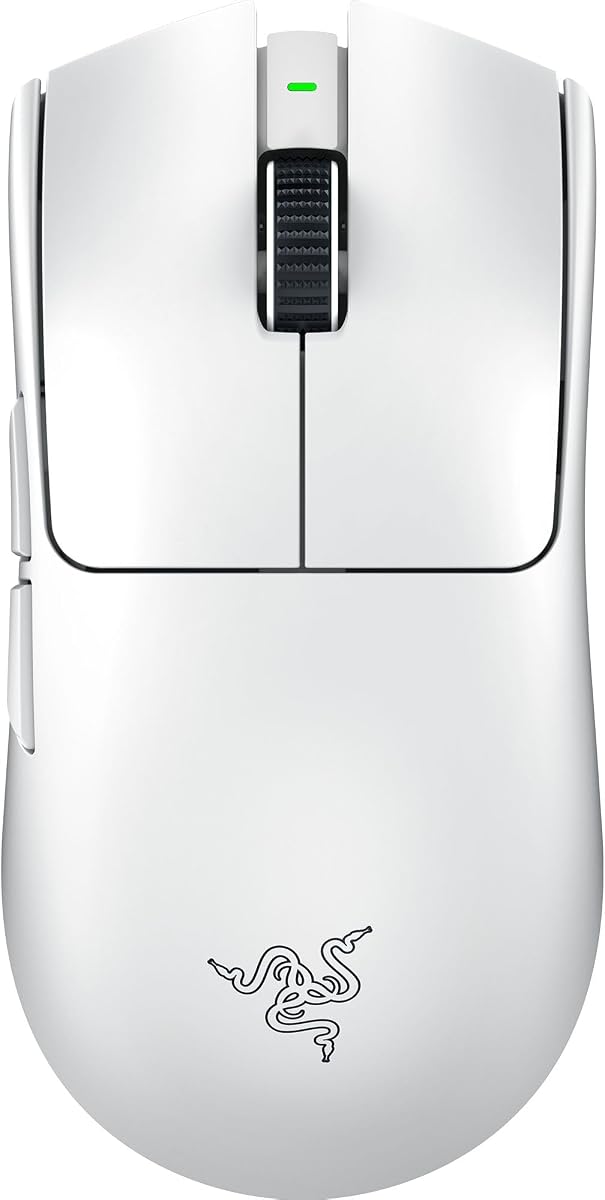
The Razer Viper V3 Pro stands out as a premier choice for esports. It achieves an impressive 4.6 rating from users who prioritize performance over flash. This wireless model balances weight and power perfectly.
We may earn a commission when you buy through this link, at no additional cost to you.
Its Focus PRO 35K sensor ensures pixel-accurate tracking across various surfaces. The HyperSpeed wireless technology maintains a true 8kHz polling rate even in crowded environments. Optical switches Gen-3 provide crisp clicks with zero delay.
While the lack of RGB may deter style-focused users, the focus on function pays off. The battery life supports extended sessions. The build quality feels robust despite the light chassis.
Competitive players seeking reliable wireless performance will find this mouse exceptional. It removes cable drag without introducing latency. For top-tier play, this model is highly recommended.
The sensor delivers unmatched accuracy for tactical shooters. It tracks movements flawlessly without spinouts.
Users can game for days on a single charge. This eliminates anxiety about power during tournaments.
We may earn a commission when you buy through this link, at no additional cost to you.
The ATTACK SHARK R11Ultra offers flagship specs at a competitive price. It holds an outstanding 4.8 rating. Users praise its carbon fiber shell for durability and light weight.
We may earn a commission when you buy through this link, at no additional cost to you.
Powered by the Nordic 52840 chipset, it ensures stable 8kHz wireless. The PAW3950MAX sensor matches high-end models. Omron optical switches provide long-lasting tactile feedback.
The cloud driver simplifies setup without bulky software. Some may hesitate due to the brand's market presence. However, the performance metrics rival much costlier devices.
This is the ideal pick for budget-conscious gamers needing speed. It brings professional features to a wider audience. We recommend it for those seeking value.
The material resists wear better than plastic. It maintains structural integrity over time.
The chipset minimizes interference. Connection remains stable during intense matches.
We may earn a commission when you buy through this link, at no additional cost to you.
The ASUS ROG Harpe Ace Extreme targets the elite tier. It weighs just 47g. This weight allows rapid movements. Users find it ideal for low-sensitivity shooters.
We may earn a commission when you buy through this link, at no additional cost to you.
Its AIMPOINT PRO sensor tracks on glass with ease. The glass skates reduce friction significantly. The shape was validated by pros for stability during flicks.
While expensive, the build quality justifies the cost. The polling rate booster ensures responsiveness. Some users note the high price as a barrier.
Pros will appreciate the refined ergonomics and materials. It is a dedicated tool for those serious about winning. Consider this for high-stakes play.
Glass skates offer a unique glide feel. They prevent stiction on standard pads.
The shape supports palm grips well. It reduces fatigue during long sessions.
We may earn a commission when you buy through this link, at no additional cost to you.
The ATTACK SHARK R5Ultra pushes weight limits. At 39g, it is exceptionally light. This reduces wrist strain and speeds up reactions. Users value its strength despite the weight.
We may earn a commission when you buy through this link, at no additional cost to you.
It uses the PAW3950 sensor for precise tracking. Tri-mode connectivity allows flexible use. The AI driver simplifies customization without local installs.
Some may find the weight unusual at first. It demands adaptation. However, the performance gains are clear in fast games.
Ideal for users seeking speed and agility. It pairs well with lightweight gloves. We recommend it for competitive FPS fans.
Carbon fiber ensures durability. The shell resists cracks under impact.
We may earn a commission when you buy through this link, at no additional cost to you.
The Logitech G PRO X Superlight 2 is a modern classic. It offers a balanced 60g feel. Users love its simplicity and reliability. It excels in tournament settings.
We may earn a commission when you buy through this link, at no additional cost to you.
The HERO 2 sensor provides high precision. LIGHTFORCE switches combine optical and mechanical benefits. It supports POWERPLAY for wireless charging.
Some competitors are lighter. However, the ecosystem and software are superior. Users report high satisfaction with long-term use.
It suits players who prioritize stability. It is a safe choice for pros. We recommend it for broad compatibility.
Keep it charged without cables. It integrates seamlessly with desks.
We may earn a commission when you buy through this link, at no additional cost to you.
The Razer Viper V4 Pro focuses on endurance. It offers up to 180 hours of use. Users praise its efficiency. The 49g weight remains competitive.
We may earn a commission when you buy through this link, at no additional cost to you.
Focus PRO 50K sensor ensures accuracy. Optical scroll prevents tracking issues. Synapse 4 integration allows deep customization.
The price reflects the high-end components. Some users prefer more macro options. Yet the performance is consistent and smooth.
Ideal for marathon sessions without charges. It suits pros needing reliability. We recommend it for endurance-focused gamers.
New tech cuts power use. It keeps latency low.
We may earn a commission when you buy through this link, at no additional cost to you.
The ATTACK SHARK X8 Ultra fits larger grips well. It balances 55g. Users appreciate the Nano-ice coating. It reduces sweat during intense play.
We may earn a commission when you buy through this link, at no additional cost to you.
The sensor offers high accuracy and efficiency. Omron switches ensure durability. Tri-mode supports flexible setups.
It might feel large to small-hand users. This limitation suits the target demographic. Performance remains robust across games.
Recommended for users needing room to maneuver. It offers comfort without sacrificing speed. We recommend it for comfort seekers.
The coating keeps surfaces cool. It maintains grip stability.
We may earn a commission when you buy through this link, at no additional cost to you.
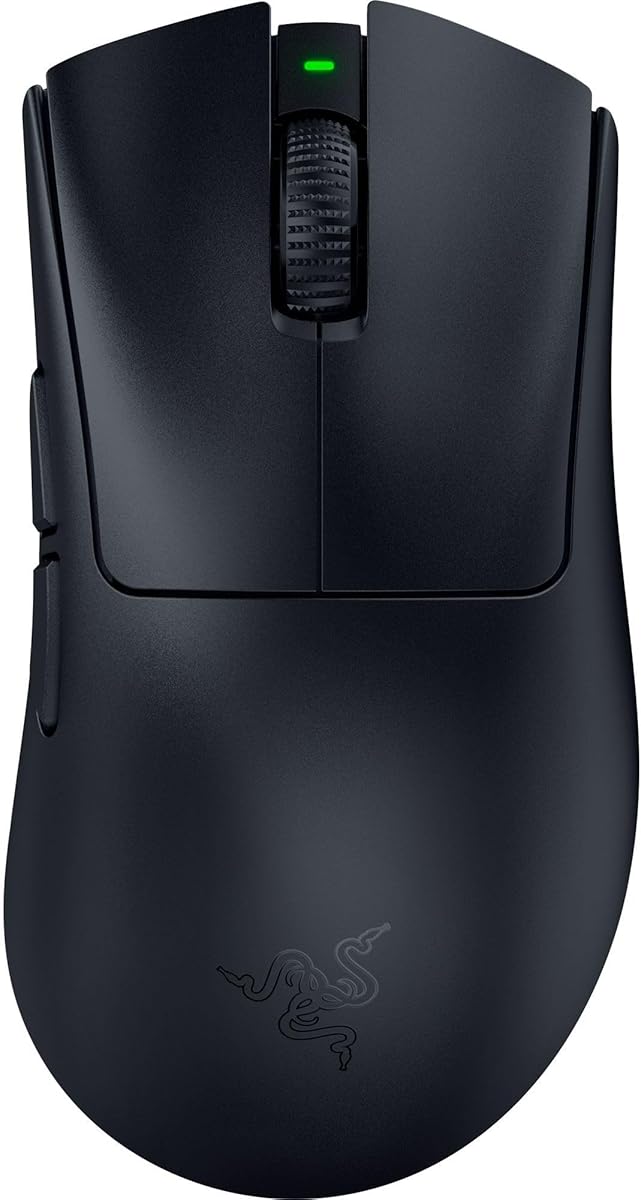
The Razer DeathAdder V3 honors the iconic shape. It offers a 59g wired experience. Users find it comfortable for palm grips. The sensor tracks flawlessly.
We may earn a commission when you buy through this link, at no additional cost to you.
Gen-3 switches eliminate double clicks. The cable minimizes drag. This is a reliable tool for those avoiding batteries.
Wireless is absent here. The price remains competitive. Performance is top-tier for the build.
Best for users who prefer cables. It avoids battery anxiety. We recommend it for purists.
Gen-3 ensures durability. It prevents missed clicks.
We may earn a commission when you buy through this link, at no additional cost to you.
The Razer DeathAdder V4 Pro combines comfort and speed. At 56g, it is manageable. Users love the refined shape. It supports long sessions comfortably.
We may earn a commission when you buy through this link, at no additional cost to you.
Gen-4 switches provide crisp feedback. The sensor tracks accurately. Wireless performance is consistent.
The premium cost may deter some. However, the build quality justifies it. It suits those wanting ergonomics.
Best for palm grip users. It balances weight and shape well. We recommend it for comfort seekers.
Re-engineered for better hold. It reduces hand fatigue.
We may earn a commission when you buy through this link, at no additional cost to you.
The Razer Viper 8KHz offers wired precision. It weighs 71g. Users appreciate the ambidextrous design. It fits left-handed players well.
We may earn a commission when you buy through this link, at no additional cost to you.
HyperPolling ensures near-zero latency. Chroma RGB adds style. On-board memory allows portability.
Weight might feel heavy for some. Wired setups lack wireless freedom. But it is robust for LAN events.
Best for left-handed or wired users. It brings esports features to all. We recommend it for LAN gamers.
Officially designed for pros. It meets industry standards.
We may earn a commission when you buy through this link, at no additional cost to you.
Selecting the right mouse involves balancing weight, shape, and features. This section breaks down the key factors to consider.
An 8kHz polling rate means the mouse reports data 8,000 times per second. This reduces input latency significantly compared to standard 1,000 Hz models. It ensures your cursor moves instantly with your hand. Look for devices with dedicated controllers to handle this data load.
Prioritize models that support true 8kHz without battery drain. Wired options often handle this better than wireless.
Lightweight mice, under 60g, allow faster movements. Heavier mice provide stability. Carbon fiber and hollow shells reduce mass. Ensure the balance point sits under your natural contact area.
Choose a weight that matches your grip style. Lower weight suits claw grips best.
The sensor tracks movement with precision. High DPI sensors support fast flicks. Look for sensors like PAW3950 or Focus PRO. These offer high IPS and acceleration capabilities.
Ensure the sensor performs on your mousepad surface. Glass-capable sensors are a bonus.
Wireless tech has improved significantly. Ensure the dongle uses advanced frequency hopping. Avoid interference from USB 3.0 ports. Test the range in your setup area.
Battery life matters for uninterrupted play. Look for models that sustain 8kHz on a single charge.
Optical switches prevent double-clicking. They use light beams to trigger clicks. Look for ratings over 70 million clicks. This ensures longevity for intense gaming.
Mechanical switches can fail under heavy use. Optical is safer for competitive play.
The shape must fit your hand comfortably. Ambidextrous designs suit left-handed users. Ergonomic shapes reduce wrist strain. Consider your palm or claw grip style.
Test the mouse if possible. Size matters more than features.
Drivers allow DPI and button mapping. Cloud drivers simplify updates. Ensure the software supports your OS. Complex software can slow down your PC.
Look for on-board memory options. This stores settings without software.
Materials like carbon fiber offer strength. Hollow designs reduce weight but must be sturdy. Coatings prevent sweat. High-quality PTFE feet glide better.
Check for durability against drops. Build quality affects lifespan.
First, ensure your mousepad surface is clean. Dust can interfere with sensor tracking. Use a smooth surface to minimize friction. Avoid uneven or glass desks unless specified.
Second, update your driver software regularly. Firmware updates improve performance and battery life. Connect the dongle to a direct USB port. Avoid hubs to reduce interference.
Third, clean the mouse regularly. Wipe the shell with a microfiber cloth. Clean the sensor lens gently. This ensures consistent tracking and durability.
Yes, an 8kHz mouse reduces input lag significantly. It provides smoother tracking. This helps competitive players react faster. For casual play, it is less noticeable.
Not all models sustain high rates. Many drain faster on high polling. Look for specific battery specs at 8kHz. Wired mice avoid this issue.
Wired models offer zero power drain. Wireless models provide freedom from cables. Both can achieve 8kHz. Check for dongle quality.
Some high-end sensors track on glass. Standard ones may fail. Check the specs for 'track-on-glass' support. This ensures consistent movement.
Lighter mice allow quick movements. Heavier ones stabilize aiming. The best choice depends on your style. Most pros prefer under 60g.
Optical switches use light to trigger. They avoid contact wear. This prevents double-click issues. Mechanical switches can degrade faster.
The ATTACK SHARK R11Ultra offers incredible value with top specs. The Razer Viper V3 Pro delivers reliable wireless performance. The ASUS ROG Harpe Ace Extreme suits pros seeking lightweight.
Prioritize sensor accuracy and battery life. Ensure the shape fits your hand. These factors define your competitive edge. Do not ignore ergonomics.
Prices fluctuate daily based on sales. Always check current listings before buying. Your next upgrade could transform your gameplay.