
Entina Tina2C
4.4Editor score
Compact mini footprint design
AI-powered STEM learning modules
Start in eight minutes
This guide compares the top 3D Printer for Educational Use models for classrooms and home learning, focusing on safety, ease of use, speed, and creative
Selecting the right 3D Printer for Educational Use involves balancing safety, ease of setup, and creative capabilities for students of all ages. Modern machines offer auto-leveling, enclosed chambers, and app control to simplify the learning curve for teachers and young makers alike.
We evaluated ten leading models based on print speed, build volume, filament compatibility, and educational features like STEM modules. Our analysis highlights devices that minimize downtime, reduce waste, and provide reliable performance in busy classroom environments where consistency is key.
Each pick showcases specific strengths such as multi-color printing, quiet operation, or rapid prototyping speeds. Prices and availability can change frequently, so verify current details before purchasing. This list helps you invest in technology that inspires innovation and practical engineering skills.
4.4Editor score

4.7Editor score

4.6Editor score
The following comparison table details key specifications for each model to help you identify the best fit for your educational setting. Consider build volume, speed, noise levels, and safety features when making your final decision.





The Bambu Lab A1 stands out as a top-tier option for educational environments. It holds an excellent rating and delivers rapid, precise prints with minimal manual intervention, making it ideal for schools needing reliability.
We may earn a commission when you buy through this link, at no additional cost to you.
Its standout feature is full-auto calibration, which handles Z-offset and bed leveling automatically. The active flow rate compensation ensures smooth prints, while the 10,000 mm/s² acceleration allows students to see results quickly during lessons.
While highly capable, the multi-color feature requires purchasing the AMS lite separately. The open design may not suit materials needing heat containment, but for standard PLA and PETG, it performs flawlessly in open classrooms.
Buy this if you need a fast, reliable printer for beginners. Its user-friendly interface and quiet operation make it perfect for home offices or busy schools where setup time is limited and success rates must stay high.
Students can iterate designs quickly due to the high acceleration and speed, fostering faster learning cycles and more creative exploration.
The automatic calibration means teachers spend less time troubleshooting and more time guiding students through the design process.
We may earn a commission when you buy through this link, at no additional cost to you.
The Ugee Funbox is a premium choice tailored for younger students and home educators. It combines safety certifications with engaging AI features, turning design into a playful and educational activity for curious minds.
We may earn a commission when you buy through this link, at no additional cost to you.
Its library of over 12,000 tested models offers endless DIY fun, while the AI engines convert photos and voice into 3D models instantly. The enclosed body and HEPA filters ensure a safe, clean environment for classroom use.
Although it only prints single colors, the system encourages assembly skills by mixing parts. The built-in camera allows parents and teachers to monitor progress remotely, adding convenience to the learning experience.
Choose this if safety and engagement are top priorities. Its kid-friendly design and guided projects make it perfect for teaching spatial reasoning and design thinking without overwhelming young learners with complex settings.
Certified low-emission standards and a fully enclosed body protect children from hot parts and fumes, ensuring a secure learning environment.
AI tools transform creative ideas into printables instantly, bridging the gap between imagination and tangible results for students.
We may earn a commission when you buy through this link, at no additional cost to you.
The Entina Tina2C offers an accessible entry point for schools and families wanting to explore 3D printing. With a high rating for ease of use, it starts in just eight minutes, making it ideal for short class periods.
We may earn a commission when you buy through this link, at no additional cost to you.
Its integration with the Poloprint Cloud app provides AI search and over 20+ creative DIY modules specifically designed for STEM learning. This educational focus helps teachers connect printing to broader curriculum goals effectively.
The compact size is perfect for desktops but limits large projects. While it supports standard filaments, the build volume may require splitting larger models, which adds a lesson in engineering and design planning.
Buy this if you need a budget-friendly classroom unit. Its guided setup and educational resources reduce friction for beginners, ensuring students spend time creating rather than troubleshooting mechanical issues or complex software.
Built-in STEM courses align with educational standards, helping teachers incorporate practical engineering into their existing lesson plans seamlessly.
Fully assembled design means immediate use, eliminating assembly fatigue and allowing students to focus entirely on the creative process.
We may earn a commission when you buy through this link, at no additional cost to you.
The Bambu Lab P1S is a robust choice for advanced educational settings requiring durable materials. It combines high speed with an enclosed body, allowing for reliable printing of ABS and ASA without warping issues.
We may earn a commission when you buy through this link, at no additional cost to you.
Automatic bed leveling and calibration ensure consistent results for every project. The ability to print up to 500mm/s reduces wait times, enabling more iterations within a single class period or lab session.
While it costs more than entry models, the versatility justifies the investment. It is best suited for high schools or makerspaces where students need to work with engineering-grade filaments for functional prototypes.
Choose this if you need to print tough materials. Its enclosed system minimizes odor and fumes, while the reliability ensures that projects come out as expected, keeping students engaged and frustration-free.
The enclosure allows safe handling of higher-temperature filaments, opening up engineering possibilities for advanced students.
Pre-calibrated systems mean less downtime between projects, keeping the learning momentum going during busy academic weeks.
We may earn a commission when you buy through this link, at no additional cost to you.
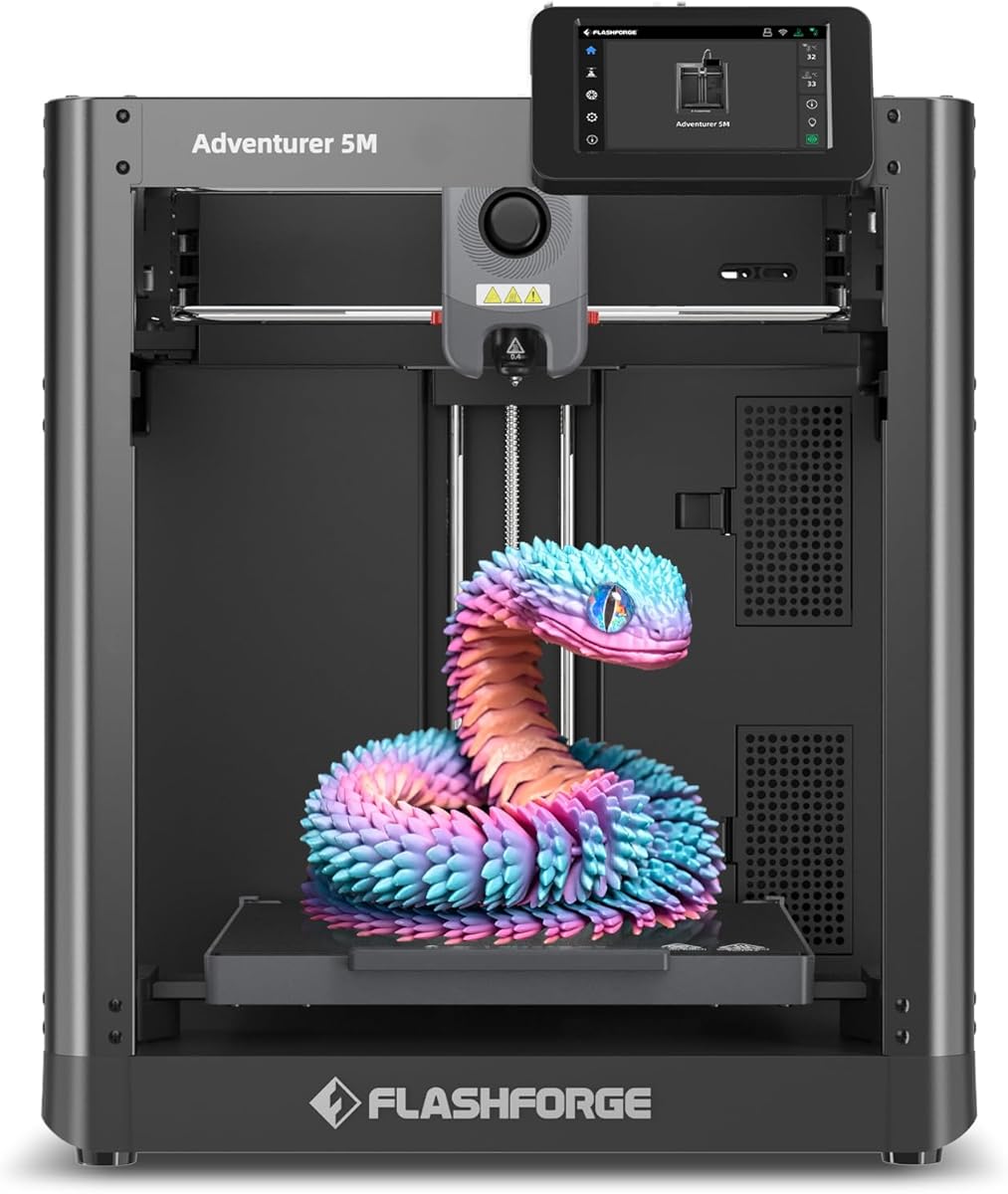
The FLASHFORGE Adventurer 5M delivers impressive speed with its CoreXY design and high-temperature extruder. It aims to support rapid prototyping tasks efficiently, which is valuable for time-limited educational projects.
We may earn a commission when you buy through this link, at no additional cost to you.
Features like 3-second nozzle changes and auto leveling simplify maintenance and setup. The vibration compensation helps reduce ghosting, ensuring cleaner prints even at high speeds for better visual results in the classroom.
While the rating is lower due to some usability quirks, its performance in speed makes it viable for high-volume needs. Users may need to tune settings carefully to get the best out of this robust machine.
Select this if speed is your main concern. It helps teachers manage large classes by reducing wait times between prints, though supervision might be needed to ensure settings are optimized for consistent educational output.
High-speed capabilities allow for quick turnaround on large batches of student projects, maximizing workshop efficiency.
Quick-swap nozzle technology reduces downtime during repairs, keeping the printer running smoothly throughout the school year.
We may earn a commission when you buy through this link, at no additional cost to you.
The FLASHFORGE AD5M emphasizes durability and convenience with its all-metal CoreXY structure. It offers features like power loss recovery and auto calibration, ensuring that educational sessions aren't interrupted by minor power outages.
We may earn a commission when you buy through this link, at no additional cost to you.
The quick-swap nozzle system allows for rapid changes to different sizes, supporting diverse projects from fine details to rapid prototypes. The dual-sided PEI plate aids in easy removal of printed parts, reducing manual struggle.
While it lacks an enclosure, its stability ensures precise results. This makes it a solid choice for schools where students need to learn about different nozzle diameters and filament types without complex hardware changes.
Buy this for reliable, low-maintenance operation. It balances cost and performance well, making it suitable for general use where the risk of warping is low and speed is a significant benefit for students.
Power loss recovery ensures projects aren't wasted during unexpected outages, a crucial feature for multi-day student designs.
All-metal construction reduces vibrations, leading to higher quality prints that showcase student work effectively.
We may earn a commission when you buy through this link, at no additional cost to you.
The Bambu Lab P2S Combo offers advanced multi-color printing capabilities via the AMS 2 Pro. It brings professional-grade quality to schools, enabling complex, multi-hued models that can inspire higher levels of creativity.
We may earn a commission when you buy through this link, at no additional cost to you.
With its adaptive airflow system, it manages cooling and heat retention effectively for various materials. The AMS includes a drying function, ensuring filament quality remains consistent, which is critical for successful educational printing sessions.
This model is an investment for schools focused on advanced prototyping. Its high speed and precision mean students can create intricate, colorful parts that demonstrate complex design concepts more vividly than single-color prints.
Choose this if multi-material work is a priority. The drying feature alone saves time and material waste, making it efficient for long-term educational programs where material quality impacts the final project outcomes significantly.
Multi-color capabilities allow students to express ideas with vibrant details, elevating the visual appeal of their engineering projects.
Built-in filament drying ensures consistent extrusion, reducing failed prints and maximizing valuable lab time.
We may earn a commission when you buy through this link, at no additional cost to you.
Another variant of the Adventurer 5M emphasizes speed and user-friendly safety features. It integrates filament run-out sensors and vibration compensation to minimize failed prints, ensuring smooth operation for educational tasks.
We may earn a commission when you buy through this link, at no additional cost to you.
The dual-sided PEI plate supports various filament types without needing adhesive. This convenience helps teachers manage different class projects efficiently while maintaining high-quality surface finishes on student creations.
The open design allows easy access but requires proper ventilation. It suits classrooms focused on PLA where air quality is less of a concern, and the high speed keeps workflow moving without delays.
Select this for efficient classroom throughput. The sensor features reduce interruptions caused by empty spools, ensuring that lessons progress smoothly even during long printing sessions without constant manual monitoring.
Run-out sensors prevent wastage by pausing prints when filament runs low, teaching resource management to students.
Vibration compensation improves detail on prints, making student projects look more professional and impressive.
We may earn a commission when you buy through this link, at no additional cost to you.
The Snapmaker U1 brings true multi-material capabilities to the educational market with four independent toolheads. It enables students to print complex, articulated models in one job, significantly simplifying assembly and design workflows.
We may earn a commission when you buy through this link, at no additional cost to you.
Its unique tool change system reduces waste compared to traditional filament swaps. This efficiency is vital for classroom budgets, allowing students to focus on design logic rather than managing multiple print runs for a single object.
While powerful, it demands a higher level of technical understanding. Schools with dedicated tech staff or advanced engineering programs will benefit most from its flexibility and precise motion system.
Buy this if multi-material design is central to your curriculum. The ability to mix rigid and flexible materials allows for realistic engineering prototypes, giving students hands-on experience with industrial-level 3D printing workflows.
Multiple toolheads allow complex assemblies in one print, teaching students about integrated mechanical design.
Support for diverse materials like TPU and PVA expands the scope of projects students can complete in one session.
We may earn a commission when you buy through this link, at no additional cost to you.
The Bambu Lab A1 Mini Combo provides multi-color capabilities in a compact form. It is ideal for classrooms with limited desk space where color variation is essential for teaching design and geometry concepts.
We may earn a commission when you buy through this link, at no additional cost to you.
Its calibration is fully automatic, ensuring students can focus on creative tasks without worrying about bed leveling. The combo includes the AMS lite, making multi-color printing accessible without additional purchases.
While the build volume is smaller, it is sufficient for most educational parts. This makes it a practical choice for individual student workstations where space is at a premium.
Choose this for space-constrained rooms needing color versatility. The quiet operation ensures it does not disrupt other activities, making it suitable for libraries or quiet study areas within educational institutions.
A smaller footprint allows for multiple units in one room, facilitating collaborative student projects.
Integrated multi-color support helps students visualize geometry and structure more clearly through varied parts.
We may earn a commission when you buy through this link, at no additional cost to you.
Choosing the right model involves evaluating safety, speed, and ease of use. Consider these factors to match the printer to your specific educational needs.
Look for UL certification or low-emission features especially for younger students. Enclosed designs and HEPA filtration help maintain air quality, ensuring a safe environment for extended classroom use.
Safety certifications protect schools and educators from liability while fostering a secure environment for student creativity.
Models with auto-calibration and minimal assembly save teachers valuable time. Quick-swap nozzles and simple interfaces allow students to operate printers with less supervision and fewer errors.
Easy maintenance features ensure that technical issues do not derail lesson plans or discourage student engagement.
Assess whether a compact mini printer or a larger unit fits your space. Small units save space but limit project size, while larger models offer flexibility for complex or multi-part assemblies.
Select a size that balances spatial constraints with the scope of projects you plan to assign to students.
Faster printers with high acceleration reduce wait times between projects. High speeds are essential for keeping up with classroom pacing where time is limited.
Efficient machines allow more students to participate in the design process without excessive downtime.
Ensure the printer supports materials your curriculum requires. Standard PLA is easy but engineering materials may need higher temperatures and enclosed environments.
Compatible materials ensure students can explore diverse applications from art to functional engineering parts.
Check for user-friendly apps and active communities. Resources like built-in libraries or online tutorials help teachers integrate printing into lessons quickly.
Strong software support reduces barriers for educators new to 3D printing and enhances the learning experience.
Balance the initial purchase price with long-term operational costs. Features like filament drying or waste reduction can save money over time.
Investing in value-driven features ensures sustainable use and consistent results throughout the academic year.
Look for built-in STEM modules or AI features that support learning goals. These resources turn printing into a guided educational activity rather than just a hobby.
Educational features help align technology with curriculum objectives and maximize classroom impact.
Begin by placing the printer on a stable, level surface away from direct sunlight. Ensure there is adequate ventilation, especially for open-frame models to maintain safe air quality in your classroom.
Before each session, inspect the build plate for debris and ensure nozzles are clean. Regular maintenance like cleaning the nozzle and checking belts will prevent common printing failures and keep projects running smoothly.
Store filaments in a dry, sealed container to prevent moisture absorption. Use the included power loss recovery feature to avoid losing progress if electricity fails during long prints.
Yes, many models are designed with safety certifications like UL GREENGUARD. Enclosed designs and HEPA filtration protect against heat and fumes, but supervision is still recommended for younger students.
Most modern machines are ready in under 30 minutes. Fully assembled units can be operational in 8 to 20 minutes depending on calibration steps and software configuration.
PLA is the most common due to its ease of use and low odor. It is biodegradable and safe for children, making it ideal for educational environments.
Some models support multi-color printing with optional add-ons like AMS. This requires extra hardware but allows for vibrant, detailed educational projects.
Daily maintenance involves cleaning the build plate and checking nozzles. Auto-calibration features reduce weekly needs, while periodic lubrication ensures long-term reliability.
Many printers offer apps with STEM modules or built-in model libraries. These resources help teachers integrate design into lessons without additional software purchases.
The top picks offer a range of options for different budgets and needs. The Bambu Lab A1 excels in speed, while the Ugee Funbox provides unmatched safety and engagement for kids.
Prioritize models with auto-calibration and safety certifications to ensure smooth classroom operation. These features reduce friction and help students focus on learning rather than troubleshooting.
Always verify current pricing and stock before purchasing to ensure you get the best value. Investing in a reliable 3D Printer for Educational Use will inspire innovation in your classroom for years.