
Alienware 34 Curved Gaming Monitor – AW3425DWM
4.6Editor score
WQHD resolution
180Hz refresh rate
1500R curve
Low blue light
Finding the right curved gaming monitor can transform your experience significantly. Alienware offers a range of ultrawide displays designed to immerse you in virtual worlds with stunning clarity and speed. These monitors combine sleek design with high refresh rates and advanced color technologies for elite performance.
We evaluated these products based on resolution refresh rate response time and color accuracy. Our analysis considers real-world gaming scenarios and creative workflows to ensure each recommendation meets diverse needs. The list covers both OLED and LED options across various price points and feature sets.
Each pick highlights specific strengths such as HDR brightness connectivity options or ergonomic design. Note that prices fluctuate regularly so verify current costs before purchasing. We aim to provide clear insights to help you invest wisely in your next display upgrade.
4.6Editor score

4.5Editor score

4.3Editor score
As an Amazon Associate we earn from qualifying purchases.
The following table provides a side-by-side overview of key specifications for all ten monitors. This comparison helps you quickly identify differences in resolution refresh rates and panel technologies to find the perfect match for your gaming needs.





This monitor brings virtual worlds to life with WQHD quality and fluid visuals. It stands out for its balance of performance and value in the curved gaming market. Reviewers appreciate its ability to handle competitive and story-driven games with equal ease.
We may earn a commission when you buy through this link, at no additional cost to you.
The 180Hz refresh rate ensures smooth motion which is critical for fast-paced shooters. WQHD resolution delivers detailed landscapes so you never miss a vital clue. The 1500R curve wraps around your field of view enhancing immersion without excessive distortion.
While it lacks the infinite contrast of OLED panels it offers solid color coverage. The hardware-based low blue light solution is excellent for marathon sessions. Some users might prefer higher HDR brightness for truly dark scenes.
Gamers seeking a premium look without the highest price tag should consider this model. It is an excellent choice for those who want speed and clarity while preserving color. The dedicated console mode adds versatility for multi-platform setups.
The 1500R curve matches the natural arc of your eyes for reduced fatigue.
1ms response time and AMD FreeSync Premium minimize lag and tearing during intense play.
We may earn a commission when you buy through this link, at no additional cost to you.
This model delivers seamless speed and super smooth motion with intuitive function and connectivity. It uses QD-OLED technology to evolve your field of view with incredible color range. Gamers love the sweeping visuals and clarity that easily immerses you in any world.
We may earn a commission when you buy through this link, at no additional cost to you.
The 240Hz refresh rate paired with 0.03ms response time creates unrivaled speed. You will see every detail thanks to VESA DisplayHDR TrueBlack 400 and infinite contrast. DCI-P3 99.3% coverage ensures colors appear exactly as developers intended.
Adaptive sync technologies like NVIDIA G-SYNC Compatible make games feel effortless. However the higher cost and OLED specific risks may not suit everyone. Proper usage patterns can mitigate long-term concerns with this panel type.
Elite players demanding the absolute best performance should choose this monitor. It is perfect for competitive shooters where every millisecond counts. The premium build and visual fidelity justify the investment for serious enthusiasts.
Delta E<2 color accuracy ensures precise rendering for both gaming and creative work.
240Hz refresh rate allows you to track moving targets with unmatched precision.
We may earn a commission when you buy through this link, at no additional cost to you.
The Legend 2.0 ID boasts a sleek QD-OLED curved panel with customizable stadium loop lighting. It offers stutter-free speed with NVIDIA G-SYNC ULTIMATE certification and industry-fast response times. Reviewers praise the impeccable design and environmental parameters for longevity.
We may earn a commission when you buy through this link, at no additional cost to you.
Experience ultra-low latency gameplay and HDR cinematic color with 175 Hz refresh rate. The Quantum Dot Display Technology enables superior color performance versus WOLED panels. Creator Mode allows precise color-critical work for content creators and gamers alike.
Height adjustment anti-glare screen and swivel and tilt adjustments ensure comfort. The 1800R curve maximizes immersion but requires specific desk depth. Some users may find the OSD joystick takes time to master initially.
If you want a blend of aesthetic flair and high-end performance this fits. It is ideal for those who value both gaming and creative workflows equally. The 360 degree ventilation helps maintain optimal operating conditions.
Switch between native DCI-P3 and sRGB color spaces with adjustable gamma settings.
Adjustable stand and ventilation system support long sessions without fatigue.
We may earn a commission when you buy through this link, at no additional cost to you.
Experience breathtaking views with a combination of immersive features and aspect ratio. A 1900R curved wide 21:9 display maximizes the field of view. WQHD resolution delivers sharp and detailed immersive experiences for most gaming scenarios.
We may earn a commission when you buy through this link, at no additional cost to you.
A 120Hz refresh rate with NVIDIA G-SYNC provides buttery smooth gameplay. G-sync technology synchronizes the GPU and monitor to minimize distortions like tearing. Adopting IPS Nano color technology exceeds the sRGB color spectrum significantly.
Alienfx customizable lighting allows gamers to set the mood easily. The 98% DCI-P3 coverage offers incredible accuracy and depth for visuals. While slower than newer models it remains a strong choice for stability.
Gamers who prioritize reliable color and G-Sync over raw speed may prefer this. It offers a balanced experience for varied genres and screen sharing. The proven design ensures consistent performance over time.
Anti-glare display with 3H hardness reduces reflections in bright rooms.
98% DCI-P3 coverage ensures vibrant and cinematic visuals during play.
We may earn a commission when you buy through this link, at no additional cost to you.
This bundle includes the monitor plus premium cables and cleaning kit for convenience. Experience expansive immersion on a QD-OLED panel with 175 Hz refresh rate. Quantum Dot OLED technology provides exceptional color purity and precise highlights.
We may earn a commission when you buy through this link, at no additional cost to you.
Built for competitive play this display provides up to 175Hz via DisplayPort. NVIDIA G-Sync Ultimate certification keeps gameplay fluid and tear-free during action. Creator Mode allows switching between color spaces for precise critical work.
ComfortView Plus reduces blue light without affecting color accuracy for long sessions. The bundle ensures a complete connectivity solution right out of the box. Some users might not need the extra accessories if they have them.
Those who want a plug-and-play solution with guaranteed compatibility should choose this. It is great for new setups where missing cables could delay progress. The inclusion of high quality cables adds significant practical value.
Includes gold plated cables and cleaning kit to simplify initial installation.
Switch between native DCI-P3 and sRGB color spaces with adjustable gamma.
We may earn a commission when you buy through this link, at no additional cost to you.
This item bundle includes the monitor with an extra headphone extender for audio. Immerse yourself in stunning visuals with a 34-inch QD-OLED curved display. The ultra-wide 1800R curvature wraps your field of vision for engagement.
We may earn a commission when you buy through this link, at no additional cost to you.
Take your gaming to the next level with 175Hz refresh rate. G-SYNC Ultimate ensures smooth visuals even in fast-paced scenes. Built with premium materials and AlienFX RGB lighting this monitor offers design.
Includes DisplayPort and HDMI cables ensuring a complete connectivity solution. The headphone extender adds utility for audio gear setups. Some buyers have reported issues that may impact overall satisfaction.
If you need audio extensions and cables in one purchase consider this. It is suitable for setups requiring flexible audio routing. Verify bundle contents carefully to ensure all items meet expectations.
Headphone extender allows easy connection of multiple audio devices simultaneously.
1800R curve maximizes field of view for better focus on gameplay.
We may earn a commission when you buy through this link, at no additional cost to you.
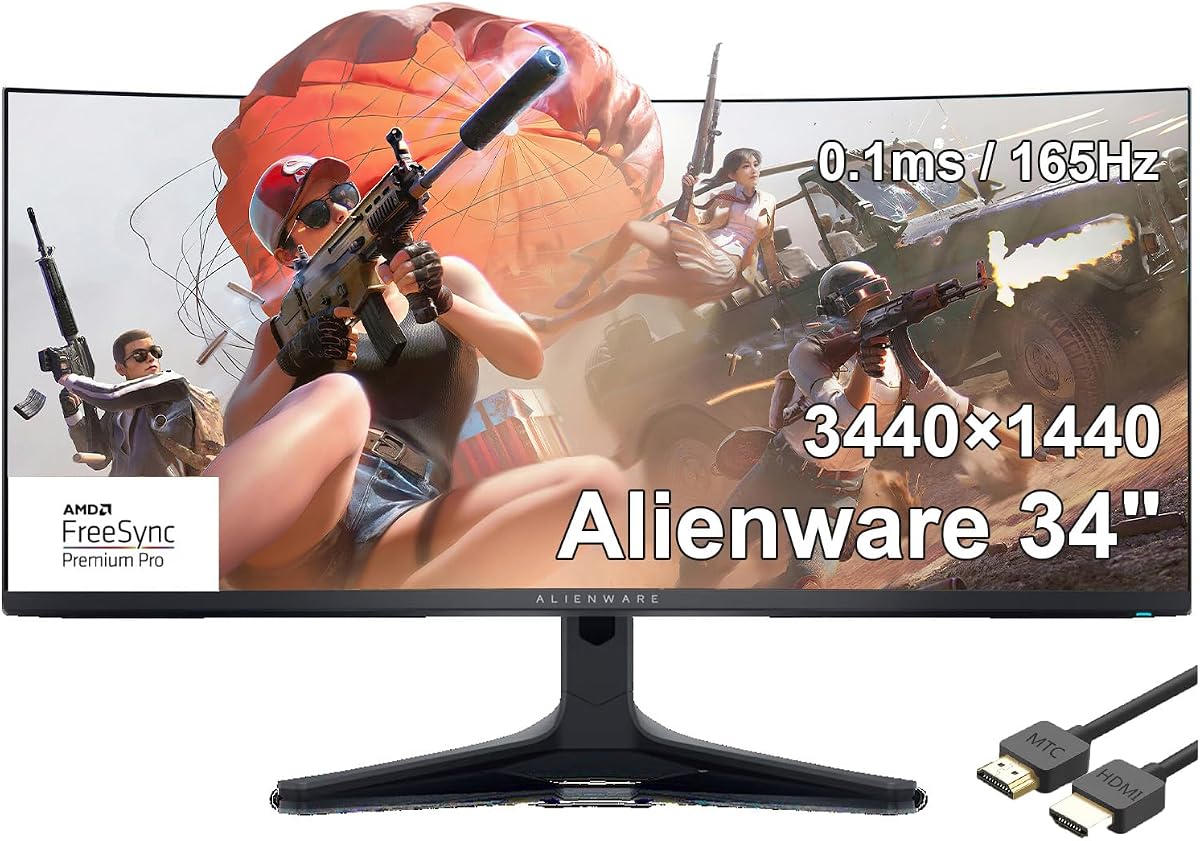
This 34-inch curved gaming monitor features QD-OLED technology and 165Hz display. It offers 0.1ms response time and 1.07 billion colors for vivid visuals. AMD FreeSync Premium Pro ensures smooth gameplay compatible with specific systems.
We may earn a commission when you buy through this link, at no additional cost to you.
The 3440×1440 resolution delivers sharp detail across the wide screen. In contrast and color accuracy align with high-end QD-OLED standards. This model is tailored for users invested in AMD GPU ecosystems.
While specific review counts are low the technical specs remain competitive. The 0.1ms gray-to-gray response minimizes ghosting in motion. Some users may prefer higher refresh rates for competitive titles.
Choose this if you need AMD FreeSync Premium Pro with OLED quality. It fits setups prioritizing color and contrast over maximum frame rates. Ensure your system matches the supported refresh rate before purchase.
1.07 billion colors ensure smooth gradients and rich tones in games.
AMD FreeSync Premium Pro adapts refresh rate to frame rate for smooth visuals.
We may earn a commission when you buy through this link, at no additional cost to you.
This model offers a 32-inch 4K QD-OLED display for stunning clarity. It features 3840 x 2160 pixels for precise and detailed visuals. QD-OLED technology ensures deep blacks and vivid colors in equal measure.
We may earn a commission when you buy through this link, at no additional cost to you.
The combination of 4K and OLED delivers sharp text and rich media. It is a distinct choice compared to the standard 34-inch ultrawide options. White and black design elements give it a modern aesthetic.
Reviews and specific refresh rate details are limited for this product. However the panel type suggests high quality performance for varied content. Users must consider screen size compatibility with their desk space.
Gamers and creators seeking 4K QD-OLED should explore this monitor. It balances resolution and color accuracy for demanding workflows. Verify the refresh rate before purchasing if motion speed is a priority.
3840 x 2160 pixels on 32 inches offer exceptionally sharp image details.
QD-OLED technology delivers vibrant colors and true black levels.
We may earn a commission when you buy through this link, at no additional cost to you.
Unleash powerful performance with this 27-inch 1440p 280Hz gaming monitor. The 1ms response time ensures lightning-fast reaction to events. Gear up for intense gaming with AMD FreeSync Premium Pro and Adaptive-Sync.
We may earn a commission when you buy through this link, at no additional cost to you.
With a lightning-fast 1ms response time enjoy refresh rates up to 280Hz. Customize your view with AlienVision overlays for real-time visual enhancement. The integrated USB hub featuring four USB-A 3.2 Gen 1 ports aids connectivity.
Iconic Legend 2.0 design and AlienFX lighting make this a bold addition. 360 degree ventilation keeps the unit cool during intense gaming sessions. While flat it offers high speed for competitive players.
Competitive gamers needing ultra-high refresh rates should consider this model. The bundle ensures all necessary cables are provided for setup. The 27-inch form factor fits smaller desks well.
AlienVision overlays like Night Vision boost clarity in dark game scenes.
Four USB-A ports on the hub allow easy peripheral connection.
We may earn a commission when you buy through this link, at no additional cost to you.
Samsung’s 40” Odyssey G7 provides breathtaking realism for epic gameplay. A 40” 1000R curved display wraps around the field of vision. Ultrawide 4K resolution delivers next-level gaming detail and clarity.
We may earn a commission when you buy through this link, at no additional cost to you.
VESA DisplayHDR 600 delivers more contrast with deeper blacks and brighter whites. A 180Hz refresh rate and near-instant 1ms response time minimize lag. This monitor offers extreme immersion due to its tight curvature.
The 21:9 screen ratio allows for expansive views in supported titles. It requires significant desk space due to the wide physical dimensions. The 1000R curvature creates a highly immersive but potentially distorting experience.
Gamers seeking extreme immersion should explore this 40 inch option. It pairs high resolution with fast response for balanced performance. Ensure your desk can accommodate the large curved screen before buying.
1000R curvature wraps around eyes for maximum screen fill and focus.
VESA DisplayHDR 600 ensures deep shadows and bright highlights appear distinct.
We may earn a commission when you buy through this link, at no additional cost to you.
Selecting the right monitor requires understanding key factors that affect your gaming experience. This guide breaks down the most important elements to consider before purchasing.
Panel technology determines color accuracy and contrast levels. QD-OLED panels offer infinite contrast and vivid colors but may carry burn-in risks. LED panels are reliable and often more affordable with good performance for varied genres.
Refresh rate affects how smooth motion appears on screen. Higher refresh rates like 240Hz provide fluid visuals in competitive shooters. Standard rates like 120Hz or 144Hz suit most casual and story driven games.
Resolution defines the sharpness and detail of the image. WQHD 3440×1440 is popular for 34 inch monitors as it balances detail and performance. Higher resolutions like 4K provide crispness but require stronger graphics hardware.
Response time indicates how quickly pixels change color. Low response times minimize motion blur and ghosting effects. OLED panels typically achieve near-instant speeds while LED panels vary.
Curvature wraps the screen around your field of view for immersion. Tighter curves like 1000R offer deeper immersion than moderate ones like 1500R. Choose based on desk size and personal comfort preferences.
HDR support enhances contrast and brightness in compatible content. Look for certifications like TrueBlack 400 or HDR 600 for better quality. Higher nits ensure visibility in dark and bright gaming scenes.
Adjustable stands support comfortable viewing angles. Tilt swivel and height adjustments reduce strain during long sessions. VESA mounts offer flexibility for arms or custom setups.
Check port availability for your hardware. HDMI and DisplayPort options allow connections to PCs and consoles. USB hubs simplify peripheral management for keyboards and mice.
To get the best picture set the refresh rate in your graphics settings and enable G-Sync or FreeSync in the menu. Calibrate brightness and color in Display settings for accurate visuals. Avoid leaving static images on for long periods.
Clean the screen gently with a soft microfiber cloth. Avoid chemicals or sprays which may damage the anti-glare coating. Keep the stand stable on your desk to prevent accidental falls.
Manage cables behind the monitor or using built-in organizers. This prevents clutter and reduces the risk of tangles during adjustment. Ensure proper airflow around the unit for cooling and longevity.
Curved monitors enhance immersion by wrapping the screen around your field of view. This helps reduce eye strain and improves focus on central details. However flat panels remain effective for multi-monitor setups and specific desk layouts.
OLED panels are prone to burn-in if static images are displayed for hours. Modern models include pixel shifting and timeout settings to reduce risks. Taking breaks and hiding UI elements during idle periods helps.
WQHD 3440×1440 offers sharpness with lower hardware demands than 4K. 4K provides more detail but requires a more powerful GPU for smooth gaming. Choose based on your system's capabilities and desk size.
Most monitors support HDMI connections for consoles. Check for HDMI 2.1 features like 120Hz support if available. DisplayPort is typically used for PC setups with high refresh rates.
Higher refresh rates create smoother motion which benefits competitive gaming. However casual gamers may find 60Hz or 144Hz sufficient. Ensure your hardware can drive the monitor to avoid wasted potential.
Yes high refresh rates require certified HDMI or DisplayPort cables. Standard cables may cap rates or fail to support adaptive sync. Always use the included or recommended cables for optimal performance.
These picks cover a range of budgets and performance needs for curved displays. The AW3425DW leads in speed while the AW3425DWM offers solid value for most. Both deliver strong visuals and features suited for modern gaming.
Prioritize refresh rate and panel type based on your play style. Competitive players may prefer higher Hz while creators often need better color. Balance these needs with desk space and budget constraints for the right fit.
Always verify current prices before purchasing as costs change frequently. Check bundle details to ensure you get all necessary cables for setup. The right monitor will significantly enhance your overall experience.