
HP LaserJet M207dw
4.0Editor score
Affordable office solution
Self-reset Wi-Fi
Strong built-in security
This guide compares the top Ethernet laser printers for office reliability, speed, and security features to help you choose the right network-ready monochrome
Ethernet laser printers offer reliable connectivity for busy offices needing consistent black and white output. These devices connect directly to your network for easy sharing and stable performance without relying on wireless signals.
We evaluated ten top models based on print speed, paper handling, security features, and ease of setup. Our analysis focuses on devices that deliver professional quality while maintaining efficient operation for small teams and home offices.
Each pick highlights specific strengths like duplex printing, mobile app support, and high capacity trays. Keep in mind that product availability and pricing can change frequently, so verify details before making your final purchasing decision.
4.0Editor score

4.0Editor score

4.2Editor score
The following table provides a side-by-side comparison of all ten selected Ethernet laser printers to help you quickly identify the model that best fits your specific office requirements and workflow needs.



This Brother model stands out as a top choice for home offices needing reliable network printing. It delivers crisp black and white documents quickly while maintaining a small footprint on your desk or shelf.
We may earn a commission when you buy through this link, at no additional cost to you.
Its 36 pages per minute speed ensures that large jobs finish efficiently without bottlenecks. The built-in dual-band wireless and Ethernet ports allow flexible placement within your office network for easy access.
While it lacks color printing capabilities, this focus on monochrome output keeps costs lower and speeds higher. The automatic duplex feature helps save paper and reduce clutter in busy work environments.
Buyers looking for a steady workhorse printer will appreciate its consistent performance and mobile app integration. This device balances price and features well for small teams requiring networked document handling.
The 250 sheet tray reduces refill frequency allowing users to focus on tasks instead of maintenance routines.
Multiple connection methods ensure you can integrate this printer into existing networks without complex configuration steps.
We may earn a commission when you buy through this link, at no additional cost to you.
The HP LaserJet M207dw offers excellent value for small offices requiring dependable network access without breaking the budget. It balances essential features with a competitive entry point for buyers.
We may earn a commission when you buy through this link, at no additional cost to you.
Its dual-band Wi-Fi with self-reset capability ensures that connectivity remains stable even when minor network glitches occur. Ethernet is also included for users preferring a wired connection.
Security features protect your data from potential cyber threats which is crucial for business environments handling sensitive documents regularly. This adds peace of mind beyond just printing capabilities.
For those prioritizing cost efficiency this model delivers solid performance for everyday document needs. It is an ideal starting point for businesses expanding their printing infrastructure gradually.
Self-reset technology automatically resolves common connection issues reducing downtime and support calls for office managers.
Built-in safeguards help protect company data ensuring that networked printing does not become a vulnerability point.
We may earn a commission when you buy through this link, at no additional cost to you.
This premium Brother model delivers exceptional speed with 50 pages per minute output ideal for high-volume office environments. It handles large print jobs with ease ensuring deadlines are met without delay.
We may earn a commission when you buy through this link, at no additional cost to you.
The Gigabit Ethernet connection ensures data transfers happen quickly even during peak usage times. Combined with a massive 520 sheet tray it minimizes interruptions caused by paper refills or network lag.
Triple Layer Security features provide comprehensive protection for your network and documents. This level of security is essential for organizations dealing with confidential client information or internal reports.
Investing in this printer makes sense for growing teams that need robust performance and reliability. It serves as a central hub for document production supporting seamless workflow across multiple users.
The 50 pages per minute speed significantly reduces wait times allowing staff to stay focused on productive work.
Large trays support continuous printing for days reducing the need for frequent maintenance checks during busy periods.
We may earn a commission when you buy through this link, at no additional cost to you.
The HP LaserJet Pro 4001dn is engineered for teams prioritizing wired reliability over wireless convenience. It offers blazing fast speeds and robust security making it a strong candidate for secure environments.
We may earn a commission when you buy through this link, at no additional cost to you.
Print speeds reaching 42 pages per minute ensure that multipage reports and documents are completed swiftly. The Ethernet connection provides a stable link that is less prone to interference than Wi-Fi signals.
Wolf Pro Security helps safeguard data against potential attacks which is vital for any organization handling sensitive information. This feature adds significant value for businesses concerned about network security compliance.
While it lacks wireless printing, this limitation ensures a secure and stable connection for dedicated workstations. Teams needing a no-nonsense network printer will find this model highly efficient and dependable.
Ethernet connectivity ensures consistent performance without the fluctuations sometimes seen in wireless network environments.
Advanced protection measures keep sensitive documents safe during transmission and storage on the device itself.
We may earn a commission when you buy through this link, at no additional cost to you.
This Brother multifunction device combines printing scanning and copying in a single unit saving space on your desk. It delivers high-quality black and white output while managing digital documents efficiently.
We may earn a commission when you buy through this link, at no additional cost to you.
The 50-page auto document feeder allows for quick multi-page scanning without manual intervention. This feature streamlines the process of digitizing paper records or sharing copies across the network.
Wireless and Ethernet connectivity ensures that every team member can access the scanner and copier remotely. The mobile app makes managing these tasks easier from smartphones or tablets.
For small offices needing versatile document handling this model offers great utility. It reduces the need for separate devices saving both space and operational costs.
The auto feeder streamlines scanning tasks allowing users to digitize stacks of papers quickly and efficiently.
Combining multiple functions into one unit reduces clutter on your desk while maintaining high performance output.
We may earn a commission when you buy through this link, at no additional cost to you.
This HP model is designed for offices prioritizing security and consistent connectivity. It delivers reliable performance while protecting data against potential cyber threats effectively.
We may earn a commission when you buy through this link, at no additional cost to you.
Intelligent Wi-Fi searches for the best connection to stay online ensuring that print jobs are sent without interruption. Ethernet and Bluetooth options provide further flexibility for connecting devices.
Wolf Pro Security offers customizable settings to protect your printer and information. This makes it a strong choice for businesses concerned about data protection in a networked environment.
Small teams benefit from its robust features that ensure smooth operations. It balances speed and security to keep daily tasks running efficiently without compromising on safety.
Intelligent Wi-Fi automatically finds the strongest signal to maintain a stable connection for uninterrupted printing.
Built-in security features safeguard sensitive documents ensuring that private data remains secure during printing processes.
We may earn a commission when you buy through this link, at no additional cost to you.
The Brother HL-L2405W is perfect for home offices or small workspaces where space is limited. It delivers sharp and crisp prints at an affordable price point for budget-conscious buyers.
We may earn a commission when you buy through this link, at no additional cost to you.
Its compact design fits easily on a desk without dominating the workspace. The wireless and Ethernet options allow for flexible placement while maintaining connectivity.
Alexa compatibility adds convenience allowing voice commands for simple print tasks. This feature integrates well into smart home or office environments for quick interactions.
Home users and remote workers will appreciate its simple setup and consistent quality. It provides a straightforward solution for everyday document needs without unnecessary complexity.
The compact design allows this printer to fit comfortably on small desks while still delivering reliable output.
Voice assistant support simplifies printing tasks making it easier to handle quick jobs without logging into devices.
We may earn a commission when you buy through this link, at no additional cost to you.
This HP model is built to keep your business moving forward with consistent high-quality documents. It delivers fast speeds and built-in Ethernet for easy resource sharing across your office.
We may earn a commission when you buy through this link, at no additional cost to you.
Print speeds of 40 pages per minute ensure that productivity remains high even during busy periods. The automatic two-sided printing feature helps reduce paper waste and costs over time.
Enhanced energy efficiency designs help save on power costs while reducing environmental impact. This makes it a responsible choice for businesses focused on sustainability goals.
For shared work areas this printer offers reliable performance and easy access. Its compact size fits well into various office layouts while providing robust functionality.
Fast print speeds ensure that documents are ready quickly allowing teams to stay focused on their core tasks.
Built-in Ethernet makes it simple to share the printer across the network reducing costs for every user.
We may earn a commission when you buy through this link, at no additional cost to you.
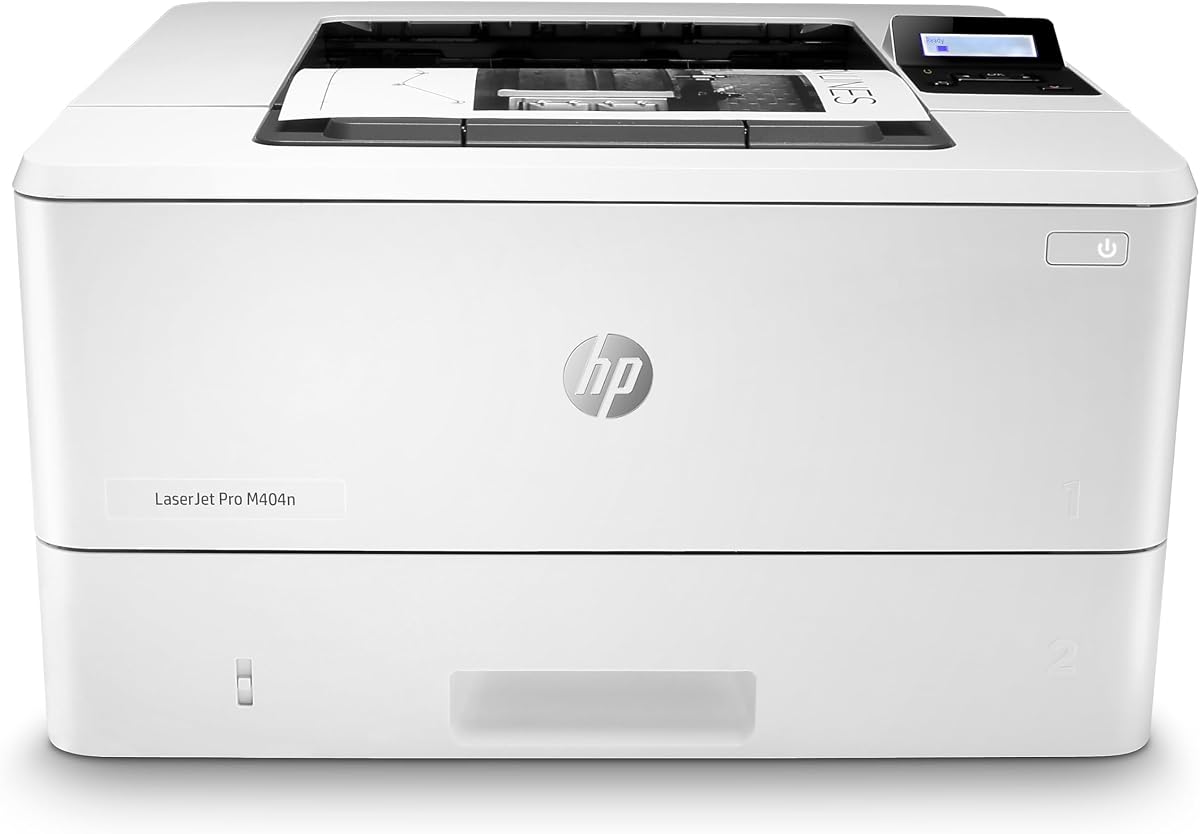
The HP LaserJet Pro M404n focuses on providing a stable wired connection for businesses needing reliable printing. It delivers high-quality documents quickly while fitting into shared work areas easily.
We may earn a commission when you buy through this link, at no additional cost to you.
Built-in Ethernet capabilities allow easy access and sharing across your office network. This ensures that every employee can print efficiently without worrying about wireless dropouts or interference.
Energy efficiency technology helps save on electricity costs over time which is beneficial for large operations. The compact size ensures that it does not take up valuable office real estate.
This model is ideal for offices prioritizing stability over wireless flexibility. Its straightforward design makes it easy to maintain and use for daily document tasks.
A dedicated Ethernet connection ensures consistent performance without the fluctuations common in wireless setups.
The compact design allows for flexible placement options within office environments without consuming too much space.
We may earn a commission when you buy through this link, at no additional cost to you.
This Brother printer helps increase your productivity with fast print speeds and expandable capacity. It is designed to handle high-volume jobs without interruption ensuring smooth operations.
We may earn a commission when you buy through this link, at no additional cost to you.
Secure function lock and secure print features restrict unauthorized access to sensitive documents. This level of control is vital for environments where confidentiality is a top priority.
The 250-sheet tray plus expandable options allow for extended printing runs. Combined with duplex printing it helps reduce paper usage and operational costs over time.
Businesses needing a robust workhorse will find this model highly capable. It balances speed and security while offering flexibility for various document handling needs.
Expandable trays allow the printer to handle large jobs without frequent interruptions for paper refills.
Advanced security features restrict access ensuring that only authorized users can retrieve sensitive printed documents.
We may earn a commission when you buy through this link, at no additional cost to you.
Selecting the right Ethernet laser printer involves evaluating several key factors that impact efficiency and long-term value for your office environment.
Print speed is measured in pages per minute and determines how fast your documents are processed. Higher speeds are essential for busy offices where time is critical and delays can affect productivity. When choosing a printer consider the average daily volume and job sizes to match the speed capabilities with your needs.
Look for models offering at least 30 pages per minute to ensure smooth workflow during peak hours.
Ethernet provides a stable and secure connection compared to wireless alternatives. It ensures consistent performance without interference from other devices or network fluctuations. Some models include both Ethernet and wireless for flexibility allowing users to choose the best connection for their setup.
Verify that the printer supports standard Ethernet ports and includes the necessary cables for installation.
Paper capacity affects how often you need to refill trays during operation. Larger trays reduce interruptions and keep the workflow moving smoothly. High-volume environments benefit from expandable trays that can hold hundreds of sheets at once.
Opt for printers with at least 250 sheets to minimize downtime and maintenance tasks.
Security is a crucial factor for businesses protecting sensitive data. Look for printers with built-in encryption and access controls to prevent unauthorized use. Advanced models offer features like secure print where jobs are only released when authorized.
Prioritize models with robust security suites to safeguard your network and confidential information effectively.
Automatic two-sided printing helps save paper and reduce costs over time. It is an essential feature for offices aiming to be more sustainable. Ensure the model supports duplex printing to avoid manual flipping and potential errors.
Choose devices with automatic duplex capabilities to streamline document production and lower supply expenses.
Modern offices often require printing from mobile devices or tablets. Check if the printer supports apps or cloud services for remote access. This allows staff to print from anywhere within the network without needing a direct computer connection.
Look for built-in mobile support or app compatibility to enhance flexibility and remote work capabilities.
Ongoing costs depend heavily on toner pricing and page yield. High-yield cartridges reduce the frequency of replacements and lower the cost per page. Some brands offer subscription services to ensure you never run out of supplies unexpectedly.
Calculate the total cost of ownership including toner replacement to ensure the printer fits your budget.
A solid warranty provides protection against hardware failures and malfunctions. Support options like live chat or phone assistance help resolve issues quickly. Ensure the brand offers reliable service to minimize downtime in case of problems.
Check for at least a one-year warranty and accessible customer support channels before purchasing.
Connect the printer to your network using an Ethernet cable and verify the connection status on the device screen. Ensure that all drivers are installed on your computer and that the printer is listed correctly in your system settings.
Load paper into the trays carefully to avoid jams and ensure proper feeding. Adjust the guides to fit the paper size and select the correct settings on your device before sending a print job.
Regularly clean the exterior and interior components to maintain optimal performance. Monitor toner levels and replace cartridges when prompted to avoid print quality issues or unexpected interruptions during work.
Ethernet laser printers provide stable and secure connectivity for office networks. They ensure consistent performance without the interference common in wireless setups. This makes them ideal for environments requiring reliable document handling and data protection.
Most modern Ethernet laser printers support mobile printing through dedicated apps or cloud services. This allows you to print documents from smartphones or tablets easily. Check the specific model details to confirm compatibility with your mobile platform.
Connect the printer to your router using an Ethernet cable and install network drivers on each computer. Ensure the printer IP address is accessible across the network and that user permissions are configured correctly. This enables seamless sharing among team members.
Automatic duplex printing saves paper and reduces costs which is beneficial for any office size. It streamlines the process of creating two-sided documents without manual intervention. Investing in this feature helps promote sustainability and efficiency over time.
Look for encryption and secure print options that prevent unauthorized access to sensitive documents. Many models include built-in security suites to protect against cyber threats. These features are crucial for businesses handling confidential information regularly.
Check that the Ethernet cable is securely connected and the printer has a valid IP address. Restart both the printer and router to refresh the network connection. Ensure that firewall settings are not blocking printer communication on your network.
The top picks offer reliable performance for various needs ranging from budget-friendly options to high-volume business solutions. Each model provides a balance of speed and connectivity to ensure productivity remains high.
Prioritize features that match your specific office workflow such as security or paper capacity. Considering these factors helps you find a device that grows with your business demands effectively.
Always verify current pricing and availability before purchasing since deals and stock change frequently. This ensures you get the best value for your investment in network-ready printing technology.