
Asustor Drivestor 4 Gen 2
4.0Editor score
Quad-Core 1.7GHz CPU
2.5GbE network port
Btrfs snapshot protection
This guide compares the top 4 Bay NAS devices for home and business, highlighting performance storage capacity and software features to help you choose the
A 4 Bay NAS offers versatile storage options for media enthusiasts and professionals who need reliable data access. These systems support multiple hard drives for redundancy and expansion while providing centralized file management across various devices in your home or office network.
We evaluated leading models based on processing power, network connectivity, software ecosystem, and ease of use. Our analysis considers real-world performance for media transcoding, backup automation, and simultaneous user access to ensure you find a system that grows with your needs.
Each review highlights key strengths and limitations to help you make an informed decision. Prices and availability can change frequently so check current listings before purchasing. Our top picks balance cost and capability for different user profiles ranging from beginners to power users.
4.0Editor score

4.6Editor score

4.4Editor score
The following table provides a side-by-side comparison of all ten models reviewed in this guide to help you quickly identify key specifications and features that matter most for your specific storage needs.






The TERRAMASTER F4-425 is a reliable 4 Bay NAS designed for home media and file storage with impressive performance for its price point. It handles 4K transcoding smoothly and supports multiple concurrent users without lag. Its compact design makes it suitable for living rooms or quiet offices where noise levels matter.
We may earn a commission when you buy through this link, at no additional cost to you.
Equipped with an Intel x86 quad-core processor and 2.5GbE networking, this unit ensures fast data transfers and responsive streaming. The TNAS Mobile app allows initialization without a PC and supports automatic photo backups. Hardware-level 4K decoding works well with Plex and Jellyfin for seamless home theater integration.
While the 4GB RAM is non-upgradeable and the software lacks advanced enterprise features, it offers solid value for personal use. The tool-free HDD trays make drive swaps quick and easy. TRAID+ arrays provide more storage space than traditional RAID while maintaining data redundancy.
This NAS is ideal for families wanting a private cloud without monthly subscription fees. It excels at media serving and basic file sharing. If you need simple reliable storage with strong video performance, the F4-425 delivers excellent results.
Hardware decoding for H.265 ensures smooth playback on supported devices without requiring a powerful client.
The TNAS app enables remote file access and photo backups making it easy to manage content on the go.
We may earn a commission when you buy through this link, at no additional cost to you.
The UGREEN DXP4800 GT stands out as a powerful 4 Bay NAS for creators and small teams requiring high throughput and advanced functionality. Its AMD Ryzen processor handles multitasking effortlessly while dual 10GbE ports enable data transfer speeds that rival local storage. This makes it perfect for 4K or 8K video editing workflows directly from the NAS.
We may earn a commission when you buy through this link, at no additional cost to you.
UGOS Pro simplifies management with a clean interface and guided setup. The system supports Docker virtual machines and SAN Manager for flexible deployment. Surveillance Center supports ONVIF cameras allowing local security footage storage without cloud fees. SD and USB slots facilitate quick data imports from cameras or drives.
The main considerations are the cost and the need for manual ECC RAM upgrades for error correction. Plex requires Docker setup which may challenge beginners. However the hardware quality and networking options justify the investment for users who need speed and reliability.
Choose this model if you require professional-grade performance and extensive storage capabilities. It balances price and capability better than most competitors. Whether for media production or office collaboration the DXP4800 GT delivers exceptional versatility.
Dual 10GbE ports provide aggregate bandwidth up to 2.5GB/s for fast file transfers and stable streaming.
Local storage with TLS SSL encryption and flexible permissions ensures your data stays under your control.
We may earn a commission when you buy through this link, at no additional cost to you.
The Synology DS425+ is engineered for business productivity and media hosting with robust security and centralized data management. It supports over ten concurrent users with fast transfer speeds and granular permission settings. The DSAM system provides intuitive file sharing and backup automation that minimizes manual oversight.
We may earn a commission when you buy through this link, at no additional cost to you.
Data protection features include RAID redundancy automated backups and snapshot technology to prevent loss from any cause. The Professional Surveillance System supports up to thirty IP cameras with motion detection and remote access. A three-year warranty and dedicated account management add peace of mind for critical workloads.
While the hardware specs are modest compared to high-end rivals the software experience is unmatched. The cost reflects Synologys reputation for reliability and support. It is particularly well-suited for small offices needing secure file sharing and media distribution.
Invest in this model if data integrity and software polish are priorities. It handles professional workloads efficiently while remaining user-friendly. For businesses requiring scalable secure storage the DS425+ is a top-tier choice.
Multi-layered protection using RAID snapshots and automated backups safeguards files against accidental deletion or corruption.
Granular access controls and audit logs ensure only authorized users can view or modify sensitive company files.
We may earn a commission when you buy through this link, at no additional cost to you.
The UGREEN DXP4800 Plus is a versatile 4 Bay NAS optimized for family storage and creative projects with powerful processing and fast networking. Its Intel N305 CPU ensures smooth collaboration across devices while the 10GbE port delivers near-instant backups for large files. This model excels at centralizing photos and documents for easy access.
We may earn a commission when you buy through this link, at no additional cost to you.
An AI-powered photo album automatically recognizes faces and scenes to organize your library efficiently. The app ecosystem supports Docker and virtual machines for advanced users yet remains simple for beginners. Flexible permissions let you protect privacy when sharing with others ensuring sensitive files stay secure.
Notable limitations include wired Ethernet only and Plex requiring Docker configuration. However the overall performance and feature set offer strong value for households needing robust storage. The 2-year warranty and specialist support provide additional reassurance for long-term use.
Choose this NAS if you want fast reliable storage with smart photo tools. It bridges the gap between consumer and prosumer needs effectively. For families managing large media collections the DXP4800 Plus provides excellent organization and speed.
Smart organization features help you find specific moments quickly while removing duplicates to free up storage space.
USB and network options support rapid data movement for cameras and external drives without relying on a computer.
We may earn a commission when you buy through this link, at no additional cost to you.
The UGREEN DH4300 Plus is an entry-level 4 Bay NAS designed for home users seeking a secure private cloud without complexity. It supports Docker for app flexibility and features a user-friendly mobile app for quick setup. Smart photo backup and AI albums make managing family memories effortless and organized.
We may earn a commission when you buy through this link, at no additional cost to you.
Its advanced encryption is certified by TÜV SÜD and TRUSTe ensuring high security standards. The design includes a magnetic dust cover for easy access and better cooling. With automatic backups and remote access you can protect data from hardware failures or loss without cloud subscriptions.
While it lacks virtual machine support and Wi-Fi connectivity it covers essential storage needs effectively. The performance is solid for everyday file sharing and photo management. Long-term cost savings over cloud services are significant for heavy users.
Ideal for families moving away from cloud dependencies this NAS offers simplicity and security. It provides enough power for common tasks without overwhelming beginners. For straightforward private storage with reliable performance the DH4300 Plus is a smart choice.
Beginner-friendly setup and NFC connection reduce the time needed to get your network storage running smoothly.
Local storage ensures you retain full control over your files without relying on third-party cloud providers.
We may earn a commission when you buy through this link, at no additional cost to you.
The Synology DS925+ is a robust 4 Bay NAS balancing speed and stability for home and small office use. It features dual 2.5GbE ports for fast network transfers and increased redundancy. The throughput reaches up to 565 MB/s ensuring smooth file access and media streaming across devices.
We may earn a commission when you buy through this link, at no additional cost to you.
Built-in tools cover file and photo management data protection and virtualization needs. The system is backed by Synologys three-year limited hardware warranty providing long-term reliability. Its compatibility with a wide range of drives allows flexible expansion based on your capacity requirements.
While it does not offer Wi-Fi connectivity and RAM is fixed the performance remains strong for most workloads. The software ecosystem simplifies daily tasks and security settings. It is a dependable option for users prioritizing consistent performance and official support.
Choose this model if you need reliable data transfer speeds with minimal hassle. It handles backups and media sharing effectively. For consistent performance and solid warranty coverage the DS925+ is a worthwhile investment.
Dual 2.5GbE ports support link aggregation for faster transfers and better network redundancy.
Built-in snapshots and redundancy options safeguard your files from accidental deletion or hardware failure.
We may earn a commission when you buy through this link, at no additional cost to you.
The Yxk Zero1 Pro is a 4 Bay NAS ideal for home users wanting a shared media library with direct display output. Its Intel N100 processor handles everyday tasks efficiently while dual 2.5GbE ports ensure fast network access. The 4K HDMI port allows you to connect directly to a TV for local playback.
We may earn a commission when you buy through this link, at no additional cost to you.
A dedicated cooling system with dual fans keeps the unit quiet during heavy use. The aluminum housing dissipates heat effectively. Docker support allows customization for apps like Plex or Home Assistant. You can also install third-party OS options if you prefer alternative software environments.
Initial setup involves manual drive installation which may deter non-technical users. However the photo organization tools help keep your library tidy. The build quality and flexible options make it a solid choice for home enthusiasts.
Select this NAS if you want versatile storage with media-centric features. It balances performance and accessibility well. For those building a home theater or office archive the Zero1 Pro offers significant value.
Direct HDMI output lets you use the NAS as a media player connected straight to your television.
Docker support and OS flexibility allow you to tailor the system to your specific application needs.
We may earn a commission when you buy through this link, at no additional cost to you.
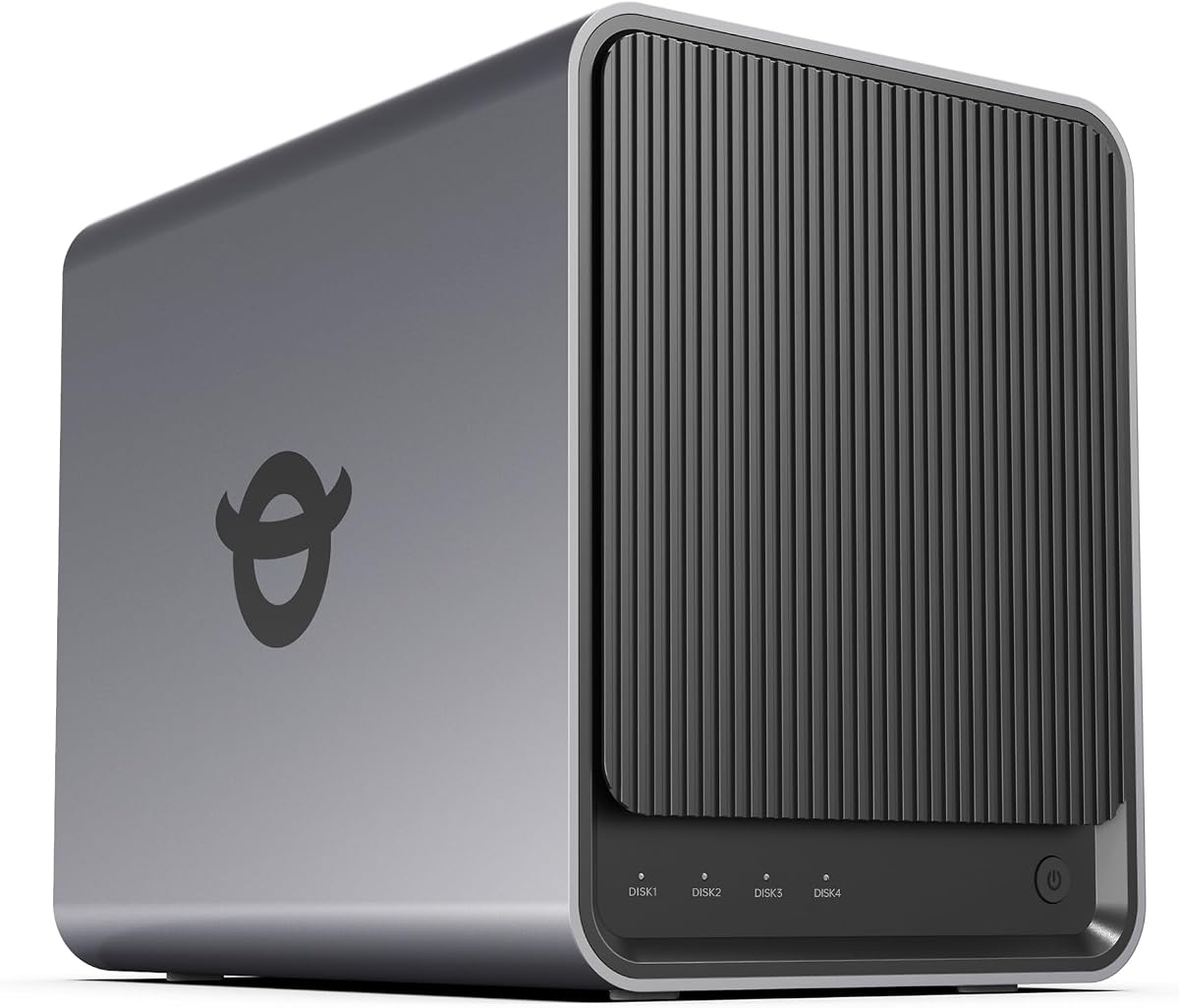
The Asustor Drivestor 4 Gen 2 is a budget-friendly 4 Bay NAS offering essential features for home cloud and backup needs. Its quad-core processor handles automated backups efficiently while 2.5GbE networking speeds up file transfers compared to standard Gigabit systems. This makes it a cost-effective choice for basic data management.
We may earn a commission when you buy through this link, at no additional cost to you.
Enterprise-grade data protection includes Btrfs snapshots and WORM technology to prevent ransomware damage. The system supports smooth 4K streaming for smart TVs and mobile devices. Personal cloud features allow secure remote access without relying on third-party services.
With only 1GB RAM performance may lag with heavy multitasking. However for single-user or low-demand scenarios it remains effective. The price point makes it accessible for those starting their NAS journey.
Choose this model if you need a reliable storage solution on a tight budget. It covers core backup and streaming requirements well. For simple private cloud needs the Drivestor 4 Gen 2 is an economical option.
Btrfs snapshots protect your data from accidental deletion and allow quick restoration of previous file versions.
Direct 4K playback ensures high-quality media enjoyment without requiring transcoding on client devices.
We may earn a commission when you buy through this link, at no additional cost to you.
The Synology DS423 is a practical 4 Bay NAS for family and small business backup needs. It supports secure remote access and file sharing with granular permissions. Surveillance features allow monitoring with up to thirty IP cameras ensuring comprehensive protection for home or office environments.
We may earn a commission when you buy through this link, at no additional cost to you.
Data protection includes immutable snapshots and multi-destination backups to guard against malware. The system acts as a local file server replacing expensive cloud subscriptions for document sharing. Two-year warranty and expert support provide confidence in hardware longevity.
Some features require additional camera licenses which can increase costs. However the base performance is reliable for general use. The interface is user-friendly and setup is straightforward for most users.
Select this model if you need balanced storage with strong security features. It suits small businesses and tech-savvy households. For reliable backup and sharing the DS423 is a solid investment.
Ransomware-resistant backups ensure your critical files remain recoverable even after a security incident.
Local file sharing and team folders allow efficient collaboration without exposing data to public clouds.
We may earn a commission when you buy through this link, at no additional cost to you.
The UGREEN DXP4800 Pro is engineered for demanding workflows requiring serious processing power. Its Intel Core i3-1315U handles virtual machines and Docker containers effortlessly. With DDR5 RAM expandable to 96GB and mixed networking ports it offers the fastest performance in this lineup.
We may earn a commission when you buy through this link, at no additional cost to you.
The system supports massive 144TB storage and includes dual M.2 slots for high-speed cache. AI photo albums work entirely on-device for privacy. Data Vault adds an extra layer of encryption for sensitive files ensuring compliance with strict security standards.
While expensive it provides unmatched flexibility for developers and IT professionals. The UGOS Pro system integrates all essential tools into a single interface. If you need a personal workstation with storage capabilities this model excels.
Choose this if you need maximum speed and control. It justifies its price with enterprise-grade features in a compact design. For professional workloads and advanced storage the DXP4800 Pro is top-tier.
Comprehensive Docker and VM support allows you to run complex services and development environments locally.
DDR5 RAM and dual-speed network ports deliver blazing-fast data access and processing for heavy workloads.
We may earn a commission when you buy through this link, at no additional cost to you.
Selecting the right 4 Bay NAS requires balancing processing power, network speed, and software features against your specific use case. Here are key factors to consider when making your choice.
The CPU determines how well your NAS handles multitasking, transcoding, and virtual machines. Look for at least a quad-core Intel or AMD processor with 4GB to 8GB of RAM for smooth operation. Higher-end models may offer expandable memory for future growth and heavier workloads.
Prioritize models with upgradable RAM if you plan to run multiple Docker containers or virtual machines over time.
Ethernet ports dictate transfer speeds. Standard Gigabit ports cap at 125MB/s, while 2.5GbE and 10GbE ports offer significantly faster performance. Dual ports also allow link aggregation for increased bandwidth and redundancy across your network.
Choose at least 2.5GbE ports if you frequently move large files or stream high-resolution media locally.
4 Bay systems typically support up to 100TB+ total capacity using high-capacity hard drives. Some models include M.2 slots for SSD caching or additional storage. Ensure the NAS supports the drive sizes you intend to use for maximum future-proofing.
Check compatibility lists for specific drive models to avoid performance bottlenecks or firmware issues.
Software affects ease of use and feature depth. Synology offers mature ecosystems with broad app support, while others like UGREEN provide modern interfaces. Ensure the OS supports Docker if you want to self-host services like Plex or Home Assistant.
Look for intuitive interfaces that simplify setup and remote access without requiring command-line expertise.
RAID configurations, snapshots, and encryption are vital for data safety. Advanced models include immutable snapshots to prevent ransomware damage. Ensure the NAS supports at least RAID 5 or 10 for redundancy without sacrificing capacity.
Regular automated backups to external drives are still recommended as a secondary protection layer.
If you need security monitoring, verify camera limits and license costs. Many systems support ONVIF cameras for broad compatibility. For media, check for hardware transcoding support to ensure smooth playback on various devices.
Models with HDMI output provide direct local playback without relying on network streaming.
Standard warranties range from two to three years. Dedicated support and easy return policies reduce risk. Established brands often provide longer hardware support and more frequent software updates to keep systems secure.
Extended warranties are worth considering for business environments where downtime has significant costs.
Evaluate total cost including drives and cables. While cheaper models save upfront, they may lack features you need later. Higher-end units often pay for themselves by replacing multiple cloud subscriptions over several years.
Focus on value per TB of usable capacity rather than just the initial purchase price of the unit.
Begin by installing compatible hard drives and connecting the NAS to your network via Ethernet cable. Use the mobile app or web browser to initialize the system, create admin accounts, and configure RAID settings. This setup process typically takes about twenty minutes with guided steps.
Set up automatic backups for your computers and mobile devices immediately. Schedule backups during off-peak hours to avoid slowing down regular network activities. Ensure your devices have unique names so file management remains organized and accessible across all platforms.
Keep the NAS in a well-ventilated area away from direct sunlight or heat sources. Dust accumulates over time so clean air vents monthly to maintain proper cooling. Regularly update the operating system to benefit from security patches and new features.
Yes, all the models listed are sold as diskless units. You must purchase compatible hard drives separately to store your data. Check the manufacturer compatibility list to ensure the drives you select are fully supported for optimal performance.
Local access works perfectly without internet, but remote access requires a stable connection. Many systems support offline file access for LAN users while syncing only when connected. Ensure your network router is configured correctly for smooth operation.
RAID 0 provides speed but no redundancy meaning a single drive failure loses all data. Always use RAID 1 5 or 10 for important files to ensure recovery capability. Balance speed and safety based on the importance of your stored information.
Yes, many models support hardware 4K transcoding and HDMI output for direct TV connection. If using network streaming, ensure client devices support the codec. Plex and Jellyfin apps streamline playback for smooth high-quality viewing experiences.
Most 4 Bay systems support drives up to 20TB to 30TB each. With four bays and M.2 slots you can reach 144TB or more. Actual usable capacity depends on your chosen RAID configuration and drive formatting size.
No, most modern NAS models include AI photo organization locally without monthly fees. Apps like Synology Photos or UGREEN NAS offer unlimited storage once drives are installed. This eliminates recurring cloud storage costs for your personal media.
If using redundant RAID levels, the NAS continues operating without data loss. Replace the failed drive immediately so the system rebuilds automatically. Always test drive health regularly to catch potential failures before they impact your storage.
NAS offers greater privacy and lower long-term costs for large storage needs. While cloud services are convenient for sharing, they charge recurring fees. A NAS combines unlimited local storage with optional remote access features.
Our top picks include the UGREEN DXP4800 GT for professionals needing speed and Synology DS425+ for business reliability. The Asustor Drivestor 4 Gen 2 remains the best budget choice for basic file protection and media streaming needs.
Prioritize features that match your daily tasks whether that is video transcoding, home security or shared file access. High-end models justify their cost with faster networking and expandable memory that grows alongside your needs.
Prices and availability change frequently so verify current listings before purchasing. Check warranty terms and drive compatibility to ensure long-term satisfaction. Your ideal NAS balances performance capacity and software ease for your specific home or office environment.