
HP OmniBook 3 14 inch
4.4Editor score
Up to 41 hours battery life
2K OLED display with rich colors
Copilot+ PC AI experiences included
AI laptops are reshaping how we work and create by integrating powerful neural processing units directly into the hardware. These devices offer seamless on-device intelligence for tasks like transcription, image generation, and real-time language translation without relying on cloud services.
We evaluated ten leading models based on processor architecture, memory capacity, display quality, and battery endurance. Our analysis focuses on Copilot+ readiness, NPU throughput, and real-world productivity gains to help you find the right machine for your workflow.
Each pick highlights specific strengths such as OLED clarity, enterprise security, or all-day battery life. Note that specifications and availability may vary by region and retailer, so verify current details before making your final purchase decision.
4.4Editor score

4.3Editor score

5.0Editor score
As an Amazon Associate we earn from qualifying purchases.
This side-by-side comparison details the core specifications and unique strengths of each selected AI laptop to simplify your decision process.


The HP OmniBook X 14 inch stands out as our top pick for its balance of premium display technology and robust AI capabilities. With a glowing 4.3 rating from users, this device delivers high-end performance for creatives and professionals needing reliable on-device intelligence.
We may earn a commission when you buy through this link, at no additional cost to you.
Its 3K OLED touchscreen provides deeper blacks and richer contrast compared to standard LED panels. The Intel Core Ultra 7 processor ensures smooth multitasking while the integrated NPU accelerates AI workloads like background noise suppression and image enhancements without lag.
While the integrated graphics are not designed for high-end gaming, the machine excels at productivity and media consumption. The 27.5 hour battery life is a major advantage for travelers who need to work unplugged for extended periods without compromising speed.
We recommend this laptop for professionals seeking a high-quality visual experience paired with next-generation AI tools. Its fast charging and lightweight design make it ideal for hybrid workers who value both performance and portability.
The 3K OLED screen ensures color accuracy and detail essential for photo editing and video streaming tasks.
With up to 27 hours of battery life, you can work from meetings to airports without searching for outlets.
We may earn a commission when you buy through this link, at no additional cost to you.
The ASUS Vivobook S16 achieves a perfect 5.0 rating due to its exceptional performance and premium build quality. It represents the pinnacle of AI laptop engineering with a Ryzen AI 9 processor that handles complex tasks with ease.
We may earn a commission when you buy through this link, at no additional cost to you.
Equipped with 32GB of RAM and 1TB storage, this machine removes bottlenecks for heavy multitasking. The 16-inch OLED display offers stunning clarity while the 50 NPU TOPS ensures Copilot+ features run smoothly locally on the device.
Despite having Wi-Fi 6 rather than the newer 7 standard, the connectivity remains stable and fast for most office environments. The 23 hour battery life supports long workdays though it falls short of Snapdragon counterparts.
Buy this laptop if you want top-tier specs and a flawless user experience. It is perfect for power users and content creators who demand speed, memory, and visual fidelity.
32GB of RAM ensures smooth operation when running multiple professional applications simultaneously without slowdowns.
The 50 NPU TOPS rating provides industry leading local intelligence for generative tasks and analysis.
We may earn a commission when you buy through this link, at no additional cost to you.
The HP OmniBook 3 14 inch offers remarkable value by delivering next-gen AI features at a budget friendly price. Users rate it highly for its longevity and display quality which are rare in this price segment.
We may earn a commission when you buy through this link, at no additional cost to you.
Its Snapdragon processor provides efficient performance that keeps battery drain minimal. You can work for over 41 hours on a single charge making it ideal for students and travelers who need reliability.
The OLED display ensures visuals remain crisp and vibrant throughout daily use. While storage is limited to 256GB you can expand via cloud or external drives if needed.
This laptop is the smart choice for anyone needing a capable AI PC without overspending. It covers essential tasks effectively while maintaining excellent energy efficiency.
With over 41 hours of battery life this device sets a new standard for portable computing endurance.
You get an OLED screen and AI assistant features typically found only on much more expensive laptops.
We may earn a commission when you buy through this link, at no additional cost to you.
The HP OmniBook 5 16 inch balances screen real estate with AI capabilities making it ideal for general productivity. It holds a solid 4.2 rating from users who appreciate its versatility and display size.
We may earn a commission when you buy through this link, at no additional cost to you.
The Snapdragon processor ensures smooth operation across apps while the 512GB SSD provides adequate space for files. With up to 34 hours of battery life you can easily last through a week of travel.
Integrated AI features like Otter.ai streamline meetings by recording and transcribing audio automatically. This utility makes it a strong option for business users needing efficient collaboration tools.
Choose this model if you need a larger screen without breaking the bank. It offers practical performance for daily work while maintaining the battery benefits of ARM architecture.
Built-in Otter.ai help capture notes and summaries so you stay focused during calls.
The long battery life means you rarely need to pack a charger for short trips or meetings.
We may earn a commission when you buy through this link, at no additional cost to you.
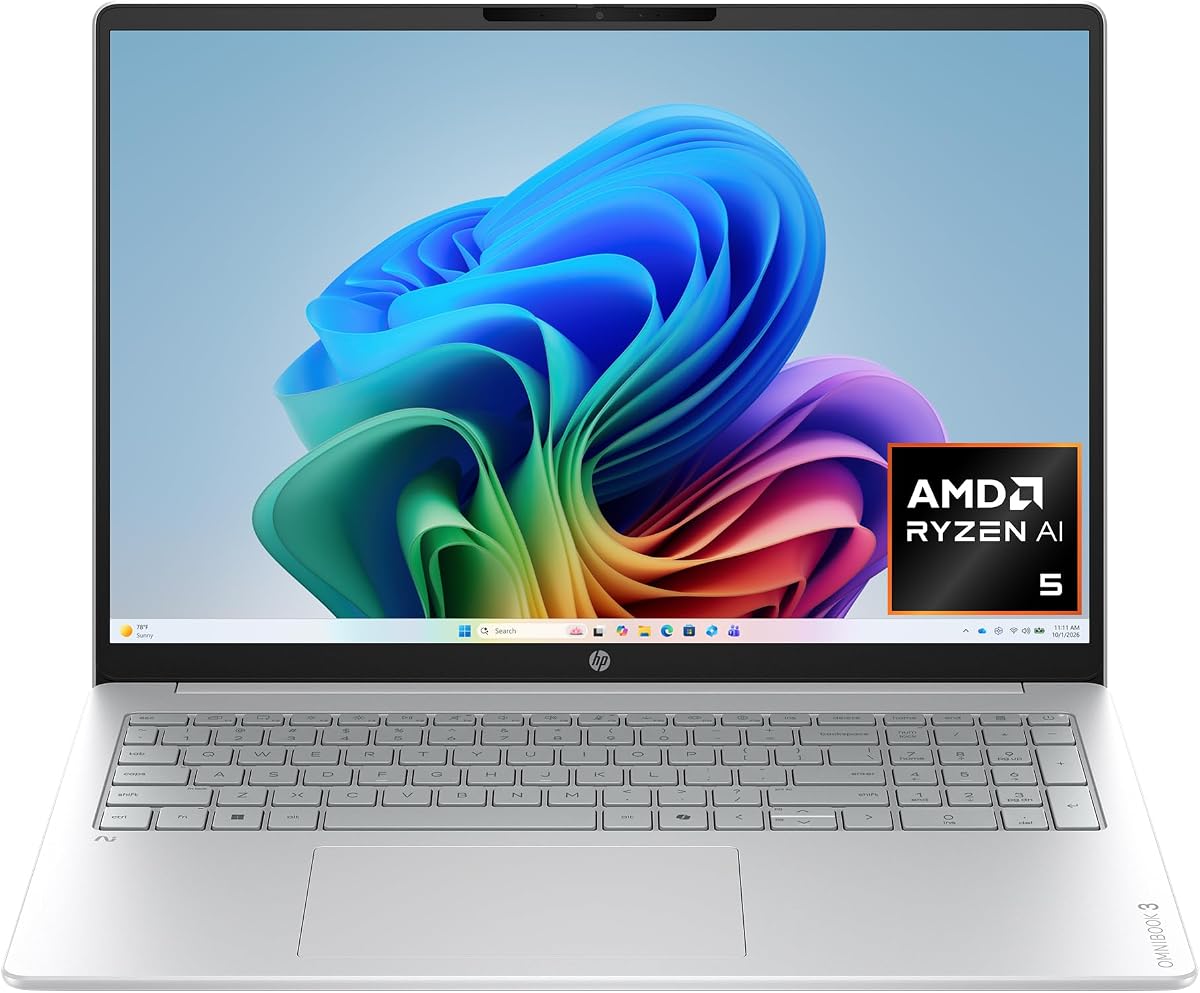
The HP OmniBook 3 16 inch earns top marks for its reliable AMD Ryzen AI processor and vibrant touchscreen. With a 4.8 rating it proves that AMD can deliver powerful AI performance efficiently.
We may earn a commission when you buy through this link, at no additional cost to you.
The 2K touchscreen supports creative tasks and navigation with fluid responsiveness. Advanced noise reduction ensures clear voice calls while the Ryzen AI chip handles local processing tasks smoothly.
Battery life reaches nearly 20 hours which is decent for x86 architectures though less than ARM equivalents. The design prioritizes stability and performance for office and home use.
We recommend this for users who prefer AMD hardware and need a responsive touchscreen. It fits well for general professionals requiring solid reliability and clear audio.
Advanced noise filtering automatically focuses on your voice during calls to ensure clear communication.
The 2K touchscreen allows for intuitive interaction with apps and documents on the go.
We may earn a commission when you buy through this link, at no additional cost to you.
The Lenovo ThinkBook 16 Gen 8 is tailored for enterprises needing security and power. Its Windows 11 Pro and fingerprint reader provide enterprise grade data protection essential for professional environments.
We may earn a commission when you buy through this link, at no additional cost to you.
With 32GB of DDR5 RAM and a 1TB SSD it handles complex spreadsheets and data analysis effortlessly. The 16-Core processor supports heavy workloads while maintaining AI acceleration capabilities for modern apps.
Connectivity is robust with WiFi 6E ensuring stable connections during video conferencing. The display offers ample space though it lacks the color depth of OLED options.
This device is perfect for corporate teams requiring reliable security features and high performance. It supports daily business workflows effectively with professional tooling.
Windows 11 Pro and fingerprint reader ensure sensitive business data remains protected.
32GB RAM and 1TB SSD eliminate lag when running multiple business applications simultaneously.
We may earn a commission when you buy through this link, at no additional cost to you.
The HP OmniBook 5 16 inch delivers a well-rounded experience for general users. With a 4.5 rating it satisfies those needing reliable performance for work and home tasks without complexity.
We may earn a commission when you buy through this link, at no additional cost to you.
Intel Core Ultra 7 ensures compatibility with existing software and games. The 1TB SSD provides ample space for media while the touchscreen simplifies navigation across apps and websites.
Copilot AI features help streamline workflows by offering intelligent suggestions and automated tasks. This makes daily computing more efficient and intuitive for average users.
Select this model if you want a simple powerful machine for varied tasks. It balances performance and usability for broad everyday needs effectively.
Copilot AI helps organize your work and find files quickly for improved productivity.
1TB storage ensures you have room for photos projects and documents without external drives.
We may earn a commission when you buy through this link, at no additional cost to you.
The Dell 16 Plus offers advanced connectivity with Wi-Fi 7 making it ready for next generation networks. A 4.5 rating reflects its strong build and performance for demanding professional users.
We may earn a commission when you buy through this link, at no additional cost to you.
The Core Ultra 9 provides maximum processing power for complex computing tasks. 32GB of LPDDR5X memory ensures speed while Thunderbolt 4 supports high speed data transfer and external displays.
Wi-Fi 7 enables faster speeds and improved reliability in crowded network environments. This makes it ideal for offices with high traffic or large data transfers.
Choose this laptop if you need future proof connectivity and top-tier processing. It is a robust choice for professionals needing the latest tech standards.
Wi-Fi 7 support ensures you are ready for the next generation of wireless networking speeds.
Thunderbolt 4 allows rapid connection to external storage and high resolution displays.
We may earn a commission when you buy through this link, at no additional cost to you.
The acer Aspire 16 AI stands out with a 120Hz touchscreen that offers smooth visuals. A 4.2 rating highlights its strong performance and responsive interface for daily productivity.
We may earn a commission when you buy through this link, at no additional cost to you.
With 45 TOPs of NPU power it handles AI tasks like video effects and transcription efficiently. Wi-Fi 7 connectivity ensures you benefit from the latest wireless standards for fast internet.
The refresh rate makes scrolling and touch interaction feel fluid. This is particularly useful for designers and anyone who values smooth screen updates.
Recommend this for users wanting a high refresh rate at a competitive price. It delivers a modern experience that supports dynamic content well.
The 120Hz refresh rate ensures smooth scrolling and touch interactions for a better user feel.
With 45 TOPs NPU support you get powerful local AI processing for enhanced productivity.
We may earn a commission when you buy through this link, at no additional cost to you.
The HP Omnibook 16 inch combines AMD performance with professional Windows 11 Pro features. It holds a 4.6 rating from users who value speed and reliable connectivity.
We may earn a commission when you buy through this link, at no additional cost to you.
The Ryzen AI 7 delivers 50 TOPS of NPU power for advanced AI tasks. Paired with 32GB RAM it handles heavy multitasking and large files without lag.
Windows 11 Pro ensures enterprise grade security and management options. This makes it suitable for business users needing robust system controls.
Select this laptop if you require high memory and AMD performance together. It is a solid choice for professionals needing professional OS features.
Windows 11 Pro provides advanced protection and management tools for business environments.
32GB RAM ensures smooth operation when running multiple demanding applications simultaneously.
We may earn a commission when you buy through this link, at no additional cost to you.
Selecting the right AI laptop requires understanding key hardware factors that influence performance longevity and AI capabilities.
The NPU is dedicated hardware for running AI tasks locally. A higher TOPS rating means better performance for generative features and real-time effects.
Look for devices with at least 40 TOPS to ensure future readiness for new Windows Copilot features.
AI applications often require substantial memory for multitasking. 16GB is acceptable for basic use while 32GB ensures smooth performance with large files.
Prioritize models with 32GB RAM if you work with data analysis or heavy editing.
PCIe Gen4 SSDs provide fast boot times and quick access to local models. Speed and reliability are critical for maintaining workflow efficiency.
Ensure the laptop has at least 512GB storage to avoid frequent data management.
OLED displays offer superior contrast and color accuracy which is vital for creative work. IPS panels provide wide viewing angles suitable for general office use.
Choose OLED if visual fidelity is your priority for photo or video tasks.
ARM architectures often provide longer endurance than traditional x86. Look for models promising over 20 hours for all-day portability.
Verify real world usage reports to confirm the rated battery claims.
Wi-Fi 7 provides faster speeds and better network efficiency. If your router supports it this will improve cloud sync and streaming performance.
Ensure the laptop supports the latest standard for future proofing.
Windows 11 Home is standard but Windows 11 Pro adds security features. For business environments Pro is often required for remote management.
Check if the OS matches your specific security or management needs.
ARM based chips are more efficient while x86 offers broader software compatibility. Balance efficiency with application requirements before buying.
Test apps you need to ensure they run well on the specific architecture.
Update your operating system and firmware regularly to ensure access to the latest AI optimizations and security patches.
Use a protective sleeve or case when transporting the laptop to prevent physical damage to the chassis and screen.
Keep vents clean from dust to maintain optimal thermal performance and prevent overheating during intensive tasks.
A Copilot+ PC is a device equipped with a powerful NPU designed to run advanced AI features locally. It allows for tools like Recall and advanced image editing without relying on the cloud.
Many AI features can run offline thanks to the NPU. However some features may require connectivity for updates or cloud-based syncing.
Battery life varies by architecture but models with ARM processors often reach over 30 hours. Traditional processors usually range from 15 to 20 hours.
Most are designed for productivity rather than high-end gaming. Integrated graphics are sufficient for light games but not AAA titles.
Many modern AI laptops have soldered RAM. Check the product specs carefully before buying to see if upgrades are possible.
Windows 11 Professional is ideal for business due to its advanced security and management features. It supports remote access and encryption effectively.
The HP OmniBook X and ASUS Vivobook S16 lead the market with stunning displays and powerful AI features. These models offer the best balance of performance and user experience for professionals.
Prioritize battery life and memory when selecting your device to ensure smooth operation throughout your workday. Consider your specific needs such as portability or processing power.
Prices and availability may change so review current details and verify local stock before making your final purchase decision today.