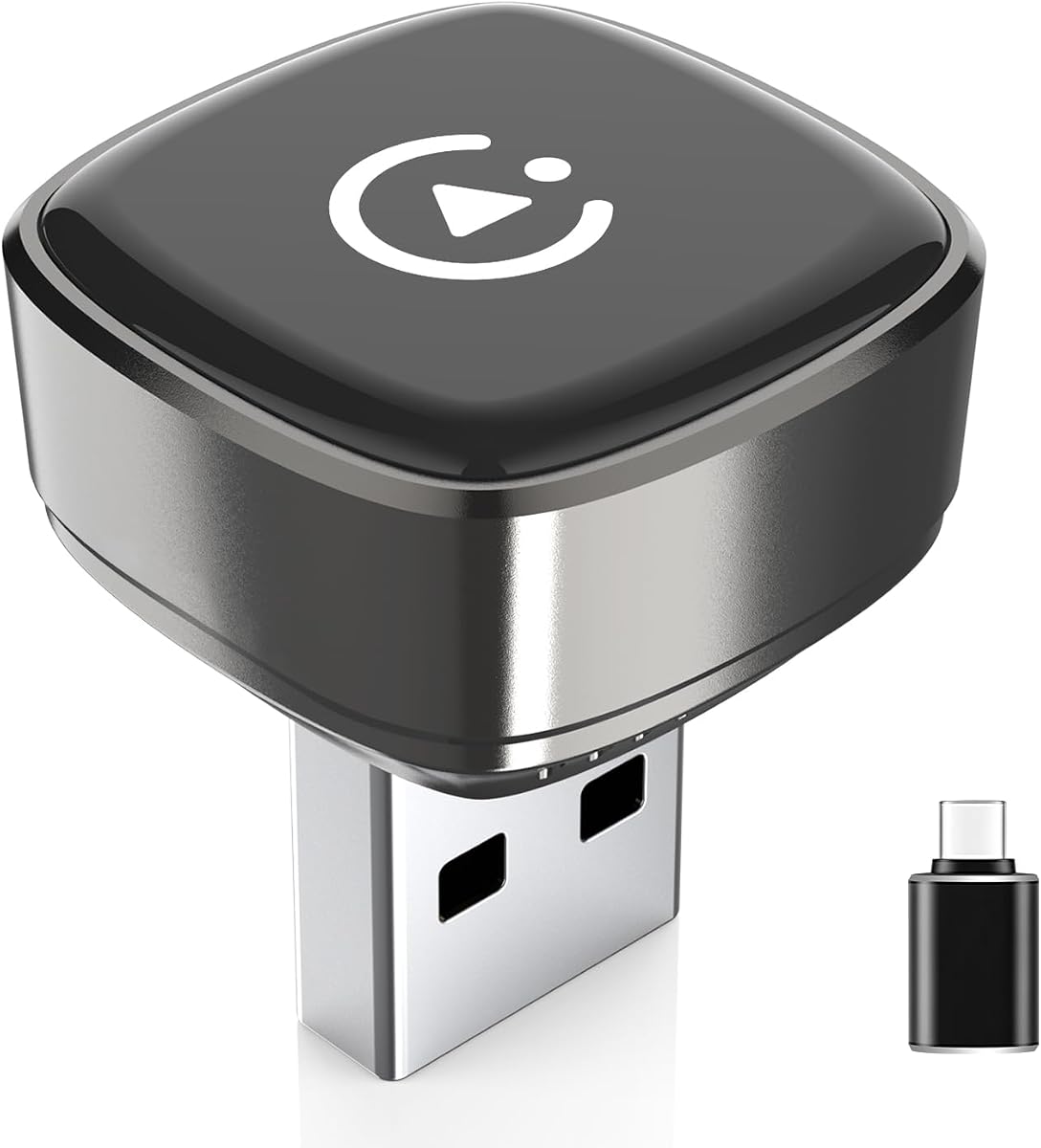
Wireless Carplay Adapter for iPhone
4.2Editor score
Fast plug and play setup
Compatible with 800+ vehicles
Compact and stylish design
Discover the top Hulu Carplay adapters for 2026. We compare wireless streaming, compatibility, and performance to help you choose the right device.
Wireless Carplay adapters transform your driving experience by eliminating cables and enabling seamless connectivity. When looking for Hulu Carplay adapters, you need devices that support streaming apps reliably without compromising safety or performance.
We evaluated ten top-rated adapters based on user feedback, technical specifications, and real-world performance. Our comparison focuses on compatibility, ease of setup, streaming quality, and overall reliability for various vehicle models.
Each pick highlights unique strengths and potential limitations to help you make an informed decision. Prices and availability may change, so always verify details before purchasing to ensure the best value for your specific needs.
4.2Editor score

2.9Editor score

4.1Editor score
This side-by-side comparison outlines key specifications for all ten adapters. Review each option carefully to understand its unique features and limitations before making your final choice.
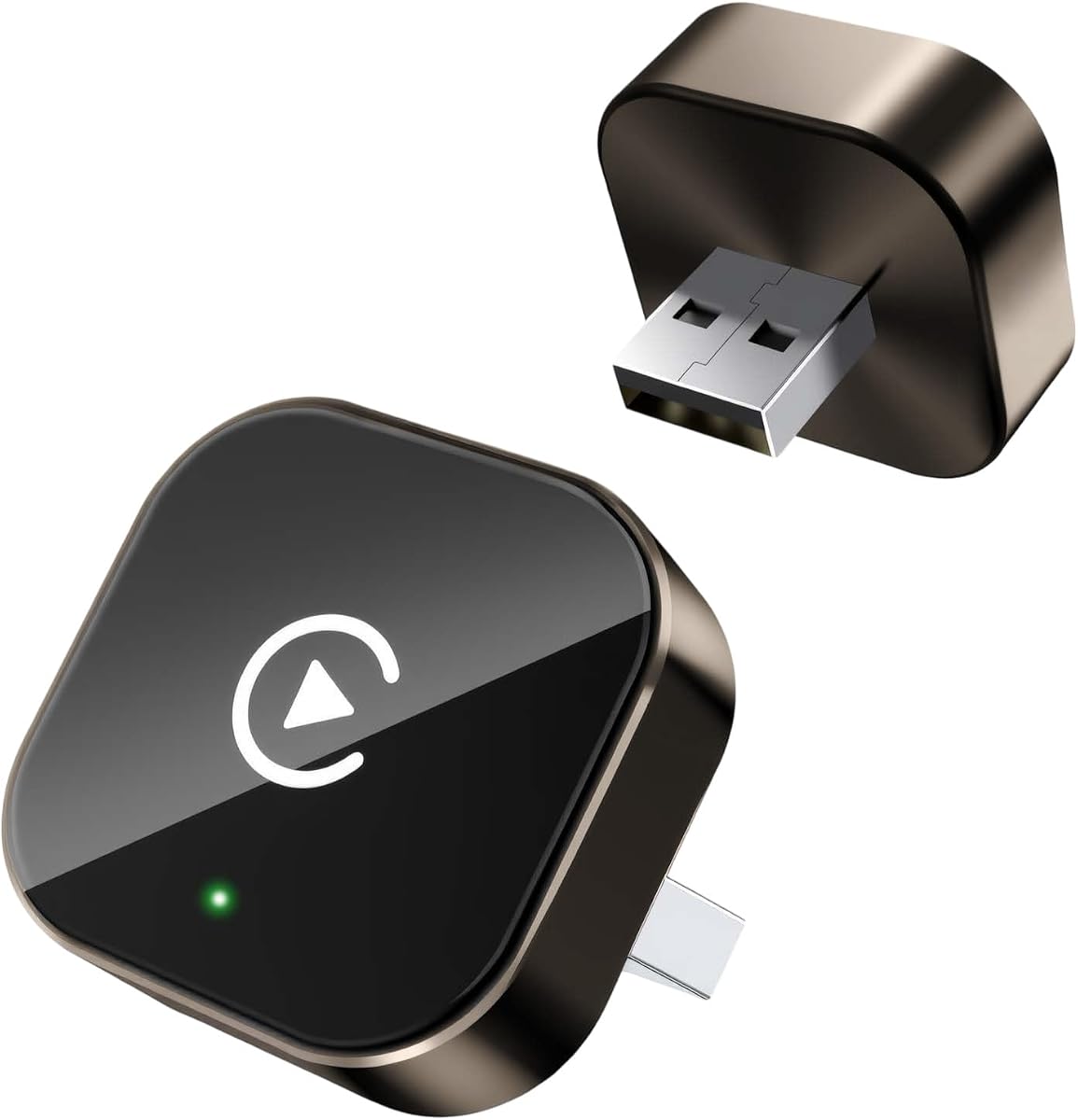


This adapter offers a compact wireless solution for CarPlay conversion. It maintains a 3.9 rating due to its reliable performance and ease of use. The auto-reconnect function saves time on every trip.
We may earn a commission when you buy through this link, at no additional cost to you.
Its durable metal casing ensures long-term use without scratches. The tight-fit design supports stable signal transmission even on rough roads. It works with 98% of factory-wired CarPlay systems.
While it lacks native streaming apps, it focuses on seamless CarPlay functionality. This trade-off is acceptable for users prioritizing navigation and communication over video playback.
Ideal for drivers seeking a simple wireless upgrade without complex features. It provides a clean dashboard experience and reliable connectivity for daily commutes.
Auto-reconnect ensures instant connection when starting the car, eliminating manual pairing every time.
Metal casing and acrylic glass surface enhance durability against physical wear and heat.
We may earn a commission when you buy through this link, at no additional cost to you.
This adapter allows users to choose streaming apps freely. It converts wired CarPlay to wireless while supporting apps like Hulu and Netflix. A touchscreen is required for video playback.
We may earn a commission when you buy through this link, at no additional cost to you.
You can select two apps from thirteen supported platforms. OEM controls like steering wheel buttons work without modification. It simplifies setup by eliminating coding or extra adapters.
Users must reconnect WiFi when switching between CarPlay and streaming apps. This can cause brief interruptions during use. It requires your own subscriptions for all services.
Perfect for passengers who enjoy streaming media during rides. It enhances entertainment options but requires careful setup to avoid connectivity issues.
Switch between sports, movies, or kids content easily using the selectable app feature.
Original touchscreen and voice commands remain fully functional without any changes.
We may earn a commission when you buy through this link, at no additional cost to you.
This adapter offers ultra-stable connection for navigation and media. It uses dual-band Wi-Fi to reduce lag during playback. Users report smooth performance across various car models.
We may earn a commission when you buy through this link, at no additional cost to you.
The upgraded chipset preserves original sound quality and vehicle controls. Auto-connects within seconds of entering the car. It supports iOS 10+ and iPhone 6+ with high reliability.
Setup requires no technical knowledge and completes in three steps. Lifetime support ensures long-term software updates for new features. However, it lacks native streaming capabilities like Hulu.
Best for drivers prioritizing navigation and music quality. It delivers consistent performance and eliminates cable clutter effectively.
Dual-band Wi-Fi minimizes interference and ensures consistent signal quality.
Auto-connects automatically, saving time and simplifying daily driving routines.
We may earn a commission when you buy through this link, at no additional cost to you.
This adapter focuses on seamless conversion from wired to wireless. It supports factory-wired CarPlay vehicles with high compatibility. Setup is quick and requires no technical expertise.
We may earn a commission when you buy through this link, at no additional cost to you.
The durable construction ensures resistance against scratches and physical wear. FCC-certified safety guarantees worry-free use without signal interference. Auto-reconnect function simplifies daily usage for drivers.
While it lacks native streaming apps, it excels in stability and performance. Users appreciate the compact design that matches car interiors seamlessly. It requires Wi-Fi and Bluetooth enabled.
Ideal for commuters seeking reliable navigation and music streaming. It provides a clutter-free experience with minimal maintenance over time.
Setup completes in three simple steps using car USB and Bluetooth pairing.
FCC certification ensures compliance with international safety standards for signal transmission.
We may earn a commission when you buy through this link, at no additional cost to you.
This adapter supports multi-user seamless connection for families. It uses 7A microchip tech for enhanced transmission rates. The premium alloy dongle ensures heat dissipation and durability.
We may earn a commission when you buy through this link, at no additional cost to you.
It converts wired CarPlay to wireless with fast auto-connect features. The designer box offers a sleek aesthetic that fits modern dashboards. Users appreciate the 365-day no-worry trial period.
While streaming apps are limited, it provides excellent navigation and call handling. Heat dissipation features ensure stable performance during extended drives. Compatibility varies by vehicle model.
Great for households with multiple drivers sharing one vehicle. It ensures quick switching between devices without manual reconnection steps.
Supports seamless switching between users for flexible family driving arrangements.
Alloy materials withstand 50,000+ tests and last longer than plastic alternatives.
We may earn a commission when you buy through this link, at no additional cost to you.
This adapter lets you stream content via HDMI from Fire Stick or Roku. It enables Netflix and Hulu playback on the infotainment screen. No apps or complicated installation steps are required.
We may earn a commission when you buy through this link, at no additional cost to you.
Dual functionality ensures simultaneous wireless CarPlay and streaming content. OEM controls remain functional without any modifications. Setup involves plugging into USB port for instant wireless activation.
HDMI mode supports video only, meaning phones won't charge. Users need separate subscriptions for apps like Netflix and Hulu. It is designed for entertainment rather than navigation.
Ideal for passengers who want media playback during trips. It turns your car into a mobile media hub effectively.
Use HDMI input for streaming services without requiring built-in apps.
Plugs directly into USB port, requiring no tools or additional setup.
We may earn a commission when you buy through this link, at no additional cost to you.
This adapter offers a 4-in-1 chipset supporting CarPlay, AirPlay, and mirroring. Auto-connects within 5 seconds for quick daily usage. CD-quality audio ensures high-fidelity sound during playback.
We may earn a commission when you buy through this link, at no additional cost to you.
Compact housing fits discreetly without blocking ports or creating clutter. It supports multi-user memory allowing seamless switching between iPhones. Aluminum alloy housing aids heat dissipation during use.
DRM-protected apps like Netflix cannot be mirrored directly. Streaming services are limited to apps supported by the manufacturer. Users must verify vehicle compatibility before purchasing.
Great for families needing flexible connectivity options. It simplifies navigation and media streaming without complex setup steps.
Auto-connects in 5 seconds every time you start your car for convenience.
Delivers synchronized CD-quality audio for premium listening experiences.
We may earn a commission when you buy through this link, at no additional cost to you.
This adapter comes with pre-installed apps like Netflix and YouTube. Dual WiFi ensures smooth switching between navigation and streaming. USB drive support lets you play offline media easily.
We may earn a commission when you buy through this link, at no additional cost to you.
Mini HDMI output enables rear-seat entertainment on headrest monitors. It requires a phone hotspot for streaming content. Setup is simple with automatic reconnection on every start.
App downloads are not supported, limiting customization options. Users must rely on pre-installed apps and hotspot connections. Not compatible with BMW or Tesla vehicles.
Perfect for families needing entertainment for children during long trips. It balances convenience with reliable streaming features for all passengers.
Uses HDMI output and USB drives to support various media formats.
Dual WiFi connections let you switch between apps without disconnecting.
We may earn a commission when you buy through this link, at no additional cost to you.
This adapter offers a simple plug-and-play solution for wireless conversion. It supports 800+ vehicles with factory CarPlay. Setup completes in three steps using Bluetooth and Wi-Fi.
We may earn a commission when you buy through this link, at no additional cost to you.
Compact design allows hiding the device to keep the dashboard clean. Automatic reconnection eliminates manual pairing every time you drive. It maintains original car functions without modifications.
It supports only one phone at a time. Streaming apps are limited to those available on CarPlay. Users must activate both Wi-Fi and Bluetooth for operation.
Ideal for drivers prioritizing simplicity and ease of use. It provides reliable performance for daily navigation and communication needs.
Small size allows discreet installation without blocking ports.
Plug, pair, and play setup ensures you can start using immediately.
We may earn a commission when you buy through this link, at no additional cost to you.
This adapter converts factory wired CarPlay and Android Auto to wireless. It supports 1,000+ vehicle models with compatibility. Setup is fast and requires no app installations for users.
We may earn a commission when you buy through this link, at no additional cost to you.
Ultra-compact flush-fit design keeps the car interior neat. Built-in protection prevents overheating and short circuits effectively. Offers 18-month product protection and lifetime technical support.
Requires factory CarPlay or Android Auto systems to function. Streaming apps are not native to the device itself. Users need to enable both Bluetooth and Wi-Fi on phones.
Perfect for families using multiple phone operating systems. It simplifies wireless connectivity with reliable long-term performance.
Works with both CarPlay and Android Auto for versatile connectivity.
Built-in protection against voltage surges and overheating ensures safe driving.
We may earn a commission when you buy through this link, at no additional cost to you.
Selecting the right adapter depends on your vehicle compatibility, desired features, and budget.
Ensure your car has factory-wired CarPlay or Android Auto for the adapter to function correctly. Most devices support 98% of vehicles from 2016 onwards, but check your specific model before purchasing.
Verify that your vehicle uses wired connectivity instead of wireless CarPlay to avoid redundancy and compatibility issues.
Some adapters support pre-installed apps like Netflix and Hulu, while others require HDMI devices. Consider if you want native support for streaming video during parking stops.
Choose adapters that match your desired content sources to maximize entertainment options while traveling.
Look for plug-and-play options that require no technical knowledge or complicated coding. Most setups involve simple Bluetooth pairing via Wi-Fi connection for wireless activation.
Quick setup saves time daily and reduces frustration for non-technical users.
Dual-band Wi-Fi and auto-reconnect features ensure consistent performance during long drives. Check if the adapter maintains stable signals on rough roads or in areas with weak internet.
Stable connections prevent interruptions during navigation or media playback.
Metal casings or durable materials protect the device from physical damage and overheating. Compact designs help keep your dashboard organized and clutter-free while driving.
High-quality construction ensures long-term reliability without frequent replacements.
Adapters supporting multiple users allow switching between iPhones or Android devices seamlessly. This is useful for households where different family members use different systems regularly.
Flexible device support enhances convenience and sharing among passengers.
Look for products offering lifetime firmware updates and warranty protection. Good technical support ensures you can resolve connection issues or software bugs easily.
Reliable customer service adds peace of mind for long-term usage.
Consider extras like AirPlay, USB drive support, or HDMI outputs for expanded entertainment. These features can transform your car into a mobile media hub effectively.
Advanced features provide more flexibility depending on your personal driving needs.
Begin by inserting the adapter into your car's USB port securely. Ensure both Bluetooth and Wi-Fi are enabled on your phone before initiating the pairing process.
Once connected, the adapter will automatically launch CarPlay or Android Auto. For streaming apps, connect to a hotspot or Wi-Fi network depending on device capabilities.
Regularly update firmware through manufacturer software to maintain performance. Keep the device clean and free from dust to prevent overheating during long trips.
No, they only work with factory-wired CarPlay or Android Auto systems. Ensure your vehicle supports these features before purchasing.
Some adapters like AUTOSKY support native apps, but most rely on screen mirroring or HDMI input for video services.
No, most adapters are plug-and-play requiring simple Bluetooth pairing via Wi-Fi steps for activation.
Check if your car model supports factory CarPlay or Android Auto before 2016. Most adapters support 98% of vehicles with wired systems.
Yes, they draw power from the USB port. Ensure you use a 5V port and not fast chargers to avoid compatibility issues.
Most adapters support only one phone at a time, but some premium options allow switching between paired devices seamlessly.
Yes, most reputable brands provide free lifetime firmware updates to fix bugs and improve performance over time.
No, they maintain original GPS functions but wireless connectivity may cause slight latency during navigation.
The AUTOSKY AI Box Lite Flex stands out for native streaming capabilities, while Teeran and Jemluse excel in build quality and multi-device support.
Prioritize compatibility and connection stability based on your daily driving needs and desired entertainment features.
Always verify current prices and compatibility before purchasing to ensure the adapter meets your specific vehicle requirements.