
LeapFrog 2-in-1 LeapTop Touch
4.7Editor score
Flip screen tablet mode
Role play activities
Customizable name spelling
Find the best laptop for 5 year old with our expert guide comparing top educational models for kids aged five to build skills and have fun.
Choosing the right laptop for a five year old requires balancing educational value with durability and ease of use. These devices help children develop early computer skills while keeping them engaged with interactive content designed specifically for their age group.
We compared ten top rated products based on learning modes, screen quality, battery life, and overall design. Our analysis focuses on how well each model supports cognitive development and provides safe, screen free entertainment for young learners at home.
Each pick highlights key features and real world performance to help you decide quickly. Remember that prices change frequently so check current listings before purchasing to ensure you get the best deal for your family needs and budget today.
4.7Editor score

4.5Editor score

4.2Editor score
This side by side comparison shows key specs for every model to help you find the perfect fit for your child based on their interests and your preferences.





This laptop offers a robust set of educational tools for kids aged five and up with its full size keyboard and extensive activity library. It stands out for being fully bilingual and supporting both English and Spanish immersion without requiring any internet connection.
We may earn a commission when you buy through this link, at no additional cost to you.
The device includes over 80 activities that cover math science and music making it a comprehensive learning companion. Children can interact with a calendar notebook and music player which mimics real computer functions to build basic skills.
The need for four AA batteries might be a slight inconvenience but the included demo batteries help you start testing immediately. The offline nature ensures safety and simplicity while avoiding parental controls for internet access.
Parents looking for a serious intro to computer skills will appreciate the realistic design and curriculum. It is a top choice for fostering early literacy and tech fluency in a safe offline environment.
Every activity can be played in English or Spanish allowing children to immerse themselves in language learning naturally.
Since no internet connection is needed parents can rest easy knowing their child is exploring preloaded educational content securely.
We may earn a commission when you buy through this link, at no additional cost to you.
The Unicorn model provides a charming entry point for kids who enjoy themed devices. It focuses on English Spanish math and logic through fun activities and games that test knowledge at different levels.
We may earn a commission when you buy through this link, at no additional cost to you.
Its slim elegant design makes it easy for small hands to hold while the realistic mouse helps with cursor control. Music and melodies are integrated to help children learn notes and compose their own tunes.
While it functions as a toy laptop the educational value is solid with specific modules for clock reading and general knowledge. The games after learning help reinforce memory and speed skills effectively.
This is a great option for children who need a light and ergonomic laptop to carry around. The unicorn theme adds appeal while maintaining core educational goals for five year olds.
Musical activities guide children through their first steps in music including notes learning and composing melodies.
The design is inspired by real laptops with a slim profile that ensures easy handgrip for young users.
We may earn a commission when you buy through this link, at no additional cost to you.
This model features a vibrant 4.3 inch color screen that makes watching content clearer for young eyes. It offers 48 learning modes covering alphabet math animals and music to keep engagement high.
We may earn a commission when you buy through this link, at no additional cost to you.
The laptop uses lifelike visuals that combine convenience with comfort for daily use. Its slim design is compact enough for easy transport while still providing a realistic mouse and keyboard experience.
Children can test their logic memory and speed with fun games that follow educational activities. The keyboard is designed to answer questions which helps practice typing skills in a playful way.
Ideal for kids who prefer a colorful screen this laptop balances education and entertainment well. Just remember to peel off the protective film on the screen before first use.
The TFT color screen offers lifelike visuals making it easier for kids to watch and interact with content.
Using the keyboard to answer questions helps reinforce typing skills alongside the educational lessons provided.
We may earn a commission when you buy through this link, at no additional cost to you.
This versatile toy features a screen that flips to convert from a keyboard laptop to a touch tablet making it adaptable for different play styles. It includes letters numbers and role play activities that let kids pretend to be like mom and dad.
We may earn a commission when you buy through this link, at no additional cost to you.
Parents can customize the content to help their child spell their own name which adds a personal touch to learning. The five modes cover ABCs numbers games music and messages to provide variety.
At a budget friendly price point this offers great value for families looking for an introductory device. It is designed for ages 2 to 5 which makes it suitable for growing skills over time.
The flip mechanism is durable and adds an element of surprise for children. It remains a top pick for budget conscious shoppers wanting interactive fun and learning.
Kids can swivel and transform the device into a touch tablet for different types of activities and games.
Parents can set up custom messages and spelling practice that includes the child's name for better engagement.
We may earn a commission when you buy through this link, at no additional cost to you.
The sleek design looks like a grown-up computer which appeals to kids wanting to use technology like adults. It includes 30 activities with leveled learning to adapt as your child grows and improves their skills.
We may earn a commission when you buy through this link, at no additional cost to you.
You can personalize it with your child's name age and avatar to make the experience more engaging. The content introduces beginning Spanish words letters and numbers to broaden early language exposure.
Logic games and animal sound discovery add fun to the curriculum while music games let them listen to instrument sounds. The balance of education and play keeps them interested for longer periods.
This model is perfect for preschoolers transitioning to more structured learning. Its design and customization options make it a favorite for daily play and skill building.
Children can customize the laptop with their own name avatar and age to create a unique experience.
Discovering animal sounds and playing instrument music games enhances sensory and cognitive development.
We may earn a commission when you buy through this link, at no additional cost to you.
This is a real tablet with a 10.1 inch HD touchscreen and powerful processor that supports access to Google Play and ebooks. It offers endless entertainment with thousands of games and apps alongside educational tools like a translator.
We may earn a commission when you buy through this link, at no additional cost to you.
The device includes robust parental controls and customizable profiles to ensure a safe environment. Parents can manage time and apps effortlessly while children enjoy YouTube and Qwant Junior browser securely.
With 128GB storage it can hold many apps and media without constant management. The battery life supports long sessions making it great for travel or extended use.
Families wanting a device that can grow with the child should consider this premium option. It bridges the gap between a toy and a real computer effectively.
Access thousands of games and apps on Google Play for unbeatable entertainment and learning variety.
Surf securely with Qwant Junior browser and manage time and apps with built-in parental controls.
We may earn a commission when you buy through this link, at no additional cost to you.
This laptop stands out with a built-in camera that lets kids capture and record their own beautiful memories. It includes 64 activities covering math alphabet colors and music to support broad learning.
We may earn a commission when you buy through this link, at no additional cost to you.
The camera features cute photo frames and filter effects that encourage creativity. Children can express themselves freely while learning how to use tech tools like a real camera.
Its design is compact and refined with a realistic mouse and keyboard that fits comfortably in small hands. After educational activities kids can enjoy exciting games and take funny pictures.
Perfect for creative kids this model combines learning with artistic expression. It makes a great gift for birthdays or holidays.
The camera includes a variety of cute photo frames and filters to make every picture fun and engaging.
Kids can record beautiful memories for themselves family and friends using the built-in camera.
We may earn a commission when you buy through this link, at no additional cost to you.
The LeapPad Academy supports math reading writing and coding with more than 20 educator-approved apps that grow with kids. It includes a stylus and a tough bumper with kickstand for versatile use.
We may earn a commission when you buy through this link, at no additional cost to you.
You can find hundreds more games and books via the LeapFrog App Center to expand the learning experience. A three-month trial of LeapFrog Academy provides access to 2,000 engaging resources.
Parent controls allow you to set time limits and manage apps safely. The shatter-safe screen ensures durability during play and handling.
This is a robust learning tool for kids aged 3 to 8. The rechargeable battery and included accessories make it ready for daily use.
Apps grow with kids to develop skills in reading coding and problem-solving over time.
Set time limits and manage apps with easy-to-use parental controls for safe exploration.
We may earn a commission when you buy through this link, at no additional cost to you.
This laptop offers 124 activities in English and Spanish to cover math logic and music comprehensively. It is designed with a realistic mouse and keyboard to create an immersive learning environment.
We may earn a commission when you buy through this link, at no additional cost to you.
Children can enjoy games like Snake Memory and Puzzle after mastering educational content. The screen size allows for interactive experiences that engage young minds easily.
Its compact dimensions make it ideal for travel or on-the-go learning. Whether at home or in the car knowledge and entertainment are always within reach.
Parents looking for a stylish and effective tool will find this model appealing. It encourages ergonomic usage while building knowledge.
With 124 activities it covers vocabulary spelling and logic to promote growth effectively.
The convenient size makes it perfect for taking along on family trips and car rides.
We may earn a commission when you buy through this link, at no additional cost to you.
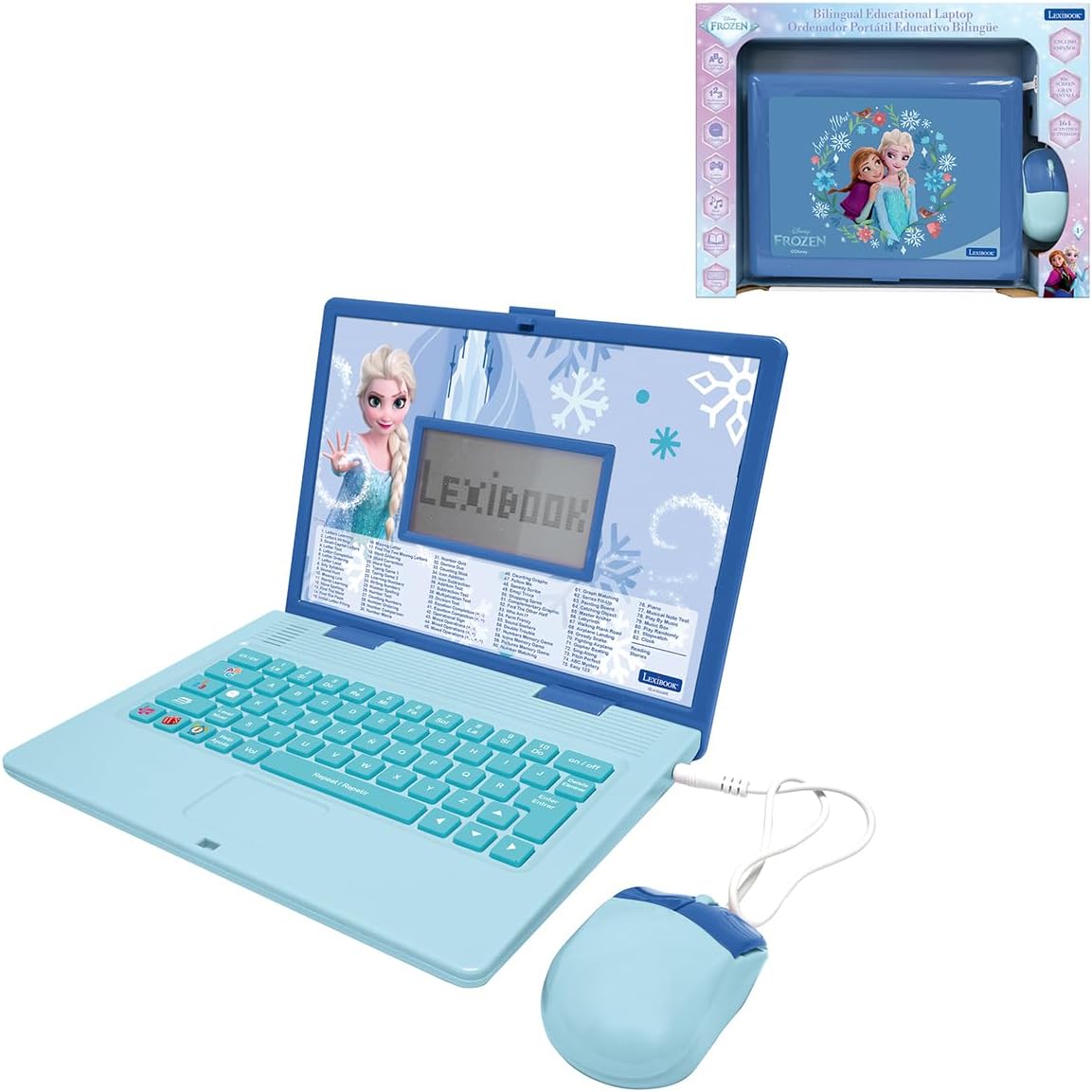
The Frozen edition is packed with 164 activities in English and Spanish covering vocabulary math and logic. It offers helpful voice guidance and a clear LCD screen for easy navigation.
We may earn a commission when you buy through this link, at no additional cost to you.
Quiz challenges and music modes keep children engaged from the first activity. The laptop is lightweight making it ideal for learning at home or on the go.
It comes from a trusted brand known for smart and safe products. The design ensures comfort while supporting language development through motivating activities.
This model is a strong choice for families prioritizing bilingual learning. It combines fun themes with solid educational content for young learners.
Easily switch between English and Spanish to build strong language skills through practice.
Helpful voice guidance assists children in navigating the laptop without frustration.
We may earn a commission when you buy through this link, at no additional cost to you.
Selecting the right educational laptop involves looking at several key factors that match your child's interests and your safety standards.
Look for laptops that cover a wide range of subjects like math language arts music and science. A good model should offer leveled learning that grows with your child to maintain engagement.
Prioritize devices with diverse and curriculum to support overall cognitive development.
Kids at this age are active and may drop or bump their devices. Choose laptops with robust casings and protective features to withstand daily use.
A sturdy build ensures the device lasts longer and remains functional over time.
Some models use replaceable AA batteries while others have rechargeable options. Decide which is more convenient for your household routine and usage frequency.
Rechargeable batteries reduce waste but require access to power outlets regularly.
A clear screen is vital for reading and visual engagement. Look for displays with good color reproduction and size suitable for small eyes.
Vibrant screens keep children focused and make learning activities more enjoyable.
If you want to introduce a second language look for devices that support English and Spanish seamlessly. Bilingual options help children build vocabulary without extra effort.
Language features provide a strong foundation for future communication skills.
Many kids laptops work offline which means no internet is needed. This simplifies safety concerns and ensures your child is not exposed to the web.
Offline modes allow parents to control exactly what content is accessible.
The size and weight should be comfortable for a five year old to hold. Realistic keyboards and mice help them learn proper interaction methods.
Ergonomic designs reduce fatigue during longer play sessions.
Prices vary based on features and complexity. Consider your budget while ensuring the device meets the core educational needs of your child.
Investing in a quality product can save money on replacements later.
Always insert batteries or charge the device before handing it to your child. Check for any protective films on the screen and remove them for best visibility.
Set up any customizable profiles or names to make the experience personal. This helps your child identify with the device and encourages regular use.
Store the laptop in a safe place when not in use to prevent damage. Keep it away from liquids and direct sunlight to maintain battery and screen health.
Yes these laptops are designed specifically for young children. They have no internet access or online risks so your child can use them safely without parental worry.
Most models do not require Wi-Fi and work offline. This means they are ready to use right out of the box without any setup steps.
Battery life depends on usage frequency. Typically they can last for several hours of play with fresh batteries or a full charge.
Many models have full size keyboards that allow children to practice typing. This helps build basic computer skills for future learning.
Some devices like the 2-in-1 models have touch screens but most use traditional buttons. Check the specs to know if touch is supported.
Most laptops are intended for ages 5 and up. Some cover 3 to 6 years so check the recommended age range before purchasing.
Yes many devices have settings for time limits or content management. Parents can customize some activities to match their child's level.
Use a soft dry cloth to wipe the keys gently. Avoid using liquids directly on the device to prevent damage to internal parts.
We explored ten top options that offer engaging educational experiences for young learners. The VTech Genio and LeapFrog 2-in-1 models stand out for their comprehensive features.
Prioritize durability and content quality when making your decision. A device that grows with your child ensures long-term value and enjoyment.
Check current prices and stock before buying to secure the best deal. Happy shopping and enjoy watching your child learn and play.