
HP Chromebook 14 Laptop
4.3Editor score
14 hour battery life
Intel Celeron processor
Chrome OS security
Finding a laptop that balances performance with energy efficiency is crucial for modern users who need reliability without draining their power budget. Low power consumption laptops offer extended battery life and reduced heat output, making them ideal for students, professionals, and travelers who value mobility and sustainability in their daily workflows.
We evaluated ten leading models based on processor efficiency, battery duration, build quality, and real-world usability. Our analysis focuses on how each device handles everyday tasks like web browsing, document editing, and media streaming while minimizing energy draw. This ensures you get a machine that lasts longer on a single charge and operates quietly under load.
Each selection highlights unique strengths such as lightweight designs, fast charging capabilities, or specific port configurations. Prices and availability fluctuate frequently so please verify current offers before purchasing. Use this guide to identify the model that aligns with your specific needs and budget constraints for optimal long-term value and performance.
4.3Editor score

5.0Editor score

4.8Editor score
As an Amazon Associate we earn from qualifying purchases.
This side-by-side comparison highlights the key specifications of each model including processor type, memory capacity, storage options, and display features to help you make an informed decision based on your specific performance and portability needs.

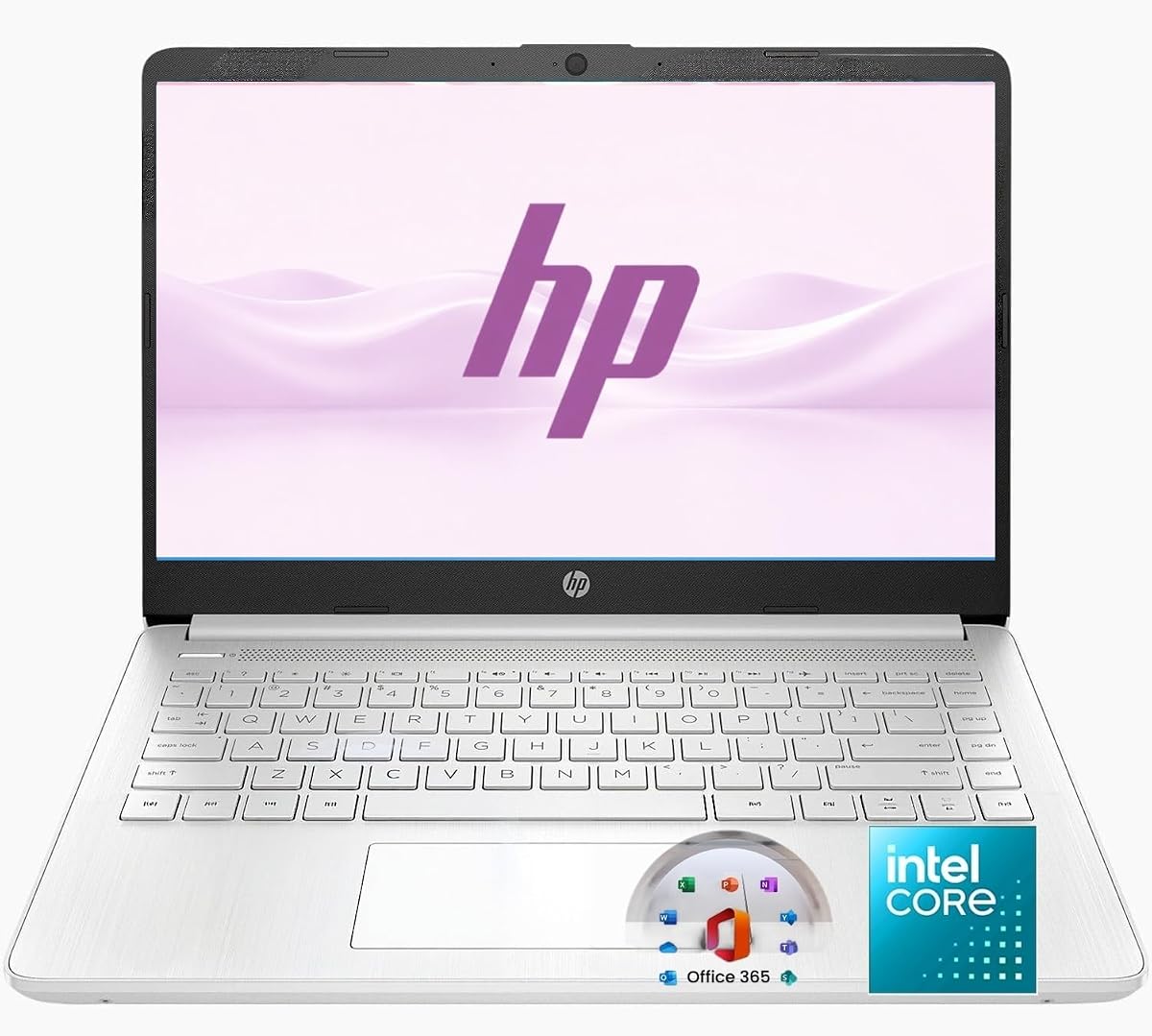


The HP Chromebook 14 stands out as a top budget option for users prioritizing energy efficiency and long battery life. With a strong 4.3 star rating it delivers reliable performance for everyday tasks like web browsing and document editing without consuming excessive power.
We may earn a commission when you buy through this link, at no additional cost to you.
Its Intel Celeron N4120 processor is specifically tuned for low power consumption making it ideal for extended use away from an outlet. The Chrome OS environment ensures quick updates and robust security while the custom-tuned stereo speakers provide clear audio for media consumption.
While the 64 GB eMMC storage is modest the system supports cloud solutions to offset this limitation. The HD display offers adequate clarity for general use though users seeking sharper visuals might prefer Full HD options available in higher price tiers.
This laptop is best suited for students or casual users who need a lightweight device for school or home tasks. The long battery life and fast charging technology ensure you stay productive throughout the day without worrying about power outlets.
With up to 14 hours of battery life this Chromebook allows you to work or study all day on a single charge without interruption.
Chrome OS provides a streamlined secure experience that boots quickly and updates automatically in the background to maintain system health.
We may earn a commission when you buy through this link, at no additional cost to you.
The Lenovo V15 Business Laptop offers a balanced mix of durability and energy efficiency for professional and educational environments. Its 4.3 rating reflects solid performance for essential computing tasks while maintaining low power draw during extended use.
We may earn a commission when you buy through this link, at no additional cost to you.
Equipped with an Intel N100 quad-core processor this model delivers efficient performance for web browsing and document editing. The 15.6 inch Full HD display features anti-glare coating and TÜV Rheinland Low Blue Light certification to reduce eye strain during long work sessions.
Storage is handled by 128GB UFS 3.1 which provides faster read/write speeds compared to traditional eMMC solutions. Connectivity includes Wi-Fi 6 and multiple USB ports ensuring you can connect modern peripherals without needing additional adapters.
This laptop is ideal for users who need a reliable workhorse that can withstand daily wear and tear. The military-grade testing and privacy shutter on the webcam add layers of security and durability that are often missing in budget consumer models.
Built to pass MIL-STD-810H testing this laptop resists shocks and vibrations making it suitable for travel and rough daily environments.
The display reduces harmful blue light emissions to protect your eyes during extended periods of reading or screen-based work.
We may earn a commission when you buy through this link, at no additional cost to you.
The HP New Everyday Slim Laptop earns our Editor's Choice award with a perfect 5.0 star rating. It combines the latest Intel N150 processor with DDR5 memory to deliver efficient performance while keeping power consumption low for all-day use.
We may earn a commission when you buy through this link, at no additional cost to you.
Users benefit from a 128GB SSD which offers faster boot times than eMMC alternatives. The inclusion of Microsoft 365 and 1TB cloud storage ensures you have ample space for files without needing heavy local storage that drains battery life.
Its slim 0.71-inch profile and 3.24 lb weight make it highly portable for students or commuters. The micro-edge display provides a modern look while the stereo speakers ensure clear audio for video calls and media streaming.
This device is recommended for anyone seeking a reliable thin laptop for general productivity. The balance of modern memory technology cloud storage and long battery life makes it a standout choice in the low power consumption category.
DDR5 RAM offers improved power efficiency and speed compared to DDR4 ensuring smoother multitasking without draining the battery quickly.
With 1TB of cloud storage you can access your files from anywhere while keeping the local drive light to maximize battery performance.
We may earn a commission when you buy through this link, at no additional cost to you.
The 2026 Edition of this HP model introduces Copilot AI features directly into the hardware workflow. It maintains the energy-efficient design of its predecessor while adding tools designed to streamline productivity tasks through smart automation.
We may earn a commission when you buy through this link, at no additional cost to you.
The N150 processor continues to deliver smooth performance for essential applications and web browsing. The display features anti-glare technology to reduce reflections making it easier to use in brightly lit environments without straining your eyes.
Battery life remains a strong point with up to 11.5 hours of video playback. The lightweight chassis ensures you can carry it easily between home and office without adding unnecessary weight to your daily commute.
Ideal for users who want modern AI assistance alongside traditional computing this laptop fits well in education and light professional use. The natural silver finish gives it a stylish look that fits any environment while remaining highly functional.
The dedicated Copilot key provides quick access to AI tools helping you summarize text or manage tasks without switching apps.
Anti-glare coating reduces eye strain during long sessions ensuring comfortable viewing even under harsh lighting conditions.
We may earn a commission when you buy through this link, at no additional cost to you.
This Lenovo Essential model stands out for offering 8GB of DDR5 RAM which is a significant advantage for multitasking within the low power category. The 4.1 star rating indicates strong user satisfaction with its balance of performance and efficiency.
We may earn a commission when you buy through this link, at no additional cost to you.
The 15.6 inch Full HD display provides sharper visuals than HD alternatives making it better suited for media consumption and detailed work. Combined with an anti-glare coating it offers a comfortable viewing experience for various content types.
Connectivity is robust with Wi-Fi 6 and multiple USB ports ensuring modern peripheral support. The privacy shutter on the webcam adds peace of mind for users who frequently engage in video calls from home or public spaces.
If you need more than the basic 4GB of RAM this laptop is an excellent choice. It handles multiple browser tabs and documents more smoothly while still maintaining the low power consumption needed for all-day battery life.
With 8GB of DDR5 RAM you can run several applications simultaneously without slowing down your system or draining the battery quickly.
Full HD resolution ensures crisp text and images which is beneficial for reading documents and watching videos on a larger screen.
We may earn a commission when you buy through this link, at no additional cost to you.
The Amzboy laptop offers a unique benefit with its fanless solid-state design which ensures absolutely silent operation. This makes it perfect for quiet environments like libraries or bedrooms where noise from cooling fans would be distracting.
We may earn a commission when you buy through this link, at no additional cost to you.
Powered by an efficient Celeron N4020 CPU it handles basic daily tasks smoothly. The 15.6 inch Full HD display provides a good screen size for reading and viewing content without requiring excessive power to operate.
Storage can be expanded via a TF card slot which is a convenient feature for keeping local storage requirements low. The 45W Type-C PD fast charging allows you to use the same charger as your phone or tablet reducing cable clutter.
This model is well-suited for users who prioritize quiet operation and portability. While it may not be as fast as newer models the silence and simplicity make it a strong contender for casual use and travel.
The fanless design eliminates noise completely so you can focus on your work without auditory distractions in quiet settings.
Type-C PD fast charging lets you carry one charger for multiple devices simplifying your travel setup and reducing overall weight.
We may earn a commission when you buy through this link, at no additional cost to you.
The ASUS Vivobook Go Slim Laptop is designed with students in mind offering a thin portable design that fits easily into backpacks. It includes a backlit keyboard which is a valuable feature for working in dimly lit dorm rooms or libraries.
We may earn a commission when you buy through this link, at no additional cost to you.
Its 15.6 inch Full HD display offers a good balance between screen real estate and portability. The SonicMaster audio technology provides clear sound for video calls and media consumption without needing external speakers.
Fast Charge technology gets you to 60 percent in just 49 minutes making it easy to top up before class. The privacy shutter on the webcam adds an extra layer of security for remote learning and online meetings.
This laptop is ideal for students who need an affordable device for basic coursework and communication. The backlit keyboard and fast charge capabilities make it convenient for on-the-go use despite its lower price point.
The backlit keyboard allows you to type comfortably in dark environments without needing an external light source or lamp.
Fast Charge technology ensures you get enough battery power quickly if you forget to charge overnight before heading out.
We may earn a commission when you buy through this link, at no additional cost to you.
Marked as the 2027 Edition this HP laptop anticipates future needs with modern DDR5 RAM and cloud integration. Its 4.5 star rating indicates strong user satisfaction with its performance and design for everyday use.
We may earn a commission when you buy through this link, at no additional cost to you.
The N150 processor ensures efficient multitasking capabilities for web browsing and streaming. The anti-glare coating on the display reduces reflections making it easier to view content in various lighting conditions without straining your eyes.
Cloud storage inclusion means you can keep your drive light which helps maintain low power consumption and faster boot times. The slim profile ensures it slips easily into bags for commutes or travel without adding bulk.
This laptop is recommended for users looking for a forward-looking device that supports modern memory standards. Its combination of cloud storage and efficient processing makes it a smart choice for those who work heavily in the cloud.
Built-in 1TB cloud storage encourages a file workflow reducing reliance on local storage to keep the system efficient and fast.
DDR5 RAM offers better performance per watt than older standards ensuring your laptop runs cooler and lasts longer on a charge.
We may earn a commission when you buy through this link, at no additional cost to you.
The jumper laptop distinguishes itself with a high 12GB RAM capacity which is rare in the low power segment. This allows for significantly better multitasking performance while still maintaining ultra-low power consumption for extended use.
We may earn a commission when you buy through this link, at no additional cost to you.
Its 256GB SSD provides ample space for daily applications and files offering faster access speeds than eMMC solutions. The IPS eye-care display reduces blue light and strain making it comfortable for long hours of reading or streaming.
Storage can be expanded up to 512GB giving you flexibility as your needs grow. The ultra-narrow bezels provide an immersive viewing experience that maximizes the screen area within a compact 15.6 inch chassis.
Ideal for users who need more memory than standard budget laptops offer this model bridges the gap between performance and efficiency. The combination of high RAM and SSD storage ensures smooth operation even when running multiple programs simultaneously.
With 12GB of RAM you can keep numerous applications open without slowdowns ensuring productivity remains high throughout your day.
The IPS panel includes blue light filtering to reduce eye strain making it safer for your eyes during extended daily use.
We may earn a commission when you buy through this link, at no additional cost to you.
The HP 14 inch Laptop Ultra Light includes a one-year Office 365 subscription making it ready for productivity tasks immediately. Its 4.3 rating reflects strong performance for web browsing and document editing while maintaining low power consumption.
We may earn a commission when you buy through this link, at no additional cost to you.
With 8GB of RAM it handles browser tabs and email smoothly without lag. The N150 Quad-Core processor is optimized for everyday tasks ensuring you get reliable performance for work and study without excessive energy usage.
The included external CD/DVD drive and wireless mouse make this a complete bundle for home or office use. The removable SD card allows you to expand storage easily for photos and class files without replacing the internal drive.
This laptop is perfect for business users and students who need a complete package right out of the box. The Wi-Fi 6 ensures fast wireless connections while the lightweight design makes it easy to carry between meetings or classes.
Included Office 365 and peripherals mean you can start working immediately without needing to buy extra software or accessories.
Removable SD card slot allows for easy storage expansion keeping the internal drive light to maintain efficient system performance.
We may earn a commission when you buy through this link, at no additional cost to you.
Selecting a low power consumption laptop involves balancing performance needs with energy efficiency. This guide outlines the key factors to consider to ensure you choose a device that meets your requirements while maximizing battery life.
The processor is the most critical component for power consumption. Look for modern low-voltage CPUs like Intel N150 or Celeron series which are designed to deliver adequate performance while drawing less power. These chips typically generate less heat reducing the need for aggressive cooling and further extending battery life.
Prioritize models with processors rated for energy efficiency to ensure your laptop remains cool and quiet during daily tasks.
RAM and storage types significantly impact power draw. DDR5 RAM is more power-efficient than DDR4 while SSDs use less energy than traditional hard drives. Ensure you have enough RAM for multitasking but avoid excessive amounts that might consume more power than necessary.
Choose laptops with modern memory and SSD storage to maintain speed and efficiency without sacrificing battery duration.
Larger and brighter screens consume more power. Consider if a 14-inch display meets your needs instead of a 15.6-inch one to save energy. Anti-glare coatings also help reduce eye strain so you can work comfortably at lower brightness levels.
Opt for smaller or high-efficiency displays to maximize battery life and ensure comfort during extended use.
Check the rated battery life carefully as this is often the defining feature of low power laptops. Look for models offering at least 10 hours of mixed usage to ensure you can work all day. Fast charging capabilities also reduce downtime when you need to top up.
Verify battery specifications and fast charge options to guarantee uninterrupted productivity throughout your workday.
A durable lightweight chassis ensures the laptop is easy to carry without adding bulk. Materials like aluminum or high-quality plastics help reduce weight while maintaining protection. Military-grade durability certifications indicate the device can withstand daily travel demands.
Select a lightweight and durable build to ensure comfort during transport and long-term reliability in various environments.
Modern connectivity like Wi-Fi 6 ensures efficient wireless data transfer which uses less power than older standards. Having diverse ports reduces the need for external dongles that draw power from your device. Check for USB-C with Power Delivery to streamline charging.
Ensure the laptop has efficient wireless modules and essential ports to minimize external dependencies and power waste.
The operating system plays a role in background processes and update schedules. Windows 11 offers good power management tools while Chrome OS is known for fast boot times and minimal resource usage. Choose an OS that aligns with your workflow needs.
Look for built-in power management settings and efficient OS updates to maintain long battery performance over time.
ENERGY STAR and EPEAT ratings indicate that a device meets strict energy efficiency guidelines. These certifications ensure the laptop is designed with sustainability in mind reducing both power consumption and environmental impact.
Prioritize models with ENERGY STAR or EPEAT ratings to ensure you are purchasing an environmentally responsible device.
To maintain optimal battery health avoid letting your laptop drain completely before recharging. Try to keep the charge between twenty and eighty percent for daily use. This reduces stress on the battery cells and extends their overall lifespan significantly.
Keep your laptop cool by using it on hard flat surfaces. Dust and debris can block vents causing the system to work harder and consume more power. Clean the air vents regularly with compressed air to ensure proper airflow and thermal management.
Update your software and operating system regularly to benefit from power management improvements. Adjust display brightness to the lowest comfortable level and close unused applications to reduce background load. These simple habits will help maximize battery efficiency day after day.
A laptop achieves low power consumption through efficient processors like Intel N series, modern memory types such as DDR5, and optimized operating systems. These components work together to perform necessary tasks while drawing minimal energy from the battery, resulting in longer usage times and less heat generation.
These laptops are designed primarily for everyday tasks like web browsing, document editing, and streaming. While they can handle light photo editing or casual gaming, they are not intended for heavy video rendering or 3D modeling which typically require more powerful hardware.
Most models in this category offer between ten to fourteen hours of battery life depending on usage intensity. With moderate usage such as typing and browsing, you can expect full-day performance without needing a charger. Fast charging features also help top up quickly during short breaks.
Due to their efficient hardware and low-voltage processors these laptops generally run cooler than high-performance gaming machines. Most models operate quietly and generate minimal heat, making them comfortable to use on your lap or at small workspaces.
Many of these ultralight models have soldered components to keep size small so upgrading is often limited. However, some models include expandable storage slots via SD cards. Check the specific specs before buying to confirm what is upgradable in your desired model.
Chrome OS is known for very quick boot times and streamlined background processes which can extend battery life. However, Windows 11 now includes advanced power management features that make both systems efficient. The difference often depends more on the specific hardware chosen than the OS itself.
We have reviewed ten models ranging from budget Chromebooks to efficient Windows machines with modern memory. Each option offers a unique balance of performance battery life and portability to suit different needs and budgets effectively.
Prioritize factors like processor efficiency and RAM capacity based on your daily workflow. A model with DDR5 RAM or a robust SSD will serve you better in the long run compared to one with basic eMMC storage and older memory types.
Remember to check current pricing and availability before purchasing as deals change frequently. Investing in the right low power laptop ensures you stay productive and connected wherever you go without constantly hunting for a power outlet.