
Dell Precision 3581
i7-13800H CPU
32GB DDR5 RAM
Renewed Value
Finding the right Laptops for CAD Work is essential for engineers and architects who need reliable performance. A powerful mobile workstation ensures your designs render quickly and run smoothly without crashes during critical project phases.
We compared ten top-rated models based on processor power, graphics capabilities, and display quality. Our analysis focuses on ISV certifications, memory speed, and connectivity options to help you find the best tool for your workflow.
Each pick shows specific strengths like portability or raw power for complex simulations. Prices and availability change often so always check the latest deals before purchasing your next professional mobile computing device today.

4.4Editor score

5.0Editor score
As an Amazon Associate we earn from qualifying purchases.
This side-by-side comparison highlights the key specifications of all ten selected workstations. Review each model to understand its specific strengths in processing power, graphics memory, and screen real estate for your CAD needs.




This Dell Precision 7680 earns our top recommendation with its powerful i9-13950HX processor and robust workstation features. It achieves a strong 4.4 rating from users who appreciate its reliability for complex design tasks.
We may earn a commission when you buy through this link, at no additional cost to you.
The 32GB DDR5 CAMM RAM ensures smooth multitasking across heavy CAD applications without lag. Its connectivity options support up to three external monitors allowing you to expand your workspace effectively.
While it carries a premium price tag compared to consumer laptops it is built for endurance. The MIL-STD-810H testing ensures it can withstand the rigors of daily professional use.
Architects and engineers should buy this if they need maximum power in a 16-inch form factor. It stands out as the most versatile option for professional workflows.
The Intel i9-13950HX processor provides the raw speed needed for rendering and simulation tasks efficiently.
Multiple Thunderbolt 4 ports allow for rapid data transfer and connection to high-resolution external displays.
We may earn a commission when you buy through this link, at no additional cost to you.
This model offers excellent value for users who need workstation reliability without the flagship cost. With a 4.3 rating it balances performance and price well for standard CAD operations.
We may earn a commission when you buy through this link, at no additional cost to you.
Equipped with 32GB DDR5 RAM it handles multiple design files and browser tabs simultaneously. The RTX 1000 Ada graphics card provides certified support for professional visualization software.
The i5-13600HX processor is efficient enough for most modeling tasks though it lacks the core count of higher tiers. This makes it ideal for students or professionals on a stricter budget.
Buy this if you need a solid 16-inch workstation but do not require extreme rendering speeds. It is a practical choice for daily design work.
This unit delivers essential workstation features like ISV certification at a more accessible price point.
The RTX 1000 Ada GPU ensures smooth performance in AutoCAD and similar applications without overheating.
We may earn a commission when you buy through this link, at no additional cost to you.
The HP ZBook 8 G1i brings exceptional memory and storage capacity to your desk. Its 4.1 rating reflects strong satisfaction regarding its multitasking capabilities and professional design.
We may earn a commission when you buy through this link, at no additional cost to you.
With 64GB of DDR5 RAM you can run heavy simulations alongside multiple design tools without slowdowns. The 2TB SSD provides ample space for large project files and data sets.
While the RTX 500 Ada is entry-level for GPUs the massive memory compensates for memory-bound workflows. The touchscreen adds a modern touch for reviewing designs interactively.
Designers who manage massive datasets should choose this for its memory advantages. It is a premium machine built for data-heavy workflows.
64GB of RAM allows for running complex virtual machines alongside CAD software seamlessly.
Wi-Fi 7 ensures ultra-fast wireless speeds for downloading large design assets quickly.
We may earn a commission when you buy through this link, at no additional cost to you.
This renewed Dell Precision 3581 offers an entry point into professional workstation hardware. It brings the power of the i7-13800H processor to users looking for a lower initial investment.
We may earn a commission when you buy through this link, at no additional cost to you.
The 32GB DDR5 RAM supports smooth operation for mid-range modeling tasks. Its RTX A500 GPU is certified for stability in core CAD applications like AutoCAD.
Buying a renewed unit means checking the warranty details carefully as refurbished conditions may vary. It is a smart choice for those needing performance on a tight budget.
Students and startups should consider this for its balance of cost and professional specifications. It provides essential workstation power without the new device premium.
This model delivers professional build quality and specs at a fraction of the new cost.
The 14-core i7 processor ensures that you can handle complex calculations with ease.
We may earn a commission when you buy through this link, at no additional cost to you.
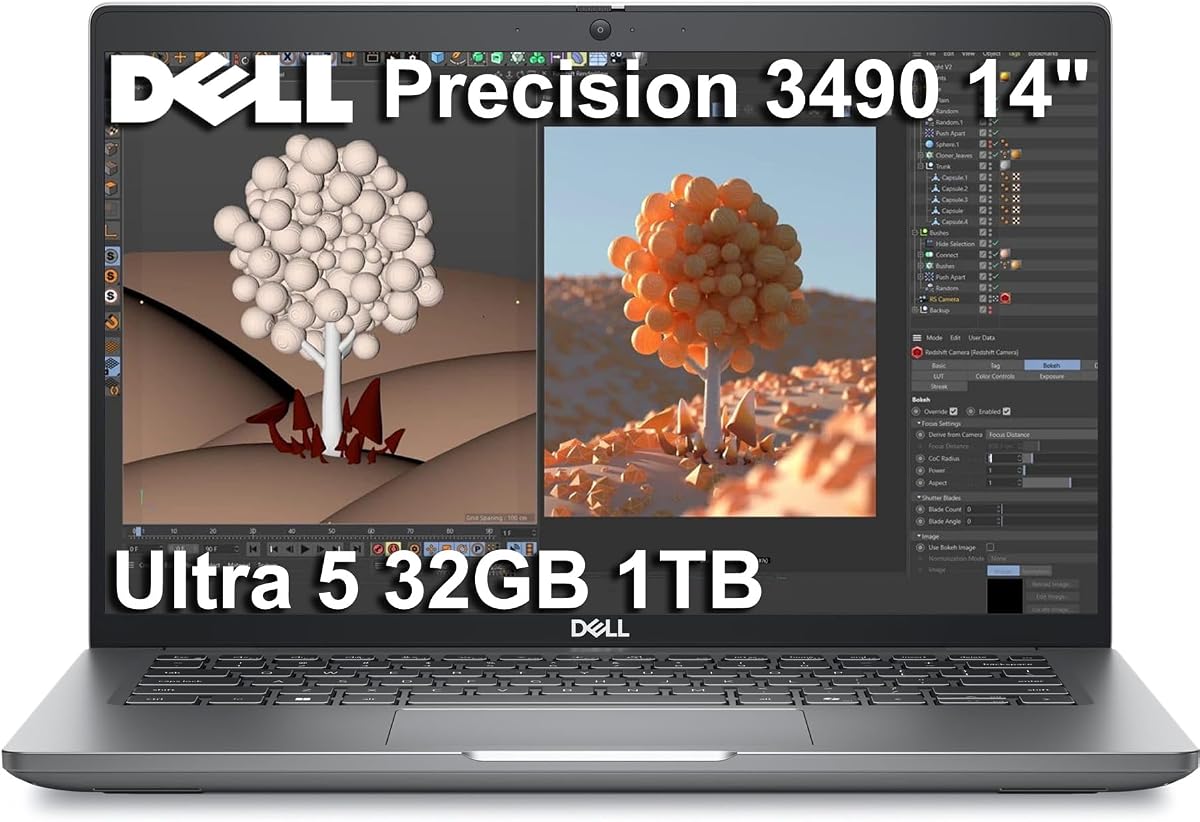
The Dell Precision 3490 stands out for its portability without sacrificing essential workstation features. It holds a perfect 5.0 rating from users who value its robust build and lightweight form factor.
We may earn a commission when you buy through this link, at no additional cost to you.
Weighing just 3.09 lbs it fits easily into a backpack for work on-site or client meetings. The 32GB DDR5 RAM ensures that your system remains responsive even with multiple apps open.
While it lacks a dedicated GPU the integrated graphics are sufficient for drafting and 2D CAD work. This makes it ideal for professionals who travel frequently.
Field engineers and architects should choose this for its mobility and reliability. It is the perfect companion for work that moves outside the office.
This model proves you do not need a massive chassis to handle professional CAD workflows.
Military-standard testing ensures the device can survive the bumps and drops of daily travel.
We may earn a commission when you buy through this link, at no additional cost to you.
This Dell Precision 7780 offers a massive 17.3-inch screen that is perfect for detailed design work. It achieves a 5.0 rating for its impressive display quality and powerful internal components.
We may earn a commission when you buy through this link, at no additional cost to you.
The RTX 4000 Ada GPU with 12GB of VRAM handles high-resolution textures and complex rendering tasks smoothly. The display brightness of 500 nits ensures visibility even in bright environments.
Its large footprint makes it less suitable for travel but ideal for a dedicated workstation setup. The full-size keyboard with a numeric keypad improves data entry speed.
Desktop replacement users should buy this for the extra screen real estate. It offers a immersive visual experience for architectural planning.
The 99% DCI-P3 color gamut ensures accurate color representation for design projects.
12GB of VRAM allows for running multiple virtual machines and rendering tasks simultaneously.
We may earn a commission when you buy through this link, at no additional cost to you.
This configuration of the Dell Precision 7680 balances processing power with graphical capability. It provides a strong platform for CAD workflows that need both CPU and GPU performance.
We may earn a commission when you buy through this link, at no additional cost to you.
The RTX 2000 Ada with 8GB VRAM offers a noticeable step up from entry-level graphics cards. It supports professional applications effectively while maintaining energy efficiency.
Some users report variability in performance which suggests checking specific batch reviews before purchase. It remains a solid choice for those needing a middle-ground workstation.
Engineering teams should consider this if they need more graphical power than entry models. It serves as a robust tool for technical design.
The pairing of the i7 processor and RTX 2000 Ada ensures a balanced workflow.
ISV certifications mean you can trust this machine to run AutoCAD without crashes.
We may earn a commission when you buy through this link, at no additional cost to you.
This Dell Precision 7780 pushes the limits of mobile workstation power with 128GB of RAM. It achieves a perfect 5.0 rating from professionals who need extreme multitasking capabilities.
We may earn a commission when you buy through this link, at no additional cost to you.
The 24-core i9 processor delivers desktop-class performance in a mobile chassis. You can run complex simulations while editing video and rendering designs without any system lag.
The main trade-off is the 512GB SSD which may require external drives for large archives. However the speed of the DDR5 RAM compensates for daily workflow efficiency.
Heavy duty users should buy this if memory is their primary bottleneck. It is the ultimate choice for complex data and design processing.
With 128GB of RAM you can keep dozens of applications open without performance loss.
The 24-core processor handles complex calculations faster than any other laptop in this list.
We may earn a commission when you buy through this link, at no additional cost to you.
This model focuses on memory capacity with 64GB of DDR5 RAM to handle large datasets. It holds a 5.0 rating for users who prioritize multitasking and large project file handling.
We may earn a commission when you buy through this link, at no additional cost to you.
The RTX 2000 Ada provides reliable graphics performance for 3D modeling tasks. It ensures that your visualization work remains smooth and responsive during long sessions.
While the CPU is mid-range the massive RAM capacity allows for running virtual machines alongside CAD software. This makes it versatile for developers and engineers alike.
Professionals with large assembly files should choose this for its memory advantages. It offers a reliable platform for demanding daily tasks.
64GB of RAM ensures that massive CAD assemblies load and rotate smoothly.
ISV certification means you can trust this device for critical project deadlines.
We may earn a commission when you buy through this link, at no additional cost to you.
The Lenovo ThinkPad P16s combines a large 16-inch screen with a portable design. It earns a 4.0 rating from users who value its balance of mobility and professional features.
We may earn a commission when you buy through this link, at no additional cost to you.
The Intel Ultra 7 255H processor provides efficient performance for daily CAD tasks. While it lacks a dedicated GPU it is well-suited for 2D drafting and lighter 3D work.
Its lightweight build makes it easy to carry between offices or client sites. The Wi-Fi 7 support ensures fast connectivity for cloud-based design collaboration.
Mobile users should buy this if portability is more important than raw rendering power. It is a reliable tool for on-the-go professionals.
The P16s proves you can have a 16-inch workspace without the heavy weight.
Wi-Fi 7 ensures you stay connected to high-speed networks wherever you work.
We may earn a commission when you buy through this link, at no additional cost to you.
Selecting the right Laptops for CAD Work requires understanding how hardware impacts your specific design workflow. This guide breaks down the key factors you need to evaluate before buying.
The CPU is the brain of your workstation handling tasks like file opening and general calculations. Look for at least 12 cores in modern processors like Intel Core i7 or i9 to ensure smooth multitasking.
Prioritize multi-core performance for faster rendering and simulation times in professional engineering software.
For 3D CAD work a dedicated GPU is essential to render models in real-time without lag. Professional GPUs like NVIDIA RTX Ada series offer certified drivers that prevent crashes in apps like SolidWorks.
Choose a card with at least 8GB of VRAM to handle high-resolution textures and complex assemblies effectively.
RAM determines how many applications you can run simultaneously without slowing down your system. Aim for 32GB of DDR5 RAM as a standard for professional CAD work to ensure fluid performance.
If you work with massive data sets consider upgrading to 64GB to future-proof your machine for larger projects.
A large high-resolution screen allows you to see details clearly and reduces eye strain during long sessions. Look for a display with at least 1920×1200 resolution and accurate color reproduction.
Ensure the screen brightness is high enough to reduce glare when working in various environments like offices or construction sites.
ISV certification means the hardware is tested to work reliably with specific professional software applications. This ensures stability and prevents crashes that could lead to lost work or errors.
Always check that your chosen laptop is certified for the specific CAD tools you use regularly.
Fast storage is critical for quick file access and system boot times. Look for a PCIe NVMe SSD with at least 1TB of storage to handle large project files and software installations.
Ensure the SSD is replaceable so you can upgrade storage as your project archives grow over time.
Workstations often need to connect to external monitors and peripherals. Ensure your laptop has enough USB-C and HDMI ports to support your preferred multi-screen setup.
Thunderbolt 4 support is ideal for high-speed data transfer and connecting to advanced docking stations.
Professional workstations should withstand daily use and travel. Look for machines built to military standards like MIL-STD-810H to ensure they can handle tough conditions.
A solid chassis and spill-resistant keyboard are important features for long-term reliability in active work environments.
To maximize performance always close unused applications before running heavy CAD software. This frees up system resources and ensures your project runs smoothly without unexpected slowdowns or crashes.
Keep your laptop clean and free of dust to prevent overheating during intensive rendering tasks. Use compressed air to clean the vents regularly and avoid using the device on soft surfaces like beds.
Update your drivers and software frequently to maintain compatibility with the latest CAD tools. Regular updates ensure you have access to new features and security patches for your professional work.
Yes 32GB is generally sufficient for most standard CAD tasks and moderate 3D modeling. However for massive assemblies or complex simulations 64GB may provide a more future-proof solution.
For basic 2D drafting integrated graphics can work well but a dedicated GPU ensures smoother performance. Professional GPUs also provide certified drivers that enhance stability for design software.
A 15 to 17 inch screen is ideal for CAD work to provide enough workspace for toolbars and views. Larger screens reduce the need for external monitors which improves portability.
Workstation laptops include certified components and build quality designed for reliability. They often feature ISV certifications and better cooling systems to handle professional software loads.
Many models allow for RAM upgrades but some newer ones have soldered memory. Always check the specific model specifications before buying to see what is upgradeable.
ISV certification means the hardware is tested to work reliably with specific professional software. It ensures stability and performance for critical engineering and design applications.
We have reviewed the top Laptops for CAD Work offering a range of performance levels for every user. The Dell Precision 7680 stands out as the overall winner for its balance of power and portability.
When buying prioritize the processor and graphics power that match your specific design needs. Consider your budget and whether you need a lightweight machine for travel or a desktop replacement.
Remember that prices and availability change frequently so always check current deals before purchasing. Choosing the right mobile workstation will ensure you stay productive and efficient in your daily work.