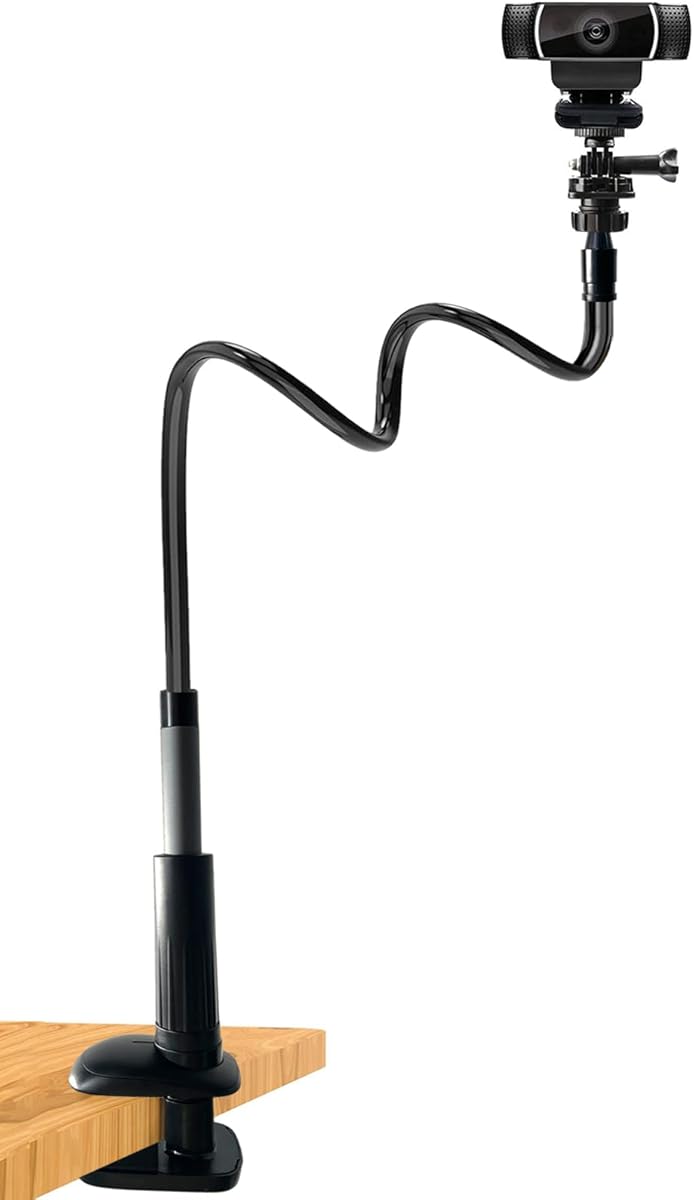
30 Inch Webcam Stand Camera Mount
4.1Editor score
Upgraded thick base clamp
Max 76 cm height reach
Non slip cushion protection
Finding the right clamp on webcam arm can transform your workspace by freeing up desk space and improving video quality. A good model offers sturdy stability and flexible positioning for calls or streaming.
We analyzed ten leading models based on their build quality, clamp strength, arm flexibility, and compatibility with popular devices. Our goal is to highlight options that balance performance with ease of use.
Each pick in this list highlights unique strengths like extended reach, anti-scratch protection, or heavy-duty clamping. Note that availability and specific offers may change so verify details before purchasing.
4.1Editor score

5.0Editor score

4.5Editor score
As an Amazon Associate we earn from qualifying purchases.
This side-by-side comparison helps you evaluate key specs like arm length, load capacity, and clamp width to find the perfect fit for your desk and device needs.


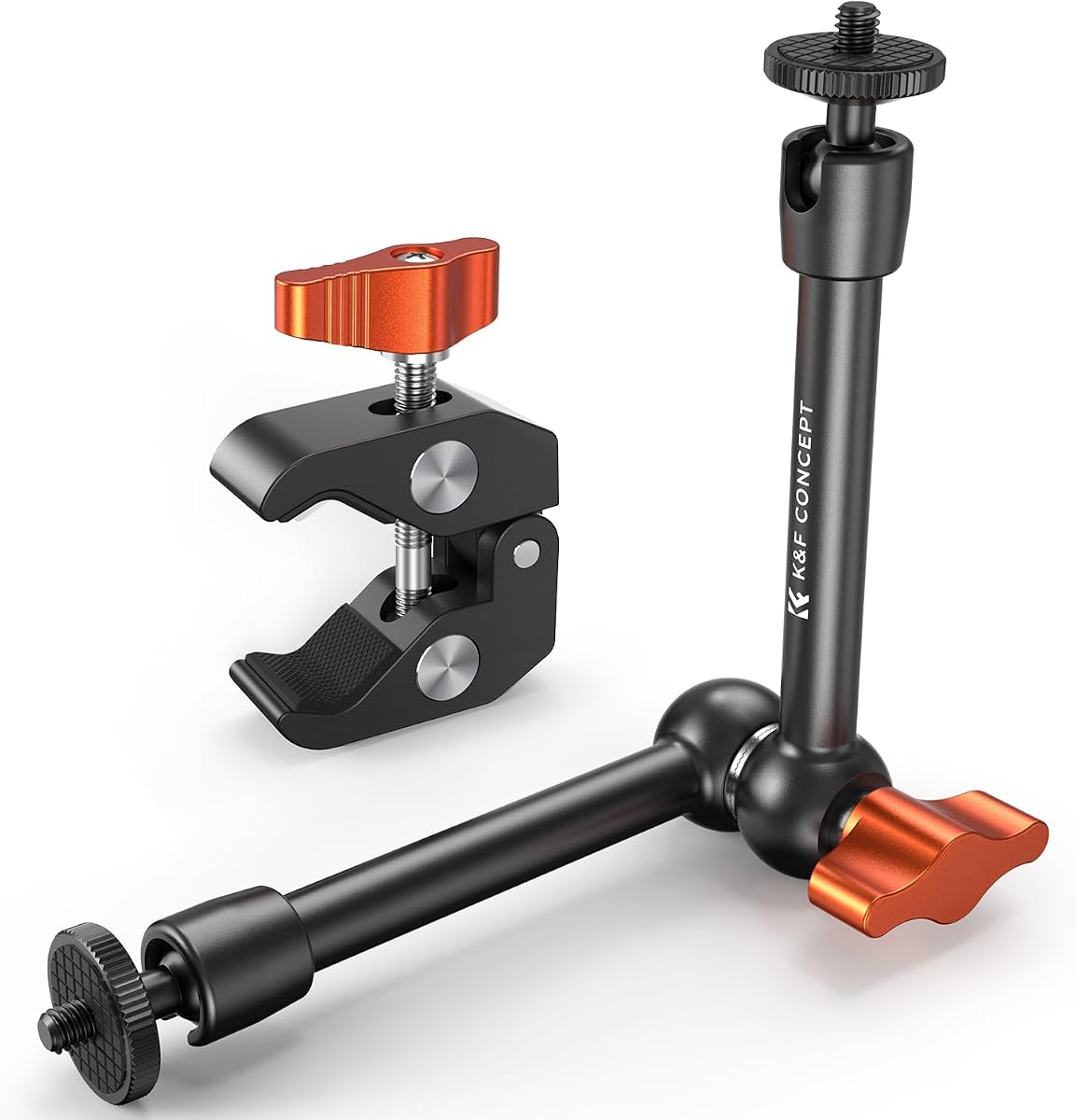


This stand offers a perfect blend of reach and stability with a perfect 36.6 inch flexible arm. Its solid magnesium alloy core ensures your camera stays put during meetings without any wobble.
We may earn a commission when you buy through this link, at no additional cost to you.
The clamp base is built to last with heavy duty materials that protect your desk while securing the mount tightly. You can shape the arm into S or Z curves for extra stability over larger distances.
While it is slightly more expensive than basic models the extra reach and build quality justify the cost for frequent users. The included phone holder makes it versatile for hybrid content creation setups.
This model is ideal for anyone needing reliable overhead shots or eye level framing without cluttering the desk. Its foldable design ensures easy storage when not in use daily.
The universal 1/4 inch thread fits most webcams and smartphones making it a one size fits all solution.
Its compact base and foldable design mean you gain more room for your keyboard and other essentials.
We may earn a commission when you buy through this link, at no additional cost to you.
Budget seekers will appreciate the generous reach and sturdy base of this clamp mount. The upgraded thick base ensures it stays in place even when you move the gooseneck arm around.
We may earn a commission when you buy through this link, at no additional cost to you.
Its universal compatibility means it works with almost any standard webcam or small camera you own. The non slip cushions keep your desk safe from scratches during daily use.
The load capacity is modest so keep heavier cameras in mind if you plan to use this mount. Bending the tube into an S shape helps minimize any bouncing during recordings.
For home users or casual streamers this offers excellent value without compromising on core stability. It is a solid entry level option for upgrading your video setup cheaply.
You can easily adjust the height up to 30 inches to find the perfect angle for your shots.
The thick clamp base grips securely without needing excessive force that might damage the desk.
We may earn a commission when you buy through this link, at no additional cost to you.
This model brings professional rigging quality to desktop setups with its aluminum alloy frame and multiple ball heads. The anti twist pins ensure your device does not rotate unexpectedly during use.
We may earn a commission when you buy through this link, at no additional cost to you.
Its versatility extends beyond desks as it can mount on cylindrical poles or stabilizer handles with ease. This makes it a great choice for creators who need to move their setup frequently.
While the price reflects its premium build the stability it provides is unmatched in this category. It handles overhead shots with confidence making it perfect for tutorials or crafts.
Investing in this arm means you get a tool that grows with your content creation needs. Its robust design ensures long term reliability for daily streaming or recording sessions.
Multiple ball heads allow you to pivot your camera in any direction without loosening the main mount.
Nonslip pads and anti twist pins work together to keep your equipment safe from drops and shifts.
We may earn a commission when you buy through this link, at no additional cost to you.
The small rig brand is known for robust gear and this magic arm delivers strong performance with its double ball clamps. It lets you adjust each joint independently for precise camera positioning.
We may earn a commission when you buy through this link, at no additional cost to you.
Its anti deflection design keeps the arm steady even if bumped during use making it reliable for live streams. The included adapter kit makes it easy to attach phones or heavier accessories safely.
Users should note that heavy phones may require shortening the arm to avoid stress on the ball heads. This is a minor trade off for the high degree of control it offers.
For vloggers and remote workers this provides a professional level mounting solution at a reasonable price. The attention to detail in its friction pads and clamping system stands out.
Each joint features double ball clamps that allow independent angle adjustments for complex setups.
It comes with screws and adapters so you can mount phones or mics immediately without extra buys.
We may earn a commission when you buy through this link, at no additional cost to you.
This mount is built to hold devices securely without sagging during use thanks to its upgraded desk clamp and alloy body. The silicone wrap on the arm prevents debris accumulation and keeps it smooth.
We may earn a commission when you buy through this link, at no additional cost to you.
Its clamp works best on flat surfaces providing a tight grip that won't slip when adjusting the camera. The dual thread holes allow for future expansion with other standard photography accessories easily.
The arm length offers a good balance between reach and stability for most home office desks. It is particularly useful for product photography or streaming where a steady angle is crucial.
For those seeking a reliable everyday mount without extra accessories this fits the bill perfectly. Its durable construction ensures it can handle daily adjustments without wear over time.
The arm is designed to maintain its shape once adjusted reducing the need for constant repositioning.
With both 1/4 and 3/8 holes you can attach ring lights or other gear without extra adapters.
We may earn a commission when you buy through this link, at no additional cost to you.
Ideal for smaller setups this short magic arm offers solid performance with its all metal build and dual ball head design. It excels in static scenes where you need precise positioning without bulk.
We may earn a commission when you buy through this link, at no additional cost to you.
The dual thread compatibility means you can connect most standard cameras or mics right away. Its compact size makes it easy to store or bring along for on location shoots.
While the arm is short it provides excellent leverage for small devices like webcams or ring lights. The cushion pads on the ends help protect your device from scratches during tight clamping.
This kit is a great value for users who need a reliable short range mount for desk setups. It avoids the clutter of longer arms while maintaining professional stability features.
The knob screw allows you to lock the head firmly so your camera stays exactly where you place it.
It is designed for still setups so avoid dynamic movement to maintain safety and stability.
We may earn a commission when you buy through this link, at no additional cost to you.
This kit includes a phone holder making it a complete solution for content creators needing overhead shots. The foam padding on the arm ensures your gear is protected from scratches during use.
We may earn a commission when you buy through this link, at no additional cost to you.
Its clamping blocks can rotate to fit both flat desks and cylindrical objects giving you great versatility. The dual threaded holes allow easy attachment of lights or mics alongside your camera.
For static scenes this provides solid support for light cameras and accessories. The three ball heads give you plenty of freedom to find the perfect shooting angle.
Ideal for indoor streaming or crafts this model balances reach with protection. Just ensure you tighten the knobs properly to avoid any slipping during long sessions.
Includes phone holder and adapters so you can start shooting immediately without buying extras.
Anti twist pins and foam padding work together to keep your equipment secure and scratch free.
We may earn a commission when you buy through this link, at no additional cost to you.
This mount is designed for smaller cameras like action cams or light webcams. Its compact jaws allow it to fit onto pipes or boards where larger clamps might not work.
We may earn a commission when you buy through this link, at no additional cost to you.
The mini tripod head adds a useful 360 degree rotation for finding the best angle. It is easy to install without tools making it great for temporary or mobile setups.
Keep in mind it supports less than 500 grams so check your device weight first. It is not designed for heavy DSLRs or large monitors but excels with action cams.
For travelers or small desk users this offers a neat solution without bulk. The flexibility of the gooseneck helps you navigate tight corners easily.
Its small size lets you mount it on tripods pipes or even lamp stands for creative angles.
You can clamp it down in seconds without needing any extra tools or complex assembly.
We may earn a commission when you buy through this link, at no additional cost to you.
This stand uses separate components to let you build the exact height and angle you need. The desktop stand height is adjustable which helps you get the overhead view perfect for cooking or crafts.
We may earn a commission when you buy through this link, at no additional cost to you.
It includes a phone holder and ballhead so you can shoot with a phone or small camera easily. The steel and ABS build feels sturdy for its price range.
The arm is short so it works best when mounted on the desktop stand rather than extending far out. This limits its use for large desk setups but suits tight spaces well.
For tutorial creators this provides a clear overhead view without taking up too much desk space. It is a practical choice for specific use cases like baking or drawing videos.
The desktop stand height adjusts from 32 to 55 cm to fit different desk heights.
You can swap parts to adapt the stand for different needs like lights or microphones.
We may earn a commission when you buy through this link, at no additional cost to you.
This arm stands out with a solid 2 kg load capacity making it one of the strongest in its size. The ARRI compatible threads give it a professional edge for rigging systems.
We may earn a commission when you buy through this link, at no additional cost to you.
Rubber pads on the clamp and arm ends protect your equipment from scratches. The knob screw makes it easy to lock positions quickly without tools.
While it is short at 11 inches its strength makes it ideal for mounting heavier mics or small lights. It is a great add on for existing camera rigs.
For professional setups this provides reliable support without the bulk of longer arms. Just ensure you only use it for static scenarios to maximize safety and performance.
With 2 kg capacity it can handle small lights or mics safely during static use.
Rubber pads on ends ensure your gear stays safe even when clamped tightly.
We may earn a commission when you buy through this link, at no additional cost to you.
Choosing the right clamp on webcam arm involves looking at specific features that match your setup needs. Here are the key factors to consider.
Check the maximum opening of the clamp to ensure it fits your desk or surface. Some models only work with flat edges while others can grip round tubes or poles.
Longer arms like those over 30 inches give you more flexibility to position the camera away from the desk. Shorter arms are better for compact spaces and close up shots.
Ensure the arm can support the weight of your device. Some models are designed for light webcams while others can hold heavier cameras or small lights.
Look for aluminum alloy or solid metal cores for better stability. Plastic or light materials may bend or sag over time under the weight of the camera.
Ball heads and multiple joints allow you to tilt and swivel the camera. Check if the arm locks securely to maintain your desired angle without slipping.
Ensure the mount has standard 1/4 inch screws for most webcams. Some kits include adapters for phones or 3/8 inch threads for broader options.
Non slip pads and rubber coatings prevent scratches on your desk and device. This is important for keeping your workspace looking clean and protected.
A good clamp should be easy to tighten by hand without tools. Quick release or easy knob mechanisms save time when setting up or moving the mount.
Start by attaching the clamp firmly to a stable surface like your desk. Ensure it is fully tightened so the arm does not wiggle or shift during use.
Bend the gooseneck or adjust the joints to position your camera at eye level. Tighten the ball heads or locking knobs to lock the position securely.
Regularly check the screws and clamps to make sure they remain tight over time. Clean the arm and clamp with a soft cloth to remove dust and prevent slipping.
Most clamp on webcam arms fit desk thicknesses between 15mm and 50mm. Some models have wider jaws to accommodate thicker surfaces or round objects.
Yes many models come with a phone adapter or 1/4 inch screw to attach a phone holder. Check the product specs to ensure it supports your phone size.
Wobbling usually means the clamp is not tight or the arm is overloaded. Try tightening the clamp base or using an S shape bend for stability.
Most quality models include rubber or silicone pads to protect your desk. Ensure these pads are in place before clamping to avoid scratches.
Load capacity varies from 0.5kg to 2kg depending on the model. Always check the specific weight limit in the product details before attaching devices.
Most clamp arms are designed for tool free installation using hand tightened knobs. This makes it easy to move them between desks or surfaces.
Some magic arms have crabs that can grip cylindrical objects. Check if the clamp supports round diameters before mounting on poles or tubes.
Wipe the arm with a dry cloth to remove dust. Avoid using harsh chemicals on silicone coatings to maintain their grip and flexibility.
Whether you need a long reach gooseneck or a sturdy magic arm for overhead shots there is a great option for everyone. Our top picks highlight models for every budget and setup type.
Prioritize build quality and clamp strength to ensure your camera stays safe and steady. Features like anti scratch pads and multiple joints add value for daily use.
Remember to verify current availability and specific details before purchasing as offers may change. Choosing the right arm will significantly improve your video call or streaming experience.