
ProElife 2-Pack Anti Glare Screen Protector
4.6Editor score
Anti-glare reduces eye strain
5H hardness scratch resistance
Easy bubble-free installation
This expert guide compares the top 10 MacBook Neo screen protector options for 2026, evaluating clarity, privacy, glare reduction, and durability to help you
Protecting your new MacBook Neo display is essential for maintaining its pristine condition and ensuring long-term usability. A high-quality screen protector safeguards against scratches, dust, and fingerprints while preserving the vivid colors and clarity of the Retina display.
We analyzed the leading options available in the market to compile this comprehensive list. Our evaluation considers compatibility with the 2026 model, installation ease, material quality, and specific features like privacy or anti-glare capabilities.
Each pick highlights unique strengths suited for different user needs and preferences. Note that pricing and availability can fluctuate frequently, so verify current details before making your final purchase decision.
4.6Editor score

4.2Editor score

4.5Editor score
Below is a detailed side-by-side comparison of the top ten screen protectors specifically designed for the 2026 MacBook Neo. Each entry lists critical specifications to help you distinguish between material types, installation methods, and protective features.


The ProCase 2 Pack Screen Protector offers a robust solution for safeguarding the new MacBook Neo display. With a 4.2 rating, users appreciate the premium tempered glass construction that balances durability with visual clarity. It stands out by offering two units per pack ensuring a backup is available if the first application goes wrong.
We may earn a commission when you buy through this link, at no additional cost to you.
Its standout quality lies in the 9H hardness rating which provides superior protection against keys and sharp objects. The laser-cut dimensions guarantee edge-to-edge coverage without interfering with sensors or hinges. This level of precision ensures that the screen protector remains invisible once applied preserving the original aesthetic of your device.
A notable trade-off is the installation process which demands patience to avoid bubbles. While the static-cling adhesive is designed to push air out, it requires a steady hand. This is acceptable given the high quality of the material. The included cleaning supplies help mitigate dust issues that often ruin smooth application.
This product is ideal for users who prioritize scratch resistance and visual fidelity over matte finishes. If you want your Retina display to look new for years without sacrificing color accuracy the ProCase 2 Pack is a top recommendation. It delivers professional grade protection at a reasonable cost.
The 9H hardness rating ensures daily abrasions from coins or keys do not mar the surface of your display.
Every package includes wipes cloths and dust absorbers to guarantee a clean surface before applying the protector.
We may earn a commission when you buy through this link, at no additional cost to you.
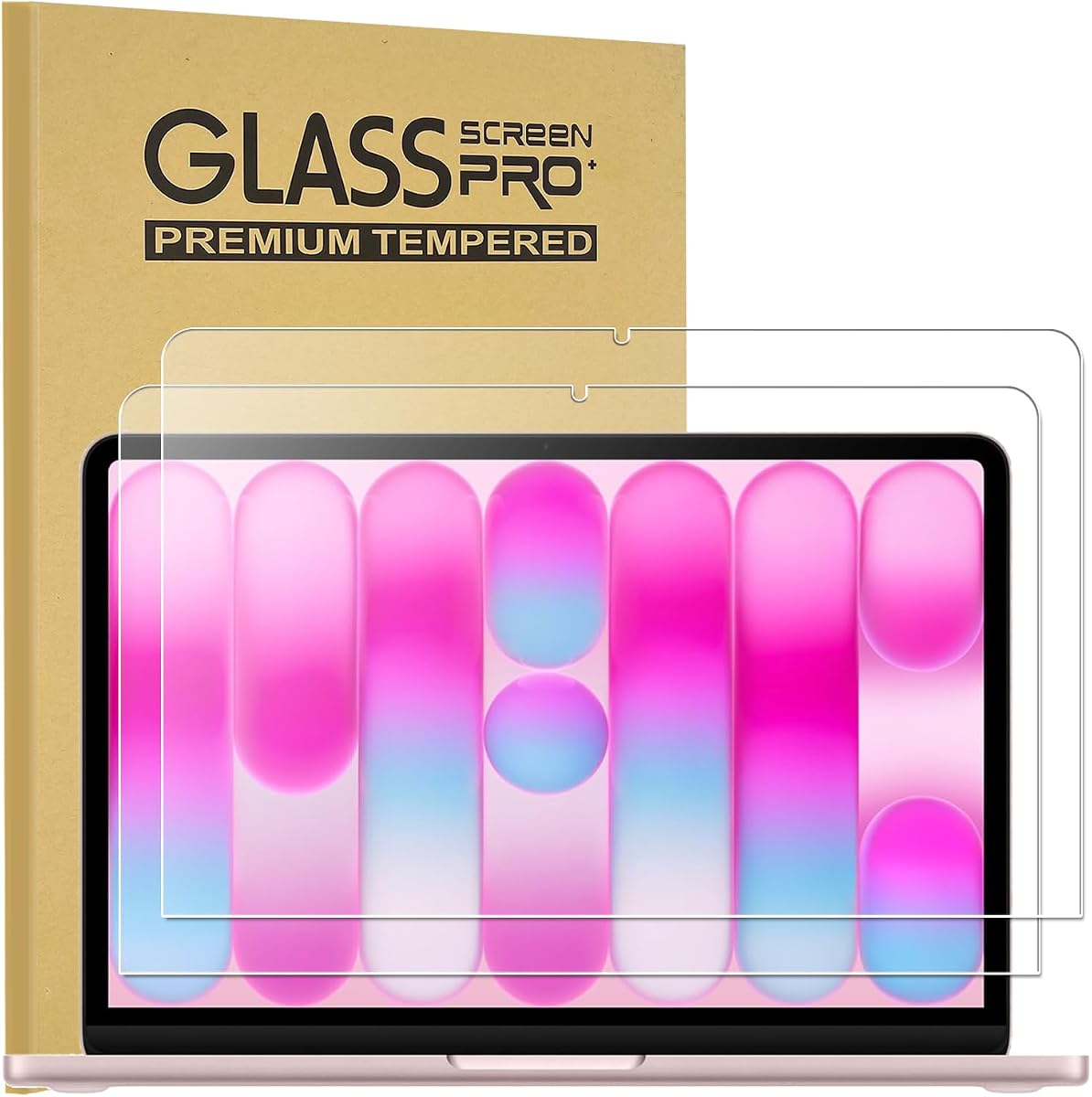
The ProElife 2-Pack Anti Glare Screen Protector is a top contender for budget-conscious buyers seeking effective protection. With an impressive 4.6 rating it offers exceptional value by combining glare reduction with scratch resistance. The matte finish is particularly beneficial for those who work in brightly lit environments.
We may earn a commission when you buy through this link, at no additional cost to you.
Its key strength is the anti-glare filter which reduces reflections and enhances contrast. This feature helps protect your eyes from strain during long work sessions. Additionally the 5H hardness on the hard coat side provides adequate defense against daily wear. The low surface energy component effectively repels fingerprints and oils.
Users note that small bubbles might appear immediately after installation but typically disappear within forty-eight hours. This minor inconvenience is acceptable given the product's affordability and performance. The included hard card helps remove residual bubbles for a flawless result ensuring you achieve the best possible finish.
If you want to reduce eye strain without spending a lot of money this protector is an excellent choice. It balances cost and functionality well making it accessible to a wide range of users. The two-pack ensures you have a spare ready for future use or accidental damage.
The matte finish minimizes reflections from overhead lights and windows to keep your eyes comfortable.
Included wipes and hard cards simplify the installation process for a professional look every time.
We may earn a commission when you buy through this link, at no additional cost to you.
The Supershieldz 3 Pack offers incredible value for those who need multiple screen protectors over time. Designed specifically for the MacBook Neo it uses high-quality Japanese PET film to ensure clarity and durability. With three units included you can rest easy knowing you have backups ready whenever needed.
We may earn a commission when you buy through this link, at no additional cost to you.
Its standout quality is the high-definition transparency which ensures maximum resolution for your display. The film allows for real touch sensitivity maintaining a natural feel that is crucial for precise navigation. Furthermore the material is easy to clean and leaves no residue if you decide to remove it.
While PET film is generally softer than tempered glass it still provides effective daily scratch protection. The trade-off is slightly less impact resistance compared to glass options but for light users this is negligible. It strikes a good balance between flexibility and strength suitable for typical office use.
This pack is perfect for families or offices where devices are shared among multiple people. The ease of replacement makes it a practical solution for maintaining cleanliness and protection. If you prioritize having spares over ultimate hardness this option delivers excellent utility.
High-quality materials ensure that the film remains durable and free from yellowing over time.
You can peel off the protector without leaving sticky residue making replacements simple and clean.
We may earn a commission when you buy through this link, at no additional cost to you.
The KEANBOLL 3 Pack Anti Glare Screen Protector is designed to minimize reflections and enhance visibility. This product uses a matte finish to reduce glare from various light sources making it ideal for bright offices or outdoor use. The three-pack design ensures you have plenty of protection for your device or others.
We may earn a commission when you buy through this link, at no additional cost to you.
Its key strength is the dedicated anti-glare coating which improves visibility in challenging lighting conditions. Additionally the fingerprint resistance helps keep the screen clean and smudge-free throughout the day. This feature is particularly appreciated by users who frequently touch their screens or work in environments prone to dust.
Users should note that while glare is reduced contrast might be slightly lower compared to glossy options. This is a standard trade-off for matte finishes and is generally acceptable for those prioritizing eye comfort. The material itself is durable enough to handle daily wear and tear without significant issues.
This product is best suited for professionals who need clear visibility during long work hours. The combination of glare reduction and fingerprint resistance makes it a reliable daily driver. Having three units in the pack adds significant value and longevity to your purchase.
The anti-glare coating diffuses light to prevent distractions caused by bright reflections on screen.
The coating repels oils and smudges keeping your display looking clean without constant wiping.
We may earn a commission when you buy through this link, at no additional cost to you.
The Magnetic Privacy Screen Protector offers a convenient solution for protecting sensitive data in public spaces. Designed for the latest MacBook Neo models it uses a magnetic attachment for one-second installation. This allows you to quickly secure your privacy without leaving adhesive residue on your device.
We may earn a commission when you buy through this link, at no additional cost to you.
Its standout quality is the advanced 30-degree privacy technology which blocks side views effectively. This feature ensures that your data remains visible only to you and anyone directly in front of your screen. Additionally the anti-blue light technology helps reduce eye strain during long usage periods.
One trade-off is a slight reduction in brightness which is typical for privacy filters. However this is a necessary compromise for maintaining privacy in busy environments. The ultra-thin design ensures that your laptop case can still close properly without interference.
If you travel frequently or work in open offices this screen protector is a practical investment. It provides peace of mind knowing your sensitive information is shielded from prying eyes. The magnetic design also makes it easy to remove when you are back in a secure environment.
The filter blocks angles beyond 30 degrees to ensure your data stays private from side observers.
Blue light blocking reduces visual discomfort allowing for longer work sessions without strain.
We may earn a commission when you buy through this link, at no additional cost to you.
This Magnetic Privacy Screen Protector combines privacy features with eye comfort enhancements for a comprehensive shield. It uses a multi-layered privacy filter to limit viewing angles effectively keeping your screen content private. The package includes a storage folder which helps keep the filter safe when not in use.
We may earn a commission when you buy through this link, at no additional cost to you.
Its key strength is the combination of UV and blue light blocking which minimizes harmful radiation exposure. The anti-fingerprint coating ensures the screen remains clean and smudge-free during regular use. This dual functionality offers a well-rounded protective experience for daily users.
Users should be aware that privacy filters do not block visibility directly behind you. This limitation is standard for most privacy screens but worth noting if you need complete secrecy. The filter may slightly soften sharpness which is typical for this type of material.
This product is an excellent choice for those seeking a balance between privacy and eye protection. The storage folder adds a practical touch for travelers who want to keep their device protected. Its price point makes it an attractive option for budget-focused privacy seekers.
The layered filter restricts viewing angles to keep sensitive data secure from passersby.
Reduces UV and blue light to protect your eyes during extended computer sessions.
We may earn a commission when you buy through this link, at no additional cost to you.
The Peslv Magnetic Privacy Screen prioritizes high definition clarity while maintaining strong privacy protection. Made from high-quality imported materials it offers a 1:1 restoration of the original screen size for a perfect fit. This attention to detail ensures that the privacy screen does not detract from the display's beauty.
We may earn a commission when you buy through this link, at no additional cost to you.
Its standout quality is the advanced material layer which maintains high light transmission rates. This means the screen remains bright and vivid even with the privacy filter installed. Additionally it reduces 95% of blue light and 92% of UV light to enhance eye safety significantly.
One trade-off is the higher price point compared to standard protectors. However the superior materials justify the cost for users who demand both privacy and visual quality. The magnetic force is reinforced to ensure the screen sticks tightly without sliding around.
This product is ideal for professionals who work with sensitive data and value visual fidelity. It allows you to work confidently in public spaces without worrying about screen visibility. The durable build ensures it can withstand regular travel and installation cycles.
High-quality transmission layers keep images clear and vibrant without sacrificing privacy.
Imported materials ensure the screen remains sturdy and effective over long periods of use.
We may earn a commission when you buy through this link, at no additional cost to you.
The IPROKKO 2 Pack Blue Light Screen Protector focuses on reducing eye strain caused by prolonged screen use. Its innovative blue light filtering technology targets harmful UV and blue light while preserving true-to-original color accuracy. This makes it an excellent choice for users sensitive to light and color shifts.
We may earn a commission when you buy through this link, at no additional cost to you.
Its key strength is the use of advanced Japanese PET materials which eliminate glare and reflections effectively. The nano-silicone adhesive layer ensures a bubble-free application without the mess of traditional adhesives. Additionally the ultra-slim profile does not interfere with closing your laptop lid.
While PET is less durable than glass it still provides sufficient protection against daily scratches. The trade-off is lower hardness but higher flexibility which can be beneficial for some users. The included video guide and manual make the installation process straightforward and stress-free.
This product is perfect for students and professionals who spend long hours on their screens. The ability to reduce strain without compromising color makes it a smart investment. Having two units ensures you have a backup ready for future needs or accidental damage.
Filters harmful light to reduce headaches and sleep disruption without dimming your screen.
Nano-silicone adhesive self-levels to push out air bubbles for a clean finish.
We may earn a commission when you buy through this link, at no additional cost to you.
The KEANBOLL 2 Pack Tempered Glass Screen Protector provides robust protection with a 9H hardness rating. With a 4.4 rating it is highly regarded for its crystal clear transparency and anti-scratch properties. This makes it a strong candidate for users who prioritize screen durability above all else.
We may earn a commission when you buy through this link, at no additional cost to you.
Its standout quality is the ultra-tough surface that effectively protects against scratches and impacts. The tempered glass construction ensures that the protector absorbs shocks that might otherwise damage your device. Additionally the crystal clear transparency maintains optimal viewing experience without distorting colors.
One trade-off is that tempered glass can shatter under extreme pressure unlike PET films. However this is often a feature rather than a bug as it absorbs impact to save the underlying screen. The anti-scratch surface ensures long-lasting protection against daily wear and tear.
This product is best for users who want maximum protection against physical damage. The two-pack ensures you have a replacement ready if needed. If you are rough on your gear and need reliable protection this glass option delivers excellent results.
The 9H rating guards against sharp objects that could scratch your Retina display.
Ultra clear transparency ensures your images and text remain sharp and vibrant.
We may earn a commission when you buy through this link, at no additional cost to you.
The SightPro Magnetic Privacy Screen offers a premium solution for privacy with its patented removable design. With a 4.5 rating it is praised for its instant snap-on magnetic attachment which eliminates the need for messy adhesive. This convenience makes it easy to attach and remove whenever you need privacy.
We may earn a commission when you buy through this link, at no additional cost to you.
Its standout quality is the multi-layered film filter which blacks out your screen from side angles. This ensures that your data remains private while maintaining a crystal clear view from the front. Additionally it protects against glare UV and blue light to safeguard your eyes and screen.
A trade-off is that the screen prevents your laptop from closing completely due to the added thickness. However sleep mode remains supported so you can still manage the device easily. The inclusion of a microfiber cloth adds value by providing everything needed for maintenance.
This product is ideal for professionals who value privacy and ease of use. The superior build quality and US-based support ensure reliability for critical business needs. If you want a high-end privacy solution that is easy to manage this screen is a top choice.
The multi-layered filter ensures data is visible only to those directly in front of the screen.
Magnets attach securely without tape or adhesive allowing for instant privacy when needed.
We may earn a commission when you buy through this link, at no additional cost to you.
Selecting the right screen protector involves evaluating several factors including material type, installation method, and specific features like privacy or glare reduction. Understanding these elements ensures you choose a protector that meets your unique usage needs.
The material of your screen protector dictates its durability and visual properties. Tempered glass offers high hardness and scratch resistance but adds thickness. PET film is thinner and more flexible but generally less impact-resistant. Consider whether you prioritize physical protection or a slim profile.
Choose tempered glass for maximum durability and PET for a lightweight solution that preserves thinness.
If you often work in public spaces like coffee shops or offices you may need a privacy screen. These filters block side views beyond a certain angle keeping your data secure. Magnetic options allow for easy removal when privacy is not required.
Prioritize privacy filters if you handle sensitive information in shared environments regularly.
Working in bright environments can cause eye strain due to reflections. Matte anti-glare protectors diffuse light to improve visibility and reduce glare. Glossy protectors maintain color saturation but reflect more light which may cause discomfort.
Select anti-glare options for bright workspaces to keep your eyes comfortable over long hours.
Installation methods vary from adhesive to magnetic to static cling. Magnetic options offer the easiest on and off experience without residue. Adhesive options provide a more permanent and secure fit but require careful alignment.
Choose magnetic for convenience and static cling for a no-residue permanent solution.
Many users experience eye strain or sleep disruption from excessive blue light exposure. Screen protectors with blue light filters block harmful wavelengths while maintaining color accuracy. This is particularly helpful for those using their laptops late at night.
Opt for blue light filtering if you spend long hours on your screen daily.
Some protectors come in multi-packs which provide excellent value and convenience. Having backups ensures you can replace a damaged protector without waiting for a new shipment. This is useful for households or shared work environments.
Look for multi-packs to save money and ensure you always have a spare ready.
Verify that the protector matches your specific MacBook Neo model and size. The 2026 model with A18 Pro chip requires precise dimensions to avoid blocking sensors. Incorrect sizing can lead to functional issues or unsightly gaps.
Always confirm model numbers and dimensions before purchasing to guarantee a perfect fit.
Reputable brands often provide warranties or customer support for installation issues. This protection ensures you can get help if the product arrives damaged or does not work as expected. It adds a layer of trust to your purchase.
Choose brands that offer reliable support to ensure a risk-free experience.
To ensure a successful installation start by cleaning your MacBook screen thoroughly with the included wipes. Dust and fingerprints can trap air bubbles so a clean surface is critical for a smooth finish.
Align the protector carefully with the top edge of your display before pressing down. For adhesive protectors use a credit card to push out any trapped air toward the edges.
Clean your screen regularly with a soft microfiber cloth to maintain clarity. Avoid harsh chemicals or rough materials that could scratch the protector's surface or degrade its coatings.
Most screen protectors designed for the MacBook Neo are cut to avoid the Touch ID sensor. Always check the product description to confirm compatibility before buying.
Some magnetic privacy screens add enough thickness to prevent the lid from closing completely. This is typical for privacy filters but you should verify before purchasing.
It is recommended to replace your screen protector if it develops deep scratches or loses adhesion. Replacing it annually ensures your display remains in pristine condition.
Yes most protectors come with detailed instructions and cleaning kits for home installation. Taking your time during application helps avoid bubbles and misalignment.
Privacy filters naturally reduce brightness slightly to block side views. Anti-glare films may also reduce brightness but typically maintain high transparency.
The H rating refers to pencil hardness scale where 9H is harder and more scratch-resistant than 5H. Higher hardness provides better protection against sharp objects.
We have reviewed ten top screen protectors tailored for the 2026 MacBook Neo including glass matte and magnetic options. Each product offers unique benefits depending on whether you prioritize privacy clarity or cost-effectiveness.
Consider your specific needs when choosing the best protector for your device. If you work in public spaces a privacy filter may be essential while office users might prefer matte anti-glare options.
Prices and availability fluctuate so verify the latest details before finalizing your purchase. By selecting the right protector you can safeguard your investment and ensure long-term performance.