
Dell SE2426HG
4.7Editor score
240Hz refresh rate performance
Fast IPS panel technology
TUV eye comfort certification
Finding the right gaming display involves balancing speed, clarity, and responsiveness. A 24 Inch G Sync Monitor delivers the smooth visuals competitive players demand without overwhelming desk space or budgets.
We evaluated leading models based on refresh rate, panel type, response times, and compatibility with NVIDIA and AMD graphics. Each selection prioritizes tear-free performance and reliable hardware.
Each pick highlights key strengths and ideal use cases. Note that availability and pricing fluctuate regularly, so verify current details before purchasing to ensure the best deal.
4.7Editor score

4.4Editor score
4.8Editor score
As an Amazon Associate we earn from qualifying purchases.
The following table summarizes the core specifications and standout features of every selected model to help you quickly identify the right display for your needs.




The ASUS TUF Gaming VG249QML5A stands out as a top choice for competitive gamers seeking high refresh rates and fast response times. With a 240Hz refresh rate and 0.3ms response time, it delivers fluid visuals that help track fast moving targets precisely.
We may earn a commission when you buy through this link, at no additional cost to you.
Its Fast IPS panel ensures vibrant colors and wide viewing angles, making it suitable for both gaming and content creation. The Adaptive Sync technology supports both G-Sync Compatible and FreeSync Premium, ensuring smooth gameplay regardless of your GPU.
While the monitor lacks extensive USB connectivity, its focus on performance makes up for this limitation. The height adjustable stand allows users to find a comfortable viewing position during long sessions.
This monitor is ideal for serious FPS players who prioritize frame rates and responsiveness. Its combination of speed, color accuracy, and ergonomic features makes it a compelling option in the 24 inch category.
The 240Hz refresh rate paired with 0.3ms response time ensures that motion blur and ghosting are virtually eliminated, allowing for crystal clear visuals during intense gameplay.
Support for both G-Sync Compatible and FreeSync Premium ensures you can run adaptive sync with a variety of GPUs, minimizing screen tearing and stuttering effectively.
We may earn a commission when you buy through this link, at no additional cost to you.
The Dell SE2426HG offers impressive speed at a budget friendly price point. Its 240Hz refresh rate and 0.5ms response time provide smooth visuals that compete with more expensive models in the 24 inch segment.
We may earn a commission when you buy through this link, at no additional cost to you.
The Fast IPS panel ensures good color accuracy and wide viewing angles. TUV Rheinland certification helps reduce eye strain, making this monitor comfortable for extended gaming or work sessions.
While the stand only offers tilt adjustment and HDR support is minimal, these trade-offs are acceptable given the price. The monitor focuses on delivering reliable performance without unnecessary extras.
For gamers on a budget who still want high frame rates, this Dell model is a strong contender. It balances performance and cost effectively, making it accessible for entry level competitive setups.
Despite its lower price, the SE2426HG delivers 240Hz refresh rates and 0.5ms response times, ensuring smooth gameplay that rivals higher priced competitors.
TUV Rheinland 3 star certification indicates the display reduces blue light effectively, helping to prevent eye strain during long gaming sessions.
We may earn a commission when you buy through this link, at no additional cost to you.
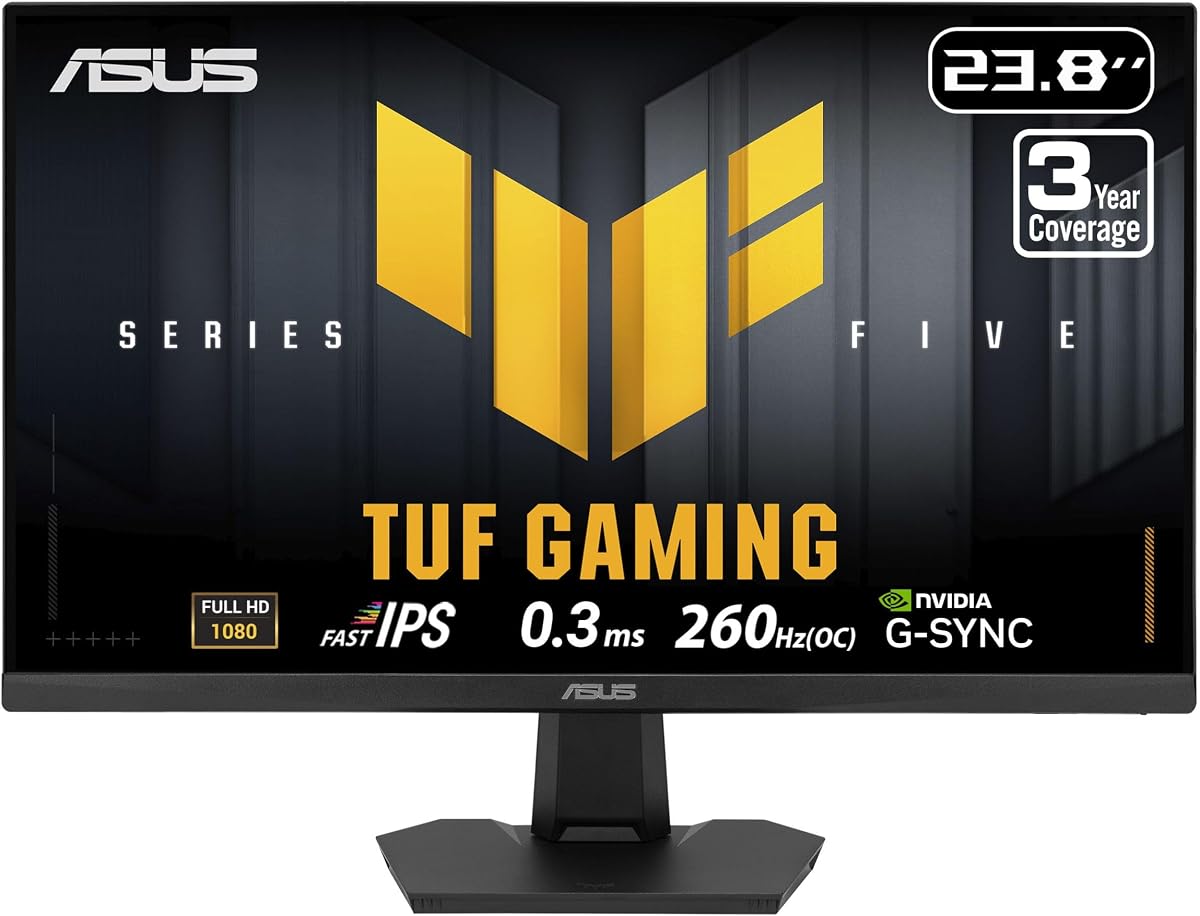
The ASUS TUF Gaming VG249QM5F pushes the limits with a 260Hz refresh rate and 0.3ms response time. This level of performance is ideal for top tier esports players needing the fastest possible reaction times.
We may earn a commission when you buy through this link, at no additional cost to you.
It includes HDMI 2.1 for better console compatibility and built-in stereo speakers for basic audio without extra hardware. The included Adobe Creative Cloud subscription adds value for creators.
While it costs more than other options, the additional features justify the price for power users. High brightness and HDR support enhance visual fidelity for both games and media.
If you demand the absolute fastest refresh rate and premium features, this monitor delivers. It caters to enthusiasts who want every competitive edge along with enhanced multimedia capabilities.
Overclocking to 260Hz provides the smoothest motion possible, making it perfect for competitive shooters where every millisecond of delay matters.
With HDMI 2.1 ports, this monitor offers better bandwidth for next-gen consoles and high resolution content, ensuring versatility across devices.
We may earn a commission when you buy through this link, at no additional cost to you.
The LG 24G411A-B delivers a balanced experience with 144Hz performance and HDR10 visuals. Its IPS panel offers rich colors, making it suitable for both competitive gaming and multimedia tasks.
We may earn a commission when you buy through this link, at no additional cost to you.
Gaming features like Dynamic Action Sync and Black Stabilizer help maintain visibility and response speed in dark scenes. The Switch app adds productivity features useful for multitasking.
While brightness is not top tier and the stand lacks height adjustment, the overall package is robust. It provides a clean design and reliable performance without excessive cost.
For users seeking a well rounded 24 inch monitor for gaming and work, this LG model fits well. It ensures smooth gameplay and vibrant visuals for daily use.
Black Stabilizer enhances dark scenes significantly, allowing you to spot threats in shadows without overexposing the brighter parts of the screen.
The Switch app allows you to split the screen into multiple sections, improving productivity when switching between work and entertainment quickly.
We may earn a commission when you buy through this link, at no additional cost to you.
The ASUS TUF Gaming 24 focuses on delivering vibrant visuals with 99% sRGB coverage and 200Hz speed. The 0.3ms response time ensures minimal lag for competitive FPS titles.
We may earn a commission when you buy through this link, at no additional cost to you.
The anti-glare matte screen helps reduce reflections in bright rooms, improving visibility during extended sessions. It works well across Windows, Mac, and Linux systems for versatility.
Although the stand options are basic, the monitor itself provides excellent performance for content and games. The combination of speed and color fidelity makes it a strong option.
This monitor suits users who prioritize color accuracy alongside speed. It serves well for gaming and creative tasks without needing extensive hardware adjustments or setups.
With 99% sRGB coverage, this monitor ensures that colors look vivid and accurate, which is crucial for both game immersion and content creation.
The matte anti-glare surface minimizes reflections from lights or windows, keeping your focus on the game without distraction from external glare.
We may earn a commission when you buy through this link, at no additional cost to you.
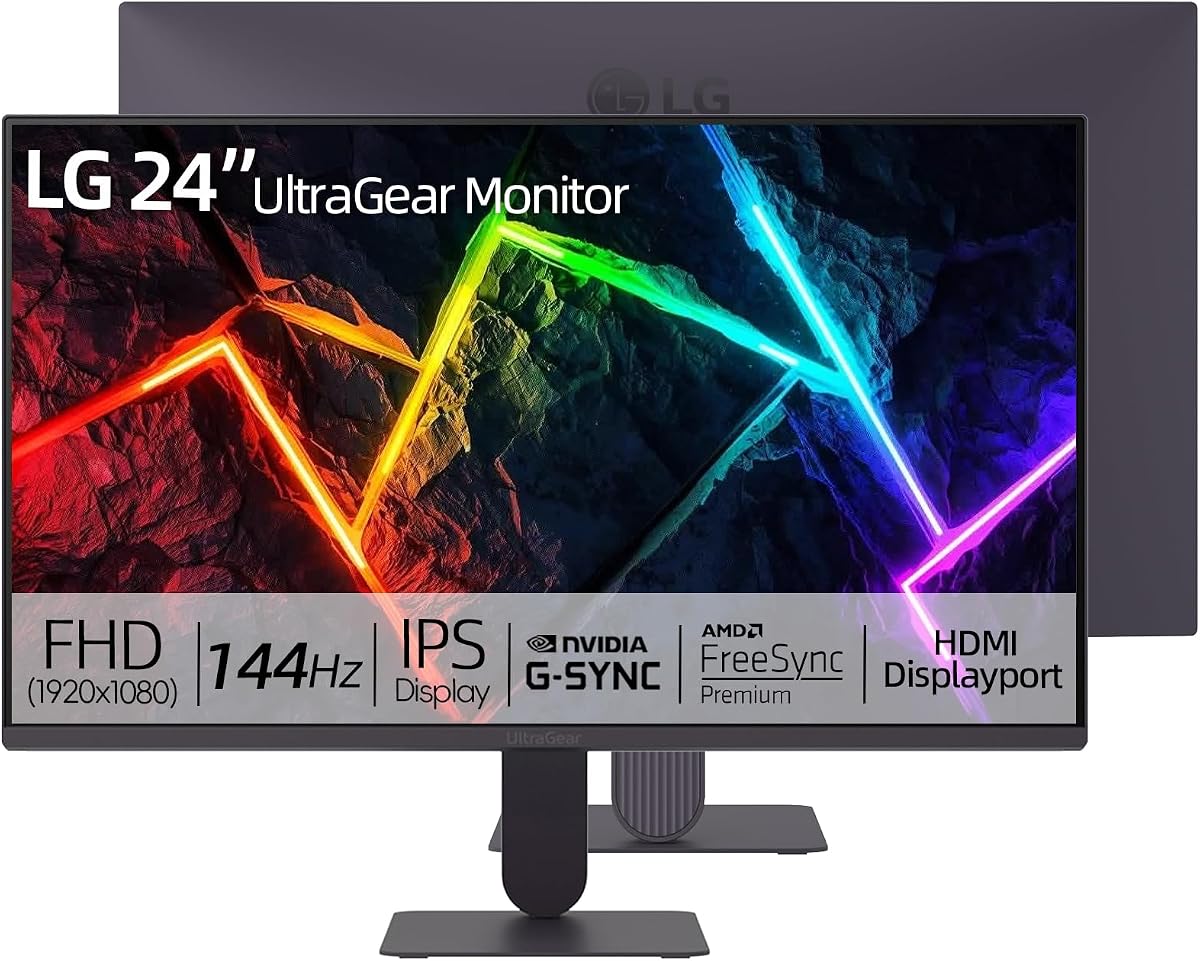
The LG 24 Ultragear FHD impresses with its sleek design and validated G-Sync compatibility. The 144Hz overclock ensures smooth motion while maintaining excellent clarity in fast scenes.
We may earn a commission when you buy through this link, at no additional cost to you.
Its IPS display delivers rich, lifelike colors that enhance immersion. The ultra-slim bezels provide an immersive view without distraction from thick frame borders.
While the stand is basic, the VESA mountability allows users to attach custom arms easily. This flexibility adds value for those seeking ergonomic customization later.
This model is a great choice for users who want a stylish and reliable display. It balances performance with modern design aesthetics perfectly.
The combination of HDR10 and 99% sRGB creates vivid imagery that pulls you into the game environment effectively.
Official G-Sync Compatible validation ensures smooth synchronization with NVIDIA cards, minimizing tearing and stuttering seamlessly.
We may earn a commission when you buy through this link, at no additional cost to you.
This LG monitor stands out with specialized tools like Crosshair and Black Stabilizer for precise aiming and visibility. The native 120Hz with overclock to 144Hz ensures fluid gameplay.
We may earn a commission when you buy through this link, at no additional cost to you.
Its True Color HDR10 experience delivers rich, nuanced colors ideal for both media and gaming. Slim bezels and efficient multitasking layouts make it great for productivity too.
Though it lacks a USB hub, the gaming features are well developed. The monitor prioritizes visual enhancement tools that give players an edge during critical moments.
Ideal for FPS fans who want extra visual aids, this monitor excels. It combines performance with practical features that enhance gameplay significantly.
The Crosshair tool overlays a center marker on the screen, improving accuracy in shooters without needing in-game adjustments.
Screen partitioning features allow you to organize multiple windows efficiently, making this monitor suitable for work and entertainment.
We may earn a commission when you buy through this link, at no additional cost to you.
The ASUS 24 FHD Gaming offers 200Hz speed and 0.3ms response with ELMB Sync to reduce ghosting. It provides vibrant colors with 99% sRGB coverage.
We may earn a commission when you buy through this link, at no additional cost to you.
ASUS Low Blue Light and Flicker-Free technologies protect your eyes during extended sessions. Dual HDMI and DisplayPort inputs offer flexible connectivity for various devices.
While the stand lacks height adjustment, the eye care features make it comfortable for long use. Its design focuses on visual health alongside gaming performance.
For users who game frequently, eye protection is vital. This monitor delivers that while maintaining high performance standards for competitive play.
ELMB Sync eliminates ghosting and motion blur by combining variable refresh rates with motion blur reduction technology effectively.
Flicker-Free technology ensures the screen does not flicker, reducing eye fatigue significantly during marathon gaming sessions.
We may earn a commission when you buy through this link, at no additional cost to you.
The LG 24 Ultragear FHD provides sharp visuals with 144Hz speed and 1ms MBR. This ensures crisp, stable images that enhance your ability to track targets.
We may earn a commission when you buy through this link, at no additional cost to you.
Gaming tools like Black Stabilizer and Crosshair add value for aiming and visibility. Ultra-slim bezels maximize screen real estate, reducing distractions while working or gaming.
While brightness is modest, the color coverage and speed are excellent. Its simple design and high reliability make it a dependable choice for daily tasks.
For gamers who want consistent clarity, this monitor performs well. It offers a clean interface and smooth refresh rates that suit various needs.
With 144Hz refresh and 1ms MBR, motion blur is minimized, keeping fast moving objects sharp and distinct.
The ultra-slim bezels create a seamless look, making multiple monitor setups visually cohesive and immersive.
We may earn a commission when you buy through this link, at no additional cost to you.
The ASUS TUF VG249QM5F includes built-in stereo speakers for convenient audio, useful for casual gaming without external devices. Its 260Hz speed remains ideal for competitive titles.
We may earn a commission when you buy through this link, at no additional cost to you.
With HDMI 2.1 and HDR10 support, it adapts well to modern consoles and PCs. The Adobe Creative Cloud subscription adds significant value for creators or designers.
While speakers are basic, the overall feature set is comprehensive. A 3-year warranty ensures peace of mind for long-term usage in demanding environments.
This model is perfect for users wanting a complete package. It balances speed, connectivity, and software value in a single high performance unit.
The built-in speakers eliminate the need for external audio hardware, keeping the desk setup clean and clutter-free.
A three-month Adobe Creative Cloud subscription is included, offering access to professional design and editing tools.
We may earn a commission when you buy through this link, at no additional cost to you.
Selecting the right monitor requires understanding key technical factors that impact performance and comfort.
Refresh rate determines how many frames per second the monitor displays. Higher rates like 144Hz, 200Hz, or 260Hz result in smoother motion, which is critical for competitive shooters.
Look for at least 144Hz to ensure fluid visuals that match the speed of modern gaming GPUs.
IPS panels offer superior color accuracy and wide viewing angles compared to TN or VA panels. They are ideal for gamers who want vibrant visuals without sacrificing speed.
Prioritize IPS or Fast IPS panels if color fidelity and speed are both priorities for your setup.
Response time measures how quickly a pixel changes color. A lower rating like 0.3ms or 1ms reduces ghosting and motion blur during rapid movement.
Choose models with 1ms or lower response times to maintain sharp clarity in fast-paced scenarios.
NVIDIA G-Sync Compatible and AMD FreeSync prevent screen tearing by syncing the monitor to your GPU output. Ensure your GPU matches the monitor technology.
Validate that the monitor supports G-Sync Compatible or FreeSync Premium for tear-free performance.
Adjustable stands with height and tilt options help prevent neck strain. VESA mounts offer flexibility if you prefer custom arms.
Check for height-adjustable stands or VESA compatibility for comfortable long-term use.
Ports like DisplayPort and HDMI 2.1 ensure compatibility with modern systems. HDMI 2.1 is essential for high refresh rate console gaming.
Ensure you have DisplayPort 1.4 or HDMI 2.1 to support high refresh rates effectively.
High sRGB coverage ensures accurate and vibrant colors. Aim for monitors with 99% sRGB for content creation and immersive gaming.
Prioritize models with 99% sRGB coverage to guarantee rich and true-to-life visuals.
Blue light filters and flicker-free technology reduce eye fatigue during long sessions. TUV certifications verify these features are effective.
Look for flicker-free and low blue light certifications to protect your eyes during extended use.
Start by connecting the monitor using DisplayPort 1.4 to ensure maximum bandwidth for high refresh rates. Configure adaptive sync in your graphics control panel to eliminate tearing.
Use the OSD menu to enable features like Black Stabilizer or ELMB Sync for enhanced visibility. Adjust brightness to match room lighting to prevent eye strain.
Clean the screen with a microfiber cloth and avoid harsh chemicals. Check for firmware updates periodically to maintain performance and compatibility.
Not all 24 inch monitors support G-Sync. Only those explicitly labeled as G-Sync Compatible work with NVIDIA GPUs. Always verify compatibility before purchasing.
Yes, 144Hz is generally sufficient for competitive gaming. However, higher refresh rates like 240Hz offer smoother motion and faster response times for top-level play.
If you game on consoles or require high refresh rates, HDMI 2.1 is beneficial. For PC gaming, DisplayPort is typically preferred for high refresh compatibility.
IPS panels provide the best color accuracy and viewing angles. They ensure consistent visuals from different angles, making them ideal for immersive gaming.
Yes, 24 inch monitors with 99% sRGB are suitable for design tasks. They offer accurate colors and clear text for professional work.
Some models include basic stereo speakers, but they are often low quality. Dedicated audio systems are usually better for immersive sound.
Enable Game Mode in the OSD settings to disable unnecessary image processing. Use direct connections like DisplayPort to minimize signal delay.
Most models support VESA 100x100mm mounting. This allows you to use third-party arms or wall mounts for ergonomic setups.
The top picks include the ASUS TUF VG249QML5A, Dell SE2426HG, and ASUS TUF VG249QM5F, balancing speed and features for diverse needs.
Prioritize refresh rate and panel type based on your usage. Competitive players should favor high refresh rates while creators may prefer color accuracy.
Prices and availability change frequently. Always check current listings and reviews to ensure you get the best deal available today.