
Canon imageCLASS LBP6030w
3.8Editor score
Compact space-saving design
Wireless connectivity options
Low power consumption mode
Discover the top laser printers with cheap toner options for home and office use. This guide compares 10 models focusing on print quality, speed, and cost
Finding a reliable laser printer with cheap toner is essential for anyone looking to reduce printing costs without sacrificing quality. Whether you are a student, a home office worker, or a small business owner, the right machine can save you significant money over time.
We have carefully compared ten top-rated models based on their initial price, ongoing consumable costs, print speed, and connectivity features. Our analysis focuses on genuine and compatible toner options to ensure you get the best value for your investment in 2026.
Each product pick highlights key specifications, pros and cons, and specific use cases to help you make an informed decision. Please note that prices and availability change frequently, so check the latest details before purchasing your new device.
3.8Editor score

4.1Editor score

4.3Editor score
This side-by-side comparison outlines the key specifications of each selected laser printer to help you evaluate their suitability for your specific printing needs and budget constraints.





The Brother HL-L2405W stands out as a top contender for those seeking a reliable laser printer with cheap toner options. With a rating of 4.1 stars, it offers consistent quality and speed that rivals more expensive models in the market today.
We may earn a commission when you buy through this link, at no additional cost to you.
Its standout feature is the ability to print up to 30 pages per minute, which significantly boosts productivity in busy environments. The inclusion of a 250-sheet paper tray reduces the frequency of refills, keeping your workflow uninterrupted throughout the day.
While it lacks automatic duplex printing, the manual duplex option and low cost of consumables make it a practical choice for cost-conscious users. The refresh subscription service further enhances value by ensuring you never run out of supplies unexpectedly.
This printer is ideal for home offices or small teams needing a workhorse that balances performance with affordability. If you prioritize speed and reliability over advanced finishing features, this model is a strong recommendation.
The TN830 and TN830XL toner cartridges provide high yields that lower the cost per page significantly compared to standard inkjet options.
Built-in dual-band wireless allows you to print directly from smartphones and tablets without needing a dedicated computer connection.
We may earn a commission when you buy through this link, at no additional cost to you.
The Canon imageCLASS LBP6030w is an excellent entry-level option for those prioritizing low initial cost and minimal footprint. It delivers solid performance for basic document printing needs without requiring a significant financial investment.
We may earn a commission when you buy through this link, at no additional cost to you.
With a print speed of 19 pages per minute, it handles occasional printing tasks efficiently. The wireless connectivity ensures you can print from various devices around your home or small office without tangled cables.
Energy efficiency is a key benefit, using less than 2 watts in energy saver mode. This reduces electricity costs over time, making it even more attractive for budget-conscious buyers focused on total cost of ownership.
Ideal for students or home users with light printing demands, this model sacrifices advanced features for value. If you need simple black and white prints occasionally, this printer fits the bill perfectly.
Its compact design fits easily on a desk or shelf, making it suitable for dorm rooms or small home office corners.
The use of Canon Genuine Toner 125 ensures consistent quality while maintaining a reasonable cost per page for standard documents.
We may earn a commission when you buy through this link, at no additional cost to you.
The Brother MFC-L2820DW combines speed and versatility into a single unit that serves as a complete office solution. Its high rating reflects user satisfaction with its robust feature set and consistent performance over time.
We may earn a commission when you buy through this link, at no additional cost to you.
Printing at up to 36 pages per minute, it is one of the fastest in this category. The inclusion of a 50-page auto document feeder streamlines scanning and copying tasks for multi-page documents effectively.
While it costs more upfront, the efficiency gains from duplex printing and scanning often justify the expense for small businesses. The touchscreen interface makes navigation easy for users of all technical skill levels.
This model is best suited for small offices needing a centralized device for printing, scanning, and faxing. Its advanced connectivity and high toner capacity make it a premium choice for demanding work environments.
The ability to scan directly to cloud apps like Google Drive or Dropbox saves time and keeps digital files organized automatically.
The Refresh EZ Print Subscription Service offers significant savings on toner, ensuring you never face downtime due to empty cartridges.
We may earn a commission when you buy through this link, at no additional cost to you.
The Canon imageCLASS MF3010 VP offers a practical solution for users who prefer a stable wired connection and need scanning capabilities. It includes a high-yield toner cartridge right in the box to reduce immediate replacement costs.
We may earn a commission when you buy through this link, at no additional cost to you.
With a yield of up to 2,300 pages, you can print extensively before needing to buy more supplies. The wired USB connection ensures reliable performance without the potential interference issues of wireless networks.
While it lacks wireless features, the ability to scan in color adds value for those managing mixed media documents. The compact design keeps the unit fitting well on desktops with limited space availability.
This printer is suitable for home users who need a dedicated scan and copy station without needing network access. If you prioritize long-term toner value and simplicity, this model delivers excellent functionality.
The dedicated ID card copy function simplifies the process of scanning both sides of identification documents into a single sheet.
Sleep mode consumes approximately 1.2 watts, helping to keep electricity bills low during periods of inactivity.
We may earn a commission when you buy through this link, at no additional cost to you.
The Brother HL-L2460DW is designed for efficiency with automatic duplex printing that saves paper and reduces waste automatically. It maintains high speeds of up to 36 pages per minute, ensuring quick turnaround times for documents.
We may earn a commission when you buy through this link, at no additional cost to you.
The large 250-sheet paper tray means fewer interruptions for refilling paper, which is vital for busy work environments. Connectivity options including dual-band wireless ensure stable connections across various devices in your network.
While it focuses purely on printing, this specialization often results in better reliability and ease of use for document production. The mobile connectivity allows you to manage printing tasks from virtually anywhere within range.
This printer is ideal for teams needing fast, double-sided document production without extra functions. If your primary goal is high-volume text printing, this model delivers consistent performance and value.
Automatic duplex printing halves paper consumption by default, significantly lowering ongoing supply costs for high-volume users.
The Brother Mobile Connect app allows you to track toner usage and order supplies directly from your smartphone instantly.
We may earn a commission when you buy through this link, at no additional cost to you.
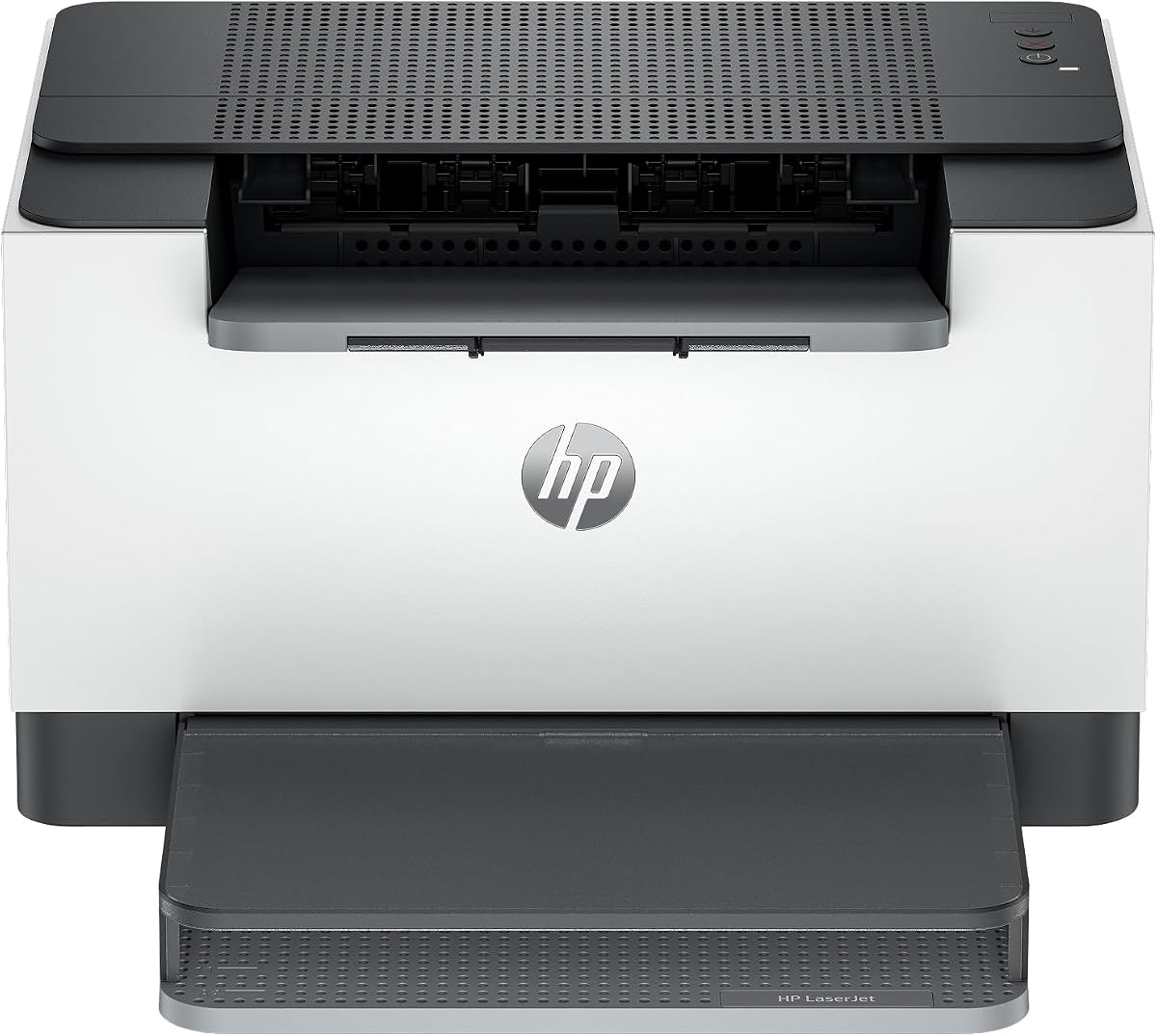
The HP LaserJet M110w brings professional printing capabilities to small teams with a focus on security and ease of use. Its compact design ensures it fits anywhere without cluttering your workspace unnecessarily.
We may earn a commission when you buy through this link, at no additional cost to you.
Security is a highlight, with built-in features protecting your printer from potential cyber attacks. This level of protection is often found in more expensive business models but is accessible here for small offices.
The HP Smart app allows you to scan to the cloud and manage tasks quickly via your smartphone. While it supports basic tasks well, users should be aware of specific cartridge compatibility requirements.
For small teams prioritizing secure and fast printing, this model offers a balanced solution. If you need a reliable device for 1-3 people with minimal setup time, it is a solid choice.
Automatic detection and resolution of connectivity issues helps keep you connected without manual IT intervention.
Repetitive tasks are streamlined through the Smart app, allowing you to automate printing and scanning workflows efficiently.
We may earn a commission when you buy through this link, at no additional cost to you.
The HP LaserJet M209dw stands out for its Instant Ink eligibility, ensuring you never run out of toner by delivering supplies automatically. This feature simplifies maintenance and keeps your printing operations running smoothly without interruption.
We may earn a commission when you buy through this link, at no additional cost to you.
It offers fast two-sided printing speeds that outpace many competitors in its class. The dual-band Wi-Fi with self-reset capabilities ensures a stable network connection even in crowded office environments.
While the Instant Ink program offers convenience, it requires enrollment and adherence to usage tracking. For many users, the time saved on ordering supplies outweighs the commitment required for the service.
This printer is perfect for small teams needing reliable and quick printing with minimal administrative overhead. If automatic supply delivery appeals to you, this model integrates seamlessly into your daily workflow.
Up to 19 pages per minute for two-sided printing ensures you finish multipage documents quickly without sacrificing quality.
The self-reset feature detects connectivity issues automatically and resolves them to maintain continuous operation for your team.
We may earn a commission when you buy through this link, at no additional cost to you.
The Canon imageCLASS LBP122dw provides a cost-effective way to add automatic duplex printing to your office setup. It delivers fast print speeds of up to 30 pages per minute, ensuring productivity remains high for daily tasks.
We may earn a commission when you buy through this link, at no additional cost to you.
Its compact design makes it easy to place on limited desk space while maintaining a professional look. The wireless connectivity allows you to print from anywhere in your home or office without physical tethering.
While it lacks scanning functions, focusing purely on printing keeps the price point low and the interface simple. The high-capacity toner options help keep long-term costs manageable for standard document output.
This printer is ideal for home users needing double-sided prints without investing in a multifunction machine. If simplicity and speed are your primary concerns, this model delivers excellent value for money.
Using Genuine Toner 071 ensures consistent quality while providing a high page yield to reduce replacement frequency significantly.
The Canon PRINT app enables you to print documents directly from your smartphone or tablet with simple setup steps.
We may earn a commission when you buy through this link, at no additional cost to you.
The HP LaserJet MFP M235sdw is built for office environments requiring robust performance and connectivity options. It supports both wireless and Ethernet connections, giving flexibility in how it integrates into your network.
We may earn a commission when you buy through this link, at no additional cost to you.
Its two-sided printing speed is among the fastest in its class, helping teams finish multipage projects quickly. Security features are integrated to protect your data and the device from potential network attacks.
While it does not feature a touchscreen, the physical buttons and app interface provide necessary navigation without complexity. The all-in-one capability reduces desk clutter by combining scanning and copying into one unit.
This model is best for offices needing reliable multifunction printing with strong security standards. If you prioritize connectivity options and speed, this device serves as a dependable workhorse for your business.
Ethernet connection ensures stable high-speed data transfer, while wireless options allow easy access from laptops and phones.
Built-in security features help protect sensitive documents from unauthorized access or potential cyber threats effectively.
We may earn a commission when you buy through this link, at no additional cost to you.
The Brother HL-L2480DW combines high performance with a compact footprint, making it a top choice for small offices. With a rating of 4.5 stars, it consistently meets user expectations for reliability and feature set.
We may earn a commission when you buy through this link, at no additional cost to you.
It features a flatbed scan glass which is rare in compact units, allowing you to scan books or thick documents easily. The 36 pages per minute speed ensures that your printing tasks are completed efficiently throughout the day.
The intuitive touchscreen interface makes navigation simple, reducing the learning curve for new users. Combined with high-quality print output, it delivers a professional experience suitable for both business and personal use.
This model is ideal for teams needing a complete office solution in a small space. If you prioritize user interface quality and fast scanning capabilities alongside printing, this printer is a strong investment.
The dedicated flatbed glass allows for scanning delicate items or books without the limitations of an automatic document feeder.
You can print from and scan to cloud apps like Dropbox or Google Drive directly from the touchscreen for streamlined workflows.
We may earn a commission when you buy through this link, at no additional cost to you.
Selecting the right printer involves considering upfront costs, ongoing expenses, and the specific features you need to support your workflow efficiently.
When evaluating laser printers, always check the standard and high-capacity toner yields. The cost per page is often a better metric than the sticker price because a more expensive cartridge that lasts longer can save you money over time.
Look for models offering XL cartridges or subscription services that guarantee low costs per page. High yield toners reduce the frequency of replacements, which is crucial for heavy users who print daily.
Print speed measured in pages per minute (ppm) determines how quickly you can produce documents. For busy environments, a printer with at least 30ppm is recommended to avoid bottlenecks in your workflow.
Consider the monthly duty cycle of the printer to ensure it matches your expected usage volume. Exceeding the recommended duty cycle can lead to premature wear and costly repairs down the road.
Modern printers should offer both wireless and wired options to fit your network setup. Dual-band Wi-Fi ensures stability, while Ethernet provides a secure connection for shared office environments.
Mobile printing capabilities like AirPrint or Android support allow you to print from devices anywhere in your home or office. This flexibility is essential for today's mobile-first work habits.
Decide whether you need scanning and copying features or just printing. Multifunction printers save space by combining devices, but single-function printers often offer faster speeds and lower upfront costs.
If you scan frequently, look for automatic document feeders to handle multi-page jobs. Without this feature, you must place each page individually, which slows down your workflow significantly.
A larger paper tray reduces the frequency of refills, allowing you to focus on work rather than maintenance. Models with 250 sheets or more are preferable for busy office settings.
Check for a manual feed slot if you print on specialty media like envelopes or labels. This feature adds versatility without requiring a second printer for special print jobs.
Automatic duplex printing saves paper and money by printing on both sides of the sheet. This feature is becoming standard in laser printers and is vital for reducing waste.
While manual duplex is an option, automatic duplex is faster and less prone to paper jams. Investing in a model with this feature ensures consistent results without manual intervention.
Security is critical for businesses handling sensitive data. Look for printers with built-in features like secure print and data encryption to protect your information from unauthorized access.
Firmware updates help patch vulnerabilities and keep the device secure. Ensure the manufacturer supports regular security updates for the lifetime of the product.
Choose a printer that is easy to load paper and change toner. Complex setups can waste valuable time and frustrate users who need immediate printing access.
Self-resetting Wi-Fi and diagnostic tools help resolve connectivity issues automatically. This reduces the need for technical support and keeps your office running smoothly.
To maintain optimal performance, ensure the printer is placed on a flat surface with adequate ventilation. Dust and debris can accumulate inside the machine, so cleaning the exterior and intake vents regularly helps prevent jams.
Always use genuine or high-quality compatible toner to avoid damaging the internal components. Third-party toners that do not meet specifications may void your warranty and lead to poor print quality over time.
Keep your printer firmware up to date to benefit from the latest features and security patches. Check the manufacturer's website or settings menu monthly to ensure your device is running the latest version.
Using genuine or high-quality compatible toner is generally safe and often more affordable. However, cheap third-party toners might not meet the manufacturer's specifications, potentially causing jams or poor print quality. Always check the reviews and ratings of the cartridge brand before purchasing to ensure reliability.
Check the product specifications for toner yield numbers. High-yield models often have XL designations in their part numbers. A high-yield cartridge prints more pages per unit, significantly lowering your cost per page compared to standard cartridges.
Subscription services like Brother Refresh offer convenience and savings by delivering toner automatically. They often provide significant discounts on genuine supplies. If you print consistently, this model ensures you never run out of toner when you need it most.
Wireless printing requires your printer and device to be on the same network router. Wi-Fi Direct allows your device to connect directly to the printer without a router. Both methods offer flexibility, but Wi-Fi Direct is useful when you lack a stable internet connection.
Many multifunction printers allow scan to email directly from the device. You must configure the SMTP settings first through the printer's web interface. Once set up, you can send scanned documents directly from the printer's control panel.
This issue often indicates an empty toner cartridge or a blocked printhead. Check the toner levels and ensure the protective tape is removed from new cartridges. Cleaning the rollers or running a maintenance cycle might also resolve the issue.
Duplex printing does not consume more toner per page; it simply uses paper on both sides. In fact, it can save toner if you choose to print lighter margins on the reverse side. It mainly saves you money on paper rather than toner usage.
It is recommended to update your printer's firmware monthly or whenever security notifications appear. Regular updates patch vulnerabilities and improve compatibility with new operating systems. Ignoring these updates can leave your network open to potential security risks.
Choosing the right laser printer depends heavily on balancing upfront costs with long-term toner expenses. The models listed above offer a range of options from budget-friendly single-function units to advanced multifunction systems.
Prioritize features like automatic duplex printing and high-yield toner support to maximize savings over time. Investing a little more initially can often lead to substantial reductions in your monthly printing costs.
Prices and availability fluctuate regularly, so always verify the latest pricing and specs before buying. We hope this guide helps you find a reliable device that fits your needs perfectly without breaking your budget.