
Pankia Box Physical Click Keyboard Auto Clicker Mouse Jigglier
3.6Editor score
Adjustable speed on three ports
Simulated finger tapper design
Wide compatibility with keyboards
This guide compares the top automated keyboard clicker devices for gaming and productivity, evaluating physical tools that simulate input without software.
Automated keyboard clickers are physical tools designed to simulate keystrokes or mouse clicks automatically. They help keep systems active or reduce repetitive strain during long sessions.
We evaluated ten top models based on speed control, durability, and ease of setup. Each option offers unique features for gaming or keeping computers awake without software.
Every review shows real specs and user ratings to help you choose wisely. Prices and availability change frequently so check links before purchasing your preferred tool.
3.6Editor score

4.0Editor score

5.0Editor score
This side-by-side comparison highlights key specs for all ten models. Review technical details like speed options and compatibility to find the right fit for your needs.




This Pankia device provides fifteen random click speeds for flexible automation. It holds a 3.2 rating and features indicator lights for mode selection.
We may earn a commission when you buy through this link, at no additional cost to you.
The clicking arm extends to support most keyboards and mice effectively. You can choose specific speeds per port to match your task needs.
It simplifies repetitive clicking but requires pressing the button for three seconds to start. This ensures you control when automation begins.
Ideal for gamers needing assistive clicks, this tool saves time. Its wide compatibility makes it a reliable pick for general automation.
With fifteen random speeds available you can tailor the clicking pace to your specific workflow or game requirement.
The flashing indicator light clearly shows which mode is active so you know the current speed setting at a glance.
We may earn a commission when you buy through this link, at no additional cost to you.
This physical clicker offers a high degree of customization for diverse needs. It features a 4.0 rating and supports programmable loop times.
We may earn a commission when you buy through this link, at no additional cost to you.
You can define click intervals, random ranges, and press duration precisely. Each of the three ports adjusts independently for tailored control.
Be mindful not to exceed five clicks per second to avoid heat damage. This limit ensures longevity for the internal motor.
Perfect for game assistance or repetitive tasks, it frees your hands completely. Its programmability makes it stand out among basic clickers.
Define loop time, click intervals, and random ranges to meet exact diverse clicking needs in any workflow.
Adjust clicking speed on each port separately allowing different speeds for different keyboards or mice easily.
We may earn a commission when you buy through this link, at no additional cost to you.
This Pankia box model serves as a simulated finger tapper for active screens. It has a 3.6 rating and features adjustable speeds.
We may earn a commission when you buy through this link, at no additional cost to you.
All three ports adjust speed separately to meet different needs. The clicking arm includes three adjusting parts for easier keyboard access.
Do not click more than five times per second to prevent heat damage. Adhering to this ensures the tool remains functional longer.
Great for keeping laptops active or game assistance, it delivers consistent results. Its design simplifies manual clicking tasks significantly.
The device mimics finger taps on keyboard or mouse to keep your computer active without manual intervention.
You can set different speeds on each of the three ports to fit varied application needs.
We may earn a commission when you buy through this link, at no additional cost to you.
This model features a digital display that clearly shows click speed numbers. It holds a 3.8 rating and supports both press and release modes.
We may earn a commission when you buy through this link, at no additional cost to you.
You can set click counts, head travel, and delay times directly on the device. Groups A, B, and C allow complex execution orders.
Power comes from USB, mobile charger, or power bank for flexibility. Just ensure peripherals connect only for power if used.
Excellent for precise control without software, it supports up to six clicks per second. Its user-friendly buttons simplify time setup.
The built-in digital display shows click speed as numbers so you know settings instantly.
Arbitrary combinations of fixed and random time allow latency from 0.1 second to 80 hours.
We may earn a commission when you buy through this link, at no additional cost to you.
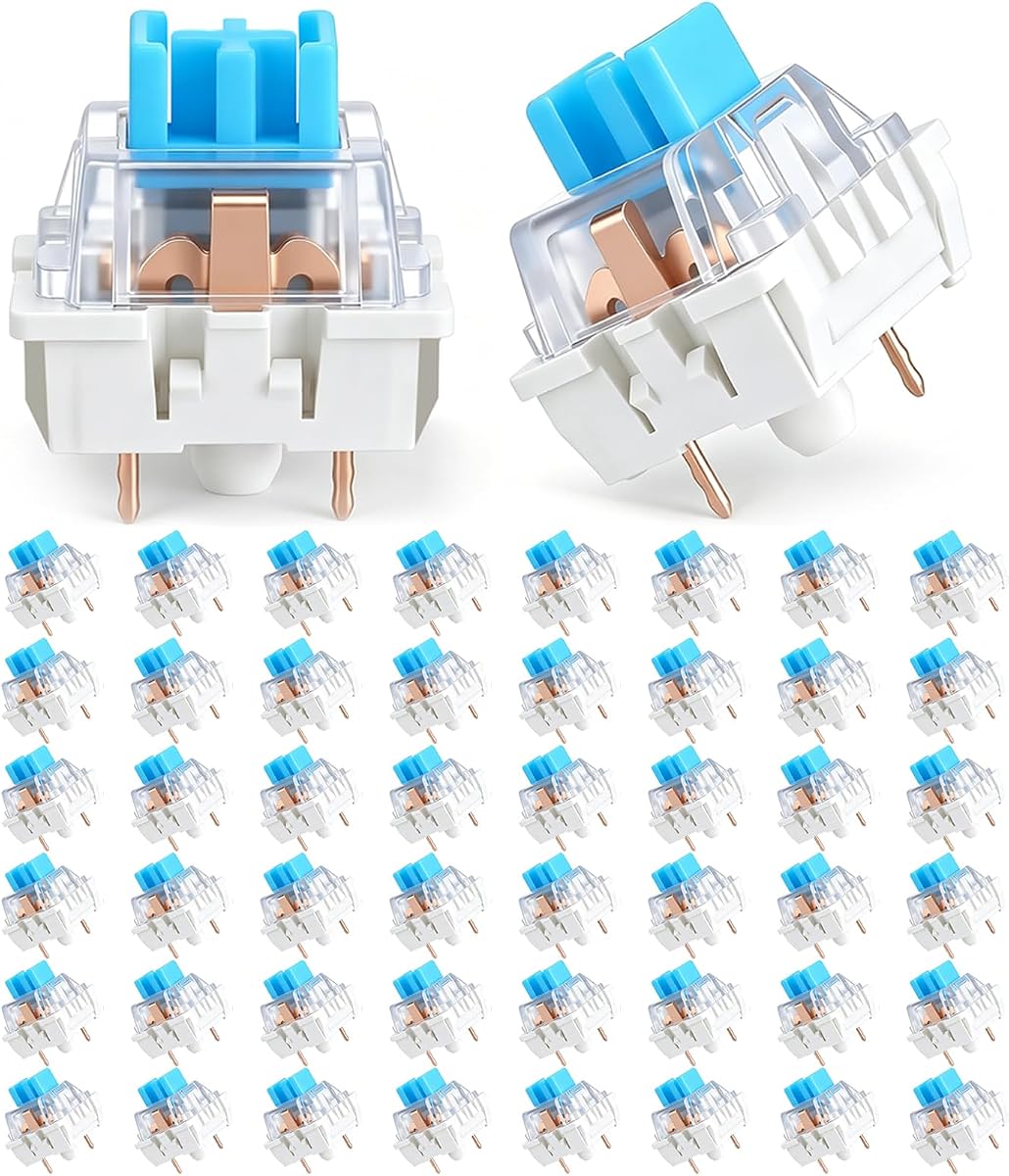
These 50-piece mechanical switches offer crisp clicky feedback for builds. With a 4.7 rating, they feature waterproof and dustproof housing.
We may earn a commission when you buy through this link, at no additional cost to you.
Made of plastic, copper washers, and steel springs, they last up to 50 million cycles. Transparent blue casings complement LED backlights.
Compatible with most mechanical keyboards and 3D printed clickers, they are versatile. The design provides a pleasant typing experience.
Ideal for replacement or fidget builds, they reduce stress with tactile feel. Their durability ensures long-term reliability for projects.
These switches boast a service life of up to fifty million cycles ensuring long term reliable performance.
Waterproof and dustproof materials keep internal components safe from environmental damage during use.
We may earn a commission when you buy through this link, at no additional cost to you.
This physical clicker uses random intervals to mimic human activity closely. It holds a perfect 5.0 rating and requires no software installation.
We may earn a commission when you buy through this link, at no additional cost to you.
The motor does not heat up and works at low noise for quiet environments. You can adjust height and position to fit specific setups.
It ensures consistent performance without risking security by avoiding software. Use it to prevent offline status in games automatically.
Highly rated for efficient gaming assistance, it frees your focus for other activities. Its physical nature ensures reliability across platforms.
Random intervals mimic human activity more closely enhancing effectiveness on various online platforms.
Adjust the click head position yourself and let it work without motor heat or noise issues.
We may earn a commission when you buy through this link, at no additional cost to you.
This clicking arm is a component requiring the Pankia box to function. It has a 3.2 rating and features three adjusting parts for positioning.
We may earn a commission when you buy through this link, at no additional cost to you.
It meets screen click needs by placing on keyboard or mouse. Note it cannot click phone screens without an additional clicking head.
Ensure you buy the box together with this arm for usability. Its role is to automate input tasks effectively.
Best for existing Pankia users needing replacements, it maintains automation. Check compatibility before purchasing this accessory item.
This click arm works only when paired with the Pankia box to enable full functionality.
The arm has three adjusting parts making it easier to click on various keyboard layouts.
We may earn a commission when you buy through this link, at no additional cost to you.
This clicker features adjustable height to fit different keyboard designs. It holds a 4.3 rating and offers wide random click times.
We may earn a commission when you buy through this link, at no additional cost to you.
The rubberized cover prevents keyboard damage while clicking. Set times directly on the host without programming for ease.
Simulates manual clicking with fixed drops and irregular timing for realism. It supports tablets, desktops, and laptops comfortably.
Ideal for gamers or desktop users needing flexible input, it simplifies tasks. The adjustable height ensures stability across devices.
The clicker can be adjusted to fit different heights of keyboards and devices on the market.
It provides real simulation of manual clicking with fixed drops and irregular timing for natural effects.
We may earn a commission when you buy through this link, at no additional cost to you.
This 2-pack includes both quiet pink and clicky green fidget toys. It holds a 4.1 rating and features mechanical style keys.
We may earn a commission when you buy through this link, at no additional cost to you.
Each has four keys for familiar pressing feel with clips for keychains. Use pink for offices and green for home or louder spaces.
Perfect for stress relief during commutes or breaks. They are not automation tools but excellent tactile gifts for busy hands.
Ideal for shared or private spaces, they reduce anxiety with satisfying clicks. Their compact design makes them easy to carry.
Use the quiet pink fidget at a desk and save the green clicker for home or non-distracting places.
Each compact keyboard fidget toy includes a keychain clip for carrying on keys or during travel.
We may earn a commission when you buy through this link, at no additional cost to you.
These 108 switches offer a distinct tactile click with 80 million cycle life. They hold a 4.5 rating and feature waterproof POM shafts.
We may earn a commission when you buy through this link, at no additional cost to you.
The sound is crisp but may disturb others in quiet offices. Ideal for gaming or typing where mechanical feel is preferred.
They reduce anxiety with satisfying feedback and work as fingertip toys. Packaging protects pins from bending during transit.
Best for mechanical keyboard enthusiasts needing bulk replacements, they deliver quality. Avoid quiet environments if noise is a concern.
Service life is about eighty million times which ensures durable and reliable long term usage.
The satisfying mechanical click sound can be used as a fingertip toy to relieve stress.
We may earn a commission when you buy through this link, at no additional cost to you.
Selecting the right automated keyboard clicker depends on your specific needs and environment. Consider these factors to ensure compatibility and reliability.
Look for devices that offer adjustable or random speeds to match task requirements. Faster settings suit gaming while slower ones mimic human use.
Choose models with clear speed indicators for easy adjustment.
Ensure the clicker supports your keyboard, mouse, or tablet type. Physical arms should be adjustable to fit various heights.
Check descriptions for mentions of wide compatibility with different devices.
Advanced users may prefer programmable features like loop times and click intervals. Basic models work well for simple repetitive tasks.
Evaluate if you need complex settings for specific workflows.
Materials like metal or reinforced plastic extend product life. Check cycle ratings for switches if buying components for repairs.
Durable builds reduce replacement costs over time.
Quiet environments like offices require low noise operation. Some devices offer rubberized covers to dampen sound while clicking.
Consider your workspace when selecting a noise level.
Most clickers use USB power from computers or adapters. Check if the device needs batteries or specific voltage inputs.
USB power is convenient for most desktop setups.
Look for tools with simple physical controls rather than complex software. Plug-and-play options reduce installation time.
User-friendly setups save frustration during initial use.
Manufacturers often include satisfaction guarantees or support contact. Check for warranty terms before purchasing to protect your investment.
Good support ensures issues are resolved quickly.
Place the clicking arm securely on the desired key or mouse button. Adjust the height and angle to ensure consistent pressure for activation.
Turn on the device and select the preferred speed or program settings using available controls. Allow a brief test period to verify correct operation before starting work.
Keep the clicker clean by wiping it with a dry cloth regularly. Avoid exposure to liquids or excessive heat to maintain internal motor performance.
Most physical clickers do not require software and work independently via USB power. They provide consistent performance without risking security or needing driver setups.
Yes many models support both keyboard and mouse inputs with adjustable arms. Simply position the clicking head on the mouse button for automation.
Physical clickers vary but durable units last years with proper care. Switches often offer millions of cycles but the motor limits overall device life.
Game policies vary; some permit hardware clickers while others ban them. Check game terms of service to avoid account penalties before use.
Avoid excessive click speeds like over five clicks per second to prevent heat damage. Allow rest periods if the device is active for many hours.
Yes most physical clickers adapt to laptop keyboards or touchpads with adjustable arms. Ensure the device fits your laptop height for consistent clicking.
Check USB power connection and reset settings if available. Contact manufacturer support for warranty claims if the unit fails unexpectedly.
Our top picks include the Pankia Box for value, the Programmable Keyboard Clicker for flexibility, and the Random Click Device for human mimicry.
Prioritize speed control and noise levels based on your workspace to ensure productivity without distraction.
Prices and availability change so check current listings before buying your selected model.