
YAWYORE Gaming PC
4.5Editor score
AMD Ryzen 7 5700X CPU
GeForce RTX 5060 Graphics
32GB DDR4 RAM and 1TB SSD
This guide compares the top 10 Desktop Gaming PC for Gta 6 to help you choose the best system for high frame rates and stunning visuals.
Finding the right Desktop Gaming PC for Gta 6 requires careful consideration of graphics power and processor speed. This guide explores systems capable of handling next generation titles with ease.
We evaluated performance specs build quality and value across ten prebuilt options. Each system was chosen for its ability to deliver smooth gameplay and reliable stability.
Each pick highlights key strengths and ideal use cases for different players. Please note that prices and availability may change frequently online.
4.5Editor score

4.0Editor score

4.5Editor score
This table provides a quick side by side look at the key specifications of each system to help you compare performance and value.


This Desktop Gaming PC for Gta 6 offers a solid foundation with a capable Intel Core i7 processor. It is designed to handle gaming and daily tasks with ease.
We may earn a commission when you buy through this link, at no additional cost to you.
The system includes 16GB of RAM and a 1TB SSD which ensures smooth multitasking and fast boot times. It also comes with essential connectivity options like WiFi 6.
While the RX 580 is older, it still delivers acceptable performance for entry level gaming. The included peripherals add value for those starting from scratch.
This PC is ideal for budget conscious gamers who need a reliable machine for both work and play. It balances performance and affordability well for its class.
The Core i7 up to 3.9GHz ensures the system stays responsive even when running multiple applications.
With RGB Gaming Mouse and Keyboard included you get everything needed to start playing right away.
We may earn a commission when you buy through this link, at no additional cost to you.
The YAWYORE Gaming PC stands out as an excellent value for those seeking modern performance. It pairs a strong Ryzen 7 CPU with a capable RTX 5060 GPU.
We may earn a commission when you buy through this link, at no additional cost to you.
With 32GB of RAM this system handles heavy multitasking and future titles with confidence. The 1TB NVMe SSD ensures games load quickly.
The main trade off is the use of DDR4 memory though it is sufficient for most tasks. Users should remove shipping foam carefully before first use.
This system is perfect for gamers who want high frame rates without breaking the bank. It offers a strong balance of price and performance.
The RTX 5060 supports DLSS 4 and ray tracing for smoother visuals in demanding games.
32GB RAM lets you run games streaming apps and browsers simultaneously without slowdowns.
We may earn a commission when you buy through this link, at no additional cost to you.
The KOTIN Gaming PC Desktop brings premium features to a competitive price point. It uses the latest DDR5 memory and a potent RTX 5060 Ti GPU.
We may earn a commission when you buy through this link, at no additional cost to you.
Its cooling system ensures stability during long gaming sessions while WiFi 7 keeps online play lag free. The Gen4 SSD provides lightning fast storage speeds.
Users must connect monitors to the correct ports to avoid display issues. This is a minor setup step for the benefits gained.
This machine is ideal for enthusiasts who want the latest tech without building a PC. It offers top tier performance for modern titles.
16GB DDR5 ensures faster data throughput for improved gaming and rendering performance.
WiFi 7 support provides the lowest latency possible for competitive online gaming.
We may earn a commission when you buy through this link, at no additional cost to you.
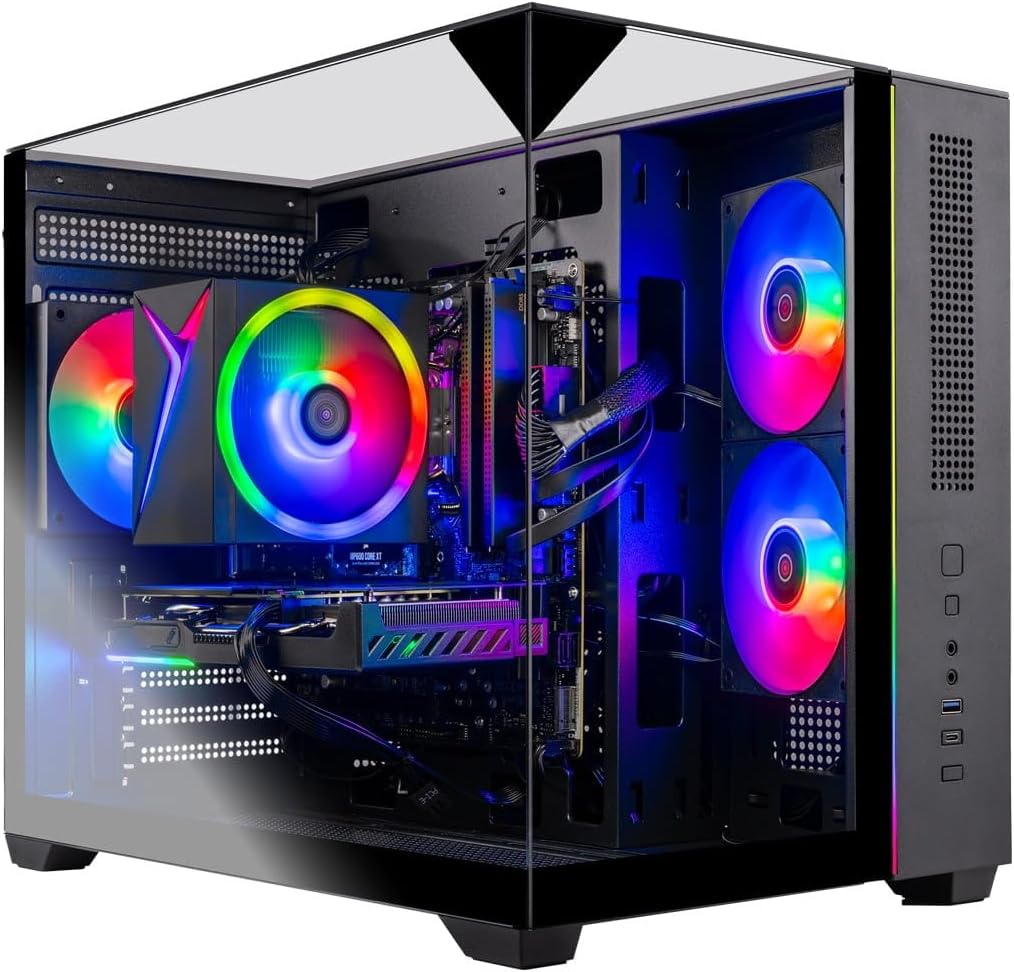
The Skytech Gaming PC Desktop focuses on performance and visual appeal. Its Ryzen 7 7700 CPU provides high boost speeds for demanding applications.
We may earn a commission when you buy through this link, at no additional cost to you.
The Crystal Case with tempered glass showcases the internal components beautifully. It also includes 32GB of DDR5 RAM for heavy multitasking.
The case design may show fingerprints easily requiring occasional cleaning. However this is a small trade off for the premium look.
This system suits gamers who want a machine that looks as good as it performs. It is well suited for high resolution gaming.
The CPU reaches up to 5.3GHz Turbo Boost for exceptional single thread speed.
Triple tempered glass panels let you see the RGB lighting and hardware inside.
We may earn a commission when you buy through this link, at no additional cost to you.
This CyberPowerPC Gaming PC is a great choice for those who prefer Intel processors. It features the latest Core i5-14400F for solid performance.
We may earn a commission when you buy through this link, at no additional cost to you.
The system includes custom RGB lighting to match your setup style. It also uses DDR5 memory and a fast NVMe SSD.
16GB RAM is good for now but may fill up with heavy multitasking. Users looking to upgrade memory should consider this.
It is an excellent option for gamers seeking a reliable Intel based system. It delivers consistent results for modern games.
The 10-core processor handles multitasking and gaming with impressive speed.
Custom RGB lighting allows you to match the PC with your room decor.
We may earn a commission when you buy through this link, at no additional cost to you.
The MSI Codex R2 is designed to deliver high performance for VR and modern gaming. It features a potent RTX 5070 GPU.
We may earn a commission when you buy through this link, at no additional cost to you.
With VR Ready certification users can connect headsets immediately. The 32GB of DDR5 RAM ensures smooth system performance.
The lower rating suggests potential issues with quality or support. However the hardware specs remain strong for demanding applications.
This PC is best for those prioritizing GPU power and VR readiness. It handles the latest titles with ease.
The 12GB GPU supports high resolutions and complex ray tracing effects.
The system meets all requirements for a seamless virtual reality experience.
We may earn a commission when you buy through this link, at no additional cost to you.
This STGAubron Gaming PC Desktop offers strong value with 32GB of RAM. It is paired with a capable RTX 3070 GPU.
We may earn a commission when you buy through this link, at no additional cost to you.
The system handles multitasking and gaming well for its price. The 1TB SSD ensures ample space for games and files.
The lower rating may indicate quality variations in the build. However the core components are solid for many users.
It is a good choice for those needing large RAM for creative work. It balances price and utility effectively.
32GB memory allows for extensive multitasking and creative applications.
The GPU provides smooth 1080p gaming for many modern titles.
We may earn a commission when you buy through this link, at no additional cost to you.
This Gaming Desktop PC features a Xeon 12-core processor and 64GB of RAM. It is built for heavy multitasking and legacy performance.
We may earn a commission when you buy through this link, at no additional cost to you.
The GTX 1080 Ti remains a capable card for many games. It includes a liquid cooling system for thermal stability.
The CPU and GPU are older and may lack current features. However they still deliver solid performance for specific uses.
This system is best for users needing massive RAM and cooling. It is a unique option for power users.
64GB RAM is perfect for rendering and virtual machines.
Liquid cooling keeps temperatures low during long sessions.
We may earn a commission when you buy through this link, at no additional cost to you.
The SKYESEV Prebuilt Gaming Desktop PC is designed for streaming and everyday gaming. It includes 32GB of RAM to handle streaming software.
We may earn a commission when you buy through this link, at no additional cost to you.
The Ryzen 5 processor provides reliable speed for multitasking. It also has a fast SSD for quick access to files.
The GPU is entry level and may struggle with very demanding titles. However it is sufficient for 1080p gaming.
This system suits streamers on a budget who need RAM headroom. It is a capable machine for content creation.
32GB RAM ensures smooth streaming while gaming.
Affordable price makes it accessible for new streamers.
We may earn a commission when you buy through this link, at no additional cost to you.
This Prebuilt Gaming Desktop PC is a solid entry level option. It features a reliable Ryzen 5 processor and fast SSD.
We may earn a commission when you buy through this link, at no additional cost to you.
The system is ready to use out of the box. It is suitable for casual gaming and streaming at 1080p.
The GPU and RAM are entry level and may limit future titles. However the system remains stable and responsive.
It is perfect for first time buyers or those on a tight budget. It offers a smooth experience for basic tasks.
A strong 4.6 rating indicates high user satisfaction.
No setup required as it comes fully assembled.
We may earn a commission when you buy through this link, at no additional cost to you.
Choosing the right system requires understanding key hardware factors that impact performance and longevity.
The GPU is the most important part for gaming. Look for models with at least RTX 5060 or similar to handle new titles.
A strong GPU ensures smooth frame rates and support for advanced features like ray tracing.
A fast CPU prevents bottlenecks. Modern Ryzen 7 or Core i7 processors are ideal for demanding games.
Focus on models with high clock speeds to keep your system responsive.
16GB of RAM is the minimum for modern gaming. 32GB offers better headroom for heavy multitasking.
More RAM allows you to run background apps without affecting performance.
NVMe SSDs are essential for fast load times. Aim for at least 1TB of storage for your game library.
Faster storage reduces wait times and improves overall system speed.
A reliable PSU ensures stability. Look for 80+ certified units with enough wattage for your GPU.
High quality power prevents crashes and extends component life.
Good cooling keeps temperatures low during long sessions. ARGB fans or liquid cooling are great choices.
Efficient cooling prevents thermal throttling and maintains consistent performance.
WiFi 6 or 7 and Bluetooth 5.0 offer better wireless performance. Check for enough USB ports for peripherals.
Modern connectivity ensures your system stays up to date with latest tech.
A warranty protects your investment. Look for at least one year of parts and labor coverage.
Good support ensures you can get help if issues arise.
Place your PC in a well ventilated area to allow proper airflow for cooling. This helps maintain stable temperatures during intense gaming sessions.
Regularly clean dust from fans and vents to prevent overheating. A small vacuum or compressed air can be used for this purpose.
Keep your system drivers and BIOS updated to ensure optimal performance and security. Manufacturers often release updates that improve stability.
The STGAubron Gaming PC Computer Desktop is a great entry level option. It provides solid performance for a lower price point.
16GB is the minimum for smooth gameplay. 32GB is recommended if you plan to stream or multitask heavily.
Some systems allow GPU upgrades. Check the power supply and case size for compatibility before purchasing.
A 650W or higher PSU is generally recommended for modern gaming PCs. Ensure it has enough connectors for your GPU.
Ethernet is usually better for lower latency. However modern WiFi 6 or 7 is quite reliable for most gamers.
Use compressed air to blow dust out of fans and vents. Turn off the PC and unplug it before cleaning.
Overheating can be caused by dust buildup or poor ventilation. Clean your system and ensure fans are working correctly.
Most PCs come with at least a one year warranty. Check the seller for specific terms and conditions.
We have explored ten top systems offering a range of performance and price points for you to consider.
Focus on GPU and RAM first when deciding on a build to ensure smooth gameplay for future titles.
Always verify current prices and availability before buying since these can change at any time.