
NIMO 15.6'' AI Ready Laptop
4.9Editor score
Metal top cover design
65W PD fast charging
Full-stack I/O suite
Finding the right All Metal Laptop means balancing durability, style, and power. These machines offer superior heat dissipation and a premium feel that plastic models cannot match. Whether you need portability or workstation strength, metal chassis options dominate the market today.
We evaluated ten leading models based on processor speed, memory capacity, storage options, and display quality. Each entry features an aluminum or alloy body designed to withstand daily wear. Our analysis focuses on real-world performance metrics and user-reported reliability factors.
Every product listed here includes detailed specs, pros, cons, and direct links to current listings. Prices and availability change frequently so check the vendor pages before purchasing. This guide helps you find the perfect All Metal Laptop for your specific workflow needs.
4.9Editor score

4.4Editor score

5.0Editor score
As an Amazon Associate we earn from qualifying purchases.
The following table provides a side-by-side overview of all ten selected All Metal Laptop models. Compare their processors, RAM, storage, screen sizes, and unique features to find the best fit for your budget and performance requirements.




This All Metal Laptop combines a large chassis with significant memory and storage. The N95 processor handles basic tasks while 32GB RAM supports heavy multitasking. It features a 16-inch touchscreen with full HD resolution for interactive work.
We may earn a commission when you buy through this link, at no additional cost to you.
The all-metal body provides durability and better heat dissipation than plastic alternatives. You get 32GB of DDR4 RAM which is rare at this price point. The 2TB SSD ensures ample space for files, media, and applications.
While the processor is efficient for office work, it is not designed for intensive rendering. The screen quality is good but lacks high-end color accuracy for professional design. Touch functionality adds convenience for navigation and input.
Ideal for users needing storage and RAM without spending premium prices. The metal build ensures longevity. It suits administrative tasks, stock trading, and general productivity where large datasets are common.
The 2TB SSD provides plenty of room for extensive file libraries and multiple applications without needing external drives.
Constructed with a metal chassis this laptop resists scratches and manages heat more effectively than plastic models.
We may earn a commission when you buy through this link, at no additional cost to you.
The Dell Latitude Rugged 5430 is built for tough environments with a protective metal casing. It features a 14-inch touchscreen and a powerful Core i7 processor. The 32GB RAM makes it suitable for demanding workflows.
We may earn a commission when you buy through this link, at no additional cost to you.
This machine comes with Windows 11 Pro which offers enhanced security features. The 1TB SSD provides fast storage access. Dell provides a two-year warranty for peace of mind. The rugged design ensures reliability on the go.
It is heavier than standard laptops due to its reinforced structure. The screen is FHD which is adequate but not the highest resolution available. Battery life is standard for this class of rugged device.
Best for field workers or those needing a durable machine. The metal body protects against bumps and drops. It balances performance and toughness for professional use cases.
The laptop is engineered to withstand drops and harsh conditions making it ideal for industrial or outdoor environments.
Includes Pro features like BitLocker encryption and Active Directory support for enterprise security needs.
We may earn a commission when you buy through this link, at no additional cost to you.
The HP OmniBook 3 brings next-gen AI capabilities with a Snapdragon processor. It features a vibrant 2K OLED display and impressive battery life. The metal finish adds a premium look to the sleek chassis.
We may earn a commission when you buy through this link, at no additional cost to you.
This laptop supports Copilot+ PC experiences for smarter workflows. The 2K OLED screen offers deep blacks and rich colors. Battery life reaches up to 41 hours which is outstanding for travel. The AI assistant helps manage notes and meetings.
Storage is limited to 256GB which may fill up quickly. Some apps may not be fully optimized for Arm architecture yet. Connectivity relies heavily on Wi-Fi 6E and Bluetooth.
Perfect for mobile professionals seeking long battery and great visuals. The metal body is slim and light. Ideal for web browsing and media consumption on long flights.
Enjoy crisp visuals and accurate colors with the 2K OLED screen that supports HDR for better media viewing.
Integrated AI tools help automate tasks and improve productivity without needing extra software installations.
We may earn a commission when you buy through this link, at no additional cost to you.
This NIMO laptop offers a balance of cost and features with a metal top cover. The Intel N150 processor provides silent and efficient power. It includes a 15.6-inch anti-glare display and backlit keyboard.
We may earn a commission when you buy through this link, at no additional cost to you.
The 2-year warranty shows manufacturer confidence in build quality. Fast charging supports up to 2 hours of use in 15 minutes. Connectivity is robust with multiple USB ports and HDMI without dongles.
RAM is limited to 8GB which is sufficient for basic tasks. The 256GB SSD is fast but small. It works well for students or light home office use.
A solid choice for budget buyers needing reliability. The metal cover adds durability. Use it for study work and light media consumption.
The N150 processor runs quietly making it perfect for libraries or quiet workspaces without noise distraction.
Get hours of usage from a quick 15-minute charge to keep you productive when outlets are scarce.
We may earn a commission when you buy through this link, at no additional cost to you.
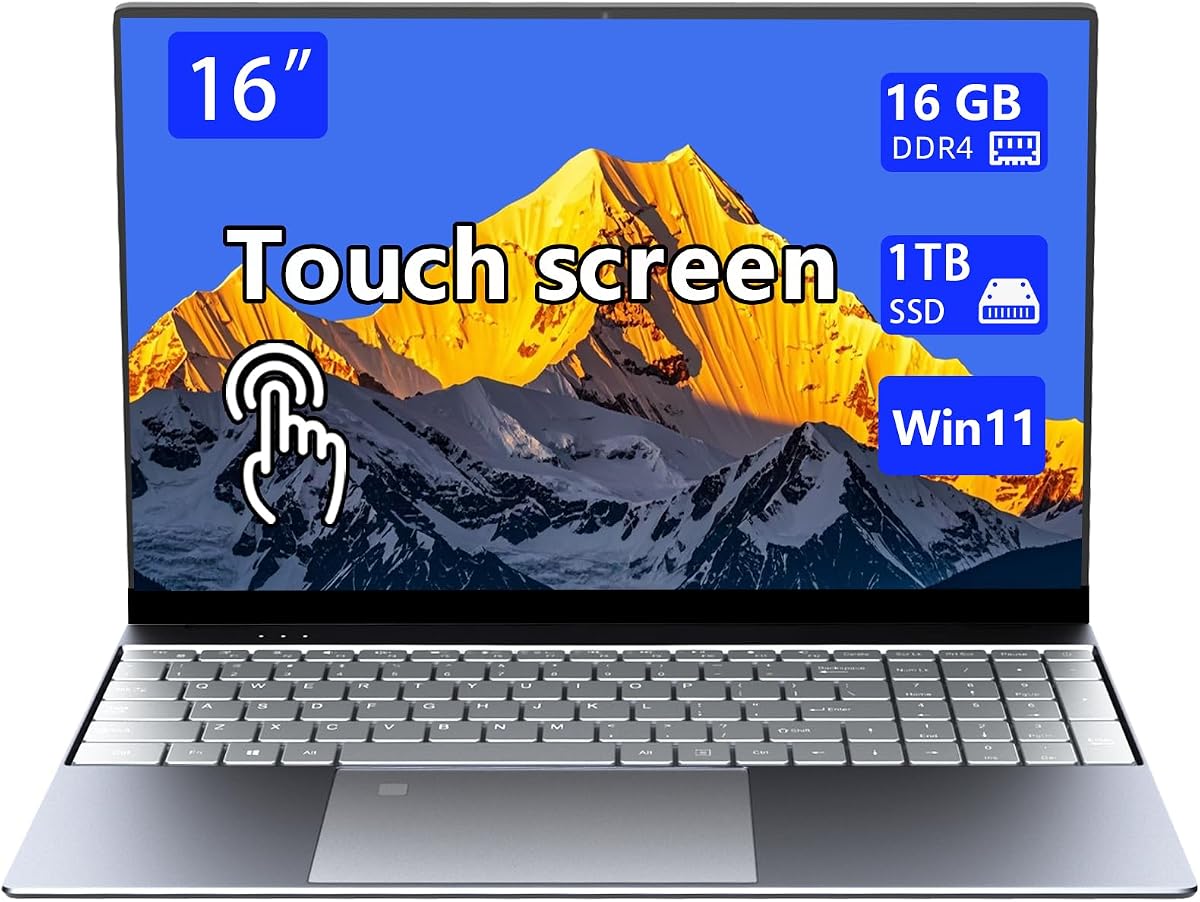
This portable laptop features a 16-inch touchscreen and metal body for a premium feel. The N95 processor handles daily tasks while 16GB RAM supports moderate multitasking. It runs Windows 11 and supports WiFi.
We may earn a commission when you buy through this link, at no additional cost to you.
The metal chassis helps dissipate heat during use. Fingerprint recognition adds secure access. The 1TB SSD offers plenty of storage for documents and media. The display has good brightness for office work.
It is not suited for heavy editing or gaming due to CPU limits. The touch experience is responsive for browsing and forms. Battery life is average for this configuration.
Good for users wanting a touchscreen without high costs. The metal build ensures durability. Ideal for general office tasks and media viewing.
Interact with windows and content directly using the 10-point touchscreen for a more intuitive workflow.
Secure your data with quick fingerprint login instead of typing passwords every time you wake the laptop.
We may earn a commission when you buy through this link, at no additional cost to you.
The HP Everyday Slim Laptop focuses on portability and cloud integration. It includes Office 365 and OneDrive to reduce local storage needs. The metal finish keeps it stylish and light.
We may earn a commission when you buy through this link, at no additional cost to you.
The N150 CPU ensures quiet performance for web tasks. The 128GB SSD boots fast but relies on cloud for space. Battery life supports a full workday of video playback.
Physical storage is small so internet access is key. The webcam has noise reduction for clear calls. It connects easily with Wi-Fi 6 and Bluetooth 5.4.
Best for students or travelers needing office tools. The cloud bundle saves money. It suits users who work primarily in browsers and web apps.
Get full access to Word Excel and Outlook without extra monthly fees for the first year included.
The bundled 1TB OneDrive ensures you never run out of space for documents or photos on the go.
We may earn a commission when you buy through this link, at no additional cost to you.
This 16-inch metal laptop uses a Core i7 processor for solid productivity. The 512GB SSD and 16GB RAM allow smooth multitasking. The IPS display offers good viewing angles.
We may earn a commission when you buy through this link, at no additional cost to you.
The aluminum enclosure provides a sturdy feel and looks professional. Fingerprint recognition simplifies login. The backlit keyboard helps in low light. It runs Windows 11 out of the box.
The processor is older but still capable for office work. Connectivity lacks latest USB-C standards. It is a good value for basic business needs.
Ideal for users wanting i7 power without high costs. The metal build lasts longer. Suitable for spreadsheets and presentations.
The IPS panel ensures accurate colors and wide viewing angles for comfortable viewing from any seat.
Unlock the system instantly with the built-in fingerprint sensor for better security and convenience.
We may earn a commission when you buy through this link, at no additional cost to you.
The Dell 16-inch model offers an 8-core Ryzen processor and DDR5 RAM. The touchscreen provides interactive control for content creation. The metal frame is slim and modern.
We may earn a commission when you buy through this link, at no additional cost to you.
The Ryzen 7 delivers fast processing for heavy multitasking. The 256GB SSD is fast but requires cloud for more space. Connectivity includes USB-C with DisplayPort and fast charging.
Battery life is decent with 65W fast charging support. The screen has high brightness and narrow bezels. It is a good mix of power and portability.
Great for creators needing performance on a budget. The metal body is light. Ideal for editing and complex spreadsheets.
The DDR5 memory improves bandwidth for faster data access and smoother multitasking performance.
USB-C with Power Delivery allows quick charging and external monitor support without extra adapters.
We may earn a commission when you buy through this link, at no additional cost to you.
This lightweight metal laptop fits well in student backpacks. The N95 processor handles documents and web browsing easily. The IPS display provides good viewing angles and brightness.
We may earn a commission when you buy through this link, at no additional cost to you.
It features a range of ports including USB-C and HDMI for easy connectivity. The 16GB RAM supports multiple browser tabs. The metal shell resists daily wear and tear.
Storage is modest so cloud storage may be needed. Battery life depends on usage intensity. It comes with a 1-year service warranty.
Perfect for students needing durability and multitasking. The thin profile aids portability. Ideal for research and note-taking.
Multiple ports ensure you can connect projectors and storage without needing extra dongles.
Weighing just 3.7 pounds this machine is easy to carry all day without fatigue.
We may earn a commission when you buy through this link, at no additional cost to you.
The FIREBAT laptop offers top-tier specs with an all-metal body. The Ryzen 7 H255 provides desktop-level power. The 120Hz WQXGA display delivers smooth visuals for work and play.
We may earn a commission when you buy through this link, at no additional cost to you.
You get 32GB DDR5 RAM and a fast 1TB SSD for speed. The keyboard features RGB lighting. The chassis is thin despite the power. It supports dual drive slots for storage expansion.
Battery life is average due to performance demands. The design leans towards gaming but suits pros too. Build quality is excellent with lifetime technical support.
Best for professionals needing high power on the go. The metal build feels premium. Ideal for design rendering and heavy multitasking.
The 2560×1600 resolution offers sharp text and vibrant colors for precise content creation and viewing.
Dual drive slots allow you to add up to 8TB of storage as your data needs grow.
We may earn a commission when you buy through this link, at no additional cost to you.
Selecting an All Metal Laptop involves evaluating build materials, performance specs, and connectivity. This section outlines key factors to consider before purchasing.
All Metal Laptops typically use aluminum or alloy chassis for durability and heat dissipation. Look for unibody construction to ensure rigidity and premium feel. Avoid models where only the lid is metal as the base might be plastic which affects structural integrity and cooling efficiency.
The CPU determines how smoothly your laptop runs tasks. Intel Core i7 or AMD Ryzen 7 offer strong performance for multitasking. Entry-level N series chips are fine for basic office work but struggle with heavy rendering. Check the generation to ensure the latest efficiency improvements are included.
RAM capacity should match your workflow. 8GB is standard for web browsing while 16GB or more helps with multitasking and creative apps. Storage speed depends on SSD type with NVMe being fastest. Aim for at least 512GB storage to store apps without filling up quickly.
Screen quality affects productivity and eye comfort. Look for IPS or OLED panels for color accuracy and wide viewing angles. Resolution should be 1920×1080 or higher for sharp text. Touchscreens add flexibility but drain more battery. Aspect ratios like 16:10 offer more vertical space.
Battery capacity is crucial for mobility. Aim for at least 8 hours of real-world usage. Fast charging features like USB-C PD save time between sessions. Check wattage ratings to ensure compatibility with your power sources. Metal bodies can store heat so consider cooling under load.
Ensure the laptop has enough ports for your peripherals. USB-C with DisplayPort is versatile for monitors. HDMI is essential for external screens. Check for SD card readers if you use cameras. Wi-Fi 6E support ensures fast internet speeds in crowded networks.
Most models come with Windows 11. Pro versions offer better security and manageability for business use. Check warranty length and service availability. Some brands offer onsite support which is valuable for downtime. Consider upgradeability of RAM and storage for future needs.
A good keyboard improves typing comfort. Backlit keys help in low light. Look for adequate key travel and spacing. Trackpads should be precise and responsive. Fingerprint readers add security without typing passwords. The metal frame usually ensures better stability during typing.
Always place the All Metal Laptop on a flat surface to prevent overheating. The metal body helps dissipate heat but blocking vents reduces efficiency. Keep the device away from direct sunlight and use a cooling stand during heavy tasks.
Yes, metal laptops generally offer better heat dissipation and durability. The unibody design resists warping and feels more premium. Plastic can scratch more easily and may retain more heat during use.
It depends on the model. Many modern ultrabooks have soldered RAM to save space. Always check the specs before buying. Some business models still allow you to swap memory modules.
Most All Metal Laptops include HDMI or USB-C with DisplayPort output. You can connect 4K monitors easily. Check the port specs to ensure the resolution you need is supported by the graphics.
Metal resists scratches better than plastic but can show scuffs. A protective sleeve helps. Some models have anodized finishes to reduce marks. Clean with soft cloth to avoid abrasive damage.
They can be slightly heavier than plastic ultrabooks. However, modern alloys keep weight low. Consider the build quality over weight if you travel often. The durability often offsets the minor weight difference.
Metal can interfere with signals but manufacturers design antenna placement to mitigate this. Modern designs use plastic windows inside the chassis. Check reviews for signal strength before purchase.
Choosing the right All Metal Laptop depends on your budget and performance needs. Options like the FIREBAT offer power while the HP OmniBook brings battery life. The NIMO provides value with a metal top cover.
Prioritize processor speed and RAM for long-term use. Look for SSD storage to ensure fast boot times. A quality display makes daily work comfortable. Check warranty and support options for peace of mind.
Prices and specs change frequently. Review the links for current deals and availability. This guide helps you narrow down the options for a solid purchase.