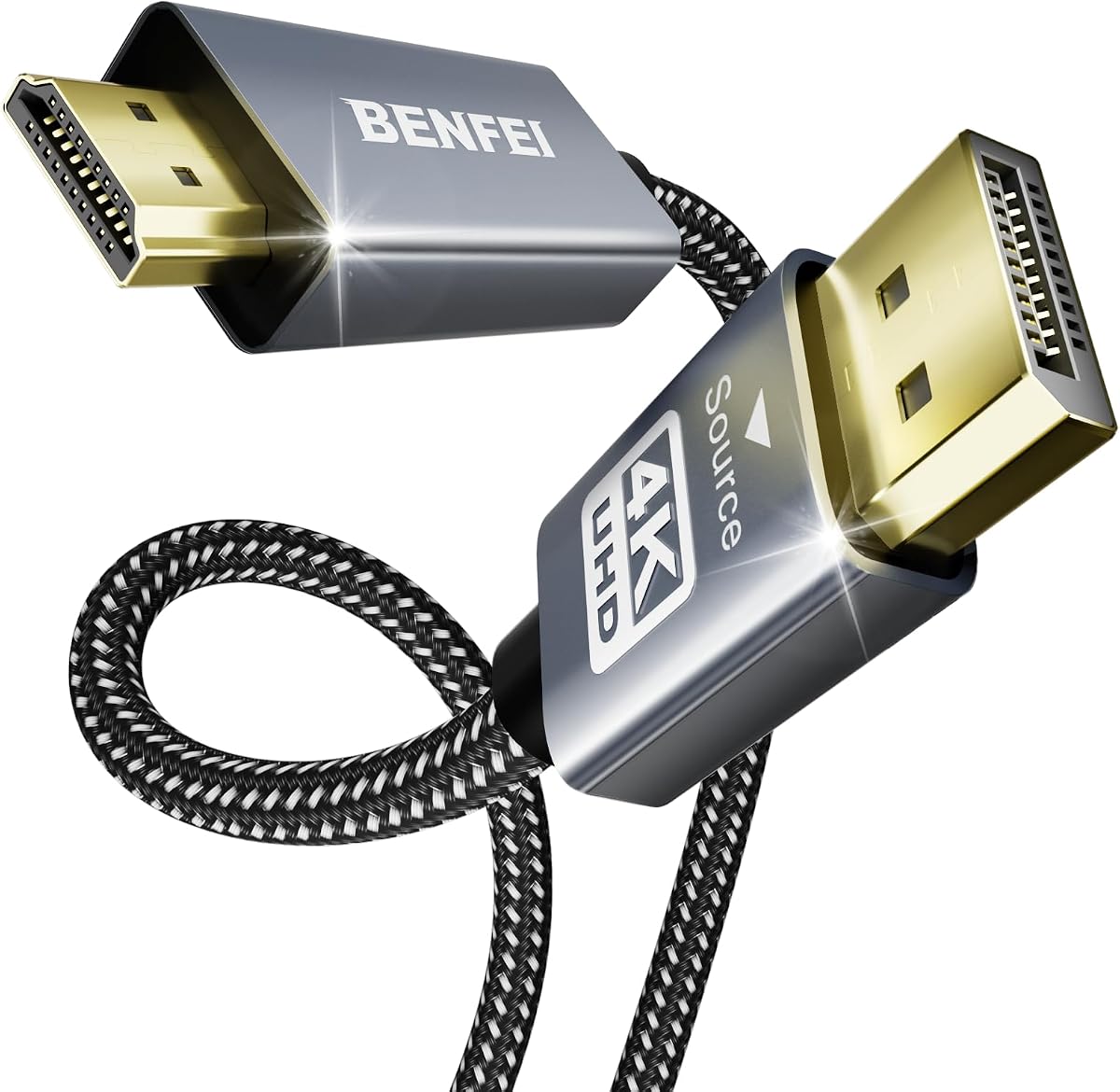
BENFEI 4K DisplayPort to HDMI 6 Feet Cable
4.5Editor score
Affordable price with solid performance
Nylon braided jacket for long term use
Gold plated connectors resist corrosion
This guide compares the top Displayport to HDMI Cable options for 2026 focusing on resolution support build quality and signal stability.
Finding the right Displayport to HDMI Cable ensures your computer connects smoothly to modern displays. High quality cables support sharp video and clear audio without signal loss or flickering during use.
We reviewed ten popular models based on their build durability resolution capabilities and user feedback. Each product was evaluated for compatibility with common devices and reliability under daily usage conditions.
Each pick highlights key strengths and ideal use cases for different setups. Keep in mind that availability and pricing may change over time so check current details before ordering.
4.5Editor score

4.8Editor score

4.2Editor score
The following table provides a side by side overview of all ten selected models. Compare their key specifications features and design elements to find the best match for your setup.


The UGREEN DisplayPort to HDMI cable offers an excellent balance of performance and durability. With a 4.7 rating it supports up to 4K resolution and provides a smooth 120Hz experience at 1080p.
We may earn a commission when you buy through this link, at no additional cost to you.
Its internal design uses 32AWG tinned copper with double shielding to resist electromagnetic interference. The nylon braided jacket is ten times stronger than standard PVC ensuring the cable withstands regular bending and movement.
While it excels at high refresh rates at lower resolutions users should note it is strictly uni-directional. It works from a computer to a monitor but cannot connect gaming consoles or other HDMI devices back to a PC.
This cable is an ideal choice for users seeking reliable performance without breaking the bank. Its sturdy build and solid performance make it a top recommendation for daily office or home setups.
The ability to support 1080p at 120Hz makes this cable suitable for dynamic content and gaming at lower resolutions where frame rate matters.
With a nylon braided jacket and double shielding the cable is built to last and maintain signal integrity even in environments with high electromagnetic interference.
We may earn a commission when you buy through this link, at no additional cost to you.
The Highwings DisplayPort to HDMI cable is designed for users who need a reliable connection for home office or streaming setups. It features a 6.6 feet length and supports 4K at 30Hz for sharp visuals.
We may earn a commission when you buy through this link, at no additional cost to you.
Its construction includes a nylon-braided wire with over 20000 bend life and 24K gold-plated connectors to minimize interference. This ensures that audio and video remain synchronized for an immersive viewing experience.
Users should be aware that high resolution transmission may cause the internal chip to heat up. Additionally the cable is uni-directional only so it cannot connect HDMI devices like consoles to a DP display.
This model is well suited for general desktop users who prioritize a sturdy build and clear video quality. It provides a cost-effective way to upgrade your display setup to 4K.
With a length of 6.6 feet this cable offers flexibility in cable management especially when connecting a desk computer to a distant TV or monitor.
The cable ensures synchronized high-definition audio and video which is essential for enjoying movies or presentations without audio lag or drift.
We may earn a commission when you buy through this link, at no additional cost to you.
Amazon Basics offers a straightforward solution for connecting a computer to an HDMI display. This cable is known for its reliability and simplicity making it a popular choice for general home and office use.
We may earn a commission when you buy through this link, at no additional cost to you.
It supports Full HD resolutions and uses bare copper conductors along with foil and braid shielding to ensure stable audio and video transmission. The gold-plated connectors help resist corrosion over time.
While it is a solid basic option it does not support 4K at 60Hz which may limit users with high refresh rate monitors. It is strictly one-way from DisplayPort to HDMI so reverse connection is not possible.
For users seeking a no-frills affordable cable that gets the job done this model is a safe choice. It fits well into standard budgets without sacrificing basic connectivity quality.
The use of bare copper conductors helps to reduce signal loss and ensures that the audio and video data transmitted remains clear and uncompressed.
This cable requires no drivers or software making it easy to set up immediately after purchase for any compatible DisplayPort source and HDMI display.
We may earn a commission when you buy through this link, at no additional cost to you.
The BENFEI 4K DisplayPort to HDMI cable is a strong contender for budget conscious shoppers. It offers solid 4K performance and includes a built-in IC chip to ensure stable signal conversion.
We may earn a commission when you buy through this link, at no additional cost to you.
Its aluminum shell and nylon braided jacket protect the internal components while providing a sleek look. The company backs this product with an 18-month unconditional warranty for extra peace of mind.
It is important to note that this is a unidirectional cable so it will not work if you try to connect an HDMI source to a DisplayPort monitor. This limitation is common for passive adapters.
Overall this cable provides excellent value for the price. It is ideal for users who want reliable 4K streaming and presentations without paying for premium features they do not need.
The advanced IC chip inside the connector handles the signal conversion from DisplayPort to HDMI ensuring that the image and audio are transmitted accurately.
With an 18-month unconditional warranty users are covered against defects and can reach out to friendly customer service if any issues arise with the cable.
We may earn a commission when you buy through this link, at no additional cost to you.
The JSAUX DisplayPort to HDMI cable stands out for its generous ten foot length. This makes it ideal for setups where the computer is far from the display such as in a meeting room or large office.
We may earn a commission when you buy through this link, at no additional cost to you.
It supports up to 4K at 30Hz for clear video on big screens. The cable is built with a durable nylon exterior that resists tangling and withstands daily wear and tear in busy environments.
While the length is a major benefit users should be mindful of the extra bulk which can sometimes get in the way on smaller desks. It is strictly uni-directional for PC to display connections only.
This cable is a great choice for professionals who need to reach distant displays without signal loss. The build quality ensures that the longer length does not compromise the connection stability.
The 10-foot length provides flexibility for complex desk setups or connecting a tower to a wall mounted TV across a room without needing an extension.
The nylon exterior not only adds strength but also gives the cable a professional look that fits well in office and home office environments.
We may earn a commission when you buy through this link, at no additional cost to you.
The Warrky 4K DisplayPort to HDMI cable combines performance with a modern aesthetic. Its slim aluminum alloy shell provides corrosion resistance and looks great alongside high-end monitors and laptops.
We may earn a commission when you buy through this link, at no additional cost to you.
It features five-layer shielding and 24K gold-plated connectors to minimize interference and ensure pristine signal transmission. The nylon braided jacket adds strength and flexibility for over 16000 bends.
While it supports 4K at 30Hz users seeking higher refresh rates at 4K should look for active adapters. However for standard office and entertainment use the performance is solid and reliable.
This cable is perfect for users who value build quality and design. It offers a premium feel that complements a clean workspace while delivering clear audio and video for daily tasks.
The one-piece aluminum alloy shell offers a sleek look and protects the internal components from corrosion while keeping the cable lightweight and manageable.
With five layers of shielding this cable effectively reduces electromagnetic interference ensuring that the video signal remains stable even in rooms with multiple electronic devices.
We may earn a commission when you buy through this link, at no additional cost to you.
The Cable Matters 2-Pack is an excellent option for users who need to connect multiple displays. With two six-foot cables in one box you can easily set up dual monitors or have a spare on hand.
We may earn a commission when you buy through this link, at no additional cost to you.
Each cable supports 1080p Full HD and features bare copper conductors and foil braid shielding for reliable transmission. The connector includes a secure latch to prevent accidental disconnection during use.
While it does not support 4K resolutions it is perfect for standard office monitors and projectors where Full HD is sufficient. The inclusion of two cables makes it a practical choice for larger setups.
This pack offers great value for multi-display configurations. It ensures that both your primary and secondary screens receive a stable and clear signal without the need to buy separate cables.
Having two cables in the box makes it easy to extend your desktop across two screens or set up a mirrored display for presentations in a conference room.
The DisplayPort connector on these cables includes a latch that holds it in place preventing accidental drops or loose connections that could interrupt your work.
We may earn a commission when you buy through this link, at no additional cost to you.
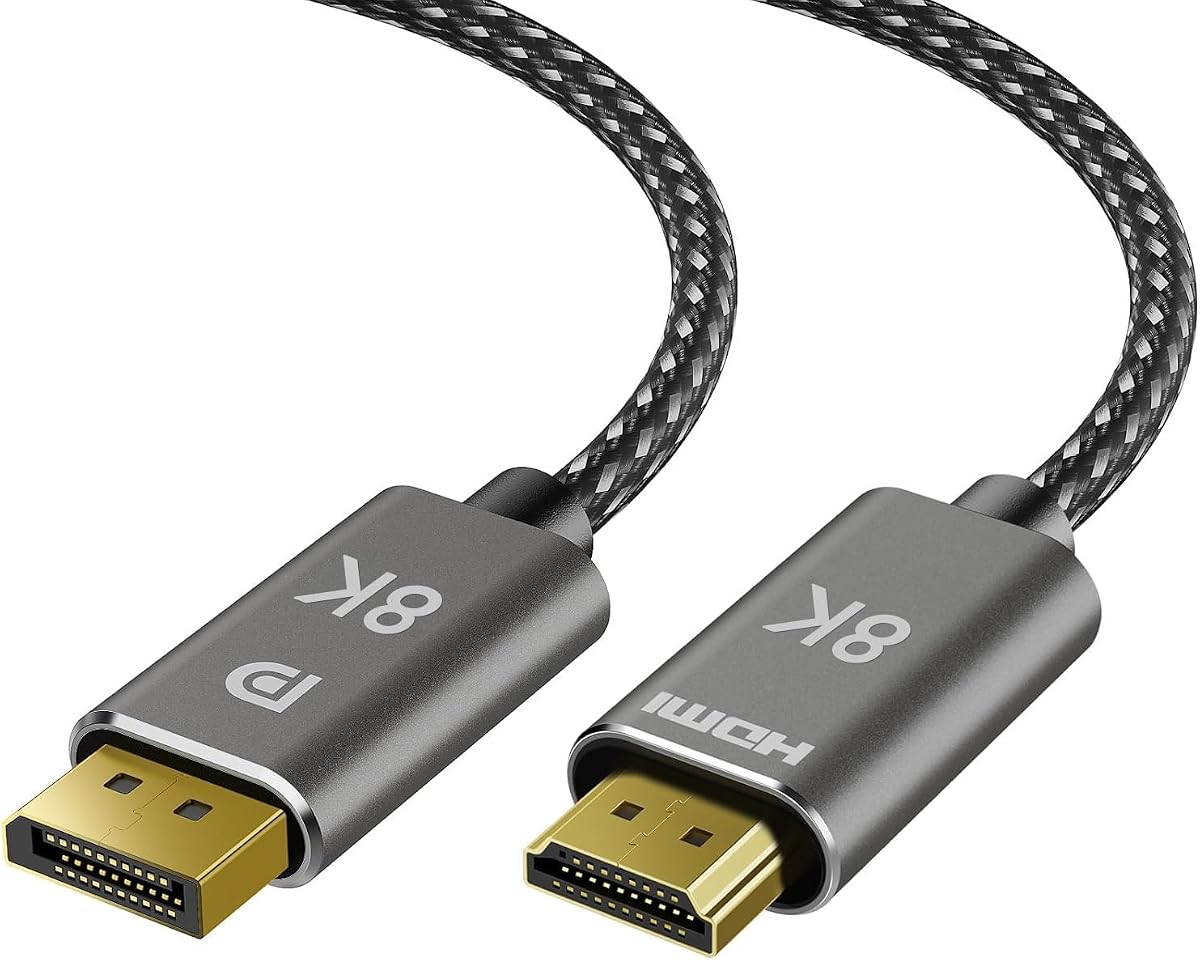
This cable is designed for enthusiasts who want to leverage the latest display technology. It supports up to 8K at 60Hz and 4K at 240Hz making it a future-proof choice for high-end monitors.
We may earn a commission when you buy through this link, at no additional cost to you.
It utilizes HDMI 2.1 standards to bring advanced features like HDR and better color depth. The braided jacket and secure latch ensure the cable remains reliable even under heavy gaming or video editing loads.
However this cable requires a DisplayPort 1.4 GPU with DSC support to reach top resolutions. Users may also need to update drivers and firmware to ensure optimal performance on their specific hardware.
It is best suited for gamers and professionals investing in high refresh rate displays. If you have a compatible GPU this cable can unlock performance that older cables simply cannot provide.
By supporting 8K at 60Hz this cable allows users to connect to ultra high resolution displays for detailed design work or immersive entertainment experiences.
The inclusion of HDMI 2.1 features ensures support for HDR and other modern standards which enhance the visual quality and realism of content played on the display.
We may earn a commission when you buy through this link, at no additional cost to you.
This UGREEN model is a top tier active adapter that unlocks the full potential of modern displays. It supports up to 8K at 60Hz and uses an active conversion chip for stable high speed transmission.
We may earn a commission when you buy through this link, at no additional cost to you.
The aluminum case and braided jacket provide durability and heat dissipation. Its high transmission rate of 32.4 Gbps ensures that video and audio signals are sent without compression or loss.
Because it is an active adapter it is recommended to connect the source directly to the display without using a dock or hub. This helps avoid errors that can occur with signal splitting or extension.
For users with high-end GPUs and monitors this cable delivers the best performance available. It is worth the investment if you need the highest resolution and refresh rates for gaming or creative work.
This cable uses an active chip to convert the DisplayPort signal to HDMI allowing for higher resolutions like 8K at 60Hz that passive cables cannot achieve.
With a rate of 32.4 Gbps the cable ensures that even the most demanding content is transmitted smoothly without bandwidth bottlenecks that could cause lag or artifacting.
We may earn a commission when you buy through this link, at no additional cost to you.
This cable from Cable Matters is tailored for gamers who need high refresh rates on large screens. It supports 4K at 240Hz and 8K at 60Hz ensuring that motion looks fluid and detailed.
We may earn a commission when you buy through this link, at no additional cost to you.
It is built with a secure latch and premium materials to handle the demands of high performance setups. The braided jacket protects against damage while keeping the cable flexible for easy routing.
While it offers high bandwidth it does not support VRR or G-Sync which are important for some gamers. It also requires a GPU with DSC to achieve the top refresh rates at 4K.
If you have a compatible GPU and monitor this cable provides a solid connection for high fidelity gaming. It balances performance and durability to support serious visual setups without compromise.
The support for 4K at 240Hz allows competitive gamers to experience smoother motion and reduced motion blur on high end monitors for a more responsive gaming experience.
This cable is optimized for recent NVIDIA and AMD graphics cards ensuring that new hardware can take full advantage of high resolution displays without connection issues.
We may earn a commission when you buy through this link, at no additional cost to you.
Choosing the right Displayport to HDMI cable requires understanding your display needs and device compatibility. The following factors will help you make an informed decision.
The resolution your cable supports determines the clarity and detail of your video. For standard 1080p displays any reliable cable will work but 4K requires a cable with sufficient bandwidth like HDMI 2.0 or 2.1.
Look for specifications that clearly state the max resolution and refresh rate to ensure they match your display capabilities and avoid pixelation or flickering issues.
Most Displayport to HDMI cables are uni-directional meaning they work only from a computer with a Displayport output to an HDMI display. Some users mistakenly expect them to work in reverse for gaming consoles.
Always verify the direction of signal flow before purchase. If you need to connect an HDMI source to a Displayport monitor you will need a different active converter.
The length of the cable affects how you can set up your workspace. Short cables keep things tidy but may not reach distant displays whereas long cables allow flexibility but can be more prone to damage.
Choose a length that comfortably reaches from your source device to the display with a little slack for movement without creating too much clutter on your desk.
A durable cable will withstand regular use without breaking or losing signal. Look for features like nylon braiding gold-plated connectors and robust strain relief at the ends of the cable.
These elements help protect against tangles and corrosion while maintaining a secure connection that prevents accidental unplugging during daily use.
The connectors on the cable must match the ports on your devices. Most modern laptops use a standard Displayport but some may use USB-C which requires a specific adapter or cable.
Ensure the Displayport end has a secure latch if your device uses locking connectors to prevent the cable from becoming loose and interrupting your signal.
Passive cables are generally sufficient for standard 4K at 30Hz but active cables with conversion chips are needed for higher refresh rates like 4K at 120Hz or 8K.
If you plan to use a high refresh rate monitor check if the cable is active and supports the specific bandwidth you need for your use case.
High quality cables include shielding to protect against electromagnetic interference from other devices. This ensures that your video and audio signals remain stable and clear even in busy rooms.
Look for terms like foil and braid shielding which indicate that the cable has been tested to maintain performance under various conditions.
A solid warranty provides peace of mind that you are investing in a quality product. Many reputable brands offer at least 18 months of coverage for defects or performance issues.
Check the manufacturer support policies to ensure you can easily get help or replacements if the cable fails to perform as expected.
To get the best performance ensure the Displayport end is connected to your computer and the HDMI end is connected to your monitor or TV. Always check that your display is set to the correct HDMI input source.
When unplugging the cable press the release button on the Displayport connector to avoid damaging the pins or the port. Avoid bending the cable sharply near the connectors as this can stress the internal wires.
Store the cable loosely coiled or straight rather than wrapped tightly to prevent internal wire breakage. Keep it away from direct heat sources and sharp objects to maintain its durability over time.
Most Displayport to HDMI cables work with laptops that have a standard Displayport output. However you should check that your laptop supports video output over Displayport. If your laptop uses USB-C you may need a specific USB-C to HDMI adapter.
For 4K at 30Hz a passive cable is usually sufficient. However if you need 4K at 60Hz or higher refresh rates you will likely need an active adapter to convert the signal properly without losing resolution or frame rate.
No most Displayport to HDMI cables are designed to work from a computer to a display. They do not work in reverse to connect a gaming console which is an HDMI source to a Displayport monitor.
This can happen if the cables are connected to the wrong ends or if the display is not set to the correct input source. Make sure the Displayport end is connected to the computer and the HDMI end to the monitor.
Yes HDMI and Displayport cables have different connectors and signal standards. Using an adapter or specific cable that converts between the two allows you to connect devices with different port types seamlessly.
Yes most modern Displayport to HDMI cables support audio as well as video. This allows you to get sound from your computer through your TV or monitor speakers without needing a separate audio cable.
Cheap cables may lack proper shielding or durable connectors leading to flickering screens or poor video quality. They may also fail faster due to bending or heat which can disrupt your work or entertainment.
Yes a Displayport to HDMI cable works well with projectors that have HDMI input. Ensure your computer is set to mirror or extend the display to the projector for a clear presentation image.
This guide highlights ten solid options ranging from budget friendly to high performance models. Whether you need basic connectivity or advanced features there is a cable here to suit your needs.
Prioritize resolution support and build quality when making your choice. Consider how you will use the cable and whether you need extra features like higher refresh rates or longer length.
Remember to check current availability and product details as specifications may change. A reliable cable is an essential part of your setup so choose one that offers stability and clarity.