
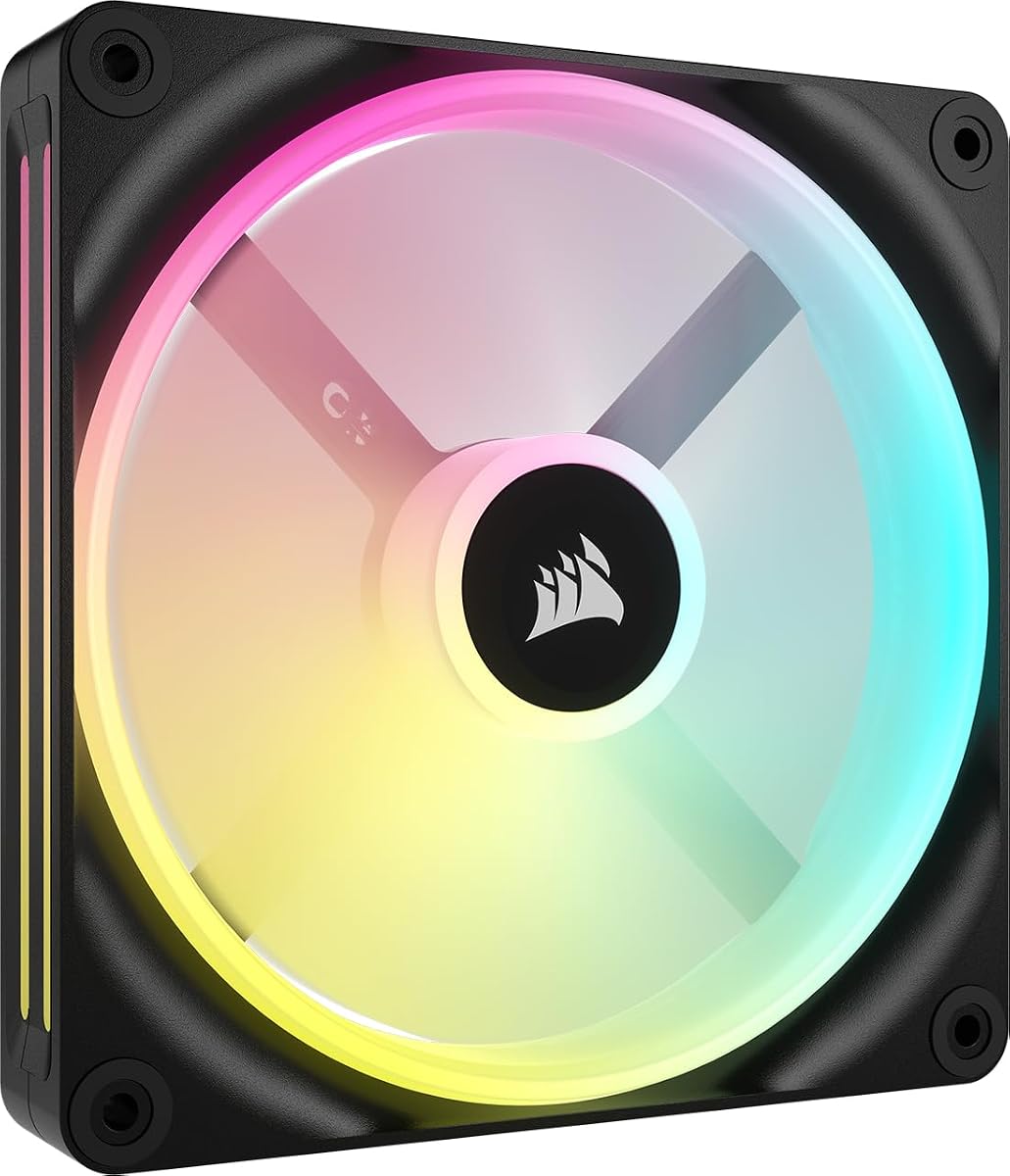
Corsair RS120-R ARGB 120mm PWM ARGB Reverse Fans Triple Pack Black
4.6Editor score
Reverse rotor for visible lighting
Daisy-chain connection support
High static pressure performance
This guide compares the top 10 Corsair case fans for cooling performance and RGB lighting features to help you choose the right airflow solution for your PC
Corsair case fans are essential components for maintaining optimal thermal performance in modern computer builds. High-quality fans ensure proper airflow distribution while minimizing noise levels during intense gaming or workstation tasks.
We evaluated ten distinct Corsair fan models based on airflow metrics, static pressure capabilities, and lighting customization options. Each product was analyzed for build quality, bearing technology, and ease of installation within standard PC chassis designs.
Every selection below highlights specific strengths like daisy-chaining capabilities or reverse rotor designs for aesthetic appeal. Note that pricing and availability fluctuate frequently so always verify current details before purchasing your next cooling upgrade.
4.6Editor score
4.4Editor score

4.7Editor score
The following table provides a side-by-side comparison of all ten Corsair fan models to help you quickly identify key specifications like size, bearing type, and airflow capacity for your specific build requirements.





The CORSAIR RS120 ARGB fans represent a balanced choice for builders seeking efficient cooling without excessive complexity. With a strong 4.6 rating, these fans deliver solid performance through their magnetic dome bearing technology which ensures longevity and quiet operation during extended use cycles.
We may earn a commission when you buy through this link, at no additional cost to you.
Key strengths include the ability to daisy-chain multiple fans using a single PWM and ARGB connector simplifying cable management significantly. The AirGuide Technology directs airflow precisely at hot components while the anti-vortex vanes reduce turbulence for a more stable thermal environment inside your chassis.
Users should note that achieving full lighting customization requires a compatible motherboard with built-in ARGB controls which might limit immediate setup options. While the noise levels are generally low, pushing the fans to 2100 RPM will naturally generate some audible presence though it remains acceptable for most gaming scenarios.
This pack is ideal for users needing a reliable upgrade to their existing cooling setup without investing in proprietary hubs. If you want straightforward control and effective cooling for radiators or case intakes this triple pack delivers consistent results at a reasonable investment point.
Daisy-chain technology allows multiple fans to connect via one connector reducing clutter and simplifying installation inside tight PC cases.
AirGuide vanes optimize airflow direction to target specific hotspots improving overall thermal efficiency without increasing fan speeds unnecessarily.
We may earn a commission when you buy through this link, at no additional cost to you.
The LX120 RGB set stands out by including an iCUE Link System Hub in the box making it a comprehensive solution right out of the packaging. This addition simplifies connectivity significantly while the dual light loops provide richer visual effects than standard single-ring designs available in other models.
We may earn a commission when you buy through this link, at no additional cost to you.
Performance is robust with a static pressure rating of 5.22mm H2O which excels when pushing air through dense radiators or dust filters. The magnetic dome bearing reduces friction effectively lowering noise levels even at higher speeds and the included bridge connectors ensure a seamless visual and electrical connection.
While the hub makes wiring easier it does introduce a dependency on that specific controller for advanced synchronization features which could be a limitation if you plan to mix brands later. The higher cost reflects these included accessories but builders on a tight budget might prefer a basic set if they already have headers available.
Choose this kit if you value aesthetics and unified control over your entire lighting ecosystem. It is particularly well-suited for new builds where having the hub included offsets the cost of purchasing it separately for other Corsair devices you might add later.
Included System Hub enables immediate connection to other iCUE devices allowing complex lighting patterns without extra purchases.
High static pressure capability ensures effective cooling even when fans are mounted behind restrictive radiator fins or mesh grills.
We may earn a commission when you buy through this link, at no additional cost to you.
These reverse rotor fans solve a common aesthetic issue by hiding the motor and cable connections at the back so the RGB lighting faces forward regardless of airflow direction. With an impressive 4.7 rating users appreciate the clean look they provide when mounted as front intakes in modern PC chassis designs.
We may earn a commission when you buy through this link, at no additional cost to you.
The inclusion of Zero RPM Mode allows fans to stop completely under low load conditions which eliminates noise during idle browsing or light office work. Combined with the magnetic dome bearing these fans maintain quiet performance while still delivering sufficient 65.8 CFM airflow for standard daily computing tasks efficiently.
The white color scheme helps match builds with light themes though availability in white may be limited compared to black variants on store shelves. While the price is competitive note that you may need an adapter if your motherboard only supports three-pin RGB headers instead of the four-pin +5V required here.
This option is perfect for builders wanting a premium reverse look without paying high prices for newer iCUE Link systems. If you need multiple fans for front intake to balance pressure the triple pack offers consistent performance and style at a very accessible price point today.
Reverse rotor design ensures cables and motor hardware are hidden from view maximizing the visual impact of RGB lighting effects.
Zero RPM mode stops the fans entirely when temperatures are low ensuring a whisper quiet environment for focused work or streaming.
We may earn a commission when you buy through this link, at no additional cost to you.
The black variant of the RS120-R ARGB shares the same technical strengths as the white version while providing a classic contrast that fits dark themed builds seamlessly. Like its counterpart it features the reverse rotor design which maintains a clean appearance by placing non-lit components on the airflow intake side effectively.
We may earn a commission when you buy through this link, at no additional cost to you.
Zero RPM functionality helps maintain a silent environment when your system is not under heavy load such as during video playback or web browsing sessions. The daisy-chain connection capability allows you to plug multiple fans into a single header simplifying the wiring process significantly for cleaner cable management results overall.
While the airflow is adequate for standard cases it may not be the absolute fastest option compared to high RPM specialized fans designed purely for extreme thermal loads. Ensure your motherboard supports +5V ARGB signaling as standard three-pin headers might require adapters for full lighting control and synchronization capabilities here.
This pack is an excellent choice for dark themed systems prioritizing style and silence over raw maximum speed. It is particularly useful for front intake mounting where visual aesthetics matter most to ensure your lighting effects remain unobstructed by internal hardware components.
Reverse rotor construction hides mechanical details keeping the focus entirely on the RGB lighting effects and case interior aesthetics.
Daisy-chain connectivity reduces cable clutter by linking multiple fans together into a single connection point for motherboard headers.
We may earn a commission when you buy through this link, at no additional cost to you.
The QX140 offers a spacious 140mm form factor ideal for cases supporting this size at the rear or top exhaust positions. Its 4.4 rating reflects solid performance with 82.5 CFM airflow capacity which moves significant air volume while maintaining a relatively quiet profile thanks to the magnetic dome bearing technology.
We may earn a commission when you buy through this link, at no additional cost to you.
Exclusive Time Warp lighting mode adds a dynamic visual effect when paired with the iCUE Link System Hub creating a unique aesthetic that standard RGB modes cannot replicate easily. Bridge connectors are included allowing you to chain multiple QX140 units together reducing wiring complexity and streamlining your internal build appearance significantly.
The main trade-off is the requirement for the separate System Hub to unlock the full potential of the iCUE Link ecosystem which adds to the overall cost. If you plan to add more fans later you might find buying single units less cost effective than starting with a dedicated multi-pack solution immediately.
Select this fan if you need a larger diameter fan to replace an older 120mm unit or want to maximize airflow efficiency at lower RPMs. It is particularly valuable for rear exhaust positions where moving more air at lower speeds helps reduce noise while maintaining consistent thermal levels efficiently.
Time Warp mode creates unique visual patterns that set this fan apart from standard RGB options available in the market today.
140mm size allows for greater air movement at lower speeds ensuring quiet operation even when cooling high heat output components.
We may earn a commission when you buy through this link, at no additional cost to you.
This reverse rotor kit combines the aesthetic benefits of hidden motors with the advanced connectivity of the iCUE Link system. The included QuikTurn screws simplify installation significantly allowing for quick mounting and adjustment without needing a screwdriver which speeds up the build process notably for first time builders.
We may earn a commission when you buy through this link, at no additional cost to you.
Performance is impressive with dual light loops offering rich RGB effects and high static pressure ensuring effective cooling through restrictive intake filters or radiators. The Zero RPM Mode works seamlessly to keep the system silent during low load periods while the magnetic dome bearing ensures long term durability and smooth operation over time.
The reliance on the iCUE Link System Hub means this kit works best within a dedicated Corsair ecosystem where you can sync all lighting and speed control. If you plan to mix brands or need headers without a hub this might be a less flexible choice compared to standard PWM fans with direct connections.
This triple pack is excellent for front intake mounting where both airflow and visuals are critical for your build presentation. The combination of reverse design and dual loops ensures your lights face outward even when pulling air in maintaining a stunning look from all viewing angles clearly.
QuikTurn screws allow for tool free mounting adjustments speeding up the process of securing fans within tight case environments.
Dual light loops create complex lighting patterns that look more premium than single ring designs found on older fan models.
We may earn a commission when you buy through this link, at no additional cost to you.
The RX140 MAX stands out with its thicker profile which allows for larger blades that move more air at lower speeds reducing overall noise levels. It is ideal for pushing air through dense high-density radiators where standard thin fans might struggle to maintain adequate pressure for efficient cooling performance.
We may earn a commission when you buy through this link, at no additional cost to you.
With an airflow capacity of 102.9 CFM this fan delivers exceptional volume which helps dissipate heat effectively from powerful components like GPUs or CPUs. The window in the frame enables viewing of lighting effects from the side adding a layer of aesthetic appeal that standard opaque frames typically do not offer in builds.
The increased thickness might cause clearance issues in cases with limited space so you must verify your chassis dimensions before purchasing. While the max RPM is lower than some standard fans the high airflow at those speeds ensures performance remains competitive while keeping acoustic output low during intense gaming sessions.
Choose this fan if you need to cool a radiator efficiently without increasing noise levels. It is particularly well-suited for white themed builds where the frame color matches your other components providing a cohesive look while delivering reliable high volume airflow performance.
Thick fan design enables higher CFM delivery at lower RPMs ensuring quiet performance without sacrificing thermal efficiency during use.
Built-in frame window allows side viewing of RGB lighting effects adding a premium visual touch to standard fan designs easily.
We may earn a commission when you buy through this link, at no additional cost to you.
The RS120 MAX utilizes a 30mm thickness to improve cooling performance by accommodating larger fan blades and increasing static pressure capabilities. It is constructed from Liquid Crystal Polymer which offers superior rigidity compared to standard plastic reducing vibration and improving durability under continuous high load conditions.
We may earn a commission when you buy through this link, at no additional cost to you.
With a static pressure rating of 4.2mm-H2O it pushes through obstructions effectively making it suitable for dense radiators or heavily filtered intakes. The AirGuide Technology ensures that the airflow is directed precisely where needed optimizing cooling efficiency without needing to increase fan speeds excessively.
While performance is strong the increased thickness requires careful planning regarding case clearance and radiator spacing during installation. This fan is a strong candidate for builders prioritizing raw cooling efficiency over slim profiles and who need to overcome tight airflow restrictions in their system components.
This option works well for high-end cooling setups where static pressure matters more than raw speed. If your radiator struggles with airflow this fan will force air through the fins efficiently improving thermals for demanding workloads and keeping temperatures stable during stress tests.
Liquid Crystal Polymer construction ensures strong rigid blades that resist vibration and wear over time during intensive cooling tasks.
AirGuide vanes focus air precisely onto target components improving heat removal efficiency without increasing overall system noise levels.
We may earn a commission when you buy through this link, at no additional cost to you.
The RX140 delivers exceptional airflow numbers with 95.7 CFM making it a powerful option for large cases needing efficient air exchange. Its window frame design allows RGB lighting to be seen from the side adding a visual benefit that complements the strong thermal performance it provides in demanding systems.
We may earn a commission when you buy through this link, at no additional cost to you.
Static pressure performance is strong at 3.79mm-H2O allowing it to push air through filters and radiator fins effectively without choking. The magnetic dome bearing ensures long term reliability and low noise which is critical when running at higher speeds to maintain optimal thermal conditions inside your PC chassis.
Cost is a factor as single units are priced higher but the performance per dollar is solid for those needing top tier cooling capabilities. Ensure you have the iCUE Link Hub to manage speeds fully since direct motherboard PWM control might not unlock all the features available through the software control suite.
This fan is ideal for top exhaust or rear intake positions where high volume is needed to expel heat quickly. It is particularly recommended for white builds where the window and frame color enhance the visual presentation while maintaining professional cooling performance standards.
Exceptional CFM ratings ensure rapid air exchange which is crucial for systems running high performance processors and graphics cards.
Transparent window in frame allows side viewing of RGB LEDs adding a premium look without blocking the main airflow path.
We may earn a commission when you buy through this link, at no additional cost to you.
This renewed starter kit offers two QX140 fans along with the essential System Hub at a price point that can be very attractive compared to buying new items separately. It is an excellent choice for budget conscious builders who still want the modern iCUE Link connectivity and visual appeal of the QX series.
We may earn a commission when you buy through this link, at no additional cost to you.
The kit includes everything needed to start upgrading your cooling setup immediately including the bridge connectors for daisy-chaining. Renewed products undergo rigorous testing to ensure they meet original performance standards which can make this a reliable option for those willing to accept a refurbished label for significant savings.
Availability might be sporadic for renewed items and warranty terms may differ from new products so review the seller details carefully before buying. If the price is right this kit can save you money while delivering the same connectivity and airflow performance as a brand new standard QX package.
Consider this kit if you want to upgrade quickly without breaking the bank. It is a smart option for white builds that need two fans for balanced pressure and you already know that the iCUE Link hub fits your workflow and budget constraints effectively.
Renewed kits offer substantial savings compared to new packages while delivering identical functionality and performance for PC cooling.
Included System Hub ensures immediate setup without needing extra purchases to unlock full lighting control for your connected devices.
We may earn a commission when you buy through this link, at no additional cost to you.
Selecting the right Corsair fan requires balancing airflow needs with aesthetic preferences and budget constraints. The following factors will help you narrow down your options efficiently.
Ensure your case supports the fan size you want whether it is 120mm or 140mm. Check available mounting points to avoid clearance issues with graphics cards or power supply units.
Verify that your case chassis supports the dimensions before purchasing to ensure a perfect fit during installation.
High airflow fans are best for open case mounts while high static pressure is crucial for pushing air through radiators or dust filters.
Match the fan type to its intended location for optimal thermal performance.
Decide if you want basic ARGB or advanced iCUE Link connectivity. Some fans require a hub for full lighting effects which adds to the total cost.
Choose a lighting standard that matches your motherboard and existing peripherals for seamless synchronization.
Magnetic Dome bearings are preferred for their quiet operation and long lifespan. Check decibel ratings if you prioritize silence during gaming or work.
Look for lower dB ratings and advanced bearing tech to keep noise minimal.
Reverse fans hide motor wires on the back side keeping the front looking clean. These are ideal for front intake mounts where appearance matters.
Select reverse fans if you want unobstructed RGB visibility from the intake side.
Standard 25mm fans fit most cases but 30mm thick fans offer better cooling at the cost of more space.
Ensure your radiator or case has room for thicker profiles before buying.
Look for fans that support daisy-chaining to reduce cable clutter. This feature simplifies management especially for multi-fan setups.
Prioritize units with connector hubs to maintain clean cable runs.
Triple packs often offer better value per fan than single units. Check for bundles that include hubs if you need advanced control.
Compare per-fan costs and bundle contents to maximize your investment.
Install fans with the correct airflow direction to maintain positive pressure. Intake fans should have visible arrows or rubber dots usually located on the frame corners.
Connect the fan headers to your motherboard or hub correctly to ensure proper speed control. Use the provided bridge connectors for daisy-chaining if supported by your model.
Clean dust from fan blades regularly to maintain airflow efficiency. Use compressed air gently to avoid damaging the bearings or blades during cleaning.
It depends on the specific model and your motherboard capabilities. Fans with iCUE Link require a hub for advanced features while standard ARGB fans may work directly with compatible motherboard headers.
A reverse rotor fan is designed so that the motor and wire connections are on the opposite side of the frame. This allows the RGB ring to be visible even when mounted as an intake fan.
Use your BIOS or software like Corsair iCUE to set speed curves. Ensure you use the PWM header for variable speed control to optimize performance and noise.
You can mix fans physically but control might vary if they use different RGB protocols. It is best to group fans by series to ensure consistent lighting effects across your build.
AirGuide technology uses anti-vortex vanes to direct airflow more precisely. This improves cooling efficiency by channeling air directly to components needing more heat dissipation.
Most Corsair fans are designed for quiet operation using advanced bearings. Noise levels are generally low but may increase at higher RPM settings depending on the specific model.
Whether you choose the high performance RX140 series or the cost effective RS120 options you now have the insights to make a confident decision for your PC build.
Prioritize static pressure for radiators and airflow for open mounts to get the most out of your cooling investment. Consider your aesthetic needs carefully especially if you plan to use reverse rotor designs.
Remember that current pricing and availability fluctuate so verify the latest deals before finalizing your purchase for your system.