
BUFFALO LinkStation 210 6TB 1-Bay NAS
3.9Editor score
Six terabyte included drive
Subscription-free personal cloud
Closed system security
This guide compares the top ten Buffalo NAS models for home and office use. We review features, storage capacity, security, and performance to help you find
Network attached storage devices provide a reliable way to centralize files across multiple devices. A good Buffalo NAS offers secure backup, easy sharing, and subscription-free cloud access for homes and businesses.
We evaluated ten current models based on capacity, drive inclusion, and networking features. Each pick balances performance with ease of setup to suit different user needs and technical levels.
Every selection highlights key strengths and ideal use cases. Prices and availability change frequently, so verify details before purchasing. This list reflects the latest options available this month.
3.9Editor score
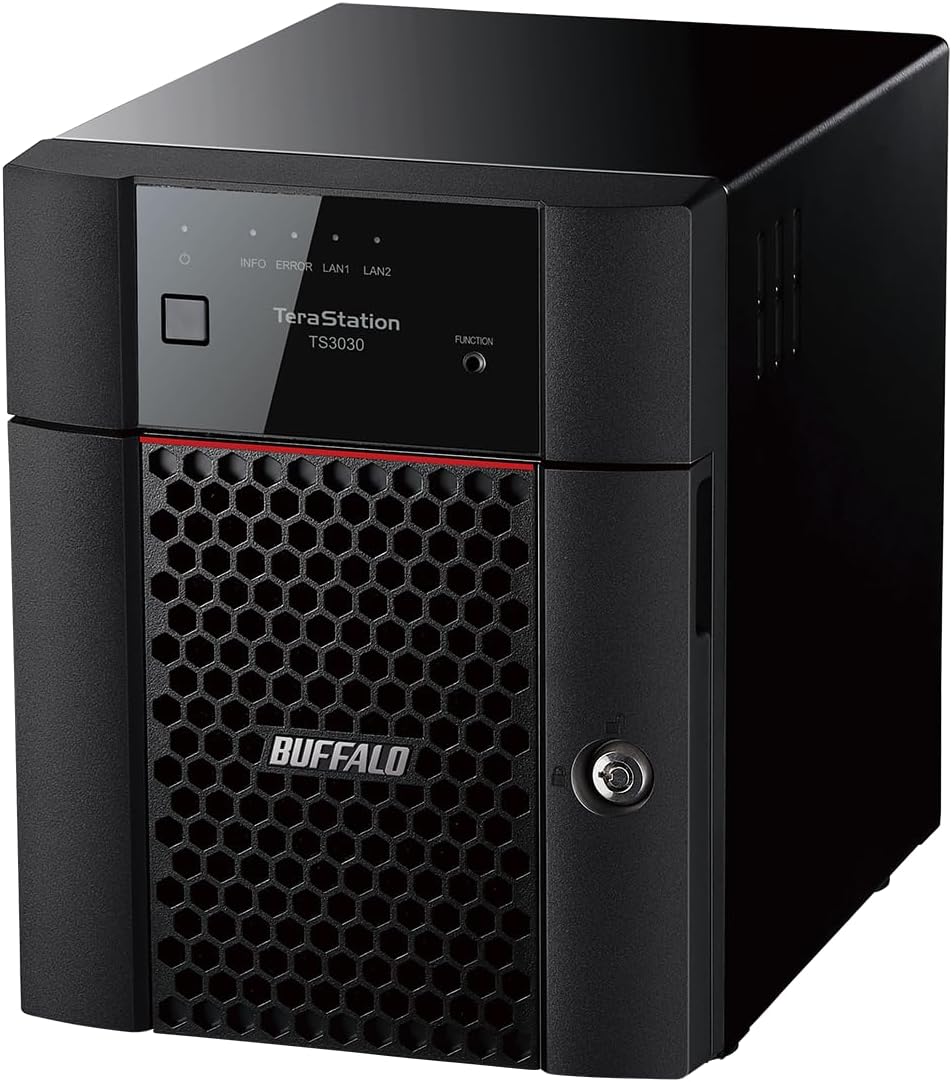
4.3Editor score

4.8Editor score
The following table compares all ten selected models side by side. Review each entry to see differences in bay count, total capacity, and included features before making your final choice.


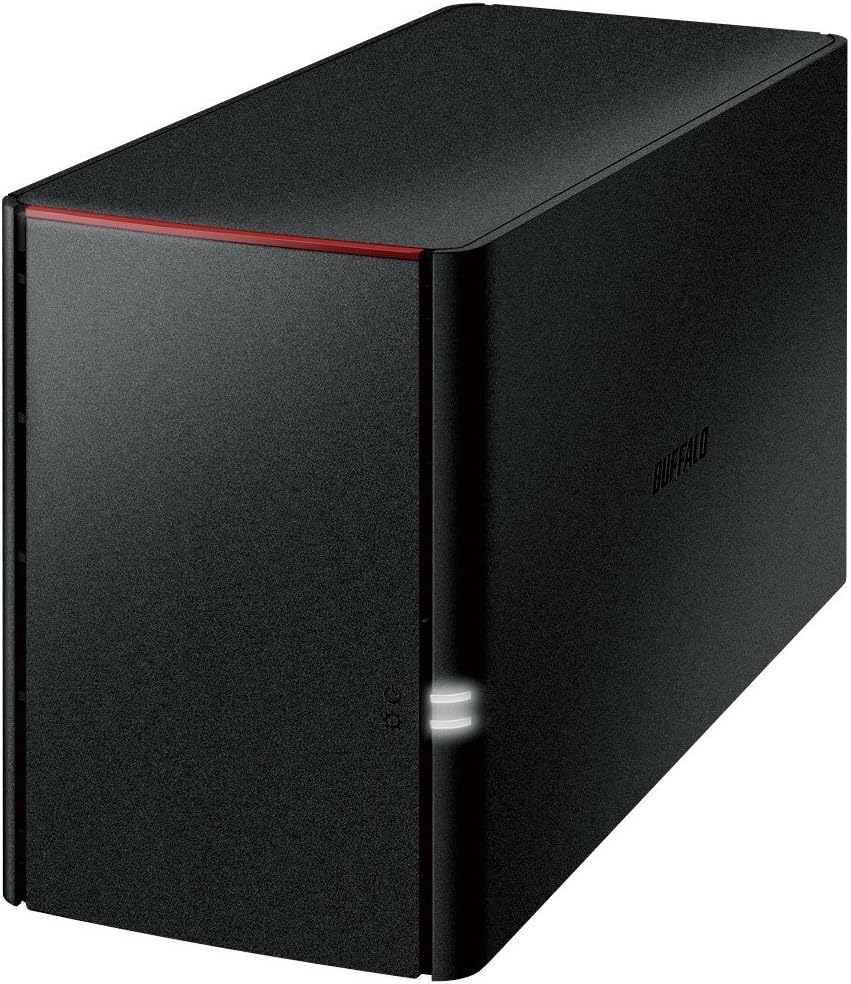


This model offers an affordable entry into network storage with a six terabyte drive pre-installed. It is designed for home users who want centralized access without complex configuration or monthly costs.
We may earn a commission when you buy through this link, at no additional cost to you.
The closed system reduces vulnerabilities by limiting third-party app access. SSL encryption ensures secure file transfers over the network. You can back up multiple computers automatically using the included software tools.
While it lacks advanced features like high-speed ports, it fulfills basic backup needs effectively. The single bay design means less flexibility for expansion compared to larger units.
Ideal for households needing simple shared storage and backup. Choose this if budget is a priority and you do not require enterprise-grade performance or multiple drive bays.
Access files anytime from any device without paying monthly fees. This feature ensures long-term cost savings while keeping your data under your control.
NAS Navigator utility simplifies setting up automated backups for all devices on your network. This reduces manual effort and ensures consistent data protection.
We may earn a commission when you buy through this link, at no additional cost to you.
This device balances performance and capacity for small businesses and power users. It ships with four hard drives totaling twenty-four terabytes and includes a native 2.5GbE port for faster data transfers.
We may earn a commission when you buy through this link, at no additional cost to you.
Users can configure RAID modes to match their needs. Options include RAID 5 for balance or RAID 6 for more redundancy. Cloud integration allows syncing with major providers for hybrid storage security.
The larger chassis requires space on a desk or shelf. However, the included warranty and US-based support provide peace of mind for professional environments relying on continuous operation.
Best for teams needing reliable centralized storage and backup. Its combination of speed and capacity makes it a strong candidate for growing organizations or heavy media workloads.
High-speed file transfers happen without cable upgrades. This ensures the system keeps up with modern network environments efficiently.
Choose redundancy or capacity based on your priorities. Changing modes allows adaptation as storage needs evolve over time.
We may earn a commission when you buy through this link, at no additional cost to you.
Designed for business environments, this model delivers top-tier performance and security. It features a native 10GbE port enabling lightning-fast file transfers and includes instant snapshot capabilities for rapid data recovery.
We may earn a commission when you buy through this link, at no additional cost to you.
Security features like two-factor authentication and closed system design protect sensitive information. The ability to mitigate ransomware through quick snapshot recovery is invaluable for organizations where downtime is costly.
Cost and infrastructure requirements are significant. You need a compatible network switch to leverage the 10GbE port. However, the speed and protection justify the investment for critical business data.
Ideal for enterprises with heavy data loads and strict security needs. This unit ensures high availability and protection against modern digital threats effectively.
Snapshots allow near-instantaneous data recovery with minimal disruption. This helps mitigate ransomware attacks and accidental deletions efficiently.
Native 10GbE ensures file transfers do not bottleneck workflows. This is critical for large media files and active databases.
We may earn a commission when you buy through this link, at no additional cost to you.
Tailored for small offices, this unit offers centralized storage without complex server setups. It includes two hard drives and features a direct copy port for quick USB transfers without a computer.
We may earn a commission when you buy through this link, at no additional cost to you.
RAID 1 protection ensures data safety by mirroring drives automatically. The subscription-free personal cloud allows access from anywhere. Compatible with both macOS and Windows systems seamlessly.
Capacity is limited to four terabytes total. This suits smaller workgroups but may fill up with large media libraries. Ethernet speed is standard gigabit, which is adequate for general office use.
Perfect for home offices or small teams needing reliable backup. The direct copy feature adds convenience for field workers transferring data quickly.
Back up photos or files directly from USB devices. This saves time when moving data from cameras or drives.
RAID 1 mirrors data across drives for safety. If one drive fails, the other maintains full access.
We may earn a commission when you buy through this link, at no additional cost to you.
This model adapts the Essentials series for professional server rooms with a rackmount form factor. It comes with four hard drives and supports faster 2.5GbE transfers for improved network performance.
We may earn a commission when you buy through this link, at no additional cost to you.
Cloud sync capabilities allow hybrid backups for added security. The system is built for data protection with encryption and closed system features. It is designed for environments needing reliable centralized storage.
Eight terabytes total is less than some desktop versions. However, the rackmount design fits neatly in IT closets. This is ideal for businesses with existing rack infrastructure.
Best for organizations requiring professional mounting without premium costs. It balances value and performance effectively for moderate workloads.
Design fits standard server racks for organized IT setups. This maximizes space efficiency in professional environments.
Sync with major cloud services for hybrid backups. This adds layers of security for critical business files.
We may earn a commission when you buy through this link, at no additional cost to you.
This device runs native Windows Server IoT 2025 allowing deep integration with Windows ecosystems. It includes NovaBACKUP software for versatile server and PC backups without additional licensing costs.
We may earn a commission when you buy through this link, at no additional cost to you.
Ideal for small businesses already using Microsoft services. Cloud integration with Azure and OneDrive is seamless. The system avoids extra fees for client access licenses common in traditional server setups.
Capacity is limited to four terabytes total. It serves as a cost-effective solution for specific Windows-based workflows. You must ensure compatibility with your network infrastructure before purchasing.
Best for teams needing Windows-native management tools. Its specialized OS simplifies administration for IT admins familiar with Microsoft environments.
Operates natively with Windows services for seamless management. This reduces complexity in mixed-device office environments.
NovaBACKUP provides professional-level backup capabilities out of the box. This saves costs on third-party software subscriptions.
We may earn a commission when you buy through this link, at no additional cost to you.
A legacy model focusing on basic network storage needs. It supports DLNA for streaming media directly to devices like smart TVs. The unit is compact and easy to set up for simple file sharing.
We may earn a commission when you buy through this link, at no additional cost to you.
It includes USB 2.0 for peripheral connections. While not as fast as newer models, it handles everyday backups effectively. The design is straightforward for users not needing advanced configuration.
Performance depends on the Marvell ARMADA processor which is older. This may limit speed for large file transfers. It is best suited for light home usage.
Choose this for simple media streaming or light backup tasks. It remains a viable option for basic home networks with low bandwidth requirements.
Stream music or videos directly to DLNA-compatible devices. This simplifies home entertainment setups without extra hardware.
USB 2.0 allows connection to printers or external drives. This adds flexibility to the basic network setup.
We may earn a commission when you buy through this link, at no additional cost to you.
Designed for small offices, this unit provides straightforward network storage with bundled backup tools. It supports multiple user access and includes RAID 1 protection for data redundancy across two drives.
We may earn a commission when you buy through this link, at no additional cost to you.
Setup is minimal, requiring only a router connection. Business-level server backup software helps protect critical files. Personal cloud access ensures remote availability for authorized users.
Hardware specifications are from an older generation. This may affect transfer speeds compared to newer units with faster ports. It remains a reliable choice for basic business continuity.
Ideal for small offices needing easy setup and backup. Its simplicity reduces IT overhead while maintaining essential security features.
Includes bundled software for professional-grade server backups. This ensures critical business files are protected automatically.
Personal cloud features allow access from anywhere with internet. This supports remote work or travel flexibility.
We may earn a commission when you buy through this link, at no additional cost to you.
This series focuses on accessible storage for mobile and PC users. It includes mirroring features to protect data against drive failure. Designed for home users needing simple backup without complex configuration.
We may earn a commission when you buy through this link, at no additional cost to you.
The wired LAN connection ensures stable transfers. You can manage files via apps on smartphones or tablets. This makes it easy to keep photos and media synchronized.
Advanced features like high-speed ports are absent. The interface is basic but sufficient for general home use. Reliability depends on standard consumer-grade components.
Best for personal media storage and mobile backups. It serves casual users who prioritize affordability and ease of use.
Manage files directly from smartphone or tablet apps. This simplifies daily access for non-technical users.
Mirroring ensures data safety across drives. If one drive fails, the other keeps files accessible.
We may earn a commission when you buy through this link, at no additional cost to you.
This device offers high capacity through USB rather than network connection. It supports hot swapping for quick drive replacement without powering down. Compatible with both Mac and PC for universal connectivity.
We may earn a commission when you buy through this link, at no additional cost to you.
Ideal for creative professionals needing direct storage. The RAID 1 configuration protects data locally. NovaBACKUP software allows scheduling automatic backups for servers or personal computers.
It is not a true NAS because it connects via USB. This limits sharing across multiple devices unless connected to a shared server. Speed is faster for single-device tasks.
Best for single-workstation backups or local storage expansion. Its hot swap feature adds convenience for maintaining continuous operations during maintenance.
Replace failed drives without powering down the system. This minimizes downtime for critical storage tasks.
Works with Mac and PC via USB 3.2. This simplifies storage sharing in mixed-environment setups.
We may earn a commission when you buy through this link, at no additional cost to you.
Selecting the right network storage depends on your specific needs. Review these factors to find the model that best fits your environment and budget.
The number of drive bays determines how many drives you can install. One bay units are simple but offer no redundancy if the drive fails. Two or more bays allow for RAID configurations that protect data by mirroring or distributing it across disks.
Choose more bays if data safety is a priority or if you plan to expand storage later.
Capacity depends on the number of drives and their individual sizes. Consider your current data volume plus future growth. Larger capacities cost more but prevent frequent upgrades. Models often ship with drives included to simplify setup.
Assess your total file size and choose a model offering enough headroom for years of growth.
Network ports determine transfer speeds. Standard gigabit Ethernet is sufficient for general use. Models with 2.5GbE or 10GbE ports offer faster performance for large files. Ensure your router supports the higher speeds to utilize them.
Faster ports are essential for active video editing or multi-user environments requiring quick access.
Look for RAID support, drive encryption, and backup utilities. RAID ensures data survives drive failure. Encryption protects files during transfers. Some models include snapshot features for ransomware protection. These tools reduce risk significantly.
Prioritize security features if storing sensitive business or personal data.
Remote access lets you retrieve files from outside your home network. Cloud sync integration with providers like Dropbox or Azure adds flexibility. Personal cloud services avoid monthly fees. Ensure the app or portal is easy to use.
Select models with strong remote tools if you need access on the go.
Support availability ensures help when issues arise. Look for extended warranties that cover hard drives. US-based support teams can guide installation. Longer warranties indicate confidence in build quality. Always register your product for full protection.
Choose units with comprehensive warranties to safeguard your investment over time.
Desktop units sit on shelves while rackmount versions fit server cabinets. Consider the physical space available in your office or home. Noise and heat dissipation matter for quiet environments. Compact designs suit smaller spaces better.
Ensure the physical design matches your available space and aesthetic preferences.
Price varies based on capacity and features. Entry-level models cover basic backup needs. High-end units add speed and security. Always compare included drives since some models sell as empty units. Total cost includes any necessary networking cables or switches.
Balance initial cost with long-term value when choosing a model.
Connect the NAS to your router using an Ethernet cable. Plug the power adapter into a stable outlet. Access the device via the included setup wizard on your computer. Follow prompts to set up user accounts and shared folders.
Schedule regular backups for your computers and mobile devices. Install the provided backup software on each device. Configure automatic backups to occur daily or weekly. This ensures your data is protected without manual intervention.
Keep the device in a well-ventilated area to prevent overheating. Update firmware regularly via the settings menu to patch security vulnerabilities. Monitor drive health through the dashboard to replace failing drives promptly.
RAID 1 mirrors data across two drives so you lose half the capacity but get full redundancy. RAID 5 distributes data across three or more drives providing a balance of speed and safety. Choose RAID 1 for simplicity or RAID 5 for larger arrays.
Most Buffalo NAS models do not require monthly fees for basic access. Some advanced cloud features might incur charges depending on the service. Check the specific product details for any subscription requirements.
You can add drives later if the model has empty bays. Some units allow upgrades by inserting additional drives. Always check the manual for supported configurations to avoid data loss during expansion.
A NAS allows multiple users to access files simultaneously over a network. An external drive connects to a single computer directly. Use a NAS for shared home or office storage and an external drive for personal portable use.
Download the corresponding Buffalo mobile app or use a compatible file manager. Log in with your credentials to view or download files. Some models support direct sync with cloud storage services for easier mobile access.
If configured with RAID redundancy, the system continues working using remaining drives. You can replace the failed drive without shutting down the system. Data recovery happens automatically once the new drive is installed.
Most models are compatible with both operating systems. Some utilities may differ slightly between platforms. Ensure your macOS version matches support notes before purchasing to avoid compatibility issues.
Yes, units with DLNA support stream media to smart TVs or consoles. Ensure the device and NAS are on the same network. This allows easy viewing of stored videos without transferring files.
The top picks cover a range of needs from budget home use to enterprise storage. The LinkStation 210 offers simplicity while the TeraStation 5420DN delivers high performance for businesses.
Prioritize capacity and redundancy if you store valuable data. Ensure your network infrastructure supports the chosen speed for optimal performance. Consider remote access needs if you travel frequently.
Always verify current availability and pricing before purchasing. This guide reflects options available in November 2026 to assist your selection process.