
Acer Nitro KG271U
4.5Editor score
180Hz refresh rate
0.5ms response time
Zero-frame design
Finding the right display is crucial for immersive gaming. A 27 Inch WQHD 1440p Gaming Monitor offers the perfect balance of screen real estate and pixel density for sharp visuals without demanding extreme hardware power.
We evaluated ten leading models based on refresh rates, response times, and color accuracy. Our analysis covers IPS and curved panels, ensuring you find a screen that matches your specific gaming style and budget requirements.
Each pick highlights unique strengths like high Hz rates or vibrant color gamuts. Please note that availability and pricing fluctuate frequently, so verify current offers before finalizing your purchase decision today.
4.5Editor score

4.6Editor score

4.6Editor score
As an Amazon Associate we earn from qualifying purchases.
This side-by-side comparison highlights key specifications across all ten models to help you quickly identify the best fit for your setup needs and performance expectations.


The ASUS TUF Gaming VG27AQ3A stands out as a top performer in the 27 Inch WQHD 1440p Gaming Monitors category with a 4.6 rating. It delivers a 180Hz refresh rate and Fast IPS panel ensuring vibrant visuals and smooth motion during intense gaming sessions.
We may earn a commission when you buy through this link, at no additional cost to you.
Its ELMB Sync technology eliminates ghosting and tearing without sacrificing variable refresh rates. The monitor supports HDR-10 and covers 130% sRGB making it suitable for both competitive play and creative content creation tasks.
While the price point is higher than budget models the included Adobe Creative Cloud subscription adds significant value. The only trade-off is a limited tilt range compared to fully ergonomic stands found on pricier alternatives.
This model is ideal for gamers who need reliable performance and color accuracy. The integration of G-Sync compatibility ensures seamless gameplay across various GPU configurations making it a versatile choice.
ELMB Sync combines motion blur reduction with variable refresh rates for sharper images.
Complimentary Adobe Creative Cloud access extends utility beyond gaming into design work.
We may earn a commission when you buy through this link, at no additional cost to you.
The Acer Nitro KG271U offers exceptional value with a 0.5ms response time and 180Hz refresh rate. Its IPS panel delivers high-quality images with excellent detail making it a strong contender for budget-conscious gamers seeking performance.
We may earn a commission when you buy through this link, at no additional cost to you.
AMD FreeSync technology ensures smooth gameplay by syncing frames with the graphics card. The zero-frame design maximizes screen space which is beneficial for multi-monitor setups or immersive single-display experiences.
Despite the lower cost the monitor supports DCI-P3 95% color accuracy suitable for color-critical projects. However the stand lacks extensive ergonomic adjustments and HDR support is minimal compared to premium options.
Buy this if you need fast motion handling without spending too much. The combination of speed and visual fidelity makes it a reliable pick for entry-level competitive gaming.
0.5ms response time minimizes ghosting for crisp fast-paced action scenes.
Zero-frame design reduces bezels allowing for a seamless viewing experience.
We may earn a commission when you buy through this link, at no additional cost to you.
The ASUS TUF VG27AQL1A combines an overclocked 170Hz refresh rate with professional color performance. Its DisplayHDR 400 certification and 130% sRGB coverage ensure stunning visuals for both gaming and creative workflows.
We may earn a commission when you buy through this link, at no additional cost to you.
ELMB Sync technology works with G-SYNC to eliminate tearing and motion blur simultaneously. This feature provides a clear advantage in competitive shooters where visual clarity is paramount for reacting quickly.
The monitor includes eye care features like flicker-free technology to reduce strain during long sessions. While it carries a premium price the included Adobe Creative Cloud subscription adds value that offsets the cost.
This is the best choice for professionals who game and create content. The balance of speed and color accuracy makes it a versatile tool for high-demand applications.
ELMB Sync enables motion blur reduction alongside variable refresh rate sync.
DisplayHDR 400 and sRGB coverage meet professional content creation needs.
We may earn a commission when you buy through this link, at no additional cost to you.
The Acer Nitro XV271U M3 focuses on usability with a full ergonomic stand offering height tilt and swivel adjustments. Its 180Hz refresh rate and 1ms response time deliver smooth gameplay for competitive titles.
We may earn a commission when you buy through this link, at no additional cost to you.
With dual HDMI ports and one DisplayPort you can connect multiple devices easily. The integrated speakers provide basic audio convenience without needing extra hardware for casual sessions or chats.
AMD FreeSync Premium ensures stable frame rates during intense action scenes. While the panel lacks advanced HDR features it maintains solid color accuracy and clarity for standard gaming applications.
This monitor is perfect for users who value physical adjustability. The stand flexibility and connectivity options make it a solid choice for long-term desk setups.
Full ergonomic adjustments allow for personalized comfortable viewing positions.
Multiple video inputs support simultaneous connections for consoles and PCs.
We may earn a commission when you buy through this link, at no additional cost to you.
The Samsung Odyssey G5 brings immersive gameplay with a 1500R curved design. Its QHD resolution provides detailed pixel density enhancing realism during single-player story-driven gaming experiences.
We may earn a commission when you buy through this link, at no additional cost to you.
HDR10 support improves shadow and highlight details making scenes feel more vivid. The Black Equalizer feature allows gamers to spot enemies in dark areas providing a tactical edge in combat.
AMD FreeSync reduces screen lag and tearing ensuring smooth performance. While the curve is great for immersion some users may prefer flat screens for productivity tasks involving spreadsheets.
This is an excellent pick for immersive simulation or action games. The combination of refresh rate and visual depth creates an engaging environment for long sessions.
1500R curve wraps around your vision for immersive single-player games.
Black Equalizer brightens dark areas to reveal hidden enemies clearly.
We may earn a commission when you buy through this link, at no additional cost to you.
The SANSUI 27 Inch QHD offers a high 200Hz refresh rate via DisplayPort for ultra-smooth motion. It supports 120% sRGB color gamut ensuring vibrant visuals during fast-paced competitive gaming rounds.
We may earn a commission when you buy through this link, at no additional cost to you.
Metal stand construction provides stability while eye care technologies reduce flicker and blue light. The crosshair assistant helps aiming accuracy in shooters by overlaying guides on the screen.
Although it lacks speakers the monitor includes a DP cable and supports VESA mounting. The brightness level is standard but adequate for indoor gaming environments with controlled lighting.
This monitor is best for gamers prioritizing raw speed. The high refresh rate and color support make it a strong competitor in the budget segment.
200Hz refresh rate minimizes motion blur during intense gaming scenarios.
Built-in crosshair overlay aids accuracy in tactical shooter games.
We may earn a commission when you buy through this link, at no additional cost to you.
The SANSUI 27 Gaming model supports vertical rotation with pivot and swivel capabilities. Its Fast IPS panel offers 200Hz refresh rate and 10Bits color depth for vibrant and accurate image rendering.
We may earn a commission when you buy through this link, at no additional cost to you.
MPRT Low Motion Blur technology sharpens visuals during rapid movement. The monitor includes two DisplayPort 1.4 inputs ensuring maximum bandwidth for high refresh rate outputs.
Lifetime technical support adds peace of mind for users. The ergonomic adjustments allow precise positioning which is essential for users who switch between gaming and productivity modes.
This choice is ideal for developers needing vertical screens or gamers needing height adjustment. The combination of features provides flexibility for diverse desk setups.
Pivot and swivel options allow custom orientation for multitasking or gaming.
MPRT technology reduces blurring to enhance fast-action visual sharpness.
We may earn a commission when you buy through this link, at no additional cost to you.
The KOORUI G2721P combines 200Hz refresh rate with HDR400 certification for bright high contrast visuals. Its DCI-P3 95% color gamut ensures realistic and consistent images across various viewing angles.
We may earn a commission when you buy through this link, at no additional cost to you.
Fast IPS technology delivers rapid pixel response times essential for smooth gaming. The minimalistic design with ultra-thin body fits modern setups while the VESA mount offers wall mounting options.
A 3-year warranty and 12-month replacement service provide reliable customer support. Although ports are limited the included video interfaces support high-quality image transmission for PCs and consoles.
This model is best for users seeking reliable warranty coverage and brightness. The HDR400 and refresh rate combination offers excellent value for competitive gaming.
3-year warranty ensures long-term protection and peace of mind.
HDR400 certification enhances contrast and color detail significantly.
We may earn a commission when you buy through this link, at no additional cost to you.
The Acer Nitro EDA270U offers a curved 1500R display for an immersive gaming experience. With 180Hz refresh rate and 1ms VRB response it delivers smooth motion and quick reaction times.
We may earn a commission when you buy through this link, at no additional cost to you.
Zero-frame design maximizes visual real estate allowing for clean desktop setups. The integrated speakers provide basic audio without extra cables while VESA mounting offers alternative installation options.
While the HDR support is minimal it maintains solid color accuracy for daily use. The ergonomic tilt range helps users find comfortable viewing positions during extended gaming sessions.
This monitor suits those wanting curvature and simplicity. The balance of price and features makes it a practical option for casual gamers.
1500R curve enhances depth perception for more engaging gameplay.
Multiple HDMI and DisplayPort inputs support various external devices easily.
We may earn a commission when you buy through this link, at no additional cost to you.
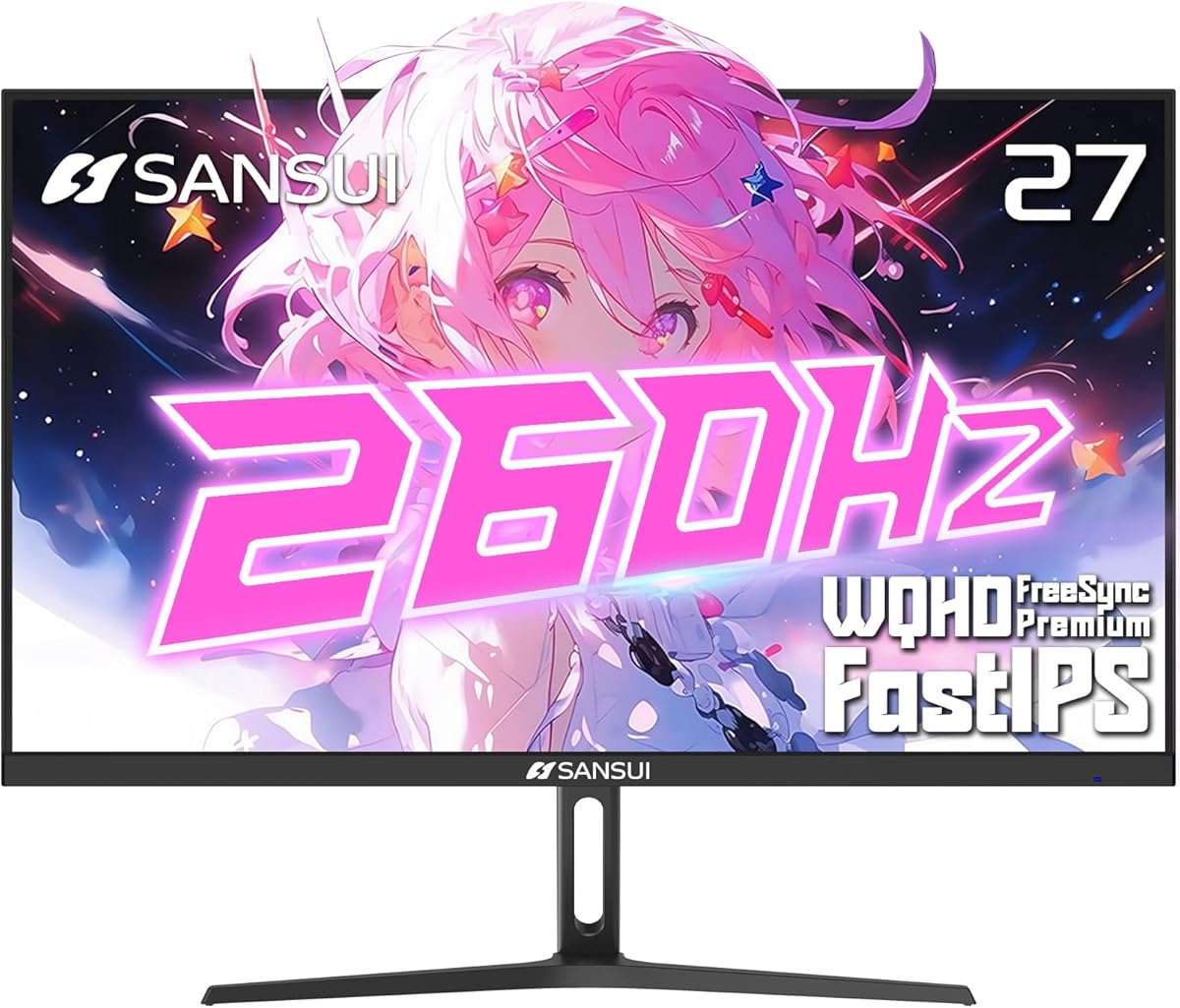
The SANSUI 260Hz is the fastest model on the list with a 260Hz refresh rate. Its Fast IPS panel and 1ms MPRT response ensure ultra-smooth motion perfect for competitive shooters.
We may earn a commission when you buy through this link, at no additional cost to you.
FreeSync Premium minimizes tearing and stutters during complex in-game action. The 10Bits color depth and DCI-P3 98% coverage deliver rich and vivid color performance.
Setup requires checking cable capabilities to achieve full speed. The lifetime technical support adds long-term value for users needing assistance with configuration.
This is the ultimate choice for high-refresh competitive gaming. The raw speed and color performance make it stand out among top-tier models.
260Hz refresh rate provides the fastest motion handling in this list.
10Bits color depth ensures smooth gradients and accurate colors.
We may earn a commission when you buy through this link, at no additional cost to you.
Selecting the right monitor involves understanding technical specifications like refresh rates panel types and response times to match your specific gaming needs.
Refresh rate determines how many frames are displayed per second measured in Hertz. Higher rates like 180Hz or 260Hz reduce motion blur and make gameplay look smoother.
Choose higher refresh rates for competitive shooters where speed matters most.
Response time measures how fast pixels change color usually expressed in milliseconds. Lower times like 1ms reduce ghosting and trailing artifacts during rapid screen transitions.
Aim for 1ms or faster for crisp visuals without smear.
IPS panels offer wide viewing angles and accurate colors while VA panels provide deeper blacks. For gaming IPS is often preferred for its color fidelity and speed.
Select IPS for balanced color and motion performance.
Adaptive Sync technologies like FreeSync and G-Sync match the monitor refresh rate to the graphics card. This eliminates screen tearing and stuttering for smoother frame delivery.
Ensure your GPU is compatible with the chosen sync standard.
Adjustable stands that allow height tilt and swivel help maintain comfort during long sessions. Look for VESA mounting options if you prefer custom arm setups.
Prioritize height and tilt adjustment for posture health.
Color gamut coverage like sRGB or DCI-P3 indicates how many colors the display can show. Wide coverage ensures vibrant and accurate visuals for media and gaming.
Look for 100% sRGB or higher for rich visuals.
HDR support enhances brightness and contrast making highlights pop and shadows detailed. While entry-level HDR exists certified levels like HDR400 provide noticeable improvements.
Select HDR400 or higher for better dynamic range.
Ensure the monitor has enough video inputs like HDMI and DisplayPort for your devices. DisplayPort versions support higher refresh rates so check cable compatibility for top speeds.
Check input types match your PC or console requirements.
Connect your monitor using the appropriate cable like DisplayPort for max refresh rates to ensure full performance capabilities are unlocked.
Adjust the stand settings to align the screen with your eye level reducing neck strain during extended gaming sessions.
Clean the screen gently with a soft dry cloth to avoid scratching the panel surface or leaving residue.
Yes 1440p provides sharper images and more screen space without requiring extreme graphics power. This balance is ideal for gaming and productivity on a 27 inch screen.
You need a capable GPU to drive high refresh rates at 1440p. Mid-range to high-end cards are recommended to achieve 180Hz or higher in modern games.
FreeSync is an open standard compatible with AMD and many NVIDIA cards. G-Sync is proprietary but offers tighter integration. Both eliminate tearing effectively on these models.
Many models offer wide color gamuts like DCI-P3 and accurate IPS panels suitable for editing. Check specific color coverage to ensure it meets your design needs.
Connect via DisplayPort if possible and adjust settings in Windows Display settings. Ensure your graphics card drivers are updated to output the correct refresh rate.
Yes it significantly reduces motion blur and ghosting during fast movement. This results in clearer visuals which is crucial for competitive gaming accuracy.
Most models include VESA mounting patterns allowing you to use standard wall arms. Check the specific mount size like 100x100mm before buying a mount.
Most manufacturers offer a 3-year warranty covering defects. Some models like KOORUI include specific replacement policies so check terms before purchase.
We reviewed ten exceptional models ranging from budget options like Acer Nitro to premium picks like ASUS TUF. Each offers unique strengths in speed color or adjustability.
Prioritize high refresh rates and color accuracy based on whether you play competitive shooters or creative work. Balance these features with ergonomic needs for comfort.
Prices and availability change so check the provided links for current deals. Ensure you buy from trusted sellers to secure warranty coverage and support.